




Athletic archive bit depth preservation is the practice of capturing and storing school photos and audio recordings at a sufficient bit depth to retain the tonal gradations and dynamic detail that low-bit-depth files permanently discard. The direct answer: bit depth determines how many distinct values are available to represent the brightness of each pixel in an image or the amplitude of each sample in an audio recording. A photograph captured in 8-bit JPEG compresses 16.7 million possible color values into a fixed output — adequate for social media, insufficient for an archive that will be enlarged, color-corrected, and displayed on a high-resolution touchscreen decades from now. An audio recording captured in 16-bit holds 65,536 amplitude steps across its dynamic range; a 24-bit recording holds 16,777,216 — the difference between quiet crowd murmurs that disappear into the noise floor and quiet crowd murmurs that survive the digitization chain intact. For school athletic programs whose photographs will eventually appear in yearbook layouts, hall-of-fame displays, lobby recognition kiosks, and walls of honor, the bit depth decision made at the moment of capture is the decision that limits every downstream use of that file, permanently and without appeal. This guide explains what bit depth means for both photographic and audio archive content, specifies the capture settings that protect archival quality, walks through the conditions under which lower bit depths are acceptable, and provides decision tables for athletic directors, archive coordinators, IT staff, and facilities teams responsible for maintaining and publishing athletic heritage content.
Nothing in this guide constitutes professional photography, audio engineering, or archival advice. Capture settings, format decisions, and storage requirements vary by equipment, institution, and use case. Review any implementation with qualified staff before applying to a live archive.
School athletic archives accumulate content across decades of equipment generations, staff changes, and storage formats. The photographs from a 1990s state championship run may have been digitized from prints at 72 dpi as 8-bit JPEGs when the school first built a website — adequate for a page that loaded on a 14-inch monitor over dial-up, completely inadequate for a 55-inch touchscreen display in a renovated athletic lobby. The audio recordings of post-game locker room speeches from the same era may have been captured at 8-bit / 22 kHz on whatever recording software came with the school’s first desktop computer — usable for a CD burned for the coach, noticeably degraded when compared to modern recordings in the same display playlist.
These quality gaps are not inevitable. They are the result of capture settings chosen at a moment when the future display context was unknown or underestimated. Athletic archive bit depth preservation addresses this by establishing the correct capture settings at the point of origin — before the photo is taken, before the tape is digitized — so that the archive that reaches a recognition display in ten or twenty years contains the full tonal and dynamic range of the original moment.

Athletic archives built from high-bit-depth captures retain the full tonal range needed for quality display on modern recognition screens — a decision made at the moment of capture that cannot be reversed later
What Bit Depth Means for Athletic Archive Content
Bit depth describes the number of binary digits (bits) used to represent each unit of information in a digital file. For photographs, each pixel’s color value is encoded as a combination of red, green, and blue channels; the bit depth of each channel determines how many distinct brightness values that channel can represent. For audio, each time-domain sample of the waveform is encoded as a numeric value; the bit depth determines how many amplitude levels are available to represent the signal at that sample.
The relationship between bit depth and information capacity is exponential, not linear:
Photographic bit depth (per channel):
| Bit Depth | Values Per Channel | Total Colors (RGB) | Common Use |
|---|---|---|---|
| 8-bit per channel | 256 | ~16.7 million | Standard JPEG, web display, social media |
| 12-bit per channel | 4,096 | ~68.7 billion | Mid-range camera RAW output |
| 14-bit per channel | 16,384 | ~4.4 trillion | Higher-end camera RAW output |
| 16-bit per channel | 65,536 | ~281 trillion | Scanner masters, professional RAW, TIFF archival |
Audio bit depth:
| Bit Depth | Amplitude Steps | Dynamic Range (approx.) | Common Use |
|---|---|---|---|
| 8-bit | 256 | ~48 dB | Early digital recordings, voice memos |
| 16-bit | 65,536 | ~96 dB | CD audio, standard podcast delivery |
| 24-bit | 16,777,216 | ~144 dB | Professional recording, archival masters |
| 32-bit float | ~4.29 billion (variable) | Virtually unlimited | Broadcast production, high-end DAW work |
For a school athletic archive, the practical implication of these tables is straightforward: higher bit depth means more information available at every downstream processing step. When a 16-bit image is color-corrected, resized, and exported to a recognition display, the corrections operate on 65,536 values per channel rather than 256. When a 24-bit audio recording is normalized, processed for loudness consistency, and converted to a display delivery format, the processing operates on 16.7 million amplitude steps rather than 65,536. The additional information does not make low-quality content look or sound better — it preserves the quality that was already in the original capture, without introducing the banding, noise amplification, and quantization artifacts that occur when low-bit-depth files are processed or enlarged.
Bit Depth for Athletic Archive Photography
Camera Capture Settings
The most consequential bit depth decision for photographic archives is made at the camera, before the shutter opens. Digital cameras offer two primary output formats: JPEG and RAW. The distinction is critical for archival purposes.
JPEG compresses the camera sensor’s output — which is captured at 12 or 14 bits per channel — into an 8-bit per channel output file. The compression is lossy: tonal gradations in highlights and shadows that exist in the sensor data are discarded, and the remaining 256 values per channel are fixed at the point the file is saved. JPEG files are immediately usable, compact, and compatible with every image viewer, presentation application, and content management system. They are also the final word on the quality of that image. Nothing done to the file after capture can restore the tonal information that was discarded at compression.
Camera RAW preserves the sensor’s full bit depth — 12-bit or 14-bit per channel, depending on the camera — in a minimally processed file that must be converted to a standard format (JPEG or TIFF) before display. RAW files are larger, require conversion software, and cannot be used directly in most content management systems. They are the archival equivalent of a developed but unprinted negative: the full tonal range of the original scene is preserved, available for color correction, highlight recovery, and output to any size or format the archive needs.
Recommended capture settings for athletic archive photography:
| Archive Use Case | Recommended Capture Format | Bit Depth | Notes |
|---|---|---|---|
| Hall of fame portraits, recognition photos | RAW + JPEG simultaneous | 12–14 bit RAW master | JPEG for immediate use; RAW for archive master |
| Game action photography | RAW + JPEG simultaneous | 12–14 bit RAW master | Action photography produces more varied exposure — RAW provides recovery latitude |
| Team photos, group portraits | RAW + JPEG simultaneous | 12–14 bit RAW master | Skin tone gradations require bit depth for quality enlargement |
| Document scanning (rosters, programs, certificates) | TIFF at 300–600 dpi | 8-bit grayscale or 24-bit color | TIFF is lossless; 8-bit acceptable for document scans |
| Social media and event coverage | JPEG acceptable | 8-bit | If the photo will never be used in an archival context, JPEG is sufficient |
The simultaneous RAW + JPEG capture setting available on most mid-range and professional cameras is the practical solution for athletic programs that need immediate-use files without sacrificing archival masters. The JPEG goes to the yearbook committee, the team website, or the game-day social media post. The RAW file goes to the archive as the preservation master.
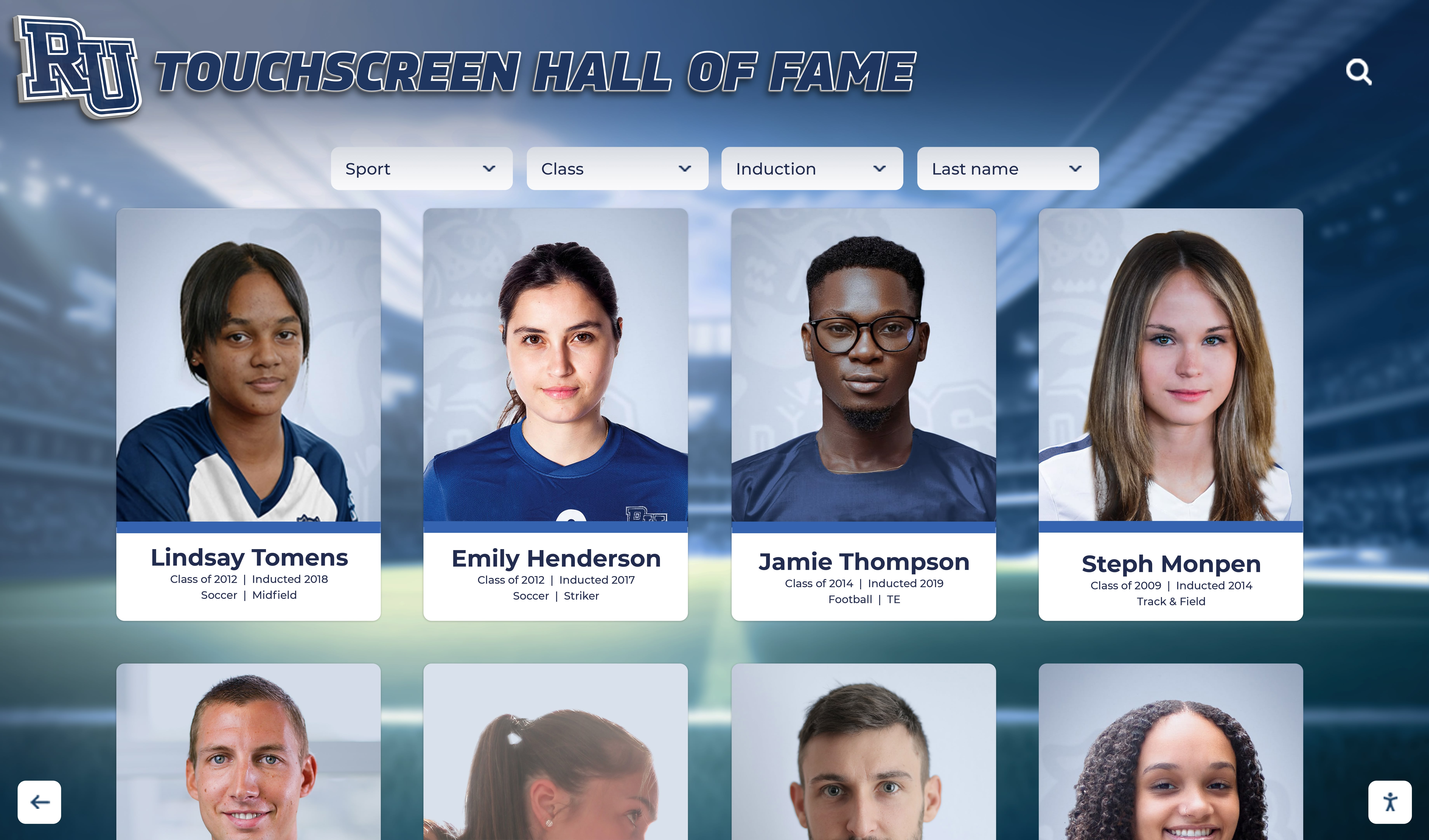
Hall of fame portrait displays reproduce the tonal gradations of the original photograph — archival masters captured at 12 to 14 bits per channel preserve the highlight and shadow detail that makes faces recognizable and prints enlargeable
Scanner Capture Settings for Legacy Photos
Legacy athletic photographs — prints from the 1970s through the digital era — require scanning to enter the archive. Scanner capture settings parallel camera capture settings: the bit depth of the scan determines the tonal information available in the resulting file.
Most flatbed scanners offer 8-bit, 16-bit, or 48-bit color output (48-bit represents 16 bits per channel across three channels). The following settings apply to archival photographic scans:
Recommended scanner settings for athletic archive masters:
| Source Material | Resolution | Bit Depth | Format | Notes |
|---|---|---|---|---|
| Standard prints (4×6 to 8×10) | 600 dpi | 48-bit color (16 per channel) | TIFF | Provides latitude for color correction and enlargement |
| Wallet-size and small prints | 1200 dpi | 48-bit color | TIFF | Higher resolution compensates for small original size |
| Black-and-white prints | 600 dpi | 16-bit grayscale | TIFF | 16-bit grayscale provides correction latitude for monochrome originals |
| Color negatives and slides | 2400–4800 dpi | 48-bit color | TIFF | Negative scanning requires higher resolution; 4800 dpi for 35mm |
| Newspaper clippings | 400 dpi | 8-bit grayscale | TIFF | Newsprint detail does not benefit from high bit depth; resolution matters more |
| Athletic programs and documents | 300–400 dpi | 8-bit grayscale or 24-bit color | TIFF | Document text scans are legibility-driven; color only if original has color content |
The 16-bit per channel scan (48-bit color) creates a file with 65,536 values per channel. When this file is processed for display — adjusted for color balance, cropped, resized, and exported as a JPEG access copy for a touchscreen recognition system — the processing draws on those 65,536 values and the output JPEG reflects the original photograph’s full tonal range. A photograph scanned at 8-bit per channel and then processed in the same way compresses all corrections into 256 values per channel, and any significant color adjustment introduces visible banding in areas of smooth gradation — a problem that becomes apparent when the photograph is enlarged for a hall of fame display or printed for a recognition ceremony.
For schools building digital yearbook archives and scanning historical volumes, the tonal quality guidance in this yearbook dedication page design resource reflects the same principle: the quality of scanned imagery determines the visual standard of the final product, and the moment of scanning is the last opportunity to capture the original at full quality.
Managing RAW Files in an Athletic Archive
RAW files from camera sensors are proprietary formats: a Canon RAW file (.CR2 or .CR3) is not the same as a Nikon RAW file (.NEF or .NRW), and the specific software needed to open each format changes as manufacturers update their camera lines and processing tools. A RAW file from a camera that is no longer manufactured may become difficult to open in current software within fifteen years.
The archival solution is a two-step master file strategy:
Retain the camera RAW file as the original capture record. Even if the proprietary format becomes difficult to open, the RAW file can often be processed by open-source converters (RawTherapee, darktable, LibRaw) that maintain support for legacy formats.
Create a TIFF master from the RAW file as the primary archival master. Process the RAW file with minimal adjustments — correct only for exposure accuracy and white balance — and export a 16-bit TIFF. This TIFF becomes the reference master that will be used for all future access copies, and it does not depend on proprietary RAW processing software.
TIFF export settings from RAW for archival masters:
| Setting | Recommended Value | Notes |
|---|---|---|
| Bit depth | 16 bits per channel | Preserves full RAW bit depth in the TIFF |
| Color space | ProPhoto RGB or Adobe RGB | Wider gamut than sRGB; preserves color information for future output |
| Compression | None or LZW | LZW is lossless; reduces file size without discarding information |
| Resolution | Native pixel dimensions | Do not resample the master file; preserve original pixel count |
| Sharpening | None | Do not apply output sharpening to masters; apply only to access copies |
For recognition programs that display athletes’ portraits in contexts ranging from hall of fame profile screens to athletic banners, the recognition display quality standards that apply to high-resolution reproductions make high-bit-depth archival masters a practical requirement, not a luxury.
Bit Depth for Athletic Archive Audio
Audio Capture Settings for New Recordings
Audio recordings that enter the athletic archive as new captures — interviews with current athletes and coaches, oral histories with retired staff, awards ceremony recordings, game highlight commentary — should be captured at 24-bit / 48 kHz regardless of the recording device used.
Why 24-bit matters for athletic audio archives:
The difference between 16-bit and 24-bit audio is not primarily about what you can hear during normal playback. It is about the information available during post-processing and normalization. When a recording is captured in a gym, hallway, or outdoor field environment, the signal level is rarely consistent throughout. An interview recorded in the athletic director’s office may capture comfortable speech at -12 dBFS, but crowd noise bleedthrough during a game-day recording may push peaks close to 0 dBFS. The 24-bit recording has 8 additional bits of headroom — 48 additional decibels of dynamic range — below the typical signal level. This headroom means:
- Quiet passages can be amplified without amplifying the noise floor to a perceptible level
- Normalization processing (matching loudness across the collection) operates on 16.7 million amplitude steps rather than 65,536
- A recording captured at conservative levels is not locked into that level at the point of capture
Recommended audio capture settings for athletic archive recordings:
| Recording Scenario | Sample Rate | Bit Depth | Format | Notes |
|---|---|---|---|---|
| Oral history interview | 48 kHz | 24-bit | WAV (PCM) | Highest archival standard; captures voice with full dynamic latitude |
| Awards ceremony recording | 48 kHz | 24-bit | WAV (PCM) | Captures PA system audio and ambient crowd clearly |
| Coach interview (sideline) | 48 kHz | 24-bit | WAV (PCM) | Background noise benefits from headroom for post-processing |
| Game highlight commentary | 48 kHz | 24-bit | WAV (PCM) | Wide dynamic range; needs headroom to capture peaks and quiet passages |
| Phone or remote interview | 44.1 kHz | 16-bit acceptable | WAV or FLAC | Phone audio is limited to 8 kHz bandwidth; 16-bit is sufficient ceiling for this source |
| Voice memo or field note | 44.1 kHz | 16-bit acceptable | WAV or FLAC | Not intended as an archival master; document in metadata |
The sample rate (48 kHz versus 44.1 kHz) matters less than the bit depth for archival purposes. Both are well above the theoretical maximum frequency the human ear perceives (approximately 20 kHz). The 48 kHz standard aligns with professional audio and broadcast equipment and is the preferred archival standard; 44.1 kHz (CD standard) is fully acceptable if the recording device does not support 48 kHz natively.

Interactive recognition kiosks that include audio oral histories and game recordings depend on source files captured at 24-bit depth — the dynamic range preserved at capture determines the quality of what visitors hear in the display environment
Audio Bit Depth for Digitizing Legacy Media
Legacy athletic audio — cassette tapes of coach interviews, reel-to-reel recordings of radio broadcasts, VHS audio tracks from game footage, MiniDisc recordings — must be digitized at 24-bit / 48 kHz to preserve the full signal range of the original recording, even when that original was made on equipment with a much lower technical ceiling.
This may seem counterintuitive: if a cassette tape has a noise floor of approximately -55 dB and a dynamic range of roughly 55–60 dB, why capture it in 24-bit format with a 144 dB dynamic range? The reason is post-processing headroom, not source fidelity. A cassette transfer captured at 24-bit gives the archive team 16.7 million amplitude steps to work with when normalizing loudness, reducing noise, correcting level variations between recording generations, and producing access copies at different output levels. The same transfer captured at 16-bit gives 65,536 steps. When normalization raises a quiet 1985 game broadcast to match the level of a 2008 digital recording, the 24-bit file degrades gracefully under that processing; the 16-bit file introduces quantization noise that is audible in quiet passages after significant gain is applied.
Capture settings by legacy audio format:
| Format | Recommended Capture Settings | Common Level Issue | Notes |
|---|---|---|---|
| Cassette tape (Type I/II) | 48 kHz / 24-bit / stereo | Often captured at conservative levels | Wide variation in recording level; 24-bit headroom absorbs post-normalization processing |
| Reel-to-reel tape | 48 kHz / 24-bit / stereo | Can be very hot or very quiet depending on era | Check playback levels carefully; reel-to-reel varies widely by recording era and speed |
| VHS audio track | 48 kHz / 24-bit / stereo | AGC variation throughout | Capture during video digitization; extract audio separately for the audio archive |
| MiniDisc | 44.1 kHz / 16-bit source | Already lossy at source (ATRAC codec) | MiniDisc is an ATRAC-compressed format; capture at 48 kHz / 24-bit for consistency even though source is already compressed |
| Audio CD | 44.1 kHz / 16-bit source | Fixed at CD standard | Rip losslessly (WAV or FLAC); no benefit to upsampling, but store at native format |
| DAT tape | 48 kHz / 16-bit source | Varies by original recording standard | DAT is already digital; capture at original specs; a 24-bit interface for the playback chain is still preferable |
| Digital voice recorder files | 44.1 kHz / variable | Depends on recorder | Transfer original files rather than re-recording through a playback chain if possible |
Recording level guidance during digitization:
Set the input gain of the audio interface so that the loudest passages in the source material peak between -12 and -6 dBFS. This is the correct range for archival capture — strong enough that the signal is well above the noise floor of the audio interface, quiet enough to leave headroom for unexpected peaks in the source material. A recording captured at -18 dBFS average can be normalized to -16 LUFS afterward without issue. A recording captured at 0 dBFS with frequent clipping cannot be restored.
For programs using swim meet recordings, ceremony captures, or other event audio in recognition contexts, the principles in this swim meet recognition display guide illustrate how audio and visual records from athletic events become part of the recognition story — a story that depends on capture quality at its source.
Bit Depth in the Archive Workflow: Where Decisions Matter
Bit depth is not only a concern at the moment of capture. Several downstream archive workflow steps affect bit depth and tonal integrity:
Export and Derivative Creation
When creating access copies from archival masters, bit depth decisions at export determine the quality of the derivative. The following export settings apply to common athletic archive output contexts:
Photo access copy export settings:
| Output Context | Format | Bit Depth | Resolution | Color Space |
|---|---|---|---|---|
| Touchscreen recognition display | JPEG | 8-bit (sufficient for display) | Native or 2× display resolution | sRGB |
| Print for awards ceremony | TIFF or high-res JPEG | 16-bit TIFF for large prints | 300 dpi at print size | Adobe RGB |
| Yearbook layout (digital) | JPEG | 8-bit | 300 dpi at layout size | sRGB or CMYK per printer spec |
| Web and social media | JPEG or WebP | 8-bit | 72–96 dpi; 1200–2000 px longest edge | sRGB |
| Email distribution | JPEG | 8-bit | 96 dpi; 1000–1500 px longest edge | sRGB |
| Hall of fame mural print | TIFF | 16-bit | Minimum 150 dpi at print dimensions | Adobe RGB |
The master is never the distribution file. Every output context gets its own access copy, derived from the 16-bit TIFF or 14-bit RAW master. If the master is correct, every derivative can be regenerated at any quality level in the future.
Audio access copy export settings:
| Output Context | Format | Bit Depth | Sample Rate | Bitrate |
|---|---|---|---|---|
| Touchscreen recognition display | MP3 or AAC | — (lossy) | 44.1 kHz | 256 kbps minimum |
| Archival access copy (primary) | WAV or FLAC | 24-bit | 48 kHz | Lossless |
| Web streaming | AAC (M4A) | — (lossy) | 44.1 kHz | 192–256 kbps |
| Ceremony playback (PA system) | WAV | 16-bit or 24-bit | 44.1 or 48 kHz | Lossless |
| Phone or mobile reference copy | MP3 | — (lossy) | 44.1 kHz | 128 kbps acceptable |
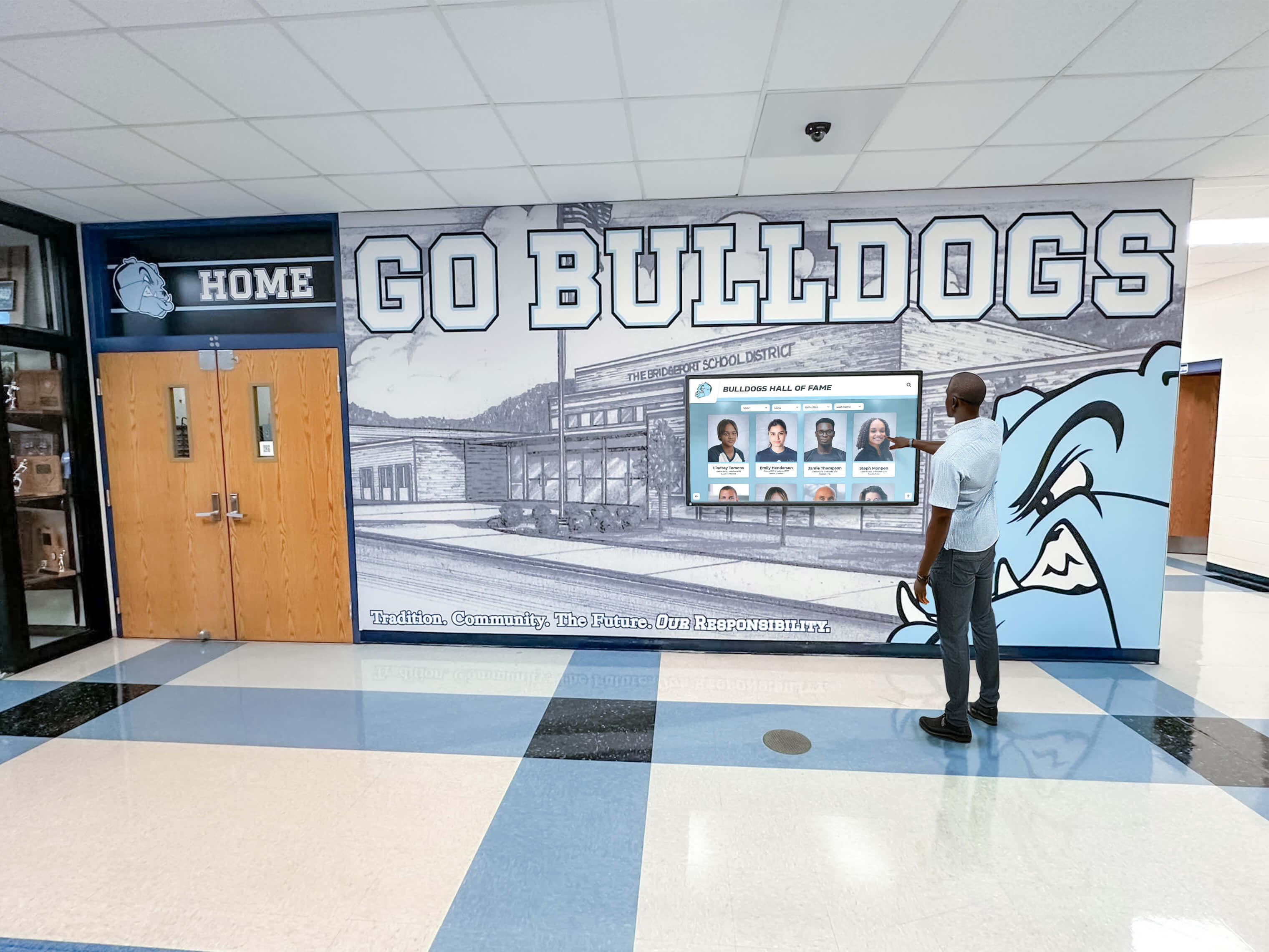
Recognition displays that draw on decades of athletic history require archival masters captured and stored at the bit depths that preserve the tonal and dynamic information needed for high-quality reproduction
The Hidden Bit Depth Risk: Processing with Low-Bit-Depth Intermediates
A common archival error is performing processing steps — cropping, color correction, noise reduction, level adjustment — on 8-bit JPEG files rather than on the 16-bit TIFF master. Each edit-and-save cycle on a JPEG re-compresses the file, and processing operations applied to 8-bit files introduce posterization (visible banding in gradients) and noise amplification that cannot be undone. If a photo was saved as a JPEG, the 8-bit intermediate is all that exists — processing it is all that is possible. But if the 16-bit TIFF master exists and the archivist works from the master, the access copy JPEG reflects the full tonal range of the original.
The rule is simple: always process from the master, always export to a new file. Never edit and overwrite a master. Never use a JPEG as the working file when a TIFF master is available.
For audio, the parallel risk is processing access copies rather than masters. Normalizing an MP3 file and re-saving it produces a double-compressed result with generation loss. All processing — normalization, level correction, noise reduction — should be applied to the WAV or FLAC master, with the processed output saved as a new access copy.
Choosing Equipment That Supports High-Bit-Depth Capture
The capture settings decisions above are only meaningful if the recording equipment supports them. Equipment selection for an athletic archive program should be evaluated against these bit depth requirements:
Cameras for Athletic Archive Photography
Mid-range DSLR and mirrorless cameras from major manufacturers (Canon, Nikon, Sony, Fujifilm) capture in 12-bit or 14-bit RAW at their standard settings. The following camera characteristics are relevant to athletic archive quality:
| Camera Feature | Archive Relevance | What to Look For |
|---|---|---|
| RAW format support | Prerequisite for 12–14 bit archival masters | All mid-range and professional cameras; some compact cameras |
| RAW bit depth | Determines tonal information in archival master | 12-bit minimum; 14-bit preferred for portraits and low-light |
| Simultaneous RAW + JPEG capture | Enables workflow for immediate access + archival master | Standard on mid-range cameras; verify in specifications |
| High-ISO performance | Affects noise floor in low-light captures | Sensor size and generation; test at ISO 3200–6400 |
| Autofocus in low light | Affects sharpness in gym and indoor event contexts | Phase-detect systems preferred over contrast-detect for athletic photography |
Audio Interfaces for Archive Digitization
The audio interface — the device that connects the playback equipment to the computer — determines the bit depth and sample rate of the digital capture. Budget audio interfaces often limit capture to 16-bit / 44.1 kHz; archival interfaces should support 24-bit / 48 kHz minimum.
Recommended audio interface characteristics for athletic archive digitization:
| Feature | Minimum Requirement | Notes |
|---|---|---|
| Maximum bit depth | 24-bit | Required for archival capture standard |
| Maximum sample rate | 48 kHz | Recommended archival sample rate |
| Input noise floor | Less than -95 dBu EIN (equivalent input noise) | Low noise floor ensures the interface does not add hiss to quiet recordings |
| Input type | Balanced XLR and/or RCA | Balanced inputs reduce interference; RCA for consumer tape decks |
| Number of inputs | 2 (stereo) minimum | Most athletic archive recordings are stereo or mono from stereo sources |
| Drivers | Class-compliant (USB Audio) or stable OS-specific drivers | Class-compliant interfaces work without software installation and maintain long-term OS compatibility |
Consumer-grade USB audio adapters — small dongle-style devices available for a few dollars — typically capture at 16-bit / 44.1 kHz with high noise floors. These are not suitable for archival digitization. A mid-range audio interface from Focusrite, PreSonus, or M-Audio in the $100–$200 range provides 24-bit / 48 kHz capture with noise floors that do not add artifacts to the recording chain.
The decision about where to invest in capture equipment has long-term implications for recognition programs. When athletic history is displayed in a digital wall of honor or institutional hall of fame, the visible quality of photographs and the audible quality of recordings reflects directly on the institution and on the athletes whose legacy is being honored — an argument for equipment and settings that preserve quality rather than sacrifice it.
Bit Depth and Archival Standards Reference
The following table consolidates bit depth recommendations across all common athletic archive content types into a single reference for capture, master storage, and access copy settings:
| Content Type | Capture Bit Depth | Master Storage Format | Master Bit Depth | Access Copy Format | Access Copy Bit Depth |
|---|---|---|---|---|---|
| Digital camera photos | 12–14 bit RAW | TIFF (processed from RAW) | 16-bit per channel | JPEG | 8-bit per channel |
| Scanned prints (color) | 16-bit per channel (scanner) | TIFF | 16-bit per channel | JPEG | 8-bit per channel |
| Scanned prints (B&W) | 16-bit grayscale | TIFF | 16-bit grayscale | JPEG | 8-bit grayscale |
| Scanned slides/negatives | 16-bit per channel | TIFF | 16-bit per channel | JPEG | 8-bit per channel |
| New audio recordings | 24-bit / 48 kHz | WAV (PCM) | 24-bit / 48 kHz | MP3 or AAC | N/A (lossy codec) |
| Legacy audio (cassette, reel) | 24-bit / 48 kHz (capture) | WAV (PCM) | 24-bit / 48 kHz | MP3 or AAC | N/A (lossy codec) |
| VHS audio extraction | 24-bit / 48 kHz (from ADC) | WAV (PCM) | 24-bit / 48 kHz | MP3 or AAC | N/A (lossy codec) |
| Scanned documents | 8-bit grayscale | TIFF | 8-bit | PDF (from TIFF) | 8-bit |
For recognition programs that assign ranks, records, or hierarchical honors to athletes — as examined in the civil air patrol ranks and institutional recognition context — the visual quality of portrait photographs and the fidelity of any associated audio content are the visible expression of the institution’s commitment to honoring those individuals properly.
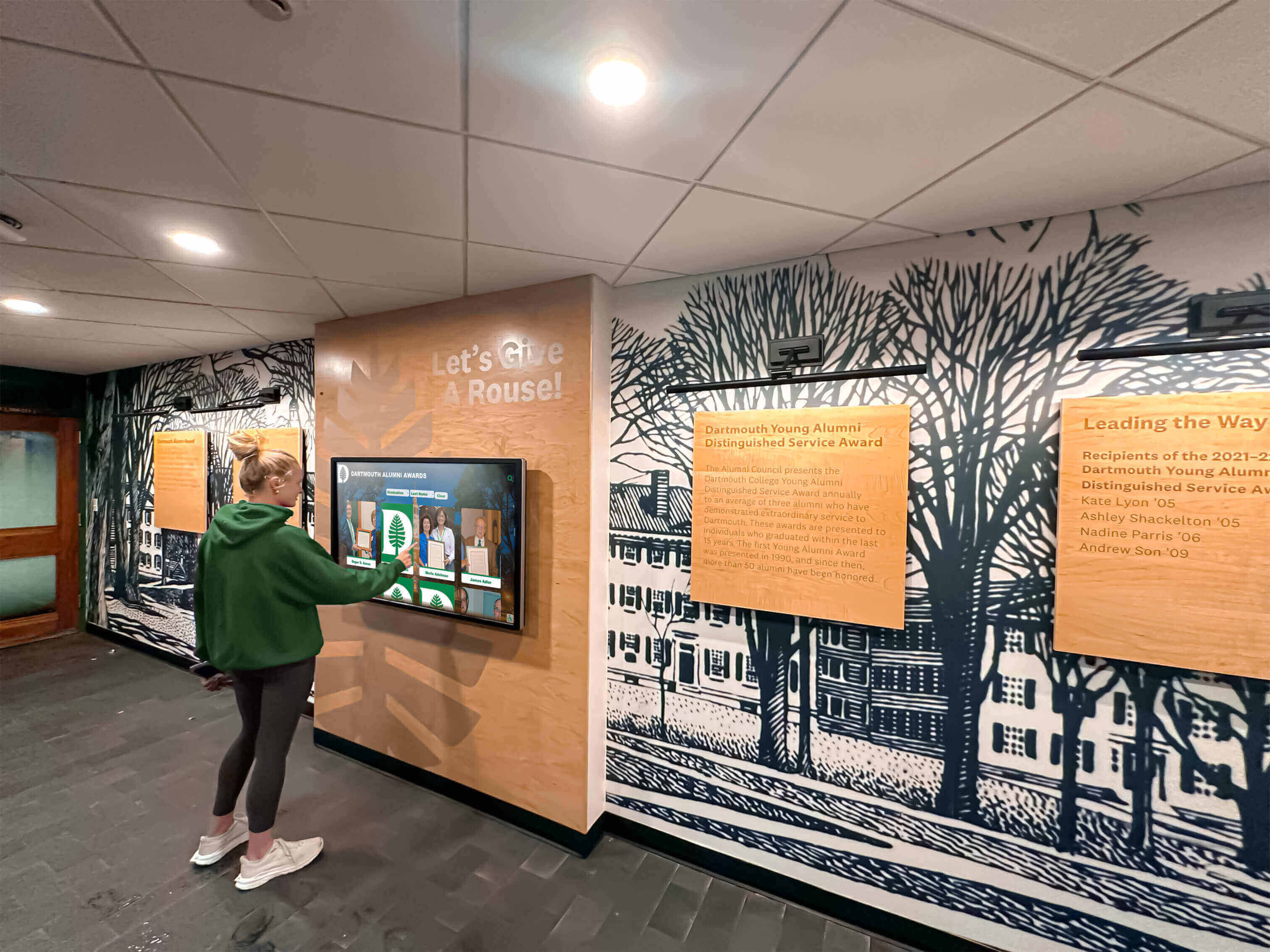
Current students encountering athletic history through recognition displays see photographs and hear recordings whose quality was determined at the moment of capture — archival bit depth settings ensure that quality meets the standard of the display environment
Pre-Capture Checklist for Athletic Archive Teams
Before any new photograph or audio recording enters the archive as a master, verify the following settings:
Photography pre-capture checklist:
- Camera is set to RAW or RAW + JPEG simultaneous capture (not JPEG only)
- RAW quality is set to maximum bit depth available on the camera (14-bit preferred; 12-bit acceptable)
- White balance is set to a consistent value appropriate for the lighting environment (not Auto if possible for archival portraits)
- Exposure is set to avoid clipping highlights — check the camera’s histogram during test shots
- File naming convention for the session is established before capture begins
- Destination folder for RAW files is created and confirmed before the shoot
- Memory card has sufficient capacity for the session at full RAW file sizes (RAW files are 20–80 MB each depending on camera resolution)
Audio pre-capture checklist:
- Recording device or DAW is set to 24-bit / 48 kHz
- File format is set to WAV (PCM) or AIFF — not MP3, AAC, or other compressed formats
- Input gain is set so that normal speech peaks between -12 and -6 dBFS
- Test recording has been reviewed for noise floor, clipping, and channel assignment
- Recording destination folder is created and named according to the archive’s file naming convention
- A backup recording device or media card is available for content with high historical significance
- Session metadata (date, subject, location, interviewer/recordist) is prepared for entry immediately after capture
Post-capture verification checklist:
- RAW files have been copied to archival storage and confirmed present before memory card is reformatted
- Audio files have been confirmed complete and playable before removing the recording device from the source
- File checksums (MD5 or SHA-256) have been generated and stored alongside the files
- Metadata has been entered into the archive management system or logged in the session record
- Access copies have been derived from masters — never distributed masters directly
Common Bit Depth Errors in Athletic Archives
Error 1: Retroactively upsampling low-bit-depth files.
Converting an 8-bit JPEG to a 16-bit TIFF does not add information — it creates a 16-bit container around 8-bit data. The resulting file takes up more storage space and appears to have a higher specification, but the tonal information missing from the 8-bit original is not restored by the format change. The only source of archival quality for a digitized photograph is the original scan or capture. If that scan was done at 8-bit, the photograph exists at 8-bit quality regardless of what format it is subsequently saved in.
Error 2: Treating the social media JPEG as the archive master.
Athletic programs frequently take photographs that go to social media first and to the archive later — or never. The social media JPEG is typically exported at low resolution (1080 px for Instagram, for example) with compression applied twice (once by the camera, once by the platform). This file has no value as an archival master. The archival master is the RAW file from the camera, which must be retained separately. If the RAW file was not retained, the social media JPEG is all that exists — which means the photograph exists only at the quality the platform accepted, not the quality the camera produced.
Error 3: Capturing legacy audio digitization at 16-bit because the source format is 16-bit.
A cassette tape is not a 16-bit source in the way that a CD is a 16-bit source. A CD contains a fixed 16-bit digital signal that can be read bit-perfectly. A cassette tape contains an analog signal whose quality is variable, affected by the playback environment, the condition of the tape, and the analog-to-digital conversion. Capturing a cassette transfer at 24-bit gives the ADC and the archive team more resolution to work with the actual analog signal, which varies continuously and benefits from the additional headroom and amplitude resolution.
For sports programs building year-round recognition archives that span multiple eras — from founding-year team photographs to current season records — the approach to historical preservation in world-class recognition institutions demonstrates how the quality of preserved media determines the depth of the recognition experience that can be built from it.
Frequently Asked Questions
Does bit depth affect file size significantly for photographs?
Yes. A 16-bit TIFF file is approximately twice the size of an 8-bit TIFF at the same pixel dimensions. A 24-megapixel photograph saved as an 8-bit TIFF is approximately 70 MB; saved as a 16-bit TIFF, approximately 140 MB. RAW files are larger than JPEG but smaller than uncompressed TIFF — typically 25–80 MB depending on camera resolution. For archival storage, the additional size is the cost of retaining the full bit depth. For access copies distributed for day-to-day use, 8-bit JPEG files at appropriate compression levels are the correct format — small, compatible, and entirely adequate for display and print purposes.
Can I use JPEG for athletic archive masters if I do not have RAW capability?
JPEG is acceptable as the archive master when no higher-quality original exists — a photograph taken on a smartphone, for example, should be archived at the highest quality the device produced rather than discarded. The issue is treating JPEG as an equivalent to RAW when RAW is available. If the capturing device supports RAW output, the RAW file should be the archival master; the JPEG is the access copy. If the device does not support RAW — most smartphones, some older cameras — the highest-quality JPEG the device can produce is the archive master and should be stored without further compression.
What is the practical difference between 16-bit and 24-bit audio for an athletic archive?
For critical listening on high-quality speakers in a quiet room, most listeners cannot reliably distinguish a 16-bit and a 24-bit recording of the same source. The practical difference in an athletic archive is in processing: 24-bit audio handles normalization, noise reduction, and level correction with significantly less quantization noise than 16-bit. For recordings that will be loudness-normalized — raising quiet historical recordings to match the level of modern digital recordings — 24-bit source files produce noticeably cleaner results, particularly in quiet passages and quiet recordings where the gain increase is significant. The difference is audible in a lobby kiosk or recognition display after aggressive normalization of a very quiet source.
Should we re-scan existing 8-bit photo archives if we know the originals still exist?
If the physical originals — prints, slides, negatives — are available, re-scanning at 16-bit per channel is recommended for materials that will be used in high-visibility contexts (hall of fame displays, large-format prints, lobby murals). The additional scan time and storage cost are worthwhile when the originals are accessible and the intended display is high-resolution. If the originals are no longer available, the existing 8-bit scans are the archive master and should be stored and protected as such — no retroactive upsampling, and careful handling of any processing applied to the files.
What format should audio access copies be in for touchscreen recognition displays?
Most touchscreen recognition platforms accept MP3 and AAC audio files. For display contexts, 256 kbps AAC provides excellent quality in a compact file that is suitable for the ambient playback environments of a school lobby or hallway kiosk. The archival WAV master should never be used as the display delivery file — it is too large for streaming and platform management and is the preservation original that must not be distributed for routine use.
Does bit depth matter for documents and rosters scanned into the athletic archive?
For document scans — typed rosters, meeting minutes, certificates, award records — bit depth is less critical than resolution. A document scan at 8-bit grayscale and 300 dpi is archivally adequate for most document types because the content is textual and the OCR and legibility quality depend primarily on resolution, not tonal gradation. The exception is documents with photographs embedded or with handwriting in varying ink colors or fading — those benefit from 24-bit color scanning to preserve the full range of ink tones and aging effects.
Athletic archive bit depth preservation is the foundational decision that determines what future archivists, designers, administrators, and recognition programs can do with the files created today. Photographs captured at 14-bit RAW can be color-corrected, enlarged, and displayed beautifully on recognition screens a decade from now. Audio recorded at 24-bit / 48 kHz can be normalized, restored, and integrated into interactive displays without the noise and banding artifacts that mark a low-bit-depth source. The cost of getting this right is a camera setting change and an audio interface purchase — both decisions made once, at the beginning of a workflow that runs for years.
For schools ready to connect their preserved high-quality archive to an interactive recognition experience — displaying those hall-of-fame-quality photographs and audio recordings through touchscreen displays that students, alumni, and visitors can explore — Rocket Alumni Solutions builds the platforms where that content lives and reaches its audience.
Ready to See Your Archive in Action on a Recognition Display?
Once your photos and audio are captured at the bit depths that preserve their full quality, Rocket Alumni Solutions helps schools bring that content to life on interactive touchscreen recognition displays, digital halls of fame, and lobby walls of honor. From athlete portrait galleries to searchable audio oral histories, our platform is built to surface the full depth of athletic heritage that your archive contains. Request a demo to see how your high-quality archive content can power a recognition experience worthy of your program's history.
Request a Demo






























