Athletic Archive Cataloging Backlog Reduction Plan: A Prioritized Workflow for School Collections
- Home /
- Touch Archive Blog /
- Athletic Archive Cataloging Backlog Reduction Plan: A Prioritized Workflow for School Collections

The Easiest Touchscreen Solution




Live Example: Rocket Alumni Solutions Touchscreen Display
Interact with a live example (16:9 scaled 1920x1080 display). All content is automatically responsive to all screen sizes and orientations.
An athletic archive cataloging backlog reduction plan is a structured, prioritized approach for processing the uncataloged photographs, programs, rosters, statistics, and award documentation that has accumulated in a school’s athletic storage — converting unorganized materials into searchable, displayable records. The direct answer: survey the full backlog before touching anything, sort materials into four priority tiers using the criteria of recognition impact and condition risk, establish naming and metadata conventions before processing begins, and work through the tiers in order with a sustainable weekly quota rather than an all-at-once sprint. This guide provides the complete workflow in eight steps, a prioritized triage table for every common athletic archive material type, a table of common processing obstacles, and a FAQ — written for athletic directors, archive coordinators, and school administrators who need to move from a storage room of boxes to a searchable, display-ready collection without dedicated archival staff.
Nothing in this guide constitutes legal advice. Records retention timelines should follow your school district’s written policies and qualified counsel.
A school athletic archive does not build a backlog overnight. It builds one photograph at a time: the team photo that got moved to a box during a renovation, the state championship program that no one filed, the roster spreadsheet saved to a USB drive that then sat in a drawer for four years. Multiply those individual decisions by thirty seasons and three athletic directors, and the result is a storage room that everyone knows matters and no one has time to address.
An athletic archive cataloging backlog reduction plan does not require a full-time archivist or a multi-year digitization grant. It requires a triage decision made before any scanning begins — so that the first hours of processing produce the materials with the highest recognition value, not random boxes opened in whatever order they were stacked.

Every portrait card, roster sheet, and championship program in a school's athletic storage represents a recognition record waiting to be cataloged — the order in which you process them determines whether the first month of work produces displayable results or just a cleaner storage room
Why Athletic Archive Backlogs Form — and Why the Order of Processing Matters
Backlogs in school athletic archives form for predictable reasons: staff turnover interrupts filing systems, storage spaces absorb materials without a processing step, and the volume of materials from active sports seasons consistently outpaces the capacity of whoever manages the archive part-time. The physical result — boxes of photographs sorted by decade or not at all, filing cabinets of programs, drawers of scorebooks — is rarely a sign of neglect. It is a sign that a processing workflow was never established.
The order of processing matters because a backlog reduction effort that runs out of steam after four months will have produced some results. If those early months were spent on the highest-priority materials — hall of fame documentation, individual award records, championship photographs — the incomplete effort still leaves the program with searchable, displayable content that has immediate recognition value. If those months were spent on the lowest-priority materials — generic action photographs, duplicate programs — the incomplete effort leaves nothing behind that a display platform or recognition committee can use.
This is the core argument for a triage-first approach: work on the materials that matter most before working on materials that matter least, so that any stopping point produces a usable result.
The Triage Framework: Priority Tiers for Athletic Archive Materials
Before assigning any material to a processing queue, assign it to a priority tier. The four criteria that determine tier assignment are:
- Recognition impact: Does this material directly support a hall of fame nomination, award record, or individual athlete profile?
- Irreplaceability: Is this the only known copy, or do duplicates exist in school records, local newspaper archives, or alumni collections?
- Condition risk: Is this material actively deteriorating — faded, brittle, molding — or is it stable and unlikely to degrade further in the next several years?
- Format complexity: Does processing this material require specialized equipment or expertise, or can it be handled with standard scanning and spreadsheet tools?
| Priority Tier | Material Types | Triage Criteria | Processing Goal |
|---|---|---|---|
| Tier 1 — Process First | Individual award documentation, all-state certificates, hall of fame induction records, championship programs (regional/state), historical team photographs from rare or early seasons, roster documentation for record-holding athletes | High recognition impact; often irreplaceable; direct support for display and nomination workflows | Complete catalog record with full metadata; scan to archival TIFF and access JPEG; flag for display |
| Tier 2 — Process Second | Annual team rosters (full seasons), regular-season game programs, individual athlete portrait photographs, statistical record books and scorebooks, award plaques and trophy documentation | Moderate to high recognition impact; generally irreplaceable but more likely to have partial duplicates | Complete catalog record; scan to access JPEG; add to searchable database |
| Tier 3 — Process Third | Bulk game action photographs (unidentified or partially identified), local newspaper clippings, general season-end photographs, administrative correspondence related to athletics | Lower direct recognition impact; duplicates often exist elsewhere; stable condition typical | Summary-level catalog entry; scan selectively; prioritize identified athletes over generic action |
| Tier 4 — Process Last | Duplicate copies of already-cataloged items, generic promotional materials, low-condition items with higher-quality duplicates already cataloged, administrative ephemera with no recognition value | Lowest impact; duplicates confirmed; condition damage does not represent a unique loss | Discard duplicates per school policy; retain only if no better copy exists; minimal catalog entry |
Condition risk overrides tier assignment in one direction only: a Tier 3 item that is actively deteriorating — a nitrate print, a severely faded photograph with no duplicate, a water-damaged roster — moves to the front of whatever tier queue it would otherwise sit in. Condition damage does not upgrade a low-priority item to Tier 1, but it does accelerate its position within its tier.
The 8-Step Prioritized Workflow for Backlog Reduction
Step 1: Survey and Measure the Backlog Before Touching Anything
The first step is not scanning. It is counting. Walk through every storage location that holds uncataloged athletic materials — storage rooms, filing cabinets, the bottom of trophy cases, administrative closets — and document what exists at a summary level: number of boxes, approximate item count, material type, estimated date range, and any visible condition issues.
The survey does not need to be exhaustive. A box-by-box summary with estimated contents is enough to make triage decisions. Spending four hours scanning box labels is better than spending four hours scanning random items from the first box you opened.
Record the survey results in a simple spreadsheet with columns for location, container identifier, estimated item count, material type, date range, and visible condition notes. This spreadsheet becomes the scope document for the entire backlog reduction effort.
Step 2: Apply the Triage Framework to Each Container or Folder
With the survey complete, assign each container or folder group to a priority tier using the framework above. Some containers will have a clear single tier — a box labeled “All-State Certificates 1980–2010” is obviously Tier 1. Others will be mixed. For mixed containers, sort contents by tier before processing — do not process a mixed box in the order items are stacked.
Create a processing queue list: Tier 1 containers and folders first, in order of recognition impact and condition risk, followed by Tier 2, then Tier 3, then Tier 4.
Step 3: Establish Naming Conventions and Metadata Fields Before Processing
Processing a backlog without established conventions produces a new, different kind of backlog — a collection of digital files with inconsistent names, incomplete records, and no reliable search behavior. Decide on and document the following before any scanning begins:
- File naming convention: Sport – Season – ContentType – ItemNumber (e.g.,
WBBALL_199899_Roster_001.jpg) - Metadata fields: Athlete last name, first name, graduation year, sport, season, material type, award type if applicable, condition notes, processing date, staff initials
- Controlled vocabulary for sport names: One approved term per sport, applied consistently across all records (e.g., “Baseball” not “Boys Baseball” or “BB”)
- Season format: Academic year in YYYY-YY format (e.g., 1998-99)
Establishing these conventions before processing begins prevents the most common backlog reduction failure mode: cataloging 500 items and then discovering that 200 of them use a different sport name format than the other 300 and will not surface correctly in a filtered search.
For programs that plan to populate digital record boards and campus recognition displays from their archive, the metadata fields established at this step are the same fields that will drive the display content — consistent values here mean consistent display results later.
Step 4: Process Tier 1 Materials First, Completely
Work through Tier 1 materials before opening any Tier 2 containers. Complete catalog records include:
- Full metadata entry for every item
- Scan to archival TIFF at 400 dpi minimum for photographs, 300 dpi for documents
- Access copy JPEG at 72–150 dpi for display use
- Flag in the catalog as “display-ready” if the item meets display quality standards
For award documentation — all-state certificates, championship programs, individual recognition records — note the award type, year, and athlete name in a dedicated awards register as well as the main catalog. The awards register becomes the source of truth for recognition program decision-making: hall of fame nominations, all-state record boards updates, and anniversary recognition events can all draw from it directly rather than requiring a new search through physical storage.
Step 5: Set a Sustainable Weekly Processing Quota
A backlog reduction plan that requires eight-hour processing marathons will not be sustained. A plan that requires two hours per week of structured processing will be.
Set a weekly quota expressed in items processed and catalog records completed — not hours spent. A quota of twenty-five complete catalog records per week is concrete and measurable; a quota of “two hours of archive work” is not, because scanning goes faster than metadata entry, and an hour spent searching for a misplaced item produces zero catalog records.
Typical processing rates for a non-specialist working with good scanning equipment:
| Material Type | Approximate Processing Rate |
|---|---|
| Individual award documents (simple scan + metadata) | 15–20 items per hour |
| Athlete portrait photographs (scan + metadata + identification) | 10–15 items per hour |
| Team rosters (scan + transcription to spreadsheet) | 4–8 rosters per hour depending on length |
| Game programs (scan + summary metadata) | 8–12 items per hour |
| Bulk action photographs (scan + partial identification) | 20–30 items per hour (lower identification rate) |
| Scorebooks (scan only; full transcription is a separate task) | 3–6 books per hour |
Build processing sessions into the weekly schedule as protected time — not reactive tasks completed when nothing else is pressing. A backlog that took twenty years to accumulate will not be resolved in a week. A consistent two-hour weekly session will resolve a mid-size athletic archive backlog in six to eighteen months depending on volume.
Step 6: Build the Catalog Record During Processing, Not After
The most common cataloging efficiency loss is the two-step workflow: scan everything first, enter metadata later. Later rarely comes, and a folder of scanned files with no metadata is only marginally more useful than the original unscanned materials.
Process one item completely — scan, name the file correctly, enter all metadata fields, save — before picking up the next item. The per-item time is slightly longer. The total time to a usable catalog record is dramatically shorter because no metadata backfill step is required.
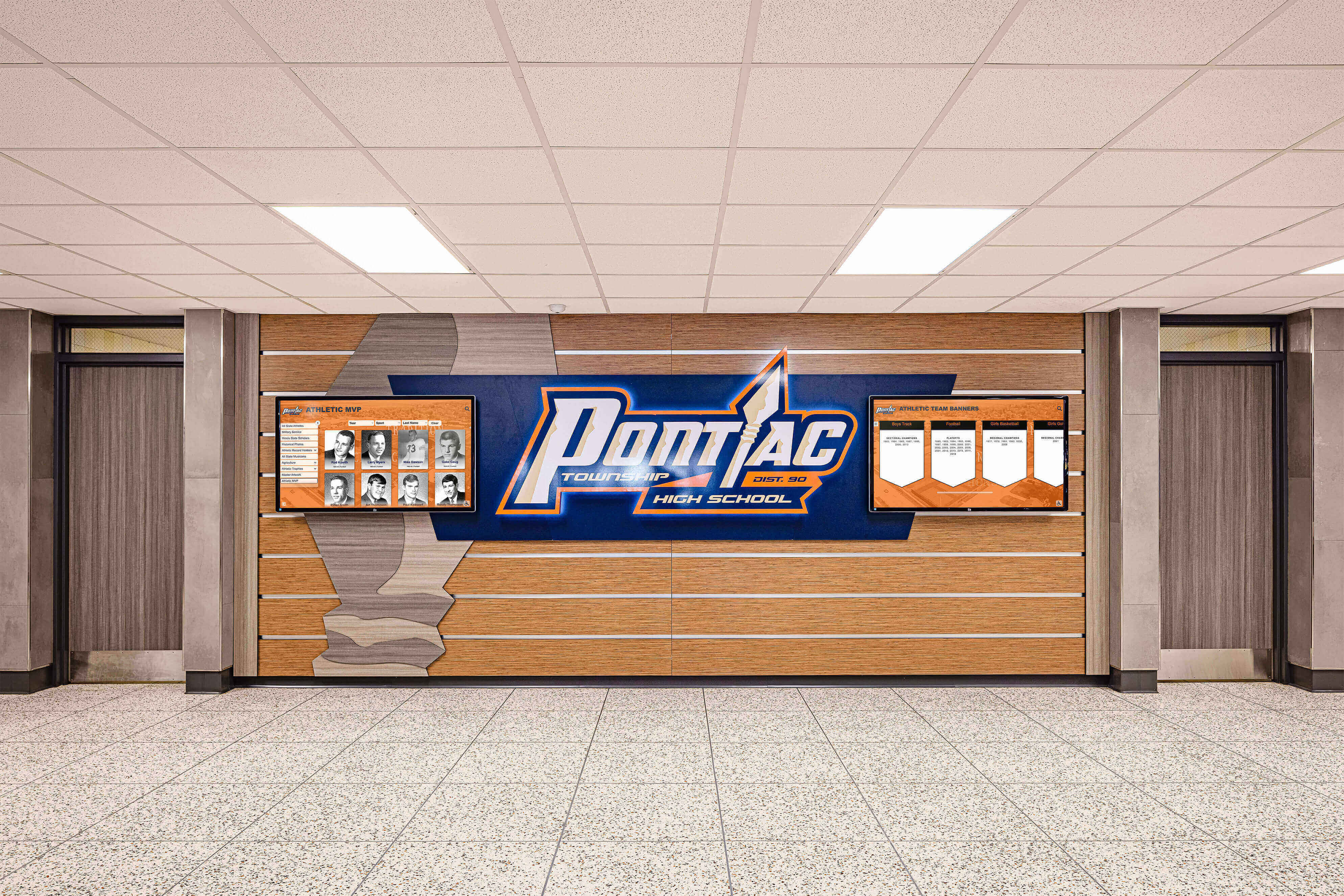
Recognition displays depend on complete catalog records — programs that build catalog records during scanning rather than after it arrive at a usable, searchable archive faster than those that separate scanning from metadata entry
Step 7: Flag Display-Ready Materials During Processing
As each item is cataloged, mark it with a display status: Ready, Pending Review, or Not Display Quality. Items flagged as Ready — clear photographs, legible documents, complete metadata — become immediately available for hall of fame displays, donor wall recognition programs, and touchscreen kiosk content without a second review pass.
For individual athletes, a display-ready flag means the portrait photograph is present, the metadata is complete, and the record is accurate enough to publish to a recognition display without additional verification. For team records and championship documentation, it means the material has been confirmed against season records or rosters and is accurate as displayed.
The display-ready flag is not a publishing action — it is a sorting action. It separates the catalog into materials that require additional work before display and materials that are ready to use. The display queue can be reviewed by athletic staff or a hall of fame committee without requiring those reviewers to interact with the full catalog.
Connecting the display-ready queue to a searchable digital recognition system is where the backlog reduction effort produces its most visible output. Items flagged as Ready can be directly imported into a display platform, making the archive tangible for students and visitors rather than invisible in a database. Understanding how data integrity standards affect display systems helps programs evaluate whether the platform they choose can reliably surface the records the archive produces.
Step 8: Review the Completed Backlog and Establish an Ongoing Ingest Process
When all four tiers have been processed — or when the program reaches a natural stopping point at the end of a Tier — review the catalog against the original survey document. Any containers or folders not yet processed should be documented with their tier assignment and estimated item count so the next processing session can resume in order.
More importantly, establish an ongoing ingest process for new materials so the backlog does not rebuild. New materials entering the archive — current-season rosters, this year’s award documentation, photographs from the spring sports banquet — should receive a catalog record at the point of receipt, not months later. An annual or semiannual processing session for current-year materials, scheduled on the calendar like any other department task, keeps the catalog current without requiring a future backlog reduction effort.
For programs exploring how completed archive content integrates with campus-wide academic recognition programs and display systems, a current, well-structured catalog is the prerequisite: display platforms can only surface records that have been cataloged, named consistently, and flagged as ready.
Common Processing Obstacles and How to Address Them
| Obstacle | Cause | Resolution |
|---|---|---|
| Unidentified photographs | No caption, label, or handwritten note; no living contact who can identify | File under approximate decade and team; note “Unidentified” in metadata; create a community identification process with alumni outreach |
| Conflicting records | Two rosters list different athletes for the same season | Use the official district-filed roster if available; note the discrepancy in the record; flag for athletic director review before display |
| Deteriorating materials | Faded photographs, brittle paper, mold or water damage | Prioritize within tier; scan at highest practical resolution before condition worsens; do not restore or alter originals |
| Mixed-era materials in single containers | Boxes contain materials from multiple decades | Sort by decade before processing; do not process out of tier order because a box happens to be open |
| Staff turnover mid-project | Processing conventions and context leave with departing staff | Document all conventions in a written processing guide stored with the catalog; use role-based rather than name-based metadata (e.g., “Archive Staff” not a specific name) |
| Missing metadata (unknown graduation year, unknown sport) | Incomplete original records; athlete transferred or records were never filed | Use “Unknown” as a controlled vocabulary term; create a pending-verification flag; do not leave fields blank — blank fields break filtered searches |
Frequently Asked Questions
How long does a typical athletic archive backlog reduction take? It depends entirely on volume and available processing time. A high school archive with an estimated 2,000–5,000 uncataloged items, processed at two hours per week with one person, typically takes twelve to twenty-four months to reach a complete Tier 1 and Tier 2 catalog. Tier 3 and Tier 4 materials can extend the timeline further, but those tiers contain the lowest-recognition-value content — a program with a complete Tier 1 and Tier 2 catalog has the materials needed for recognition displays, hall of fame nominations, and record board updates.
Should the school hire an outside archivist or vendor to process the backlog? Vendor digitization services can accelerate scanning volume significantly and are worth considering for collections over 10,000 items or for collections that include physically fragile materials requiring specialist handling. Metadata entry — the step that makes scanned files searchable — generally benefits from staff involvement because identifying athletes, verifying award details, and applying school-specific controlled vocabularies requires institutional knowledge that a vendor does not have. A hybrid approach — vendor scanning, staff metadata — is common for larger collections.
What should be done with materials that cannot be identified? Catalog them with whatever information is available — approximate decade, sport if identifiable, condition — and mark the identification status as “Unidentified — Community Review Pending.” Alumni newsletters, social media posts to alumni groups, and hall-of-fame events are effective channels for community identification. Do not discard unidentified photographs; unidentified today does not mean unidentifiable permanently.
How does the cataloged archive connect to a touchscreen display? A well-cataloged archive — with consistent metadata fields, display-ready flags, and access-copy image files — can be imported directly into a recognition display platform. The catalog fields map to the display fields: athlete name, graduation year, sport, award type, portrait image. Programs that complete their cataloging with display fields in mind arrive at the import step with clean, structured data that requires minimal reformatting. This is also the moment where action sport photography and historical game imagery that was cataloged during backlog reduction becomes visible content on an interactive display rather than stored files on a server.
When should a program start entering records into a display platform rather than waiting for the full backlog to be processed? Tier 1 materials flagged as display-ready can be entered into a display platform as soon as they are cataloged — there is no need to wait for Tier 2, 3, or 4 processing to complete. Starting with the highest-recognition-value records produces a display that grows visibly over time and demonstrates the value of the backlog reduction effort to athletic staff, administrators, and school leadership.
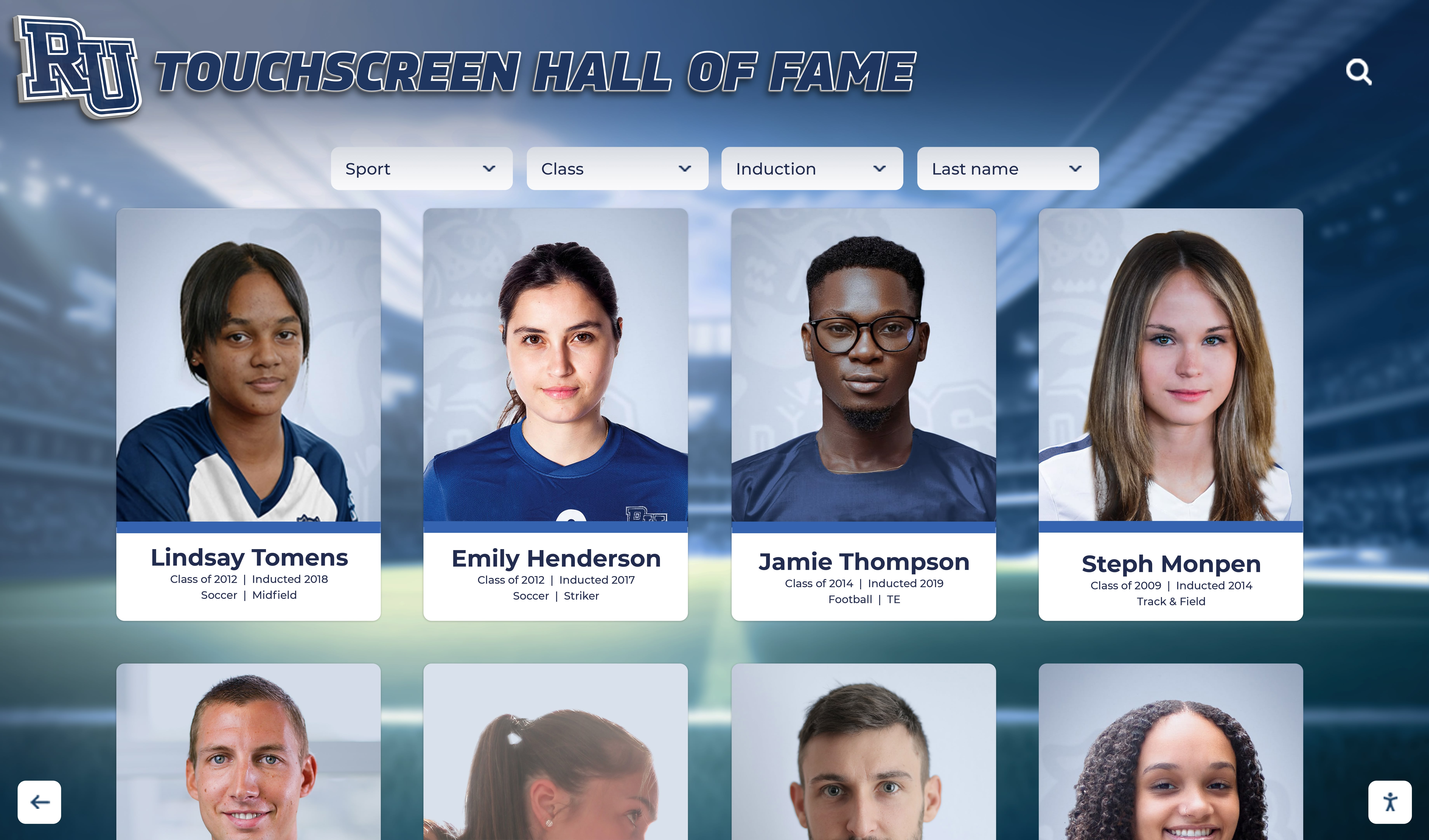
A cataloged archive becomes a living recognition display — the triage decisions made at the start of a backlog reduction plan determine how quickly a school's history moves from storage boxes to a searchable touchscreen that honors every athlete who wore the school's colors
Turn Your Cataloged Archive Into a Recognition Display Students and Alumni Can Explore
Once your athletic archive backlog is processed and cataloged, the next step is making it visible — for current students, alumni, and visitors who deserve to see the school's full athletic history. Rocket Alumni Solutions helps schools transform a completed, searchable catalog into an interactive touchscreen recognition display that showcases every athlete, award, and championship in the collection.
Request a DemoLive Example: Rocket Alumni Solutions Touchscreen Display
Interact with a live example (16:9 scaled 1920x1080 display). All content is automatically responsive to all screen sizes and orientations.































