Athletic Archive Content Migration Checklist: Move History Without Losing Context
- Home /
- Touch Archive Blog /
- Athletic Archive Content Migration Checklist: Move History Without Losing Context

The Easiest Touchscreen Solution




Live Example: Rocket Alumni Solutions Touchscreen Display
Interact with a live example (16:9 scaled 1920x1080 display). All content is automatically responsive to all screen sizes and orientations.
An athletic archive content migration checklist is a step-by-step sequence that school administrators, athletic directors, and archive teams follow when moving sports photographs, historical records, hall-of-fame data, rosters, and recognition display content from one storage system, drive, database, or platform to another — covering inventory, source-to-destination mapping, metadata preservation, file format verification, redirect planning, validation, and formal stakeholder sign-off. The direct answer: do not begin any migration without a complete inventory of what you have and a written mapping of where each asset will land; every item that moves without a destination mapping is a candidate for being dropped, renamed without context, or orphaned in a folder that no one manages. This checklist covers all ten phases of a content migration — from the first stakeholder meeting through post-migration monitoring — and is written for athletic directors, school administrators, archive and recognition program owners, and school IT staff managing the technical side of the move. Use it whether you are migrating from a shared drive to a cloud storage system, from one recognition platform to another, from a physical binder to a digital database, or from a legacy website to a new one.
Nothing in this guide constitutes legal, IT security, or records management advice. Data governance decisions, vendor contracts, and compliance obligations should be reviewed by your school district’s qualified staff and counsel before implementation.
Migrating an athletic archive is not the same as moving files. A folder of 3,400 photographs labeled scan001.jpg through scan3400.jpg arrives at the new destination intact — but without the team names, dates, sport, season, or athlete identifications that made each image useful in the first place. A record database exported as a flat CSV loses the relationships between rows that tied a performance to an athlete, a season, and a record board category. A hall-of-fame website migrated to a new platform without redirect planning produces broken links in alumni newsletters and Google search results that no longer reach their destination.
Content migration for athletic archives is not primarily a file-transfer problem. It is a context-preservation problem. The historical information that gives archive content its meaning — who, what, when, where, and why — is at least as fragile as the digital file itself. This checklist is designed to protect both.

Recognition displays that surface decades of athletic history are only as good as the migration work behind them — every photograph, record, and athlete profile must carry its context through the move to remain useful on the other side
Before You Start: Assemble the Migration Team
Content migrations that fail do so most often because they are treated as solo IT projects rather than coordinated institutional efforts. An athletic archive migration touches multiple stakeholders whose input is needed before the first file moves.
Minimum stakeholder group for an athletic archive migration:
- Athletic director or archive coordinator — owns content decisions: what moves, what is retired, what requires historical context annotation before migration
- School IT staff or managed service provider — owns technical execution: file transfer, system configuration, storage setup, redirect implementation
- School administrator or principal — approves scope, timeline, and any third-party platform decisions
- Recognition program owner — if a hall-of-fame committee, booster leader, or alumni group manages specific content, they should review their portion of the migration plan before execution
- District legal or records management staff — required review if the migration involves student-athlete records, platform changes that affect data governance, or vendor contract terms
Assign one person as the migration coordinator who owns the checklist, tracks completion of each step, and holds the sign-off authority for each phase. Migrations without a single coordinator tend to stall when decisions require cross-department coordination.
Phase 1: Inventory — Know What You Have Before You Move It
Step 1: Complete a full asset inventory of the source system.
An inventory completed before a migration reveals three things that no post-migration audit can recover: what exists, where it lives, and what contextual information is already attached to it. Skipping this step produces a destination system whose contents are unknown.
Inventory fields to capture for each asset group:
| Field | Notes |
|---|---|
| Location | Drive path, folder name, platform URL, or physical location |
| Content type | Photographs, video, rosters, statistical records, award documentation, display pages |
| File format | JPEG, TIFF, MP4, PDF, XLSX, CSV, HTML, database record |
| Approximate count | Number of files, records, or pages |
| Date range | Decade or season range covered |
| Contextual metadata | What descriptive information is attached — athlete names, dates, sport, season, record type |
| Ownership | Which department, staff member, or committee owns this content |
| Known issues | Duplicates, missing metadata, files in non-standard formats, broken internal links |
- Complete asset inventory for every source location before proceeding to Step 2
- Document all locations where archive content currently lives — shared drives, USB drives, local workstations, cloud storage accounts, third-party platforms, physical storage rooms
- Flag any content that is stored in a proprietary format that may not transfer cleanly to the destination system
- Identify content that is owned by a third party or whose rights status is unclear — do not migrate rights-restricted content without confirming the school’s authority to move it
The inventory is also the baseline against which you will validate completion after migration. Every item that appears in the pre-migration inventory should be confirmed at the destination — or explicitly documented as intentionally not migrated.
Phase 2: Stakeholder Alignment — Agree on Scope Before Mapping
Step 2: Define migration scope and get written agreement before mapping begins.
A content migration scope document prevents the two most common migration failures: scope creep (migrating content that was never part of the plan, consuming budget and timeline) and scope gap (discovering after migration is “complete” that significant content was excluded and must be migrated as a follow-on project).
The scope document should specify:
- What is included: Every content category explicitly included in the migration — photographs, rosters, statistical records, hall-of-fame entries, video, web pages, recognition display data
- What is excluded: Content that will not migrate — retired or outdated records, content scheduled for deletion, content held by a third party who will manage their own migration, content requiring rights clearance that has not been obtained
- What will be retired: Content that exists in the source but will not be carried forward — superseded versions, duplicate files that will be consolidated, historical records whose display has ended
- The timeline: A realistic schedule with phase completion dates and a go-live target
- The rollback plan: What happens if migration produces errors, data loss, or a destination system that cannot be validated — who makes the call to pause, and what is the recovery path
Obtain written agreement from all stakeholders identified in the pre-migration team meeting. A migration that begins without scope agreement will encounter contested decisions during execution, when they are most expensive to resolve.
For programs planning a migration as part of a broader recognition upgrade — for example, moving to a new interactive display platform — this phase is also the right time to review how the migrated archive will feed the recognition program going forward. Inclusive digital recognition programs that surface content for diverse communities of athletes depend on historical content that migrates with its descriptive context intact.
Phase 3: Source Audit — Assess Quality and Context Before Mapping
Step 3: Audit source content for quality, metadata completeness, and migration readiness.
Not all content migrates in equal condition. A source audit before mapping prevents the discovery — after migration — that large portions of the archive arrived at the destination without usable context.
Audit dimensions to assess for each content category:
Photograph collections:
- What percentage of photographs have athlete or subject identification attached — as filename, embedded metadata, or an accompanying spreadsheet?
- Are photographs in archival-quality formats (TIFF for masters) or access-only formats (JPEG only)?
- Are there known duplicates — the same photograph scanned multiple times or saved in multiple folders?
- Are there photographs in conditions that need remediation before migration — extremely low resolution, incorrect orientation, corrupted files?
Statistical records and rosters:
- Are records stored in a structured format (database, spreadsheet) or in unstructured documents (scanned PDFs, Word documents)?
- Are relationships between records intact — does each performance record link to an athlete, a season, and a sport category?
- Are there known data quality issues — inconsistent name spellings for the same athlete across multiple seasons, records missing event date or sport?
Recognition display content:
- Does each hall-of-fame entry include all required fields for the destination platform — portrait photograph, induction year, career summary, sport?
- Are web-based recognition pages captured with their descriptive text, not just their URLs?
- Are there internal links within the source system that will need redirect mapping after migration?
Video and audio:
- Are video files in formats compatible with the destination platform?
- Is there context documentation for each video — who is featured, what event, what season?
Document audit findings in the asset inventory. Flag content that requires remediation before migration and assign responsibility for each remediation task.
Phase 4: Destination Mapping — Every Asset Gets a Home Before It Moves
Step 4: Create a source-to-destination mapping for every content category.
The mapping document is the most important artifact in a content migration. It specifies, for every source asset or asset category, exactly where it will land in the destination system — folder path, database record type, platform category, URL structure, or display location.
A mapping document that covers every content category prevents the scenario where a migration completes technically but leaves content orphaned in a location that nobody manages, indexed under a category that does not exist in the destination, or separated from the contextual metadata that made it useful.
Mapping table structure (adapt to your content types):
| Source Location | Content Type | Destination Location | Destination Format | Metadata to Preserve | Responsible Party |
|---|---|---|---|---|---|
| Drive/Photos/Football/1990s | Photographs | Archive/Sports/Football/1990-1999 | TIFF (masters) + JPEG (access copies) | Year, sport, team name, any athlete IDs | Archive coordinator |
| Drive/Rosters/All Sports | CSV roster files | Database/Rosters/ | CSV + platform import | Athlete name, sport, graduation year, position | IT staff |
| Hall-of-Fame website pages | HTML pages + portraits | New platform/Hall-of-Fame/ | Platform-native entries | Induction year, sport, career summary, portrait | Recognition committee |
| Record board spreadsheet | XLSX | Archive/Records/ + platform | CSV + platform entry | Record type, athlete, date set, evidence file | Athletic director |
- Map every content category in the source inventory to a destination location before beginning file transfer
- Confirm that destination folders, categories, or database structures exist before mapping to them — do not map to a destination that has not been created
- Identify content that will require format conversion during migration (for example, DOCX files that will be converted to PDF/A, or proprietary database exports that require transformation before import)
- Flag any content that maps to a destination requiring rights clearance, display approval, or content review before publication
For programs migrating content between web platforms, the mapping document also becomes the basis for the redirect plan in Phase 6.
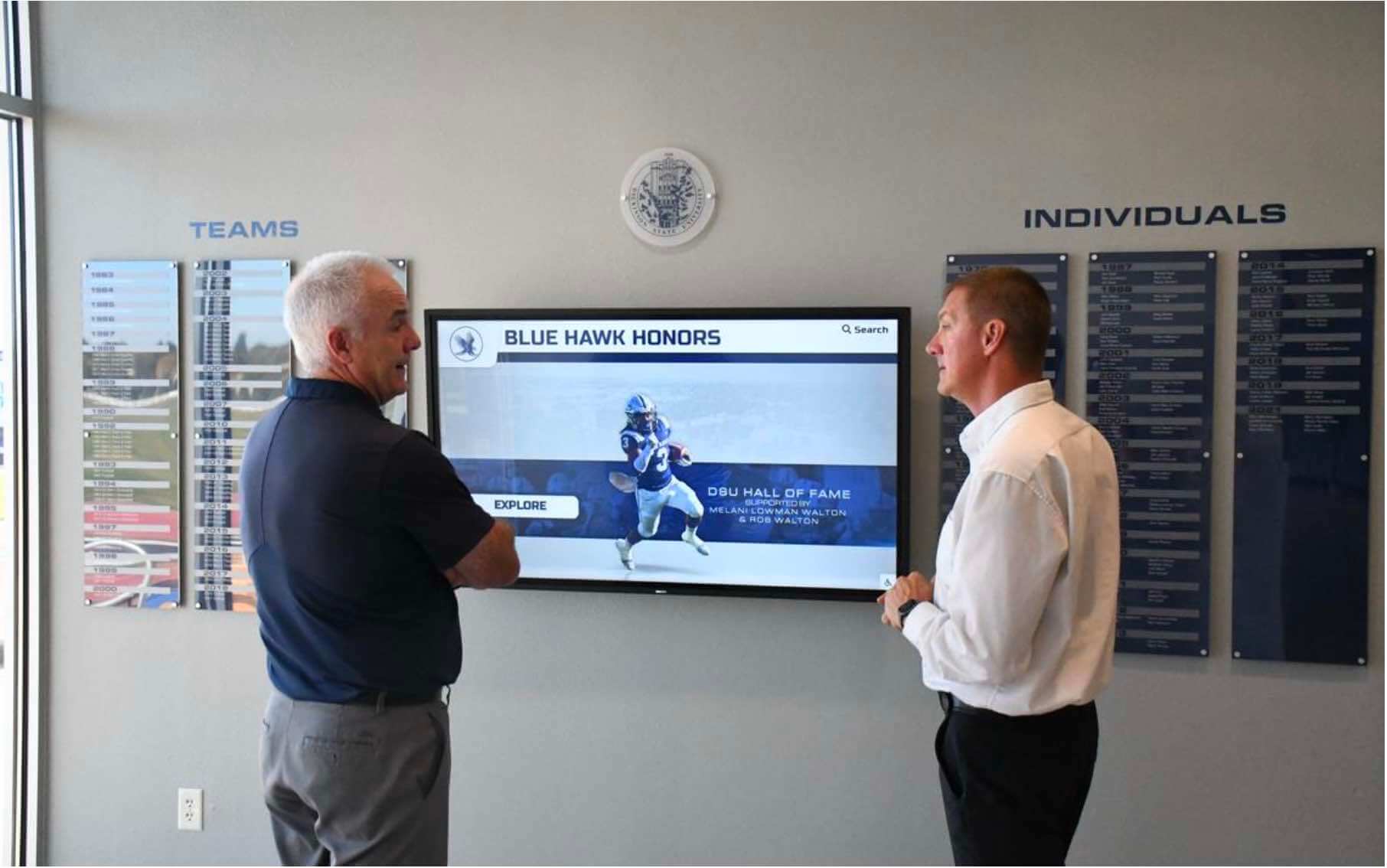
Reviewing content before migration with both the athletic director and a recognition committee member reduces the risk of contextual information being lost when assets move between systems
Phase 5: Naming Conventions and Metadata Standards
Step 5: Establish and apply consistent naming conventions and metadata standards before migration.
Files that arrive at the destination without consistent naming and attached metadata are significantly harder to manage than files that were standardized before the move. Applying standards before migration — rather than planning to “clean up later” — prevents the naming-convention debt that accumulates when thousands of files are migrated in the source system’s inconsistent state.
File naming guidance for athletic archive migration:
A consistent file naming convention for athletic archive content should be applied to every file before it is transferred to the destination. The convention should encode enough information that the file can be identified without opening it or consulting an external spreadsheet.
Recommended naming elements (adapt order to your organizational priorities):
- Sport or program abbreviation
- Season year or date range
- Content type (photo, roster, video, record)
- Unique identifier or sequential number
Example: FOOTBALL_1998-99_TEAM-PHOTO_001.tif
- Document the naming convention in writing and share it with everyone who will execute the migration
- Apply the naming convention to all files before transfer — not after
- If a source file has a meaningful descriptive name, preserve that meaning in the new name rather than replacing it with a generic sequential identifier
- For photographs with known athlete identification, include that identification in the filename or in an attached metadata record
Metadata preservation checklist:
- Identify which metadata fields exist in the source and confirm they have destination equivalents
- For photographs: verify that embedded IPTC/XMP metadata (caption, keywords, creator, date) will survive the transfer and import process — some platform imports strip embedded metadata
- For structured records (rosters, statistics): confirm that all columns in the source export map to fields in the destination import — fields that do not map will be silently dropped unless caught before import
- Document any metadata fields that exist in the source but have no destination equivalent — these require a decision: create a destination field, store in a notes column, or document as intentionally not migrated
Phase 6: Redirect and URL Mapping
Step 6: Plan redirects for any public-facing URLs that will change during migration.
For athletic archive content that is published on a school website, recognition platform, or any other web-accessible location, changing URLs without implementing redirects breaks every existing link to that content — in alumni newsletters, social media posts, search engine indexes, and donor communications that cannot be retroactively updated.
- Export a complete list of all public-facing URLs in the source system before migration begins
- Map each source URL to its destination URL in the mapping document created in Phase 4
- Identify URLs that will be retired (content not migrating) and plan 404 handling or redirect to the most relevant destination page
- Implement 301 (permanent) redirects for all migrated pages — not 302 (temporary) redirects, which do not pass search authority
- Test every redirect before go-live; do not rely on a bulk redirect implementation that has not been individually verified for high-traffic pages
- Notify stakeholders who manage alumni communication, donor outreach, or booster programs of URL changes for content they actively link to
For programs that have built recognition pages featuring historical athletics — like season-by-season records, ECNL soccer all-star recognitions, or sport-specific achievement archives — redirect planning ensures that alumni and supporters who saved or shared those links continue to reach the content after migration.
Phase 7: Migration Execution — Move in Batches, Not All at Once
Step 7: Execute the migration in prioritized batches with verification checkpoints between batches.
A single all-at-once migration for a large athletic archive produces a large all-at-once problem if something goes wrong. Batch migration allows errors to be caught and corrected at small scale before they affect the entire archive.
Batch migration sequence:
- Pilot batch: Select a small, representative sample — 50–100 files or records spanning multiple content types — and migrate it first. Verify the pilot completely before proceeding.
- High-priority batches: Migrate the content categories with the highest institutional value first — current hall-of-fame entries, active record boards, championship documentation, and any content scheduled for use in an upcoming event or recognition program.
- Historical batches: Migrate historical content in chronological or sport-based batches after high-priority content is verified.
- Remediation batches: Migrate content that required format conversion or metadata remediation after the remediation work is confirmed complete.
Batch verification protocol:
After each batch, verify:
- Item count: number of files or records at destination matches the batch manifest
- File integrity: checksums or file sizes match between source and destination for a sample of transferred files
- Metadata completeness: open a representative sample and confirm that descriptive metadata arrived intact
- Usability: open a sample of transferred files in the destination system and confirm they are viewable and functional
- Naming convention compliance: spot-check that naming conventions were applied correctly
Document the completion of each batch verification before starting the next batch.
- Maintain a migration log throughout execution: batch name, transfer date, item count, verification status, responsible staff member, any issues noted
- Do not delete or modify source files during migration — the source system is the rollback point until the full migration is verified
- Flag items that fail verification for remediation before proceeding; do not carry unresolved errors into subsequent batches
Phase 8: Context Preservation — The Step Most Migrations Skip
Step 8: Verify that historical context transferred with the content, not just the files.
This is the step that distinguishes a content migration from a file transfer. A file transfer moves bits from one location to another. A content migration preserves the meaning of those bits — the who, what, when, where, and why that makes archive content useful for recognition programs, hall-of-fame nominations, anniversary events, and alumni engagement.
Context verification checklist:
- Athlete identification: For every photograph with a known subject identification, confirm that identification appears in the destination — as embedded metadata, as a caption, as a linked database record, or as a filename element
- Event and date context: For photographs, video, and records, confirm that event description and date information are searchable or visible in the destination system
- Induction and recognition records: For hall-of-fame entries, confirm that induction year, sport, career summary, and any associated documentation or photographs are linked in the destination — not just the portrait
- Statistical record context: For record board entries, confirm that evidence documentation (timing sheet scans, official result documents) migrated alongside the performance record, not just the statistic itself
- Relationships between records: Confirm that records that were connected in the source — a photograph linked to a game, a performance linked to an athlete who appears across multiple seasons — are still connected in the destination
When preparing for recognition events such as an alumni reunion or awards program, the ability to pull a complete historical record for a specific athlete — portrait, career statistics, induction information, associated photographs — depends entirely on those relationships surviving migration intact.
- Sample at least 5% of migrated records for context completeness, not just file presence
- For high-value records (hall-of-fame inductees, record holders, championship teams), verify context completeness individually — do not rely on sampling
- Document any context gaps discovered during verification and assign remediation responsibility before sign-off
Phase 9: Validation and Quality Assurance
Step 9: Complete a formal validation checklist before declaring migration complete.
A migration is not complete when files have been transferred. It is complete when the destination system has been verified against the source inventory and every discrepancy has been resolved or documented.
Validation checklist:
- Completeness: Total item count at destination matches total item count in pre-migration inventory, minus items explicitly scoped out; all variances explained in writing
- Format compliance: All master files are in archival-quality formats (TIFF, PDF/A, WAV, ProRes or equivalent); no archival masters exist only as lossy access-copy formats (JPEG-only, MP3-only)
- Naming convention compliance: All files comply with the established naming convention; no files retain source system names that are inconsistent with the new standard
- Metadata completeness: Metadata completeness rate meets the standard set in the scope document; known gaps are documented
- Context integrity: A representative sample of records has been verified for context completeness (Step 8 above)
- Redirect functionality: All planned redirects have been implemented and individually tested
- Platform functionality: Recognition display content, hall-of-fame entries, and record board data function correctly in the destination platform — not just in a file folder
- Search and retrieval: A representative set of search queries in the destination system returns expected results; content that should be findable is findable
- Access controls: Permissions in the destination system match intended access — public display content is accessible, restricted content is protected, archive master files are not publicly accessible
Produce a written validation report summarizing completion status for each checklist item. This report is the basis for the stakeholder sign-off in Phase 10.
Connect Your Migrated Archive to a Living Recognition Display
A well-executed migration moves your archive's history to a system that can manage and protect it long-term. The next step is making that history visible — searchable, browsable, and presented on an interactive touchscreen that engages students, alumni, and visitors every day. Rocket Alumni Solutions helps schools connect organized, migrated athletic archives to recognition displays that bring history to life.
Request a DemoPhase 10: Stakeholder Sign-Off and Post-Migration Monitoring
Step 10: Obtain formal sign-off and establish a post-migration monitoring period.
A content migration does not end at validation. The first weeks after go-live surface issues that validation did not catch: links that work in testing but break in production, content that staff cannot locate using their habitual search terms, display configurations that need adjustment, and redirect gaps discovered when alumni report broken links.
Sign-off process:
- Share the validation report with all migration stakeholders
- Obtain written sign-off from the athletic director (content completeness and context), IT staff (technical validation and redirect implementation), and school administrator (scope completion)
- If a recognition committee or hall-of-fame board was involved in scope definition, obtain their review of the content they manage before final sign-off
- Define the source system retention period: how long will the source system remain accessible as a rollback point, and who makes the decision to decommission it
Post-migration monitoring checklist (first 30–60 days):
- Monitor for 404 errors in web server logs — these indicate broken links that were not caught by the redirect plan
- Collect feedback from athletic department staff on their ability to locate and use migrated content in the destination system
- Check recognition display functionality weekly — confirm that hall-of-fame entries, record boards, and other published content display correctly
- Monitor for reports from alumni, donors, or booster program members of broken links or missing content
- Address any issues discovered during the monitoring period before decommissioning the source system

Recognition displays that engage current students with decades of athletic history depend on migrations that preserved context — not just files — when historical content moved from its original storage system to the display platform
Common Migration Failure Modes
Understanding where athletic archive migrations most often go wrong helps teams anticipate and avoid the most consequential errors.
| Failure Mode | Cause | Prevention |
|---|---|---|
| Context loss | Files transferred without metadata or identification | Complete inventory and mapping before transfer; verify context completeness in Phase 8 |
| Orphaned content | Files transferred without a mapped destination | Destination mapping in Phase 4 required for every asset category |
| Naming chaos | Source filenames retained without applying new convention | Apply naming convention before transfer, not after |
| Broken recognition links | Web platform migration without redirect planning | Phase 6 redirect mapping and testing before go-live |
| Incomplete transfer | Migration declared complete without counting | Completeness verification against pre-migration inventory |
| Metadata stripping | Platform import process drops embedded metadata | Test metadata survival in pilot batch before full migration |
| Rights-restricted content migration | Content migrated without confirming rights | Rights review during source audit; flag unclear items before mapping |
| Lost relationships | Linked records (photo + athlete, record + evidence) separated during transfer | Relational verification in context integrity check (Phase 8) |
| Source decommissioned prematurely | Source deleted before destination is fully verified | Define source retention period; do not decommission until sign-off is complete |
| No rollback plan | Error discovered after source system is gone | Source retention policy and rollback plan documented in scope document |
Migration Scenarios: Applying the Checklist
Scenario A: Shared Drive to Cloud Storage (Same School, New System)
A school moves its athletic archive from a staff-managed shared drive to an institutional cloud storage account. This is a common migration that appears simpler than it is because the files are moving rather than being transformed.
Key checklist items for this scenario:
- The inventory must capture every folder location on the shared drive — including personal drives, USB backups, and email attachments that hold archive content outside the main drive
- Naming convention standardization is particularly important because shared drives often accumulate inconsistent naming across multiple staff members over many years
- Metadata preservation depends on whether the cloud storage system supports embedded metadata — test this in the pilot batch
- Access controls at the destination require explicit configuration; do not assume that folder-level permissions from the shared drive will transfer automatically
- The source drive should remain accessible for at least 60 days after the cloud migration is validated
Scenario B: Recognition Platform to New Display Platform
A school replaces its hall-of-fame recognition platform with a new provider. Archive content — athlete portraits, career summaries, induction records, video highlights — must move from the old platform to the new one.
Key checklist items for this scenario:
- Request a complete data export from the outgoing platform before any migration work begins; confirm the export is in a format the new platform can import (or that can be transformed to a compatible format)
- The export should include all fields in the current system, not just the fields that appear in the public-facing display — some platforms store metadata that is not publicly visible but is required for editorial workflow
- Verify that the incoming platform’s import tool preserves all fields that exist in the export; fields with no destination equivalent require a content decision before import
- For programs with an active alumni community using digital recognition, the alumni reunion planning digital recognition guide provides context on what historical content alumni expect to find — use this to prioritize what migrates first
- Photograph resolution requirements may differ between platforms; verify that existing portrait files meet the new platform’s specifications before import
- URL structure will likely change; implement 301 redirects from all old platform URLs
Scenario C: Physical Records to Digital Archive
A school is digitizing physical athletic records — bound record books, photograph albums, filing-cabinet rosters — and migrating the resulting digital files to an organized archive system for the first time.
Key checklist items for this scenario:
- The inventory in this scenario must cover physical storage, not digital storage — survey every location where physical materials exist before scanning begins
- Context documentation must happen at the point of digitization, not after; whoever is scanning must record the descriptive information for each item (athlete name, event, date, sport, condition notes) at the moment the item is in hand
- Naming conventions must be established before scanning begins, not applied retroactively after thousands of files exist with sequential scanner-assigned names
- Schools building an elementary school recognition board or similar display from digitized historical records will find that the quality of the display is directly determined by the quality of the description captured during scanning
Scenario D: Website Migration (Athletic History Pages)
A school rebuilds its website and must migrate athletic history pages, record pages, and recognition content to the new site architecture.
Key checklist items for this scenario:
- URL mapping is critical; export all current athletic page URLs before redesign begins and confirm destination URLs before development is finalized
- Content that exists only in a CMS database (not as static files) requires a CMS export or database export — confirm the export format and fields before the old site is decommissioned
- Photographs embedded in web pages require the same format and naming standards as other archive photographs; do not treat web-embedded images as a separate category
- Schools that have published recognition content for sport-specific programs or multi-sport historical archives will have accumulated years of incoming links from alumni communications and local press — the redirect plan for these pages is particularly important
Migration Readiness Self-Assessment
Before beginning a content migration, use this table to assess readiness across the dimensions that most commonly predict migration success or failure.
| Readiness Dimension | Not Ready | Partially Ready | Ready |
|---|---|---|---|
| Asset inventory complete | No inventory exists | Inventory covers some locations | Full inventory of all source locations |
| Stakeholder alignment | No team assembled | Key stakeholders identified, no agreement on scope | Written scope agreement with sign-off |
| Naming convention defined | No standard exists | Standard drafted but not reviewed | Standard documented and approved |
| Destination system configured | No destination exists | Destination exists but not configured for archive content | Destination configured, permissions set, import tested |
| Redirect plan | No plan for URL changes | URLs mapped but redirects not implemented | Redirects mapped, implemented, and tested |
| Rollback plan | No rollback defined | Source system will be retained, no formal plan | Rollback plan documented, source retention period defined |
| Context documentation | No metadata attached to source content | Some content has metadata, most does not | Metadata audit complete, remediation plan for gaps |
| Pilot batch tested | No pilot planned | Pilot batch identified but not run | Pilot batch completed and verified |
A migration with any “Not Ready” ratings in Destination System or Rollback Plan should not begin until those items are resolved. A migration with multiple “Not Ready” ratings is likely to produce content that is incomplete, decontextualized, or unrecoverable if the migration encounters errors.
How Context Loss Affects Recognition Programs
The downstream consequence of a migration that loses context is a recognition program that cannot surface the content it needs.
When a hall-of-fame committee meets to prepare a sports banquet or induction ceremony, they need to pull complete records for each honoree — not just a portrait, but a career summary, induction year, supporting documentation, and associated photographs from their playing career. If those records exist in the archive but their relationships were broken during migration, the committee faces a manual reassembly project that often cannot be completed in the time available.
When a school builds an academic and athletic recognition display that draws from both recognitions programs and historical records, the value of that display to current students and visiting alumni depends on the depth and accuracy of the underlying archive — which is directly determined by whether migration preserved context alongside content.
Schools that manage inclusive recognition programs covering diverse athlete communities across decades of history find that context preservation is not just a technical requirement — it is an equity requirement. An archive that can surface complete records for athletes from every era, every sport, and every background is only achievable when migration is treated as a context-preservation project, not a file-transfer task.
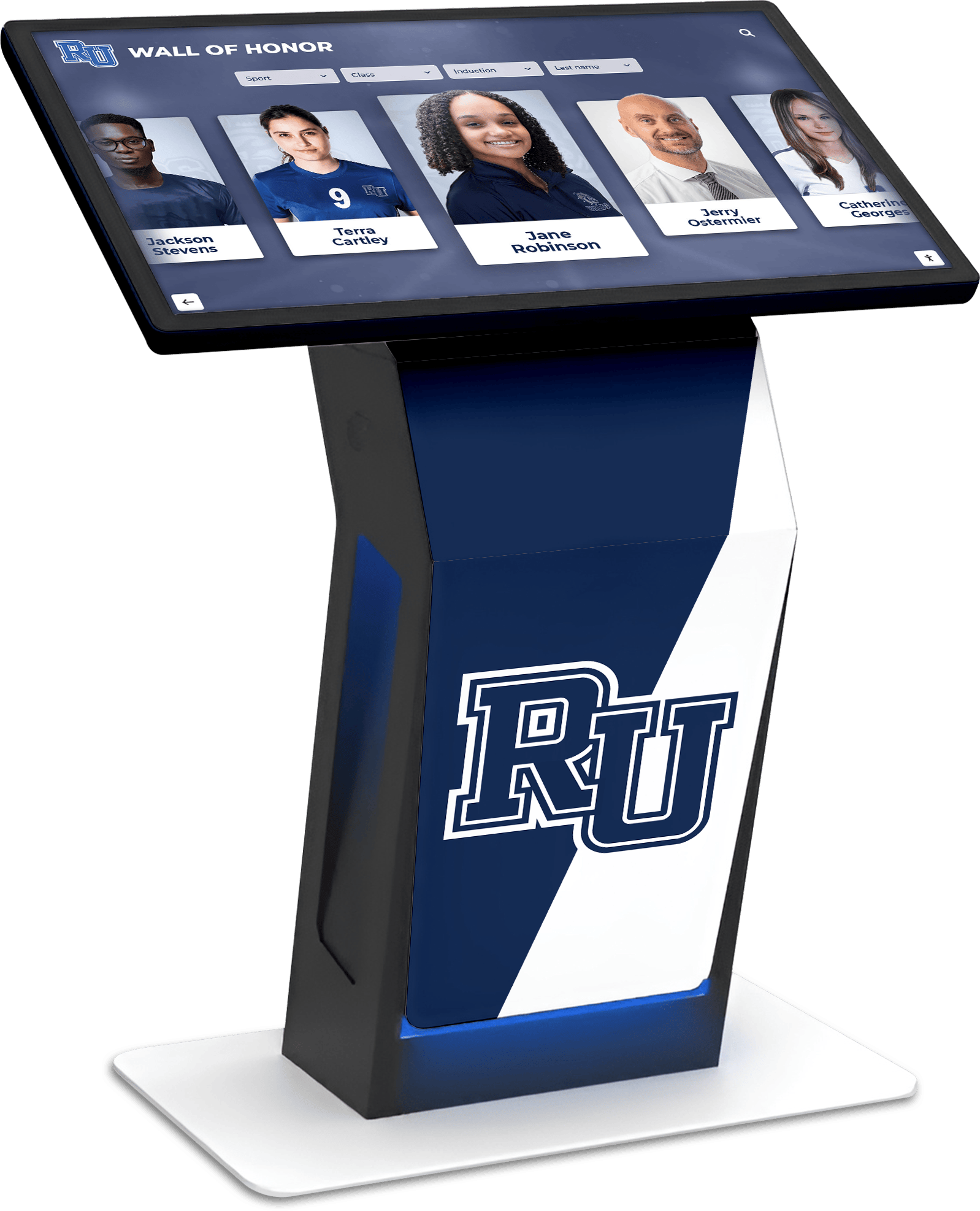
An interactive recognition display that represents a school's complete athletic history depends on migrations that preserved contextual information — athlete identification, event dates, record documentation, and career summaries — at every stage of the archive's digital life
Working with Sports Medicine and Compliance Records During Migration
Schools that include sports medicine documentation, injury records, or athlete health data in their athletic archive face additional considerations during migration that warrant separate stakeholder consultation.
- Identify any records in the source inventory that contain personally identifiable health information or information about student athletes’ medical status
- Consult district records management and legal counsel before migrating any records that may be subject to FERPA, HIPAA, or state health records regulations — these are distinct from general athletic archive records and may require different handling during migration
- Confirm access controls at the destination for any health-related records are restricted to authorized personnel — not applied to the archive as a whole with health records included
- Do not include health records or injury data in content that will be published to a recognition display, website, or any other public-facing platform
For context on how sports medicine documentation fits within an athletic program’s records, consult your district’s records management guidelines before including that category in a migration scope.
Frequently Asked Questions
What is an athletic archive content migration checklist and when should a school use it?
It is a structured, sequenced list of tasks that a school follows when moving sports photographs, historical records, hall-of-fame data, rosters, or recognition display content from one system, drive, database, or platform to another. Use it before any migration that involves more than a handful of files or records — the checklist is specifically designed to prevent the context loss and completeness gaps that informal, unstructured migrations almost always produce. It applies equally to technology-driven migrations (moving to a new platform), disaster-driven migrations (recovering from a storage failure), and program-driven migrations (consolidating content previously held across multiple systems or staff drives).
How long should a content migration take for a typical school athletic archive?
Timeline depends on archive size, source condition, and destination system complexity. A modest archive — several thousand photographs, a few decades of rosters, and a hall-of-fame platform with fewer than 200 inductees — can typically complete a structured migration in four to eight weeks when a dedicated coordinator manages the process. Larger archives, archives in poor condition with significant metadata gaps, or migrations involving complex technical environments (multiple source systems, web redirects, platform-to-platform imports) should plan for ten to sixteen weeks or longer. The most common cause of timeline overrun is discovering in Phase 3 (Source Audit) that the archive’s metadata condition is worse than expected — which is why the audit precedes mapping and execution.
What happens to historical context that exists only in a staff member’s memory, not in the archive?
This is one of the most significant risks in athletic archive management, particularly for programs that have relied on long-tenured coaches or administrators to provide identification for historical photographs and records. Before migration, interview any staff members who hold contextual knowledge — athlete identification, event context, season history — and document what they share in written form attached to the relevant records. This documentation work is not technically part of the migration but it is the last practical opportunity to capture information that will otherwise be permanently lost when those staff members leave.
Should we migrate everything, or is this an opportunity to retire outdated content?
Migration is an appropriate time to retire content that is no longer accurate (superseded record books that have been replaced by updated versions), content that exists in too-low quality to be useful (very low resolution photographs with no originals available for rescan), and exact duplicates. It is generally not appropriate to retire content based on subjective historical value judgments — what seems minor today may be exactly the record a future recognition committee, anniversary program, or alumni researcher needs. When in doubt about whether to migrate an item, migrate it and document it clearly rather than making an irreversible deletion decision under the time pressure of a migration project.
How do we handle content that was informally held by volunteers, coaches, or alumni?
Begin by treating it as separate from the official archive until you have confirmed the school’s rights to it. A photograph album donated by a family, video footage shot by a volunteer parent, or scanned materials provided by a booster club member may carry implied or explicit rights that differ from content the school created. During the source audit, flag any content with non-institutional provenance and confirm with district legal or records management staff what the school’s rights are before migrating it to an institutional system and publishing it on any platform.
What should we do if we discover content is missing after migration is declared complete?
First, confirm that the source system is still accessible — the source should not have been decommissioned until sign-off, which provides a recovery path. Second, compare the destination item count against the pre-migration inventory to determine what is missing and what category it falls into. Third, trace the missing content through the migration log to identify which batch it was assigned to and what the verification status of that batch was. Missing content discovered after sign-off that is not recoverable from the source should be documented as a known gap in the archive record, with whatever information is available about what the content was, so that future staff know the gap exists rather than assuming the archive is complete.
How do we keep the archive from needing another migration in five years?
The most effective approach is to document the destination system’s structure, naming conventions, and metadata standards in an archive policy document that is stored in the archive itself — not just in someone’s memory. Train everyone who adds content to the archive on those standards so that new content is added correctly from the first day. Plan a format sustainability review every three to five years so that file formats are assessed against current preservation standards before they become an emergency. And establish a defined ownership role for the archive — the person or committee responsible for its ongoing management — so that the archive does not revert to informal, distributed management that makes the next migration necessary.
From Migration to Recognition
A completed athletic archive migration is the foundation for recognition programs that can draw on decades of history without manual search and remediation every time content is needed.
Schools preparing for an alumni reunion or recognition event can pull complete athlete records from an organized, migrated archive in minutes rather than hours. Programs building Catholic honors displays or multi-sport recognition walls find that a well-migrated archive enables display content to be populated quickly and accurately. Facilities that display athlete photographs, records, and championship history on interactive touchscreens depend on an archive where every file has its context, every record has its documentation, and every photograph has a name.
A migration that preserves context is not just a technical success — it is an institutional commitment to the athletes, coaches, and communities whose history the archive holds.
Turn Your Migrated Archive Into an Interactive Recognition Display
When your archive migration is complete — content inventoried, context preserved, and records organized — the next step is making that history accessible to the students, alumni, and visitors who should be inspired by it. Rocket Alumni Solutions helps schools connect well-organized athletic archives to interactive touchscreen displays that surface every athlete, every season, and every championship in searchable, engaging form. Request a demo to see how your migrated archive can power a recognition experience built to last.
Request a DemoLive Example: Rocket Alumni Solutions Touchscreen Display
Interact with a live example (16:9 scaled 1920x1080 display). All content is automatically responsive to all screen sizes and orientations.































