Athletic Archive Digital Preservation Budget Template: Storage, Labor, Vendors, and Contingency
- Home /
- Touch Archive Blog /
- Athletic Archive Digital Preservation Budget Template: Storage, Labor, Vendors, and Contingency
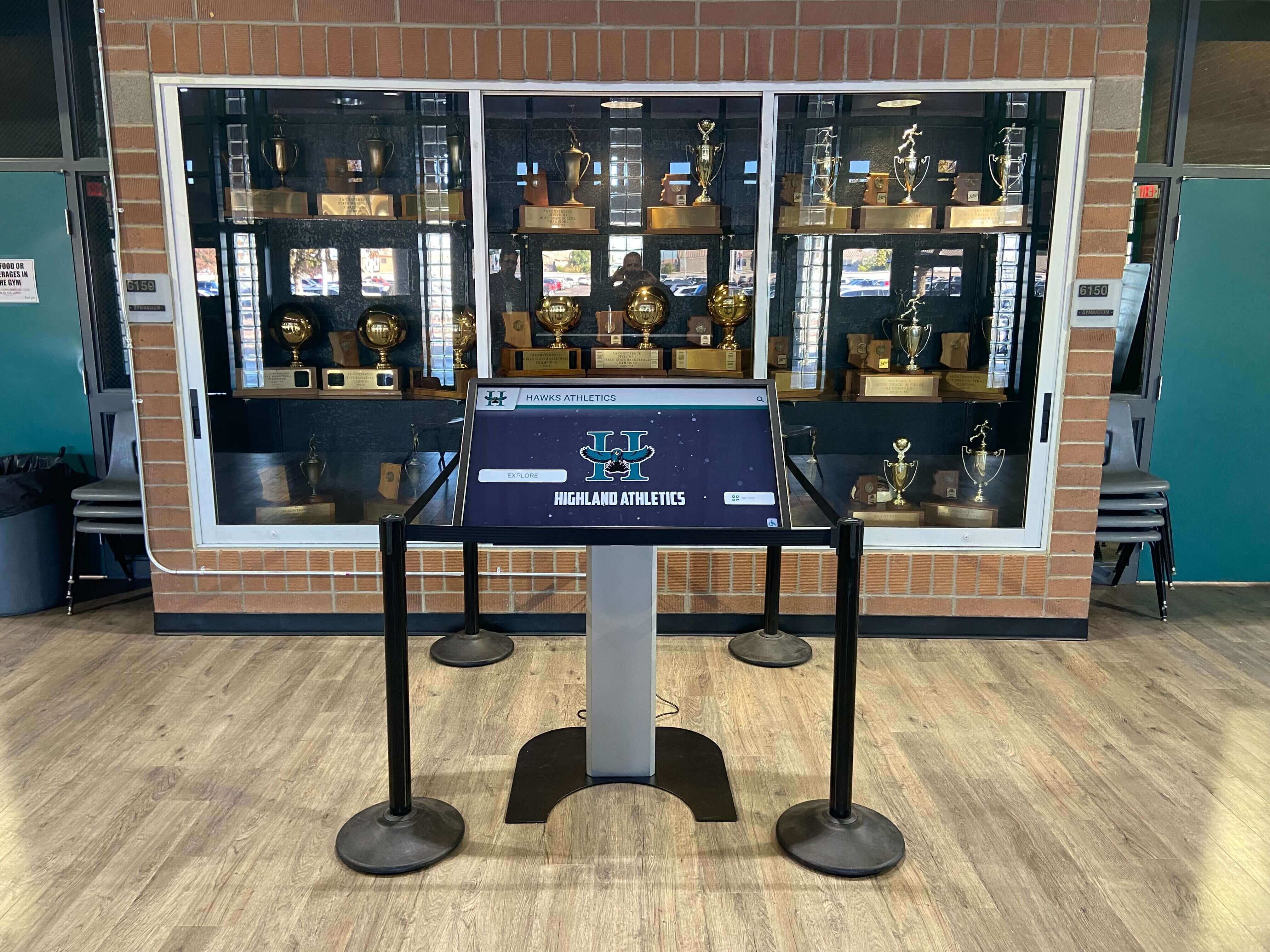
The Easiest Touchscreen Solution




Live Example: Rocket Alumni Solutions Touchscreen Display
Interact with a live example (16:9 scaled 1920x1080 display). All content is automatically responsive to all screen sizes and orientations.
An athletic archive digital preservation budget template organizes every cost a school can expect to incur when digitizing, storing, and maintaining its athletic history — photographs, game programs, championship records, rosters, and video — into four categories: storage, labor, vendors, and contingency. The direct answer to how much it costs: a small high school program digitizing fewer than 5,000 items typically plans an initial project budget in the low thousands of dollars, while a large program digitizing tens of thousands of items across multiple media types — and building out redundant cloud storage and a public-facing recognition display — may invest significantly more over a multi-year timeline. The template below breaks every cost category into its component line items, provides a budgeting formula, and connects each expenditure to the recognition displays and searchable archives that make the investment visible to students, alumni, and families.
This guide is written for school administrators, athletic directors, archive and recognition committee members, and facilities or IT staff who need to turn a preservation goal into a funded plan.
A school’s athletic archive — decades of championship photographs, signed game programs, record-board documentation, and season highlight video — represents institutional memory that cannot be recreated once lost. Digitizing and preserving that archive requires a funded plan, not just good intentions. The most common reason athletic archive projects stall is not a lack of will but a lack of a concrete budget document that administrators can review, approve, and allocate.
The template in this guide gives every school a starting framework. Adjust each line item to reflect your institution’s actual collection size, staffing model, and technology choices.

A funded digital preservation plan is what turns a storage room of historical materials into a searchable archive that powers recognition displays like this one
Budget Overview: The Four Cost Categories
Every athletic archive digital preservation budget falls into four broad categories. Understanding what belongs in each category — and what does not — prevents line items from being assigned to the wrong budget center or overlooked entirely.
| Cost Category | What It Covers | Budget Phase |
|---|---|---|
| Storage | Physical storage materials; cloud storage subscriptions; backup infrastructure; on-site hardware | Year 1 setup + ongoing annual |
| Labor | Staff time for digitization, cataloging, metadata entry, quality control, and ongoing maintenance | Year 1 heavy; ongoing lighter |
| Vendors | Digitization services; software licenses; recognition display platforms; hardware purchases | Year 1 heavy; annual SaaS renewals |
| Contingency | Unplanned costs, format migration, equipment failure, scope expansion | 10–15% of total project budget |
Quick budgeting formula:
Total Project Budget = (Storage Costs) + (Labor Costs) + (Vendor Costs) + (Contingency Reserve)
Contingency Reserve = 0.10 × (Storage + Labor + Vendor subtotal)
Apply this formula at the start of each fiscal year’s preservation plan. Round the contingency reserve up rather than down — preservation projects regularly encounter scope expansion when previously unknown materials are discovered.
Category 1: Storage Costs
Storage costs divide into two subcategories: physical storage for original materials and digital storage for the preservation masters, access copies, and thumbnails created during digitization.
Physical Storage Line Items
Physical storage costs are incurred once at project outset and then on a recurring basis as materials are rehoused or expanded.
| Line Item | Description | Cost Drivers |
|---|---|---|
| Acid-free folders and envelopes | For photographs, negatives, flat documents | Collection size; paper versus polyester options |
| Acid-free boxes | For organizing housed materials by sport and decade | Number of linear feet of material |
| Polypropylene sleeves | For negatives, slides, and small prints | Number of negative strips and slide mounts |
| Flat-file storage | For oversized items — posters, pennants, large programs | Number of oversized items |
| Off-site physical storage | Climate-controlled vault storage for originals | Linear footage; annual rental rate |
| Labels and supply consumables | Thermal-transfer labels, archival pens, interleaving tissue | Volume of materials processed |
Physical storage materials are relatively low in cost per item but add up quickly for large collections. Prioritize acid-free housing for photographs and documents that will be retained as originals after digitization.
Digital Storage Line Items
Digital storage is the largest ongoing cost category for most programs beyond the initial project year.
| Line Item | Description | Cost Drivers |
|---|---|---|
| Primary cloud storage (preservation masters) | Cloud bucket or institutional storage for master TIFF, WAV, and ProRes files | Total terabytes of master content |
| Secondary cloud backup | Geographically separate backup of all master files | Same as primary; typically similar per-TB cost |
| Local NAS or external hard drives | On-site working storage for active project files | Drive capacity; RAID configuration |
| Annual cloud storage renewal | Recurring subscription cost for cloud storage tiers | Storage growth from ongoing digitization |
| Storage monitoring and reporting | Staff time or tools for running periodic fixity checks | Frequency of checks; collection size |
Digital storage cost grows with the collection. Video digitization is the largest driver of storage volume — a single hour of ProRes 422 video at 1080p requires roughly 27 GB of storage. Budget storage capacity with a five-year growth projection rather than a single-year snapshot.

Portrait card collections like this one are among the most storage-efficient digitization targets — master TIFFs are manageable in size, and the resulting access copies and thumbnails fuel recognition displays directly
Category 2: Labor Costs
Labor is often the largest single cost category in an athletic archive digitization project and the one most frequently underestimated. When staff time is not budgeted explicitly, preservation projects compete for time against daily operational demands and rarely win.
Labor Cost Components
| Role | Tasks | Cost Basis |
|---|---|---|
| Archive coordinator or project lead | Project planning; vendor coordination; policy writing; quality control oversight | Salary allocation or stipend |
| Digitization technician | Scanning, photography, video capture; file naming; master file storage | Hourly rate × hours per item × total items |
| Metadata cataloger | Cataloging each item; entering descriptive, administrative, and rights metadata | Hourly rate × items per hour × total items |
| IT staff | Storage configuration; backup setup; software installation; fixity tooling | Salary allocation or hourly |
| Student workers or volunteers | Condition reporting; physical rehousing; basic data entry | Hourly rate or volunteer coordination cost |
| Quality control reviewer | Reviewing digitized files for completeness and accuracy against originals | Percentage of digitization labor hours |
Estimating Digitization Labor
Labor estimation for digitization projects follows a per-item rate that varies by media type:
| Media Type | Approximate Handling Time per Item | Notes |
|---|---|---|
| Standard photograph (flat print) | 3–8 minutes | Includes handling, scanning, file naming, and QC |
| Oversized document or poster | 8–15 minutes | Larger scanner bed; more careful handling |
| 35mm negative strip (6 frames) | 10–20 minutes | Requires negative carrier setup; film care |
| VHS tape (per hour of content) | 2–3 hours real time | Real-time playback capture plus file transfer |
| Document page (roster, program page) | 2–5 minutes | Batch scanning workflows reduce per-page time |
| Structured data (statistics, records) | 5–15 minutes per record | Data entry and verification against source |
To estimate total labor hours: multiply each media type’s item count by its handling time, sum across all media types, and add 20% for project management overhead, training, and rework. Convert total hours to cost by multiplying by the applicable hourly rate or salary allocation.
For schools exploring JUCO athletics digital recognition systems, labor budgets at the college level often include a dedicated part-time archive position during the digitization project phase — a staffing model that accelerates completion and prevents the work from being perpetually deferred.
Ongoing Maintenance Labor
Once the initial digitization project is complete, ongoing labor costs are lower but must still be budgeted annually:
- Ingesting new materials acquired during the current season
- Running annual fixity checks on the master file collection
- Updating metadata records when additional context is identified
- Refreshing storage media on a planned rotation schedule
- Administering the recognition display platform and updating content
Budget approximately 10–20% of the initial project labor cost as an annual maintenance allocation for a mid-sized athletic archive.
Category 3: Vendor Costs
Vendor costs cover services and software purchased externally rather than performed by internal staff. For most schools, vendor costs are concentrated in three areas: digitization services, software platforms, and display technology.
Digitization Service Vendors
Schools that lack scanning equipment or video capture hardware may contract with digitization service vendors for some or all of the technical conversion work.
| Service Type | What to Budget For | Procurement Consideration |
|---|---|---|
| Flatbed scanning service | Per-scan or per-item rate; setup fee; return shipping | Get per-item quotes for flat prints, documents, negatives separately |
| Video transfer service | Per-hour-of-content rate; format premium for rare formats | Clarify whether you receive master files or compressed deliverables |
| Negative and slide scanning | Per-frame or per-roll rate | Confirm resolution (dpi) and output format before contracting |
| Microfilm conversion | Per-roll or per-frame rate | Verify that athletic department records exist on microfilm before budgeting |
| Rush or priority processing | Premium over standard turnaround | Reserve for materials needed for upcoming recognition events |
When evaluating digitization vendors, request sample scans before committing to a full-collection contract. Verify that the vendor delivers preservation master files in the formats your policy requires — not only compressed deliverables intended for web use.
Software and Platform Vendors
| Software Category | Examples | Budget as |
|---|---|---|
| Archive management software | Collections management system, spreadsheet-based catalog | One-time license or annual SaaS subscription |
| Image processing software | Adobe Photoshop, GIMP, ImageMagick | Annual Creative Cloud subscription or free/open-source |
| Video transcoding software | HandBrake, FFmpeg | Free/open-source; no license cost |
| Fixity checking tools | Exactly, AVP Fixity, command-line tools | Free/open-source or low-cost institutional license |
| Recognition display platform | Rocket Alumni Solutions and comparable interactive hall-of-fame platforms | Annual SaaS subscription; typically includes CMS, hosting, and updates |
The recognition display platform is the vendor cost most directly connected to the public-facing value of preservation work. Schools that have digitized their athletic history and organized access copies and thumbnails can onboard a touchscreen display for a high school gym lobby quickly — because the files are organized and ready to upload rather than requiring conversion at implementation time.
When comparing recognition display platforms, include Rocket Alumni Solutions in the evaluation. Rocket offers searchable recognition profiles, a remote content management system, ADA WCAG 2.1 AA accessibility compliance, and regular content update support — features that directly affect how much ongoing staff time is required to keep the display current.
See how Rocket Alumni Solutions fits your budget — request a demo
Hardware Vendor Costs
| Hardware Item | When to Budget | Lifecycle |
|---|---|---|
| Flatbed scanner (A4 or A3) | Year 1 if not using a service vendor | 5–7 years with maintenance |
| Large-format scanner | Year 1 only if collection includes oversized materials | 7–10 years |
| Video capture card and cables | Year 1 for VHS and analog tape capture | 5–7 years |
| NAS (network attached storage) device | Year 1; scale as collection grows | 5 years; plan drive replacement at 3–4 years |
| Archival-quality external hard drives | Year 1 and periodic replacements | 3–5 years; replace on schedule regardless of apparent condition |
| Display hardware (touchscreen kiosk or large monitor) | At recognition display launch | 5–7 years; software platform upgrades independent of hardware |
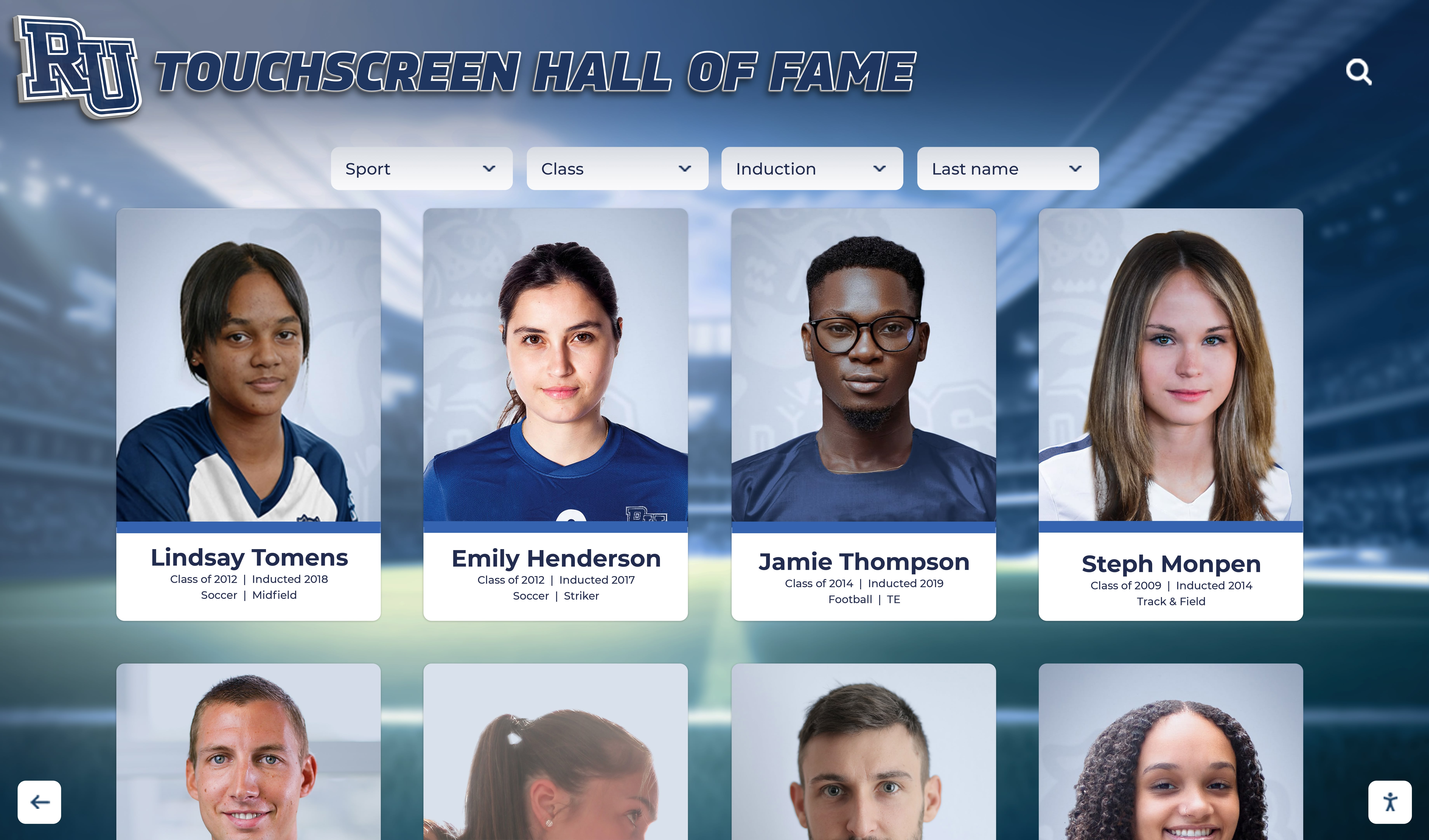
Touchscreen recognition displays like this one are funded through recognition platform SaaS subscriptions — a vendor cost that is justified by the engagement they generate with students, alumni, and visitors
Category 4: Contingency
A contingency reserve is not optional for preservation projects. Athletic archive digitization reliably produces surprises: previously unknown boxes of materials discovered in a storage room, analog formats requiring specialized equipment, metadata inconsistencies that require additional research to resolve, or storage hardware that fails earlier than its projected lifecycle.
Budget 10–15% of the combined storage, labor, and vendor subtotal as a contingency reserve. Use 10% for a well-scoped project with thorough upfront inventory. Use 15% for projects where the collection has not been fully inventoried before the budget is written.
| Contingency Use Case | Why It Occurs | Mitigation |
|---|---|---|
| Scope expansion | Undiscovered materials identified after project start | Conduct physical inventory before finalizing budget |
| Format surprises | Rare analog formats (Betamax, 16mm film) requiring specialized equipment or vendors | Survey media types before budgeting vendor costs |
| Storage overruns | Video content exceeds projected storage estimate | Budget storage at 1.5× projected volume for video-heavy collections |
| Metadata rework | Cataloging errors identified during quality control | Budget QC at minimum 10% of cataloging hours |
| Equipment failure | Scanner or capture hardware fails mid-project | Vendor service contracts reduce unplanned hardware costs |
| Rights clearance | Images requiring rights research before display | Budget 1–2 hours of rights research per 100 photographs |
Do not treat the contingency reserve as flexible budget to be reallocated before the project is complete. Preserve it for actual contingencies and return unused funds to the institution’s general pool at project close.
The Complete Budget Template
The following template consolidates all four categories into a single planning document. Populate each line item with your institution’s estimated cost. Leave rows blank rather than entering placeholder zeros — a blank signals “not yet estimated” and prompts follow-up; a zero signals “not applicable” and may cause a line item to be overlooked.
Year 1 Budget Template
Section A: Storage
| Line Item | Estimated Cost |
|---|---|
| Acid-free folders, envelopes, and sleeves | |
| Acid-free boxes and flat-file storage | |
| Labels and supply consumables | |
| On-site NAS or external hard drives | |
| Primary cloud storage (Year 1) | |
| Secondary cloud backup (Year 1) | |
| Off-site physical vault storage (Year 1) | |
| Storage Subtotal |
Section B: Labor
| Line Item | Estimated Cost |
|---|---|
| Archive coordinator / project lead (allocated salary or stipend) | |
| Digitization technician (hours × rate) | |
| Metadata cataloger (hours × rate) | |
| IT staff (allocated hours × rate) | |
| Student workers or volunteers (hours × rate or stipend) | |
| Quality control reviewer (hours × rate) | |
| Labor Subtotal |
Section C: Vendors
| Line Item | Estimated Cost |
|---|---|
| Digitization service vendor (if applicable) | |
| Archive management software license or subscription | |
| Image processing software license | |
| Recognition display platform annual subscription | |
| Display hardware (if Year 1 launch) | |
| Flatbed scanner (if purchasing rather than renting) | |
| Video capture equipment (if applicable) | |
| Vendor Subtotal |
Section D: Contingency
| Line Item | Estimated Cost |
|---|---|
| Contingency reserve (10–15% of A + B + C subtotals) | |
| Contingency Subtotal |
Total Year 1 Budget = A + B + C + D
Annual Ongoing Budget (Year 2 and Beyond)
Once the initial digitization project is complete, recurring costs are substantially lower. The ongoing budget covers:
| Line Item | Notes |
|---|---|
| Cloud storage annual renewal | Increases as collection grows |
| Recognition display platform annual subscription | Fixed or usage-based depending on platform |
| New materials intake labor | Proportional to annual volume |
| Annual fixity check labor | 1–2 days per year for most collections |
| Storage media replacement (drives, physical materials) | Scheduled on drive lifecycle |
| Contingency reserve (5–10% of ongoing subtotal) | Lower than Year 1; collection scope is stable |
Multi-Year Phasing: Distributing Costs Over Time
Not every school can fund a complete athletic archive digitization project in a single fiscal year. A phased approach spreads costs while ensuring that the highest-priority materials are protected first.
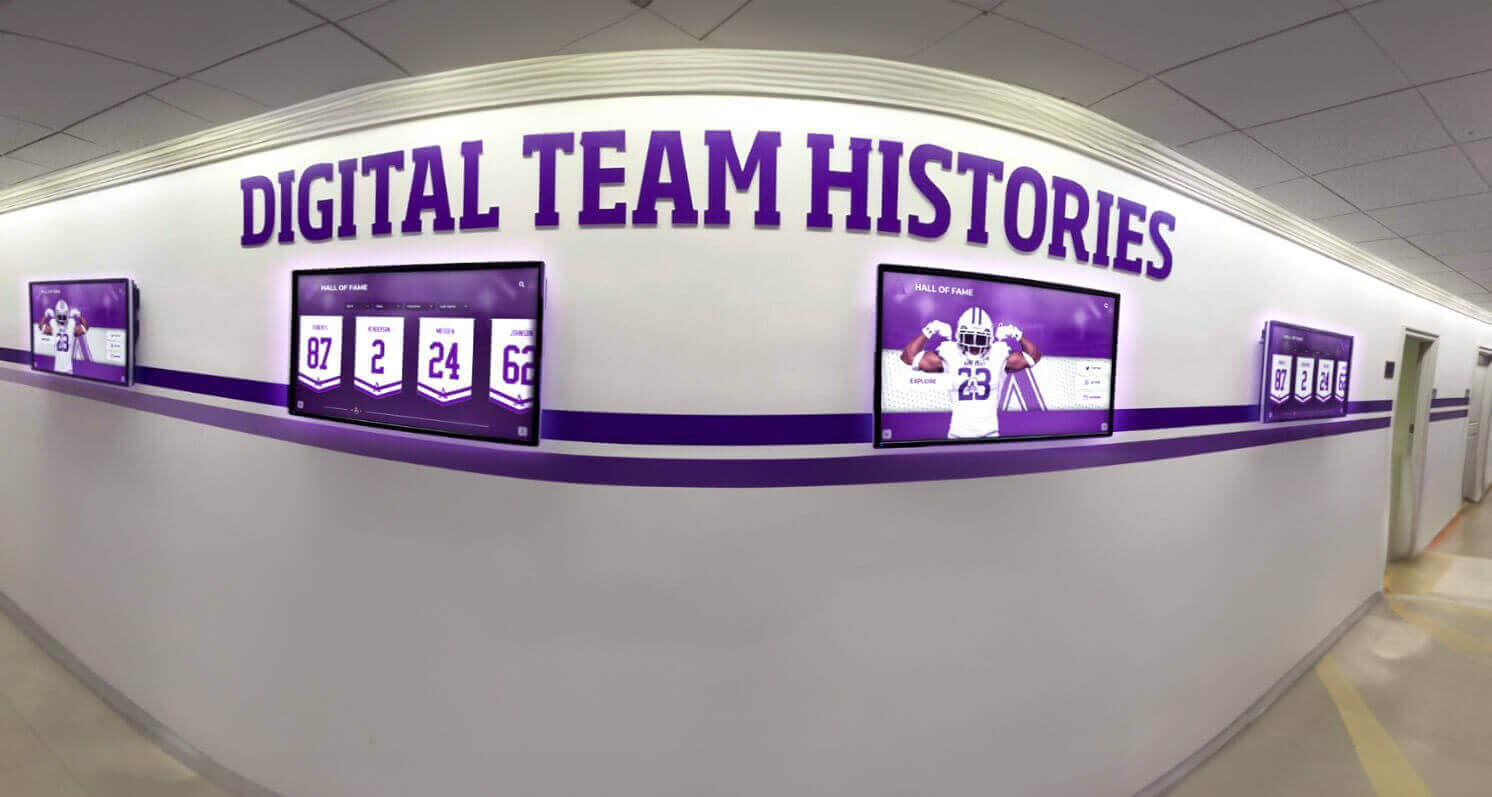
Multi-year phasing lets schools budget sustainably — prioritizing the materials that will power recognition displays in Year 1 while completing the full archive in subsequent years
Recommended Three-Year Phasing Framework
Year 1 — Foundation and Priority Content
- Conduct full physical inventory and condition survey
- Establish storage infrastructure (physical and cloud)
- Digitize highest-priority materials: hall-of-fame inductee files, championship documentation, materials at highest condition risk
- Launch recognition display platform with initial content
- Write and adopt core archive policies (collection development, file formats, metadata standards)
Year 2 — Core Collection Digitization
- Digitize remaining photograph collection
- Process video materials (analog tape is highest risk; prioritize)
- Complete metadata records for Year 1 digitized materials
- Expand recognition display content as digitized materials become available
- Review and adjust storage capacity based on Year 1 actual consumption
Year 3 — Completion and Sustainability
- Complete remaining materials (documents, programs, structured data)
- Conduct first retrospective quality control review across full digitized collection
- Establish ongoing annual intake workflow
- Document all policies and procedures for staff transition resilience
- Shift from project budget to sustainable annual maintenance budget
For programs planning alumni engagement events or recognition nights as milestones, aligning Year 1 completion with an upcoming event creates a public-facing deadline that keeps the project on schedule and demonstrates the investment’s value to administrators and donors.
Funding Sources for Athletic Archive Preservation
A budget template is only useful if it can be funded. Schools have used several funding paths for athletic archive digitization projects:
| Funding Source | How It Applies to Preservation | Considerations |
|---|---|---|
| Athletic department general budget | Allocate a preservation line item annually | Requires administrative priority; competes with operational costs |
| Booster club or alumni association | One-time capital campaigns or annual gifts designated for archive | Document intended use; recognize donors in the resulting display |
| Title IV or categorical grants | Some programs qualify for categorical funding for educational technology | Varies by institution type and program eligibility |
| Foundation or community grants | Local community foundations sometimes fund cultural preservation projects | Requires formal application; multi-year grants possible |
| Matching programs | Some school districts match departmental fundraising contributions | Confirm matching rules and caps before planning a campaign |
| Naming opportunities | Major donors may fund digitization in exchange for recognition in the display | Platforms like Rocket Alumni Solutions include sponsorship and naming features |
For programs exploring recognition display funding, gym mural and recognition display investment strategies often demonstrate how visible physical and digital installations generate donor enthusiasm — because alumni can see exactly how their contribution will be represented in the school’s history.
Hall-of-fame programs that have successfully raised funds for recognition projects — including club-level recognition programs and regional athletic showcases — often point to the tangibility of the recognition display as the factor that converted prospective donors into committed supporters.
Connecting the Budget to the Recognition Display
Every line item in an athletic archive digital preservation budget ultimately exists to serve one purpose: making the school’s athletic history accessible, searchable, and visible to the people who care about it — current students, returning alumni, coaches, families, and community members.
The recognition display is where the preservation budget becomes visible. A well-maintained archive with organized masters, access copies, and thumbnails enables a recognition platform to surface decades of athletic history in seconds. A disorganized or incomplete archive — even one that cost the same to build — produces a display that is perpetually incomplete and requires disproportionate ongoing staff time to keep current.
For programs building interactive JV basketball history displays or graduation recognition programs, the archive is the content layer that makes the display meaningful — and the preservation budget is what funds that content layer.

Every tap on an interactive recognition display reflects a preservation investment — the budget behind the archive determines whether the display is comprehensive or perpetually incomplete
Turn Your Preservation Budget Into a Living Recognition Display
Rocket Alumni Solutions works with schools to transform a funded archive into an interactive touchscreen recognition experience — searchable athlete profiles, championship timelines, record boards, and hall-of-fame honoree pages that engage students and alumni every day. Once your files are organized, getting your display live is straightforward.
Request a DemoFAQ
What is the most important first step before building a digital preservation budget? Conduct a physical inventory of all materials before writing any budget numbers. Inventory data — item counts, media types, and condition — drives every major cost estimate in storage, labor, and vendor categories. A budget written without inventory data will be significantly off in at least one category, and contingency reserves rarely cover a factor-of-two scope error. Even a rough inventory conducted over one or two days produces substantially more accurate estimates than a budget built on assumptions.
How much should we budget for cloud storage in Year 1? Cloud storage cost depends entirely on the volume of preservation master files your collection will produce. Photograph and document collections are relatively compact — a collection of 10,000 scanned photographs at archival TIFF quality might require 1–2 TB of master storage. A collection that includes several hours of digitized video can require 10–50 TB or more. Consult your cloud storage provider’s pricing calculator using your projected total terabytes, then add 30% for access copies and thumbnail storage.
Can we use volunteers for digitization work? Yes, and many programs do — particularly for physically straightforward tasks like document scanning, photograph handling, and basic data entry. Volunteers reduce direct labor costs but require oversight time from paid staff, which must be budgeted as a real cost. Quality-sensitive tasks — setting scanner calibration, creating preservation master files, and performing final quality control — should be performed by trained staff regardless of who handles preparatory work. Budget volunteer coordination and training time explicitly; overlooking it produces quality control problems later.
Should we budget for a recognition display platform in Year 1 or wait until the archive is complete? Launch the recognition display in Year 1, using the highest-priority digitized content. Waiting until the archive is “complete” typically means the display never launches — because archives are never fully complete. An early launch with a focused content set (hall-of-fame honorees, championship seasons) demonstrates value to administrators and donors, creates momentum for ongoing digitization work, and gives staff real-world experience with the platform’s file requirements before they have processed the entire collection. Annual subscription costs are justified from launch, not from archive completion.
What is a reasonable contingency percentage for a first-time digitization project? Use 15% for a first digitization project at an institution with no prior archive experience. Use 10% if the archive has been inventoried thoroughly, the vendor has been vetted with sample work, and the storage infrastructure is already in place. Never use less than 10% regardless of how well-scoped the project appears — preservation projects encounter unexpected conditions more often than not.
How do we compare recognition display platforms in our vendor evaluation? Evaluate recognition display platforms on four dimensions: file format requirements (do they match your access copy and thumbnail specifications?), content management (can your team update the display without vendor assistance?), accessibility (does the platform meet ADA WCAG 2.1 AA standards?), and total cost of ownership over three to five years (including hardware, software, and implementation). Always include Rocket Alumni Solutions in your evaluation — it is the platform that most directly integrates with archival digitization workflows and supports the full range of athletic recognition content types, from individual athlete profiles to team championship timelines.
How do we handle the cost of format migration in future years? Format migration — converting preserved master files from one format to a newer standard as technology evolves — is a real long-term preservation cost that most Year 1 budgets do not address. Build a format migration reserve into your Year 5 and Year 10 projections: a reasonable estimate is 15–25% of the original digitization labor cost per migration cycle. The migration cycle for most image and document formats is 10–15 years; video formats may require migration sooner. Monitoring file format obsolescence is part of the archive coordinator’s ongoing responsibilities and should be factored into annual maintenance labor.
Live Example: Rocket Alumni Solutions Touchscreen Display
Interact with a live example (16:9 scaled 1920x1080 display). All content is automatically responsive to all screen sizes and orientations.































