Athletic Archive Digital Preservation Ingest Workflow: From Transfer to Verified Storage
- Home /
- Touch Archive Blog /
- Athletic Archive Digital Preservation Ingest Workflow: From Transfer to Verified Storage
The Easiest Touchscreen Solution




Live Example: Rocket Alumni Solutions Touchscreen Display
Interact with a live example (16:9 scaled 1920x1080 display). All content is automatically responsive to all screen sizes and orientations.
An athletic archive digital preservation ingest workflow is the structured sequence of steps a school or athletic program follows every time new content — photographs, video recordings, rosters, statistical records, or award documentation — enters a managed digital archive for the first time, covering transfer execution, file inventory, format validation, metadata capture, checksum generation, and formal acceptance into verified storage. The direct answer: ingest is not complete when files arrive on the destination drive. It is complete when every transferred file has been counted against a transfer manifest, validated for format compliance, documented with descriptive metadata, assigned a checksum baseline, and accepted into a designated storage location with a written record that all of these steps were performed. Skipping any step produces a gap that cannot be recovered from the ingest record alone — unknown files, unverifiable integrity, and assets without the context that makes them usable for recognition programs. This guide provides the full ingest workflow in ten steps, with tables, checklists, and a practical FAQ, written for athletic directors, archive coordinators, school IT staff, and recognition program managers.
Nothing in this guide constitutes legal, IT security, or records management advice. Archive policy decisions, data governance, and compliance obligations should be reviewed by your district’s qualified staff and counsel before implementation.
Ingest is the moment when a file transitions from being a transferred item to being an archived item. That distinction matters because a file on a shared drive or a USB brought in by a booster club volunteer is not, by itself, an archived record. It has no verified integrity baseline, no confirmed format, no attached descriptive metadata, and no documented chain of custody. Ingest creates all of those things — or it should, if the workflow is executed correctly.
For athletic archives, the ingest moment is also the highest-leverage point in the entire digital preservation lifecycle. Decisions made at ingest — what checksum algorithm to use, which metadata fields to require, how to name the file, where it will live in the storage hierarchy — ripple forward through every future migration, display, and nomination review. Correcting a poor ingest decision retroactively, across thousands of files, is far more expensive than getting it right once.

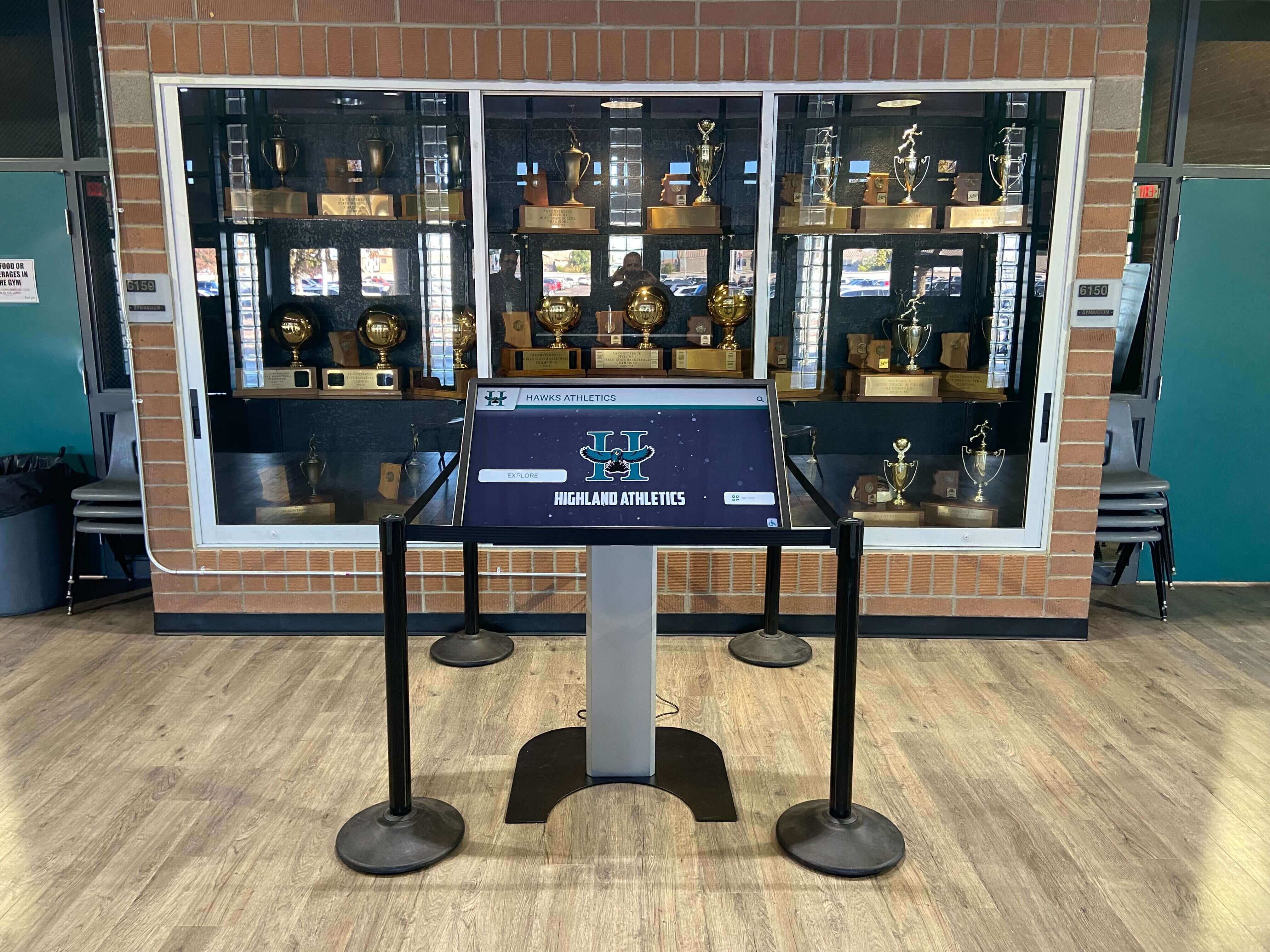
Recognition displays in school trophy cases surface only the content that successfully completed an ingest workflow — an unverified file is not an archived record, regardless of where it is stored
Before Ingest Begins: Ingest Readiness Requirements
The ingest workflow assumes that certain prerequisites are already in place. Running ingest without these prerequisites creates gaps that the workflow itself cannot resolve.
Ingest readiness checklist:
| Prerequisite | Why It Matters | Status to Confirm Before Ingest |
|---|---|---|
| Storage destination configured | Files with no destination become orphans in a staging area | Destination folder structure created; permissions set; capacity confirmed |
| File naming convention documented | Inconsistent names create retrieval and context problems downstream | Naming convention written, reviewed, and shared with anyone executing ingest |
| Metadata schema defined | Ingest without a metadata schema produces undescribed files | Required fields identified; controlled vocabulary established for sport, season, and content type |
| Checksum algorithm selected | Algorithm choice must be consistent across the collection | MD5 or SHA-256 selected and documented; tool installed and tested |
| Transfer manifest or source list available | Without a manifest, completeness cannot be verified | Transfer manifest exists before any file moves |
| Ingest log template prepared | The log is created during ingest, not after | Ingest log spreadsheet or document open and ready |
Programs that have established an athletic archive file naming convention can treat naming compliance as a simple validation gate during ingest rather than a remediation project after it. Programs that have not yet defined a naming standard should do so before beginning any large ingest batch.
The Ten-Step Athletic Archive Digital Preservation Ingest Workflow
Step 1: Document the Transfer Source and Ingest Scope
Before any file moves, document what is being ingested, where it is coming from, and what the ingest is expected to contain.
The source documentation record should capture:
- Transfer source: physical location (USB drive, shared folder, external hard drive, cloud service, digitization lab output), custodian name, and date of transfer
- Content type: photographs, video, audio, rosters, statistical records, award documentation, web captures, or a combination
- Approximate scope: estimated file count and total data volume
- Date range of content: the seasons, years, or events covered by the transferred material
- Provenance: who created the content, who has held it, and whether rights to archive and display it have been confirmed
- Known issues: any conditions the transferring party has disclosed — file naming inconsistencies, mixed formats, missing labels, physical damage to originals that may have affected scan quality
This documentation becomes the opening record of the ingest log. It provides the institutional context that a file path alone cannot: why this content exists, who is accountable for it, and what its relationship to the broader archive is.
For content contributed by donors, alumni, or booster club volunteers — common sources for historical athletic photographs — the source documentation should include a written confirmation of the school’s rights to archive and display the content. Content with unclear rights status should be flagged for a separate rights review, not ingested into the general archive without resolution.
Step 2: Create the Transfer Manifest
The transfer manifest is the authoritative list of what is supposed to arrive at the destination. It is the document against which completeness will be verified in Step 4.
Building the transfer manifest:
If the transferring party can provide a file list — a folder export, a spreadsheet of expected items, or a printed inventory — that becomes the starting point. If no list exists, create one from the source before any transfer takes place:
- Connect the source media or access the source folder.
- Export a file listing that includes file names, file sizes, and folder paths for every item to be transferred.
- Record the total file count and total data volume.
- Save the manifest to a location that is separate from both the source and the destination — the manifest must remain accessible even if the source is disconnected or the transfer fails partway through.
| Manifest Field | Purpose |
|---|---|
| File name | Identification at destination |
| File size (bytes) | Size verification after transfer |
| Source folder path | Confirms correct source location |
| Expected destination path | Confirms mapping is pre-planned |
| Content description | Brief label for each file or batch |
| Rights status | Confirmed, pending, or unclear |
For large ingest batches, it is acceptable to build the manifest at the batch level (folder or content type) rather than the individual file level, as long as the manifest records total file count and total data volume per batch. Individual-file manifests are preferred for high-value content — championship records, hall-of-fame portraits, founding-era photographs — and for any content where individual item identification is important for future retrieval.

Physical historical records like these portrait cards produce digital files at digitization whose ingest must be documented — the transfer manifest confirms that every card that was scanned arrived at the destination as a verified, counted file
Step 3: Execute the Transfer with Integrity Verification
The transfer itself — moving files from source to destination — should be executed using a tool or method that verifies file integrity at the point of transfer, not just file presence.
Why standard copy-and-paste is insufficient:
A standard operating system file copy confirms that bytes were transmitted from source to destination. It does not confirm that every byte arrived correctly. Filesystem errors, cable faults, buffer issues, or interruptions mid-copy can produce destination files that are byte-complete in size but contain corrupted data — a condition that a file listing cannot detect.
Transfer methods that include integrity verification:
| Method | Platform | What It Verifies | Recommended For |
|---|---|---|---|
| TeraCopy (verify mode) | Windows | File-by-file checksum after copy | Small to medium batches; non-technical staff |
rsync with --checksum flag | macOS, Linux | Checksum comparison for each file | Large batches; server-based archives |
| rclone copy with checksum | Windows, macOS, Linux | Checksums verified against cloud or remote storage | Cloud-to-local or local-to-cloud transfers |
| BagIt package transfer | Any platform | Manifest-verified transfer in BagIt standard format | Institutional workflows; content sent between organizations |
Robocopy with /copyall | Windows | Byte-count verification; log of every file | IT-managed transfers on Windows networks |
For programs transferring digitized content from a scanning vendor, request a BagIt package or a transfer manifest with MD5 or SHA-256 checksums pre-generated by the vendor’s capture system. This makes the verification step in Step 4 a simple comparison rather than a from-scratch computation.
During transfer:
- Do not modify files during transfer — apply naming conventions after transfer is complete and verified, not during
- Log the transfer method, start time, completion time, and any interruptions or retries
- If the transfer is interrupted, do not assume the partial transfer is complete — restart the affected batch and re-verify
Step 4: Verify Completeness Against the Transfer Manifest
Transfer verification confirms that every item listed in the transfer manifest arrived at the destination, in the correct quantity, and at the expected file size.
Completeness verification checklist:
- Count destination files for each content type or batch and compare against manifest total
- Compare total data volume at destination against manifest total (in bytes, not rounded GB)
- Identify any files present at the destination that are not listed in the manifest — these may be system files, hidden files, or unintended transfers
- Identify any files listed in the manifest that are absent from the destination — these require investigation before proceeding
- For transfers with pre-generated checksums: compare destination checksums against the manifest’s expected checksums for each file
- Document the completeness verification result in the ingest log: date, files checked, any discrepancies, and resolution
Handling discrepancies:
| Discrepancy Type | Cause | Resolution |
|---|---|---|
| File count short | Interrupted transfer; source file not copied | Re-transfer missing files; verify source still accessible |
| File size mismatch | Corrupted transfer; file modified after manifest was created | Re-transfer the affected file; verify source file integrity |
| File present at destination but not in manifest | System file; unintended inclusion; scope error | Document the unexpected file; decide whether to ingest or remove |
| Manifest references non-existent source file | Source moved or renamed; manifest error | Investigate source; update manifest if file exists under a different name |
Do not proceed to Step 5 until all completeness discrepancies are resolved or documented as known exceptions. A completeness gap that is not recorded before proceeding becomes unattributable — there is no way to know, after the fact, whether a missing file was absent from the transfer or lost during a later operation.
Step 5: Validate File Formats
Format validation confirms that each ingested file is what it appears to be, is in a supported format, and meets the archive’s format requirements for master files or access copies.
Format validation is not the same as opening a file and seeing that it looks correct. It is a technical confirmation — using a tool that reads the file header and internal structure — that the file is a valid instance of its claimed format.
Why format validation is necessary:
- Files renamed with a different extension (a JPEG file renamed
.tif) will appear to be a different format than they are - Files generated by consumer scanning software may be labeled as TIFF but contain JPEG-compressed data inside a TIFF wrapper — a condition that tools will surface but visual inspection will not
- Proprietary formats that appear to open correctly in current software may be unreadable in future software — catching them at ingest gives the program the option to request a format conversion while the original is still accessible
Format validation tools:
| Tool | Function | Platform |
|---|---|---|
| JHOVE | Validates file format conformance for TIFF, JPEG, PDF, audio, and video | Cross-platform (Java) |
| Siegfried | File format identification against PRONOM and LOC signature databases | Cross-platform |
| ExifTool | Reads embedded metadata and confirms format version and compression | Cross-platform |
| MediaInfo | Format validation and technical metadata for video and audio files | Cross-platform |
| veraPDF | PDF/A conformance validation | Cross-platform |
Format compliance gates for athletic archive ingest:
| Content Type | Acceptable Master Format | Flag for Review |
|---|---|---|
| Photographs (scanned) | TIFF (uncompressed or LZW) | JPEG-only; PSD; BMP; WebP |
| Photographs (born digital) | TIFF or high-quality camera JPEG | Low-resolution JPEG (under 2 MP); PNG with lossy compression |
| Video | MOV (ProRes), MXF, or uncompressed AVI | WMV; RealMedia; Flash video; MP4 as master |
| Audio | WAV (PCM, 48kHz+/24-bit minimum) | MP3 as master; AAC as master |
| Documents and records | PDF/A-1 or PDF/A-2 | Standard PDF with unembedded fonts; DOCX |
| Structured data (rosters, records) | CSV or XLSX with CSV companion | Proprietary database export only |
Files that fail format validation are quarantined — not rejected, and not added to the archive in their current state. Quarantine means they are held in a staging area, documented in the ingest log with their validation failure noted, and flagged for one of three resolutions: format conversion (if the content is recoverable in a compliant format), return to the source for redelivery (if the format failure indicates a delivery error), or documented acceptance as-is with a quality caveat (appropriate only when no compliant version can be produced and the content is of high institutional value).
Step 6: Apply and Verify File Naming Conventions
Files arrive at ingest with whatever names the source system assigned — scanner output names, camera roll numbers, vendor file names, or informal labels applied by staff or volunteers. Ingest is the point at which those names are converted to the archive’s naming convention.
Naming convention application at ingest:
- Apply the naming convention to all files before they are moved to their designated storage location
- Document the source file name and the new archive file name for every renamed file — this creates the link between the original identifier and the archive identifier
- Verify that no two files in the same collection share a name after renaming (duplicates must be resolved explicitly, not allowed to silently overwrite each other)
- Confirm that no file name contains characters that may cause issues in the storage platform: spaces, special characters, forward slashes, or non-ASCII characters depending on the destination system
The naming documentation created in this step is also the reconciliation record that connects the ingest log to the archive: if a file is referenced in an ingest log by its source name, the naming documentation confirms what archive name it received.
For programs that have established a consistent naming convention for athletic archive photos, rosters, and video, this step is a compliance check — verify that files submitted for ingest follow the established pattern, and apply corrections where they do not.

Athlete portraits on recognition displays are retrievable by name and sport only because ingest applied consistent naming conventions and descriptive metadata when each file first entered the archive
Step 7: Capture and Attach Descriptive Metadata
Metadata is what transforms a correctly named, format-validated file into a usable archive record. A TIFF photograph with a correct archive name and verified format is still an unknown item until metadata tells the archive — and the staff who use it — who is in the photograph, what event it depicts, and when it was taken.
Required metadata fields for athletic archive ingest:
| Field | Content Type | Notes |
|---|---|---|
| Subject identification | Photographs, video | Athlete name(s), jersey number(s), or “unidentified” if unknown — never leave blank |
| Sport or program | All types | Controlled vocabulary term from the archive’s subject list |
| Season or year | All types | Academic year format: 1998-99, not just 1999 |
| Event or context | Photographs, video, audio | Game, tournament, practice, portrait session, award ceremony |
| Date | All types | As specific as known — YYYY, YYYY-MM, or YYYY-MM-DD |
| Content type | All types | Photograph, game video, highlight reel, roster, record documentation, award certificate |
| Source | All types | Who provided the content and from what collection |
| Rights status | All types | Confirmed school ownership, donated with display rights, rights unclear — pending review |
| Condition notes | Photographs, audio, video | Relevant physical condition from the original if digitized; any known quality limitations |
| Related records | All types | Links to related files: a portrait linked to a hall-of-fame record; a performance linked to evidence documentation |
Metadata should be captured at the point of ingest, not planned for “later.” The moment an item is ingested is often the only moment when the person with direct knowledge of its content is present. A box of photographs returned to a booster club volunteer after scanning without having the subject identification recorded is a lost opportunity that cannot be recovered through the archive itself.
For programs building toward cataloging a backlog reduction plan, ingest with complete metadata means that new content does not add to the backlog — it enters the archive fully described from the first day.
Step 8: Generate Checksums and Record the Integrity Baseline
Checksum generation at ingest is the step that creates the fixity baseline — the mathematical fingerprint against which every future verification check will compare each file. It must happen at ingest time, after transfer and format validation are complete but before any further processing moves files to their final storage location.
Checksum generation protocol:
- Run the checksum tool against all validated, renamed files in the staging area
- Select SHA-256 as the algorithm for new baselines (MD5 is acceptable for programs with established MD5 manifests maintaining consistency)
- Save the resulting manifest — a text file listing each file path and its checksum — to the ingest record
- Verify the manifest saved correctly by running the checksum tool a second time on a sample of files and confirming the values match
- Store the manifest in a protected location separate from the archived files — the manifest must be accessible even if the archive storage is unavailable
The checksum generated at ingest is the only checksum that was created from the file in its confirmed, verified state — before any future access, migration, or system change could have introduced undetected modification. All future fixity checks compare against this baseline. If the baseline is not generated at ingest, it can never truly be recreated.
Checksum manifest fields:
| Field | Content |
|---|---|
| File path (relative to archive root) | Identifies the file within the storage hierarchy |
| Checksum value (SHA-256 or MD5) | The integrity fingerprint |
| Algorithm | Records which algorithm was used |
| Date generated | When the checksum was computed |
| Tool and version | Reproduces the generation environment for audit purposes |
For context on how this ingest-time checksum becomes the foundation for ongoing fixity management, the athletic archive fixity check schedule explains how to build a recurring verification program around the baselines created at ingest.
Programs with concerns about data integrity across the broader digital hall-of-fame ecosystem may find the AI data integrity advisory for the digital hall of fame market useful context for understanding why file-level integrity verification matters in the display and recognition pipeline, not only in storage.
Step 9: Move Files to Designated Storage with Access Controls
After validation, naming, metadata, and checksum generation are complete, files are moved from the ingest staging area to their designated storage location in the archive hierarchy.
Storage placement requirements:
- Confirm the designated storage location was specified in the pre-ingest planning record (Step 1) — do not improvise destination folders during ingest
- Confirm that the destination folder structure is consistent with the archive’s established hierarchy — sport, then year, then content type is a common and practical structure for athletic archives
- Move, do not copy, files from the staging area to the destination — leaving copies in the staging area creates duplicate management burden and risks version confusion
- After the move, run a checksum verification on the destination files against the manifest generated in Step 8 — confirm that the move did not alter any files
- Set access permissions appropriate to the content type: master files restricted to archive administrators; access copies available to authorized staff; display-ready content available to recognition platform administrators
Storage hierarchy example for athletic archives:
Archive/
  Masters/
    Football/
      1995-96/
        FOOTBALL_1995-96_STATE-CHAMPIONSHIP_001.tif
        FOOTBALL_1995-96_TEAM-PHOTO_001.tif
    Basketball/
      2003-04/
  Rosters/
    Football/
      1995-96/
        FOOTBALL_1995-96_ROSTER.csv
  Records/
    Track/
      TRACK_RECORDS_MASTER.csv
  HallOfFame/
    Inductees/
      HOFENTRY_SMITH-JAMES_2021.pdf
The hierarchy is a navigational tool for staff — it should reflect how the archive’s most frequent users think about the content, not the order in which content was ingested.
For context on how access copies generated from master files feed recognition displays without exposing master files to routine access traffic, the two-tier model (master and access copy) established at ingest is what enables that separation.
Step 10: Record Acceptance and Close the Ingest Log
Ingest is formally complete when the ingest log records the acceptance of every file into verified storage, with documented evidence that all preceding steps were performed.
Ingest acceptance log fields:
| Field | Content |
|---|---|
| Ingest date | When the ingest process was completed |
| Ingest coordinator | Staff member responsible for the ingest |
| Transfer source | Source description from Step 1 |
| Files ingested | Total count of files accepted into the archive |
| Files quarantined | Count and reason for any quarantined files |
| Files rejected | Count and reason for any rejected files |
| Format validation result | Pass / Pass with exceptions / Fail count |
| Checksum manifest location | Path or reference to the stored manifest |
| Metadata completeness | Percentage of files with complete required metadata |
| Storage location | Designated archive path |
| Next fixity check date | Based on the tier assignment established during ingest |
The completed ingest log is stored with the ingest record — not only in the staff member’s memory or a personal folder. It is the documentary evidence that this ingest was performed according to the archive’s standards, that integrity was verified, and that the content is now a managed archive record rather than an unverified transferred file.
For programs building toward an athletic archive disaster recovery plan, the ingest log is part of the documentation chain that makes recovery possible — it identifies what was in the archive at a known point in time, where it was stored, and in what verified condition it was accepted.

Interactive recognition kiosks display decades of athletic history because each item in the underlying archive completed a documented ingest workflow — transfer verified, formats validated, metadata attached, checksums generated, and acceptance recorded
Common Ingest Failure Modes and Prevention
Understanding where athletic archive ingests most commonly fail helps teams anticipate and prevent the errors that are most costly to correct after the fact.
| Failure Mode | Cause | Prevention |
|---|---|---|
| No transfer manifest | Ingest started without a source list | Require a manifest before any transfer begins; this is a hard prerequisite |
| Files ingested without metadata | Metadata capture deferred to “later” | Require minimum metadata fields before acceptance; quarantine undescribed files |
| Checksums generated after file access | Baseline generated from files that may have already been accessed or modified | Generate checksums in the staging area, immediately after format validation and before any file moves |
| Naming convention applied inconsistently | Multiple staff executing ingest without a shared reference | Document the naming convention and require sign-off before any non-coordinator applies it |
| Format validation skipped for small batches | Perceived overhead not worth it for a handful of files | Apply format validation uniformly; exceptions create undocumented gaps in format compliance |
| Master and access copies mixed in storage | No designated hierarchy defined before ingest | Establish storage hierarchy before first ingest; require coordinator to confirm destination before files move |
| Quarantine files forgotten | No follow-up process for quarantined items | The ingest log must record every quarantined file with a resolution date assigned; no ingest is closed until quarantine is resolved |
| Source media decommissioned before acceptance is complete | Transfer appeared successful; source assumed safe to return | Source media must remain accessible until Step 10 is completed and the ingest log is closed |
| Rights-unclear content ingested without flag | No rights review step in the workflow | Require rights status field in Step 7 metadata; hold content flagged as unclear until rights are confirmed |
Connecting the Ingest Workflow to Recognition and Display Programs
The ingest workflow’s operational discipline is most visible at the moment recognition content is needed — not at the moment ingest was executed.
When a hall-of-fame committee convenes to nominate an athlete from two decades ago, the usefulness of the archive record depends entirely on whether the ingest workflow captured identifying metadata, verified file integrity, and stored the content in a findable location. An archive that ingested a thousand photographs without subject identification produces an unusable record for hall-of-fame research. An archive that generated checksums at ingest produces a verifiable, trustworthy record when the committee asks whether the evidence is authentic.
When an athletic program prepares for a recognition event — a sports banquet, a season-end awards ceremony, or a facility dedication — the ability to pull high-quality photographs, historical records, and video highlights quickly depends on whether those assets were validated and organized at ingest or left in an unverified staging pile. Programs researching high school awards ceremony ideas for inspiration will find that the recognition programs that execute most effectively are the ones whose archives allow staff to locate and retrieve content in minutes, not hours.
For programs connecting archive content to interactive touchscreen displays — daily-use touchscreen recognition displays that surface photo galleries, timelines, and athlete profiles — the display platform’s content quality depends on the ingest workflow’s metadata discipline. A display that cannot show an athlete’s name, sport, or season alongside a photograph is a display that did not receive metadata from the archive. The ingest workflow is where that metadata was either captured or lost.
For programs evaluating types of sports awards and how criteria and display planning connect, the organizational infrastructure for a well-run awards program maps directly to the metadata schema established in the ingest workflow: sport, season, athlete, achievement type, and documentation. Programs that defined those fields at ingest can populate an awards display from the archive with confidence. Programs that did not face a manual data-entry project at award time.
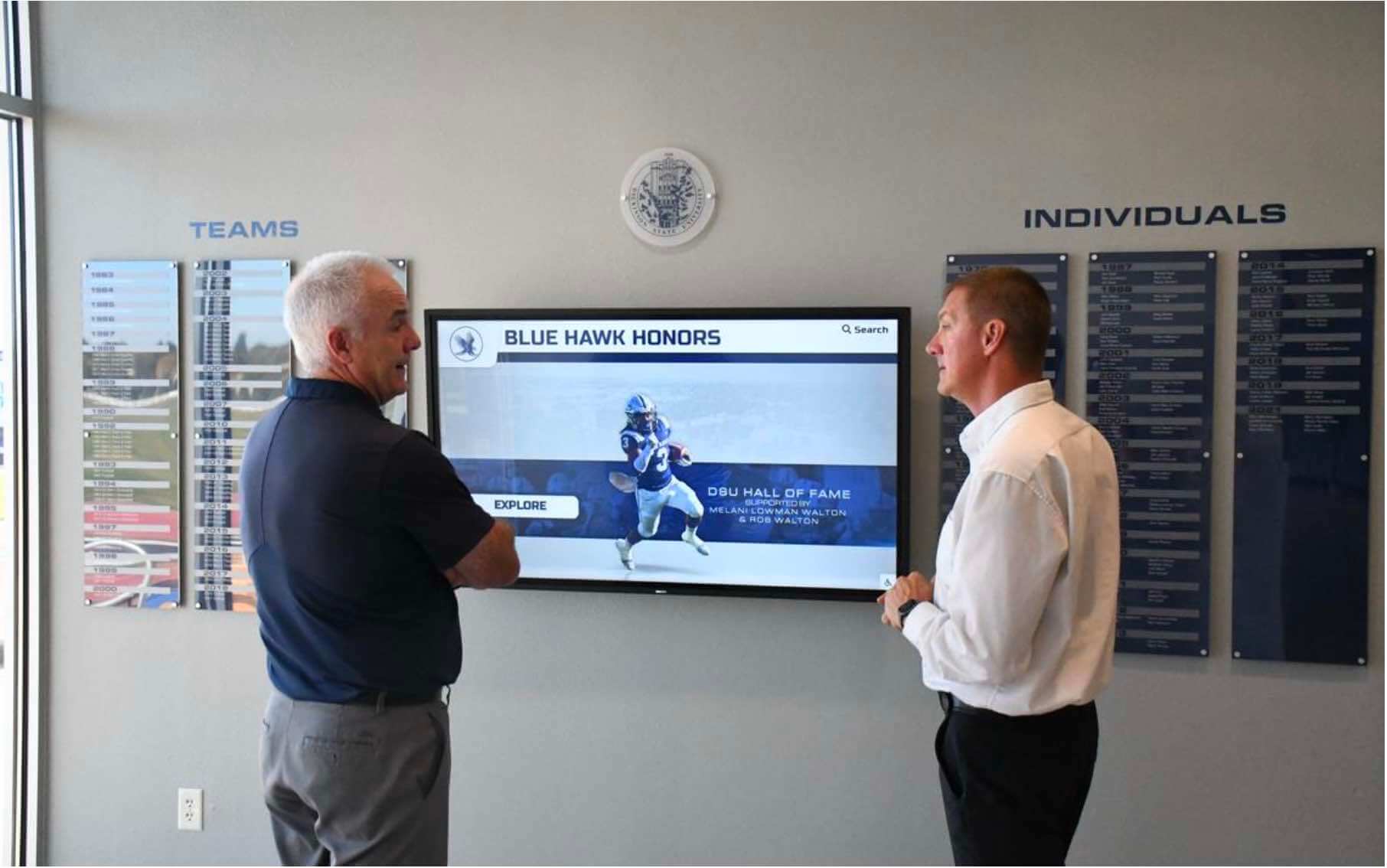
Staff reviewing recognition display content are reviewing the output of an ingest workflow — every athlete entry, photograph, and record visible here was accepted into the archive through a process that verified its integrity and documented its context
Ingest Scenarios: Applying the Workflow
Scenario A: Digitized Photographs from a Scanning Vendor
A school sends three banker boxes of historical athletic photographs to a scanning vendor and receives a hard drive with approximately 4,000 TIFF files.
Key workflow considerations:
- Request a transfer manifest from the vendor before the drive arrives: file names, file sizes, and pre-generated checksums for every file
- At Step 4, compare the destination file count and data volume against the vendor’s manifest before proceeding
- At Step 5, validate a representative sample of TIFF files using JHOVE or ExifTool to confirm they are uncompressed or LZW-compressed TIFF, not JPEG-in-TIFF-wrapper
- Step 7 metadata capture is the most labor-intensive step for scanned historical photographs — subject identification requires staff with knowledge of the program’s history. If the identifying information cannot be completed before acceptance, flag the gap in the ingest log and assign a resolution deadline
- The scanning vendor’s file names will almost certainly not match the archive’s naming convention — apply the convention in Step 6 before moving files to the archive hierarchy
Scenario B: Current-Season Content from a Sports Photographer
A contracted sports photographer delivers a season’s worth of JPEG files on a shared cloud folder at the end of the fall season.
Key workflow considerations:
- Request a file listing from the photographer before ingest begins so a transfer manifest exists for completeness verification
- High-quality camera JPEGs from a current DSLR or mirrorless camera are acceptable as masters when no RAW files are provided; if RAW files exist, request them and archive both
- Subject identification for current-season content can often be completed by the athletic director or coaching staff during ingest — this is the easiest metadata capture scenario in the workflow because the people with identifying knowledge are still active and available
- Current-season content ingested at the end of the season connects directly to recognition programs: a game day program template or season-end display can be populated quickly when current-season photographs were organized and described at ingest
Scenario C: Legacy Spreadsheet Records Transferred from a Staff Drive
A retiring athletic director transfers their personal drive to the department, including fifteen years of season records, rosters, and award documentation in a mix of XLSX, DOCX, and PDF files.
Key workflow considerations:
- The source in this scenario is a personal drive without an existing inventory — Step 2 (transfer manifest creation) requires building the manifest from scratch before any transfer begins
- Format validation (Step 5) is particularly important: DOCX files should be converted to PDF/A before acceptance as archival records; standard PDFs should be validated for PDF/A compliance and converted if not compliant
- Some files may contain both current records (actively used, should go to working storage) and historical records (archival value, should go to the archive) — the scope review in Step 1 should distinguish between these
- Descriptive metadata for structured data records (rosters, statistics) should include the season date range, sport, and whether the data represents the entire program record for that period or a subset
- For programs reviewing how to preserve athletic archive spreadsheets as long-term records, this scenario is the most common trigger for that question — the answer starts with a compliant format at ingest
Scenario D: Born-Digital Video from a Program’s Equipment
The athletic department has a season of game recordings on camcorder memory cards that have never been transferred to a computer.
Key workflow considerations:
- Transfer from camera memory cards to a computer using a card reader, not a USB cable connection through the camera — card readers are faster and do not depend on camera battery or firmware
- Use a tool that generates checksums during the copy, not a standard file copy operation — card-to-computer transfers are a common point where silent corruption occurs
- At Step 5, validate video files using MediaInfo to confirm codec and container format; camera-original formats vary by manufacturer and model and some are not suitable for long-term preservation — the ingest record should note whether the camera-original was preserved alongside a ProRes or H.264 derivative
- Step 7 metadata for video must include event identification, opponents (for game footage), date, and any known camera operator or recording context
- Video files are Tier 1 master content; the fixity check schedule should assign monthly verification for camera-original and master video files
Frequently Asked Questions
What is the difference between a digital preservation ingest workflow and a standard file upload?
A standard file upload moves a file from one location to another. A digital preservation ingest workflow verifies the transfer was complete and uncorrupted, validates that the file format meets archival standards, attaches descriptive metadata that makes the file identifiable and retrievable, generates an integrity baseline that enables future verification, and records the acceptance of the file into managed storage with a documented audit trail. An uploaded file is accessible. An ingested file is a verifiable, described, managed archive record.
How long does an ingest workflow take for a typical athletic archive batch?
Duration depends on batch size, the condition of the incoming content, and metadata complexity. A batch of 500 well-organized, correctly formatted photographs with complete subject identification from the transferring party can complete all ten steps in two to four hours. A batch of 5,000 historical photographs with unknown subjects and inconsistent naming requires the same workflow steps but with substantially more time on metadata capture and naming remediation. For large historical backlogs, plan for the ingest workflow to be an ongoing, multi-week process rather than a single session.
What should we do when a donor brings in content without any identifying information?
Accept the physical transfer with a source record that documents the donor’s name, the general description of the content, and the date received. Do not close the ingest log until someone with identifying knowledge reviews the content and completes the minimum metadata fields. If no one with identifying knowledge is available, ingest the content with “identification pending” noted in the subject field and assign a deadline and a responsible staff member for completing the identification. Content ingested with no metadata and no pending identification assignment is at high risk of becoming permanently unidentified.
Can the ingest workflow be simplified for small batches — five or ten files at a time?
The core steps — transfer manifest, format validation, metadata capture, checksum generation, and ingest log entry — should be applied to every ingest, regardless of size. Simplifications that are acceptable for small batches: combining manifest and log into a single record; using a simpler tool (shasum on the command line instead of a GUI tool); applying naming convention manually rather than with batch-renaming software. Simplifications that are not acceptable for any batch size: skipping metadata capture, skipping checksum generation, or failing to record the ingest in a log.
How does the ingest workflow connect to a recognition platform or touchscreen display?
Recognition platforms — including interactive hall-of-fame displays and digital record boards — receive access copies derived from archive master files, not the master files themselves. A well-executed ingest workflow produces master files in the correct formats, with the correct metadata, in an organized storage hierarchy that makes generating platform-compliant access copies straightforward. Programs that connect an organized archive to a display platform find the onboarding process significantly faster than programs that must remediate formats, metadata, and naming conventions at the platform-integration stage. For context on how interactive museum and display experiences use organized archive content, the operational parallels to school recognition program pipelines are direct — the display is only as rich as the organized archive behind it.
What is a quarantine folder and how should we manage it?
A quarantine folder is a designated staging area within the ingest environment — separate from both the source and the destination — that holds files that failed format validation, have unresolved rights status, or are missing required metadata. Quarantined files are not rejected: they are held pending resolution of a specific, documented problem. The ingest log should list every quarantined file with the reason for quarantine and a resolution deadline. No ingest batch should be closed until the quarantine is empty — either resolved into the archive or explicitly rejected with the reason documented.
Does the ingest workflow apply to content that already exists in the archive but was never formally processed?
Yes. Content that is in a storage location but was never formally ingested — no manifest, no format validation, no checksums, no metadata — is not an archive record. It is an unverified file in a storage location. Running a retrospective ingest process on legacy content is one of the highest-value investments an athletic archive program can make. The steps are the same as a standard ingest, with the addition that you will need to build the manifest from the existing folder contents and cannot recreate the transfer verification step. Begin with the highest-value legacy content — founding-era photographs, championship records, hall-of-fame documentation — and work forward from there.
How does the ingest workflow relate to recognizing letterman award tradition and legacy content?
Content associated with letterman jacket awards and long-standing athletic tradition is exactly the kind of historically significant material that benefits most from a rigorous ingest workflow. The physical artifacts may no longer exist, but the photographs, roster records, and award documentation that document who earned those letters and when can remain in the archive indefinitely — fully described, verified, and retrievable for recognition displays, anniversary programs, and hall-of-fame nominations. The ingest workflow is what gives that content a permanent, managed institutional home rather than leaving it in a volunteer’s personal drive.
From Ingest to Recognition Display
A digital preservation ingest workflow is foundational infrastructure — invisible to the students who search athlete profiles on a touchscreen in the hall, and invisible to the alumni who recognize a championship photograph from forty years ago. But without it, the content that powers those displays is unverifiable, impermanent, and dependent on institutional memory that does not outlast the staff member who knows where the files are.
Programs that execute the ingest workflow consistently — with every transfer, from every source, for every content type — build an archive where each file is a documented, verified record. Programs that skip ingest discipline build a folder of files.
For programs evaluating how a well-organized, formally ingested archive connects to an interactive recognition display, the path from an accepted ingest record to an athlete profile on a touchscreen hall-of-fame kiosk is shorter than it appears. Access copies derived from verified master files populate display platforms cleanly, without the manual remediation that an unverified archive requires. The digital preservation workflow and the recognition display workflow are not separate programs — they are sequential stages of the same institutional commitment to honoring athletic history.
Connect Your Verified Archive to an Interactive Recognition Display
When every file in your athletic archive has passed through a documented ingest workflow — transfer verified, formats validated, metadata attached, checksums generated, and acceptance recorded — your school's history is ready to power a searchable, interactive touchscreen experience that students, alumni, and visitors can explore every day. Rocket Alumni Solutions helps schools connect well-organized, formally ingested athletic archives to recognition displays built to last for decades. Request a demo to see how your archive can power a recognition experience worthy of your program's history.
Request a DemoLive Example: Rocket Alumni Solutions Touchscreen Display
Interact with a live example (16:9 scaled 1920x1080 display). All content is automatically responsive to all screen sizes and orientations.































