Athletic Archive Digitization Project Closeout Checklist: Files, Metadata, Rights, and Handoff
- Home /
- Touch Archive Blog /
- Athletic Archive Digitization Project Closeout Checklist: Files, Metadata, Rights, and Handoff
The Easiest Touchscreen Solution




Live Example: Rocket Alumni Solutions Touchscreen Display
Interact with a live example (16:9 scaled 1920x1080 display). All content is automatically responsive to all screen sizes and orientations.
An athletic archive digitization project closeout checklist is a structured, phase-by-phase verification sequence that athletic directors, school administrators, archive coordinators, and IT staff complete after the active scanning phase of a sports archive digitization project ends — confirming that every file has been delivered, every metadata record is complete, every rights question has been documented, and a responsible steward has formally accepted custody of the finished collection before project resources are released. The direct answer: a digitization project is not finished when scanning stops. It is finished when a designated steward has verified the files, confirmed the metadata, documented the rights status of every item, received access credentials and a handoff package, and signed a record that the archive meets the standard established at project kickoff. Skipping the closeout phase is the most common reason digitized collections become inaccessible within three years — files exist, but no one knows where they are, what the naming conventions mean, or whether the school has permission to display them publicly. This checklist covers all five closeout phases — file audit, metadata review, rights clearance, handoff documentation, and stakeholder sign-off — and is written for athletic directors, school administrators, facilities and IT staff, booster leaders, and recognition-program owners who need a finish line that produces a durable, usable archive rather than a folder of scanned files.
Nothing in this guide constitutes legal advice. Rights clearance, contract terms, and records retention decisions should be reviewed by your school district’s qualified staff and legal counsel before implementation.
A digitization project that ends at the scanner leaves behind a collection that no one fully owns. The photographs exist in a shared drive, the metadata is partially complete, the photographer agreement is in someone’s email inbox, and the athletic director who started the project has moved to a different school. Three years later, a new administrator asks whether the school can display those photographs on a recognition wall — and no one can answer the question with confidence.
The athletic archive digitization project closeout checklist exists to prevent that outcome. It is the procedural bridge between an active project and a permanent, usable institutional record — the step that converts a digitization effort into a finished archive that the next administrator can inherit, use, and build on without starting over.

A digitization project is complete when a responsible steward has verified the files, confirmed the metadata, and accepted formal custody — not when scanning ends
Why Project Closeout Is a Distinct Phase
Athletic archive digitization projects tend to lose momentum at the end. Scanning is visible — you can count boxes processed and progress through the collection. Closeout is invisible — it is documentation, verification, and conversation, none of which produces a satisfying stack of finished materials. As a result, closeout work gets deferred to “after things settle down,” and things never settle down.
Treating closeout as a distinct project phase — with its own task list, responsible parties, and sign-off requirement — is the only reliable way to ensure it happens. The five phases in this checklist can be completed in parallel with the final weeks of scanning, so that when the last item is scanned, the closeout work is already largely done rather than just beginning.
The five phases are:
- File audit and deliverables verification — confirm every promised file exists, meets format standards, and is stored correctly
- Metadata completeness review — verify that every record meets the minimum field requirements established at project kickoff
- Rights clearance and usage documentation — confirm that every item in the collection has a documented rights status before any display or distribution decision is made
- Handoff documentation and access configuration — prepare the stewardship package and transfer access credentials, location information, and processing records to the designated successor
- Stakeholder sign-off and project record — collect formal acceptance from the responsible administrator and create the permanent project record
Each phase has its own checklist section below, followed by a consolidated master checklist table and a FAQ.
Phase 1 — File Audit and Deliverables Verification
The file audit confirms that the physical output of the project — the scanned image files, document files, and any associated video or audio recordings — matches the scope defined at project kickoff and meets the technical standards the project established.
1.1 Inventory Reconciliation
Compare the final file count against the original item inventory or scope agreement. Every item that entered the scanning workflow should appear in the file system as at least one deliverable file. Items that were scanned but not yet named or moved to their final location — common at the end of a project rush — must be resolved before closeout.
- Compare total file count against total cataloged item count
- Identify any items marked “scanned” in the processing log but missing from the file system
- Document any items that were not scanned and the reason (condition, scope exclusion, not located)
1.2 Format Verification
Verify that archival master files and access copies were produced in the formats established at project kickoff. A project that planned to produce archival TIFFs and access JPEGs but delivered only JPEGs has not completed its deliverables.
| File Type | Standard | Verify |
|---|---|---|
| Archival master (photographs) | TIFF, 400 dpi minimum | Spot-check 10% of files; confirm bit depth and resolution in file properties |
| Access copy (photographs) | JPEG, 72–150 dpi | Confirm access copies exist for all items flagged as display-ready |
| Document scans | PDF/A or TIFF, 300 dpi minimum | Verify format is PDF/A (archival) not standard PDF for long-term items |
| Audio recordings | WAV (master) or MP3 (access) | Confirm master format; verify access copy exists |
| Video recordings | MP4 (H.264 or H.265) for access | Verify codec; confirm archival copy if produced |
For guidance on technical standards that apply specifically to athletic team photo digitization, including resolution, color profile, and format decisions, review those standards against the deliverables before proceeding.
1.3 File Naming Verification
Spot-check a representative sample of files — at minimum 10% of the total collection — to confirm that the file naming convention established at project start has been applied consistently. Inconsistent naming is one of the leading causes of archive inaccessibility because it breaks filtered searches and makes manual navigation unreliable.
- Confirm sport code, season format, content type, and item number follow the established convention
- Flag any files where the naming convention deviates from the standard
- Document all naming convention exceptions and resolve or accept them before sign-off
1.4 Storage Location Verification
Confirm that all files are in their designated permanent storage location — not on a scanner workstation, a personal laptop, a temporary shared drive, or a USB drive that belongs to a vendor or volunteer.
- Verify primary storage location holds all archival masters
- Verify backup location (off-site or cloud) holds current copies
- Confirm that any files on temporary workstations or personal devices have been moved and deleted from non-permanent locations
Phase 2 — Metadata Completeness Review
Metadata is what makes a scanned file findable. A photograph with no metadata is a JPEG with an inscrutable filename. The same photograph with complete metadata — athlete name, graduation year, sport, season, award type — is a searchable record that a recognition committee, a hall of fame coordinator, or a touchscreen display platform can surface on demand.
2.1 Required Field Completion
Review the catalog against the minimum metadata fields established at project kickoff. Every required field should have a value for every record. Fields left blank break filtered searches — a query for “Baseball 2005” will not return records where the sport field is empty, even if those records are from baseball in 2005.
| Metadata Field | Minimum Standard | Common Gap |
|---|---|---|
| Item identifier (unique ID) | Present for every record | Duplicated IDs from batch imports |
| Athlete last name | Required for individual items | “Unknown” acceptable with verification flag |
| Athlete first name | Required for individual items | Nickname used instead of legal name |
| Graduation year | Required for individual items | Year estimated without documentation |
| Sport | Required for all items | Inconsistent terms (“BB” vs. “Baseball”) |
| Season | Required for all items | Calendar year used instead of academic year |
| Material type | Required for all items | Generic “photograph” instead of “team portrait” |
| Award type | Required for award documents | Left blank for items where award is implied |
| Rights status | Required for all items | Missing entirely — the most dangerous gap |
| Processing date | Required for all items | Batch-imported without per-item dates |
2.2 Controlled Vocabulary Consistency
Review the values entered in standardized fields — sport names, material types, award categories — against the controlled vocabulary established at project kickoff. A collection where “Boys Basketball” and “Men’s Basketball” and “Basketball (Boys)” all appear as different values for the same sport will produce fragmented search results.
For programs that did not establish a controlled vocabulary at the start of the project, the closeout phase is the moment to create one and normalize the existing catalog. Applying controlled vocabulary standards to athletic archive collections — including recommended term lists for sport names, material types, and award categories — provides a reference framework for the normalization step.
2.3 Rights Status Field Verification
Every record in the catalog should have a rights status value. Rights status is the field that tells a future administrator whether the school can display an item publicly, use it in a printed program, share it on social media, or must seek permission before any use. An archive without documented rights status leaves every display and publication decision open to future legal uncertainty.
Rights status values should be simple and actionable:
| Rights Status Value | Meaning |
|---|---|
| School Owns — Unrestricted | School created or commissioned; full rights confirmed in writing |
| Licensed — Display Permitted | Third-party copyright; license agreement on file; display use confirmed |
| Licensed — Restrictions Apply | Third-party copyright; license on file; specific use restrictions documented |
| Unknown — Review Required | Rights status not confirmed; do not display publicly until reviewed |
| Orphan Work — Documented Attempt | Copyright holder unlocatable; documented search on file; consult counsel before use |
For a detailed framework covering how rights and metadata interact in athletic archive collections — including how to handle photographs taken by third-party vendors, parent volunteers, and media outlets — that resource provides field-by-field guidance for the rights documentation step.

Public-facing recognition displays depend on completed rights documentation — a closeout checklist confirms that every displayed item has a rights status permitting public use before the display goes live
Phase 3 — Rights Clearance and Usage Documentation
Rights clearance in a digitization project closeout has two components: confirming that the documentation gathered during the project is complete, and verifying that it is stored where the next administrator can find it — not in the email archive of the person who negotiated the agreements.
3.1 Photographer and Vendor Agreement Inventory
Every professional photographer whose images appear in the collection should have a signed agreement on file that specifies what rights the school holds. An agreement that exists only as a verbal understanding or an informal email exchange is not adequate documentation for a permanent archive.
Create a rights agreement inventory with one row per agreement:
| Agreement Type | Parties | Date Executed | Rights Granted | Restrictions | Document Location |
|---|---|---|---|---|---|
| Photographer work-for-hire | School + Photographer Name | Date | All rights to images captured | None | /archive-admin/rights/2019-photographer-agreement.pdf |
| Vendor license (stock/yearbook) | School + Vendor Name | Date | Display license, non-commercial | No redistribution | /archive-admin/rights/vendor-license-2022.pdf |
| Donated materials release | School + Donor Name | Date | Display and archive use | Credit required | /archive-admin/rights/donor-release-2023.pdf |
3.2 Releases for Individuals in Photographs
For photographs of student athletes, particularly minors, confirm whether the school’s existing media release policy — typically collected through athletic enrollment or registration documentation — covers the intended use of archive photographs in digital displays, web publication, or printed materials. Schools often have releases that cover use during a student’s enrollment but did not contemplate long-term archival display use.
For individual award documentation — certificates, plaques, and recognition forms that name specific student-athletes — confirm that the documentation of the award itself (not a photograph) does not require a separate release for archival display purposes. The documentation process for individual award exception approvals provides context for how award documentation is handled when rights or approval questions arise at the individual record level.
3.3 Audio and Video Transcription Documentation
For projects that included digitization of audio or video materials — game recordings, oral history interviews, coach recordings, game announcements — verify that the transcription and rights documentation for those materials is complete. Audio and video content introduces additional rights considerations, including performance rights for any music present, separate agreements for interview subjects, and broadcast rights for game recordings made by third parties.
Review the audio transcription and documentation guidelines for athletic archives to confirm that the closeout documentation for audio and video materials covers the standard checkpoints for that format before the project record is closed.
3.4 Rights Gap Resolution
Any item with a rights status of “Unknown — Review Required” requires a resolution decision before closeout. Resolution options are:
- Obtain documentation: Contact the rights holder and obtain a signed agreement
- Reclassify: If documentation surfaces that resolves the status, update the rights field
- Quarantine: Move the item to a restricted “rights-pending” folder and exclude it from any display or distribution workflow until resolution
- Document the gap: If the rights holder cannot be identified or reached, create a written record of the search effort and the unresolved status, and flag the item as requiring counsel review before public use
Items quarantined at closeout are not lost — they are protected pending further work. The project record should include a count of quarantined items so the succeeding steward knows what remains to be resolved.
Phase 4 — Handoff Documentation and Access Configuration
The handoff package is the set of documents, credentials, location references, and procedural notes that a new steward — whether a new athletic director, a new archive coordinator, or a new IT administrator — needs to take over custody of the finished archive without losing access or context.
4.1 Handoff Package Contents
A complete handoff package includes:
- Storage location map: Written document describing every location where archive files are stored — primary storage path, backup path, off-site or cloud backup location, and any secondary access copies — with instructions for access
- Credential inventory: List of every system that requires login credentials to access archive materials (network drives, cloud storage, display platforms, catalog software), with instructions for transferring credentials or creating new ones for the incoming steward
- Naming convention guide: One-page reference document for the file naming convention used in the collection, with examples for every material type
- Metadata field guide: Reference document listing every catalog field, its controlled vocabulary values, and what each value means
- Rights agreement index: The agreement inventory created in Phase 3, with document locations confirmed
- Outstanding items list: A documented list of any items that were not completed — quarantined rights items, unidentified photographs, items damaged during scanning, scope exclusions — so the incoming steward knows the known gaps
- Processing log: The record of what was scanned, when, by whom, and in what order, so the history of the project is recoverable
For programs transitioning archive stewardship alongside an athletic director change, the athletic director transition plan framework covers the broader context for how archive custody fits within a leadership handoff and what documentation a departing director should prepare beyond the archive itself.
4.2 Naming the Designated Steward
The handoff package is only useful if it is handed to a specific, named individual who has accepted custody. “The school” or “the athletic department” is not a steward. A named individual — the current athletic director, the school librarian, the IT director, the head of the booster club’s records committee — is a steward.
Before closeout sign-off, confirm:
- The designated steward’s name and role are documented in the project record
- The steward has received the handoff package and has verified that they can access all storage locations and systems
- A backup contact is named (who assumes custody if the primary steward’s role changes within two years)
- The steward’s contact information is stored with the project record so future questions can be directed appropriately
4.3 Display Platform Configuration
If the completed archive is connected to a recognition display system — a touchscreen hall of fame, a digital record board, a lobby display, or a web-based recognition program — confirm that the display platform is configured to draw from the finalized, rights-cleared catalog rather than from any working or staging version of the collection.
A contextual note here: programs that connect their completed archive to a platform like Rocket Alumni Solutions can move from a finished catalog directly into a searchable, interactive recognition display without rebuilding the data from scratch — the metadata fields established in Phase 2 map directly to the display fields, making the transition from project completion to public-facing recognition straightforward. Request a demo to see how a finished athletic archive catalog connects to a display platform.
Confirm at closeout:
- Display platform draws from the permanent archive location, not a staging folder
- Access copies (JPEGs) referenced by the display platform are confirmed present and accessible
- Any display items with restricted rights have been excluded from the public-facing display configuration
- Display credentials are included in the handoff package
Phase 5 — Stakeholder Sign-Off and Project Record
The final phase converts a completed checklist into a formal record. Sign-off is not a bureaucratic formality — it is the moment when a responsible administrator confirms that the project delivered what it promised and accepts custody of the result.
5.1 Sign-Off Document
The sign-off document should be brief and direct. It does not need to recount the entire project history. It needs to confirm:
- The project scope was completed as defined
- The file deliverables have been verified
- The metadata meets the minimum standard
- The rights documentation is complete or the gaps are documented
- The handoff package has been received and reviewed
- The designated steward accepts custody
One page is enough. The sign-off document becomes part of the permanent project record and is stored alongside the handoff package.
5.2 Project Record Storage
The project record — sign-off document, processing log, rights agreement index, naming convention guide, metadata field guide, and outstanding items list — should be stored in a location that is:
- Independent of the primary archive storage (not in the same folder as the scanned files)
- Accessible to school administrators, not just archive staff
- Named clearly so a future administrator who has never seen it can identify it without instruction
A dedicated folder named “Athletic Archive — Digitization Project Record — [Year]” in the school’s administrative shared drive, with a copy in the school’s permanent records, meets this standard.
5.3 Communicating the Completed Archive to Stakeholders
A completed, signed-off archive is worth announcing. Athletic directors, school principals, booster leaders, and recognition committee members who were not involved in the project may not know that a searchable collection of athletic history now exists and is available for recognition programming, display content, and historical reference.
A brief communication — one page or a short email — describing what was digitized, where it is accessible, what rights have been cleared for display use, and who to contact for access converts an invisible project outcome into a visible institutional resource. For programs planning recognition events — award ceremonies, reunion banquets, alumni receptions — a newly completed archive provides content that has never before been available for display or presentation. Athletic banquet planning that incorporates historical archive content can make the first public use of a completed digitization project a genuinely memorable event for athletes and alumni who have never seen those photographs displayed.
Master Closeout Checklist
| Phase | Task | Owner | Status |
|---|---|---|---|
| 1. File Audit | Compare final file count to inventory scope | Archive coordinator | |
| 1. File Audit | Verify archival master file formats (TIFF, PDF/A) | Archive coordinator or IT | |
| 1. File Audit | Verify access copy file formats and existence | Archive coordinator | |
| 1. File Audit | Spot-check file naming convention (10% sample) | Archive coordinator | |
| 1. File Audit | Confirm all files in permanent storage location | IT or archive coordinator | |
| 1. File Audit | Confirm backup copies current and accessible | IT | |
| 1. File Audit | Remove all files from temporary locations | IT or archive coordinator | |
| 2. Metadata | Verify required field completion for all records | Archive coordinator | |
| 2. Metadata | Audit controlled vocabulary consistency | Archive coordinator | |
| 2. Metadata | Confirm rights status field present for all records | Archive coordinator | |
| 2. Metadata | Resolve or flag all “Unknown” rights status records | Archive coordinator + AD | |
| 3. Rights | Complete rights agreement inventory | Athletic director | |
| 3. Rights | Confirm signed agreements on file for all photographers/vendors | Athletic director | |
| 3. Rights | Verify individual release coverage for display use | Athletic director + counsel | |
| 3. Rights | Complete audio/video rights documentation | Archive coordinator | |
| 3. Rights | Quarantine unresolved rights items | Archive coordinator | |
| 3. Rights | Document quarantine count in project record | Archive coordinator | |
| 4. Handoff | Prepare storage location map | IT | |
| 4. Handoff | Prepare credential inventory and transfer plan | IT | |
| 4. Handoff | Prepare naming convention guide | Archive coordinator | |
| 4. Handoff | Prepare metadata field guide | Archive coordinator | |
| 4. Handoff | Compile rights agreement index | Athletic director | |
| 4. Handoff | Compile outstanding items list | Archive coordinator | |
| 4. Handoff | Assemble complete handoff package | Project lead | |
| 4. Handoff | Name and confirm designated steward | Athletic director | |
| 4. Handoff | Deliver handoff package to designated steward | Project lead | |
| 4. Handoff | Confirm steward can access all storage locations | Steward + IT | |
| 4. Handoff | Confirm display platform connected to permanent archive | IT | |
| 5. Sign-Off | Draft sign-off document | Project lead | |
| 5. Sign-Off | Collect sign-off from designated steward | Project lead | |
| 5. Sign-Off | Store project record in permanent administrative location | IT or project lead | |
| 5. Sign-Off | Communicate completed archive to relevant stakeholders | Athletic director |
Common Closeout Failures
| Failure Mode | Cause | Prevention |
|---|---|---|
| Files on scanner workstation, not in permanent storage | End-of-project rush; incomplete transfer step | Add “all files in permanent storage” as a hard gate before sign-off |
| Metadata complete in spreadsheet, not in display platform | Two separate records diverged during project | Designate one system as authoritative; sync before closeout |
| Rights agreements in personal email, not shared location | No defined storage location for agreements | Create rights folder in shared drive at project kickoff; store each agreement on receipt |
| Designated steward named but not briefed | Handoff package prepared but never delivered | Make delivery confirmation a sign-off requirement |
| No backup steward named | Single-person custody assumption | Name backup contact at the same time as primary steward |
| Quarantined items forgotten post-closeout | Not documented in project record | Include quarantine count and resolution procedure in sign-off document |
| Display platform not updated to final archive | Staging version still connected to display | Confirm display connection explicitly during Phase 4 review |
| Outstanding items list never created | Assumption that all items were completed | Require outstanding items list even if it is empty — an empty list is meaningful |
Frequently Asked Questions
How long does a digitization project closeout take? A closeout for a mid-size project — 2,000–8,000 items, one lead scanner, standard photograph and document materials — typically requires two to four weeks of focused work if the phases are run in parallel with the final scanning weeks. Projects that begin closeout work only after scanning ends typically take longer because the project team has dispersed and context has been lost.
What if the project never established a formal scope or kickoff document? Reconstruct the de facto scope by reviewing the processing log — the list of items scanned and the dates they were processed. The processing log, even if informal, defines what the project covered. Use that log as the baseline for the file audit and for the outstanding items list. Document the absence of a formal scope in the project record and treat the processing log as the scope reference going forward.
Who should sign the closeout document? The designated steward who is accepting custody should sign. If the athletic director is the steward, the athletic director signs. If a school librarian or archive coordinator is the steward, that person signs. The principal or a school board-level administrator should also sign if the archive will be used for public-facing recognition programs, school history exhibits, or athletic achievement award displays that carry institutional significance beyond day-to-day athletic operations.
Can a vendor or contractor complete the closeout checklist, or does it require school staff? Vendors can complete the technical phases — file audit, format verification, metadata review — but the rights clearance phase and the sign-off phase must involve school staff. Rights decisions carry legal implications that only the school, not the vendor, can authorize. The sign-off document is signed by a school representative, not by the vendor, because the school is accepting custody, not the vendor transferring a deliverable.
What happens to the closeout checklist if the athletic director leaves before the project is signed off? If a leadership change interrupts a closeout, the incoming athletic director should be briefed on the project status as part of their transition and should assume the closeout responsibilities. A partially completed closeout is better than no closeout — if three of the five phases are complete, document that status clearly and resume from the incomplete phase rather than restarting. The framework for athletic director transitions covers how ongoing archive projects factor into a leadership transition and what documentation the outgoing director should prepare.
How does the completed archive connect to a recognition display? A closed-out archive — with verified files, complete metadata, documented rights, and a named steward — is the prerequisite for a reliable recognition display. The metadata fields completed in Phase 2 map directly to the display fields that a platform like Rocket Alumni Solutions uses to surface athlete profiles, championship records, and hall of fame inductee information on an interactive touchscreen. Programs that complete the closeout checklist before display implementation arrive at the import step with clean, structured data rather than a remediation project.

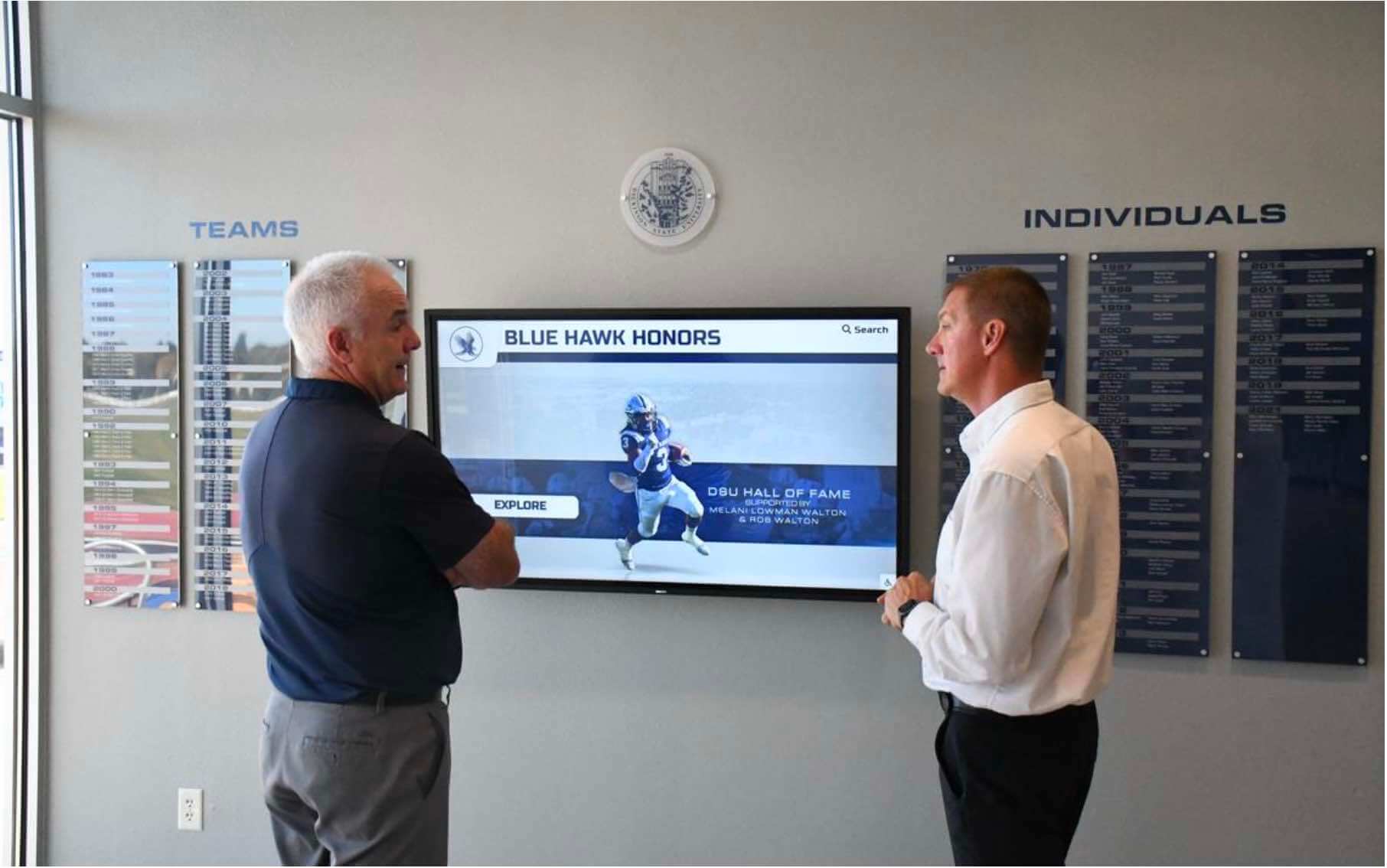
A formally closed-out archive — files verified, metadata complete, rights documented, and steward confirmed — is what makes it possible to display athletic history on a recognition touchscreen without legal uncertainty or missing records
Turn a Closed-Out Archive Into a Recognition Display Your Community Can Explore
Once your athletic archive digitization project is formally closed out — files verified, metadata complete, rights documented — the next step is making that history visible. Rocket Alumni Solutions helps schools connect a finished, rights-cleared archive to an interactive touchscreen recognition display that every student, alumni, and visitor can search by athlete, sport, season, or award. The metadata work you completed in your closeout checklist becomes the content your display surfaces from day one.
Request a DemoLive Example: Rocket Alumni Solutions Touchscreen Display
Interact with a live example (16:9 scaled 1920x1080 display). All content is automatically responsive to all screen sizes and orientations.































