Athletic Archive Disaster Recovery Plan: Protect Photos, Records, and Historic Media
- Home /
- Touch Archive Blog /
- Athletic Archive Disaster Recovery Plan: Protect Photos, Records, and Historic Media

The Easiest Touchscreen Solution




Live Example: Rocket Alumni Solutions Touchscreen Display
Interact with a live example (16:9 scaled 1920x1080 display). All content is automatically responsive to all screen sizes and orientations.
An athletic archive disaster recovery plan is the documented process that tells a school exactly how to protect, restore, and verify its sports photographs, video footage, rosters, record books, and recognition-display content when a storage failure, hardware loss, fire, flood, ransomware attack, or accidental deletion occurs. The direct answer: complete a full inventory of every archive asset before writing a single backup rule, apply the 3-2-1 backup principle to all master files (three copies, two different media types, one copy offsite), assign named recovery roles to athletic and IT staff before an incident happens, define tiered recovery priorities so the most irreplaceable materials are restored first, and run a documented restoration test at least once per year so that the plan works when it is needed — not just when it is written. This guide covers the complete seven-step process, a priority table for every common athletic archive material type, a recovery roles matrix, a scenario response table, and a full FAQ — written for athletic directors, school administrators, facilities staff, alumni and advancement teams, and school IT staff who are responsible for preserving institutional athletic history.
Nothing in this guide constitutes legal, IT security, or records management advice. Backup strategies, retention schedules, vendor contracts, and data governance decisions should be reviewed by your school district’s qualified staff and counsel before implementation.
A school’s athletic archive represents decades of irreplaceable history: the state championship photograph from 1987, the original record book showing the 1,000-point scorer’s game log, the signed team roster from a program’s first winning season. Unlike a financial record that can be reconstructed from a bank statement, a photograph that no longer exists is simply gone. A record book destroyed in a storage flood cannot be recreated from memory.
An athletic archive disaster recovery plan is not an IT project. It is an institutional decision about which pieces of a school’s history are worth protecting deliberately — and what happens on the morning after a loss is discovered.
This guide provides the complete framework for building that plan, from first inventory through annual testing, with practical tables, role assignments, and procedures that athletic departments can implement without dedicated archival or IT staff.

Every portrait card, roster sheet, and championship record in a school's athletic archive represents institutional history that cannot be recreated — a disaster recovery plan is the structured commitment to protect it before a loss occurs, not after
Why Athletic Archives Need a Dedicated Disaster Recovery Plan
Most school IT departments maintain general backup policies for administrative systems: student records, financial databases, email. Athletic archives rarely fall under those policies in a meaningful way. The photograph collection stored on a coach’s shared drive, the scanned rosters saved to a USB drive in the athletic office, the original film negatives sitting in a filing cabinet — none of these assets appear in an IT inventory, and none of them are protected by a district-wide backup schedule that nobody audits for athletic content.
The result is a gap that only becomes visible when something goes wrong. A coach retires and the shared drive disappears with the account. A storage room floods during a roof repair. A ransomware attack encrypts every file on the school server, including the athletic archive folder. A volunteer digitization project produces files that are saved nowhere except on a personal laptop.
An athletic archive disaster recovery plan closes that gap by creating explicit, tested protection for the materials that institutional memory is built on — and by assigning responsibility for that protection to specific people rather than leaving it to general district infrastructure.
Step 1: Inventory Every Archive Asset Before Writing a Single Backup Rule
A disaster recovery plan cannot protect assets it does not know exist. The first step is a complete inventory of all athletic archive materials — both physical and digital — in every location where they are stored.
Physical locations to survey include storage rooms, filing cabinets, trophy cases, athletic office closets, display cases, and any off-campus locations such as a coach’s home collection or alumni-held materials. Digital locations include shared drives, local workstations, USB drives, cloud storage accounts used informally by staff, school servers, and any third-party platforms where archive content has been uploaded or published.
Document each asset group at a summary level with the following fields:
| Field | Notes |
|---|---|
| Location | Building, room, and specific storage unit or drive path |
| Material type | Photographs, video, rosters, record books, award documentation, display content |
| Format | Physical (print, negative, film) or digital (TIFF, JPEG, MP4, PDF, spreadsheet) |
| Approximate date range | Decade or season range |
| Approximate item count | Box count, file count, or folder size |
| Condition notes | For physical: fragile, water-damaged, faded. For digital: unknown format, no backup confirmed |
| Ownership/custody | Who controls access — athletic department, IT, individual staff |
| Existing backup status | Known, unconfirmed, or none |
This inventory serves two purposes. First, it reveals the true scope of what needs protection — often larger and more dispersed than an athletic director expects. Second, it produces the asset list that every subsequent step of the disaster recovery plan will reference.
The inventory is also the prerequisite for establishing a born-digital records policy for the athletic department — the step that prevents new archive assets from being created and stored in unprotected locations going forward.
Step 2: Apply the 3-2-1 Backup Rule to All Master Archive Files
The 3-2-1 backup rule is the foundational standard for protecting digital archive files: maintain three copies of every master file, stored on two different types of media, with one copy kept offsite (physically or logically separated from the primary storage location).
For athletic archives, the three-copy structure typically looks like:
| Copy | Storage Location | Media Type | Update Frequency |
|---|---|---|---|
| Primary working copy | School server or shared drive | Network-attached storage or cloud drive | Continuous or on each new file added |
| Local backup copy | External hard drive or NAS device at school | USB or NAS hard drive, physically separate from primary | Weekly or monthly sync |
| Offsite backup copy | Cloud storage service or hard drive stored off-campus | Cloud object storage (e.g., institutional cloud backup) or external drive stored off-campus | Weekly or monthly sync |
Each of the three copies must be independently restorable — meaning that if the primary copy and the local backup are both destroyed in the same building fire, the offsite copy alone can restore the full archive.
Common failures to avoid when implementing 3-2-1 for athletic archives:
- Cloud sync is not an offsite backup. A cloud sync service (such as a shared drive that syncs to a cloud folder) mirrors the primary copy. If files are accidentally deleted on the primary, the sync service often deletes them from the cloud copy as well. Use a cloud backup service that retains deleted files with versioning, not a sync service.
- External drives stored next to the primary server are not offsite. An external drive in the same room as the school server is destroyed in the same fire. Offsite means a separate building — or cloud storage with a geographically separate data center.
- Backup media that is never tested is not a backup. A drive that has not been restored from in three years may be dead. See Step 5 for restoration testing requirements.
For schools just beginning to digitize a physical archive, the process of digitizing historical team photographs should include establishing all three copies as part of the digitization workflow — not as a separate step after the scanning is complete.
Step 3: Assign Named Recovery Roles Before an Incident Occurs
A disaster recovery plan that says “IT will handle backup restoration” is not a plan — it is a wishful assumption. Every athletic archive recovery effort requires people who know where specific assets are stored, what the recovery priorities are, and who has authority to make decisions when the situation is ambiguous.
Assign the following roles to named individuals, with at least one backup person for each role:
| Role | Primary Responsibility | Typical Assignee |
|---|---|---|
| Archive Recovery Coordinator | Declares a recovery event; coordinates the overall response; communicates status to administration | Athletic director or archive coordinator |
| Digital Recovery Lead | Executes backup restoration from offsite copies; verifies file integrity after restoration; documents what was and was not recovered | School IT staff or district IT contact |
| Physical Archive Lead | Assesses damage to physical materials; coordinates stabilization and professional recovery if needed; documents losses | Athletic office staff or facilities manager |
| Display Content Lead | Manages restoration of recognition-display content and display platform settings after a recovery event | Whoever manages the recognition display CMS |
| Documentation Lead | Maintains the incident log; photographs physical damage; records what was restored, what was lost, and what remains to be processed | Athletic director or office administrator |
Every person in this list must have physical or remote access to the recovery resources they are responsible for: backup drives, cloud storage credentials, vendor support contacts, and the recovery plan document itself. Storing the recovery plan only on the school server it is intended to protect is a common failure mode — keep a copy of the plan accessible offline and offsite.
Step 4: Define Recovery Tiers by Material Priority
Not all athletic archive materials are equally irreplaceable. A disaster recovery plan that tries to restore everything simultaneously often restores nothing in time to meet the most urgent needs. A tiered recovery approach restores the materials with the highest institutional value and the lowest replaceability first.
Define recovery tiers before an incident occurs:
| Recovery Tier | Material Types | Recovery Target | Reason for Priority |
|---|---|---|---|
| Tier 1 — Restore First | Hall of fame induction records, individual award documentation (all-state, championship), original team photographs (pre-digital era), record books for active record boards, recognition-display content for current displays | Within 24–72 hours of incident | Highest institutional value; most difficult or impossible to recreate; actively used for recognition programs |
| Tier 2 — Restore Second | Annual roster records, season-end team photographs (digital era), statistical records for all sports, award certificates and documentation | Within one week of incident | High value; partially recreatable from other sources (yearbooks, newspaper archives) but time-consuming to reconstruct |
| Tier 3 — Restore Third | Game action photographs (identified athletes), video highlights, program collections, coaching staff records | Within two to four weeks of incident | Moderate value; some duplicate sources may exist; high volume makes complete recovery from outside sources impractical |
| Tier 4 — Restore Last | Duplicate or lower-resolution copies already superseded by higher-quality versions, administrative correspondence with no direct archive value, generic promotional materials | Within the first month if capacity allows | Lowest institutional value; most likely to have duplicates or to be recreatable |
Recovery tier assignments should match athletic award records retention schedules — materials subject to longer retention requirements under district policy generally belong in Tier 1 or Tier 2 regardless of how recently they were created.
Step 5: Document Restoration Procedures and Test Them Annually
A backup that has never been restored from is a hypothesis, not a protection. The only way to know whether a backup is functional is to test it — by actually restoring files from the backup copy to a clean location and verifying that the restored files open correctly, match the originals, and are complete.
Document the restoration procedure for each backup copy type:
For cloud backup restoration:
- Log in to the cloud backup console using the recovery credentials (stored in the plan, not only in someone’s memory)
- Navigate to the backup date closest to the point-in-time before the incident
- Select the athletic archive folder tree
- Restore to a designated staging location, not directly to the primary storage
- Verify file count against the last-known inventory
- Spot-check a representative sample of files: open photographs, verify rosters load in spreadsheet format, confirm video files play
- Compare checksums if a checksum manifest was maintained (see fixity check schedules for how to maintain one)
- Move verified files from staging to primary storage once verification is complete
Annual restoration test procedure:
- Select a representative sample of 50–100 files from each backup copy (local and offsite)
- Restore the sample to a dedicated test folder, not the live archive
- Verify each file opens, is readable, and matches expected content
- Document the test date, sample size, files tested, any failures, and the name of the person who ran the test
- Store the test record with the disaster recovery plan
Testing once per year is the minimum. Programs with active digitization workflows or frequent archive updates should test quarterly.
Step 6: Plan for Physical Media and Display Asset Recovery
Digital backup strategies protect digital files. But many athletic archives still include physical materials — original prints, film negatives, signed documents, physical award plaques, historic programs — and most schools have recognition display hardware that must be addressed separately in a recovery plan.
Physical media recovery priorities:
| Material Type | Disaster Scenario | Immediate Response | Recovery Resource |
|---|---|---|---|
| Original print photographs | Water damage (flood, sprinkler activation) | Remove from water immediately; do not separate wet prints stuck together; air-dry in small batches or freeze for professional recovery | Professional conservators; contact the district facilities manager for vendor referrals |
| Film negatives | Fire or smoke damage | Bag and seal to prevent further contamination; do not clean without professional guidance | Film conservation specialists; some state archives offer guidance |
| Bound record books and scorebooks | Water damage | Stand open and fan pages; do not close wet books; freeze if professional drying cannot begin within 24 hours | Same as print photographs |
| Digital award plaques and physical trophies | Physical damage or theft | Document with photographs before any cleanup; note in the incident log | Replacement vendors; athletic department budget planning resources can include replacement cost estimates |
| Recognition display hardware | Power surge, physical damage | Contact the display platform vendor’s support line; do not attempt hardware repair without authorization | Display vendor support; hardware warranty documentation |
Display content recovery:
Schools using a cloud-based recognition display platform have a meaningful advantage in disaster recovery: if the display content is managed through a hosted CMS, the content itself is preserved on the vendor’s infrastructure regardless of what happens to the school’s local network or server. The display hardware may need replacement, but the photographs, athlete profiles, record board data, and historical content can be restored to new hardware from the cloud without a file-level recovery effort.
This is one of the practical reasons schools choose cloud-based platforms for recognition content — the backup and recovery responsibility for display content shifts to the vendor’s infrastructure rather than remaining entirely with the school. Understanding creative ways to organize and display athletic records on a platform with built-in redundancy means a physical facility incident does not also become an archive loss.
Step 7: Schedule Verification and Annual Plan Reviews
A disaster recovery plan written once and never reviewed is a plan that describes a school that no longer exists. Staff changes, new storage systems, expanded archive content, new display platforms, and updated district IT policies all require corresponding updates to the plan.
Schedule the following recurring activities:
| Activity | Frequency | Responsible Role |
|---|---|---|
| Backup copy verification (automated where possible) | Monthly for primary; quarterly for all three copies | Digital Recovery Lead |
| Restoration test from offsite backup | Annually | Digital Recovery Lead with Archive Recovery Coordinator review |
| Recovery roles review (confirm named staff are still in role) | Annually before the school year begins | Archive Recovery Coordinator |
| Asset inventory update (add new archive assets, confirm locations) | Annually or after any major archive project | Archive Recovery Coordinator |
| Full plan review (update procedures, contacts, vendor information) | Annually | Archive Recovery Coordinator with IT and administrative sign-off |
| Post-incident review (after any actual recovery event, even partial) | After each incident | All assigned roles |
The annual plan review should also confirm that takedown and access policies for archive content remain consistent with what is being backed up — materials subject to privacy restrictions should have consistent handling in both the live archive and the backup copies.
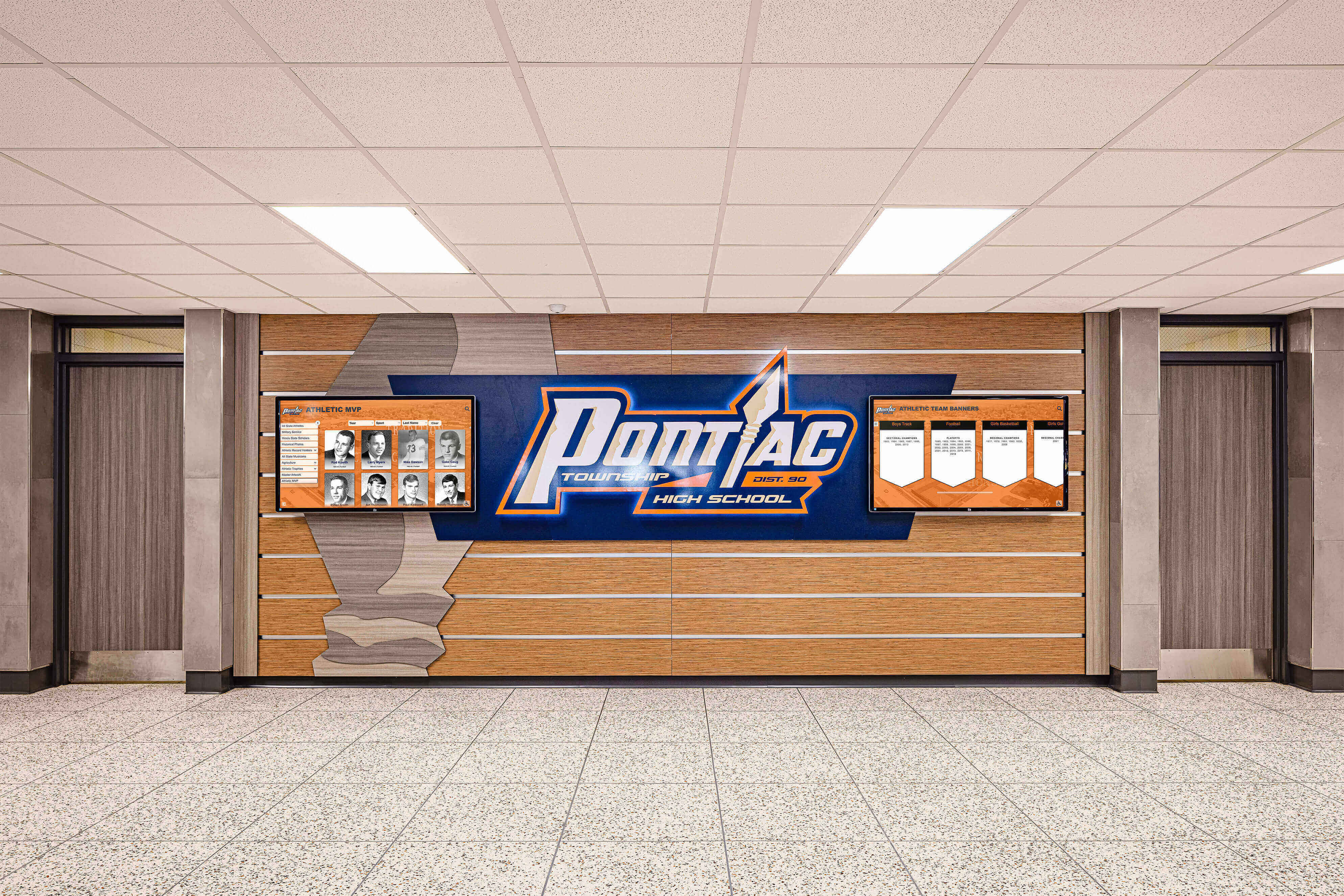
A school's athletic honor boards and recognition displays depend on the same underlying archive data that a disaster recovery plan is designed to protect — when the plan is tested and current, the display can be restored without starting from scratch
Common Disaster Recovery Mistakes in Athletic Archives
| Mistake | Why It Fails | What to Do Instead |
|---|---|---|
| Relying on a single cloud sync folder as the backup | Cloud sync mirrors deletions — an accidental file deletion on the primary is synced to the cloud within minutes | Use a cloud backup service with versioning and deleted-file retention, not a sync service |
| Storing the recovery plan only on the protected server | If the server is down, the plan is inaccessible | Store the plan in at least two locations: printed and offsite, and in a cloud document accessible without school network access |
| Assigning recovery roles to job titles rather than named individuals | Titles don’t restore files — people do; a role without a name is unassigned | Assign to named individuals with explicit backups for each role |
| Skipping the annual restoration test because “we assume the backup is working” | Drives fail silently; cloud storage accounts expire; backup software stops running without an alert | Run a restoration test annually, document the result, and treat a failed test as an active incident |
| Treating physical and digital disasters as separate plans | A building flood affects both physical originals and server hardware in the same space | Address both physical stabilization and digital recovery in the same plan, with coordinated roles |
| Failing to update the plan after staff turnover | Contact information, access credentials, and recovery roles go stale within months | Review and update the full plan at the start of every school year |
| Backing up only files on the school server without auditing for off-server archive locations | Individual drives, USB keys, personal cloud accounts, and old laptops hold archive materials that server backups never touch | Inventory all storage locations annually before confirming backup scope |
Frequently Asked Questions
What is the difference between a backup and a disaster recovery plan? A backup is a copy of data stored separately from the original. A disaster recovery plan is the documented, tested process that tells specific people how to use that backup — and everything else needed — to restore a functional archive after an incident. A backup without a plan is a resource without instructions; a plan without a tested backup is instructions for a tool that may not work.
How often should backup copies be verified? At minimum, verify that all three backup copies exist and are accessible monthly. Run a full restoration test — actually restoring files to a clean location and confirming they open correctly — at least once per year. Programs with active digitization projects or high-value content additions should test quarterly.
Should athletic archive files be stored on school servers or in cloud storage? Both have valid roles in a 3-2-1 backup structure. School servers provide fast local access and IT-managed security. Cloud storage provides the offsite copy required by 3-2-1 and geographic separation from physical facility risks. The question is not which to choose but whether both are present and whether the third copy — whichever medium is not the primary — is also protected.
What happens to a recognition display platform during a recovery event? If the platform is cloud-based, the display content is typically preserved on the vendor’s infrastructure regardless of what happens to the school’s local network. The display hardware may need replacement or reconnection, but the content — athlete profiles, record boards, photographs, historical records — can be restored to new hardware from the cloud. Check with your display vendor to confirm their data retention and recovery policies before an incident occurs.
Does the school IT department automatically cover athletic archive backups? Not necessarily. General district IT backup policies cover the systems explicitly included in those policies — usually financial databases, student records, and email. Athletic archive folders stored on a shared drive or school server may be included, but the scope of coverage, the backup frequency, and the restoration procedures for athletic-specific content should be confirmed explicitly with IT, not assumed. The archive recovery coordinator’s role includes verifying that IT’s backup policy actually covers the athletic archive assets identified in the inventory.
What should a school do if a disaster occurs before a recovery plan is in place? Prioritize stabilization over recovery: for physical materials, prevent further damage before attempting any recovery work. For digital materials, do not attempt to recover files from a damaged drive without professional data recovery assistance — self-recovery attempts often make irreversible damage worse. Document everything photographically before touching anything. Contact the district IT department and, for significant physical losses, the school’s insurance carrier. Once immediate stabilization is complete, begin the process of building a formal plan so that the next incident has a documented response.
How does a disaster recovery plan connect to ongoing archive management? A recovery plan is most effective when it is built on top of a well-organized, consistently maintained archive. A complete inventory, consistent file naming conventions, and clear metadata make restoration faster and verification more reliable. Programs that have addressed their cataloging backlogs and established ongoing ingest processes arrive at a recovery event with a clear picture of what existed before the loss — which makes confirming what has been restored straightforward rather than uncertain.

The decades of athletic history visible on a school's recognition display — every portrait, every record, every championship season — are only as protected as the disaster recovery plan behind them
Keep Your Athletic Archive Protected — and Make It Visible
A tested disaster recovery plan protects the archive. A cloud-based recognition display platform makes it living history — searchable, browsable, and accessible to current students, alumni, and visitors without requiring physical access to storage rooms or servers. Rocket Alumni Solutions helps schools move from protected archive files to an interactive touchscreen display that honors every athlete and every season in the school's history.
Request a DemoLive Example: Rocket Alumni Solutions Touchscreen Display
Interact with a live example (16:9 scaled 1920x1080 display). All content is automatically responsive to all screen sizes and orientations.































