Athletic Archive Vendor Due Diligence Checklist: Vet Digitization and Storage Partners
- Home /
- Touch Archive Blog /
- Athletic Archive Vendor Due Diligence Checklist: Vet Digitization and Storage Partners

The Easiest Touchscreen Solution




Live Example: Rocket Alumni Solutions Touchscreen Display
Interact with a live example (16:9 scaled 1920x1080 display). All content is automatically responsive to all screen sizes and orientations.
An athletic archive vendor due diligence checklist is a structured set of questions and evidence requests that a school uses before signing any contract with a scanning service, digital storage provider, or archive migration partner — covering how the vendor handles original physical materials, what file formats and metadata standards it delivers, who retains rights to the digitized content, how it secures custody of irreplaceable items, what the exit path looks like, and what proof it can offer of its preservation standards. The direct answer: do not select a digitization or storage vendor on price alone. Require written answers to each category in this checklist, request sample deliverables and client references from comparable athletic archive projects, and confirm that your school’s IT, legal, and records management staff have reviewed any contract that involves transferring custody of original materials or locking archive files into a proprietary platform. This guide covers every major evaluation category, a vendor scorecard table, a red-flags reference, and a full FAQ — written for athletic directors, school administrators, alumni and archives staff, booster leaders, facilities teams, and school IT.
Nothing in this guide constitutes legal, records management, or IT security advice. Contract review, data governance decisions, and custody arrangements for irreplaceable institutional property should be reviewed by qualified district staff and counsel before any agreement is executed.
A school’s athletic archive can represent more than a century of irreplaceable history — championship photographs, record books, hall-of-fame induction records, original team rosters, signed documents, and video footage that exists nowhere else. Selecting the wrong vendor to digitize, store, or migrate that content is not a recoverable mistake in every case. Physical originals that are damaged or lost during a poorly managed scanning project cannot be replaced. Digital files delivered in proprietary or low-quality formats impose ongoing costs and limitations for decades.
This checklist gives schools a systematic evaluation framework to apply before selecting any external partner for athletic archive work — scanning services, cloud storage vendors, digital asset management platforms, and archive migration specialists included.

What eventually appears on a school's recognition display is only as good as the vendor decisions made at the digitization stage — resolution, metadata, file format, and custody of original materials all shape the long-term usefulness of the archive
Why Athletic Archive Vendor Selection Requires a Recognition-Specific Process
Standard institutional procurement processes — IT vendor questionnaires, general RFP templates, financial due diligence checklists — do not ask the right questions for athletic archive digitization and storage. General IT procurement evaluates reliability, uptime, and data security. General RFP templates ask about company size, references, and pricing structure. Neither framework prompts schools to ask about photographic resolution standards, paper-handling protocols for fragile originals, name authority conventions for athlete identification, format migration paths, or the legal question of who owns the copyright in a digitized scan.
Athletic archives also carry institutional and emotional weight that software-as-a-service procurement checklists were not designed to capture. A cloud storage vendor that shuts down without warning or a scanning service that returns damaged originals does not merely cause an IT incident — it causes an irreversible loss of institutional memory. The stakes justify a vendor-specific evaluation process.
The seven evaluation categories in this checklist cover the full pre-contract scope: qualification, physical media handling, digitization standards, file delivery, metadata and rights, security and custody, and exit terms. Use the Vendor Scorecard in Section 8 to compare multiple vendors systematically before making a final selection.
Category 1: Vendor Qualification and Scope Fit
Before evaluating any technical details, confirm that the vendor has relevant experience with materials and project types comparable to your school’s archive.
Questions to ask and evidence to request:
- How many athletic archive or school archive digitization projects has the vendor completed in the past three years? Request a list of project types (yearbooks, photograph collections, video footage, record books) and approximate volume per project.
- Does the vendor have experience with materials in the condition your archive contains? Describe your collection — fragile photographs, bound volumes, VHS tapes, film negatives, deteriorating newsprint — and ask for documentation of how the vendor handles each material type.
- Has the vendor worked with school districts or educational institutions specifically? Confirm whether the vendor is familiar with FERPA considerations for student-athlete records (consult your district’s records management staff to determine what applies).
- Can the vendor provide references from two or three comparable athletic archive or school archive projects? Request contact information for references — not just names — and follow up directly.
- What is the vendor’s professional background? Ask whether staff hold credentials or training from recognized preservation organizations (Society of American Archivists, Association for Library Collections and Technical Services, or equivalent), though credentials alone do not guarantee quality.
- Is this vendor’s core business archive digitization and storage, or is archive work a side offering to another primary service? Vendors whose primary business is document scanning for legal or medical records may not have trained staff or equipment appropriate for fragile photographic materials.
Red flag: A vendor that cannot provide references from comparable school or archive projects, or that deflects with generic testimonials rather than named institutions you can contact directly.
Category 2: Physical Media Handling and Chain of Custody
For any project that involves shipping or transporting original physical materials to a vendor facility, the chain of custody controls are the most consequential part of the contract. Original photographs, film negatives, bound volumes, and award documents that are damaged or lost during transit or handling cannot be recovered.
Questions to ask and evidence to request:
- Does the vendor accept original materials by mail, courier, or in-person only? What is the vendor’s preference and what does the school’s insurance require? Consult your district’s risk management or insurance staff before shipping irreplaceable items.
- What is the vendor’s documented intake process? Request the actual intake form or procedure — the vendor should assign a unique tracking identifier to every item or batch upon receipt and maintain a running inventory.
- How are fragile items — brittle paper, damaged photographs, bound volumes — handled differently from standard materials? Ask the vendor to describe its handling protocols in writing.
- What environmental controls are maintained in the vendor’s facility? Temperature, humidity, and light exposure matter for materials that are awaiting processing and may be on-site for weeks.
- What is the vendor’s loss and damage policy? Read it carefully. Many contracts limit liability to the replacement value of blank media (a negligible amount), not the historical or institutional value of the original. Consult your district’s legal counsel on whether this exposure is acceptable.
- How are originals returned after scanning? What packaging, tracking, and insurance apply to the return shipment?
- Does the vendor subcontract any handling or scanning to a third party? If so, do the same custody and handling standards apply to the subcontractor?
Red flag: A vendor that cannot describe a specific intake and tracking procedure, that accepts original materials without a written inventory, or that excludes consequential damages from its liability terms without offering an alternative arrangement.
For projects that involve scanning photographs and team images directly, the guide to digitizing athletic team photos covers equipment and handling standards to compare against vendor claims.
Category 3: Digitization Standards and Quality Controls
Digitization standards determine whether the files the vendor delivers will be usable for decades or will require expensive rescanning within a few years. Low-resolution scans, lossy compression, incorrect color profiles, and non-standard file formats all reduce the long-term value of the work.
Questions to ask and evidence to request:
- What scanning resolution does the vendor use for each material type? For photographic prints, archival practice generally recommends a minimum of 400 dpi for standard prints and 600–1200 dpi for originals that may be enlarged. Ask the vendor to specify resolution by material type and to explain the reasoning.
- What file format does the vendor deliver as the archival master? For photographs, TIFF (uncompressed or lossless-compressed) is the standard archival master format; JPEG is an access copy format and is not appropriate as the only delivery format for an archival master.
- Does the vendor also deliver access copies (JPEG or PDF) for practical display use, in addition to archival masters?
- What color profile is used? sRGB and Adobe RGB are common choices; the vendor should be able to explain which profile it applies and why.
- Does the vendor maintain a quality assurance process? Ask the vendor to describe how it catches errors — incorrect orientation, focus problems, color casts, skipped items — before delivery.
- Can the vendor provide sample deliverables from a comparable project? Review actual output files, not just marketing screenshots.
- For video conversion: what format and codec does the vendor deliver? For long-term preservation, ProRes, FFV1, or H.264 in a standard container (MP4 or MOV) are common options; proprietary video formats create future access problems.
Red flag: A vendor that delivers JPEG-only for all material types (including documents and photographs), that cannot specify its scanning resolution in writing, or that is unable to provide sample output files for review before contract signing.
Category 4: File Delivery, Organization, and Naming
How files are organized and named when they are delivered determines how quickly the school can integrate them into its archive, how easily they can be searched and retrieved, and whether the delivery matches what was promised.
Questions to ask and evidence to request:
- How will delivered files be organized — by folder structure, batch, date, sport, or another scheme? Request a sample of the vendor’s standard delivery structure.
- What file naming convention does the vendor use? Confirm it matches or can be converted to your school’s naming standard. Consistent naming conventions across all athletic archive files are essential for long-term management — a vendor that delivers files named
scan001.tiffthroughscan9847.tiffwithout any meaningful metadata creates a reorganization project that may cost as much as the original scanning. - How are files delivered? Via hard drive, cloud storage link, or file transfer service? How long is the download link active? Who bears the cost of redelivery if files are corrupted in transit?
- Does the vendor deliver a manifest — a complete inventory of every file delivered, with filename, file size, and format? A manifest is the basis for verifying that delivery matches the intake inventory. The database export checklist for athletic archives covers what a complete delivery record should include.
- What is the delivery timeline, and how are delays communicated?
- What is the vendor’s correction policy if a delivered batch contains errors, missed items, or quality defects?
Red flag: A vendor that does not provide a file manifest with delivery, that uses non-descriptive sequential file names as the only identification, or that has no documented correction process for delivery errors.
Category 5: Metadata Standards and Athlete Identification
Metadata — the descriptive information embedded in or associated with each file — determines whether the school can search and retrieve archive content effectively. Poor metadata is one of the most persistent problems in athletic archive digitization projects: a collection of 10,000 correctly scanned photographs with no descriptive metadata is nearly unusable for hall-of-fame nominations, record board updates, or recognition display publishing.
Questions to ask and evidence to request:
- What metadata fields does the vendor embed in delivered files? At minimum, this should include: date of creation (or approximate date range), material type, collection or project name, and any available subject identification.
- How does the vendor handle athlete name identification? If the school provides a roster or name list, will the vendor link names to images? If identification is done by the vendor, what is the accuracy standard and how are uncertain identifications flagged?
- Does the vendor follow a controlled vocabulary or name authority standard for subject tagging? Consistent name authority control across athletic archive records is essential for preventing duplicate entries and retrieval failures when the same athlete is referenced across multiple collections.
- Does the vendor use persistent identifiers for items — unique, stable identifiers that remain constant even if the file is renamed or moved? Persistent identifiers in athletic archives prevent the common problem of the same item being cataloged as a new item after a file reorganization.
- What metadata schema does the vendor use — Dublin Core, IPTC, XMP, or a proprietary schema? Proprietary metadata schemas may not transfer correctly to other platforms; confirm interoperability with any platform you plan to use for access and display.
Red flag: A vendor that embeds no metadata in delivered files, that does not flag uncertain identifications, or that uses a proprietary metadata schema with no documented export path to standard formats.
For projects that involve managing a large photographic inventory, the duplicate detection checklist for athletic archives addresses how to handle duplicate images that are commonly surfaced during digitization projects.
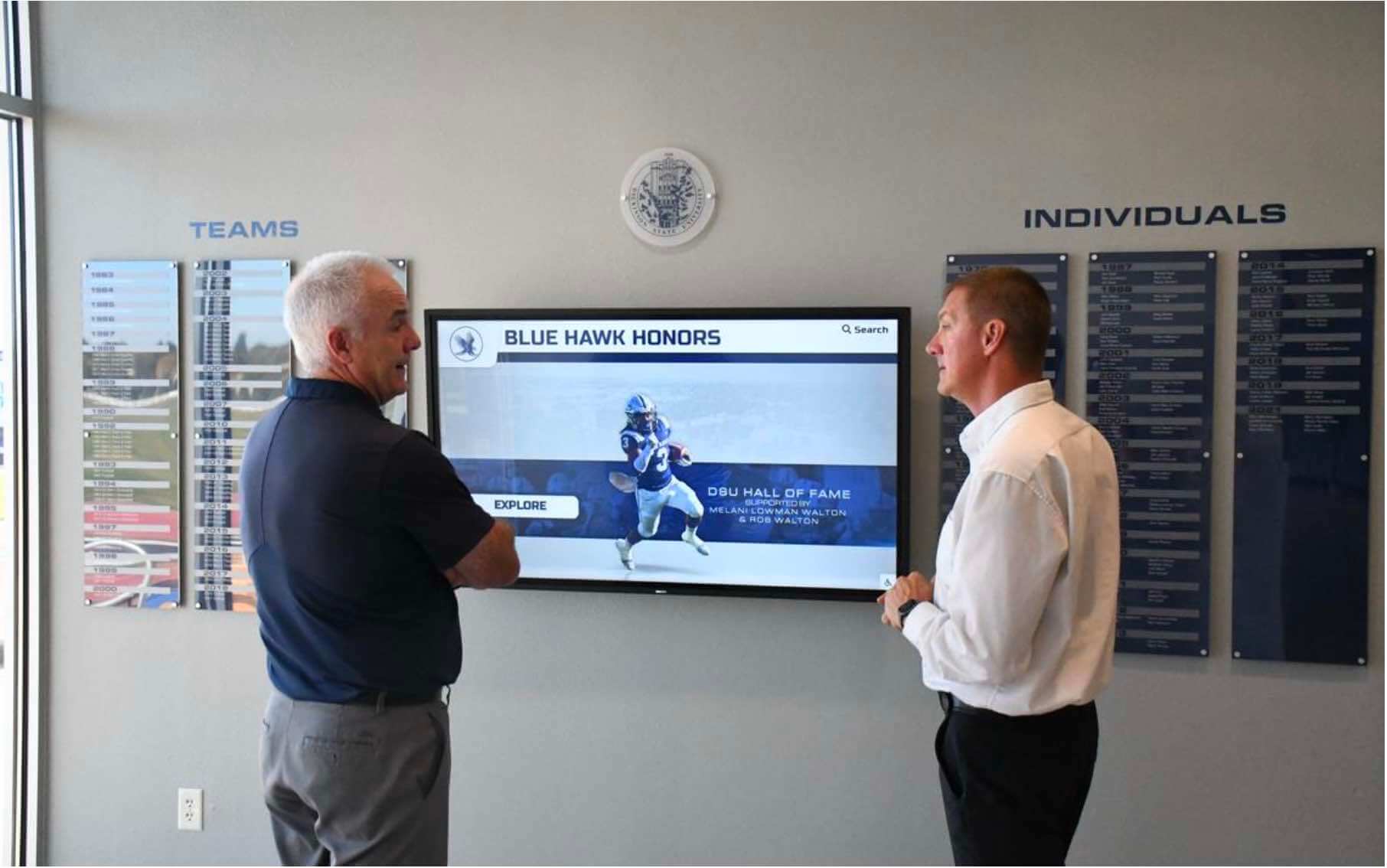
Evaluating vendor deliverables with the athletic director and archive coordinator is part of due diligence — the quality of metadata, file naming, and organization determines how usable the archive will be for recognition programs after delivery
Category 6: Rights, Ownership, and Copyright
Rights and ownership questions are among the most frequently overlooked items in athletic archive vendor procurement, and among the most consequential. A contract that grants the vendor a license to use digitized school content for marketing, portfolio display, or platform demonstration — without the school’s explicit awareness — creates a disclosure problem. A contract that is ambiguous about who owns the scanned output file (as opposed to the underlying content) can create complications when the school later moves to a different platform.
Questions to ask and evidence to request:
- Who retains ownership of the digital files that result from scanning? The school should own the output files outright; confirm this is stated explicitly in the contract.
- Does the contract grant the vendor any license to use digitized content — for marketing, portfolio, platform demonstration, AI training data, or any other purpose? If so, what are the scope and duration of that license?
- Does the school retain all rights to display, republish, and further migrate the digitized content without restriction? Confirm this applies to access copies as well as archival masters.
- If the project involves historical materials whose copyright is held by a third party (photographers, studios, publications), what is the vendor’s policy regarding copyright? Does the vendor warrant that it has a right to scan third-party-copyrighted materials on the school’s behalf, or does the school bear that responsibility? Consult legal counsel on the school’s exposure before proceeding with materials of uncertain copyright status.
- Are there any restrictions on the school using the delivered files on a competing platform or migrating to a different vendor in the future?
Red flag: A contract that grants the vendor any license over school content without a clear scope limitation, or that is ambiguous about ownership of the output files. Consult district legal counsel on any contract that contains language granting usage rights to the vendor beyond the specific project scope.
When evaluating recognition display vendors alongside digitization vendors, the comparison of vendor scale in digital hall of fame procurement covers related considerations about platform rights and content portability.
Category 7: Security, Access Controls, and Custody Documentation
For any project in which digital files are stored on a vendor’s infrastructure — even temporarily during a migration or processing project — the vendor’s security and access controls affect the confidentiality and integrity of the school’s archive content. For projects that involve student-athlete records or photographs that include minors, additional considerations may apply under FERPA and related district policies (consult your district’s records management and legal staff).
Questions to ask and evidence to request:
- Where are digital files stored during the project — on a vendor server, cloud storage, or employee workstations? What access controls apply?
- Who at the vendor organization has access to the school’s digital files during the project? Is access logged?
- For cloud storage: what cloud infrastructure does the vendor use, and where are data centers geographically located?
- What encryption is applied to files at rest and in transit?
- How does the vendor handle data deletion at the end of the project? Does the vendor retain copies of delivered files after the school confirms delivery, and for how long?
- Has the vendor undergone any third-party security audit or certification? (Note: a certification claim should be verified, not accepted at face value — ask for documentation.)
- Does the vendor carry appropriate insurance coverage, including errors and omissions coverage for loss or damage to materials in its custody?
Red flag: A vendor that stores project files on employee personal devices, that cannot describe its access control policy, or that does not have a documented data deletion procedure at project completion. Consult your district’s IT security staff before transmitting any archive content that includes personally identifiable student information.
Category 8: Exit Terms and Data Portability
Exit terms define what happens when the school’s relationship with a storage or platform vendor ends — whether by expiration of the contract, the school’s decision to move to a different vendor, or the vendor’s cessation of business. Poor exit terms can result in files being held in a proprietary format, export fees that make migration economically prohibitive, or loss of access to content when a vendor shuts down with little warning.
Questions to ask and evidence to request:
- In what format are files exported at contract termination? Confirm the export format is a standard, non-proprietary format (TIFF, JPEG, MP4 in a standard container, PDF/A) that can be imported into any standard archive platform without vendor-specific software.
- Is there a fee for data export at contract termination? Some vendors charge per-file or per-gigabyte export fees that can make switching vendors prohibitively expensive for large collections. Negotiate this explicitly before signing.
- What is the notice period required before contract termination, and what happens to access during that period?
- What is the vendor’s policy if the company is acquired or shuts down? Does the contract include a data portability guarantee in the event of a business change? Is data held in escrow or otherwise accessible independent of the vendor’s continued operation?
- Does the vendor provide regular exports of the full archive at the school’s request — not just at termination — so the school always has a current copy of its content outside the vendor’s platform?
- Are there format or structural changes required to the archive content as a condition of export? The database export checklist for athletic archives covers what a clean, complete export should include and what structural problems to watch for.
Red flag: A contract that charges significant per-file export fees, requires the school to accept content in a proprietary format, or that does not address data portability in the event of a business change. Do not sign a long-term storage contract without confirming that exit terms are acceptable before the relationship begins.
Updating recognition records and display content after a migration requires a clear plan for which records transfer cleanly — the athletic director checklist for recognition records display updates covers what to verify after a vendor transition.
Category 9: Preservation Evidence and Quality Verification
Claims about digitization quality, long-term storage reliability, and preservation standards should be supported by evidence — not just marketing language. Before signing a contract, schools should require proof that the vendor’s actual work matches its stated standards.
Questions to ask and evidence to request:
- Can the vendor provide sample deliverables from a comparable completed project — actual files, not screenshots or compressed web images — so the school can verify output quality before committing?
- Does the vendor maintain a quality assurance process with documented checks at intake, during scanning, and at delivery? Ask for a description of the QA workflow, not just an assertion that quality is high.
- What is the vendor’s process for identifying and correcting quality defects — missed items, focus errors, color problems, incorrect orientation — after delivery? What is the turnaround time for corrections?
- Does the vendor use checksums or fixity verification to confirm that files are identical between what was scanned and what was delivered? Checksum verification is a standard practice for archival digitization projects; ask whether the vendor provides a checksum manifest with delivery.
- For long-term storage vendors: what is the vendor’s documented uptime record, and is it verifiable through an independent source such as a status page or third-party monitoring service?
- Can the vendor provide references from projects that encountered problems — a damaged item, a delivery error, a software migration — and describe how those problems were resolved? Reference calls that only cover successful projects tell an incomplete story.
Red flag: A vendor that cannot provide sample output files for review before contract signing, that has no documented QA process, or that provides only references from recently completed projects with no evidence of long-term reliability.
Vendor Scorecard: Compare Candidates Before Signing
Use this scorecard to rate each vendor on the criteria that matter most for your project. Score each item on a 1–3 scale (1 = not addressed or inadequate, 2 = addressed but with gaps, 3 = fully addressed with documentation). A vendor with significant 1-scores in Categories 2 (Physical Media Handling), 5 (Metadata), or 8 (Exit Terms) should not be selected regardless of overall score.
| Evaluation Category | Criteria Weight | Vendor A | Vendor B | Vendor C |
|---|---|---|---|---|
| 1. Qualification and Scope Fit | Standard | |||
| Comparable project references verified | ||||
| Staff credentials or training documented | ||||
| Athletic/school archive experience | ||||
| 2. Physical Media Handling | High | |||
| Written intake and tracking procedure | ||||
| Environmental controls documented | ||||
| Loss/damage policy reviewed by counsel | ||||
| Subcontractor handling standards confirmed | ||||
| 3. Digitization Standards | High | |||
| Resolution specifications by material type | ||||
| Archival master format (TIFF or equivalent) | ||||
| Sample deliverables reviewed | ||||
| QA process documented | ||||
| 4. File Delivery and Organization | Standard | |||
| File manifest provided with delivery | ||||
| Naming convention matches school standard | ||||
| Correction policy documented | ||||
| 5. Metadata and Identification | High | |||
| Metadata fields specified in contract | ||||
| Uncertain identifications flagged | ||||
| Standard metadata schema (not proprietary) | ||||
| 6. Rights and Ownership | High | |||
| School owns output files outright | ||||
| No vendor usage license for school content | ||||
| Future migration rights unrestricted | ||||
| 7. Security and Access Controls | Standard | |||
| Access controls documented | ||||
| Encryption at rest and in transit | ||||
| Data deletion procedure at project end | ||||
| 8. Exit Terms and Portability | High | |||
| Export in standard formats at no fee | ||||
| Data portability on vendor business change | ||||
| Regular export option during contract | ||||
| 9. Preservation Evidence | Standard | |||
| Sample files provided for review | ||||
| Checksum manifest with delivery | ||||
| References from projects with problems |
Scoring guide: Add scores for each vendor. Treat any single 1-score in a High-weight category as a disqualifying flag that requires resolution before contract signing, regardless of total score. The scorecard is a comparison tool, not a pass/fail threshold — a vendor with a total score of 40 and one unresolved High category issue requires more scrutiny than a vendor with a lower total score and no critical gaps.
Red Flags Reference: When to Stop the Evaluation
Some vendor responses during due diligence are signals significant enough to pause or end the evaluation. This reference table summarizes the most consequential red flags and what to do when they appear.
| Red Flag | Risk | Recommended Response |
|---|---|---|
| Cannot provide references from comparable athletic or school archive projects | Likely lacks relevant experience for your collection type | Request references before proceeding; do not proceed without verified references |
| Will not describe intake and tracking procedure in writing | High risk of custody problems, lost items, or disputed inventory | Require a written procedure as a contract condition before signing |
| Delivers JPEG only for all material types; no archival master format | Long-term quality loss; files may require expensive rescanning | Require TIFF or equivalent archival master as a contract deliverable |
| No file manifest provided with delivery | Cannot verify that delivery matches intake; no basis for quality dispute | Require a manifest as a standard deliverable; do not accept final delivery without one |
| Contract grants vendor any usage license over school content | Potential unauthorized use of student-athlete images and institutional records | Have district legal counsel review before signing; negotiate removal or scope limitation |
| Significant per-file or per-gigabyte export fee at contract termination | Makes vendor switching prohibitively expensive for large collections | Negotiate export terms before signing or select a different vendor |
| No data portability provision for vendor business change | Risk of losing access to content if vendor shuts down or is acquired | Require explicit data portability language as a contract condition |
| Delivers files in a proprietary format with no standard export path | Long-term access may require vendor’s continued operation or software | Require standard format delivery; do not accept proprietary format as the only option |
| Cannot provide sample output files before signing | No objective basis for evaluating quality claims | Require sample deliverables as a pre-contract condition |
| Declines to discuss or document QA process | Quality defects may not be caught or corrected systematically | Treat absence of documented QA as a significant quality risk |

The quality of a school's recognition display ultimately reflects the quality of vendor decisions made at every prior stage — correct file formats, verified metadata, secure custody, and clear ownership rights all shape what is available to display for current students and returning alumni
Coordinating Vendor Due Diligence Across School Departments
Athletic archive vendor selection rarely sits within a single department’s authority. Depending on the school, relevant stakeholders include the athletic director, the school archivist or library staff, the IT department, facilities management, the school principal or administrator, and district legal or records management staff. Effective due diligence requires coordinating review across those stakeholders before the contract is signed — not circulating it for sign-off after vendor selection is already effectively complete.
A practical coordination approach:
- The athletic director or archive coordinator leads the evaluation using this checklist and completes the vendor scorecard for each candidate.
- The IT department reviews Categories 7 (Security) and 8 (Exit Terms) and confirms that proposed storage and delivery formats align with district data standards.
- District legal or records management staff reviews the contract — specifically the rights and ownership section (Category 6), the liability terms (Category 2), and the exit terms (Category 8) — before execution.
- The facilities team is consulted if physical storage space, hardware installation, or display integration is part of the vendor’s scope.
- The final selection and contract execution follows district procurement procedures for the contract value.
This coordination process takes longer than a single decision-maker choosing based on a demo and a price quote. It also produces a far more durable vendor relationship and substantially reduces the risk of discovering a contract problem after irreplaceable materials have already been transferred.
For projects involving facility-level display hardware as well as archive digitization, the athletic facility maintenance checklist covers the facility coordination items that overlap with archive display installations.
Frequently Asked Questions
What is an athletic archive vendor due diligence checklist and when should a school use it? It is a structured set of questions and evidence requests that a school completes before signing any contract with a scanning, storage, or archive migration vendor. Use it at the evaluation stage — before shortlisting vendors to two or three candidates — so that red-flag responses eliminate vendors early rather than after a contract has been signed. The checklist applies to any external partner that will take custody of original physical materials, store digital files on the school’s behalf, or manage the platform through which archive content is accessed and displayed.
What file formats should an athletic archive digitization vendor deliver? For archival masters — the highest-quality files intended for long-term preservation — TIFF (uncompressed or lossless-compressed) is the standard for photographs and documents. JPEG should be provided as access copies for practical display use but is not appropriate as the only archival format because JPEG compression permanently discards image data. For video, lossless or high-quality codec options in standard containers (MP4, MOV) are preferred for archival masters. Ask any vendor to specify its format choices in writing by material type and to explain why it has chosen those formats.
How should a vendor handle original physical materials during scanning? The vendor should have a documented intake procedure that assigns a tracking identifier to every item upon receipt, maintains a running inventory, and controls the physical environment (temperature, humidity, light) where materials are stored awaiting and during processing. Fragile materials — brittle paper, deteriorating photographs, bound volumes that cannot be fully opened — require specific handling protocols that differ from standard document scanning. Ask the vendor to describe its handling procedures for each material type in your collection in writing, and confirm that subcontractors are held to the same standards as the vendor’s own staff.
What exit terms should a school require from any archive storage vendor? At minimum: the right to export all content at any time in standard, non-proprietary formats at no additional fee; a clear data portability provision describing what happens to school content in the event the vendor is acquired, shuts down, or materially changes its service terms; and a documented data deletion procedure at contract termination confirming that the vendor does not retain copies of school content after delivery is confirmed. Have district legal counsel review exit terms before signing any long-term storage contract; exit provisions that seem minor during vendor selection become highly consequential if the vendor relationship deteriorates or the vendor ceases operations.
How can a school verify a digitization vendor’s quality claims before signing a contract? Require the vendor to provide sample deliverables from a comparable completed project — actual digital files, not screenshots or compressed web images — before signing. Review those files for resolution, color accuracy, format, and completeness. Ask the vendor to provide a detailed description of its quality assurance workflow and to specify how defects are identified and corrected. Request references from clients who have used the vendor for projects involving materials similar to your archive, and ask those references specifically about the vendor’s response when quality problems were found.
Who should be involved in athletic archive vendor selection at a school? At minimum: the athletic director or archive coordinator (who leads the evaluation), school IT (who reviews security and format standards), and district legal or records management staff (who review the contract before execution). For larger projects or those involving student-athlete records, the school principal, the district records officer, and the district IT security staff may also need to be involved. Do not sign a contract that gives an external vendor custody of irreplaceable original materials without IT and legal review regardless of project size.
What rights should a school retain over its digitized athletic archive content? The school should own the digital output files outright, with no vendor usage license beyond the scope of the specific project. The school should retain the right to display, republish, further migrate, and use the digitized content on any platform without restriction. These terms should appear explicitly in the contract — not merely as the absence of a contrary clause. If the vendor’s standard contract includes any usage rights over school content (for marketing, portfolio, AI training, or any other purpose), have district legal counsel review before signing and negotiate to remove or strictly limit any usage grant.
What should a school do if a vendor underperforms after the contract is signed? Document every defect with specifics: file name, batch, defect type, date discovered. Notify the vendor in writing using the contract’s designated communication channel and request correction according to the contract’s stated turnaround terms. If the vendor does not correct defects within the agreed timeframe, escalate through the contract’s dispute resolution process. Keep copies of all communications, delivery records, and the intake inventory so that the documented evidence supports any formal dispute. For significant losses — damaged originals, missing files, format noncompliance — consult district legal counsel before accepting a vendor’s proposed resolution.
Turn a Vetted Archive Into a Living Recognition Display
A rigorous vendor selection process protects the archive at the digitization stage. A cloud-based recognition display platform makes that archive visible — searchable, browsable, and accessible to current students, alumni, and visitors on an interactive touchscreen that can be updated without touching the original files. Rocket Alumni Solutions helps schools move from protected, well-organized archive files to an engaging display that honors every athlete and every season in the school's history.
Request a DemoLive Example: Rocket Alumni Solutions Touchscreen Display
Interact with a live example (16:9 scaled 1920x1080 display). All content is automatically responsive to all screen sizes and orientations.































