




Schools, universities, sports organizations, and cultural institutions face mounting pressure to preserve institutional history while creating engaging recognition experiences. Traditional plaques and trophy cases served adequately for generations, but space limitations, maintenance requirements, and accessibility concerns have exposed significant shortcomings in physical recognition systems.
Touchscreen hall of fame technology addresses these challenges by transforming how organizations document achievements, preserve historical archives, and engage visitors with institutional legacy. The market has matured significantly—what began as experimental digital signage installations has become a specialized recognition technology category with platforms purpose-built for educational institutions and organizations.
Yet choosing the right touchscreen hall of fame solution remains complex. Pricing structures vary dramatically, feature sets span from basic slideshow displays to complete content management platforms, and implementation approaches range from DIY installations to full-service solutions. Organizations evaluating options in 2026 need clarity about what separates effective recognition systems from disappointing technology purchases.
This detailed guide examines the touchscreen hall of fame landscape in 2026, identifying key features that distinguish quality solutions, common pricing pitfalls to avoid, and critical implementation considerations for successful deployments. Whether your organization is replacing aging physical displays, creating new recognition programs, or expanding existing digital installations, this analysis provides the framework for making informed technology decisions.

Modern touchscreen hall of fame displays create engaging experiences where visitors actively explore achievements rather than passively viewing static plaques
The Evolution of Hall of Fame Recognition Technology
Understanding where touchscreen hall of fame technology stands in 2026 requires context about how this category developed.
From Physical Plaques to Digital Recognition
Traditional recognition systems relied exclusively on physical materials—engraved plaques mounted on walls, trophy cases displaying awards, printed programs documenting achievements. This approach worked adequately when organizations had unlimited wall space and modest recognition needs.
But successful programs outgrew physical capacity. Athletic departments found storage rooms filled with hundreds of trophies that would never be displayed. Schools discovered that recognizing one graduating class of National Merit Scholars meant removing the previous class. Museums realized their historical photo collections remained inaccessible to visitors because physical space allowed displaying only a tiny fraction.
Early digital recognition attempts used basic digital signage—rotating slideshows displayed on screens. These primitive systems offered unlimited capacity but provided frustrating user experiences. Visitors couldn’t search for specific information, navigation proved confusing, and content management required technical expertise most organizations lacked.
The Emergence of Purpose-Built Recognition Platforms
Around 2015-2018, specialized platforms emerged designed specifically for recognition and archival applications. These systems incorporated features that general digital signage platforms never prioritized:
Recognition-specific capabilities:
- Structured data models for achievements (athletes, awards, records, teams)
- Search and filtering allowing visitors to find specific information
- Hierarchical organization by sport, year, achievement type, or category
- Photo galleries and media integration
- Mobile responsiveness for phone-based browsing
- Content management interfaces designed for non-technical staff
These purpose-built platforms transformed touchscreen hall of fame from disappointing slideshow displays into genuinely useful recognition systems that organizations could actually manage.
Where Technology Stands in 2026
By 2026, the touchscreen hall of fame category has reached maturity. Multiple established providers offer complete platforms, and organizations can reasonably expect:
- Easy-to-use content management requiring no technical expertise
- Accessibility compliance meeting ADA and WCAG 2.2 AA standards
- Responsive design working across touchscreen kiosks and mobile devices
- Cloud-based architecture eliminating on-premise server requirements
- Integration capabilities with existing school systems and databases
- Professional design templates requiring minimal customization
The competitive focus has shifted from basic functionality to differentiation through pricing models, implementation approaches, customer support quality, and specialized features for specific use cases.
Organizations evaluating solutions in 2026 can assume foundational capabilities will be present across quality providers. The decision framework centers on factors like total ownership cost, content control flexibility, scalability for multi-screen deployments, and vendor stability.
Critical Features for Effective Hall of Fame Displays
Not all features matter equally. Some capabilities prove essential for daily operations while others remain unused despite impressive demos.
Content Management: The Daily Reality
The most important feature rarely appears first in marketing materials—how easy is content management for non-technical staff?
Essential content management capabilities:
Your athletics secretary, librarian, or volunteer coordinator will be adding new inductees, updating records, and uploading photos. If this process requires calling the vendor for every update or struggling with complex interfaces, your recognition program will stagnate. The system needs to support routine content updates by the people who actually manage your recognition programs.
Quality platforms provide web-based content management with clear workflows. Adding a new hall of fame inductee should take 5-10 minutes maximum: upload a photo, enter biographical information into labeled fields, save. Updating an existing record when you discover a stat error should be immediate—not a ticket submission to vendor support.
Red flags in content management:
- Requiring vendor involvement for routine content updates
- Complex interfaces demanding training courses
- Separate tools for different content types (athletes vs. teams vs. records)
- Inability to preview changes before publishing
- No bulk upload capabilities for historical data
Many organizations discover content management limitations only after purchase when reality diverges from polished sales demos. Insist on testing actual content management workflows during evaluation, not just viewing finished displays.
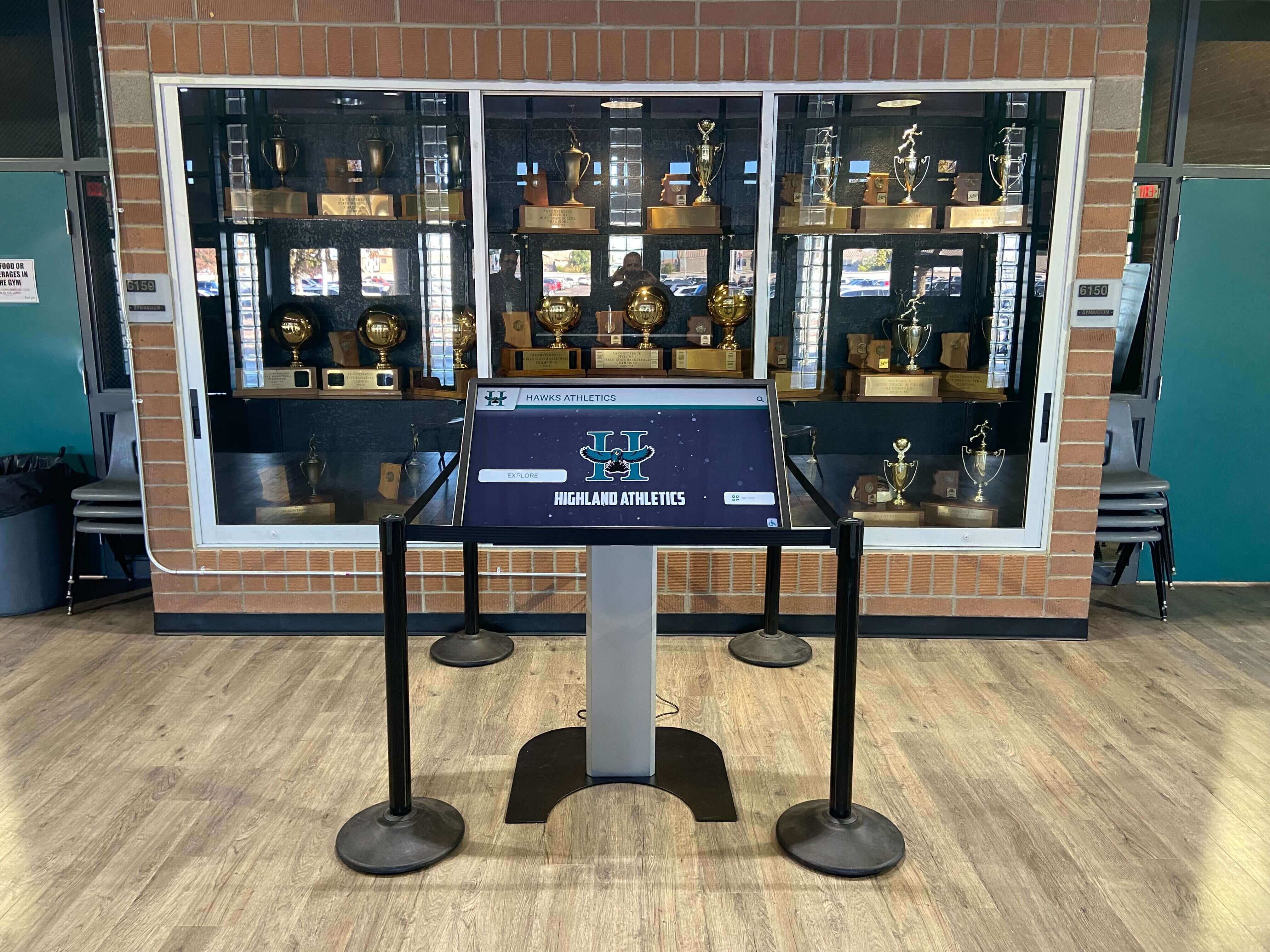
Effective installations integrate touchscreen technology into existing recognition spaces, complementing rather than replacing institutional character
Search and Navigation
Visitors need to find specific information quickly. A display containing 500 athlete profiles provides little value if locating a particular person requires browsing through pages randomly.
Navigation features that matter:
- Text search by name, partial name, or keyword
- Filter options by year, sport, achievement type, or custom categories
- Alphabetical browsing with jump-to-letter functionality
- Recent additions highlighting new content
- Featured content spotlighting significant achievements
- Simple back buttons and clear navigation hierarchy
The goal is simple: any visitor should be able to find any specific athlete, team, or achievement within 30 seconds. Systems that require extensive scrolling or unintuitive filter combinations frustrate users and reduce engagement.
Test navigation with realistic scenarios: “Show me all basketball state champions.” “Find the 2018 valedictorian.” “Display track and field records.” If these common requests require multiple steps or confusing paths, the navigation design needs improvement.
Design Flexibility and Brand Consistency
Your hall of fame display represents your institution. It should reflect your brand identity, colors, and visual style—not look like a generic template obviously used by hundreds of other organizations.
Design considerations:
- Adjustable color schemes matching institutional branding
- Ability to incorporate logos, mascots, and visual identity elements
- Template options supporting different content types (individual profiles, team records, historical timelines)
- Photo cropping and positioning flexibility
- Font and typography controls
- Background and layout adjustments
Some platforms offer extensive design control but require graphic design expertise to implement. Others provide limited templates that create cookie-cutter appearances. The balance depends on your resources—do you have design staff who will customize extensively, or do you need professional templates that look good with minimal adjustment?
Organizations preserving institutional history particularly value the ability to honor historical context. A display featuring championship teams from the 1950s through 2026 should be able to incorporate vintage aesthetics for older content while maintaining modern design for recent additions.
Accessibility Compliance
Accessibility represents both a legal requirement and an ethical imperative. Your recognition systems should serve all students, alumni, and visitors equally—including those with visual, motor, or cognitive disabilities.
Accessibility features to verify:
- WCAG 2.2 AA compliance (current standard for public institutions)
- Screen reader compatibility for blind users
- Sufficient color contrast for low vision users
- Touch target sizing accommodating users with limited dexterity
- Keyboard navigation alternatives to touch interaction
- Clear heading hierarchy for assistive technology
- Alternative text for all images
Many organizations overlook accessibility until compliance audits reveal violations. Implementing accessibility after launch costs more than building it correctly initially. For educational institutions particularly, accessible digital displays aren’t optional extras—they’re fundamental requirements for serving all students and community members equally.
Multi-Screen Scalability
Few organizations start with a single touchscreen and never expand. Successful deployments typically grow—adding displays in additional buildings, creating networks spanning campus, or implementing district-wide recognition systems.
Scalability factors:
- Per-screen licensing costs (or absence thereof)
- Central content management across multiple displays
- Ability to customize content by location while maintaining shared data
- Network deployment capabilities
- Administrative controls for multi-location access
This consideration proves critical because initial pilots often lead to broader adoption. The single display in your athletic lobby succeeds, generating requests for installations in academic buildings, fine arts centers, and satellite campuses. If your platform charges per screen or lacks multi-location capabilities, expansion becomes prohibitively expensive or operationally impractical.
Organizations planning complete recognition programs should evaluate multi-screen display networks early in the selection process, even if initial deployment involves a single screen.

Quality recognition platforms preserve historical archives while making decades of achievements accessible through user-friendly digital interfaces
Understanding Pricing Models
Touchscreen hall of fame costs vary dramatically based on pricing structure. Understanding these models helps identify true total ownership cost.
One-Time Purchase vs. Subscription Models
Recognition platforms typically follow one of three pricing approaches:
One-time purchase with optional support: You pay upfront for perpetual software licenses, then optionally purchase annual support and updates. Initial cost appears higher ($10,000-$25,000+), but long-term expenses may be lower if you maintain systems for 10+ years without significant updates.
Disadvantages: Software becomes outdated as technology advances. No support after initial purchase unless paying separately. Limited vendor incentive to improve product after sale.
Annual subscription model: You pay recurring annual fees for software access, support, and updates. Initial cost appears lower ($2,000-$5,000 annually), but costs accumulate over time. Subscriptions typically include ongoing support, feature updates, and technology improvements.
Disadvantages: Costs compound over years. If you stop paying, you lose access to content platform. Long-term cost may exceed one-time purchase.
Hybrid models: Some providers charge both initial setup fees and annual subscriptions. This approach attempts to balance revenue streams but may result in the highest total cost.
The Per-Screen Pricing Trap
The most significant pricing factor for organizations planning multi-screen deployments: does the vendor charge per screen or per organization?
Per-screen licensing: Many providers multiply fees by screen count. An annual subscription advertised at $3,000 becomes $9,000 for three displays, $15,000 for five displays. This model makes expansion financially painful and forces organizations to limit recognition programs to control costs.
Per-organization licensing: Progressive providers charge the same fee regardless of screen count. Whether you operate one display or twenty, costs remain consistent. This approach enables complete recognition networks without financial penalties for serving more locations.
The difference profoundly impacts long-term strategy. Organizations working with per-screen vendors often find themselves:
- Delaying additional displays to control costs
- Limiting recognition programs to single locations
- Sharing displays across multiple purposes awkwardly
- Abandoning district-wide or multi-building deployments
Per-organization pricing eliminates these constraints, allowing recognition programs to grow naturally as needs expand.
Hidden Cost Factors
Advertised pricing rarely captures total ownership cost. Hidden expenses emerge during implementation and operations:
Setup and content migration:
- Initial content creation: $1,000-$5,000+ depending on historical archive size
- Photo scanning and digitization for historical materials
- Data entry for existing recognition records
- Design customization beyond basic templates
Ongoing operational costs:
- Annual subscription or support fees
- Content management labor (typically minimal with quality platforms)
- Hardware replacement every 7-10 years
- Electricity costs (modest but non-zero)
- Network connectivity if required
Training and support:
- Staff training on content management
- Ongoing technical support when issues arise
- Platform updates and learning new features
Organizations should request detailed cost projections covering 5-10 years including all known expenses. The lowest initial quote often becomes the highest total cost once hidden fees accumulate.
Implementation Approaches: DIY vs. Full-Service
How the solution gets deployed matters as much as what gets deployed.
Self-Implementation Challenges
Some organizations attempt to build recognition displays using general-purpose digital signage software, custom development, or repurposed slideshow tools.
Potential advantages:
- Lower initial software costs
- Complete control over design and functionality
- No vendor dependency
Common challenges:
- Significant internal technical expertise required
- Ongoing maintenance and updates fall to internal staff
- Accessibility compliance difficult without specialized knowledge
- Custom development costs often exceed commercial platforms
- No vendor support when technical issues arise
- Integration challenges with content management
DIY approaches succeed primarily for organizations with dedicated development staff and ongoing commitment to maintaining custom systems. Most schools and institutions lack these resources, making self-implementation impractical.
Full-Service Solutions
Purpose-built recognition platforms provide complete systems including software, design, content structure, support, and ongoing updates.
Full-service advantages:
- Professional implementation with minimal internal technical work
- Vendor expertise in recognition best practices
- Ongoing support and platform improvements
- Proven accessibility compliance
- Content management designed for non-technical users
- Faster deployment timelines
Considerations:
- Higher cost than DIY approaches
- Some design flexibility limitations within platform constraints
- Vendor dependency for major changes
- Subscription costs create long-term relationships
Most organizations implementing digital hall of fame displays find full-service solutions provide better value when accounting for total implementation time, technical expertise requirements, and long-term support needs.
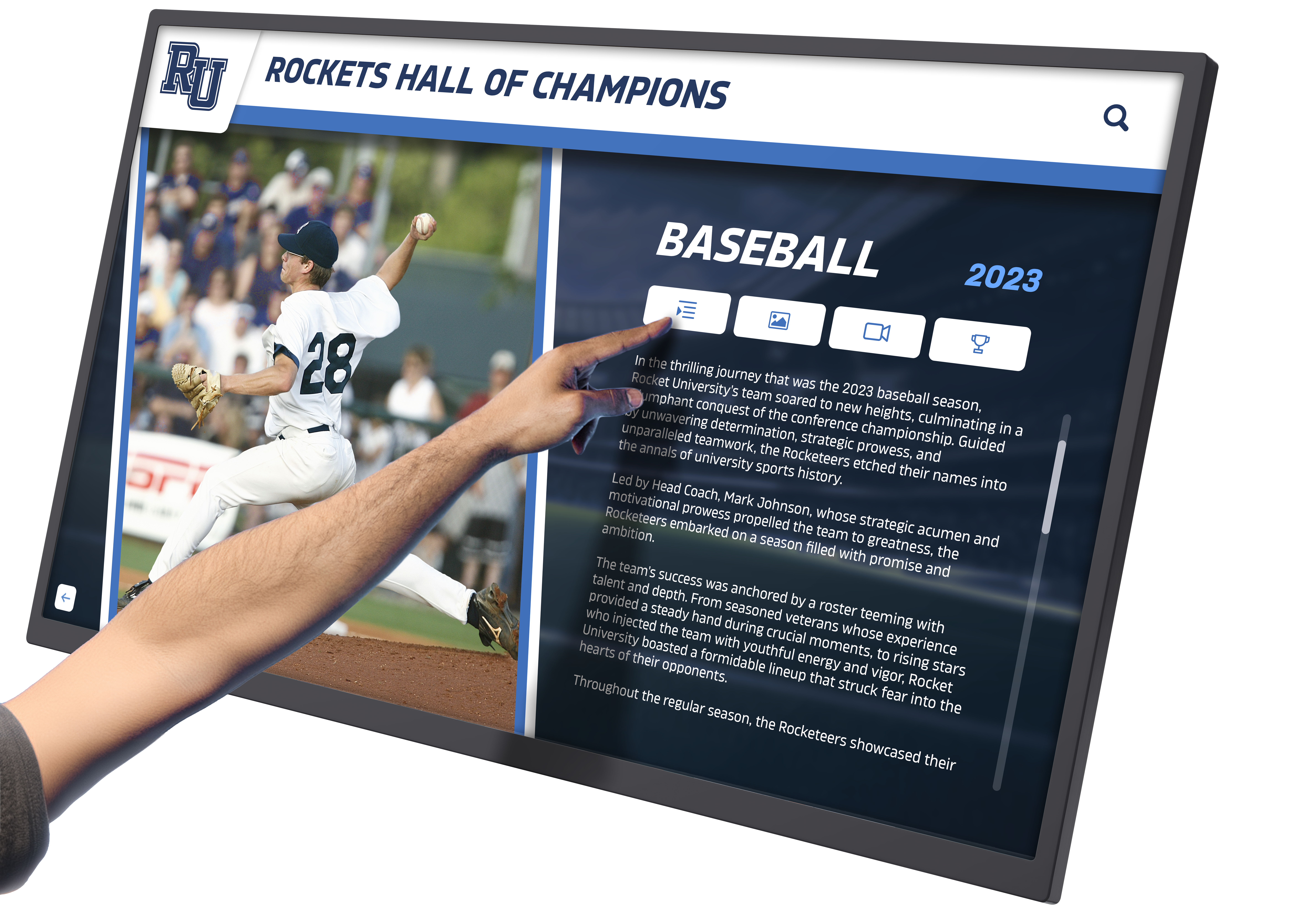
Complete recognition platforms showcase detailed athlete profiles including photos, statistics, achievements, and career highlights
Hardware Considerations
Software capabilities matter, but hardware quality determines visitor experience and long-term reliability.
Commercial vs. Consumer Displays
The most common hardware mistake: purchasing consumer TVs instead of commercial displays for public installations.
Why commercial displays matter:
- Longer warranty periods (3-5 years vs. 1 year)
- Higher duty cycle ratings for continuous operation
- More durable components for public use
- Better heat dissipation for enclosed installations
- Professional mounting options
- Consistent availability of replacement parts
Consumer displays used in public installations typically fail within 2-3 years, requiring replacement that costs more than initially saving by avoiding commercial equipment.
Touchscreen Technology Options
Several touchscreen technologies exist with different characteristics:
Capacitive touchscreens (most common for modern installations):
- Multi-touch support
- Highly responsive
- Clear display quality
- Durable glass surface
- Industry standard for tablets and phones
Infrared touchscreens (less common but viable):
- Works with any input including gloves
- No overlay affecting display quality
- Susceptible to dirt interference
- Requires periodic calibration
For most hall of fame applications in 2026, capacitive touchscreens provide the best combination of responsiveness, durability, and user familiarity.
Size and Placement
Screen size should match viewing distance and space constraints:
Common sizes and applications:
- 43-50 inches: Small lobbies, narrow hallways, private viewing areas
- 55-65 inches: Standard installations in main lobbies and recognition spaces
- 70-85 inches: Large gathering areas, gymnasiums, auditoriums
Mounting height matters for accessibility. The center of the touchscreen should typically be 42-48 inches from the floor to accommodate both standing adults and wheelchair users comfortably.
Installation Requirements
Professional installation prevents common problems:
Installation considerations:
- Electrical outlet location and requirements
- Network connectivity for content updates (if needed)
- Wall structure capable of supporting commercial display weight
- ADA-compliant placement allowing clear approach
- Lighting conditions avoiding glare on screen
- Security measures for valuable equipment in public spaces
Organizations should budget $500-$1,500 for professional installation depending on electrical work requirements and mounting complexity.
Content Strategy for Recognition Programs
Technology enables recognition programs, but content makes them meaningful.
Balancing Complete Archives with Curated Highlights
Digital platforms offer unlimited capacity, creating a tempting trap—documenting everything without strategic focus. The most engaging recognition displays balance complete historical archives with curated featured content.
Complete archive layer: Include every documented achievement searchable by visitors:
- All hall of fame inductees across history
- Complete athletic records by sport
- Team rosters and seasonal results
- Individual awards and honors
- Academic recognitions
- Historical photographs and documents
Featured content layer: Highlight rotating selections for visitors not searching for specific information:
- Recent inductees or award recipients
- Significant anniversaries (50th anniversary of championship season)
- Seasonal relevance (featuring fall sports during fall season)
- Alumni spotlights with current career updates
- Historical milestones and institutional traditions
This dual approach serves both targeted searches (“Find my grandfather’s 1967 team photo”) and casual browsing (“Show me interesting historical content”).
Photo Quality Matters
Recognition displays succeed or fail based largely on visual impact. Poor photos undermine otherwise complete content.
Photo standards to maintain:
- Minimum resolution sufficient for screen display (1920x1080 typical)
- Consistent aspect ratios for visual coherence
- Proper exposure and color balance
- Professional scanning for historical photos
- Appropriate cropping emphasizing subjects
Organizations with extensive historical archives often need to digitize physical photos. Professional scanning services cost approximately $0.50-$2.00 per photo depending on volume and quality requirements. This investment preserves irreplaceable materials while creating digital archives that outlast deteriorating physical originals.
Updating Recognition Content Regularly
Static displays quickly become dated. Regular content updates maintain engagement and demonstrate that recognition programs remain active.
Update schedule recommendations:
Immediate updates:
- New inductees or award recipients after selection
- Championship achievements when they occur
- Record-breaking performances as verified
Seasonal updates:
- Featured content highlighting in-season sports
- Anniversary recognitions for historical milestones
- Alumni updates submitted by community members
Annual reviews:
- Audit existing content for accuracy
- Add newly discovered historical information
- Correct errors or incomplete records
- Retire outdated featured content
Organizations implementing effective recognition systems typically assign content management to specific staff with clear responsibilities and time allocated for updates.
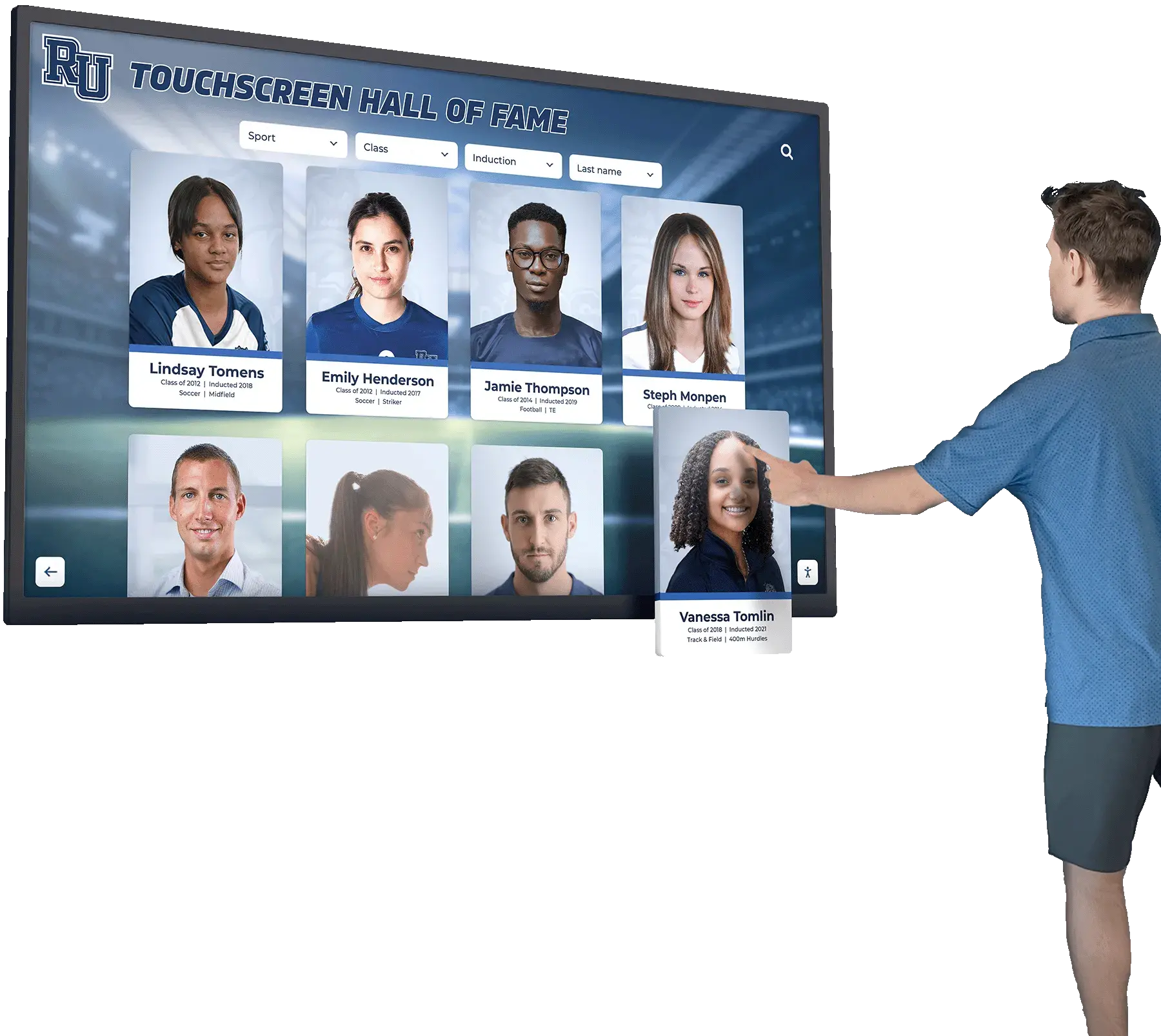
Simple navigation allows visitors of all ages to explore recognition content independently without instruction or assistance
Evaluating Vendor Stability and Support
Recognition displays remain operational for 10+ years. Vendor stability matters as much as current product capabilities.
Vendor Health Indicators
Organizations should assess whether vendors will still exist in 5-10 years:
Positive indicators:
- Established client base with verifiable references
- Multiple years operating in recognition technology market
- Visible investment in platform improvements and updates
- Professional marketing and communication channels
- Clear pricing and contract terms
- Responsive customer support during evaluation
Warning signs:
- Recently launched with no established client base
- Frequent leadership or ownership changes
- Poor online reputation or unresolved customer complaints
- Aggressive sales tactics or pressure for immediate commitment
- Vague or changing pricing structures
- Unresponsive during evaluation phase
Vendor bankruptcy or market exit creates serious problems. Your content may become inaccessible, support disappears, and hardware becomes unsupported orphaned equipment.
Support Quality and Response Times
When technical issues arise, support quality determines whether problems cause brief inconvenience or extended outages.
Support factors to evaluate:
- Response time commitments for technical issues
- Support availability (business hours only vs. extended coverage)
- Support channels offered (phone, email, chat, ticket system)
- Knowledge base and self-service resources
- Training resources and documentation quality
- Platform update frequency and communication
Request references from existing clients specifically about support experiences, not just product satisfaction.
Data Ownership and Export
Your recognition content represents years of accumulated institutional knowledge. Ensure you maintain ownership and can export data if changing platforms.
Critical contract terms:
- Explicit confirmation that you own all content uploaded to platform
- Data export capabilities in standard formats (CSV, JSON, etc.)
- Photo and media export with original resolution
- No penalties or restrictions for exporting content
- Reasonable contract termination terms
Platforms that restrict data export or claim ownership of your content create vendor lock-in that limits future flexibility.
Integration Capabilities
Recognition displays rarely operate in isolation. Integration with existing systems improves efficiency and reduces duplicate data entry.
Common Integration Scenarios
Athletic management systems: Automatically pull team rosters, game results, and statistics from existing athletic management platforms. This eliminates duplicate entry and ensures consistency between recognition displays and official athletic records.
Student information systems: Import academic recognition data (honor roll, National Merit Scholars, valedictorians) directly from student information databases. Proper privacy controls ensure only appropriate information appears on public displays.
Website integration: Display the same recognition content on your website that appears on physical touchscreens. This provides mobile access for alumni and community members who can’t visit campus while maintaining content in a single system.
Donation management systems: For displays that include donor recognition functionality, integration with fundraising databases ensures donor information remains accurate and consistent.
Social media: Automated posting of new inductees or featured content to social channels extends recognition program visibility beyond physical displays.
Technical Integration Methods
Modern platforms typically support integration through:
API access: Application programming interfaces allow custom integrations with existing systems. This requires technical expertise but provides maximum flexibility.
Scheduled imports: Upload CSV or Excel files on schedules (nightly, weekly) to update content from other systems. This manual approach works when API integration isn’t feasible.
Manual entry: For smaller programs with limited recognition volume, manual content entry remains practical and requires no integration complexity.
Organizations should evaluate integration needs based on recognition volume and existing technology infrastructure. Programs inducting 10-15 people annually may not benefit from complex integrations, while those managing hundreds of annual updates will find automation valuable.
Specialized Recognition Applications
While athletic hall of fame represents the most common application, touchscreen recognition technology serves diverse purposes.
Academic Recognition
Schools implement digital recognition for:
- Honor roll and academic achievement awards
- National Merit Scholars and AP Scholars
- Valedictorians and salutatorians across years
- Academic competition achievements (debate, robotics, science olympiad)
- Scholarship recipients
Academic recognition programs benefit from digital platforms that eliminate the space constraints of physical plaques while providing equal visibility across decades of achievers.
Arts and Activities Recognition
Digital displays showcase achievements beyond athletics:
- All-State music, theater, and art students
- Drama production casts and technical crews
- Visual art competition winners and exhibitions
- Performing arts ensembles and individual recognitions
Arts programs often lack the championship trophies that naturally fit physical cases, making digital recognition particularly valuable for these disciplines.
Museum and Cultural Heritage Applications
Museums, historical societies, and cultural organizations use touchscreen displays to:
- Provide interactive access to historical photo archives
- Document institutional history and evolution
- Feature biographical information about significant community members
- Preserve oral histories and historical narratives
These applications emphasize digital archival preservation rather than athletic achievement, requiring specialized content structures for historical materials.
Corporate Recognition
Businesses and organizations implement recognition displays for:
- Employee service awards and longevity recognition
- Sales achievement and leadership awards
- Safety records and operational excellence
- Retirement tributes and career highlights
Corporate applications often require approval workflows and scheduled publishing that differ from school recognition programs.

Strategically placed recognition displays become focal points in lobbies and common areas where visitors naturally gather and explore institutional heritage
Mobile and Remote Access
Physical touchscreens serve on-site visitors, but remote access extends recognition program reach.
Mobile-Responsive Design
Quality recognition platforms provide consistent experiences across devices:
Device flexibility:
- Large touchscreen kiosks in physical locations
- Desktop computers for remote browsing
- Tablets and smartphones for mobile access
- No separate apps required—responsive web design adapts automatically
This flexibility matters because alumni often explore recognition content from home. A 1985 graduate living across the country won’t visit campus to view the physical display but will enthusiastically browse digital archives from their phone when they learn the content is accessible online.
QR Code Integration
Physical spaces benefit from QR codes providing phone-based access:
QR code applications:
- Placed near physical trophy displays providing digital access to complete information
- Included in reunion materials allowing alumni to explore their era
- Featured in athletic programs directing fans to historical records
- Distributed at recognition ceremonies for immediate access
This bridge between physical and digital creates complete recognition ecosystems serving both on-site and remote audiences.
Security and Privacy Considerations
Public recognition displays present privacy considerations that platforms should address.
Content Approval Workflows
Particularly for student recognition, approval processes ensure appropriate content before public display:
Workflow capabilities:
- Draft/published states preventing premature content visibility
- Administrative approval requirements before content goes live
- Scheduled publishing for future-dated releases
- Content review and editing by authorized users only
These controls prevent situations where incomplete or incorrect information appears publicly before review.
Privacy Compliance
Recognition platforms handling student or employee information must address privacy regulations:
Privacy considerations:
- FERPA compliance for educational institutions
- GDPR compliance for international organizations
- Consent management for photo and biographical information use
- Ability to redact or remove information upon request
- Appropriate access controls limiting who can view or edit content
Schools should verify that recognition platforms include necessary privacy controls before implementing public displays containing personal information.
Measuring Recognition Program Success
How do you know if your touchscreen hall of fame succeeds?
Engagement Metrics
Modern platforms can track usage indicators:
Measurable engagement factors:
- Number of touchscreen interactions and session duration
- Most-viewed profiles and content pages
- Search terms visitors use most frequently
- Time spent engaging with content
- Mobile vs. kiosk access patterns
These metrics inform content strategy—if visitors consistently search specific sports or eras, feature that content more prominently.
Qualitative Success Indicators
Some success factors resist measurement but prove equally important:
Qualitative indicators:
- Alumni feedback about accessing their recognition records
- Student engagement and pride in institutional history
- Community conversations sparked by displayed content
- Press coverage featuring recognition displays
- Donations or support attributed to recognition program visibility
Regular feedback collection through surveys or informal conversations provides insight beyond analytics dashboards.
Return on Investment
Recognition program value includes tangible and intangible returns:
Quantifiable returns:
- Donor contributions attributed to recognition visibility
- Avoided costs from eliminating plaque purchases
- Space savings compared to physical trophy case expansion
- Staff time saved through easy content management
Intangible returns:
- Enhanced institutional pride and community connection
- Preserved institutional memory that would otherwise be lost
- Accessibility improvements serving previously excluded populations
- Alumni engagement and connection to institutional traditions
Organizations implementing complete recognition strategies typically report that value extends far beyond simple cost recovery, creating institutional benefits that persist for decades.
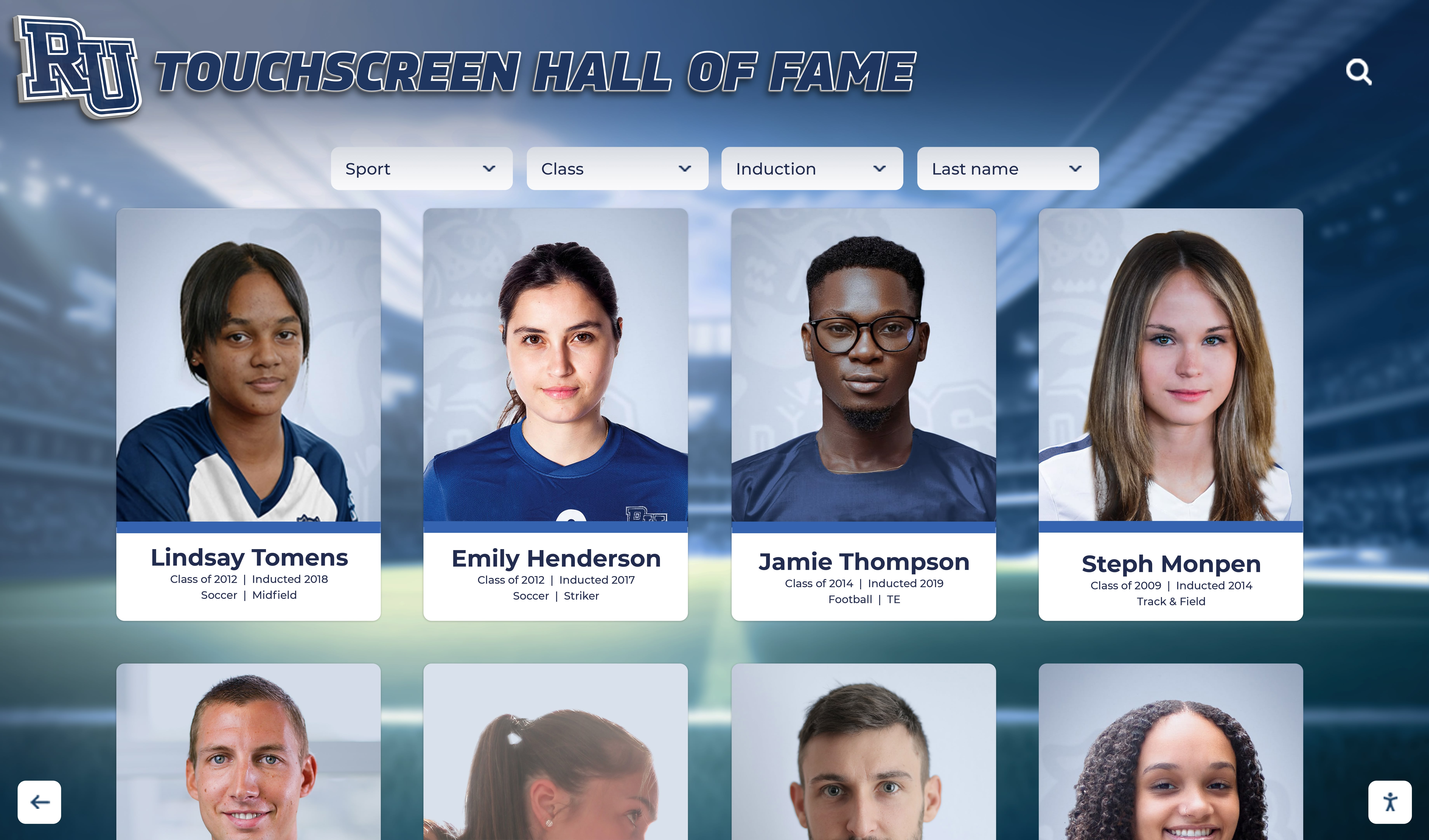
Professional design templates present recognition content in visually consistent formats that maintain institutional brand identity while ensuring readability
Making Your Selection Decision
With features, pricing, and implementation approaches understood, how do you actually choose?
Creating Your Evaluation Framework
Develop a decision matrix reflecting your priorities:
High-priority factors (weight heavily):
- Total 5-year ownership cost including all fees
- Content management ease for non-technical staff
- Accessibility compliance documentation
- Vendor stability and client references
- Multi-screen scalability and pricing
Medium-priority factors (consider but don’t eliminate over):
- Design flexibility and customization options
- Integration capabilities with existing systems
- Mobile and remote access features
- Support quality and response times
- Specialized features for your use case
Lower-priority factors (nice to have):
- Advanced features you’re unlikely to use
- Newer technology without proven track record
- Aesthetic preferences beyond brand consistency
- Vendor location or proximity
Be honest about priorities. Many organizations over-prioritize low-impact factors while under-weighting critical considerations like long-term cost or content management complexity.
Reference Checks That Matter
Request references from vendors, then ask meaningful questions:
Questions for existing clients:
- How long have you used this platform?
- What surprised you after implementation that you wish you’d known during evaluation?
- How responsive is vendor support when you have issues?
- How often do you update content, and how difficult is it?
- Have costs matched initial quotes, or have hidden fees emerged?
- What features do you use most? Which features remain unused?
- Would you choose this vendor again, or would you select differently?
- What advice would you give organizations considering this platform?
Listen particularly for hesitations or qualified endorsements indicating problems the client is reluctant to state directly.
Pilot Programs vs. Full Deployment
For organizations with multiple planned installations, pilot programs reduce risk:
Pilot program approach: Start with one display in a high-visibility location. Operate for 6-12 months evaluating:
- Content management ease and staff adoption
- Visitor engagement and feedback
- Technical reliability and support quality
- Hidden costs or unexpected challenges
This validation period confirms that the solution works in your environment before committing to broader deployment.
However, pilot programs delay complete implementation. Organizations with confidence in vendor selection and clear requirements may prefer complete deployment accelerating full program launch.
Future Considerations for Recognition Technology
Technology continues advancing. What might affect your recognition systems in coming years?
Artificial Intelligence Integration
AI capabilities emerging in recognition platforms:
Current AI applications:
- Automated tagging and categorization of historical photos
- Natural language search allowing conversational queries
- Content recommendations based on visitor interests
- Automated record comparison flagging potential errors
Emerging AI capabilities:
- Photo restoration and enhancement for historical materials
- Automated caption generation from photo analysis
- Voice interaction allowing hands-free browsing
- Smart content curation based on visitor demographics
AI integration remains early but will likely become standard in recognition platforms over the next 3-5 years.
Extended Reality Experiences
Virtual and augmented reality may enhance recognition displays:
Potential XR applications:
- Virtual walkthroughs of historical eras or championship seasons
- Augmented reality overlays on physical trophy cases providing digital information
- 360-degree video content placing visitors “inside” historical moments
- Virtual recognition spaces accessible remotely in metaverse environments
These technologies remain experimental but may transition to practical applications as hardware costs decrease and platform support matures.
Data Standards and Interoperability
Recognition data currently remains siloed in vendor-specific platforms. Industry standards may emerge enabling:
- Content portability between platforms
- Shared databases for multi-organizational recognition (conference halls of fame, state record archives)
- Standardized data formats simplifying migrations
- Open APIs enabling third-party integrations
Organizations should favor vendors supporting emerging standards and open architectures over closed systems.
Conclusion: Choosing the Best Touchscreen Hall of Fame Solution
The best touchscreen hall of fame solution for your organization depends on specific requirements, budget constraints, and long-term strategic goals. No single platform optimally serves every use case, but quality providers share common characteristics:
Hallmarks of quality recognition platforms:
- Simple content management requiring no technical expertise
- Clear pricing with no hidden per-screen fees
- Documented accessibility compliance meeting current standards
- Established vendor with verifiable client references
- Responsive support with reasonable response commitments
- Data ownership and export capabilities protecting your content
- Multi-screen scalability supporting program growth
- Regular platform updates and technology improvements
Organizations evaluating options should prioritize long-term factors over short-term considerations. The lowest initial cost rarely represents the best value when accounting for total ownership expenses over 10+ years. The flashiest features matter less than fundamental capabilities like content management ease and vendor support quality.
Most importantly, recognition platforms exist to serve institutional missions—preserving heritage, honoring achievement, connecting current community members with institutional traditions, and creating pride in shared legacy. Technology enables these goals but doesn’t replace them. Choose solutions that keep mission central while leveraging technology to expand recognition program impact.
Ready to see how a purpose-built touchscreen hall of fame platform can preserve your institutional legacy while creating engaging recognition experiences? Schedule a demo to explore how Rocket Alumni Solutions serves schools, museums, and organizations with unlimited content capacity, straightforward management, and no per-screen licensing fees—allowing your recognition programs to grow without artificial constraints.































