Bookcase Yearbook Scanning Explained: A Coordinator's Guide to High-Volume Archive Digitization
- Home /
- Touch Archive Blog /
- Bookcase Yearbook Scanning Explained: A Coordinator's Guide to High-Volume Archive Digitization

The Easiest Touchscreen Solution




Live Example: Rocket Alumni Solutions Touchscreen Display
Interact with a live example (16:9 scaled 1920x1080 display). All content is automatically responsive to all screen sizes and orientations.
School archivists and alumni coordinators face a common challenge: decades of yearbooks gathering dust in storage rooms, their pages yellowing and bindings deteriorating while the memories they contain become increasingly inaccessible. A high school with fifty years of yearbooks means potentially thousands of pages documenting student achievements, team photos, and institutional history—all trapped in physical format, viewable only to those who can physically access the archive room.
Bookcase yearbook scanning represents a specialized approach to high-volume archive digitization that transforms these physical collections into searchable, accessible digital archives. Unlike standard flatbed scanners that require manually placing and removing each book, Bookcase scanners—named for their distinctive vertical “bookcase” design—enable rapid, high-quality digitization of bound volumes without damaging fragile bindings or aging pages.
This comprehensive guide walks archive coordinators through the complete bookcase yearbook scanning process, from initial equipment setup through final digital delivery. Whether you’re digitizing a small private school’s collection or managing a multi-year university archive project, you’ll discover proven workflows, quality control strategies, and preservation best practices that ensure your institution’s visual history remains accessible for generations to come.
School archives contain irreplaceable visual documentation of institutional memory. Every yearbook captures a specific moment in time—fashions, hairstyles, teaching staff, championship teams, and cultural moments that define each academic year. When these physical volumes deteriorate or remain locked in storage, schools lose opportunities to connect current students with their institutional legacy and alumni with formative memories.

Yearbook portraits and historical records preserve institutional memory across generations when properly digitized and made accessible
Understanding Bookcase Scanner Technology
Before diving into scanning workflows, understanding how Bookcase scanners differ from conventional scanning equipment helps coordinators make informed decisions about archive digitization approaches.
What Makes Bookcase Scanners Different
Bookcase scanners represent specialized technology designed specifically for bound volume digitization:
Vertical Scanning Design
The distinctive “bookcase” configuration positions books vertically during scanning:
- Books rest in a V-shaped cradle that supports binding without stress
- Overhead cameras capture facing pages simultaneously
- Vertical positioning minimizes spine pressure compared to flatbed scanners
- Glass platen holds pages flat without requiring force that damages fragile bindings
- Operator stands in front of equipment, turning pages naturally
This ergonomic design enables faster scanning speeds while reducing physical stress on both books and operators during extended digitization sessions.
Non-Contact Imaging Technology
Advanced Bookcase models use overhead cameras rather than moving scan heads:
- No physical contact with page surfaces during capture
- LED lighting eliminates heat that can damage aging paper
- High-resolution cameras capture fine details including pencil annotations
- Dual-page capture reduces scan time by approximately 50%
- Automatic page detection and cropping streamline post-processing
Non-contact scanning proves essential when working with fragile yearbooks where bindings have become brittle or pages have started separating from glue that has dried over decades.
Bookcase Scanner Specifications for Yearbook Projects
Different Bookcase scanner models offer varying capabilities that impact project timelines and quality outcomes:
Resolution and Image Quality Requirements
Yearbook digitization demands sufficient resolution to preserve fine details:
- Minimum 300 DPI for readable text in standard body copy
- 400-600 DPI recommended for optimal quality preserving small captions and fine details
- Higher resolutions (800+ DPI) necessary only for rare archival preservation or if planning to reprint pages
- Color depth of 24-bit minimum for accurate color reproduction in photos
- Automatic color correction and exposure balancing for consistent results across varying page conditions
The sweet spot for most yearbook scanning projects balances file size against quality—typically 400 DPI produces excellent readability while keeping individual page files manageable for web delivery and digital displays.
Scanning Speed and Volume Capacity
Production speed directly impacts project timelines and staffing requirements:
- Entry-level Bookcase scanners: 200-400 pages per hour with experienced operators
- Professional models: 600-1,200 pages per hour depending on page size and quality settings
- Fully automated systems with robotic page turning: 1,500+ pages per hour
- V-cradle capacity determines maximum book size—standard yearbooks typically 9x12 inches fit all models
- Some models handle oversized volumes up to 17x24 inches for special commemorative editions
A typical high school yearbook contains 100-300 pages. At 400 pages per hour, a single operator can digitize 10-15 standard yearbooks per day—meaning a 50-year collection requires roughly 4-5 days of dedicated scanning time.
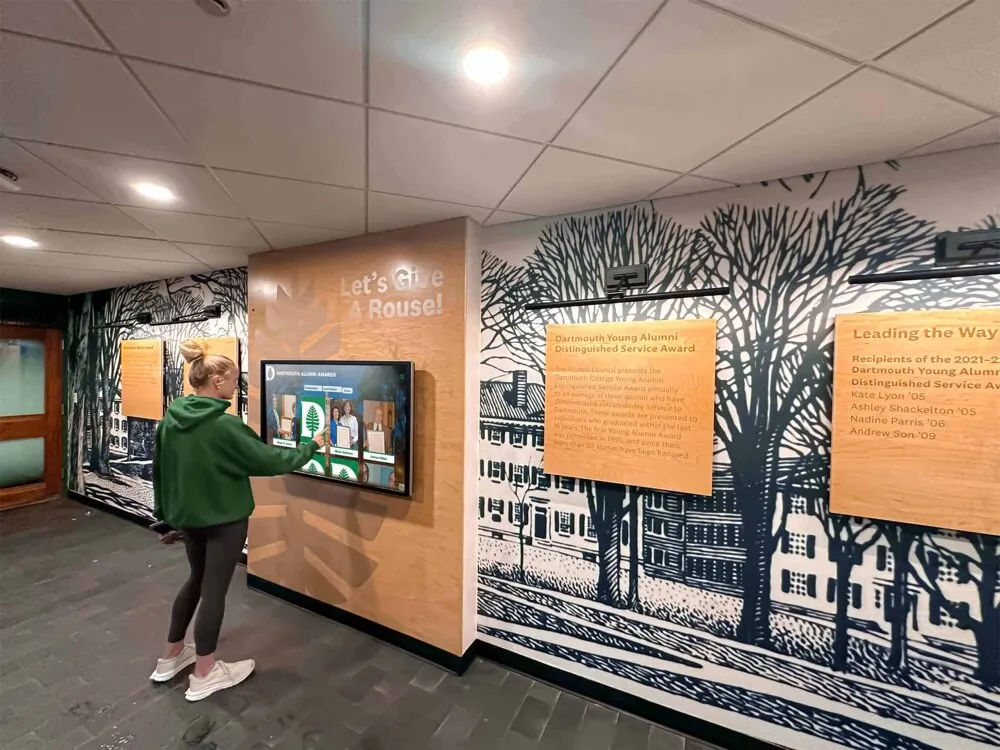
Once digitized, yearbook archives become accessible through interactive displays that allow students and visitors to explore institutional history
Planning Your Yearbook Digitization Project
Successful high-volume scanning requires careful planning before operators begin capturing pages. Archive coordinators who invest time in upfront project design avoid costly workflow interruptions and quality inconsistencies that extend timelines and budgets.
Conducting Archive Inventory and Assessment
Understanding your collection’s scope and condition determines equipment needs, timeline estimates, and handling protocols:
Physical Inventory Development
Create a comprehensive list of materials requiring digitization:
- Total number of yearbooks by decade and year
- Physical dimensions and page counts for each volume
- Special editions, supplements, or commemorative issues
- Related materials (memory books, photo albums, team rosters)
- Current storage location and accessibility
This inventory drives timeline projections and helps identify any missing years that require location before digitization begins. Schools often discover yearbooks in unexpected locations—athletic department offices, library special collections, or donated by alumni during reunion events.
Condition Assessment and Handling Requirements
Evaluate physical condition to establish appropriate scanning protocols:
- Binding integrity (tight versus loose, intact versus separated)
- Page brittleness and fragility
- Evidence of water damage, mold, or insect damage
- Missing pages or sections requiring special documentation
- Volumes requiring conservation work before scanning
Severely damaged yearbooks may require professional conservation before scanning, or alternative digitization approaches like individual page photography if bindings cannot withstand repeated opening and closing during scanning workflows. Modern schools increasingly complement physical archives with digital recognition displays that showcase historical achievements alongside current accomplishments.
Establishing Quality Standards and Specifications
Clear quality benchmarks ensure consistency across multi-year projects and multiple operators:
File Format and Resolution Standards
Define technical specifications before scanning begins:
- Primary capture format (typically TIFF for archival master files)
- Derivative formats for access copies (PDF for full yearbooks, JPEG for individual pages)
- Resolution settings balancing quality against file size
- Color mode (full color, grayscale, or black and white depending on source material)
- Compression levels for derivative files
Maintaining archival-quality master files preserves options for future uses even if current delivery requires compressed formats. Storage costs have decreased dramatically, making it practical to keep high-resolution masters while creating optimized versions for web access or interactive touchscreen displays.
Naming Conventions and Metadata Structure
Consistent file naming enables efficient organization and retrieval:
- Standard format: SchoolName_YearbookYear_PageNumber (e.g., LincolnHS_1985_p042.tif)
- Padding page numbers with leading zeros for proper sorting (p001 not p1)
- Including section identifiers if yearbooks have distinct divisions
- Separate folders organized by decade or academic year range
- Metadata sidecar files containing catalog information
Well-structured digital archives become dramatically more valuable when users can search by year, locate specific sections, or browse chronologically through institutional history.
Bookcase Yearbook Scanning Workflow
Efficient workflows minimize handling time while maintaining quality standards throughout multi-day or multi-week digitization projects.
Equipment Setup and Calibration
Proper scanner configuration prevents quality problems that require time-consuming rescanning:
Initial Scanner Setup
Configure equipment for optimal yearbook capture:
- Position scanner in well-lit workspace with adequate table space for book staging
- Adjust V-cradle angle for typical yearbook spine thickness
- Calibrate cameras using provided color targets and resolution test charts
- Configure software settings for batch processing and automatic file naming
- Test initial scans with sample yearbook to verify quality before production scanning
Running test scans with a representative yearbook identifies potential issues—glare from glossy pages, shadow in the spine gutter, or insufficient contrast for faded photographs—before coordinators commit to scanning entire collections using problematic settings.
Lighting and Exposure Optimization
Consistent lighting ensures uniform image quality across all pages:
- Adjust LED intensity to eliminate glare from glossy or laminated pages
- Set automatic exposure to handle varying page tones (white pages versus aged yellowed paper)
- Enable shadow suppression in spine gutter area
- Verify color accuracy using known reference images
- Document final settings for consistency across scanning sessions
Many yearbooks from the 1970s-1990s featured glossy photo pages that reflect light differently than matte paper stock. Bookcase scanners with adjustable lighting and automatic exposure compensation handle these variations without requiring manual adjustments for every page spread.
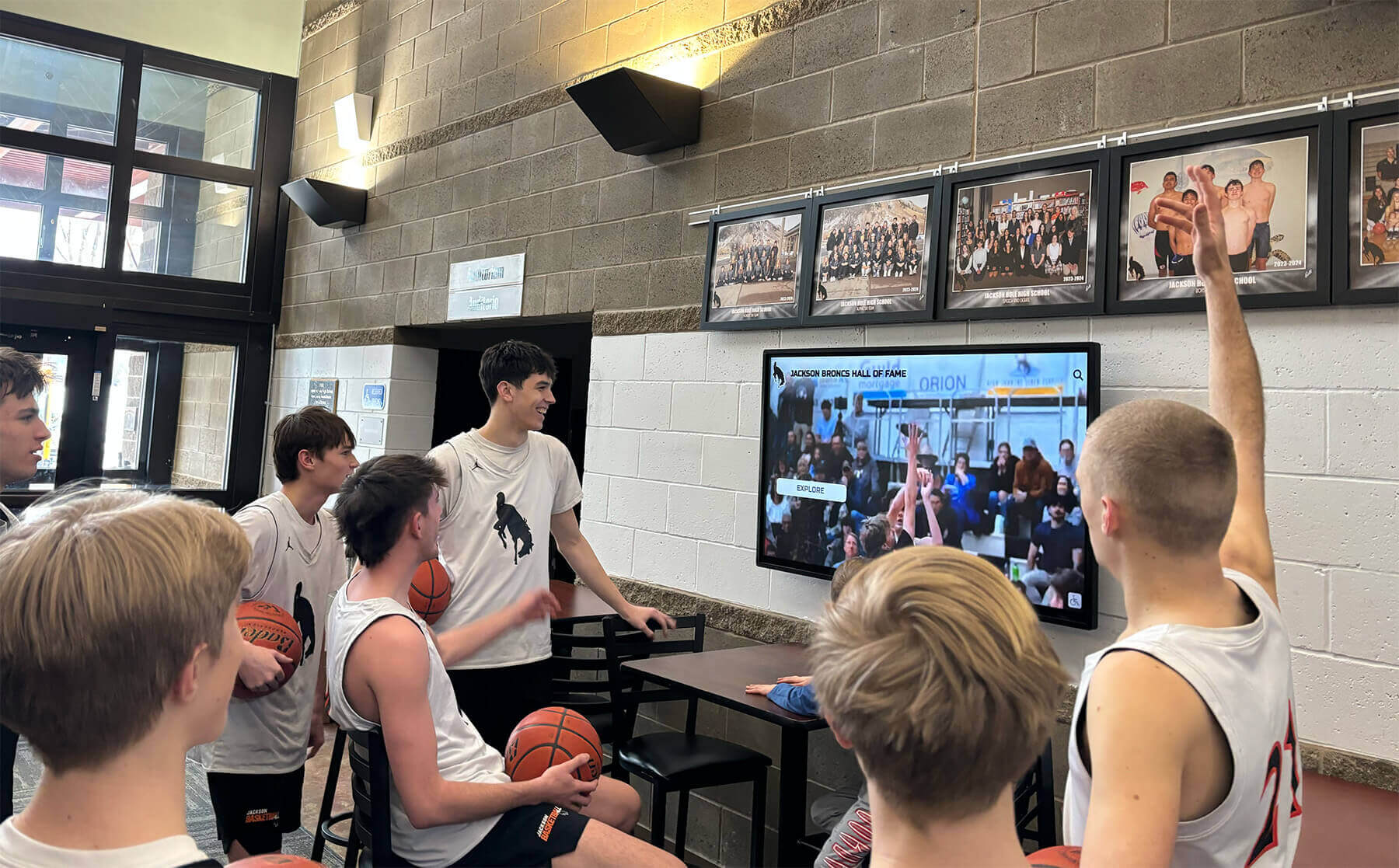
Digitized yearbook content enables schools to showcase historical achievements through engaging digital displays that capture student attention
Production Scanning Process
Establishing consistent operator procedures maintains quality during high-volume production:
Page Turning and Positioning Technique
Proper book handling protects fragile volumes while maintaining scan quality:
- Open yearbook to desired spread and position in V-cradle
- Ensure pages lie as flat as possible without forcing tight bindings
- Use provided page weights to hold pages flat if curling occurs
- Verify alignment before triggering capture
- Turn pages carefully, supporting loose pages or fragile bindings
Experienced operators develop rhythm that balances speed with careful handling. Rushing through page turns increases risk of torn pages or missed scans that require returning to previously completed yearbooks.
Capture Verification and Quality Checks
Real-time quality monitoring catches problems before books return to storage:
- Visually inspect each captured image on scanner display before advancing
- Check for sharp focus, especially on text and fine details
- Verify no shadows obscuring content in spine gutter
- Confirm automatic cropping didn’t cut off edge content
- Flag any pages requiring re-scanning before moving to next spread
Most Bookcase scanner software displays thumbnails of recent captures, allowing operators to quickly review several previous scans while maintaining production pace. This immediate feedback loop prevents discovering quality issues only after completing entire yearbooks.
Handling Special Pages and Inserts
Yearbooks often contain elements requiring special attention:
- Fold-out pages extending beyond standard trim size
- Inserted loose photographs or memorabilia
- Transparent overlay pages with photo captions
- Advertising inserts or sponsor pages
- Taped repairs or damaged sections
Document special handling approaches in project notes to ensure consistency. Some coordinators choose to photograph loose inserts separately with standard cameras rather than attempting to position them in the Bookcase scanner.
Post-Processing and Quality Control
Raw scans require refinement before becoming finished archive files:
Image Processing and Enhancement
Transform raw captures into polished digital pages:
- Automatic deskewing to straighten slightly angled pages
- Cropping to remove cradle edges and focus on page content
- Color correction for aged or discolored paper
- Contrast adjustment to improve readability of faded text
- Spot correction for dust specks or scanning artifacts
Modern Bookcase scanner software includes batch processing tools that apply consistent corrections across multiple images simultaneously. However, aged yearbooks with varying paper conditions may require individual attention to achieve optimal results. The same attention to quality that goes into digitization should extend to how archives are ultimately displayed—many institutions now use comprehensive digital recognition systems to make historical content engaging and accessible.
Quality Assurance Review Process
Implement systematic review to catch scanning errors before finalizing deliverables:
- Sample-based review of 5-10% of pages from each yearbook
- Complete review of flagged or problematic sections
- Verification that page sequence is correct with no missing pages
- Confirmation that file names match content accurately
- Cross-reference against inventory to ensure no yearbooks were missed
Quality assurance works best when performed by someone other than the original scanner operator. Fresh eyes catch errors that become invisible to operators who have been looking at the same material for hours.
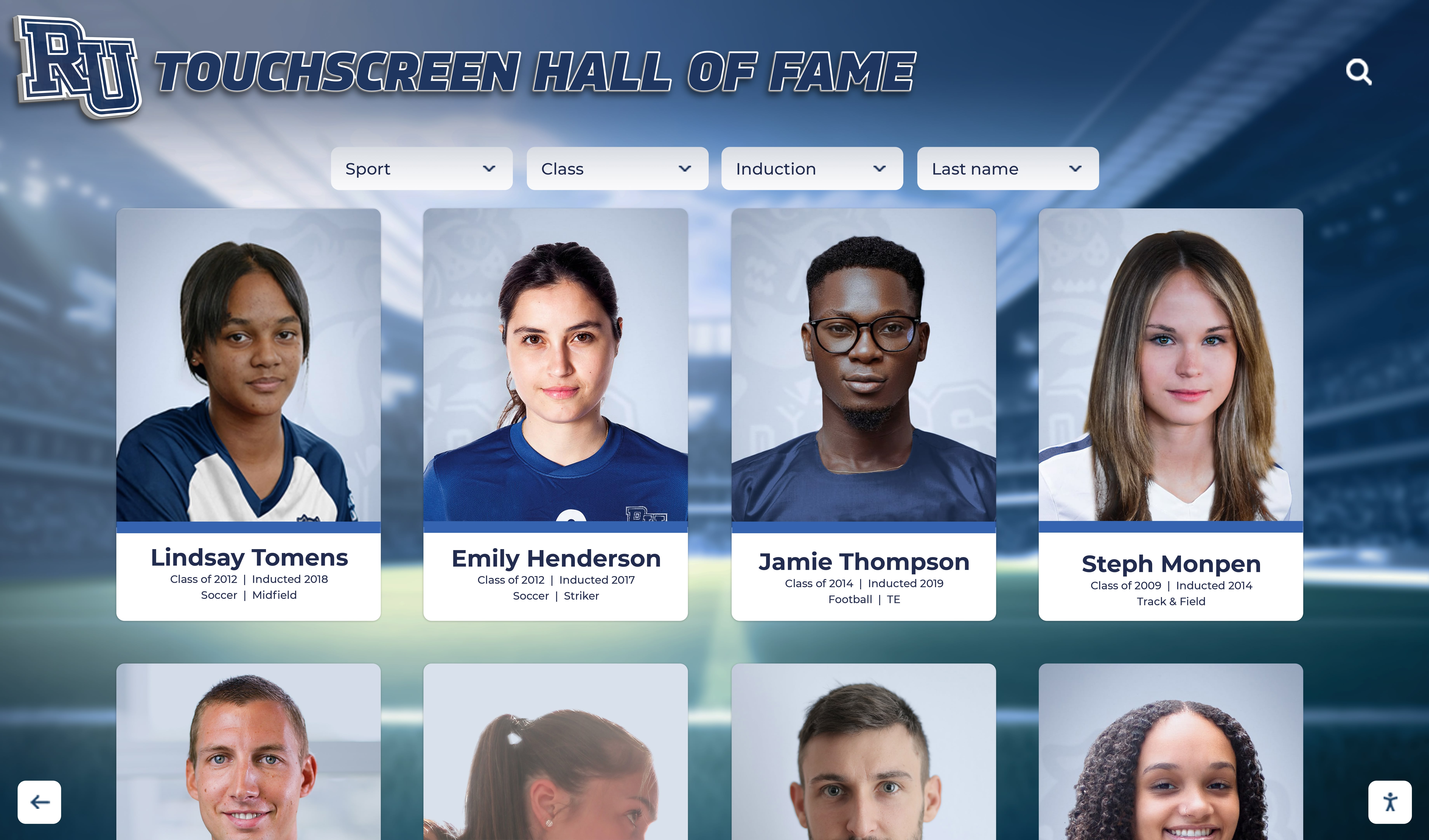
Digitized yearbook portraits enable interactive browsing of alumni history, creating engaging experiences for current students discovering their school's legacy
File Management and Digital Archive Organization
Well-organized digital files determine whether yearbook archives remain accessible and useful for decades or become digital clutter requiring future remediation projects.
Folder Structure and File Organization
Logical organization enables efficient browsing and retrieval:
Hierarchical Folder Design
Organize files in intuitive directory structure:
YearbookArchive/
├── ArchivalMasters_TIFF/
│   ├── 1970s/
│   │   ├── 1970/
│   │   ├── 1971/
│   │   └── 1979/
│   ├── 1980s/
│   └── 2020s/
├── AccessCopies_PDF/
│   ├── 1970_Yearbook.pdf
│   ├── 1971_Yearbook.pdf
│   └── 2025_Yearbook.pdf
└── ThumbnailImages_JPEG/
    ├── 1970s/
    └── 2020s/
This structure separates archival masters from derivative files created for specific uses, while organizing by decade prevents individual folders from becoming unwieldy with hundreds of files.
Metadata and Cataloging Systems
Structured metadata transforms image collections into searchable archives:
- Embedded EXIF data including capture date, scanner settings, and operator information
- Separate metadata spreadsheet or database linking files to descriptive information
- Tags or keywords for significant content (sports teams, performing arts, specific events)
- Notes documenting page condition or scanning challenges
- Cross-references to physical archive location for source yearbooks
Schools with extensive archives often create simple databases allowing alumni to search for specific years, browse by decade, or locate particular events or team photos. This searchable access creates significantly more engagement than simply storing scanned PDFs in chronological folders. Educational institutions increasingly recognize the value of making historical achievements easily discoverable through interactive digital displays that connect generations of students.
Backup and Long-Term Preservation Strategy
Digital files require active preservation management to remain accessible as technology evolves:
3-2-1 Backup Approach
Implement industry-standard backup strategy:
- 3 copies of all archival files (1 working copy, 2 backups)
- 2 different media types (local hard drives, cloud storage, tape backups)
- 1 copy stored off-site protecting against local disasters
Cloud storage services designed for archival use offer affordable long-term storage with geographic redundancy. Annual verification ensures backup systems remain functional and files haven’t suffered corruption over time.
File Format Migration Planning
Technology evolution requires periodic format updates:
- Monitor file format viability as standards evolve
- Plan migration from obsolete formats before software support disappears
- Maintain format documentation explaining technical specifications
- Test periodic sample restorations confirming backup integrity
- Budget for format refreshing every 5-10 years
TIFF files created today should remain readable for decades, but lessons from earlier digital archives—organizations that created digital files in 1990s-era proprietary formats now unreadable on modern systems—emphasize the importance of choosing open standards and planning for eventual migration.
Delivery and Access Solutions
Digitized yearbooks deliver maximum value when easily accessible to intended audiences—students, alumni, researchers, and community members.
PDF Yearbook Assembly
Complete yearbooks compiled as searchable PDFs serve multiple access needs:
PDF Creation and Optimization
Transform individual page scans into full yearbook volumes:
- Compile all pages from single year in correct sequence
- Enable full-text OCR (Optical Character Recognition) for text searching
- Add bookmarks for major sections (faculty, seniors, underclassmen, sports, clubs)
- Embed metadata including year, school name, and description
- Optimize file size balancing quality against download considerations
A typical 200-page yearbook at 400 DPI creates substantial file sizes. Optimization techniques reduce files from several hundred megabytes to 50-100MB while maintaining readable quality—important when alumni download yearbooks over mobile connections.
Distribution and Access Options
Make completed yearbooks available through appropriate channels:
- School website archive section with downloads by graduation year
- Alumni association member portal with authenticated access
- Physical media (USB drives, DVDs) provided to alumni at reunions
- Integration with existing digital archive systems or library catalogs
- Controlled access for yearbooks containing minor student information requiring privacy protection
Some schools charge nominal fees for yearbook downloads as alumni association fundraising, while others provide free access viewing digitization as institutional responsibility to alumni. Many schools also recognize opportunities to celebrate achievements more broadly by incorporating historical content into modern digital recognition displays located in campus common areas.
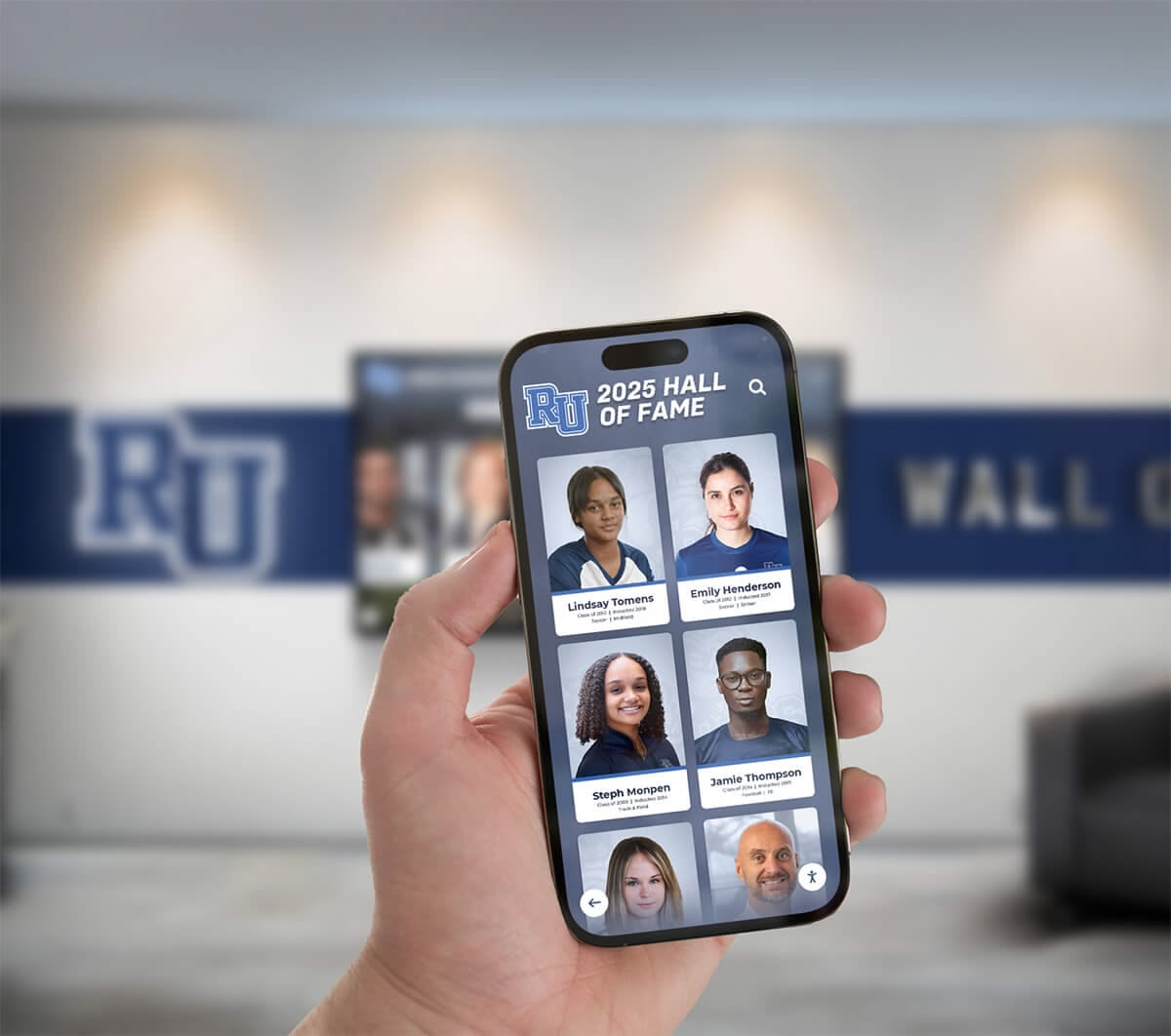
Mobile-friendly digital archives allow alumni to access yearbook content anytime, anywhere, strengthening connections to their alma mater
Interactive Digital Display Integration
Forward-thinking institutions extend yearbook digitization into engaging public displays that showcase institutional history:
Touchscreen Archive Displays
Transform static scans into interactive browsing experiences:
- Timeline interfaces allowing users to select years and browse chronologically
- Search functionality finding specific individuals, sports teams, or clubs
- Featured highlights showcasing notable alumni or championship teams
- Before-and-after comparisons showing campus evolution across decades
- Integration with current student achievement displays creating continuous institutional narrative
Lobby displays that combine historical yearbook content with current student recognition create powerful connections—current basketball players seeing championship teams from decades past, or academic achievement displays that honor both present honor roll students and distinguished alumni.
Alumni Engagement Applications
Digital yearbook archives enable engagement programs that maintain alumni connections:
- Email campaigns featuring “this week in history” content from yearbooks
- Social media posts sharing vintage photos on anniversary dates
- Reunion planning tools allowing classes to preview their graduation year yearbook
- Virtual tours for distance alumni unable to visit campus physically
- Recognition programs celebrating milestone graduation anniversaries (25th, 50th reunions)
These engagement touchpoints transform yearbook digitization from one-time archive project into ongoing relationship-building tool that strengthens institutional community across generations.
Common Bookcase Scanning Challenges and Solutions
Even well-planned projects encounter obstacles that require creative problem-solving and adaptive workflows.
Handling Fragile or Damaged Yearbooks
Severely aged or damaged volumes require special approaches:
Loose or Separated Bindings
When yearbooks have separated from original bindings:
- Scan individual signatures (folded page sections) rather than attempting to position as complete book
- Use flatbed scanner for completely disbound pages if Bookcase positioning proves impossible
- Consider temporary rebinding for severely damaged volumes requiring regular handling
- Document binding condition before and after scanning for preservation records
- Photograph covers separately if they’ve separated from page blocks
Some coordinators choose to prioritize digitization of the most fragile yearbooks first, before further deterioration makes scanning impossible without professional conservation intervention.
Water Damage or Mold Contamination
Yearbooks stored in basements or damaged by floods require special handling:
- Isolate contaminated volumes from clean collection to prevent mold spread
- Consult preservation specialists before attempting to scan mold-damaged materials
- Use appropriate PPE (gloves, masks) when handling contaminated volumes
- Clean scanner thoroughly after processing damaged books
- Document damage extent for insurance or grant funding applications
Severely damaged yearbooks may warrant professional conservation before digitization, or alternative capture methods like individual page photography if bindings cannot tolerate scanner handling.
Optimizing Workflow Efficiency
Long-term projects require attention to operator productivity and ergonomics:
Operator Fatigue Management
Repetitive scanning workflows can lead to declining quality and physical strain:
- Rotate operators between scanning and quality control tasks
- Schedule regular breaks following ergonomic best practices
- Vary tasks throughout day (scanning, processing, metadata entry)
- Set realistic daily production goals that maintain quality standards
- Create playlist rotations to prevent mental fatigue during repetitive work
Pushing for maximum speed often backfires when fatigued operators make mistakes requiring extensive rework. Sustainable paces produce better results over multi-week projects.
Batch Processing Optimization
Strategic workflow organization improves overall efficiency:
- Group yearbooks by physical size to minimize scanner adjustments
- Process similar condition books in batches using consistent settings
- Schedule processing-intensive tasks (OCR, file conversion) during overnight batch runs
- Implement parallel workflows where multiple operators work different project stages simultaneously
- Track metrics identifying bottlenecks in workflow for continuous improvement
Large projects benefit from assembly-line approaches where one person scans while another performs quality control on previously scanned material and a third handles processing and file organization.
Cost Considerations and ROI
Archive coordinators need realistic budget expectations when planning yearbook digitization initiatives.
Equipment and Staffing Investment
Bookcase yearbook scanning requires both capital equipment and operational expenses:
Equipment Acquisition Options
Schools can access Bookcase scanning technology through several models:
- Purchase: $15,000-$75,000 depending on scanner capabilities and features
- Lease: $500-$2,000 monthly for professional-grade equipment
- Service bureau: $0.10-$0.50 per page for outsourced scanning to specialized vendors
- Equipment rental: $1,000-$3,000 weekly for short-term project needs
- Volunteer programs: Some regional archives or libraries loan equipment to institutions for digitization projects
Small collections (under 20 yearbooks) often prove more cost-effective through service bureaus, while large institutional archives justify equipment purchase when spread across hundreds of volumes.
Staffing and Timeline Requirements
Labor represents significant project cost even when equipment is donated or borrowed:
- Trained operators scanning at 400 pages/hour can process 10-15 average yearbooks daily
- Quality control adds approximately 25-30% to scanning time
- Post-processing and file organization requires 1-2 hours per yearbook depending on enhancement needs
- 50-yearbook collection requires approximately 40-60 total work hours from scanning through final delivery
- Projects using student workers or volunteers may require additional supervision time
Schools often underestimate the total effort required, budgeting only for scanning time while neglecting quality control, processing, and organization essential for creating truly functional digital archives.
Value Creation and Institutional Benefits
Successful digitization projects deliver returns beyond simple archive preservation:
Alumni Engagement and Fundraising Impact
Accessible yearbook archives create tangible alumni connection points:
- Increased alumni association website traffic and engagement metrics
- Enhanced reunion attendance as classes preview their yearbook before events
- Social media sharing extending institutional reach to alumni networks
- Fundraising opportunities through sponsored yearbook access or commemoration
- Strengthened emotional connections supporting major gift conversations
One university development office reported that digitized yearbook access contributed to a 15% increase in alumni event attendance, with alumni citing the ability to preview their graduation year online as motivation for reconnecting with their alma mater. Schools implementing comprehensive approaches to celebrating student achievements often see similar engagement benefits.
Educational and Research Value
Digital yearbook archives serve academic purposes beyond nostalgia:
- Primary source materials for student research projects on local history
- Demographic and social studies tracking community changes over decades
- Visual documentation of fashion, technology, and cultural evolution
- Genealogical research resources for community members and families
- Teaching materials for classes studying historical periods or social change
Public libraries and historical societies increasingly collaborate with schools to make digitized yearbooks available to community researchers, extending institutional impact beyond alumni populations.
Future Trends in Yearbook Digitization
Technology evolution continues expanding possibilities for archive access and engagement.
Artificial Intelligence and Advanced Search
Emerging technologies promise dramatic improvements in archive searchability:
Facial Recognition and Auto-Tagging
AI-powered tools can identify individuals across yearbook collections:
- Automatic detection and tagging of individuals appearing in multiple yearbooks
- Alumni ability to find all appearances throughout school career
- Privacy considerations requiring opt-in for public facial recognition
- Potential for connecting alumni with former classmates through shared photos
- Technology limitations with older print quality or small group photos
While facial recognition raises legitimate privacy concerns requiring careful policies, the technology offers unprecedented search capabilities for institutions with appropriate consent frameworks.
Handwriting Recognition and Full-Text Search
Advanced OCR extends beyond printed text to handwritten elements:
- Recognition of handwritten signatures in autograph sections
- Searchability of handwritten captions or annotations
- Preservation of personal messages that add human context to formal yearbook content
- Variable accuracy depending on handwriting legibility
- Combination with standard printed text search creating comprehensive discovery
These capabilities transform yearbooks from linear page-turning experiences into fully searchable databases where specific content becomes discoverable regardless of its location within multi-decade collections.
Integration with Alumni Platforms
Digital yearbooks increasingly connect with broader alumni engagement systems:
Unified Alumni Experience
Forward-thinking institutions integrate yearbook archives with comprehensive platforms:
- Single login accessing yearbook archives, event registrations, and giving portals
- Profile systems allowing alumni to claim their yearbook photos and add life updates
- Networking tools connecting classmates based on shared yearbook appearances
- Mobile apps providing anywhere access to yearbook content and alumni directories
- Interactive campus displays showcasing both historical yearbook content and current achievements
This integrated approach transforms yearbook digitization from isolated archive project into foundational element of comprehensive alumni engagement strategy.
Getting Started with Your Yearbook Digitization Project
Schools ready to begin preserving their yearbook archives should follow a systematic approach that sets projects up for success.
Initial Project Planning Steps
Begin with clear assessment and goal-setting:
- Conduct comprehensive inventory of all yearbooks and related materials requiring digitization
- Assess physical condition and identify volumes requiring conservation or special handling
- Define quality standards including resolution, file formats, and metadata requirements
- Establish realistic timeline based on collection size and available resources
- Secure budget approval covering equipment, staffing, and ongoing preservation costs
- Identify stakeholders including alumni associations, advancement offices, and library staff
- Set success metrics determining how project value will be measured
Clear upfront planning prevents mid-project scope changes that derail timelines and budgets.
Vendor Selection or DIY Decision
Evaluate whether in-house scanning or outsourced services best fit your needs:
Choose In-House Scanning When:
- Collection exceeds 50 yearbooks justifying equipment investment
- Staff or volunteers available with time and interest to learn scanning workflow
- Ongoing digitization needs beyond one-time yearbook project
- Budget allows equipment purchase or rental but tight on per-page scanning fees
- Control over timeline and ability to prioritize specific yearbooks desired
Choose Service Bureau When:
- Small collection under 20 yearbooks with limited ongoing needs
- No staff time available for training and production scanning
- Severely damaged yearbooks requiring specialized handling expertise
- Desire for turnkey solution with guaranteed quality and timeline
- Budget focused on deliverables rather than equipment ownership
Both approaches produce excellent results when properly executed. The decision hinges primarily on collection size, staff capacity, and whether institutions anticipate ongoing digitization needs beyond the initial yearbook project.
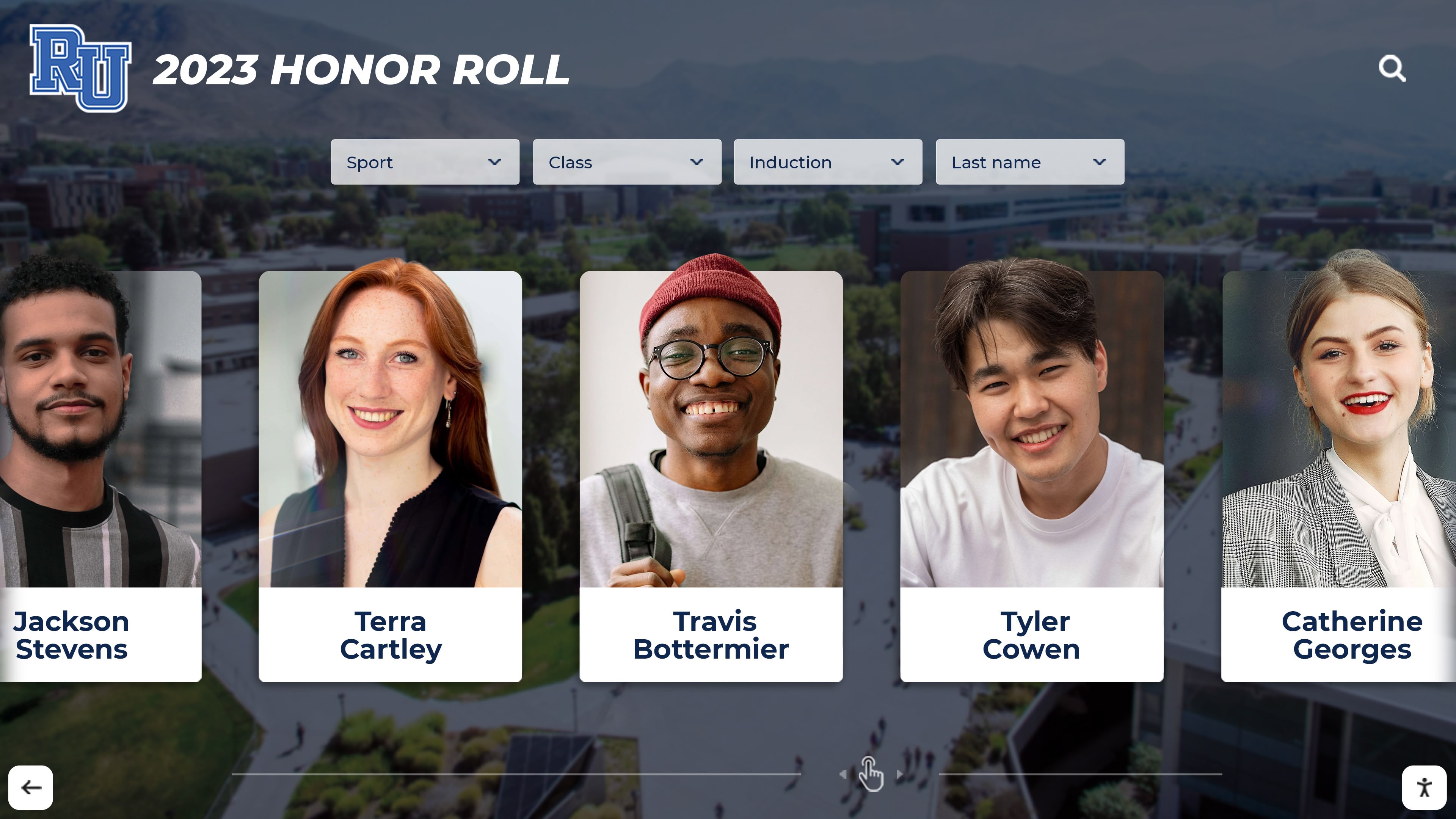
Digital displays make yearbook portraits and student achievements accessible in high-traffic areas, keeping institutional history present in daily campus life
Preserving Your School’s Visual Legacy
Bookcase yearbook scanning represents more than technical digitization—it’s an investment in institutional memory preservation and alumni connection. Every yearbook page documents specific moments in your school’s history: championship teams that brought community pride, performing arts productions that revealed student talents, class photos that freeze fashion and hairstyles of particular eras, and candid shots capturing the everyday experience of students during formative years.
When these visual records remain locked in physical storage, accessible only to those who can visit your archives in person, their value remains unrealized. Digital preservation makes this history searchable, shareable, and sustainable—allowing alumni to reconnect with their school years, current students to discover institutional legacy, and future generations to explore how your school has evolved over decades.
The coordinators who successfully digitize yearbook collections follow systematic approaches: they inventory comprehensively, establish clear quality standards, implement efficient workflows, organize files logically, and create preservation systems ensuring digital archives remain accessible as technology evolves. Whether you choose to scan in-house with Bookcase technology or partner with specialized service bureaus, the outcome delivers permanent value that compounds over time as more alumni engage with your archives and as your collection grows to encompass additional decades.
Beyond simply creating digital files, consider how digitized yearbooks can fuel broader engagement—through interactive displays that showcase institutional history, through alumni platforms that help graduates reconnect with classmates, and through educational resources that make your yearbooks valuable primary sources for student research projects. The scanning project represents the foundation; creative application of digitized content creates ongoing returns on your preservation investment.
Your school’s yearbooks contain irreplaceable documentation of thousands of students’ experiences, hundreds of dedicated educators’ service, and countless achievements worth celebrating and remembering. Bookcase yearbook scanning provides the technology and workflow to preserve this visual legacy—transforming fragile physical volumes into durable digital archives that serve your school community for generations to come.
Ready to Transform Your Historical Archives Into Engaging Digital Experiences?
While digitization preserves your yearbooks, modern touchscreen displays bring that history to life in your school’s halls, lobbies, and common areas. Rocket Alumni Solutions helps schools showcase decades of yearbook content alongside current achievements through interactive displays that captivate students, honor alumni, and celebrate institutional legacy.
Discover how leading schools are transforming archived yearbooks into dynamic recognition experiences that strengthen community connections and preserve institutional memory.
Live Example: Rocket Alumni Solutions Touchscreen Display
Interact with a live example (16:9 scaled 1920x1080 display). All content is automatically responsive to all screen sizes and orientations.































