



Walk down any school hallway long enough and you will find them: rows upon rows of framed class composite photos, each one a carefully arranged grid of senior portraits documenting a graduating class. Schools have hung these composites for well over a century, and the tradition runs deep. A student finds their parent’s photo. An alumnus returns for a reunion and stands in front of the composite from their senior year. A teacher pauses to remember a favorite student from fifteen years ago.
But every school with a long history eventually confronts the same problem: the walls fill up. Older composites migrate to storage closets, gymnasium hallways, or dimly lit stairwells. Photographs fade. Glass breaks. And the records of entire graduating classes—irreplaceable documentation of the people who shaped an institution—slowly become inaccessible to the community they were meant to honor.
Digitizing class composite photos solves this problem permanently. Modern scanning technology, cloud-based archives, and interactive touchscreen displays allow schools to preserve every graduating class in high resolution and display them in ways that actively engage students, alumni, and visitors. This guide covers the complete process: from assessing your existing composite collection and selecting the right scanning methods, through organizing digital files and choosing display options that fit your school’s needs and budget.
Class composite photos represent one of the most consistent threads of institutional memory in American education. The format has changed very little—individual senior portraits, arranged in a grid, mounted and framed—because it works. But what happens to those composites after they leave the wall is where most schools fall short. Digitization closes that gap by transforming fragile physical photographs into permanent, searchable, and shareable archives.

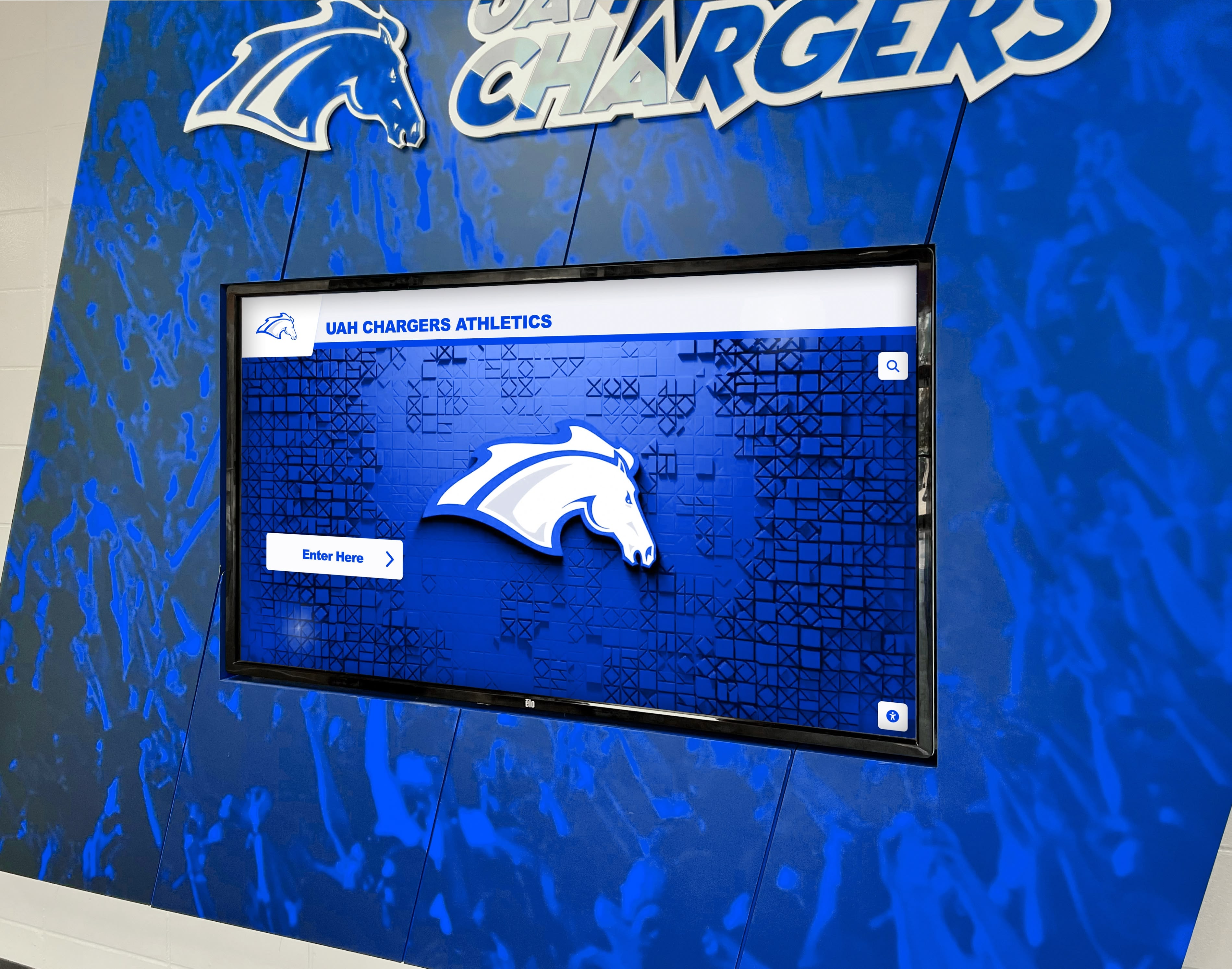
Modern digital displays preserve decades of class history in a single wall-mounted installation that requires far less space than accumulated physical composites
Understanding What Class Composite Photos Document
Before beginning any digitization project, it helps to understand exactly what class composites contain and why they matter as historical records.
The Standard Composite Format
Traditional class composite photos follow a consistent structure that has remained largely unchanged for decades:
Core Components
- Individual headshot or bust-length senior portrait for each graduate
- Student names printed below each photo, typically in a uniform font
- Graduating class year prominently displayed
- School name, mascot, or seal
- Faculty advisors or class sponsors occasionally included
- Class officers or student government representatives sometimes featured separately
Format Variations
Schools have used several physical formats over the years:
- Lithographic composites printed on heavy paper or card stock and framed
- Photographic composites with actual prints mounted on matboard
- Laminated panel composites popular through the 1980s and 1990s
- Modular composites allowing photos to be added as late submissions arrive
- Digital-to-print composites produced since the 2000s with layout software
Each format presents different digitization challenges. Older lithographic composites often contain more visual degradation. Photographic composites may have fading or color shift. Laminated panels can reflect light, making photography difficult without specialized equipment.
Why Composite Archives Matter
Class composite photos serve functions beyond simple documentation:
Identity and Continuity
Students who see their face mounted alongside decades of predecessors understand themselves as part of something larger than their graduating class. A freshman who finds a grandparent’s senior portrait from fifty years earlier develops a concrete sense of institutional history that no written account can replicate.
Alumni Connection
Returning graduates consistently seek out their class composite during campus visits. The physical act of finding yourself on the wall—or finding classmates you have not thought about in years—triggers memory and emotional connection in ways that benefit alumni engagement and long-term giving. Schools that are digitizing old yearbooks and preserving archive displays report the same phenomenon: alumni respond powerfully to seeing their own history reflected back at them.
Historical Research
Local historians, genealogists, and researchers regularly contact schools seeking access to composite archives. When a family cannot locate a relative’s birth records, a 1952 senior portrait may be the only surviving photographic documentation of that person at a particular stage of life.
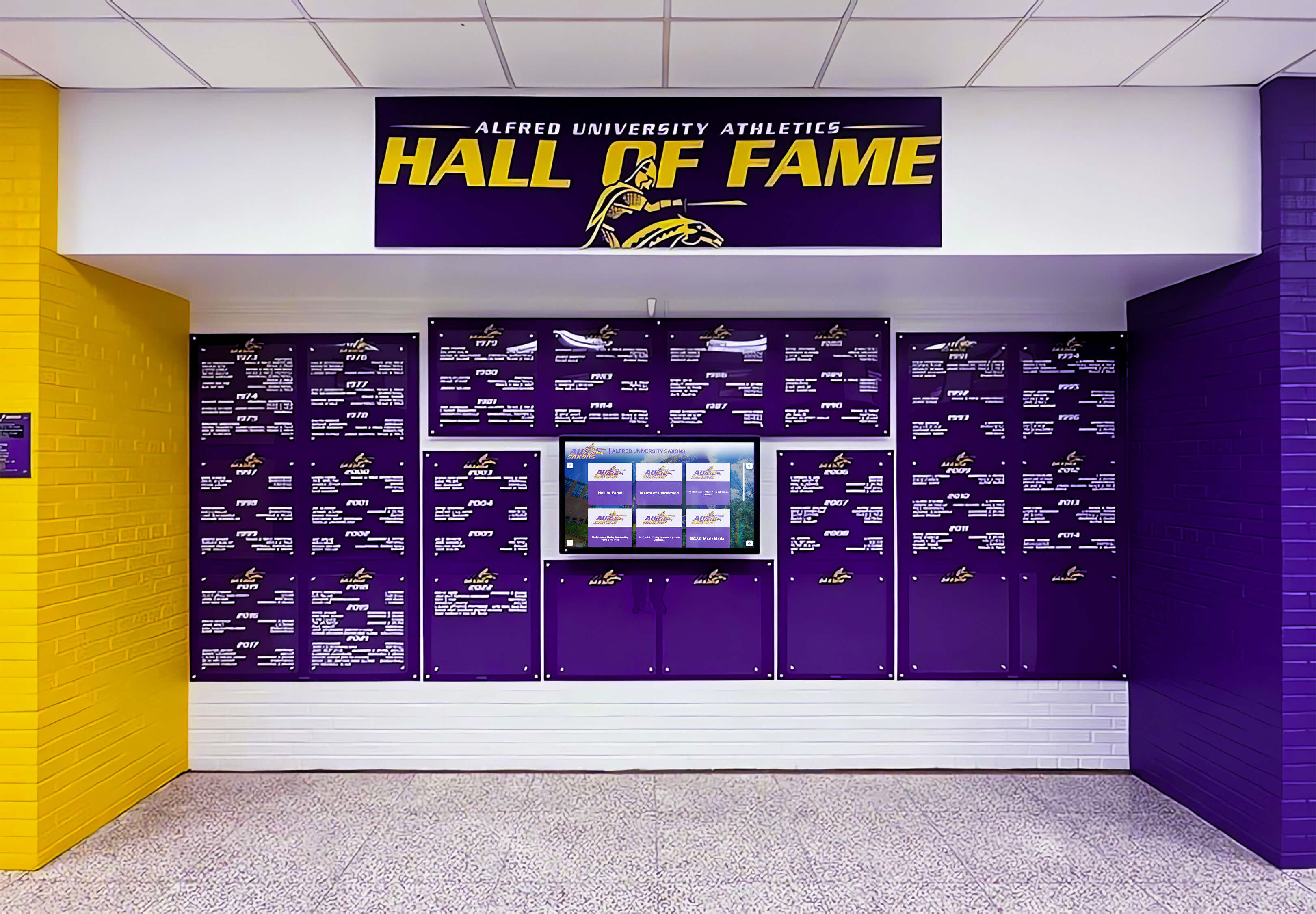
Institutions with strong visual identity use digital displays to honor graduating classes while reinforcing school colors, mascots, and traditions
Assessing Your Class Composite Collection
Before scanning a single image, schools benefit from a systematic inventory of what they have, where it is, and what condition it is in.
Locating Your Full Composite Archive
Class composite photos rarely stay in one place. A thorough search should cover:
Primary Locations
- Main entrance lobby and administrative hallways
- Gymnasium, auditorium, and cafeteria corridors
- Library reference areas and reading rooms
- Alumni office or development office collections
- Athletic department offices (coaches often hold duplicates)
- Yearbook storage areas and print archives
Secondary and Off-Site Locations
- Basement and storage room boxes (often uncatalogued)
- Former administrator personal collections
- Alumni association archives and storage units
- Historical society donations from previous administrations
Many schools discover that their “missing” composites from certain decades are actually in storage, donated to local museums, or held by the photography studio that originally produced them.
Documenting Condition and Priority
Once located, create a simple condition inventory for each composite:
Condition Assessment Categories
- Excellent: No visible fading, full name legibility, intact mounting
- Good: Minor fading, all faces visible, some surface wear
- Fair: Noticeable fading or yellowing, most faces visible, some damage
- Poor: Significant deterioration, partial legibility, fragile or damaged
- Critical: Severe damage, faces may be unrecognizable, at immediate risk
Prioritize digitizing composites rated “poor” and “critical” first—these are at greatest risk of permanent loss. Then work systematically backward through the archive, oldest to newest or by condition severity.
Identifying Gaps in the Record
Systematic assessment often reveals that certain years are missing entirely. Before concluding a class composite simply does not exist, check:
- School yearbooks from that year (senior section often contains composite-quality photos)
- Local newspaper archives (many papers photographed and published class composites)
- State historical society collections
- Individual alumni who may have personal copies
- Former photography studios that may retain negatives or files
A touchscreen alumni recognition platform can help identify alumni from specific years who might donate or loan personal copies of missing composites for scanning.
Scanning and Digitization Methods
The right digitization method depends on composite format, condition, quantity, and available resources.
Professional Flatbed Scanning
For composites that can be safely removed from their frames, flatbed scanning provides the best quality:
Technical Specifications
- Resolution: Minimum 400 DPI for standard composites; 600 DPI for composites with small portraits or fine detail
- Color mode: 24-bit color (RGB) for color photographs; 8-bit grayscale acceptable for black-and-white originals
- File format: TIFF for archival master files; JPEG at high quality (85-95%) for working copies
- Color calibration: Use a reference color card in at least one scan per session to enable accurate color correction
Handling Considerations
- Remove composites from frames carefully, noting how they were mounted for reassembly
- Allow cold composites from storage to reach room temperature before handling
- Handle older composites with clean cotton gloves to prevent oil transfer
- Do not force-flatten composites that have warped—scanning at slight angle is preferable to physical damage
- Photograph the frame and mounting hardware before disassembly for reference
Individual Portrait Extraction
After scanning the full composite, most digitization projects require extracting individual portraits as separate files. This can be done manually in image editing software or semi-automatically using cropping scripts for composites with uniform portrait placement. Label extracted files with a consistent convention: YYYY_Lastname_Firstname.jpg.
Overhead Photography (Wall-Mounted Method)
When composites cannot or should not be removed from walls, overhead photography using a copy stand or DSLR camera on a tripod provides acceptable results:
Equipment Setup
- Camera positioned parallel to the composite surface, not at an angle
- Two continuous light sources positioned at 45-degree angles to minimize glare and reflection
- Remote shutter release to eliminate camera shake
- Use a lens with minimal distortion (50mm or longer for full-frame equivalent)
Glare Management
Glare is the most common problem with photographing framed composites. Solutions include:
- Polarizing filter on the camera lens
- Removing glass from frame when possible
- Shooting at slightly off-center angle with perspective correction in post-processing
- Photographing at night to control all light sources in the space
Quality Limitations
Overhead photography typically yields lower resolution and sharpness than flatbed scanning. For large composites where detail in individual portraits is paramount, professional scanning services are worth the investment.
Professional Digitization Services
For institutions with large collections or limited internal capacity, professional digitization services provide consistent, high-quality results:
What Services Typically Include
- Project assessment and condition report
- Removal, scanning, and reframing
- Color correction and quality control
- File organization and metadata entry
- Delivery in specified formats and structure
- Certificate of completion and project documentation
Cost Range
Professional composite scanning typically costs between $50–$250 per item depending on size, condition, and whether individual portrait extraction is included. For a school with 60 years of composites, budget $3,000–$15,000 for a full historical project—a one-time cost that produces permanent archival-quality masters.
Before starting any digitization project, reviewing yearbook photo copyright laws helps schools understand their rights and obligations with portrait photography studios.
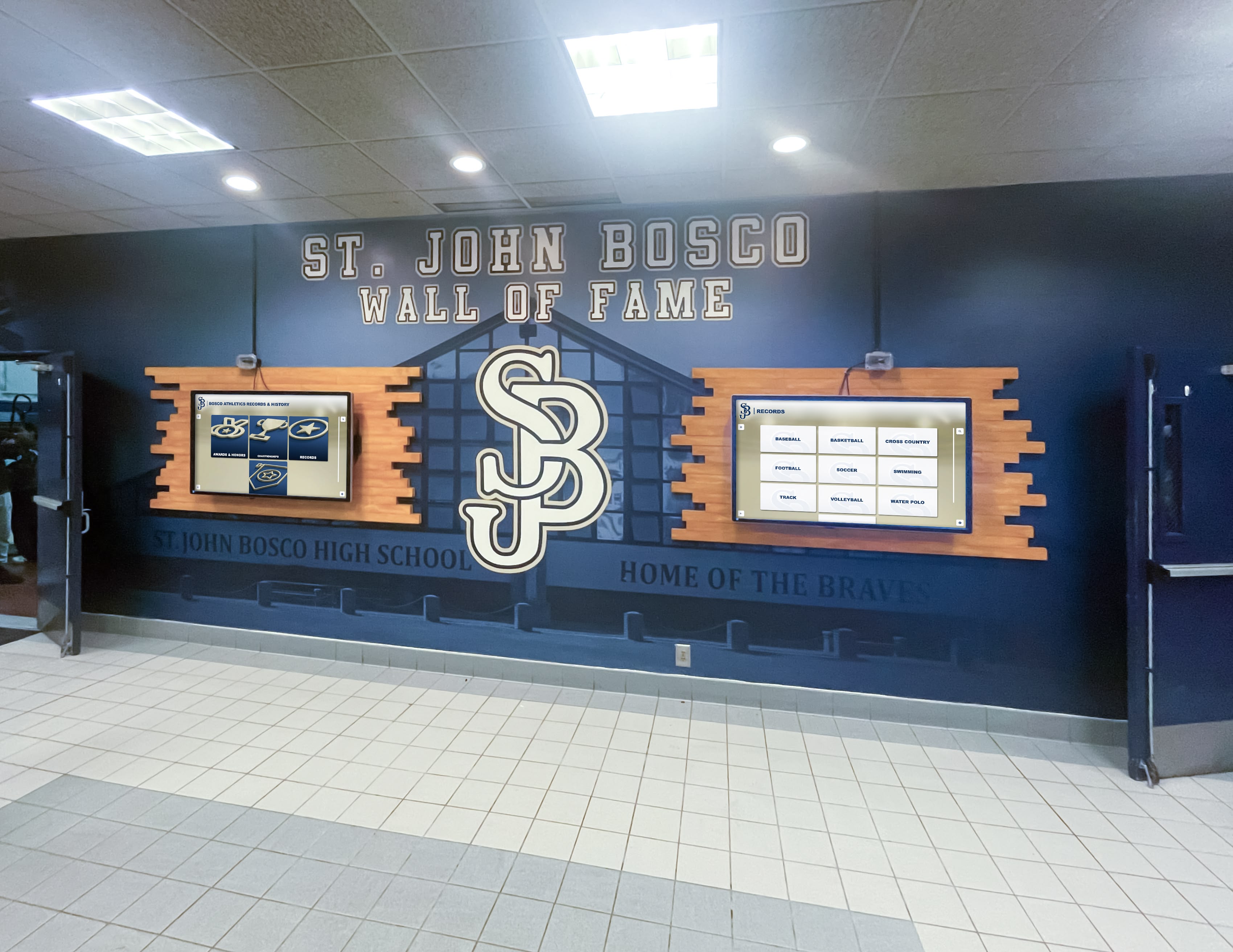
Dual-screen installations allow schools to display both static recognition content and interactive class composite archives simultaneously
Organizing and Managing Digitized Composite Files
Raw scans must be organized systematically before they can be used effectively in any display or archive platform.
File Naming and Folder Structure
A consistent file naming convention prevents confusion across large collections:
Recommended Structure
/Class-Composites/
  /1985/
    1985_composite_full.tif
    1985_composite_full.jpg
    /portraits/
      1985_Adams_Jennifer.jpg
      1985_Baker_Michael.jpg
Use four-digit years in all filenames to ensure correct alphabetical sorting. Avoid spaces in filenames; use underscores or hyphens instead. Store high-resolution TIFF master files separately from working JPEGs.
Building a Student Name Database
The full value of digitized class composite photos is only realized when individual portraits are linked to searchable name records. This requires building a structured database:
Minimum Data Fields
- Last name
- First name
- Preferred or nickname (if known)
- Graduation year
- Portrait filename
Extended Profile Fields (where available)
- Academic honors (valedictorian, salutatorian, honor roll designation)
- Extracurricular activities and clubs
- Athletic team participation
- Student government or leadership positions
- College or career destination
- Senior quote (when documented)
Data Sources for Historical Classes
- School yearbooks (most comprehensive source for activities and honors)
- State graduation records (available through state archives in many states)
- Local newspaper graduation announcements (often list activities and honors)
- Alumni submissions through reunion outreach or online forms
Building complete records for all historical classes is a multi-year project for most schools. Start with the most recent 10–15 years where records are most accessible, then work backward systematically.
Metadata Standards for Long-Term Preservation
Embed key metadata directly into image files to ensure information travels with the files regardless of how they are moved or shared:
IPTC/XMP Fields to Populate
- Title: “Class of [Year] Senior Portrait – [Last Name, First Name]”
- Description: School name, graduation year, any notable honors
- Keywords: School name, graduating year, “class composite”
- Creator: Original photography studio when known
- Date created: Year of original photograph
- Copyright: School name or current rights holder
Embedded metadata survives file transfers, cloud migrations, and platform changes that may strip separate database records.
Display Options for Digitized Class Composite Photos
Once digitized and organized, class composite photos can be displayed through several different approaches depending on budget, space, and audience needs.
Interactive Touchscreen Kiosk Displays
Touchscreen displays represent the highest-engagement option for displaying class composite archives in school buildings. A best-in-class digital showcase platform built on commercial-grade hardware typically supports:
Core Display Capabilities
- Browse all graduating classes by year
- Full composite view showing the complete class grid
- Individual portrait tap to open expanded profile with name, activities, and honors
- Search by student name across all years
- Filter by activity, honor, or graduating decade
- QR code access enabling mobile browsing during reunions
Hardware Specifications for School Environments
Schools require commercial-grade hardware rated for continuous operation:
- 43–65 inch capacitive touchscreen display (larger for main lobby installations)
- Minimum 16-hour daily operation rating
- Anti-glare coating reducing sunlight interference
- Vandal-resistant mounting and frame
- Indoor commercial temperature rating
- Warranty minimum 3 years with advance replacement
Consumer-grade displays designed for home environments fail within 12–18 months in institutional settings. The upfront cost difference is recovered quickly in avoided replacement expenses.
Placement Strategy
The most effective composite kiosk placements share common characteristics:
- High daily foot traffic (main entrance lobbies, hallway intersections, near administrative offices)
- Sufficient space for 2–3 simultaneous users without blocking traffic flow
- Natural stopping points where visitors already pause
- Adequate ambient lighting without direct sunlight hitting the screen
- Proximity to existing composite display locations to leverage existing community awareness
Schools researching what the best touchscreen display for schools looks like often begin with class composite archives as the initial content collection because the data structure is already familiar to the community.
Web-Based Alumni Archive
A web-accessible version of the class composite archive serves alumni who cannot visit campus:
When Web Archives Work Best
- Schools with large or geographically dispersed alumni populations
- Institutions with strong online alumni engagement programs
- Schools approaching major reunions where pre-event engagement is valuable
- Colleges and universities where alumni rarely return to campus
Privacy Considerations for Web Access
Web archives introduce privacy complexity that physical or on-campus digital displays do not:
- Authentication requirements (alumni login or password access) limit exposure of student photos
- Opt-out procedures should be clearly documented and easy to use
- FERPA guidelines restrict display of certain information about students who attended within the last few years
- Photos of minors require careful consideration of applicable state laws
Most schools restrict web archive access to verified alumni and current families rather than open public access.
See How Schools Display Decades of Senior Portraits on Interactive Displays
Rocket Alumni Solutions builds custom digital archive displays for schools and universities, including class composite photo archives going back decades. The platform handles digitization, data organization, and display software in a single turnkey solution.
Request a DemoHybrid Physical-Digital Approaches
Many schools opt to maintain some physical composites while extending historical access digitally:
Common Hybrid Models
- Recent-years physical display: Keep composites from the last 5–10 years mounted on hallway walls; digital touchscreen provides access to all earlier years
- Featured composite plus digital: Mount one or two historically significant composites (founding class, 50th anniversary class) as physical displays, with all others accessible digitally
- Physical composite with QR supplement: Mount physical composites as currently displayed, but add a QR code that links to the full interactive archive including historical years not visible on walls
Hybrid models require less organizational change than a full transition to digital while still solving the core problem of inaccessible historical composites. They also tend to generate less community resistance, since the familiar physical display tradition is maintained for current classes.
For schools evaluating their options, resources that compare traditional and digital school display cases clarify the tradeoffs between maintaining physical composites and transitioning to a fully digital archive.
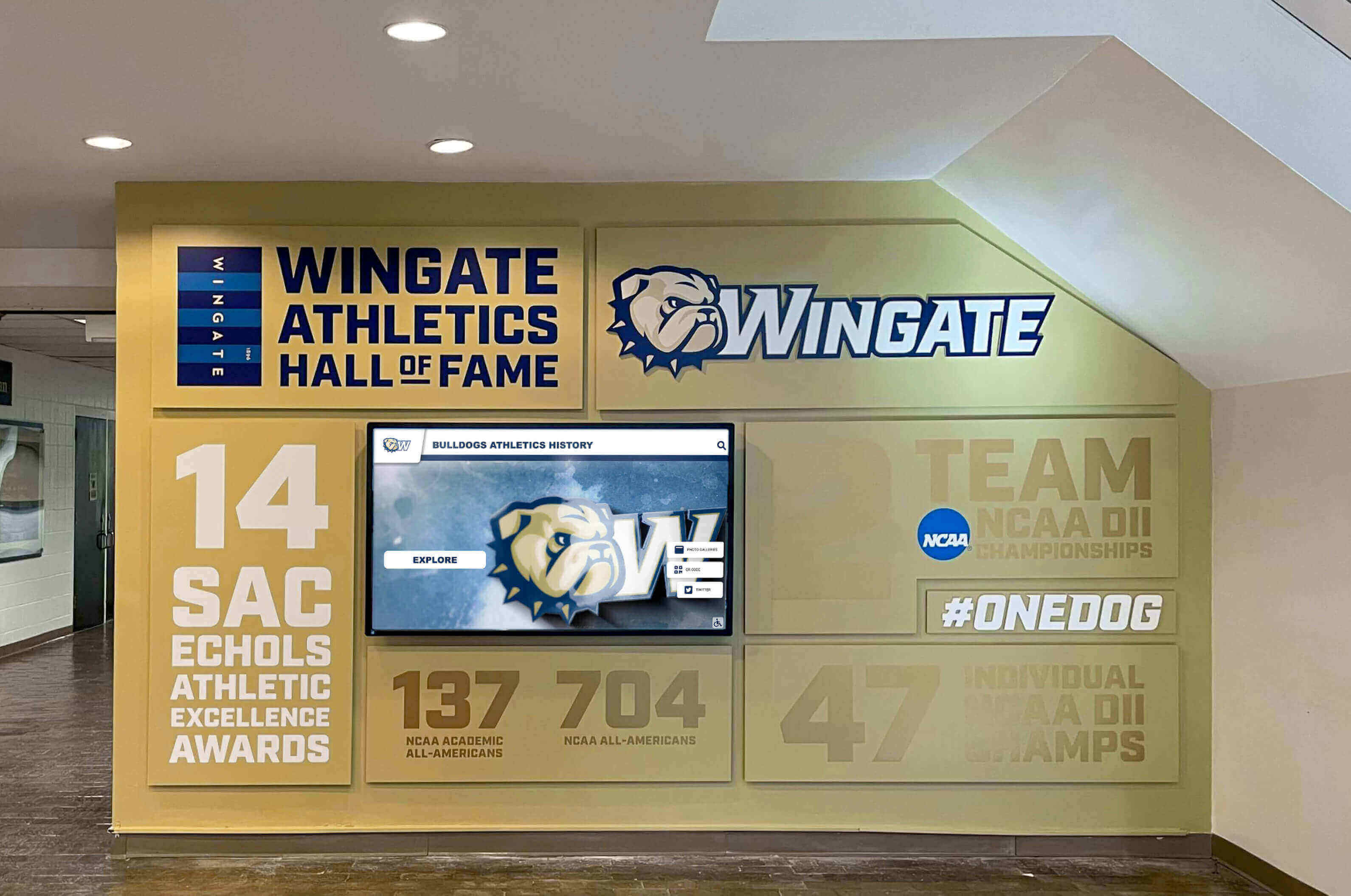
Lobby installations place class composite archives at the highest-traffic entry point, ensuring alumni and visitors encounter the archive naturally
Privacy, Permissions, and FERPA Compliance
Schools must navigate several legal and ethical considerations before displaying digitized class composite photos, particularly for recent graduates.
FERPA and Student Photo Archives
The Family Educational Rights and Privacy Act governs how schools handle student education records, which includes photographs in most interpretations:
Key FERPA Considerations
- Photos of current students generally require parental or student consent for public display
- “Directory information” designations may cover names and photos for some schools
- Opt-out rights must be clearly communicated and honored
- Web access to photo archives generally requires more caution than on-campus display
- Graduated students retain certain rights; check state regulations for specifics
Schools should consult with their legal counsel or state department of education before implementing web-accessible archives featuring identifiable student photos.
Photography Rights and Usage Permissions
The relationship between schools and portrait photography studios creates licensing considerations:
Common Contractual Arrangements
- Many studio contracts grant schools the right to display photos in composites but may not explicitly cover digital reproduction
- Schools using digital display platforms should review existing studio contracts for digital rights language
- New contracts with portrait photographers should explicitly grant digital archive and display rights
- Historical photos where original studios are no longer in business may require legal review to determine copyright status
When uncertain, schools can obtain written consent from individual alumni for use of their portrait in digital archives—particularly valuable for notable alumni or those expected to be heavily featured.
Building an Opt-Out System
Any digital class composite archive should include a clear, easy opt-out process:
Minimum Opt-Out Requirements
- Clear published policy describing what information is displayed and how
- Simple online form or email process for requesting removal
- Removal within a reasonable timeframe (typically 5–10 business days)
- No penalty or explanation required to exercise opt-out right
- Annual reminder in alumni communications that the archive exists and opt-outs are accepted
An accessible opt-out process prevents most concerns before they become complaints. Schools that display composites without any opt-out mechanism risk both legal exposure and alumni relations damage.
Digital signage systems for schools increasingly incorporate permission management tools directly into their content management systems, making it easier to flag and hide individual records as needed.
Practical Timeline and Budget Planning
Schools often underestimate how long a comprehensive digitization project takes. A realistic timeline helps administrators secure appropriate resources.
Project Phase Overview
Phase 1: Assessment and Planning (4–8 Weeks)
- Complete composite inventory and condition assessment
- Identify gaps and research missing years
- Determine digitization method mix (professional service vs. in-house)
- Select display platform and hardware
- Develop data privacy policy and opt-out system
- Secure budget approval
Phase 2: Historical Digitization (3–12 Months)
Timeline depends heavily on collection size and whether professional services are used:
- 10–20 composites: 2–4 weeks in-house or 2–3 weeks with professional service
- 20–50 composites: 6–10 weeks in-house or 3–5 weeks with professional service
- 50+ composites: 4–12 months in-house (phased) or 2–4 months with professional service
Phase 3: Data Entry and Organization (Concurrent with Digitization)
Building the student name database typically takes 1–2 hours per graduating class when pulling from yearbook records. For a 50-year archive with average class sizes of 100 students, budget 50–100 hours of data entry work.
Phase 4: Display Installation and Launch (4–8 Weeks)
- Hardware procurement and installation (typically 2–3 week lead time)
- Software configuration and content loading
- Staff training on content management system
- Quality review and testing
- Community announcement and launch
Budget Components
One-Time Costs
| Item | Range |
|---|---|
| Professional scanning service (50 composites) | $5,000–$12,000 |
| Commercial touchscreen hardware (55") | $6,000–$12,000 |
| Installation and mounting | $500–$2,000 |
| Software setup and configuration | $1,000–$3,000 |
| Data entry labor (external) | $2,000–$6,000 |
Ongoing Costs
| Item | Annual Range |
|---|---|
| Software subscription/licensing | $1,500–$3,000 |
| Hardware warranty/service | $500–$1,000 |
| Annual senior class integration | $0–$500 |
Schools that handle data entry internally and produce composite photography files in-house can reduce total project costs significantly. The most cost-effective approach pairs professional scanning for the most deteriorated historical composites with in-house photography for recent years that remain in good condition.
Making Digitized Composites Work for Alumni Engagement
The return on a class composite digitization project extends well beyond wall space savings. When properly implemented, digital archives become active tools for alumni engagement.
Reunion Support
Digital composite archives are particularly powerful during reunion years. Schools that install or upgrade displays before major reunions consistently report higher reunion attendance and longer campus visit durations. Visitors who find their senior portrait, search for classmates, and explore what their class looked like as teenagers spend time on campus rather than leaving after a quick tour.
For schools planning significant reunion events, exploring digital record board ideas for campus engagement provides useful programming ideas for designing content that resonates with returning alumni.
Current Student Engagement
Students who encounter previous classes through digital composite archives develop a different relationship with school history than students who walk past crowded physical composites without stopping. Interactive displays encourage students to look up whether a parent, grandparent, or sibling attended the school—a powerful identity-building experience that connects families to institutions across generations.
Some schools feature a rotating “Class of the Month” on their digital display, spotlighting a historical graduating class with expanded content including class officers, major events of that year, and notable alumni accomplishments. This content creation approach also builds media literacy skills when student journalism classes or history classes are involved in the research.
Annual Traditions
Building the current senior class into the composite archive each year creates a meaningful tradition:
- Senior portraits submitted to the archive during spring semester
- A “composite reveal” moment for the graduating class before commencement
- Alumni recognition that begins on graduation day rather than years later
- Yearbook integration linking printed senior section with digital profiles
Schools that establish this annual workflow find that the ongoing maintenance of their composite archive requires minimal staff time after the initial historical backlog is addressed.
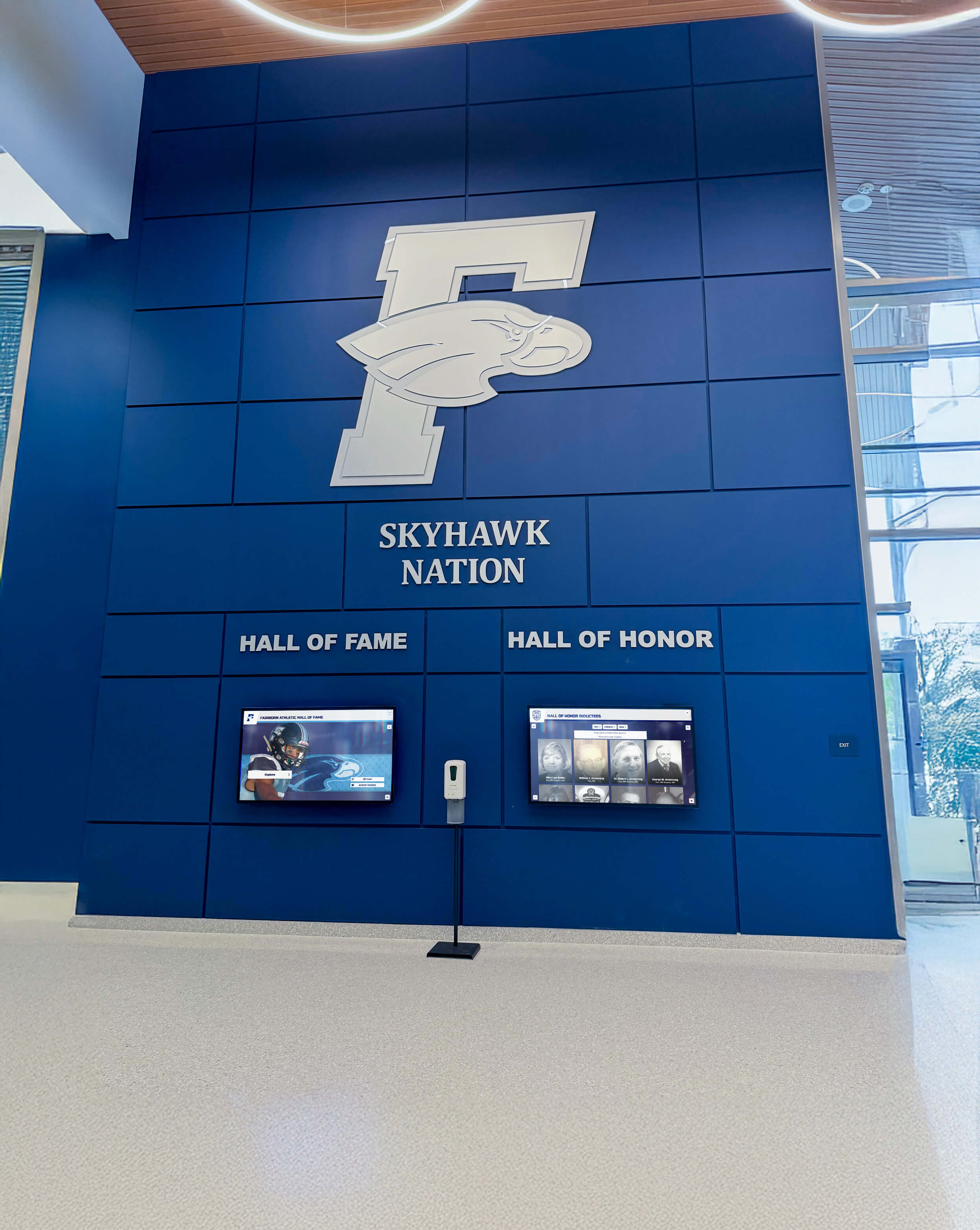
Lobby displays with strong school branding create immediate identity reinforcement for students, alumni, and prospective families visiting campus
Getting Started: First Steps for Schools
For schools that have not yet begun a class composite digitization project, a few practical starting points make the work approachable.
Start with the Most Vulnerable Materials
Do not attempt to build a complete archive before addressing materials at immediate risk. Pull the composites in worst condition first, photograph or scan them with whatever equipment is available, and store the originals properly in acid-free boxes away from direct sunlight, humidity, and temperature fluctuation.
An imperfect digital copy is infinitely more valuable than no copy at all when a physical composite deteriorates beyond recovery.
Involve the Community Early
Alumni who learn about a composite digitization project often become active contributors. They may donate personal copies of missing composites, provide names for damaged photographs, correct errors in yearbook name lists, or contribute additional photographs from their class year that enrich individual student profiles.
A brief announcement in an alumni newsletter—“We’re digitizing our class composite archive and need your help identifying photos from [specific years]"—generates responses that would take staff months to replicate through research alone.
Pilot a Single Decade First
Rather than committing to a complete 50-year digitization project immediately, pilot the process with a single decade. This surfaces practical issues—file naming problems, scanning resolution decisions, database structure questions—before they scale across the full collection.
A 10-year pilot also generates visible results quickly, allowing administrators to assess community response and justify continued investment with concrete evidence.
Connect Digitization to Broader Archive Goals
Class composite photos rarely exist in isolation. Schools typically also have yearbooks, athletic records, faculty photographs, event programs, and historical documents that benefit from the same digitization infrastructure. Framing the composite project as part of a broader institutional archive effort often makes budget approval easier and produces more durable institutional support.
Class composite photos are among the most emotionally resonant objects in a school’s possession. They are the physical record of thousands of people at a pivotal moment in their lives, arranged together in a format that communicates community, tradition, and belonging. Letting those records deteriorate in storage or fade on hallway walls is not just a preservation failure—it is a missed opportunity to strengthen the connection between institutions and the people they serve.
Digitization does not replace the tradition. It extends it. A school that digitizes 60 years of class composite photos and displays them on an interactive touchscreen has not diminished the significance of those portraits—it has made them accessible to every student, every alumnus, every visitor, and every future generation of people connected to that institution. That is the promise of thoughtful digital preservation applied to one of education’s most enduring traditions.
Bring Decades of Senior Portraits to Life
Rocket Alumni Solutions helps schools digitize and display class composite photos on interactive touchscreen archives. From scanning historical composites through managing annual senior class updates, the platform handles the complete lifecycle of your portrait archive. See what your school's composite collection looks like on a modern display—request a free demo today.
Request a Free Demo






























