




Schools generate enormous volumes of digital assets every year. Championship photos capture decades of athletic excellence. Yearbook archives document generations of graduates. Event photography preserves institutional memory. Historical documents record your school’s evolution. Faculty photos, student artwork, performance recordings, facility images—the list expands constantly.
Yet most educational institutions struggle with fundamental asset management challenges. Crucial photos disappear into disconnected hard drives. Athletics directors search multiple folders for championship images. Communications staff recreate work because they cannot locate existing assets. Historical archives remain inaccessible because no one knows where files are stored or how to retrieve them.
Digital Asset Management (DAM) systems address these challenges by providing centralized platforms for storing, organizing, searching, and distributing visual and multimedia content. While DAM technology emerged primarily in corporate marketing departments, educational institutions increasingly recognize its value for managing the extensive media libraries schools accumulate across departments, programs, and decades.
This comprehensive guide examines how schools can implement and benefit from Digital Asset Management systems, covering everything from core DAM functionality to specific educational use cases, implementation strategies, and how modern solutions like Rocket Alumni Solutions serve as full-featured DAM platforms designed specifically for educational recognition and archival applications.

Digital asset management enables schools to preserve and display extensive photo archives in searchable, accessible formats
What is Digital Asset Management for Schools?
Digital Asset Management refers to systems and processes for organizing, storing, retrieving, and distributing digital files—particularly rich media like photos, videos, audio files, and documents. For schools, DAM provides centralized repositories where authorized staff can upload, categorize, search for, and download the images and media assets they need for various institutional purposes.
Core DAM Functionality
Effective Digital Asset Management systems provide several essential capabilities:
Centralized Storage Architecture
- Single repository eliminating scattered files across multiple drives and computers
- Cloud-based storage accessible from anywhere with appropriate permissions
- Unlimited or high-capacity storage accommodating years of accumulated assets
- Automated backup and redundancy preventing asset loss
- Version control tracking file history and changes
Metadata and Organization
- Tagging systems using keywords, categories, and custom taxonomies
- Descriptive metadata capturing who, what, when, where details
- Hierarchical folder structures organizing assets by department, year, event type
- Custom fields supporting school-specific organization needs
- Batch metadata application for efficient historical archive processing
Search and Discovery
- Keyword search finding assets by descriptive terms
- Filtered browsing by date range, department, tag, or custom criteria
- Visual browsing through thumbnail galleries
- Advanced search combining multiple parameters
- Recently added and featured content sections
Access Control and Permissions
- User roles defining who can upload, edit, download, or view
- Department-specific access restricting assets to appropriate staff
- Public vs. private asset designation
- Usage rights and licensing information
- Download tracking and audit trails
How Schools Use DAM Systems
Educational institutions apply Digital Asset Management across numerous departments and use cases:
Athletics Programs
- Team photos from current and historical seasons
- Championship game photography and video
- Individual athlete portraits for programs and recognition
- Sports banquet slideshows and presentation materials
- Retired jersey recognition and hall of fame content
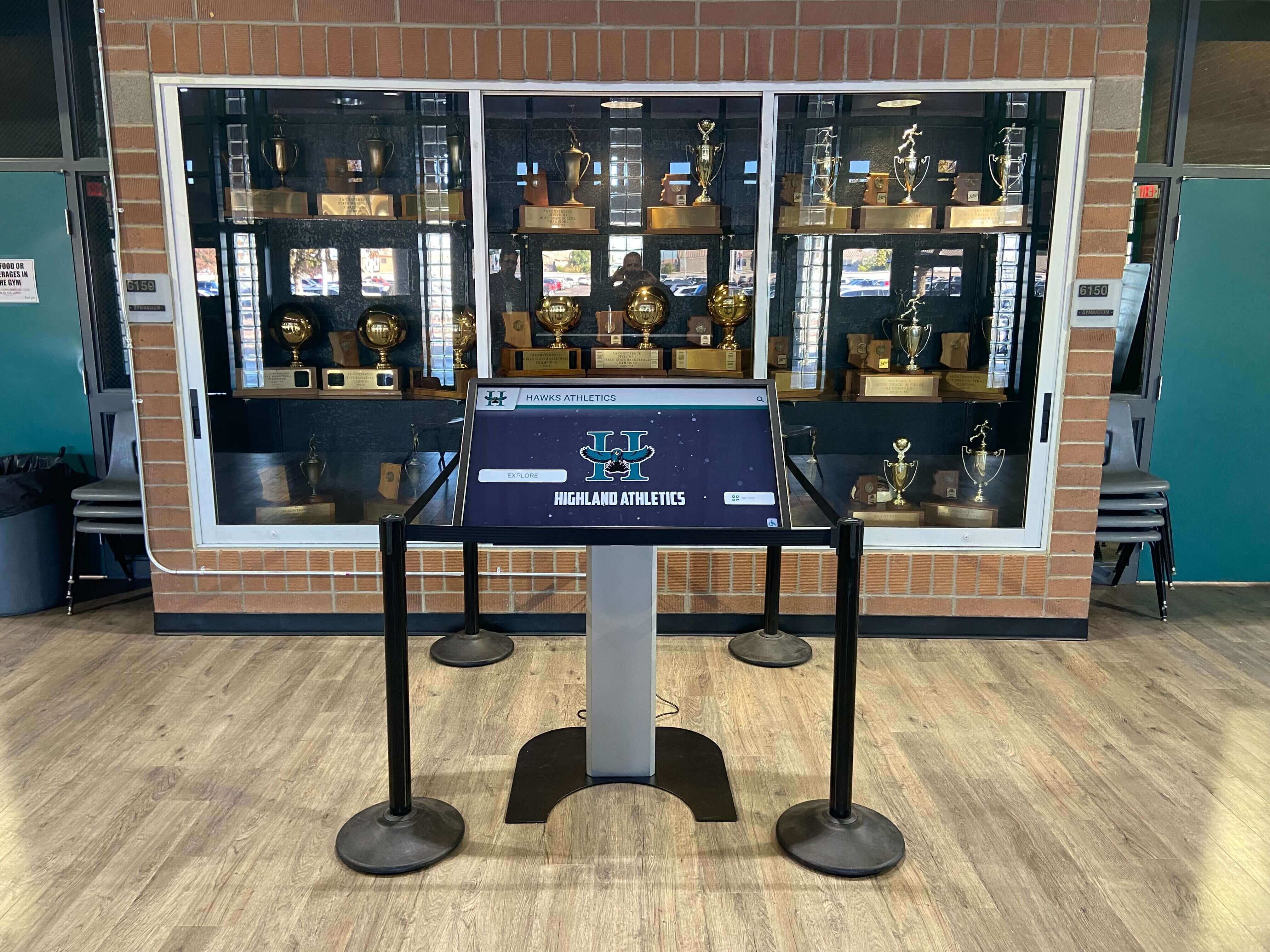
DAM systems provide the organized content libraries that power interactive recognition displays
Communications and Marketing
- Stock photography of campus facilities and grounds
- Student and faculty portraits for publications
- Event photography from assemblies, performances, and ceremonies
- Logo files, brand guidelines, and marketing templates
- Social media content libraries
Academic Departments
- Student artwork and project documentation
- Science fair and academic competition materials
- Performance recordings from music and theater programs
- Classroom documentation and instructional media
- Student recognition and achievement photography
Historical Archives and School History
- Digitized yearbooks spanning decades
- Historical facility photographs
- Founder and benefactor portraits
- Anniversary celebration documentation
- Institutional memory preservation
Development and Advancement
- Donor recognition photography
- Campaign materials and fundraising assets
- Alumni event documentation
- Major gift acknowledgment imagery
- Capital campaign visual content
The common thread across all use cases: schools need organized, searchable systems for managing visual assets that support multiple institutional functions simultaneously.
Why Schools Need Dedicated DAM Solutions
The challenges educational institutions face with digital asset management differ significantly from typical file storage problems. Understanding these specific pain points explains why schools increasingly seek purpose-built solutions.
The Cost of Disorganized Digital Assets
Scattered, disorganized asset management creates tangible problems for educational institutions:
Operational Inefficiency When athletics directors spend 30 minutes searching for a specific championship photo that definitely exists “somewhere,” that represents wasted time multiplied across dozens of similar searches monthly. Staff recreate graphics, reshoot photos, and duplicate work simply because locating existing assets proves harder than starting from scratch.
The opportunity cost compounds across departments. Communications teams miss publication deadlines. Development offices submit grant applications without compelling visuals. Social media coordinators post lower-quality substitute images because they cannot find the perfect shot in time.
Institutional Memory Loss Schools preserve physical artifacts meticulously—trophy cases protect championship plaques, libraries archive printed yearbooks, display cases showcase historical memorabilia. Yet digital assets often receive no equivalent stewardship.
Hard drives fail. Staff members retire and take undocumented knowledge about file locations with them. Cloud storage accounts purchased by individual teachers disappear when those educators move to other districts. Within five years, significant portions of recent institutional history become effectively lost despite the files technically existing somewhere.
Historical photo archives particularly suffer. Schools invest resources digitizing decades of yearbooks and archival photographs, then store those scanned images in ways that make future access nearly impossible. The digitization investment provides no value if retrieval remains impractical.
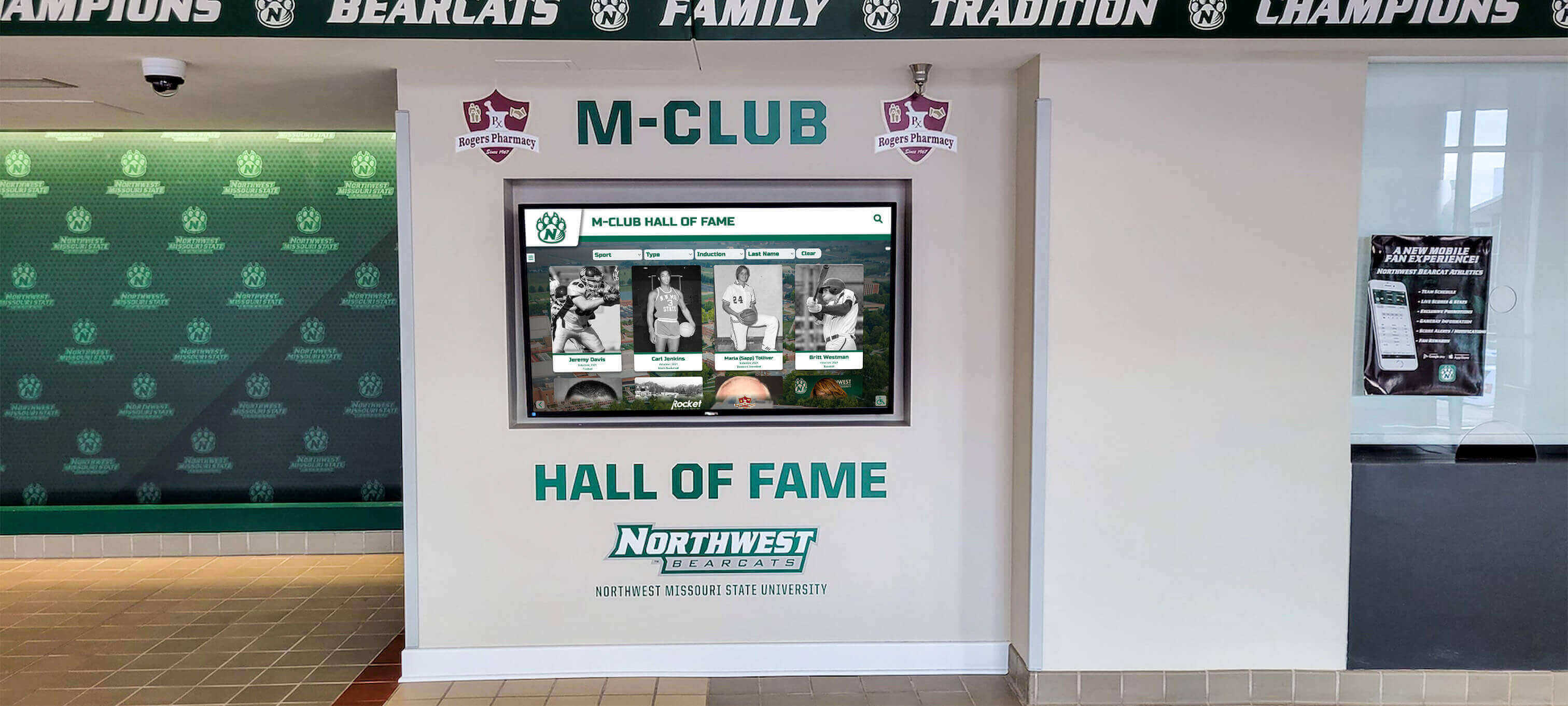
Organized digital archives enable institutions to showcase decades of history through modern interactive displays
Rights and Compliance Risks Schools often struggle to track photo permissions and usage rights. Which student photos can appear on the public website? Which images require parental permission for social media use? Who owns the copyright to performance recordings?
Without systems documenting these details, schools face compliance risks. Publishing student photos without appropriate permissions violates privacy regulations. Using copyrighted images without proper licensing creates legal exposure. The absence of organized rights management means cautious staff avoid using valuable assets rather than risk violations.
Limited Asset Accessibility Digital assets stored on individual computers or departmental drives remain inaccessible to those who need them. The football coach has championship photos saved locally but cannot share them with the development office preparing a donor presentation. The theater director possesses decades of performance recordings but lacks a way to make them viewable for alumni seeking to reconnect with school memories.
This siloed approach prevents assets from delivering maximum institutional value. The same photo that supports athletics recognition could enhance advancement materials, strengthen social media engagement, contribute to historical displays, and appear in recruitment publications—but only if appropriate staff can find and access it.
Traditional Solutions That Fall Short
Many schools attempt Digital Asset Management using tools designed for other purposes:
Shared Network Drives Mapped network drives provide centralized storage but lack search capabilities, metadata support, version control, or meaningful organization beyond folder structures. Finding specific files requires knowing the exact folder path where someone chose to save them—knowledge that rarely transfers when staff change roles.
Network drives also create access limitations. Staff working from home cannot easily browse files. Mobile devices struggle with network shares. Alumni and external collaborators cannot access assets without complex VPN configurations.
Google Drive and Dropbox Consumer cloud storage services offer better accessibility but still lack purpose-built DAM features. Search remains limited to filenames unless someone manually adds descriptions. Organization depends entirely on folder structures. No metadata systems exist for describing content. Version control proves confusing. Permission management becomes unwieldy with numerous users.
These platforms work adequately for simple document sharing but break down when managing thousands of photos accumulated over years. Finding the specific 2018 varsity basketball team photo among 500 athletics images requires scrolling through pages of thumbnails hoping to recognize it visually.
Photo-Specific Services Some schools use consumer photo services like Flickr, SmugMug, or institutional Photoshelter accounts. While superior to generic file storage for photography specifically, these solutions still miss educational-specific features.
They lack integration with recognition programs. They provide no structure for organizing assets by school-specific taxonomies (by sport, by graduating class, by achievement type). They do not support the display and presentation use cases schools need. They treat photos as isolated images rather than components of broader recognition and archival systems.
Key Features of Effective School DAM Systems
Schools evaluating Digital Asset Management solutions should prioritize capabilities that address educational-specific needs.
Educational-Specific Organization
Generic DAM systems assume corporate marketing workflows. School-focused solutions structure content around educational concepts:
Year-Based Organization Schools operate on academic year cycles. Effective DAM systems provide year-based organization allowing staff to browse “2023-2024 school year” content across all departments rather than forcing arbitrary calendar-year divisions.
Graduating class associations prove particularly important. When preparing alumni reunion materials, advancement staff need to locate content by graduation year—showing all 2015 graduates across athletics, academics, activities, and events.
Department and Program Structures Content organization should mirror institutional structure. Athletics further divides by sport and season. Academic departments organize by subject area. Activities section by club or organization. This familiar structure helps staff locate content intuitively without learning arbitrary filing systems.
Achievement and Recognition Taxonomies Schools categorize content by achievement type: championships, individual honors, academic recognition, service awards. DAM systems designed for education provide these built-in taxonomies rather than forcing schools to create custom structures from scratch.
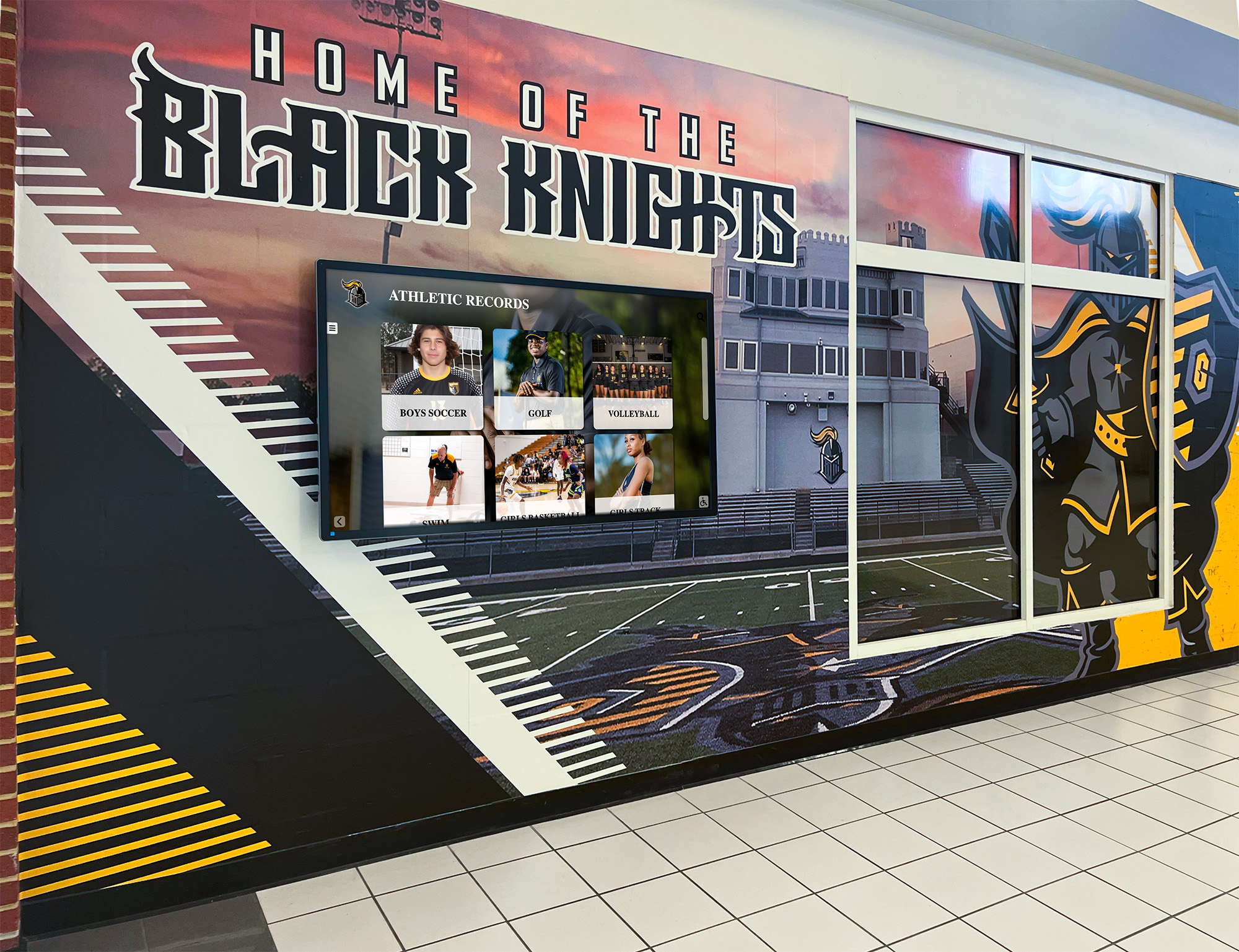
Purpose-built systems organize content in ways that support both archival management and public display
Integration with Display and Recognition Systems
The most effective school DAM solutions do not stop at storage and organization—they actively use those organized assets for recognition and display purposes.
Interactive Touchscreen Integration Systems like Rocket Alumni Solutions function as comprehensive DAM platforms while simultaneously powering interactive touchscreen displays throughout campus. The same structured content database that enables efficient asset management also feeds hall of fame kiosks, donor recognition walls, and historical archive displays.
This dual purpose eliminates redundancy. Staff enter athlete information, upload photos, and add achievement details once. That single data entry simultaneously populates the searchable asset library AND automatically appears on public-facing recognition displays. No separate systems to maintain, no duplicate data entry, no synchronization concerns.
Mobile and Web Presentation Modern DAM systems provide responsive presentation across devices. The championship photo library accessible to athletics staff through the content management system also becomes a browsable web gallery for alumni reminiscing about their playing days. Historical yearbook archives become searchable online resources rather than physical books locked in library cabinets.
This presentation capability extends asset value dramatically. Rather than photos simply sitting in organized storage waiting for someone to download them, they actively engage alumni, support recruitment, strengthen community connections, and preserve institutional memory in accessible formats.
Content Management Designed for Non-Technical Staff
School DAM systems must accommodate users with varying technical expertise. The athletics secretary adding championship photos should not need database training. The development coordinator uploading donor event images should not require a technical support ticket.
Intuitive Upload and Organization Quality platforms provide straightforward workflows: select images, add descriptive information through labeled fields, assign categories via dropdown menus, save. Batch upload capabilities allow processing many images simultaneously rather than one-by-one uploads.
Metadata entry should use familiar school terminology. Dropdowns pre-populated with sports names, graduating years, achievement types. Custom fields supporting school-specific categories. Templates for common content types expediting repetitive tasks.
Visual Content Management Since school DAM systems primarily manage visual assets, the management interface should emphasize visual browsing. Thumbnail galleries showing what content exists. Drag-and-drop organization. Visual previews before publishing. WYSIWYG editing showing how content will appear to end users.
Staff should be able to manage content confidently without wondering whether their edits will break something or require IT intervention to fix.
Accessibility and Long-Term Preservation
Schools serve diverse communities and maintain long institutional lifespans. DAM systems should reflect both realities.
Accessibility Compliance Digital assets should be accessible to all community members. Alternative text for images supporting screen readers. Captions and transcripts for video content. Keyboard navigation for touchscreen kiosks. Color contrast meeting WCAG standards.
Schools increasingly face legal requirements for digital accessibility. DAM systems should build compliance in rather than treating it as an optional add-on.
Archival Durability Schools exist for generations. The DAM system you implement today should preserve assets for decades, not just until the next technology refresh cycle.
Cloud-based architecture with professional-grade redundancy and backup. Standard file formats ensuring future compatibility. Export capabilities preventing vendor lock-in. Clear data ownership terms ensuring schools control their assets regardless of platform changes.

Accessible digital systems ensure all visitors can explore institutional history and achievement
Implementing DAM Systems in Schools
Successful Digital Asset Management implementation requires planning beyond simply purchasing software.
Assessment and Planning Phase
Begin by understanding your current asset landscape and organizational needs:
Content Audit Inventory existing digital assets across departments. Where are photos currently stored? How many images exist? What time periods do they span? What condition are files in? Who currently manages them?
This audit reveals scope. Some schools discover 50 GB of relatively recent content. Others uncover 500 GB spanning decades across multiple obsolete storage systems. Scope understanding informs timeline and resource planning.
Use Case Definition Identify how different departments will use the DAM system. Athletics needs team photos and championship imagery. Development wants donor event documentation. Communications requires facility photos and stock imagery. Archives department seeks to digitize and preserve historical collections.
Document these use cases specifically. How will athletics staff search for content? What metadata matters most to communications teams? How will advancement offices incorporate assets into fundraising materials?
Stakeholder Engagement Include representatives from departments that will use the system. Athletics directors, communications coordinators, technology staff, librarians or archivists, development officers. Their input ensures the selected solution addresses real operational needs rather than theoretical requirements.
Engagement also builds buy-in. Staff who participated in selection feel ownership and become system champions encouraging adoption across departments.
Migration and Digitization Strategy
Populating a new DAM system with existing content requires strategic planning:
Historical Content Prioritization You likely cannot upload everything immediately. Prioritize based on institutional value and likely usage. Recent content (past 3-5 years) probably receives highest use. Championship and significant achievement documentation. Major donors and capital campaign materials. Content supporting upcoming events or anniversaries.
Lower priority: routine event photos with limited ongoing value, duplicate images, photos of questionable quality or relevance.
Digitization of Physical Archives Many schools possess valuable physical photo archives—printed yearbooks, albums, framed photographs. Converting these to digital formats enables inclusion in DAM systems.
Professional scanning services typically cost $0.50-2.00 per page depending on volume and quality requirements. For schools with extensive archives, phased digitization spreads costs across multiple budget years.
Student-led digitization projects can reduce costs while creating authentic learning experiences. Partner with technology or media classes to tackle archives systematically as curriculum-integrated projects.
Metadata Strategy Rich metadata makes assets discoverable, but creating it requires effort. Develop sustainable approaches:
Minimum viable metadata: Every asset needs basic information (date, subject, department). This allows finding content even if detailed descriptions are missing.
Enhanced metadata over time: Start with basics, add detailed descriptions gradually. When someone uses an image, have them add additional tags and context. Metadata improves organically through ongoing use.
Batch processing for collections: Historical yearbooks allow batch metadata. An entire 1975 yearbook gets tagged with year, “yearbook,” “historical archive” simultaneously rather than individual page-by-page tagging.
Training and Adoption
Technology succeeds only when people use it effectively:
Role-Based Training Different users need different training. Athletics staff need to know how to upload team photos and manage rosters. Communications teams need advanced search techniques for finding specific imagery. Administrators need reports and usage analytics.
Provide role-specific training focused on actual job workflows rather than comprehensive platform overviews covering features participants will never use.
Documentation and Resources Video tutorials showing common tasks. Quick reference guides for routine operations. FAQ addressing frequent questions. Make training resources easily accessible when staff encounter questions weeks after initial training.
Gradual Rollout Consider phased deployment starting with one or two departments rather than institution-wide launches. Athletics represents a strong pilot department—visual content-intensive, clear use cases, motivated staff who see immediate value.
Successful pilot programs demonstrate value and generate word-of-mouth promotion encouraging adoption in additional departments.
Rocket Alumni Solutions as a Complete DAM Platform
While many organizations think of Rocket Alumni Solutions primarily as an interactive touchscreen recognition platform, it functions as a comprehensive Digital Asset Management system designed specifically for schools and educational institutions.
Unlimited Storage and Organization
Rocket Alumni Solutions provides unlimited cloud storage for photos, videos, documents, and other digital assets. Schools upload content without capacity limits or per-gigabyte pricing, eliminating concerns about storage costs as archives grow over time.
The platform structures content around educational concepts—organizing by academic year, sport or department, achievement type, graduating class. This educational-specific organization allows staff to navigate content intuitively using familiar institutional structures.
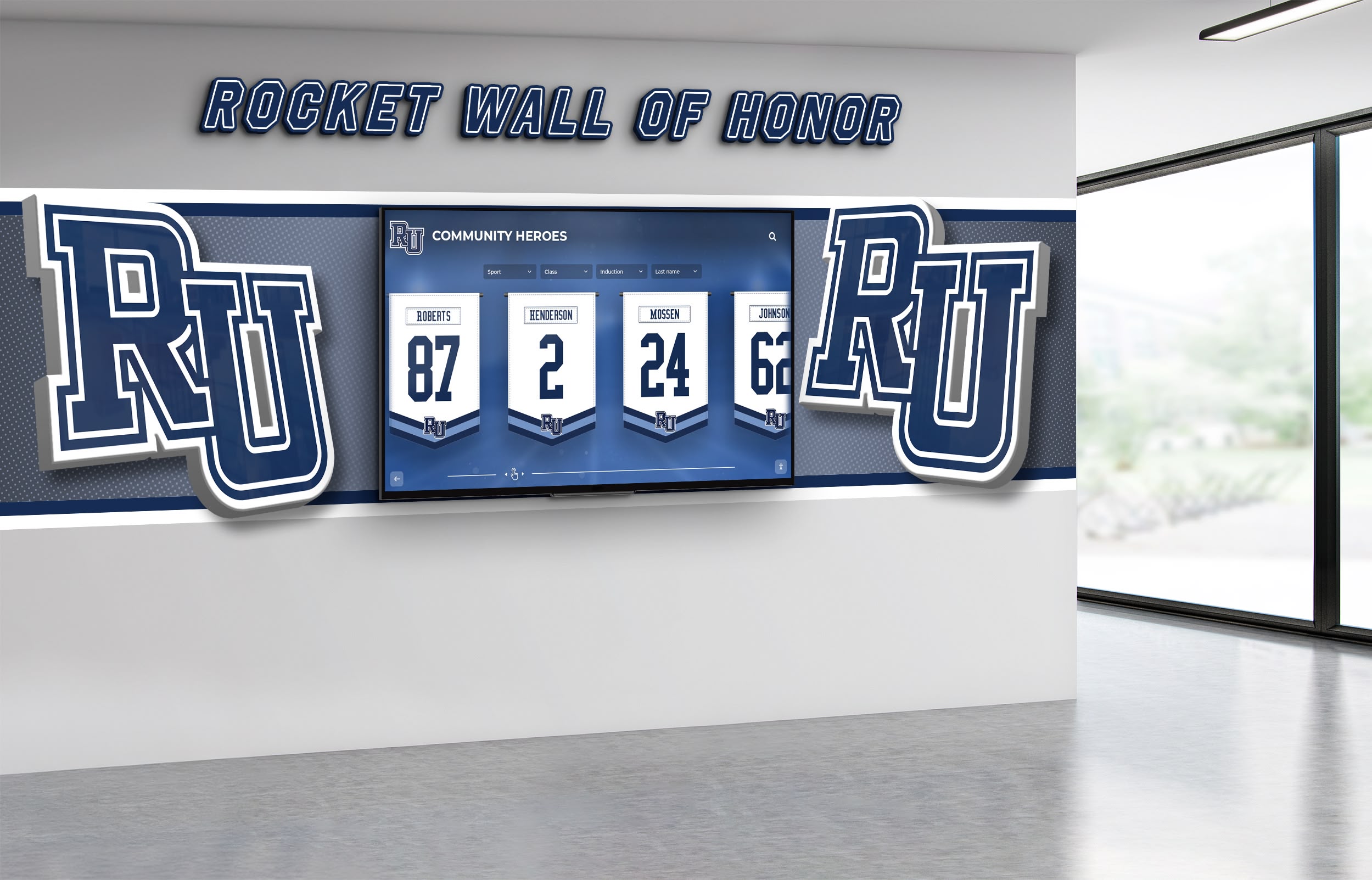
Rocket Alumni Solutions combines robust asset management with beautiful public-facing recognition displays
Content Management for Non-Technical Staff
The platform emphasizes ease of use for typical school staff. Adding new hall of fame inductees, uploading championship photos, creating achievement records—all accomplished through straightforward web-based interfaces requiring no technical training.
Batch upload capabilities allow processing multiple images simultaneously. Templates for common content types (athlete profiles, team records, donor recognition) speed repetitive tasks. Visual previews show how content will appear before publishing.
This accessible content management means schools control their own content rather than depending on vendors for routine updates—critical for keeping recognition displays current and archives continuously growing.
Dual-Purpose: Asset Library and Public Display
Rocket Alumni Solutions uniquely combines back-end asset management with front-end presentation. The same structured content database that enables efficient internal asset management simultaneously powers:
Interactive Touchscreen Displays Hall of fame kiosks throughout campus where visitors browse achievements, search for specific athletes, and explore institutional history.
Responsive Web Galleries Online halls of fame accessible via desktop and mobile devices, allowing alumni to reconnect with school memories and current families to explore program history.
Digital Donor Walls Recognition displays acknowledging benefactors, sponsors, and major gift donors using the same asset library supporting athletics and academic recognition.
This integration eliminates the traditional separation between “content management systems” and “display solutions.” Schools manage assets once and those assets automatically populate all presentation channels.
Educational-Specific Features
Rocket Alumni Solutions includes capabilities specifically designed for school recognition and archival applications:
Record Board Management Automatic ranking for athletic records—upload times or distances and the system generates ordered leaderboards without manual sorting.
Graduating Class Organization Content automatically organizes by graduating class, supporting alumni reunion planning and class-based recognition.
Sponsorship Integration Built-in sponsor recognition capabilities allowing schools to acknowledge program supporters and generate recognition-based revenue.
Multi-School and District Deployment Single instance supporting multiple schools, ideal for districts wanting centralized asset management while maintaining school-specific content and branding.
Scheduled Publishing Content scheduling for automatic publication on specific dates—perfect for anniversary celebrations, reunion events, or commemorative moments.
Accessibility and Compliance
The platform meets WCAG 2.1 AA accessibility standards, ensuring digital recognition and archival content remains accessible to all community members including those with disabilities.
Screen reader compatibility, sufficient color contrast, keyboard navigation, alternative text support—accessibility builds into the core platform rather than requiring custom development.
Best Practices for School DAM Success
Implement these practices to maximize Digital Asset Management value:
Establish Clear Governance
Define who owns asset management responsibilities. Which staff members can upload content? Who approves additions? What standards apply to image quality and appropriateness?
Clear governance prevents problems. Without it, DAM systems become cluttered with duplicate uploads, off-brand content, or inappropriate imagery.
Develop Consistent Naming Conventions
Standardized file naming improves search effectiveness. Establish conventions like: sport-event-date-description.jpg (e.g., football-state-championship-2024-team-photo.jpg).
Consistent naming helps even without sophisticated metadata, making content findable through simple keyword searches.
Maintain Regular Upload Schedules
Avoid accumulating backlogs. Upload new content promptly after events rather than letting thousands of images pile up for eventual bulk processing. Regular small uploads prove more manageable than massive occasional projects.
Leverage Student Involvement
Digital asset management creates authentic learning opportunities. Media classes can photograph events specifically for the archives. Technology students can assist with digitization projects. Library student aides can add metadata to historical collections.
Student involvement reduces staff burden while developing relevant career skills and deepening student connection to institutional history.
Regularly Audit and Cull
Not every photo deserves permanent archiving. Periodically review content and remove duplicates, poor quality images, or assets with limited ongoing value. Selective curation maintains high-quality collections rather than digital landfills.
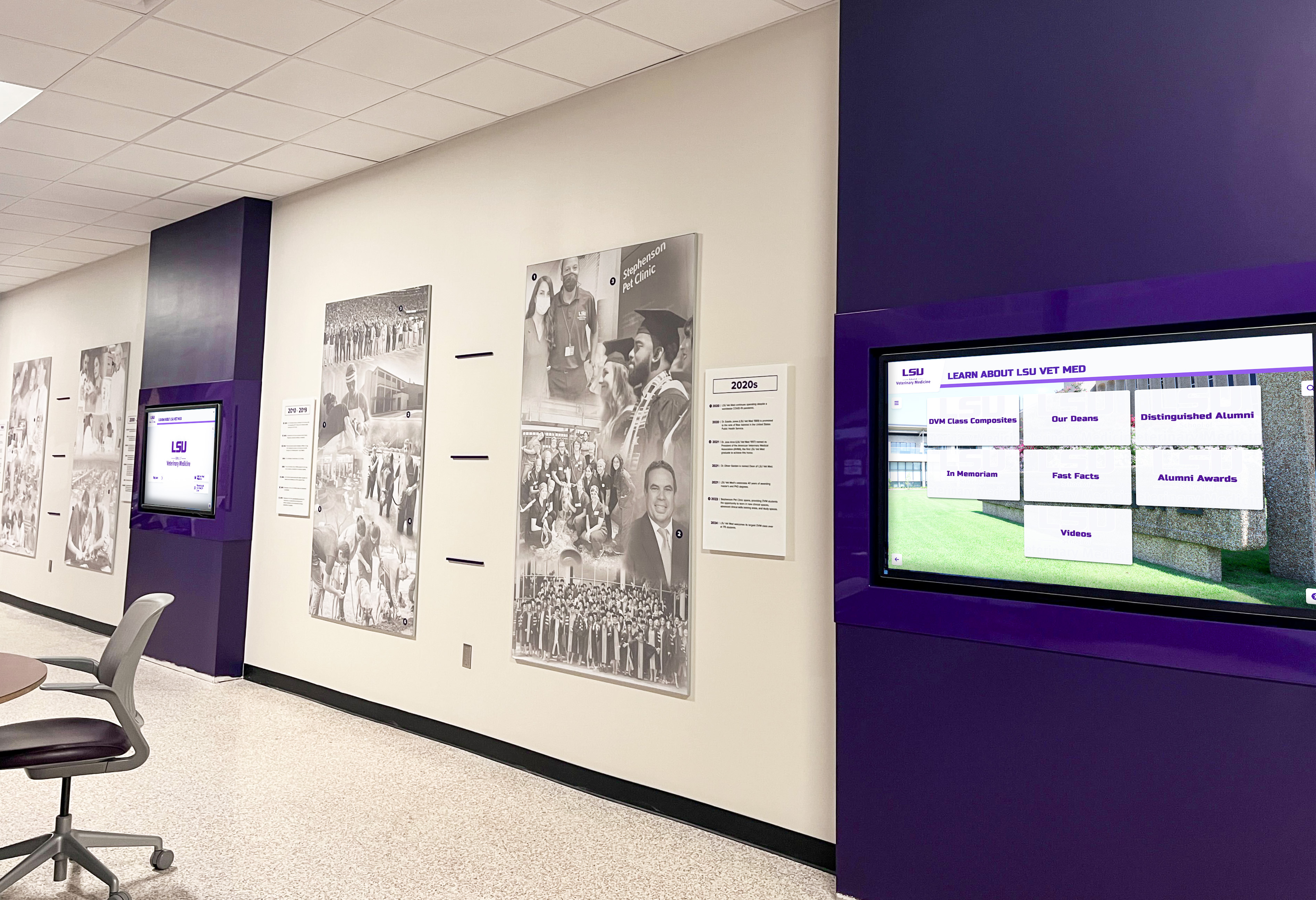
Well-maintained digital asset libraries enable comprehensive campus-wide recognition systems
Measuring DAM Success in Educational Settings
Track these metrics to evaluate Digital Asset Management effectiveness:
Operational Efficiency Improvements
Measure time staff spend searching for assets before and after DAM implementation. Track requests to reshoot or recreate existing content. Monitor publication delays caused by missing imagery.
Successful DAM deployment significantly reduces these inefficiencies, freeing staff time for higher-value work than searching for lost files.
Asset Utilization Rates
Track how often archived content gets used. Are historical photos appearing in publications and presentations? Do staff consistently access the asset library when creating materials?
Low utilization suggests usability problems or awareness gaps requiring training or process improvements.
Archive Growth and Preservation
Monitor ongoing asset additions. Is historical content continuously getting digitized and added? Are recent events promptly documented and uploaded?
Successful DAM programs grow steadily as institutions systematically preserve visual history rather than letting preservation efforts stagnate after initial implementation.
Community Engagement
For DAM systems with public-facing components like Rocket Alumni Solutions, track visitor engagement with online galleries and touchscreen displays. How many alumni browse archives? How long do visitors spend exploring recognition displays?
High engagement indicates content resonates with audiences and delivers value beyond internal operational benefits.
Future Trends in School Digital Asset Management
Digital Asset Management for education continues evolving:
Artificial Intelligence and Automated Metadata
AI-powered image recognition can automatically tag content—identifying people, locations, activities, even emotions expressed in photos. While not perfect, AI-assisted metadata reduces manual tagging burden.
Integration with Student Information Systems
Future DAM systems will increasingly integrate with school student information systems, automatically linking photos to student records, pulling graduation years from databases, and synchronizing with enrollment data.
Enhanced Mobile Capabilities
Mobile-first interfaces acknowledging that staff often work from phones and tablets rather than desktop computers. Upload photos directly from smartphones immediately after events. Manage content via mobile apps.
Virtual and Augmented Reality Integration
As VR and AR technologies mature, digital archives may power immersive historical experiences—virtual museum tours through school history, AR overlays showing how facilities looked in different eras.
Conclusion: Strategic Asset Management for Educational Excellence
Digital Asset Management represents far more than IT infrastructure—it’s fundamental to preserving institutional memory, celebrating achievement, engaging alumni, and operating efficiently.
Schools that invest in proper DAM systems gain:
- Operational efficiency through organized, searchable asset libraries
- Institutional memory preservation via systematic digitization and archiving
- Enhanced recognition programs powered by accessible historical content
- Stronger community engagement when assets become publicly accessible
- Cost savings eliminating duplicate work and maximizing asset value
Solutions like Rocket Alumni Solutions demonstrate how purpose-built educational DAM platforms can serve dual purposes—providing robust back-end asset management while simultaneously powering front-end recognition displays that engage communities and celebrate achievement.
As schools generate increasing volumes of digital content across athletics, academics, activities, and institutional functions, strategic Digital Asset Management transitions from optional enhancement to operational necessity. The question is not whether your institution needs DAM capabilities, but how quickly you implement systems that preserve today’s achievements as tomorrow’s accessible historical archives.
Ready to see how a purpose-built DAM system can transform your school’s asset management and recognition programs? Explore Rocket Alumni Solutions to discover how unlimited storage, intuitive content management, and integrated touchscreen displays can preserve your institutional legacy while celebrating current excellence.































