




Schools, museums, universities, and institutions face a pressing challenge: preserving decades or centuries of historical records, photographs, documents, and artifacts while making these materials accessible to students, researchers, alumni, and visitors. Traditional preservation methods—storing physical materials in climate-controlled rooms, displaying select items in cases, or maintaining printed archives—provide limited access and require significant ongoing resources.
Digital history archives transform institutional preservation by converting physical materials into searchable digital collections while creating interactive touchscreen displays that bring historical content to life. Educational institutions report that up to 60% of their historical materials remain unorganized and inaccessible in storage, while properly digitized archives make these irreplaceable materials available to anyone, anywhere, at any time.
This comprehensive guide explores how organizations can create digital history archives that honor the past while meeting present-day expectations for accessibility, engagement, and preservation. Whether your institution holds decades of yearbooks, championship records, founding documents, or historical photographs, digital archiving provides systematic approaches to preserve, organize, and display institutional heritage through technology that transforms passive viewing into active exploration.
Historical preservation continues gaining importance as institutions recognize that organizational memory shapes identity, inspires community pride, and provides educational resources for future generations. The challenge lies not in recognizing preservation value, but in implementing practical systems that protect fragile historical materials while making them accessible to stakeholders who deserve connection to institutional legacy.

Digital archives organize historical photographs, records, and documents into searchable collections accessible through interactive touchscreen displays
Understanding Digital History Archives
Digital history archives represent systematic efforts to preserve institutional memory through technology that extends access beyond physical limitations.
Core Components of Digital Archives
Comprehensive digital archiving involves multiple interconnected elements:
Digital Asset Management
Organizing thousands of photographs, scanned documents, yearbooks, videos, and audio recordings requires structured systems:
- Metadata creation enabling search and discovery
- File format standardization ensuring long-term accessibility
- Resolution standards maintaining quality for display and research
- Consistent naming conventions supporting organization
- Cloud storage providing redundancy and universal access
- Version control tracking changes and preserving originals
- Permission management controlling access levels
Educational institutions typically accumulate 10,000 to 100,000+ archival items spanning their history, requiring systematic management preventing information loss.
Content Organization and Classification
Effective archives group materials by relevant categories:
- Chronological organization (by year, decade, or era)
- Thematic collections (athletics, academics, performing arts, community events)
- Individual profiles (notable alumni, faculty, administrators)
- Institutional milestones (founding, building dedications, anniversaries)
- Documentary evidence (official records, correspondence, publications)
- Visual materials (photographs, videos, architectural drawings)
Comprehensive approaches to academic history archiving enable institutions to preserve diverse content types through unified platforms.
Preservation and Backup Systems
Proper digital preservation protects against data loss:
- Multiple backup locations (local servers, cloud storage, offline archives)
- Regular backup schedules ensuring current content protection
- Migration strategies updating file formats as technology evolves
- Checksum verification detecting file corruption
- Disaster recovery planning for catastrophic events
- Long-term sustainability planning beyond individual technology platforms
The Library of Congress Digital Preservation program emphasizes that improperly stored materials deteriorate significantly within just 20-30 years, making proactive digitization essential for preservation.
Benefits of Digital Archiving for Institutions
Systematic digitization delivers measurable advantages over traditional preservation:
Universal Accessibility
Digital archives remove physical access barriers:
- 24/7 availability from any internet-connected device
- Simultaneous access by unlimited users worldwide
- Remote research eliminating travel requirements for scholars
- Classroom integration bringing primary sources to students
- Alumni engagement regardless of geographic location
- Mobile accessibility through smartphones and tablets
Research consistently demonstrates that interactive exhibits generate 5-10 times longer engagement than static presentations, with visitors actively exploring digital timelines spending an average of 8-12 minutes engaging with content compared to brief glances at traditional displays.
Enhanced Preservation
Digital conversion protects fragile originals:
- Reduced handling preventing physical deterioration
- Climate control requirements limited to original materials only
- Disaster recovery enabling restoration after catastrophic events
- Format migration preventing obsolescence
- Duplicate copies eliminating single points of failure
- Professional restoration of damaged materials before scanning
Once digitized, historical materials remain accessible even if physical originals deteriorate or become lost.
Improved Discoverability
Digital systems enable search capabilities impossible with physical archives:
- Full-text search of documents and publications
- Facial recognition identifying individuals across photographs
- Date-range filtering isolating specific time periods
- Keyword searching finding relevant materials instantly
- Tag-based browsing discovering related content
- Cross-reference linking connecting associated materials
Visitors locate specific historical information in seconds rather than hours of manual searching through physical collections.
Space Efficiency
Digital storage replaces physical space requirements:
- Thousands of documents stored in cloud systems rather than filing cabinets
- Historical photographs accessible digitally rather than in albums
- Yearbook collections available online instead of shelves
- Freed physical space repurposed for current needs
- Reduced climate-controlled storage facility expenses
- Elimination of ongoing physical material management labor
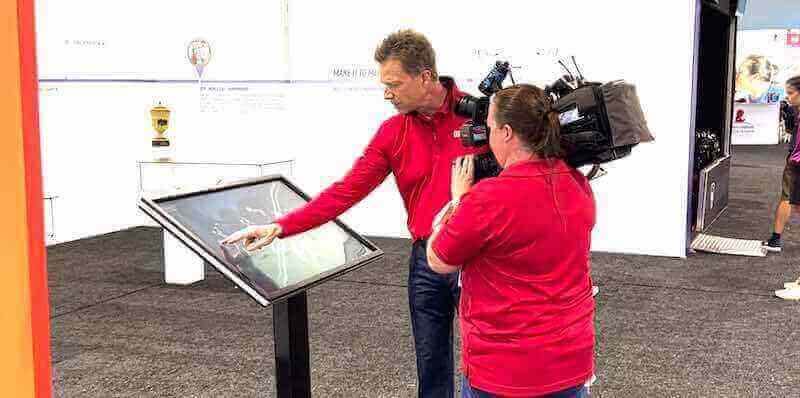
Interactive touchscreen displays make historical archives engaging and accessible to diverse audiences in museums and institutional settings
Types of Historical Materials for Digital Archiving
Institutions accumulate varied historical materials, each requiring specific digitization approaches.
Photographs and Visual Materials
Photographic collections represent primary archival content:
Historical Photographs
Print photographs require careful digitization:
- Flatbed scanning at minimum 600 DPI for preservation
- Professional restoration addressing damage, fading, or discoloration
- Metadata creation documenting subjects, dates, locations, photographers
- Organization by chronology, subject, or collection origin
- Format conversion from fragile originals to stable digital files
- High-resolution storage enabling quality reproduction
Schools implementing historical photo preservation systems report recovering and preserving images dating back 75-100+ years that were previously deteriorating in storage.
Negatives and Slides
Film-based materials require specialized equipment:
- Dedicated film scanners providing optimal quality
- Color correction addressing film aging and color shifts
- Dust removal through digital tools
- Organization matching original filing systems when possible
- Preservation of digital files in multiple formats
Modern Digital Photography
Recent materials arrive already digital:
- Organization and metadata addition
- Format standardization (JPEG, TIFF, PNG)
- Resolution verification ensuring display quality
- Backup to preservation systems
- Integration with historical collections
Documents and Publications
Paper-based institutional records provide documentary evidence:
Official Records and Correspondence
Administrative documents tell institutional stories:
- Board meeting minutes documenting governance decisions
- Founding documents and charters establishing missions
- Correspondence revealing relationships and daily operations
- Policy documents showing evolving procedures
- Financial records demonstrating resource allocation
- Legal documents preserving institutional rights
Publications and Newsletters
Printed communications capture institutional voice:
- Alumni magazines showing evolving community engagement
- Student newspapers revealing campus life across decades
- Program booklets from performances and events
- Annual reports documenting achievements and challenges
- Catalogs and brochures advertising offerings
- Commemorative publications marking milestones
Yearbooks and Directories
Annual publications provide systematic documentation:
- Student yearbooks capturing class composition and activities
- Faculty directories listing educators throughout history
- Organization handbooks explaining programs and policies
- Team rosters documenting athletic participation
- Performance programs listing cast and crew members
For institutions managing extensive yearbook collections, explore comprehensive approaches to digitizing yearbook archives.
Multimedia and Artifacts
Contemporary historical materials extend beyond photographs and documents:
Video Content
Moving images provide dynamic historical records:
- Event recordings capturing ceremonies and celebrations
- Oral history interviews preserving personal memories
- Documentary footage showing campus and operations
- Performance videos documenting arts programs
- News coverage providing external perspectives
- Athletic competitions preserving sporting achievements
Aging video formats (VHS, Betamax, 8mm film) require urgent digitization before playback equipment becomes unavailable.
Audio Recordings
Sound archives preserve voices and performances:
- Speeches and presentations by notable figures
- Oral history interviews with community members
- Musical performances and concerts
- Radio broadcasts and announcements
- Lectures and classroom recordings
- Ambient sounds documenting environments
Physical Artifacts
Three-dimensional objects require photographic documentation:
- Trophies and awards through high-quality photography
- Uniforms and equipment via detailed images
- Architectural elements through measured drawings and photos
- Memorabilia through catalog photography
- Equipment and technology showing historical progression
While physical artifacts remain in collections, digital documentation makes them accessible for virtual exploration.

Professional kiosk installations provide intuitive access to extensive digital archives in lobbies and common areas
Creating Interactive Touchscreen Historical Displays
Digital archives gain maximum value when accessible through engaging interactive displays.
Interactive Display Benefits
Touchscreen presentations transform archival access:
Active Engagement vs. Passive Viewing
Traditional displays offer limited interaction:
- Static photographs or documents in cases
- Text panels providing context
- Chronological arrangements along walls
- Physical proximity required for viewing
- Limited space constraining displayed materials
Interactive touchscreens enable comprehensive exploration:
- Search functionality finding specific people, events, or dates instantly
- Filterable browsing by category, year, or theme
- Detailed profiles expanding beyond display space constraints
- Multimedia integration combining photos, videos, documents, and audio
- Related content connections revealing broader contexts
- Zoom capabilities examining details in high resolution
- Multiple simultaneous exploration paths for diverse interests
Research on museum and institutional displays consistently demonstrates that interactive exhibits generate 5-10 times longer engagement than static presentations.
Unlimited Display Capacity
Physical displays face space constraints:
- Wall space accommodates limited materials
- Rotation required to show varied content
- Historical materials often relegated to storage
- Featured content receives disproportionate attention
- Complete collections remain inaccessible
Digital systems eliminate capacity limitations:
- Thousands of photographs accessible through single display
- Complete historical archives available for exploration
- Equal access to materials from any era
- Featured content alongside comprehensive collections
- New materials integrated seamlessly without physical changes
A single 55-inch touchscreen can provide access to institutional archives spanning 100+ years, replacing hundreds of linear feet of display space.
Dynamic Content Updates
Traditional displays require physical changes:
- New materials necessitate reinstallation
- Corrections require replacement
- Seasonal or anniversary features demand labor-intensive swaps
- Damage requires repair or reproduction
- Expanding collections outgrow available space
Digital platforms enable instant updates:
- New materials added remotely through content management
- Corrections implemented immediately without physical work
- Scheduled content highlighting anniversaries or milestones automatically
- Damaged digital files restored from backups
- Unlimited growth without hardware changes
Schools implementing digital timeline displays spend 90% less time on timeline maintenance compared to updating physical displays.
Display Content Organization
Effective interfaces structure content for intuitive navigation:
Entry Points and Home Screens
Landing experiences guide users:
- Featured content highlighting notable materials or recent additions
- Category browsing organized by logical groupings
- Search functionality prominently positioned
- Timeline visualizations showing chronological spans
- Quick access to popular or frequently requested materials
- Help instructions for first-time users
- Branding reinforcing institutional identity
Navigation Patterns
Logical structures support exploration:
- Chronological browsing year by year or decade by decade
- Thematic collections grouped by subject matter
- Individual profiles for notable people
- Event pages documenting specific occasions
- Location-based organization showing facility history
- Milestone celebrations marking anniversaries
- Random discovery features encouraging serendipitous exploration
Individual Item Pages
Detailed presentations provide comprehensive information:
- High-resolution images with zoom capabilities
- Contextual information explaining significance
- Metadata including dates, locations, people, events
- Related materials linked for expanded exploration
- Audio descriptions for accessibility
- Social sharing enabling distribution beyond displays
- Download or print options when appropriate
Search and Filtering
Powerful discovery tools surface relevant materials:
- Text search across names, descriptions, and metadata
- Facial recognition finding individuals across photographs
- Date-range filtering isolating specific periods
- Keyword tags grouping related materials
- Advanced filters combining multiple criteria
- Auto-suggest accelerating searches
- Search history enabling return to previous queries
For institutions implementing comprehensive digital preservation systems, effective content architecture determines user engagement success.
Hardware Selection for Historical Displays
Appropriate equipment ensures reliable performance:
Display Specifications
Touchscreen characteristics impact experience:
- Size selection (43-55 inches for individual kiosks, 65-75+ inches for lobby installations, video walls for major spaces)
- Resolution quality (4K displays providing sharp text and image rendering)
- Touch technology (capacitive or infrared touchscreens offering responsive interaction)
- Brightness ratings (500-700 nits handling well-lit spaces, lower brightness sufficient for controlled lighting)
- Commercial durability ratings for continuous operation
- Anti-glare coatings reducing sunlight interference
- Viewing angle specifications ensuring visibility from multiple positions
Installation Considerations
Professional deployment ensures longevity:
- Mounting options (wall-mounted, freestanding kiosks, table-height installations)
- Cable management concealing connections
- Network connectivity (wired Ethernet preferred for reliability)
- Power requirements and backup systems
- Accessibility compliance (ADA height specifications, wheelchair approach clearances)
- Security provisions preventing theft or vandalism
- Service access for maintenance and repairs
Location Planning
Strategic positioning maximizes impact:
- High-traffic areas (main entrances, lobbies, cafeterias, libraries)
- Sufficient space for multiple simultaneous users
- Appropriate lighting without screen glare
- Proximity to related historical displays
- Architectural integration complementing space design
- Wayfinding signage directing visitors to displays
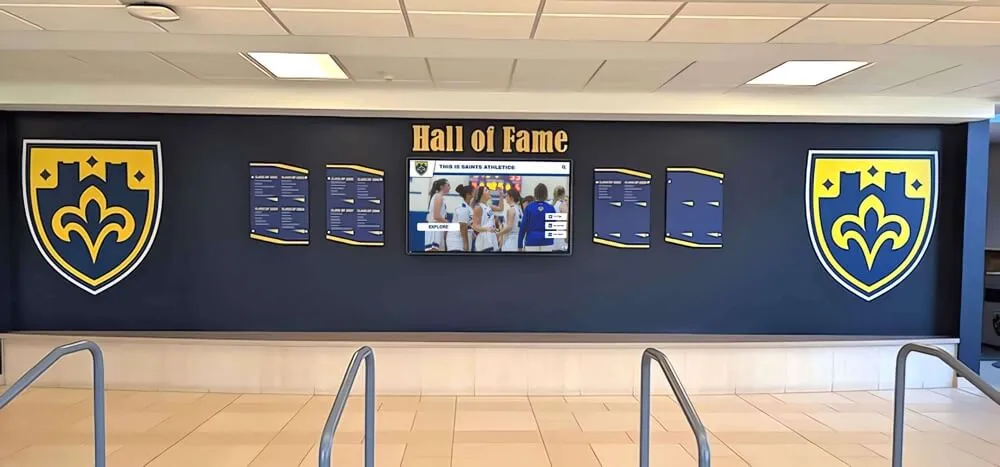
Digital displays integrate with traditional architectural elements, combining modern functionality with timeless design aesthetics
Implementation Process for Digital Archives
Systematic approaches ensure successful digital archive creation.
Phase 1: Assessment and Planning
Foundation work establishes project scope:
Inventory and Evaluation
Document existing historical materials:
- Locate materials throughout facilities (offices, storage rooms, closets, off-site locations)
- Catalog collections by type, quantity, condition, and date range
- Assess condition noting fragile materials requiring urgent attention
- Identify gaps in collections prompting community outreach
- Determine ownership and reproduction rights
- Prioritize materials based on significance, condition, and demand
- Estimate digitization scope and costs
Many institutions discover forgotten materials during inventory, revealing richer historical collections than anticipated.
Goal Definition
Clarify archive purposes:
- Primary audiences (alumni, students, researchers, community members)
- Use cases (education, research, engagement, fundraising, public relations)
- Success metrics (usage statistics, research citations, alumni engagement, educational integration)
- Access requirements (public vs. restricted materials, on-site vs. web access)
- Budget parameters and funding sources
- Timeline expectations and milestone priorities
Clear goals guide technology selection and content development decisions.
Resource Assessment
Evaluate available capabilities:
- Internal staff skills and availability
- Budget for equipment, software, and services
- Space for digitization work and equipment
- Technology infrastructure (network capacity, storage systems)
- Vendor support requirements
- Ongoing maintenance resources
- Volunteer or community assistance opportunities
Realistic resource assessments prevent overcommitment and project stalls.
Phase 2: Digitization and Content Development
Transform physical materials into digital assets:
Digitization Methods
Multiple approaches suit different materials:
Professional Services
- Vendor scanning of large collections
- Specialized equipment for varied media
- Quality assurance and metadata creation
- Typical costs: $0.15-0.50 per photograph, $50-200 per yearbook, $50-150 per hour for video transfer
- Faster completion for large volumes
- Consistent quality across materials
In-House Digitization
- Staff or volunteer scanning using institutional equipment
- Lower direct costs but significant labor requirements
- Quality dependent on equipment and expertise
- Suitable for ongoing additions after initial professional work
- Enables immediate digitization of newly discovered materials
Hybrid Approaches
- Professional scanning of priority materials or fragile items
- In-house digitization of newer materials or ongoing additions
- Volunteer assistance with preparation and metadata creation
- Community contributions of personal collections
For guidance on digitizing school records and archives, systematic workflows ensure consistent quality.
Metadata Creation
Documentation enables discovery:
- Descriptive metadata (titles, descriptions, subjects)
- Administrative metadata (dates, sources, rights information)
- Technical metadata (file formats, dimensions, resolution)
- People identification (names, roles, affiliations)
- Location information (buildings, rooms, geographic places)
- Event documentation (occasions, significance, attendance)
- Relationships linking related materials
Comprehensive metadata transforms image collections into searchable archives.
Quality Assurance
Verification prevents errors:
- Image quality review ensuring legibility
- Metadata accuracy verification
- File naming consistency checks
- Organizational structure validation
- Backup confirmation
- Access testing ensuring materials display correctly
- User testing with representative audiences
Quality processes prevent discovering problems after major investments complete.
Phase 3: Platform Selection and Implementation
Choose technology supporting archive goals:
Platform Requirements
Essential capabilities for historical archives:
- Intuitive content management for non-technical staff
- Bulk import supporting large collections
- Flexible metadata schemas accommodating varied materials
- Search and filtering functionality
- Responsive design supporting various display sizes
- Cloud-based storage with automatic backups
- Usage analytics tracking engagement
- Accessibility features supporting diverse users
- Security controls protecting sensitive materials
- Scalability accommodating growth
Commercial Solutions vs. Open-Source Platforms
Institutions choose between approaches:
Commercial Platforms
- Purpose-built for institutional archives
- Technical support and training included
- Regular updates and feature additions
- Higher costs (typically $2,000-8,000+ annually)
- Limited customization within platform capabilities
- Easier implementation for non-technical institutions
Open-Source Options
- Free software with optional paid support
- Extensive customization possible
- Community development and support
- Requires technical expertise
- Lower direct costs but significant staff time
- Examples: Omeka, ArchivesSpace, CollectiveAccess
Omeka specifically provides free open-source web-publishing for displaying library, museum, and archival collections, using Dublin Core metadata standards and offering extensive plugin ecosystems for specialized functionality.
Implementation Process
Systematic deployment ensures success:
- Platform configuration and branding
- Content import and organization
- Interface customization matching institutional needs
- Integration with existing systems when applicable
- Staff training on content management
- User acceptance testing
- Soft launch for feedback gathering
- Public announcement and promotion
Phase 4: Display Installation
Deploy interactive touchscreens showcasing archives:
Hardware Procurement
Obtain appropriate equipment:
- Commercial-grade touchscreen displays
- Mounting systems (wall mounts or freestanding kiosks)
- Network equipment and cabling
- Security provisions
- Backup power systems when appropriate
Professional Installation
Ensure quality deployment:
- Site preparation (electrical, network, mounting surfaces)
- Display mounting and connection
- Software installation and configuration
- Content loading and testing
- Staff training on basic troubleshooting
- Documentation for maintenance procedures
Launch Activities
Maximize awareness and usage:
- Announcement events or ceremonies
- Media coverage for significant implementations
- Alumni communications highlighting archive access
- Social media promotion with examples
- Educational integration introducing students to resources
- Signage directing visitors to displays
Organizations implementing public library digital archive collections report strong community engagement when launches include public events.
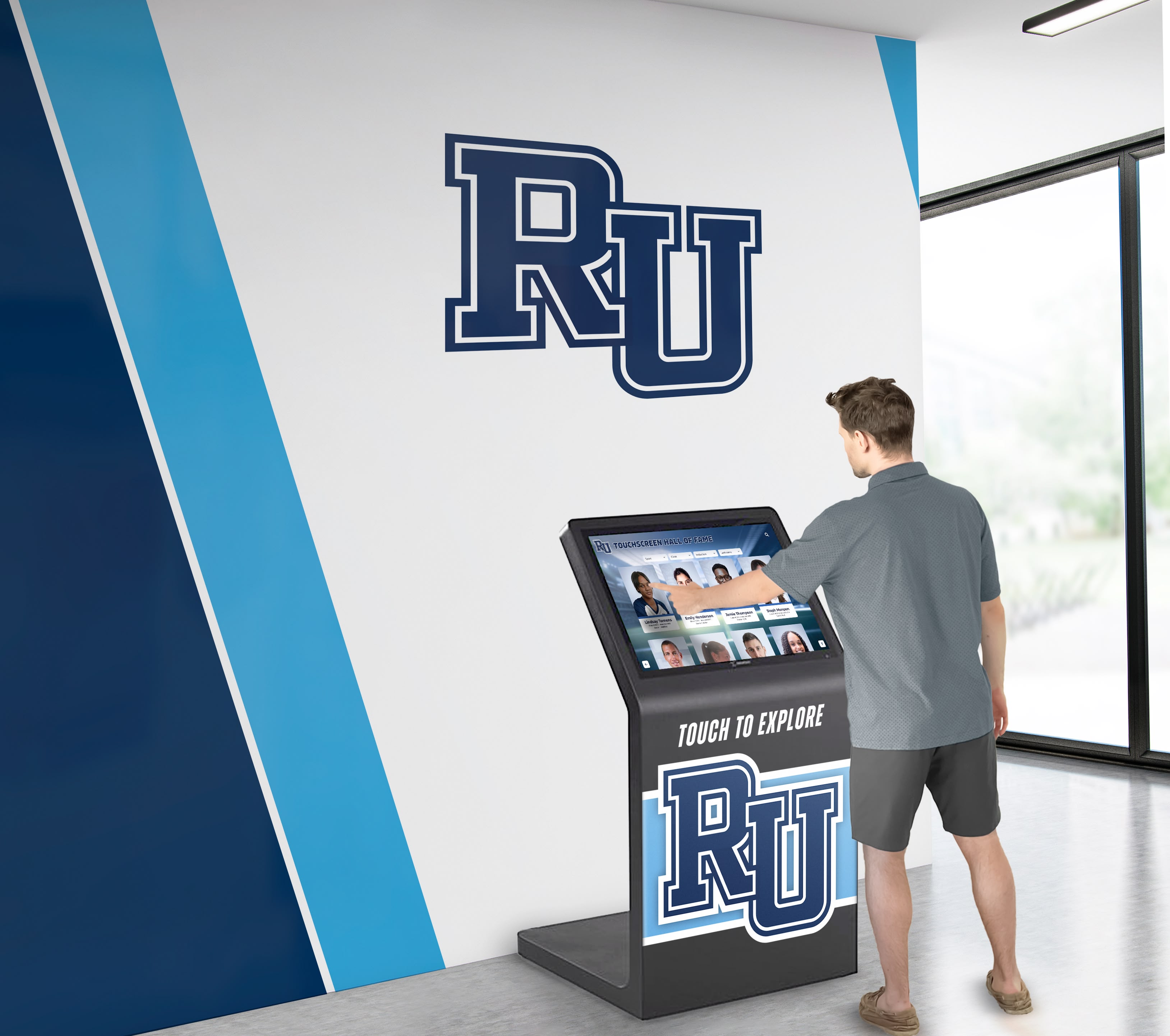
Strategic placement in high-traffic areas ensures historical archives remain accessible to students, visitors, and community members
Maintenance and Long-Term Sustainability
Successful archives require ongoing attention:
Content Management and Updates
Keep archives current and accurate:
Ongoing Additions
Continuously expand collections:
- Regular digitization of new materials as created
- Historical materials added as discovered or donated
- Seasonal content highlighting anniversaries or milestones
- Alumni contributions of personal collections
- Community submissions filling collection gaps
- Annual documentation of current activities
Schools implementing ongoing history documentation create contemporary materials becoming tomorrow’s historical archives.
Accuracy Maintenance
Ensure information quality:
- Correction procedures for errors
- Identity verification for unidentified individuals
- Date confirmation for approximate timelines
- Context additions explaining historical significance
- Rights verification ensuring appropriate usage
- Regular audits identifying problems
Community involvement often surfaces corrections and additional context.
Content Refresh
Prevent stale presentations:
- Featured content rotation highlighting varied materials
- Seasonal themes connecting archives to current events
- Anniversary recognition marking historical milestones
- New discoveries promoted to encourage exploration
- Interface improvements based on usage patterns
Technical Maintenance
Preserve system functionality:
Regular Maintenance Tasks
Routine activities prevent problems:
- Display cleaning maintaining touch responsiveness and clarity
- Software updates applying security patches and features
- Backup verification ensuring data protection
- Performance monitoring identifying slowdowns
- Security audits protecting sensitive materials
- Hardware inspection detecting emerging issues
Long-Term Planning
Prepare for technology evolution:
- Hardware replacement planning (typically 7-10 years for displays)
- File format migration as standards evolve
- Platform updates or replacements as technology advances
- Storage expansion accommodating collection growth
- Network infrastructure upgrades supporting increased usage
- Budget planning for ongoing investments
The National Archives’ FY 2022-2026 Strategic Plan emphasizes that digital preservation represents continual processes of understanding risks for losing content and making use of available resources to mitigate those risks.
Measuring Impact and Success
Assess archive effectiveness:
Usage Metrics
Quantify engagement:
- Display interaction frequency and session duration
- Search queries revealing information demand
- Popular content identification
- Peak usage times and seasonal patterns
- Unique vs. returning users when trackable
- Geographic reach for web-accessible archives
Analytics guide content development priorities and demonstrate value to stakeholders.
Qualitative Feedback
Gather user perspectives:
- Observational studies watching interaction patterns
- User surveys assessing satisfaction and usability
- Alumni feedback during reunions or events
- Student responses in educational contexts
- Researcher experiences during archive use
- Staff insights from display management
Institutional Impact
Evaluate broader benefits:
- Alumni engagement increases correlated with archive access
- Educational integration enhancing curriculum
- Media coverage referencing historical materials
- Fundraising connections to institutional legacy
- Community relationships strengthened through shared history
- Identity reinforcement supporting institutional culture
Comprehensive assessment demonstrates return on archive investments.
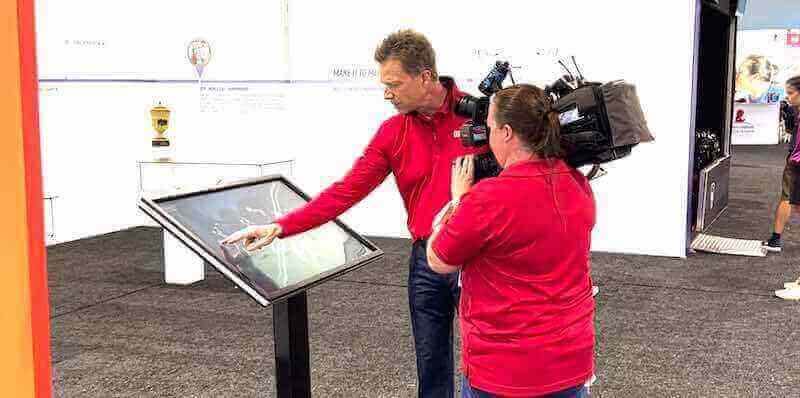
Professional interactive displays serve museums, exhibitions, and institutional settings requiring engaging historical presentations
Applications Across Institution Types
Various organizations benefit from digital history archives:
Educational Institutions
Schools and universities hold extensive historical materials:
Primary and Secondary Schools
K-12 institutions document:
- Student yearbooks and class composites spanning decades
- Athletic achievements and team photographs
- Performing arts programs and productions
- Academic competitions and honors
- School newspaper archives
- Building construction and facility changes
- Faculty and administrator histories
- Community events and celebrations
Higher Education
Colleges and universities preserve:
- Departmental histories and program evolution
- Research achievements and scholarly contributions
- Campus development and architectural changes
- Student life documentation across eras
- Athletic program records and championships
- Notable alumni achievements and contributions
- Institutional governance and administration records
- Community partnerships and public engagement
For universities creating online digital archives, web accessibility enables worldwide alumni engagement.
Museums and Cultural Institutions
Museums preserve community heritage:
History Museums
Local and regional museums document:
- Founding and settlement histories
- Industrial and economic development
- Notable figures and families
- Historical events and milestones
- Material culture and artifacts
- Changing landscapes and built environments
Specialized Museums
Focused institutions preserve:
- Sports halls of fame documenting athletic achievements
- Arts organizations showcasing performances and exhibitions
- Industry museums preserving occupational heritage
- Military museums honoring service and sacrifice
Interactive displays enable visitors to explore collections beyond physical exhibition space constraints.
Civic and Community Organizations
Various institutions preserve organizational memory:
Clubs and Associations
Membership organizations document:
- Founding and organizational history
- Leadership and governance evolution
- Programs and initiatives across decades
- Member achievements and contributions
- Facility development and locations
- Community partnerships and impact
Religious Institutions
Faith communities preserve:
- Founding and congregation growth
- Clergy and leadership histories
- Building construction and renovations
- Community programs and outreach
- Sacramental records and milestones
- Anniversary celebrations and commemorations
Digital archives enable congregations to share heritage with members regardless of attendance patterns or geographic proximity.
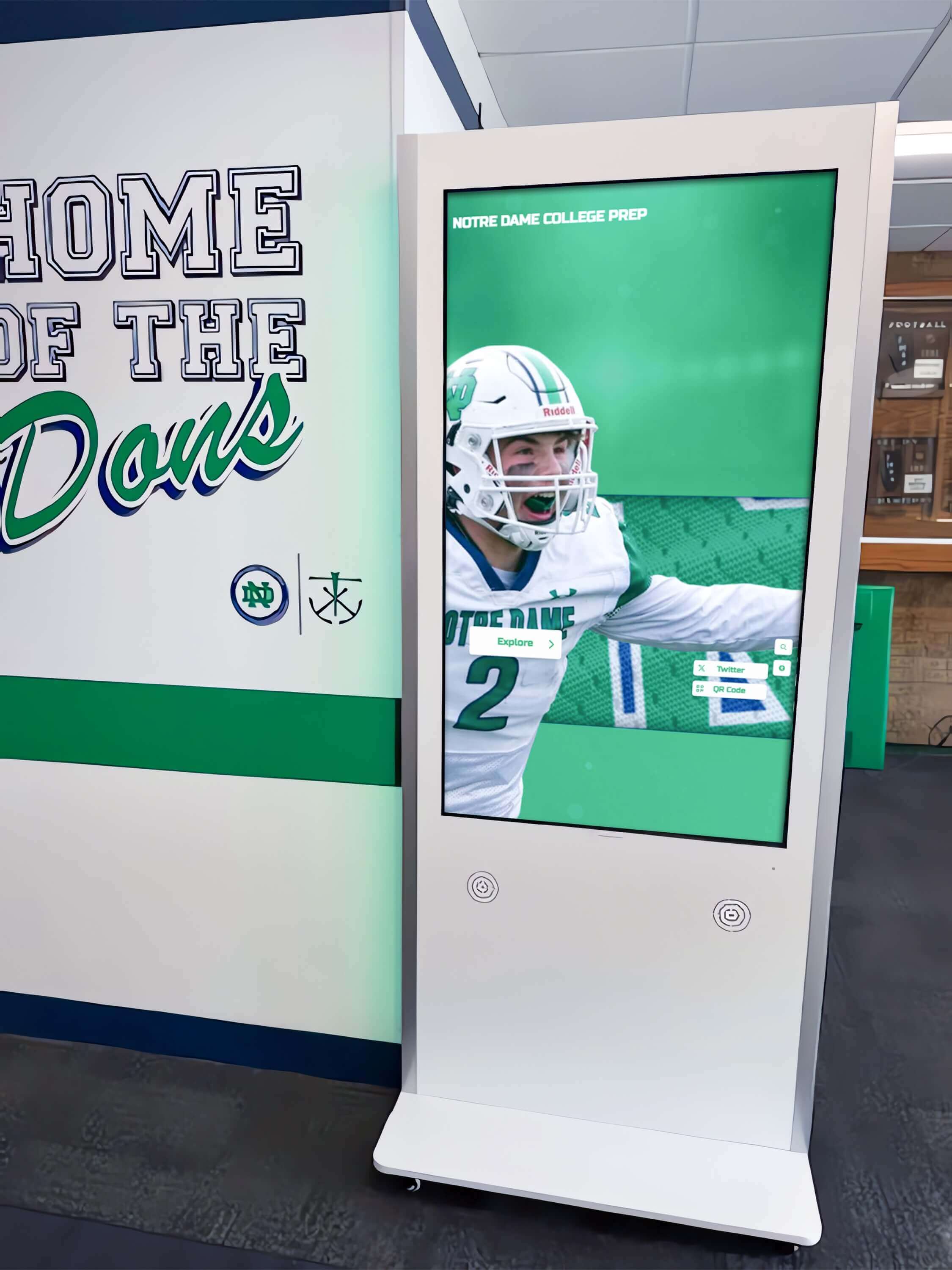
Freestanding kiosks provide flexible installation options for lobbies, hallways, and common areas without permanent wall mounting
Technology Trends and Future Directions
Digital archiving continues evolving with technology advancement:
Artificial Intelligence and Automation
AI accelerates archive development:
Automated Metadata Generation
Machine learning reduces manual work:
- Optical character recognition extracting text from documents
- Facial recognition identifying individuals across photographs
- Object recognition classifying photograph subjects
- Audio transcription converting spoken content to searchable text
- Automatic tagging suggesting relevant categories
- Duplicate detection identifying redundant materials
These capabilities dramatically reduce labor requirements for large-scale digitization projects.
Enhanced Discovery
AI improves archive access:
- Natural language search understanding conversational queries
- Recommendation systems suggesting related materials
- Pattern recognition identifying connections across collections
- Contextual information generation explaining significance
- Missing information identification highlighting gaps
Preservation Monitoring
Automated systems protect collections:
- File integrity checking detecting corruption
- Format obsolescence warnings prompting migration
- Usage pattern analysis identifying at-risk materials
- Backup verification ensuring protection
- Security monitoring detecting threats
Immersive Technologies
Emerging platforms create new experiences:
Virtual and Augmented Reality
Spatial computing enhances engagement:
- Virtual tours of historical spaces no longer existing
- 3D artifact examination enabling detailed inspection
- Immersive timeline experiences placing users in historical contexts
- Augmented reality overlays connecting physical locations to historical information
- Social VR enabling shared exploration of archives
360-Degree Photography and Video
Panoramic media documents environments:
- Historical building interiors preserving spatial relationships
- Event documentation providing comprehensive perspectives
- Campus tours showing facility evolution
- Artifact displays enabling examination from multiple angles
These technologies require specialized equipment but create uniquely engaging historical presentations.
Accessibility and Universal Design
Archives increasingly prioritize inclusive access:
Multi-Modal Presentations
Varied formats serve diverse needs:
- Audio descriptions for vision-impaired users
- Captions and transcripts for hearing-impaired audiences
- High-contrast modes supporting visual processing differences
- Simplified navigation for cognitive accessibility
- Multiple language options serving diverse communities
- Keyboard and voice navigation beyond touchscreen interaction
Global Access
Technology removes geographic barriers:
- Web-accessible archives reaching worldwide audiences
- Mobile applications enabling on-the-go exploration
- Social media integration promoting organic discovery
- Educational partnerships connecting archives to classrooms globally
- Diaspora engagement serving scattered communities
Universal design principles ensure historical materials serve entire communities rather than select privileged audiences.
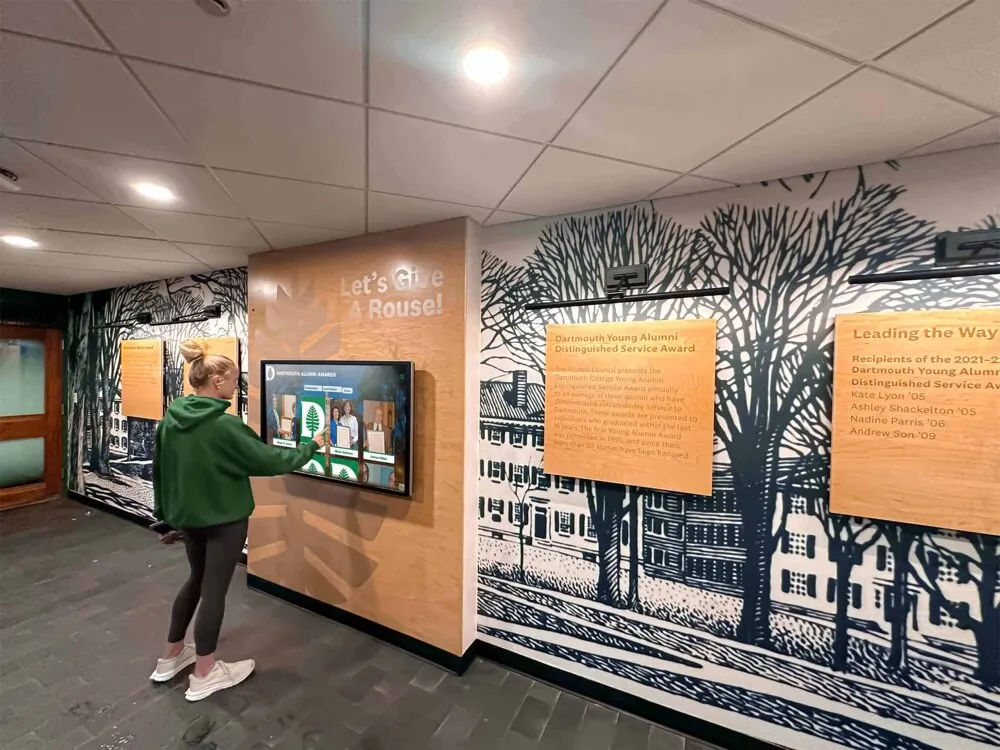
Digital displays complement traditional architectural elements like murals, combining historical aesthetics with modern interactive functionality
Conclusion: Preserving Legacy Through Technology
Digital history archives represent essential investments in institutional memory, transforming how organizations preserve heritage while making historical materials accessible to stakeholders who deserve connections to organizational legacy. Traditional preservation methods—storing materials in climate-controlled facilities with limited access—protect physical artifacts but fail to serve communities seeking engagement with institutional history.
Interactive touchscreen displays combined with comprehensive digital collections solve this challenge by providing unlimited access to historical materials while protecting fragile originals from handling damage. Educational institutions report that properly digitized archives make 60% more historical materials accessible compared to traditional physical archives, while interactive exhibits generate 5-10 times longer engagement than static presentations.
Transform Your Historical Archives into Engaging Interactive Displays
Discover how Touch Archive solutions help schools, museums, and institutions preserve heritage while creating accessible, searchable digital collections displayed through intuitive touchscreen technology.
Book a DemoImplementation need not overwhelm organizations. Systematic approaches beginning with assessment and planning, progressing through prioritized digitization, and culminating in platform deployment create manageable pathways from concept to reality. Professional services support institutions lacking internal expertise, while open-source platforms enable technically capable organizations to minimize costs.
The key lies in beginning. Every year delayed represents continued deterioration of irreplaceable historical materials, lost opportunities for community engagement, and diminished connections between current stakeholders and institutional legacy. Organizations starting digital archive projects discover that initial investments pay dividends through increased alumni engagement, enhanced educational resources, strengthened community relationships, and protected institutional memory.
Technology platforms available today enable even modest organizations to create comprehensive digital archives that major institutions required significant infrastructure to achieve in previous generations. Cloud storage eliminates local server requirements, content management systems provide intuitive interfaces for non-technical staff, and commercial touchscreen displays offer reliable performance at reasonable costs.
Most importantly, digital history archives honor the past while serving the present. Alumni reconnecting with institutional history through interactive displays experience emotions impossible to quantify but clearly visible in extended engagement sessions and shared memories. Students exploring organizational heritage gain context understanding their places in ongoing stories. Community members accessing historical materials discover connections to institutions shaping their lives.
Your institutional history deserves preservation and celebration. Begin planning your digital history archive today by assessing existing materials, defining goals, and exploring technology solutions matching your needs and resources. Every photograph digitized, document preserved, and video converted represents irreplaceable heritage protected for future generations.
Ready to explore how interactive digital archives can preserve and display your institutional legacy? Request a demonstration of Touch Archive solutions designed specifically for schools, museums, and institutions seeking to transform historical preservation through engaging technology.
Sources
- Digital Archives for Schools & Universities | Best Practices & Solutions 2025
- Museums, Libraries, and Archives in a Digital Age Best of Both Worlds
- Digital Preservation Strategy 2022-2026 | National Archives
- 6 Drivers for Digital Archiving in the Museums & Higher Education Markets
- Digital Preservation - Digitization Resources































