




Digital signage screens and interactive kiosks have become essential tools for communicating with students, visitors, and stakeholders across educational institutions, athletic facilities, museums, and community organizations. Yet many organizations struggle to keep their displays fresh, engaging, and relevant—defaulting to rotating announcements or static images that fail to capture attention.
The challenge isn’t the technology itself but knowing what content to display. Empty screens represent missed opportunities for engagement, recognition, wayfinding, education, and community building. Meanwhile, outdated or irrelevant content causes visitors to tune out entirely, rendering expensive display investments ineffective.
This comprehensive guide provides 120 creative, actionable content ideas specifically designed for digital signage screens and interactive kiosks. Whether you manage displays in schools, athletic facilities, museums, corporate lobbies, or community centers, these ideas will help you maximize engagement while serving your audience’s genuine needs.
Digital signage and interactive kiosks serve fundamentally different purposes than traditional static displays. Modern touchscreen technology enables exploration, discovery, and personalization impossible with printed materials—but only when populated with content that invites interaction and provides genuine value to viewers.

Modern touchscreen kiosks transform static content into interactive experiences that engage visitors and provide lasting value
Recognition and Achievement Content (Ideas 1-20)
Recognition content consistently generates the highest engagement on digital displays because people naturally want to see themselves, their peers, and their community members celebrated.
Athletic Achievement Recognition
1. Hall of Fame Profiles Feature inductees with photos, career statistics, biographical information, and memorable achievements. Interactive displays allow visitors to search by sport, year, or name.
2. Current Season Athlete Spotlights Feature rotating profiles of varsity athletes including position, stats, academic standing, and personal interests. Update weekly throughout seasons.
3. Record Board Displays List school, conference, or organizational records by sport with automatic ranking. Include record holder names, years, and performance details.
4. Championship History Document all championship seasons with team photos, rosters, scores, and season narratives. Enable browsing by sport, year, or championship type.
5. Senior Night Recognition Preserve graduating athlete celebrations with ceremony photos, career highlights, and post-graduation plans. Update annually as new classes graduate.
6. All-Conference and All-State Honors Recognize athletes earning conference, district, state, or national honors. Include selection year, sport, and achievement details.
7. Team Season Recaps Summarize completed seasons with win-loss records, highlights, memorable games, and individual accomplishments. Add photo galleries and statistics.
8. Coach Spotlights and Milestones Honor coaching achievements including tenure milestones, career wins, championships, and contributions to programs.
9. Student-Athlete Academic Excellence Celebrate athletes maintaining academic standards through honor roll recognition, GPA achievements, and academic All-American designations.
10. Youth Program Connections Highlight current athletes who participated in youth programs, creating visible pathway from recreational leagues through high school and college.
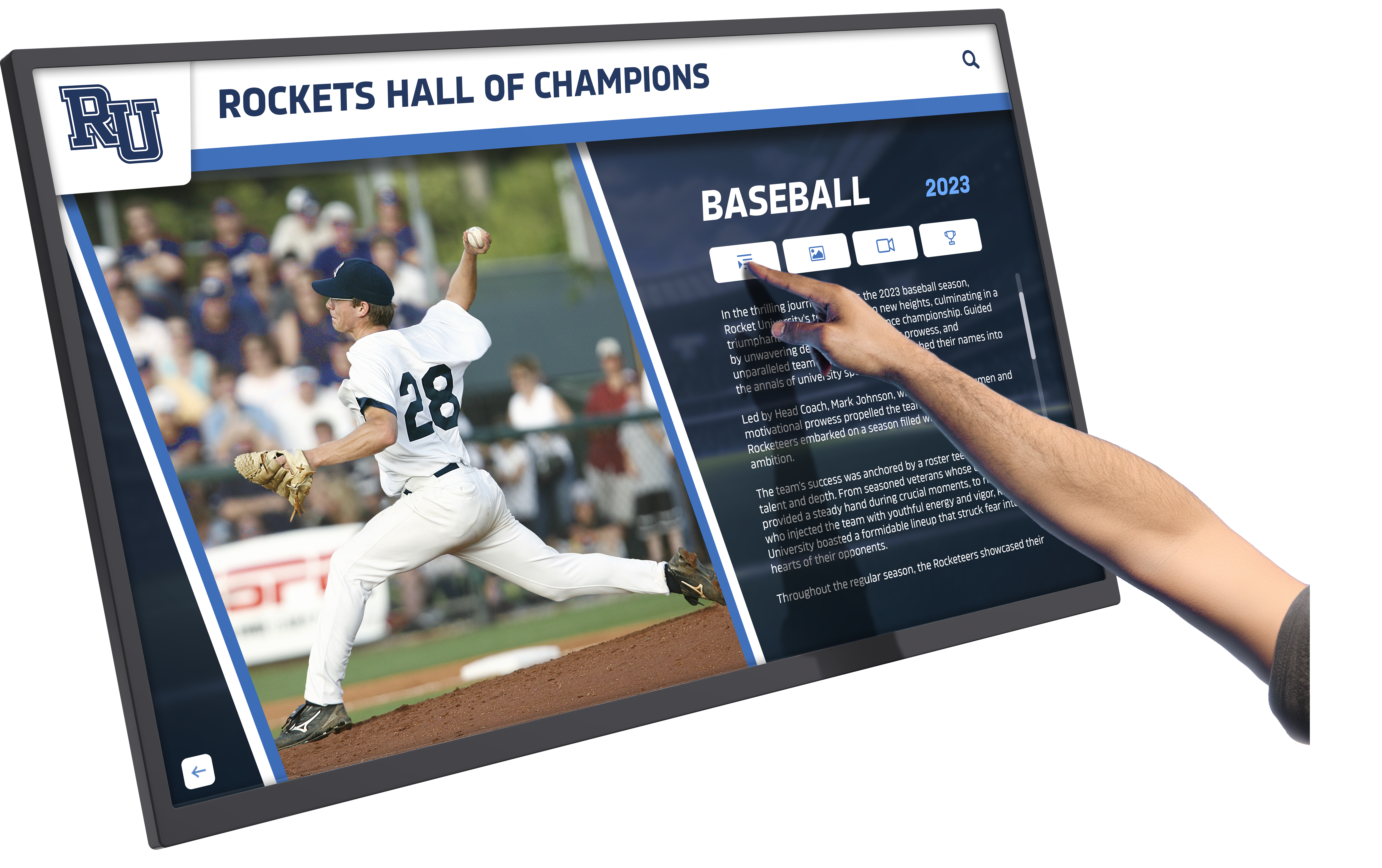
Interactive athletic displays enable visitors to explore comprehensive achievement histories and search for specific athletes
Academic Recognition Content
11. Honor Roll Recognition Display current semester honor roll students organized by grade level or achievement tier (principal’s list, honor roll, etc.).
12. Valedictorian and Salutatorian History Chronicle top academic achievers across all graduation years with photos, college destinations, and current accomplishments.
13. National Merit Scholars Celebrate students earning National Merit recognition with selection year, academic interests, and college plans.
14. Perfect Attendance Recognition Honor students maintaining perfect attendance by semester or year, reinforcing attendance importance.
15. Academic Competition Results Highlight students placing in Science Olympiad, Math League, Quiz Bowl, robotics competitions, and other academic contests.
16. Advanced Placement Achievement Recognize students earning qualifying AP exam scores, listing subject areas and score levels achieved.
17. STEM Program Participants Highlight students in specialized STEM programs, research projects, internships, or summer enrichment opportunities.
18. Career and Technical Education Certifications Celebrate students earning industry certifications, technical skills credentials, and vocational qualifications.
19. College Signing Day Recognition Document student college commitments with photos, chosen institutions, intended majors, and scholarship information.
20. Academic Improvement Spotlights Feature students demonstrating significant grade improvement, celebrating growth alongside absolute achievement.
Solutions like Touch Archive provide unlimited recognition capacity, ensuring every achievement receives appropriate visibility regardless of physical space constraints. Learn more about digital recognition displays for schools.
Historical and Archival Content (Ideas 21-35)
Archives and historical content create connections between past and present while preserving institutional memory.
Institutional History
21. Founding History Timeline Document organizational founding with historical photos, key figures, original mission, and development through decades.
22. Facility Evolution Photo Galleries Show campus or facility transformations through historical and contemporary photos revealing physical growth.
23. Notable Alumni Profiles Feature distinguished graduates who achieved significant success in careers, public service, athletics, or other fields.
24. Historical Team Photos Preserve decades of team photos searchable by sport, year, and roster. Enable visitors to find family members and former teammates.
25. Championship Banner Gallery Digitally archive all championship seasons with banner images, team rosters, season records, and memorable moments.
26. Decade-by-Decade Retrospectives Create browsable collections organized by decade, showing how programs, facilities, and achievements evolved over time.
27. Retired Jersey Recognition Honor athletes whose jerseys were retired with career highlights, records set, and reasons for special recognition.
28. Coaching Legacy Timelines Document coaching tenures chronologically with win-loss records, championships, and program-building contributions.
29. Facility Dedication Stories Explain naming origins of buildings, fields, and spaces honoring donors, leaders, or significant figures.
30. Milestone Anniversary Content Mark significant anniversaries (25th, 50th, 100th) with special retrospective content and celebration documentation.
Community and Cultural Archives
31. Yearbook Digitization Make historical yearbooks searchable and browsable, enabling alumni to find themselves and relive memories.
32. School Traditions Explained Document unique traditions, rituals, and customs with origin stories, photos, and cultural significance explanations.
33. Before-and-After Renovations Show facility improvements through side-by-side comparison photos highlighting upgrades and modernization.
34. Historical Newspaper Clippings Archive significant media coverage of achievements, events, and community recognition from local publications.
35. Oral History Interviews Feature video interviews with long-serving staff, distinguished alumni, championship coaches, or community legends sharing memories.
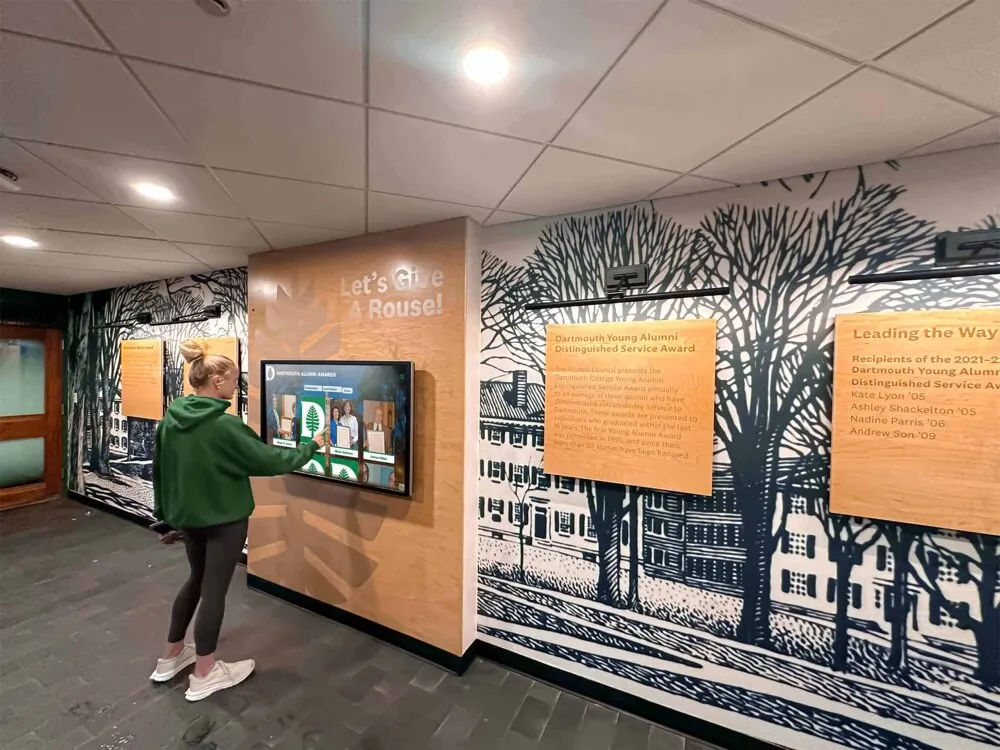
Historical archives on interactive displays preserve institutional memory while making past achievements accessible to current generations
For comprehensive approaches to preserving institutional history digitally, explore touchscreen archive systems for schools.
Wayfinding and Navigation (Ideas 36-45)
Interactive wayfinding helps visitors navigate complex facilities while reducing staff time spent giving directions.
36. Interactive Campus Maps Provide searchable building directories with room numbers, department locations, and route suggestions from current location.
37. Event Location Guides Direct visitors to specific events with real-time location information, parking suggestions, and entrance recommendations.
38. Restroom and Facility Locators Help visitors find nearest restrooms, water fountains, elevators, emergency exits, and accessibility features.
39. Parking Information Displays Show available parking areas, visitor parking designations, permit requirements, and overflow lot locations during events.
40. Department Directory List all departments, offices, and administrative areas with locations, hours, phone extensions, and staff names.
41. Athletic Facility Navigation Guide visitors to specific gyms, fields, courts, locker rooms, concession stands, and spectator seating areas.
42. Accessibility Information Highlight wheelchair-accessible entrances, elevators, ramps, accessible restrooms, and assistive technology locations.
43. Dining and Vending Locations Map cafeterias, concession stands, vending machine areas, and food service hours throughout facilities.
44. Emergency Evacuation Routes Display evacuation maps for current location with emergency exit directions and assembly point information.
45. Visitor Check-In Instructions Provide step-by-step guidance for visitor registration, security procedures, and required identification or permissions.
Informational and Educational Content (Ideas 46-65)
Educational content serves visitors’ information needs while demonstrating institutional expertise.
Program Information
46. Athletic Program Overviews Describe available sports programs, participation requirements, tryout information, and season schedules.
47. Academic Department Descriptions Explain academic offerings, course sequences, advanced program options, and department-specific opportunities.
48. Extracurricular Activity Catalog List all clubs, organizations, and activities with meeting times, faculty sponsors, and membership information.
49. College and Career Counseling Resources Provide guidance on college application processes, scholarship opportunities, career exploration, and counseling services.
50. Summer Program Offerings Detail summer camps, enrichment programs, athletic training, and academic advancement opportunities.
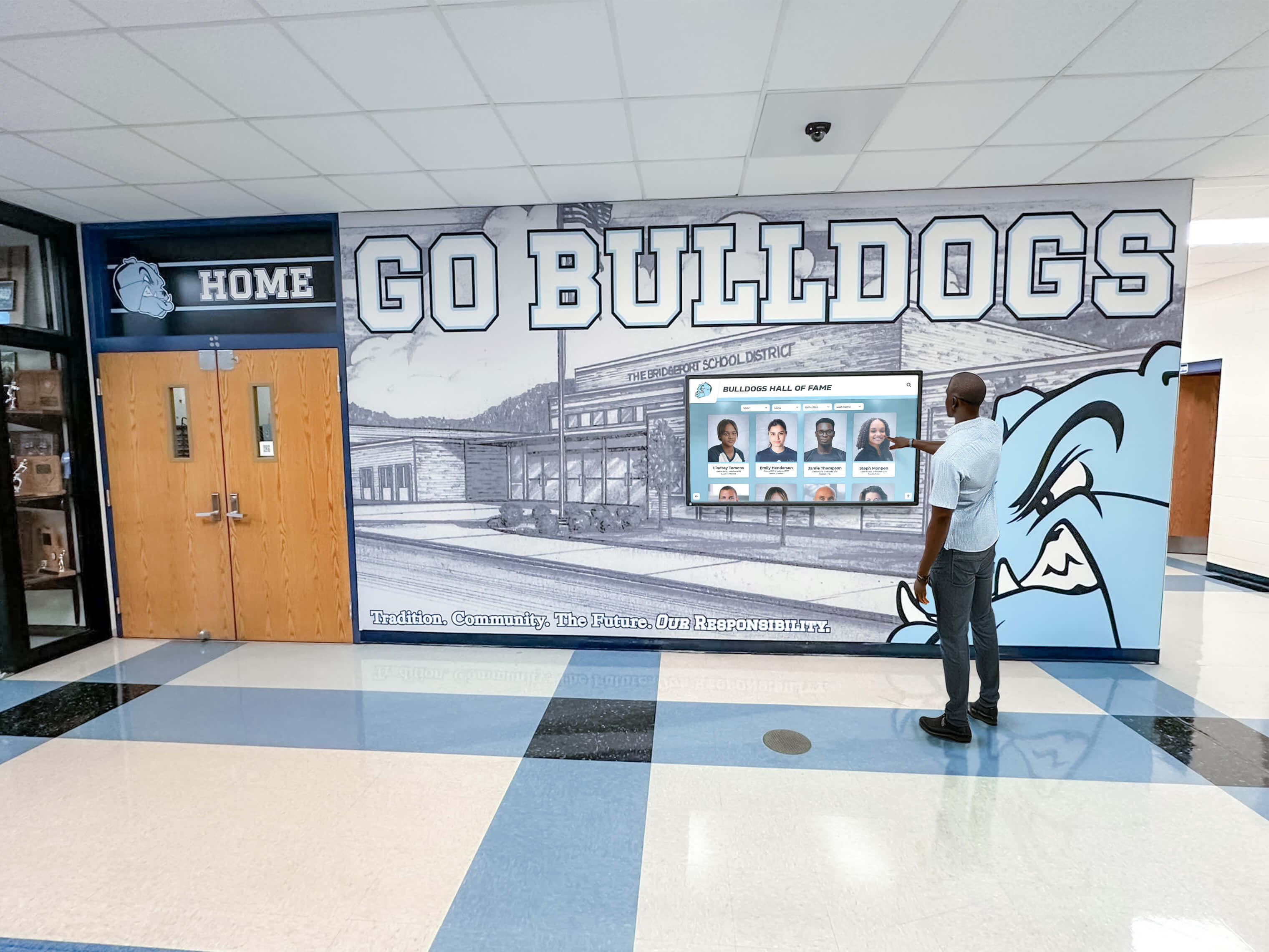
Informational displays provide visitors with self-service access to program details and institutional resources
Event and Schedule Information
51. Master Calendar Display Show upcoming events across all programs with dates, times, locations, and relevant details.
52. Athletic Event Schedules List game schedules by sport including opponent, location, start time, and special event information (senior night, rivalries, etc.).
53. Performing Arts Event Calendar Advertise concerts, theater productions, art shows, and other performing arts events with ticket information.
54. Community Event Invitations Promote events open to broader community including fundraisers, open houses, informational sessions, and celebrations.
55. Daily Bell Schedule Display current day’s schedule including class times, passing periods, lunch periods, and schedule variations.
56. School Holiday and Break Calendar List all scheduled breaks, holidays, professional development days, and early dismissal dates.
57. Testing Schedule Information Announce standardized testing dates, SAT/ACT administration, AP exam schedules, and preparation resources.
58. College Visit Days Advertise college representative visits with institution names, visit times, and sign-up procedures.
59. Parent-Teacher Conference Scheduling Provide conference dates, scheduling instructions, and teacher availability information.
60. Alumni Event Invitations Promote reunions, homecoming activities, alumni gatherings, and networking events for graduated classes.
Rules, Policies, and Procedures
61. Facility Use Policies Explain rules for different spaces including noise levels, food restrictions, capacity limits, and reservation procedures.
62. Code of Conduct Reminders Display behavioral expectations, respect guidelines, and community standards in high-traffic areas.
63. Safety and Emergency Procedures Provide instructions for various emergency scenarios including lockdowns, weather events, medical emergencies, and evacuations.
64. Visitor Sign-In Requirements Explain visitor registration procedures, identification requirements, and badge display expectations.
65. Technology Use Guidelines Outline acceptable use policies for wifi, devices, computer labs, and other technology resources.
Community Engagement Content (Ideas 66-80)
Content that celebrates community connections strengthens stakeholder relationships and demonstrates impact.
Donor and Sponsor Recognition
66. Major Donor Recognition Walls Honor significant contributors with giving level designations, donation purposes, and appreciation messages.
67. Naming Opportunity Acknowledgment Recognize donors who funded specific facilities, programs, equipment, or scholarships through naming gifts.
68. Corporate Sponsor Displays Thank business sponsors supporting programs with logos, sponsorship levels, and appreciation messages.
69. Annual Fund Contributor Lists Display names of annual fund supporters organized by giving level and campaign year.
70. Scholarship Donor Profiles Highlight donors who established scholarships with fund purposes, eligibility criteria, and impact stories.
For organizations seeking donor recognition alongside achievement displays, explore comprehensive digital donor walls.
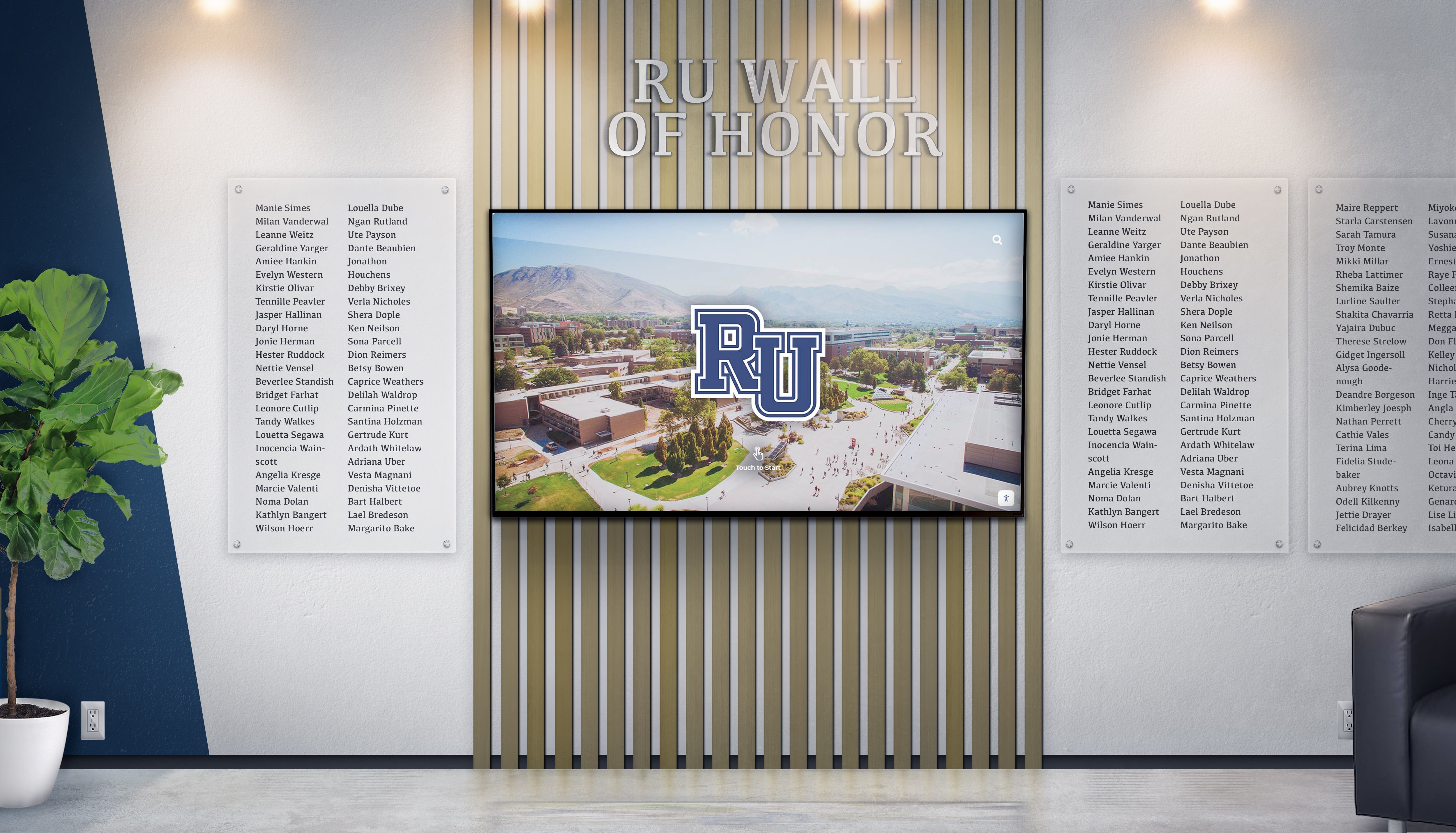
Donor recognition displays honor contributor generosity while demonstrating community support for institutional missions
Community Partnerships
71. Business Partner Spotlights Feature local businesses supporting your organization with partnership descriptions and mutual benefits.
72. Community Organization Connections Highlight partnerships with nonprofits, government agencies, and community groups serving shared missions.
73. Internship and Job Opportunity Boards Post employment and internship opportunities from community partners and local businesses.
74. Service Project Recognition Document community service initiatives, volunteer hours, and impact created through community partnerships.
75. Alumni Career Networking Connect current students with alumni mentors through searchable directories listing industries, companies, and career paths.
Social Proof and Testimonials
76. Parent and Family Testimonials Share positive feedback from families about programs, staff, facilities, and overall experience.
77. Student Success Stories Feature narratives of student achievement, obstacle overcoming, and personal growth journeys.
78. Alumni Impact Statements Feature how alumni credit their experience for career success, life skills, and personal development.
79. College Acceptance Highlights Celebrate aggregate college acceptances, scholarship amounts, and prestigious institution admissions.
80. Competition Victory Documentation Share stories behind championship wins, competition successes, and team achievement journeys.
Real-Time and Dynamic Content (Ideas 81-95)
Dynamic content keeps displays fresh while providing timely information visitors actively seek.
Live Information Feeds
81. Weather Information Display Show current conditions, hourly forecast, severe weather alerts, and weekly outlook relevant to scheduling.
82. Traffic and Transportation Updates Provide real-time traffic conditions affecting commute routes, bus delays, or event arrival planning.
83. News Headlines Feed Display local, national, or subject-specific news headlines relevant to institutional mission and community interests.
84. Social Media Integration Display social media posts from official accounts, approved hashtags, or student-generated content.
85. Sports Scores and Standings Display current game scores, final results, league standings, and tournament bracket progression.
86. Stock Market Tickers Show financial market information relevant to business programs, economics classes, or investment clubs.
87. Countdown Timers Count down to major events like homecoming, graduation, championship games, application deadlines, or milestone anniversaries.
88. Daily Inspirational Quotes Rotate motivational quotes from notable figures, alumni, or relevant to school values and mission.
89. This Day in History Feature historical events from same date in organizational history or broader historical significance.
90. Birthday and Anniversary Recognition Celebrate staff birthdays, work anniversaries, student birthdays, or significant institutional anniversary dates.
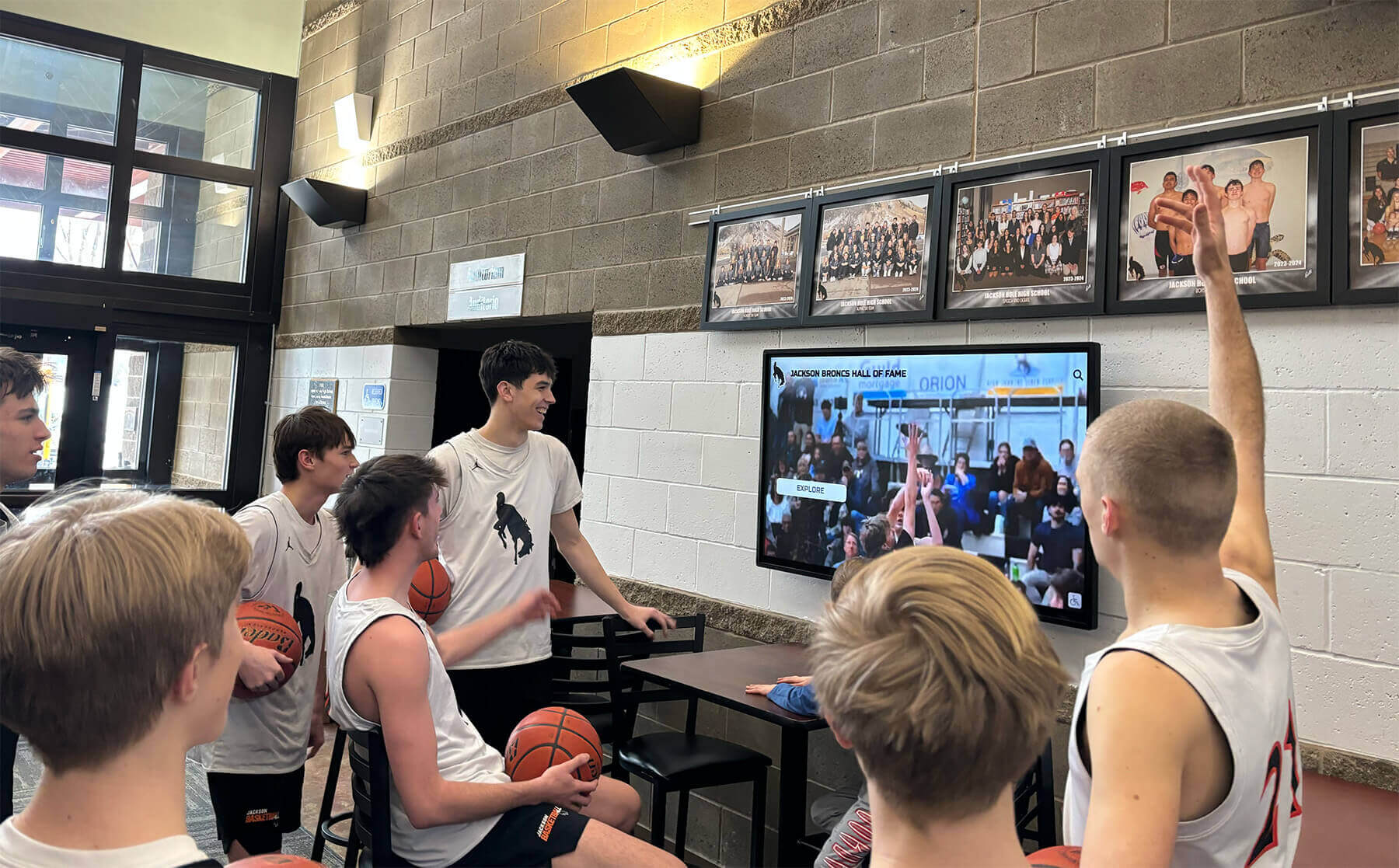
Dynamic, real-time content keeps digital displays relevant and encourages repeat engagement from regular visitors
Interactive Data Visualizations
91. Fundraising Progress Thermometers Visualize capital campaign or annual fund progress toward goals with real-time updates as donations arrive.
92. Attendance Rate Dashboards Display current attendance percentages by grade level, class period, or building with improvement tracking.
93. Library Circulation Statistics Show most-checked-out books, new acquisitions, genre popularity, and reading challenge progress.
94. Environmental Impact Meters Track sustainability initiatives including recycling tonnage, energy savings, water conservation, or carbon reduction.
95. Participation Rate Trackers Visualize participation in programs, clubs, activities, or events as percentage of eligible population.
Health, Wellness, and Safety Content (Ideas 96-105)
Health-focused content demonstrates care for community wellbeing while providing practical value.
96. Daily Menu and Nutrition Information Display cafeteria menus with nutritional information, allergen warnings, and special dietary accommodation details.
97. Wellness Tips and Health Education Share rotating health tips covering nutrition, physical activity, stress management, sleep hygiene, and mental wellness.
98. Immunization and Health Screening Reminders Announce required immunizations, vision/hearing screenings, physical exam deadlines, and health services available.
99. Mental Health Resources Provide information about counseling services, crisis hotlines, peer support programs, and mental health education.
100. Safety Tips and Awareness Share personal safety guidance, emergency preparedness tips, and seasonal safety awareness (winter driving, heat safety, etc.).
101. Physical Fitness Challenges Promote fitness initiatives, step challenges, wellness programs, and healthy lifestyle competitions.
102. Hand Hygiene and Illness Prevention Display infection control reminders especially relevant during cold/flu season or public health concerns.
103. Substance Abuse Prevention Resources Provide information about prevention programs, support resources, and education about substance-related risks.
104. Bullying Prevention and Reporting Share anti-bullying messages, reporting procedures, and resources for students experiencing harassment.
105. Athletic Training and Injury Prevention Offer sports-specific injury prevention tips, proper training techniques, and recovery best practices.
Special Celebrations and Seasonal Content (Ideas 106-120)
Timely content aligned with calendar events keeps displays feeling current and relevant.
Holiday and Special Day Recognition
106. Holiday Greetings and Celebrations Display seasonal greetings for major holidays celebrated by your community with culturally appropriate imagery.
107. Teacher and Staff Appreciation Celebrate Teacher Appreciation Week, Administrative Professionals Day, and other staff recognition occasions.
108. National Awareness Days Acknowledge relevant national awareness days (College Signing Day, School Counselor Week, Arts Education Month, etc.).
109. Cultural Heritage Months Honor various heritage months with educational content, notable figures, and cultural contributions.
110. Alumni Weekend Promotions Build excitement for homecoming and alumni weekend with schedule reveals, registration links, and nostalgia content.
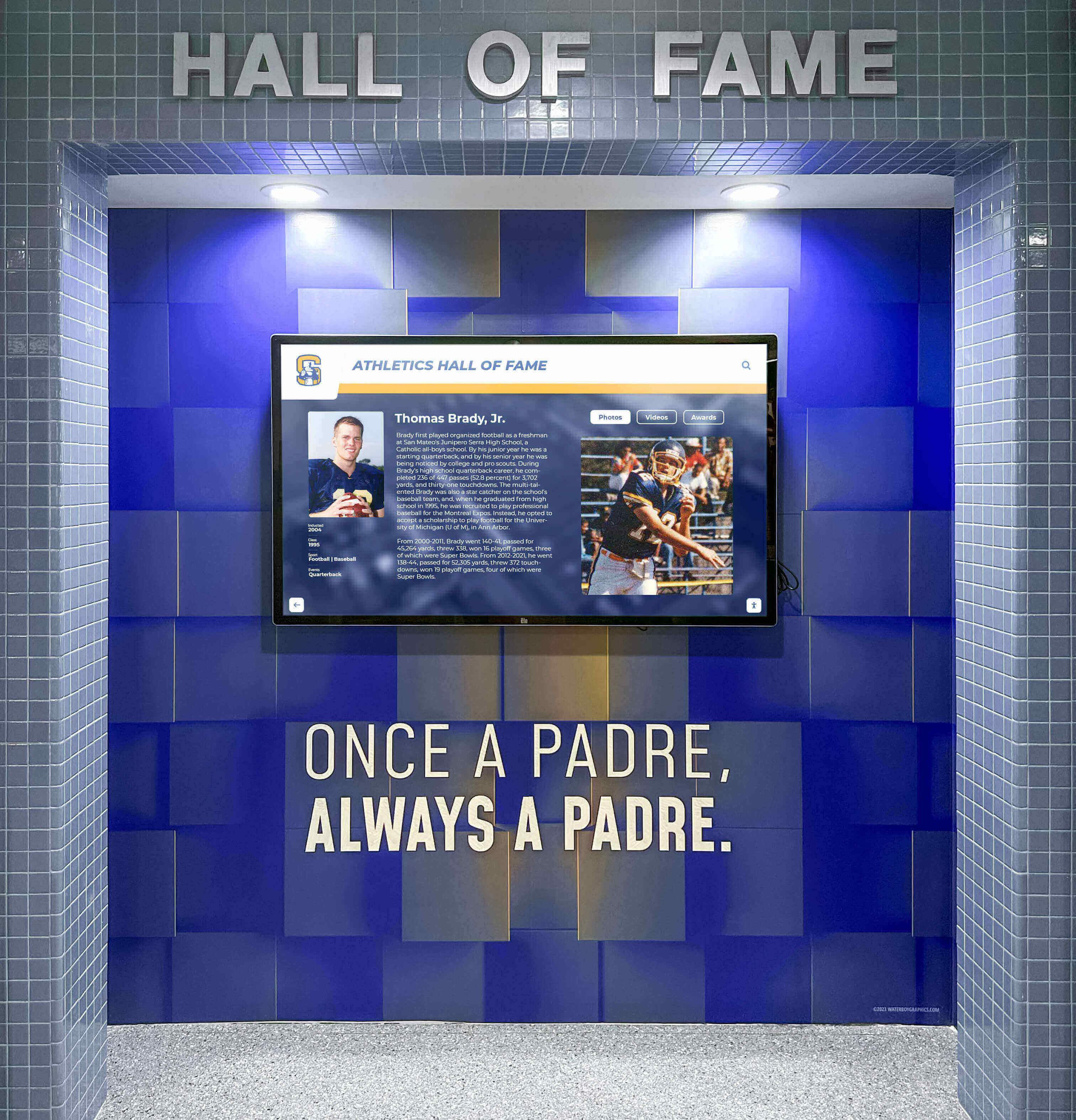
Seasonal and celebratory content keeps displays timely while honoring important occasions and milestones
Seasonal Program Content
111. Summer Reading Challenges Promote summer reading programs with book lists, tracking tools, and prize information before academic year ends.
112. Registration Period Reminders Alert community about upcoming registration windows for courses, activities, camps, or programs.
113. Back-to-School Preparation Share checklists, supply lists, orientation information, and preparation tips as new year approaches.
114. Standardized Test Prep Resources Provide SAT/ACT preparation resources, practice opportunities, and test-taking strategy tips during testing season.
115. College Application Deadline Trackers List approaching deadlines for college applications, scholarship submissions, and financial aid forms for seniors.
Special Event Spotlights
116. Spirit Week Daily Themes Display daily spirit week themes, participation instructions, and winners from previous days.
117. Pep Rally Hype Content Build excitement for upcoming pep rallies with sneak peeks, participation challenges, and schedule information.
118. Talent Show Participant Features Preview talent show participants, performance types, and event logistics to boost attendance.
119. Science Fair Project Spotlights Highlight exceptional science fair projects with student photos, project descriptions, and results.
120. Art Gallery Virtual Tours Display student artwork with artist names, grades, mediums, and artistic statement descriptions.
When managing seasonal content, platforms like interactive touchscreen displays for schools enable scheduled publishing, automating content rotation for holidays and events.
Implementing Your Digital Signage Content Strategy
Having creative content ideas means little without systematic approaches to implementation and management.
Content Planning and Organization
Create Content Calendars Develop annual content calendars mapping when different content types appear. Schedule recognition content updates quarterly, historical features monthly, and seasonal content weeks in advance. Calendar discipline ensures displays never appear stale or neglected.
Establish Content Workflows Define clear processes for content creation, approval, and publishing. Identify who submits content, who reviews accuracy, who provides final approval, and who executes publishing. Documented workflows prevent bottlenecks causing outdated displays.
Build Content Libraries Maintain organized repositories of approved content ready for display rotation. Categorize materials by type (recognition, historical, informational, seasonal) enabling quick selection when updating displays.
Set Update Frequency Standards Determine appropriate refresh rates for different content types. Recognition content may update quarterly, wayfinding stays relatively static, event calendars change weekly, and dynamic feeds refresh constantly. Matching update frequency to content type maintains relevance.
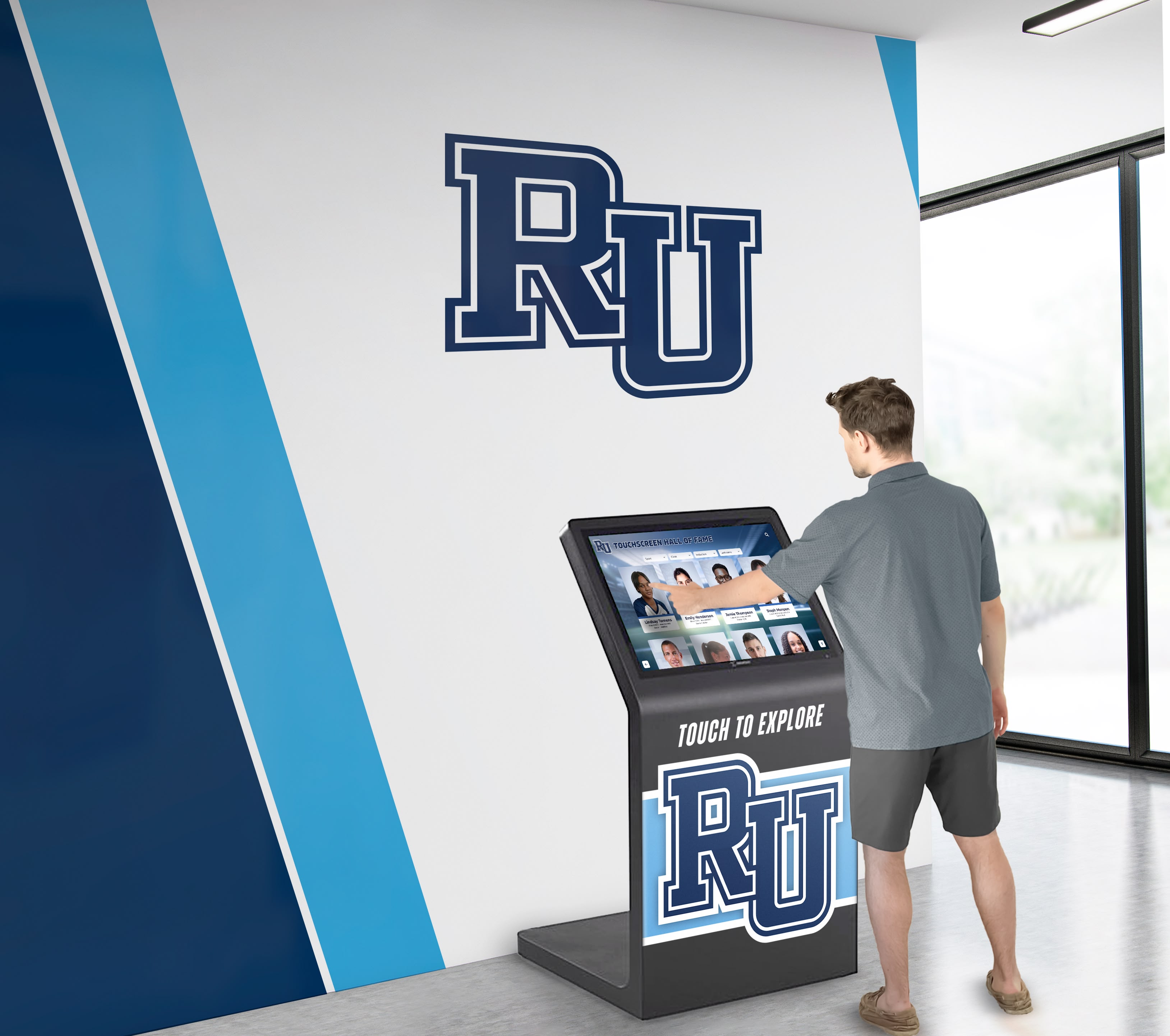
Modern content management systems enable remote updates, scheduled publishing, and collaborative workflows across multiple displays
Technology Considerations
Choose Appropriate Display Hardware Select displays matching your content types and venue requirements. High-traffic areas warrant larger screens, interactive content requires touchscreen capability, and outdoor installations need weatherproof housing.
Implement Cloud-Based Content Management Cloud platforms enable remote content updates from any internet-connected device, essential for busy administrators managing multiple displays. Look for systems offering scheduled publishing, bulk updates, and role-based access.
Ensure Content Accessibility Digital signage and interactive kiosks should meet ADA accessibility requirements including proper mounting heights, screen reader compatibility, high contrast viewing modes, and text magnification. Accessibility ensures all community members can engage with content.
Plan for Content Backup and Archival Systematic content backup preserves historical materials while enabling content reuse. Digital preservation through platforms like Touch Archive ensures recognition and historical content remains accessible indefinitely, even as display technology evolves.
For organizations evaluating digital signage platforms, compare touchscreen software options for schools focusing on ease of use, content capacity, and long-term sustainability.
Content Quality Standards
Maintain Visual Consistency Establish design templates ensuring consistent fonts, colors, layouts, and branding across all content. Visual coherence creates professional appearance while making content easier to scan.
Prioritize Image Quality Use high-resolution photos appropriate for large display sizes. Blurry, pixelated, or poorly lit images undermine content credibility and viewer engagement.
Write Concise, Scannable Text Recognize that display content gets scanned rather than read carefully. Use short sentences, bullet points, clear headings, and minimal text per screen. Save detailed information for secondary screens accessed through interaction.
Verify Accuracy Before Publishing Establish review processes catching errors before content goes live. Incorrect statistics, misspelled names, and factual errors damage credibility while creating embarrassment requiring corrections.
Update Outdated Content Promptly Remove time-sensitive content immediately after events conclude or deadlines pass. Outdated information signals neglect while confusing visitors about currency of other displayed content.
Maximizing Engagement With Interactive Features
Interactive kiosks enable deeper engagement than passive displays when designed intentionally.
Search and Discovery Features
Enable visitors to search for specific people, events, or information rather than passively consuming whatever appears on rotation. Search functionality particularly benefits recognition content where visitors want to find themselves, family members, or specific achievements.
Filtering and Sorting Options
Provide multiple ways to organize and filter content. Historical archives become more accessible when filterable by decade, category, or achievement type. Event calendars benefit from filtering by audience, date range, or program area.
Progressive Information Disclosure
Present overview information on main screens with interactive elements revealing details on demand. Athlete profiles might show basic statistics with touchpoints expanding to career highlights, photo galleries, or biographical details. This layered approach accommodates both casual browsers and visitors seeking specific information.
Social Sharing Integration
Enable visitors to email themselves information, share content to social media, or text details to their phones. This extension beyond physical display creates ongoing engagement while amplifying content reach.
Feedback and Interaction Mechanisms
Incorporate ways for visitors to provide feedback, answer polls, or contribute content. Simple mechanisms like “What’s your favorite tradition?” polls create participation while generating user-generated content for future display.

Interactive features transform passive viewing into active exploration, significantly increasing engagement duration and content impact
Solutions like Rocket Alumni Solutions specialize in creating engaging interactive experiences for schools and organizations, combining recognition displays with intuitive navigation and search capabilities.
Measuring Digital Signage Content Effectiveness
Regular assessment ensures your digital signage investment delivers genuine value.
Engagement Metrics
Interaction Frequency and Duration Modern touchscreen systems track how often visitors interact and how long sessions last. Increasing engagement over time indicates improving content relevance.
Content Type Performance Analyze which content categories generate most interaction. If recognition content significantly outperforms other categories, allocate more display capacity accordingly.
Search Query Analysis Examine what visitors search for revealing unmet information needs. Frequent searches for specific information suggest creating dedicated content addressing those needs.
Peak Usage Times Identify when displays receive most traffic optimizing high-value content for peak periods while using off-peak times for less critical information.
Outcome Indicators
Self-Service Success Rates Track whether wayfinding and informational content successfully answers visitor questions reducing staff interruptions for directions and basic information.
Event Attendance Changes Monitor whether event promotion through digital signage correlates with increased attendance at promoted activities.
Community Feedback Survey stakeholders about whether they find digital signage helpful, what content they value most, and what additional information would be useful.
Recognition Program Awareness Assess whether students, families, and alumni know about recognition programs and how to find themselves in displays, indicating effective promotion and accessibility.
Regular measurement enables continuous improvement ensuring displays remain valuable community assets rather than neglected technology investments.
Common Digital Signage Content Mistakes to Avoid
Understanding frequent pitfalls helps organizations maximize display effectiveness.
Content Neglect and Staleness
The fastest way to make displays ineffective is allowing content to grow stale. Outdated event information, last year’s recognition content, or unchanged displays signal neglect undermining all content credibility. Establish regular update schedules preventing this common failure.
Information Overload
Attempting to display too much information simultaneously creates cluttered, unreadable screens visitors quickly ignore. Prioritize essential information while using interactive layers for details accessed on demand.
Irrelevant Content
Displaying generic content unconnected to your specific community provides no value. Local news headlines matter more than national stories, upcoming school events outweigh distant concerns, and institutional achievements resonate more than generic motivation.
Poor Visual Design
Inconsistent fonts, clashing colors, low-resolution images, and amateur layouts undermine even excellent content. Invest in design standards or professional templates ensuring visual quality matching content value.
Inaccessible Placement
Displays mounted too high, hidden in low-traffic areas, or positioned where lighting causes glare fail regardless of content quality. Strategic placement in high-traffic locations with good visibility maximizes impact.
Ignoring Mobile Accessibility
Modern visitors expect to access information on their devices. Digital signage complemented by mobile-accessible web versions extends reach beyond physical displays.
One-Way Communication
Displays that only push information without enabling interaction miss opportunities for engagement. Touch-enabled exploration, search capabilities, and progressive information disclosure create active participation rather than passive consumption.
Conclusion: Transforming Screens Into Community Engagement Tools
Digital signage screens and interactive kiosks represent far more than electronic bulletin boards—they’re community engagement platforms that recognize achievements, preserve history, facilitate wayfinding, educate stakeholders, and reinforce organizational culture. The difference between effective displays that capture attention and neglected screens ignored by passersby lies almost entirely in content strategy.
The 120 ideas explored in this guide provide starting frameworks for populating displays with content your community genuinely values. From recognition celebrating every achievement level to historical archives preserving institutional memory, wayfinding simplifying complex facilities to dynamic information keeping displays current—these approaches transform static technology investments into vibrant communication tools.
Ready to Transform Your Digital Displays?
Discover how Touch Archive solutions can help you create engaging, interactive displays that celebrate achievements, preserve history, and serve your community's information needs.
Book a DemoImplementation success requires more than content ideas—it demands systematic planning, appropriate technology, regular maintenance, and ongoing assessment. Organizations succeeding with digital signage treat displays as strategic communication channels deserving dedicated resources, clear responsibilities, and continuous improvement rather than one-time installations managed when convenient.
Technology continues evolving, with modern platforms like Touch Archive eliminating traditional limitations around space capacity, update complexity, and long-term maintenance. Cloud-based management systems enable remote updates from any device, scheduled publishing automates content rotation, and unlimited digital capacity ensures comprehensive recognition without difficult choices about whose achievements receive visibility.
The most impactful digital signage aligns perfectly with organizational mission—celebrating what you value, educating about what matters, facilitating what stakeholders need, and preserving what defines your community. Start with high-value content categories matching your strategic priorities, establish sustainable management processes, then systematically expand as capacity and experience grow.
Your digital screens and interactive kiosks can become among the most visible, impactful communication tools your organization operates. The only requirement is commitment to populating them with content your community genuinely cares about—recognition that matters, information that helps, history that connects, and engagement that involves. Transform your displays from electronic notice boards into community connection points through thoughtful content strategy and consistent execution.
Ready to maximize your digital signage investment? Explore Touch Archive solutions for comprehensive institutional recognition and interactive historical preservation, or contact our team to see how your specific content needs can be transformed into engaging displays your community will actually use.
Sources:































