



Digital signage for schools refers to networked display systems that deliver live content — announcements, schedules, recognition, emergency alerts, and more — across screens installed throughout a campus. Unlike static bulletin boards or printed posters, school digital signage updates in real time from a central platform, allows multiple content managers to publish simultaneously, and can be scheduled, segmented, and managed remotely without visiting each screen.
For athletic directors, school administrators, and facilities managers evaluating digital signage options, the core questions are consistent: What use cases does the platform support? How many screens can we manage? Does it include device management (MDM)? And what does it actually cost per year? This guide addresses each question, covers the features that matter most in K–12 and higher education environments, and explains what to look for before committing to a platform.
School campuses have more communication surfaces than almost any other institution type — hallways, lobbies, gymnasiums, athletic facilities, cafeterias, offices, and entrances — and more diverse audiences to reach simultaneously: students, staff, parents, alumni, and visitors. Digital signage provides the infrastructure to communicate with all of them from a single platform, without printing, posting, or manually refreshing physical boards.

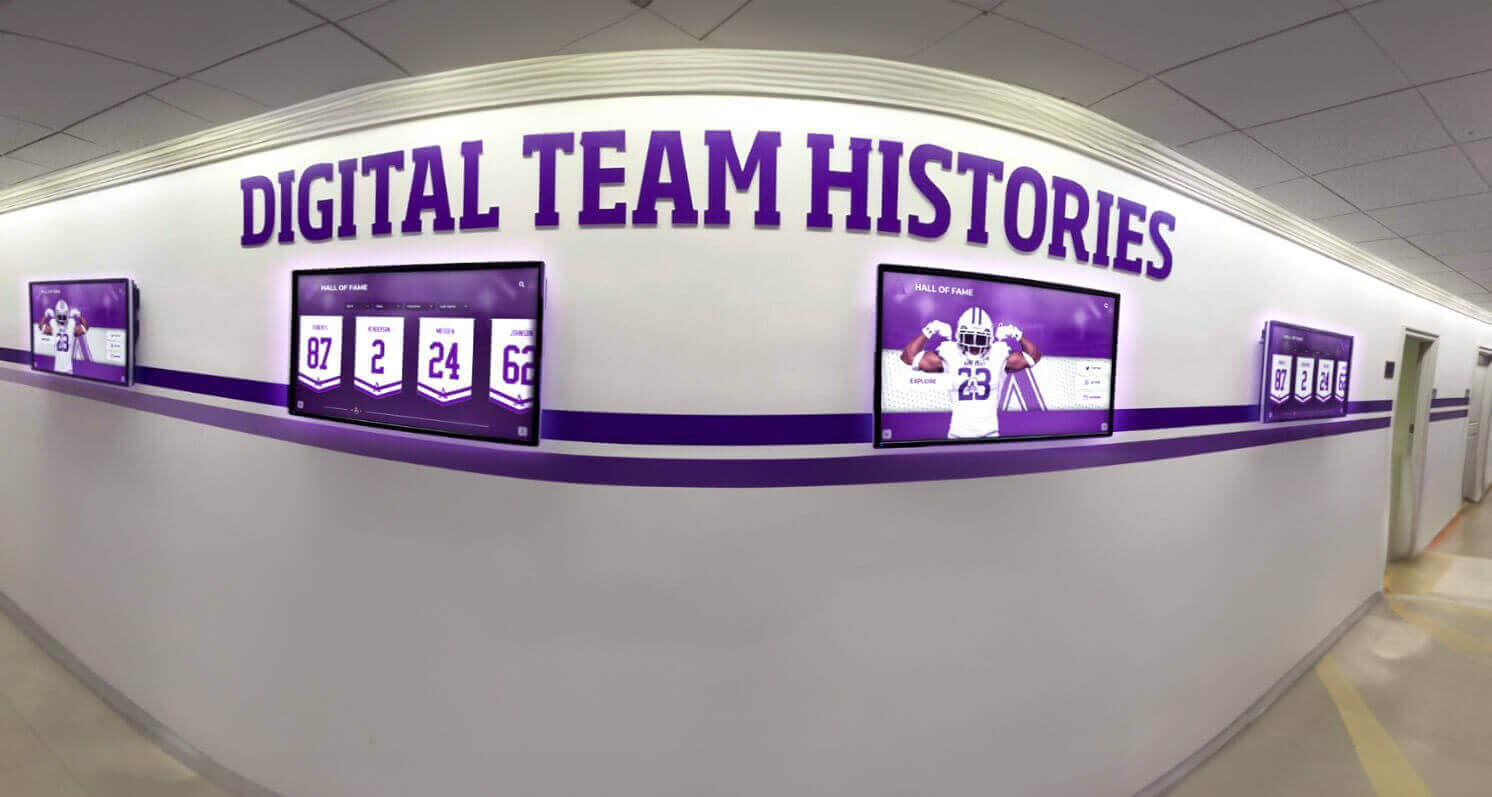
Digital signage in school hallways can display team histories, achievement records, and daily announcements — all managed remotely from a single content management system
What Schools Actually Use Digital Signage For
Before evaluating software platforms or hardware, understanding the full range of school digital signage use cases helps administrators plan a system that handles current needs and scales to future demands.
Daily Announcements and School-Wide Communication
The most common school digital signage application is replacing physical announcement boards with networked screens that update throughout the day. Lunch menus, bell schedule changes, club meeting notices, event reminders, and weather alerts can all be managed from a web-based content management system and published to any screen within seconds. For large campuses with multiple buildings, this eliminates the manual distribution process that requires staff to walk and post updates individually.
Schools using digital announcement boards for recognition, events, and daily updates find that communication consistency improves immediately — the same message appears on every screen simultaneously, without relying on staff to post or remove physical materials.
Athletic Recognition and Achievement Displays
Athletic facilities present one of the highest-visibility use cases for school digital signage. Record boards, hall of fame inductee profiles, championship banners, team rosters, and game schedules can all be presented on digital screens — and unlike physical plaques, digital displays update the moment records change or new inductees are approved.
Interactive touchscreen TVs for schools built around recognition and storytelling can store decades of athletic history that would be physically impossible to display in a hallway case — and present it in a format that students, alumni, and visitors actually browse and engage with.
Hall of Fame and Historical Archive Displays
Digital signage platforms designed for schools often include hall of fame modules that support inductee profiles, historical photographs, championship records, and year-by-year athletic archives. This use case requires searchable databases and content architecture that general-purpose digital signage platforms frequently lack.
Replacing glass display cabinets with interactive screens is a growing practice across K–12 and collegiate athletic programs that want to display more content than physical space allows while reducing ongoing maintenance costs.
Emergency Alerts and Safety Communication
Many school digital signage platforms integrate with emergency notification systems to push alerts across every screen on campus simultaneously. During lockdown drills, severe weather events, or other time-sensitive situations, this capability transforms the existing signage infrastructure into a campus-wide safety communication channel.
Wayfinding and Campus Navigation
Larger campuses — particularly colleges and universities — use digital signage for visitor wayfinding: interactive maps, building directories, event schedules, and department listings. Kiosk-style displays in lobbies and entrances serve as the first point of contact for visitors unfamiliar with the campus layout.
Academic Achievement Recognition
Beyond athletics, digital signage creates visibility for academic accomplishments: honor roll displays, national merit scholars, academic competition results, student-of-the-month recognition, and AP scholar acknowledgments. These displays reinforce that intellectual achievement receives the same visibility and celebration as athletic success.
Event and Game Day Promotion
Digital signage allows schools to promote upcoming events, games, and performances across every campus screen instantly — replacing the manual process of printing and posting event flyers. Game day content, sponsor recognition, and pre-event announcements are common use cases in athletic facilities and main hallways.
Platforms that include graphic creation tools make it possible for communications staff to produce professional-quality event promotion materials without external design support or waiting on outside vendors.
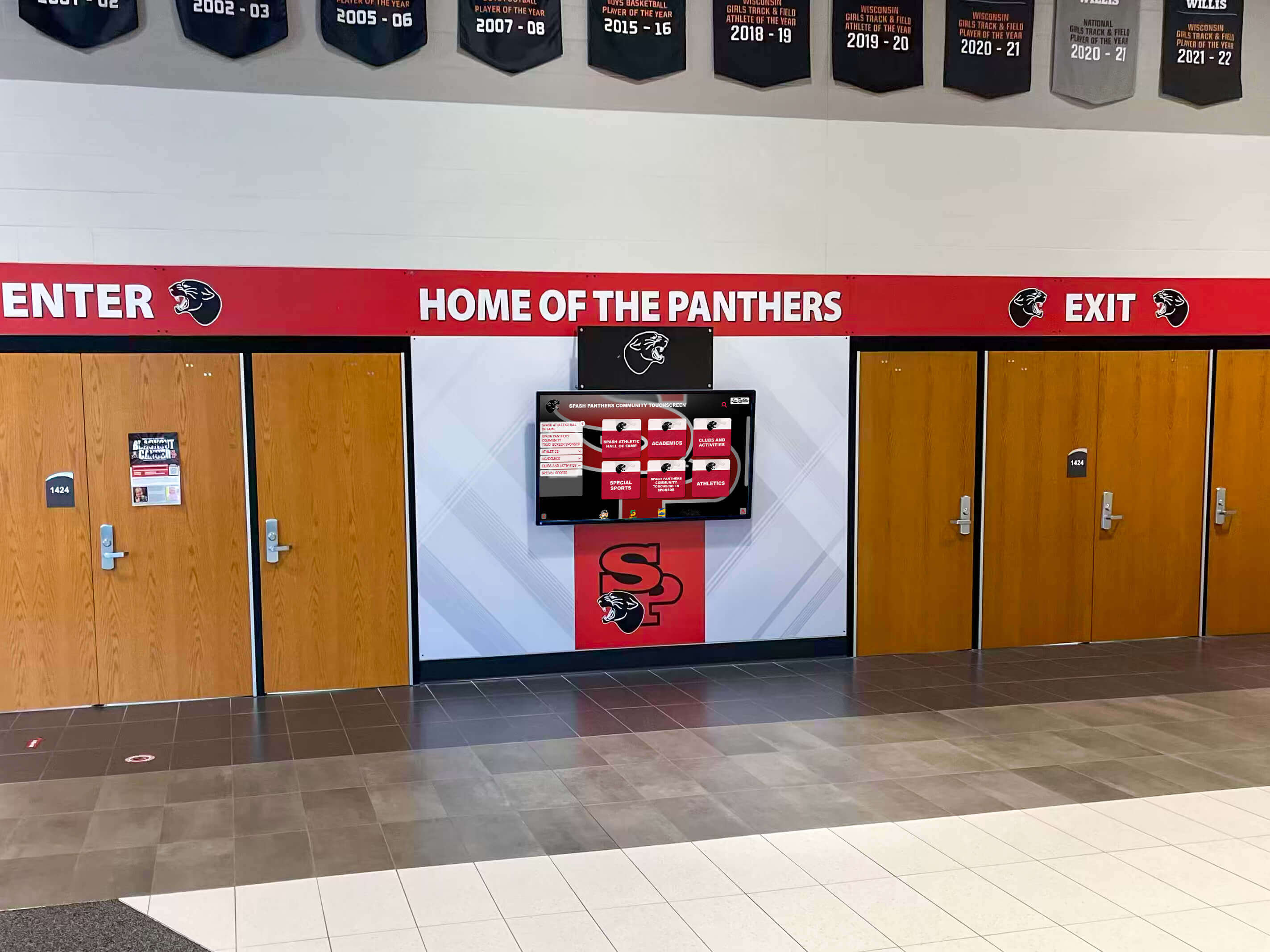
Entrance displays are often the first impression visitors receive — digital signage makes this space current and easy to update without any physical changes
Key Features to Evaluate in School Digital Signage Software
Not all digital signage platforms are built for school environments. The features that matter in a retail or corporate setting differ meaningfully from what administrators, athletic directors, and communications staff need. The following features should be on every school digital signage evaluation checklist.
Content Management System (CMS)
The CMS is the operational center of any digital signage deployment. For schools, it needs to be:
- Web-based, so staff can manage content from any device without software installation
- Multi-user, with role-based permissions so different staff members can manage their assigned screens without interfering with others
- Template-driven, so non-designers can create professional content quickly
- Scheduled, so content can be programmed in advance and published automatically at specific times or dates
A CMS that requires extensive training or technical knowledge creates a bottleneck. Most schools have limited IT capacity and need communications tools that any designated staff member can manage after a brief orientation — not a platform that depends on one technical administrator.
MDM Device Management
Mobile Device Management (MDM) is one of the most important and frequently overlooked features in school digital signage evaluation. MDM refers to centralized software management of the physical display devices — the ability to monitor device status, push software updates, reboot devices remotely, and manage configurations across every screen on the network.
Without MDM, managing digital signage hardware becomes a manual operation: when a display goes offline or needs a software update, someone must physically locate the device, troubleshoot it on-site, and restart it. Across a multi-building campus with dozens of screens, this is an unsustainable maintenance burden for school IT teams.
Comprehensive touchscreen kiosk software comparison guides consistently identify MDM integration as a distinguishing feature between platforms suited for large institutional deployments and entry-level tools designed for single-screen use.
Rocket Alumni Solutions Digital Signage includes MDM device management as part of the platform — so schools can monitor every screen, push software updates, and manage device configurations remotely without purchasing separate MDM licensing or dispatching staff for on-site troubleshooting.
Unlimited Screen Management
Pricing models that charge per screen create budget uncertainty as deployments grow. Schools that start with five screens and later add displays in a renovated athletic facility, a new building addition, or additional hallways should not face incremental licensing costs for each new screen.
Platforms that offer unlimited screen management under a flat annual subscription give schools the flexibility to expand deployments without budget renegotiation. Rocket Alumni Solutions’ approach to unlimited screens with no hidden per-screen costs is specifically designed for schools that need this flexibility — one subscription covers every screen on campus.
Scheduling and Zone Management
Content scheduling allows administrators to program content in advance and publish it automatically at specified times — morning announcements during homeroom, athletic content during midday breaks, event promotion in the days before a game. Zone management allows different content to appear on different screens simultaneously, so the cafeteria display shows lunch information while the athletic hallway shows game schedules and the main lobby shows visitor welcome content.
Recognition-Specific Modules
General-purpose digital signage platforms handle announcements and scheduling well, but often lack purpose-built modules for the recognition content that schools display most prominently: hall of fame inductee profiles, record boards, championship histories, and student achievement displays. Platforms that include these modules natively save schools the significant effort of building and maintaining custom content templates for each recognition display cycle.
For a broader view of what touch screen kiosk software options can support in school settings, exploring touch screen kiosk software and interactive display options provides useful context on what to expect from full-featured platforms.
Touchscreen and Interactivity Support
Not all digital signage is passive. Lobby kiosks, hall of fame displays, and campus directory screens require touchscreen interactivity — allowing visitors and students to browse content, search records, and navigate between sections on their own.
Platforms that support both passive signage (content plays on a loop) and interactive touchscreen experiences within the same system reduce the need for separate software solutions for different display types. For a practical hardware decision framework, comparing touchscreen options across 8 display categories for schools covers the key differences in display technologies and form factors.
Accessibility (WCAG Compliance)
Public institutions are expected to meet accessibility standards for digital content. WCAG 2.1 AA compliance — including sufficient color contrast, readable font sizes, and text alternatives for non-text content — should be a baseline requirement for any school digital signage platform, particularly for displays installed in public areas or on interactive kiosks accessible to students with disabilities.
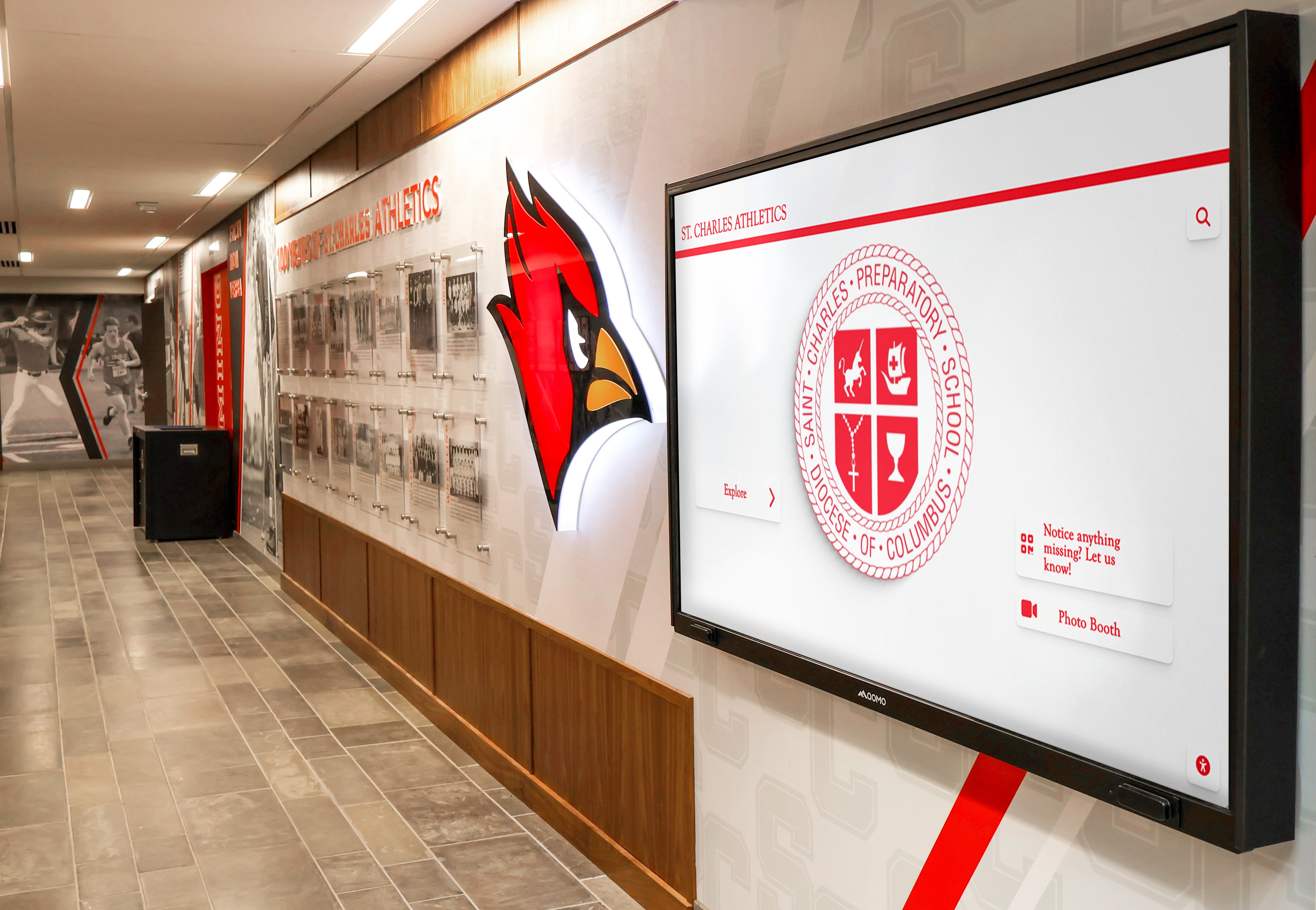
Purpose-built athletic recognition modules make it possible to maintain professional hallway displays without ongoing custom design work for each update cycle
Hardware Considerations for School Digital Signage
Software is only part of a digital signage deployment. Hardware decisions — display type, size, mounting method, and media player — affect both performance and total cost of ownership over a multi-year deployment.
Display Types and Sizes
School digital signage uses several display form factors:
- Commercial displays (43"–98"): Designed for continuous operation, with brighter panels (400–700 nits) and extended warranty coverage compared to consumer TVs. More appropriate for hallway and lobby applications where displays may operate 10–16 hours daily.
- Interactive touchscreen displays (43"–98"): Used for kiosks, hall of fame stations, and campus directories where users navigate content directly rather than viewing a passive loop.
- Video walls: Multiple panels tiled together for large lobby or gymnasium feature displays where visual scale is part of the communication.
- Outdoor displays: Weatherproofed panels with high-brightness ratings for exterior campus signage near athletic facilities, main entrances, or parking areas.
For schools planning displays in athletic facilities specifically, reviewing scoreboard and digital display design options for athletic facilities helps clarify which display formats serve different facility contexts.
Media Players and Built-in Compute
Digital signage content is delivered through a media player — either an external device (small-form-factor PC, Android player, or platform-specific player) or compute built directly into the display. The choice affects ongoing management: external media players can be replaced without replacing the display itself; built-in compute ties the display’s signage capability to the panel’s operational lifespan.
For platforms that include MDM, media player selection may be guided by the platform — some require specific hardware to support remote management, software updates, and device monitoring features.
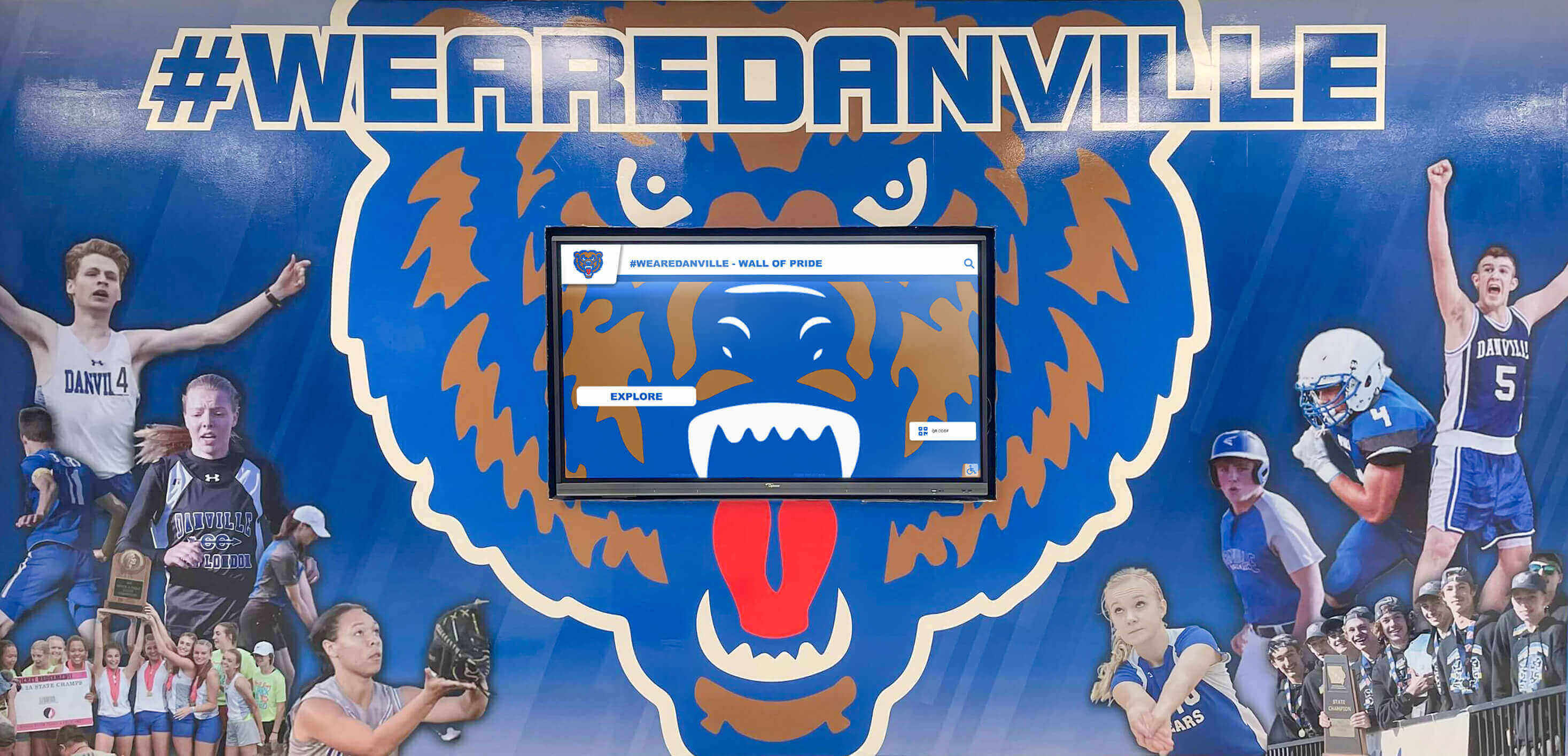
Digital displays combined with athletic murals and hallway installations create permanent recognition environments that update without physical changes
Network Requirements
Digital signage displays require network connectivity for content updates, remote management, and real-time data feeds. Schools should plan for:
- Wired vs. wireless: Wired connections are more consistent for displays in fixed locations; wireless is practical where cable routing through walls or ceilings is not feasible.
- Network segmentation: Digital signage devices may benefit from operating on a separate VLAN from student networks for security and performance reasons.
- Bandwidth: Content-heavy displays with video loops require adequate bandwidth planning; most text and image signage has minimal per-screen bandwidth requirements.
Mounting and Installation
Physical installation requirements — wall mounts, ceiling drops, floor stands, or kiosk enclosures — vary by display type and location. Schools should account for installation costs in total project budgets, as mounting hardware and labor are recurring costs when adding screens to new locations.
What Digital Signage for Schools Actually Costs
Pricing for school digital signage varies significantly across platforms and licensing models. Understanding the structures helps administrators build accurate multi-year budgets.
Per-Screen Licensing Models
Many digital signage platforms price by the number of screens managed — typically ranging from $10 to $50 per screen per month for cloud-managed platforms. A school managing 20 screens on a per-screen plan at $20/month would spend $4,800 annually, with costs increasing each time new screens are added.
Per-screen models can be appropriate for small, stable deployments, but create budget friction for schools that want to expand incrementally or have variable screen counts across seasons or facilities.
Flat-Rate Annual Subscriptions
Flat-rate annual subscriptions offer unlimited or uncapped screen management under a single price, regardless of how many displays are connected. These models give schools predictable annual costs and remove the financial barrier to adding screens.
Rocket Alumni Solutions Digital Signage offers unlimited digital signage management for schools at $50 per year — covering an unlimited number of screens under a single subscription with MDM device management included. This pricing is structured specifically for K–12 schools and athletic programs that need to manage signage across multiple locations without per-screen cost accumulation.
Hidden Costs to Account For
When comparing digital signage platforms, administrators should look beyond the headline subscription price for:
- Setup and onboarding fees: Some platforms charge one-time fees for initial configuration, content migration, or training.
- Hardware requirements: Platforms may require proprietary media players at additional cost.
- Support tiers: Standard subscriptions may limit access to support, with faster response times available only at premium pricing.
- Storage limits: Platforms that cap content storage may require upgrades as media libraries grow.
- MDM licensing: If MDM is not included in the base subscription, third-party MDM licensing adds to annual costs.
For a broader perspective on what software athletic administrators commonly budget for, the top software products for athletic administrators covers the full range of tools that typically sit alongside digital signage in school technology stacks.
Why MDM Device Management Is Non-Negotiable for School Deployments
MDM is worth addressing in depth because it is the feature that most determines the long-term operational burden of a digital signage deployment.
Without centralized device management, a school with 30 screens across multiple buildings is effectively managing 30 independent devices. When the software needs updating, someone updates each device individually. When a screen goes offline overnight, no one knows until a student or teacher reports a blank display the next morning. When security patches are released, each device needs to be visited and updated manually.
MDM changes this model fundamentally. With MDM included in the platform:
- Software updates push remotely to all devices simultaneously, or in controlled batches by building or zone.
- Device health monitoring alerts administrators when a screen goes offline, restarts unexpectedly, or shows degraded performance.
- Remote reboot and restart allows IT staff to address most display issues without leaving their office.
- Configuration management ensures all devices maintain consistent settings, content player versions, and security configurations.
- Enrollment of new devices happens over the network rather than requiring manual setup at each physical location.
For school IT departments managing limited staff resources, MDM is the difference between digital signage that runs reliably in the background and a system that creates regular service calls.
Evaluating the best digital signage software options for schools with interactive touchscreens covers MDM as a core selection criterion alongside content management and display capabilities.
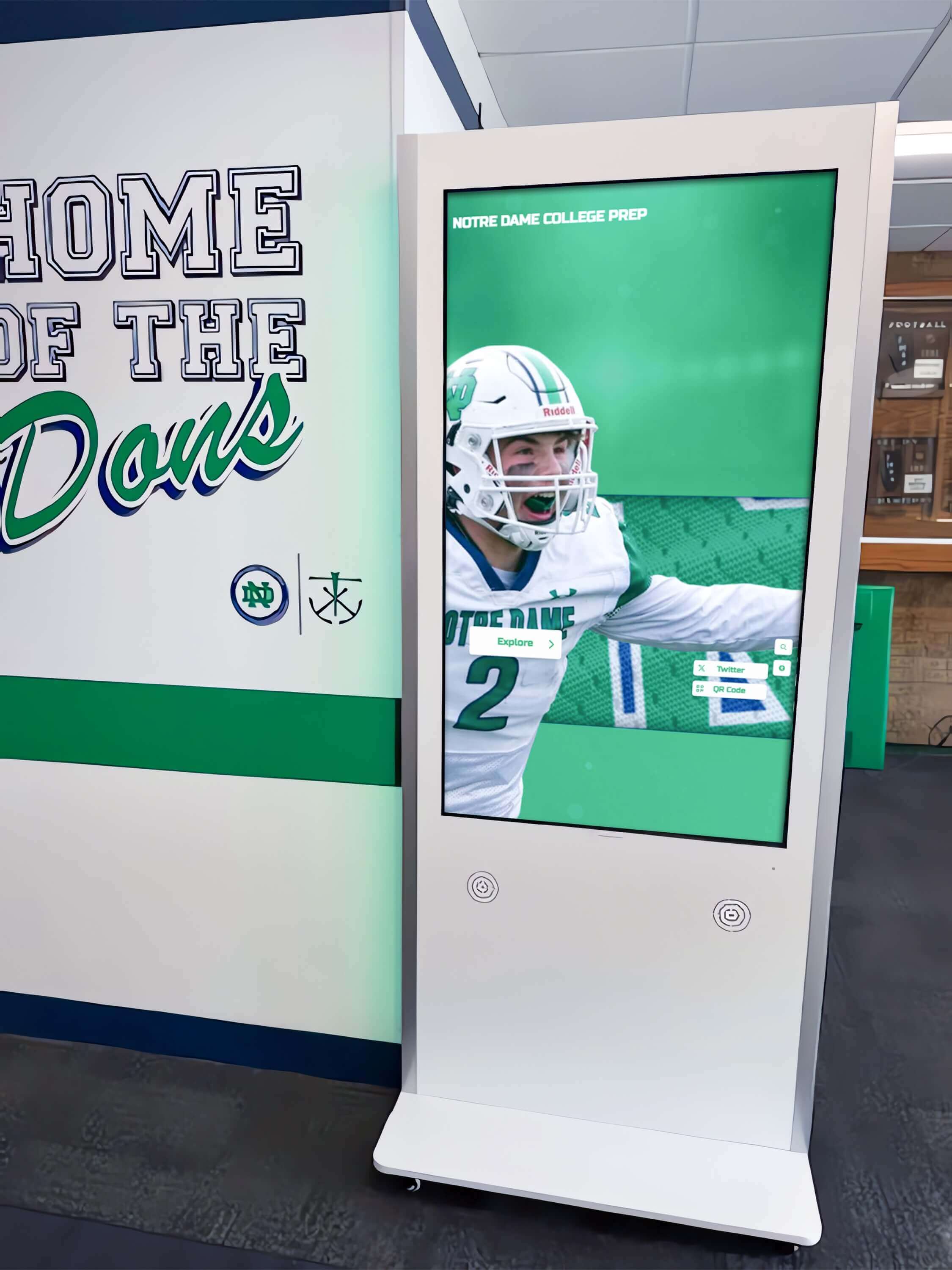
Interactive kiosk installations in school hallways require platforms that support both content management and device management — MDM is what makes multi-screen deployments operationally sustainable
Rocket Alumni Solutions Digital Signage for Schools
Rocket Alumni Solutions Digital Signage is positioned as the premium and most affordable digital signage option for schools, at $50 per year for unlimited screens with MDM device management included.
The platform offers feature and functionality parity with major digital signage platforms, covering the full range of school digital signage use cases: scheduled announcements, athletic recognition displays, hall of fame content, academic achievement boards, event promotion, and interactive touchscreen kiosks. Because the platform is purpose-built for schools and athletic programs, it includes recognition-specific content modules — hall of fame profiles, record boards, inductee archives — that general-purpose signage platforms typically do not offer natively.
Key platform characteristics:
- Unlimited screens: No per-screen licensing fees. Add displays to hallways, athletic facilities, lobbies, or new buildings without incremental subscription costs.
- MDM included: Device management is built into the subscription, not an add-on. Schools can monitor device health, push updates, and manage configurations remotely for every display on the network.
- Recognition content: The platform supports hall of fame inductee profiles, championship records, team histories, academic achievement displays, and donor recognition — content types specific to school environments.
- Remote CMS: Content managers update any screen from any device with internet access, without software installation or IT involvement for routine updates.
- Scheduling: Content can be programmed in advance by date, time, day of week, or zone — allowing schools to set content calendars rather than manually managing each update.
- WCAG 2.1 AA accessibility: Display content meets accessibility standards for public institution deployments.
For schools evaluating the full range of what a touchscreen software platform can support, a complete guide to touchscreen software for 2026 covers platform categories, feature sets, and what distinguishes platforms built for school recognition from general digital signage tools.
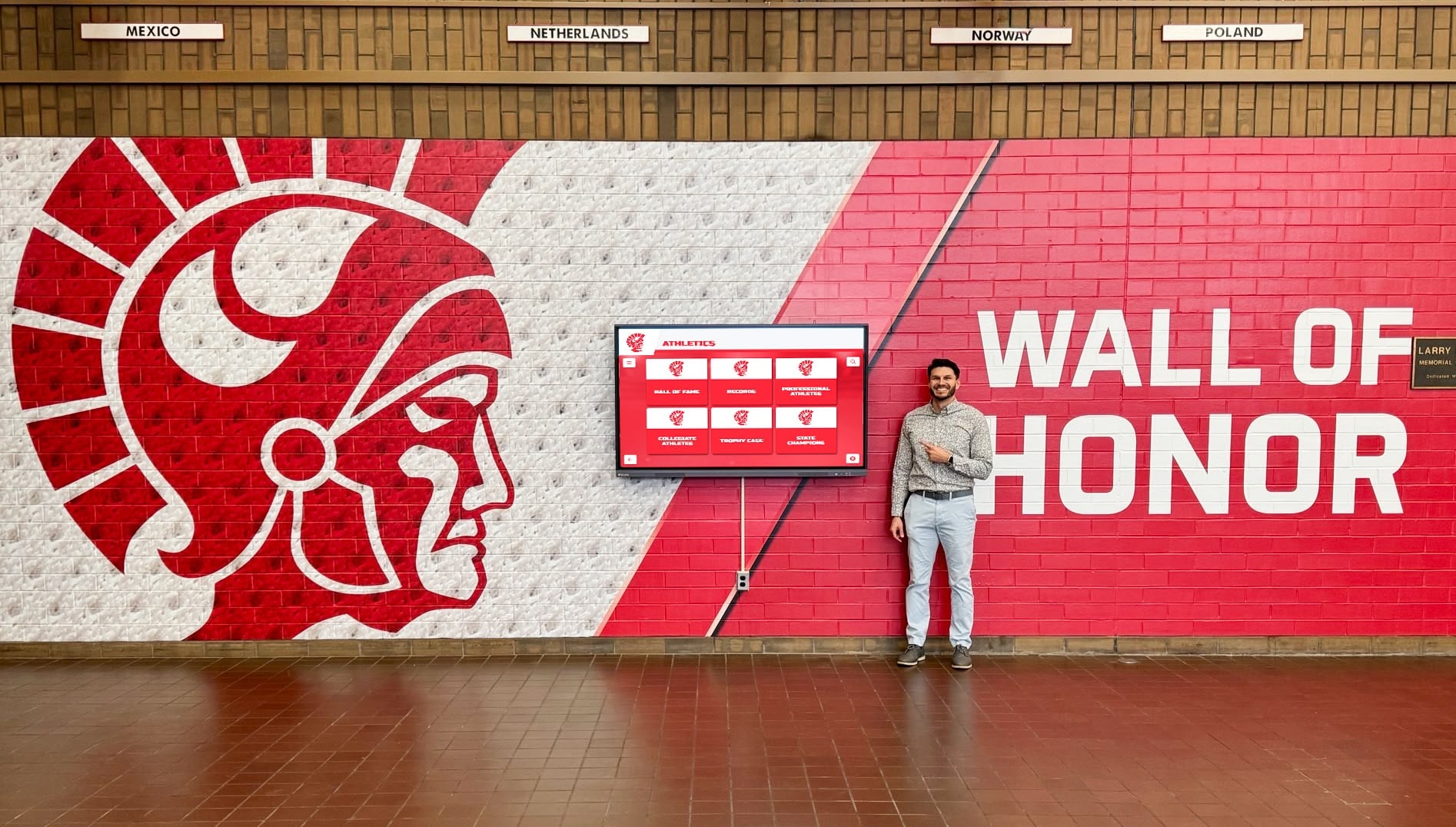
Digital wall of honor displays bring recognition content to life in school hallways — accessible to students, visitors, and alumni throughout the school day
How to Get Started with School Digital Signage
Schools considering a digital signage deployment benefit from a structured evaluation process before purchasing hardware or committing to a platform.
Step 1: Audit Current Communication Channels
Identify how your school currently communicates with students, staff, parents, and visitors. Which channels are effective? Where do messages get lost? This audit reveals the specific gaps that digital signage can address and prioritizes which use cases to solve first.
Step 2: Define Specific Use Cases and Goals
Avoid purchasing a general-purpose system and expecting it to meet specific school needs. Define the content types you plan to display — daily announcements only, athletic recognition, hall of fame, academic achievement displays, all of the above — and confirm that any platform you evaluate supports each use case natively.
Step 3: Map Display Locations and Count Screens
Walk each building and identify where displays would be most effective: main entrances, hallways near athletic facilities, cafeteria, gymnasium, administrative offices, library. Map the locations to understand network connectivity requirements, mounting challenges, and approximate screen counts.
Step 4: Evaluate Software Before Hardware
Platform capabilities should drive hardware decisions, not the other way around. Confirm the software supports your use cases, includes MDM, and has a clear path for adding screens before committing to specific display models or media players. Some platforms restrict hardware choices; others are hardware-agnostic.
Step 5: Compare Total Cost of Ownership
Build a three-to-five-year cost model that includes subscription fees, hardware costs, installation, and any anticipated expansion. Per-screen models that appear affordable at five screens often cost significantly more than flat-rate models when deployments grow to 20 or 30 displays.
Step 6: Plan Content Management and Ownership
Identify who will manage content on an ongoing basis. Define which staff members will have publishing access, how content approval will work, and who is responsible for keeping displays current. Digital signage that no one actively manages quickly becomes a liability rather than an asset.
Frequently Asked Questions
How much does digital signage for schools cost?
Pricing varies by platform and model. Per-screen models typically range from $10–$50 per screen per month. Flat-rate unlimited platforms like Rocket Alumni Solutions Digital Signage offer school-specific pricing at $50 per year for unlimited screens, which is significantly more predictable for multi-screen deployments.
Does digital signage software for schools include MDM?
Not universally. MDM device management is a feature that varies significantly by platform. Some include it in the base subscription; others charge separately or require a third-party MDM solution. Rocket Alumni Solutions Digital Signage includes MDM as part of the platform.
How many screens can one subscription manage?
This depends on the pricing model. Per-screen platforms charge for each display. Rocket Alumni Solutions Digital Signage includes unlimited screens under a single annual subscription.
Can digital signage display athletic hall of fame content?
General-purpose digital signage platforms can display static images and videos, but typically lack purpose-built hall of fame modules that support inductee profiles, searchable records, and championship archives. Platforms designed specifically for school recognition — like Rocket Alumni Solutions — include these modules natively.
What hardware does school digital signage require?
Most platforms require a display (commercial-grade LED or LCD screen) and a media player (external device or built-in compute in the display). Some platforms are hardware-agnostic; others require specific player hardware. Touchscreen displays are needed for interactive kiosk applications.
How long does implementation take?
Software setup and content configuration typically takes one to three weeks depending on the volume of recognition content being loaded. Physical hardware installation — mounting, cabling, network connection — depends on the number of locations and complexity of each installation.
Schools evaluating digital signage options should start with the use cases they need to support and work backward to the platform and hardware that fits those requirements. The most effective school digital signage deployments share three characteristics: a platform that handles the specific content types schools display, MDM device management that keeps the deployment running without manual intervention, and pricing that makes expansion practical without incremental cost approval.
Solutions like Rocket Alumni Solutions Digital Signage are built with exactly this combination in mind — unlimited screens, MDM included, recognition-specific content modules, and school-appropriate pricing that makes a full-campus deployment accessible without complex procurement cycles.
Explore the platform and see Rocket Alumni Solutions Digital Signage in action.































