




Walk into any modern school or organization today, and you’ll immediately notice a transformation in how information flows. Where bulletin boards once cluttered hallways with outdated notices and static directories left visitors wandering aimlessly, digital signage kiosks now provide instant, interactive access to everything from building navigation to institutional history. These touchscreen systems represent more than technological upgrades—they fundamentally change how schools and organizations communicate with students, visitors, and communities.
Digital signage kiosk solutions address persistent challenges facing educational institutions and organizations: limited physical space for displaying achievements, outdated information on printed materials, overwhelmed front desk staff answering repetitive questions, and inability to engage visitors meaningfully during brief interactions. Interactive touchscreen kiosks solve these problems by consolidating multiple communication functions—wayfinding, recognition displays, event calendars, donor walls, and historical archives—into engaging, self-service systems that work continuously without staff intervention.
This comprehensive guide explores how schools and organizations implement digital signage kiosk solutions that transform visitor experiences, preserve institutional memory, and create efficient information access. Whether you’re planning your first interactive display or expanding an existing network, you’ll discover proven strategies for hardware selection, content development, and deployment approaches that maximize return on investment while serving your community’s needs effectively.
Modern institutions recognize that communication expectations have fundamentally changed. Visitors accustomed to smartphones and tablets expect self-service information access, visual content, and intuitive navigation. Digital signage kiosks meet these expectations while providing administrators with unprecedented control over messaging, recognition presentation, and visitor engagement that static displays simply cannot deliver.

Professional digital signage kiosks provide intuitive self-service access to institutional information, recognition content, and navigation resources
Understanding Digital Signage Kiosk Applications
Digital signage kiosks serve diverse functions across educational and organizational environments, transforming how institutions share information and engage audiences.
What Makes Digital Signage Kiosks Different
Digital signage kiosks distinguish themselves from traditional displays through interactivity and intelligence:
Interactive Engagement vs. Passive Viewing
Traditional digital signage typically displays rotating content that viewers passively watch. Digital signage kiosks enable active participation:
- Touchscreen interfaces allowing users to explore content at their own pace
- Search functionality helping visitors find specific information quickly
- Personalized pathways enabling self-directed discovery
- Multi-language support accommodating diverse audiences
- Navigation controls putting users in charge of their experience
- Immediate response to input creating engaging interactions
This fundamental shift from passive to active engagement dramatically increases information retention and user satisfaction.
Consolidating Multiple Communication Functions
Rather than requiring separate systems for different purposes, digital signage kiosks unify:
- Campus wayfinding and building directories
- Achievement recognition and hall of fame displays
- Event calendars and schedule information
- Donor recognition and fundraising communication
- Institutional history and archival content
- Emergency alerts and important announcements
- Program information and resource directories
This consolidation reduces costs while improving user experience through unified interfaces. For organizations seeking interactive touchscreen solutions for multiple applications, integration capabilities prove essential.
Cloud-Based Management Enabling Remote Updates
Modern digital signage kiosks leverage cloud platforms that:
- Allow content updates from any internet-connected device
- Eliminate need for on-site visits to change information
- Enable scheduled publishing for time-sensitive content
- Support multiple administrators with role-based permissions
- Provide real-time synchronization across display networks
- Include automatic backups protecting against content loss
This remote management capability means busy administrators can update kiosks instantly from their desks rather than physically visiting each display.
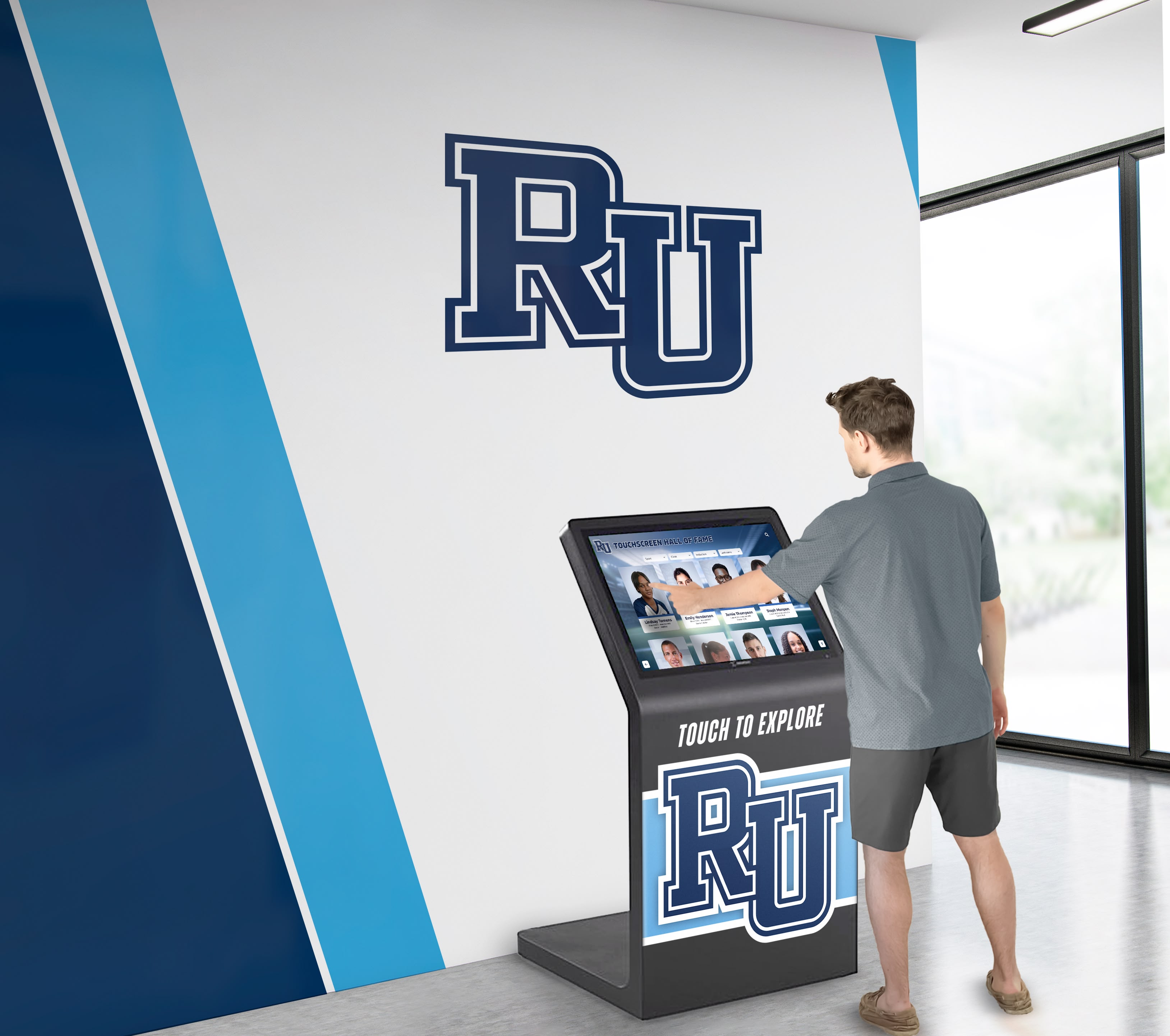
Strategic placement in high-traffic areas ensures maximum visibility and accessibility for students, visitors, and families
Primary Use Cases in Educational Settings
Schools and universities leverage digital signage kiosks for distinctive institutional needs:
Campus Wayfinding and Navigation
Complex facilities require intuitive navigation assistance for visitors:
- Interactive campus maps showing building locations and pathways
- Searchable room directories helping visitors find specific classrooms or offices
- “You Are Here” indicators providing orientation context
- Accessibility routing for wheelchair users and those with mobility needs
- Parking guidance directing visitors to appropriate lots
- Event-specific wayfinding for athletic competitions and performances
- Multi-building campus navigation connecting distributed facilities
Schools report that wayfinding kiosks reduce front desk inquiries by 40-60%, allowing staff to focus on higher-value assistance rather than answering repetitive directional questions.
Athletic Recognition and Hall of Fame Displays
Digital signage kiosks solve the perpetual problem of limited trophy case space:
- Unlimited championship team recognition spanning complete program history
- Searchable athlete databases enabling quick lookup of individual accomplishments
- Record boards displaying current marks across all sports and events
- Coaching milestone recognition celebrating career achievements
- Retired jersey tributes with detailed career statistics
- Team photo archives preserving visual program heritage
- Season highlights and memorable moments captured in video
Unlike physical trophy cases that force difficult decisions about which achievements deserve limited space, digital recognition displays honor every accomplishment without constraint.
Academic Excellence Recognition
Celebrating educational achievements creates positive school culture:
- Honor roll displays updated automatically each grading period
- National Merit Scholar recognition with achievement details
- Academic competition success highlighting quiz bowl, Science Olympiad, and debate teams
- Advanced Placement achievement and high scores
- Scholarship recipient announcements with award amounts and college destinations
- Valedictorian and salutatorian historical records
- Perfect attendance recognition and student leadership positions
Digital platforms enable broader recognition than physical space allows, ensuring more students receive public acknowledgment for their accomplishments.
Historical Archives and Yearbook Access
Preserving and sharing institutional memory:
- Digitized yearbook collections from all available years
- Class composite displays with searchable graduate profiles
- Historical photo galleries organized by decade
- Founding stories and institutional milestones
- Notable alumni achievement retrospectives
- Facility evolution showing building additions and renovations
- Tradition documentation explaining customs and ceremonies
Alumni returning for reunions or events spend significantly more time engaging with digital archival displays compared to static exhibits, strengthening connections with their alma maters.
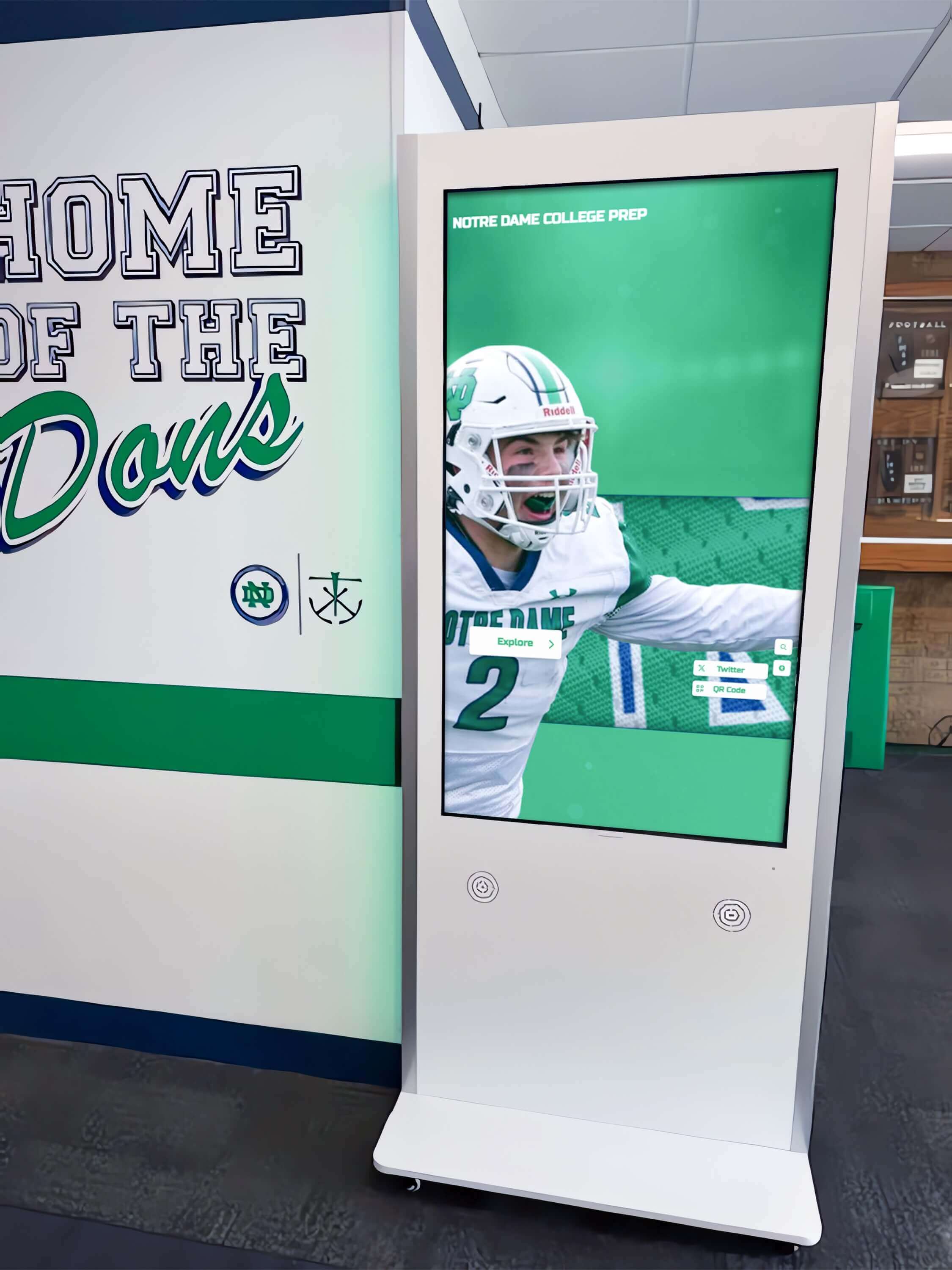
Freestanding kiosk enclosures provide professional installations with flexibility for optimal placement in high-traffic areas
Applications for Organizations and Nonprofits
Beyond educational settings, organizations leverage digital signage kiosks for mission-critical communication:
Donor Recognition and Stewardship
Nonprofit organizations transform traditional donor walls through digital technology:
- Unlimited donor capacity eliminating space constraints
- Searchable donor directories enabling quick location of specific supporters
- Giving level societies organized by contribution tiers
- Campaign-specific recognition for capital projects and initiatives
- Multimedia donor profiles with photos, testimonials, and impact stories
- Real-time campaign progress displays showing fundraising momentum
- Legacy society recognition honoring planned giving commitments
Organizations implementing digital donor recognition systems report significant cost savings compared to traditional bronze plaques while achieving superior donor engagement.
Visitor Information and Wayfinding
Facilities serving public audiences benefit from self-service guidance:
- Building directories with searchable department listings
- Meeting room locations and reservation schedules
- Service access points for various organizational functions
- Facility amenities including restrooms, elevators, and accessibility features
- Parking instructions and visitor registration processes
- Business hours and contact information
- Special event guidance during conferences or community gatherings
Self-service wayfinding reduces staff interruptions while ensuring visitors reach destinations efficiently without frustration.
Community Engagement and Recognition
Organizations celebrating members and volunteers:
- Volunteer service hour recognition and milestone celebrations
- Employee of the month spotlights with photos and accomplishments
- Community partner acknowledgment highlighting collaborations
- Board member and leadership recognition
- Memorial tributes honoring deceased community members
- Anniversary celebrations marking institutional milestones
- Program participant recognition across various initiatives
Digital recognition enables comprehensive acknowledgment that strengthens community bonds and demonstrates appreciation for contributions.
Museum and Cultural Institution Exhibits
Cultural organizations enhance visitor experiences through interactive technology:
- Virtual collection browsing accessing archives beyond displayed items
- Detailed artifact information with provenance and historical context
- Interactive timelines exploring community or institutional history
- Oral history recordings preserving voices and memories
- Map-based exploration revealing geographic dimensions of local history
- Multilingual content serving diverse visitor populations
Museums report that interactive displays dramatically increase visitor engagement duration and satisfaction compared to static exhibits.

Lobby placement ensures recognition displays remain visible to all visitors while enabling detailed exploration of achievements
Key Benefits Driving Digital Signage Kiosk Adoption
Organizations implementing digital signage kiosks report measurable improvements across multiple dimensions:
Operational Efficiency Gains
Digital kiosks reduce staff workload and operational costs:
Reduced Staff Interruptions
Self-service access dramatically decreases routine inquiries:
- 40-60% reduction in reception desk questions about directions and locations
- Fewer phone calls seeking basic schedule and event information
- Reduced need for staff-led facility tours
- Less time spent providing repetitive information to multiple visitors
- Freed capacity allowing staff to focus on complex assistance requiring personal attention
Administrators appreciate reclaiming staff time for higher-value activities rather than answering questions that kiosks handle effectively.
Eliminated Printing Costs
Digital displays replace expensive physical materials:
- No more printed directories requiring updates whenever personnel change
- Eliminated wayfinding signage replacement costs
- Reduced event poster printing and distribution
- No physical program brochures needing periodic reprints
- Savings on paper, ink, and printing services
Schools typically spend $2,000-5,000 annually on printed materials that digital kiosks eliminate entirely.
Centralized Content Management
Cloud-based systems streamline updates across distributed displays:
- Single update propagating instantly to all kiosks in network
- No need to visit individual displays for content changes
- Reduced IT burden through simplified management
- Consistent messaging across all institutional touchpoints
- Scheduled publishing enabling advance preparation
This centralization proves particularly valuable for institutions with multiple buildings or campuses.
Enhanced Visitor Experience
Digital signage kiosks improve how people interact with institutions:
Immediate Information Access
Visitors appreciate instant, self-service access:
- No waiting for staff availability to get basic information
- Explore at their own pace without feeling rushed
- Access available 24/7, including evenings and weekends
- Find exactly what they need through search functionality
- Revisit information sections for clarification without repeating questions
This self-sufficiency particularly benefits visitors who prefer independent exploration over asking for assistance.
Engaging Interactive Experiences
Touchscreen interaction creates memorable engagement:
- Active participation increases information retention compared to passive reading
- Visual content communicates more effectively than text-only materials
- Video demonstrations showcase programs and facilities dynamically
- Interactive exploration enables personalized discovery journeys
- Shareable content extending engagement beyond physical visits
Research shows that interactive exhibits generate 3-5 times longer visitor dwell time compared to static displays.
Multilingual Accessibility
Digital platforms serve diverse communities:
- Instant language switching accommodating non-native speakers
- Consistent, accurate translations of technical terminology
- Improved accessibility for international students and families
- Enhanced inclusivity demonstrating institutional commitment to diversity
- Expanded reach to community members with varied language preferences
Schools serving multilingual populations particularly value this capability, which would be prohibitively expensive with printed materials.
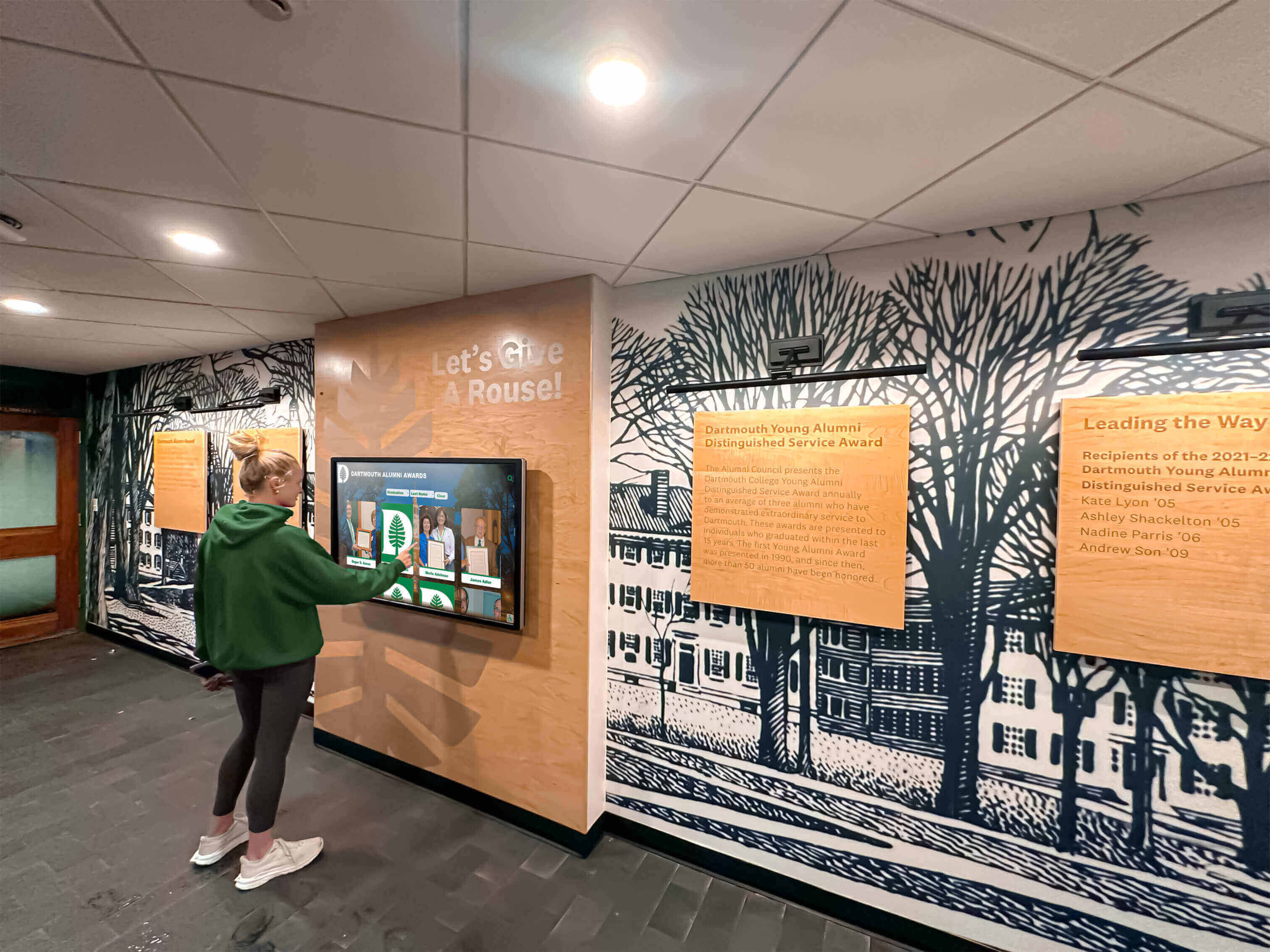
Intuitive interfaces enable independent information access without training or staff assistance
Strategic Institutional Advantages
Beyond operational benefits, digital signage kiosks deliver strategic value:
Enhanced Institutional Reputation
Modern technology signals progressive, forward-thinking institutions:
- Positive first impressions for prospective students and families
- Demonstrated commitment to innovation and technology integration
- Professional appearance reflecting organizational quality
- Competitive differentiation from peer institutions
- Enhanced stakeholder confidence in institutional leadership
Admissions offices report that campus technology, including interactive displays, positively influences prospective student perceptions.
Unlimited Recognition Capacity
Digital platforms eliminate space constraints:
- Honor every achievement rather than selecting which accomplishments deserve limited display space
- Recognize all contributors without difficult exclusion decisions
- Preserve complete institutional history without storage limitations
- Add new recognition continuously without physical expansion
- Maintain comprehensive archives serving research and engagement
This unlimited capacity proves especially valuable for athletic recognition programs with decades of championships and award recipients.
Data-Driven Insights
Analytics reveal how visitors engage with content:
- Track which information receives most attention
- Identify popular content categories and specific pages
- Understand peak usage times for maintenance planning
- Measure session duration indicating engagement depth
- Monitor search queries revealing unmet information needs
This data enables evidence-based content refinement that traditional displays cannot provide.
Future-Proof Infrastructure
Digital platforms adapt to changing needs:
- Software updates adding new features without hardware changes
- Content pivots accommodating shifting priorities
- Integration with emerging technologies as they develop
- Scalability supporting growth from single kiosk to comprehensive network
- Flexibility enabling new applications beyond initial deployment scope
This adaptability means kiosk investments serve institutions for years across evolving communication needs.
Hardware Selection for Digital Signage Kiosks
Choosing appropriate equipment ensures reliable operation and positive user experiences:
Display Technology Considerations
Screen specifications significantly impact visibility and interaction quality:
Screen Size Selection
Matching display dimensions to location and application:
- 32-43 inch displays for individual tabletop or counter installations
- 43-55 inch screens for standard floor-standing kiosks in hallways
- 55-65 inch displays for lobby focal points and high-traffic areas
- 65-75+ inch screens for large gathering spaces and auditoriums
- Portrait versus landscape orientation based on content type
- Multiple coordinated displays for comprehensive information coverage
Strategic sizing ensures readability from typical viewing distances while fitting available space constraints. For guidance on selecting appropriate touchscreen sizes for schools, consider both technical specifications and user experience factors.
Touchscreen Technology Options
Different touch technologies suit various applications:
- Capacitive touchscreens providing smartphone-like responsiveness
- Infrared touch overlays offering excellent accuracy at lower costs
- Projected capacitive technology supporting multi-touch gestures
- Anti-glare screen coatings reducing reflections in bright environments
- Tempered glass protection preventing screen damage from impacts
- Vandal-resistant touchscreens for public spaces with security concerns
Institutional environments typically benefit from infrared or projected capacitive technology balancing performance, durability, and cost.
Commercial-Grade Durability Requirements
Educational and organizational settings demand reliable equipment:
- 16-24 hour daily operation ratings versus 8-hour consumer specifications
- Industrial-grade components designed for extended lifecycles
- Commercial warranties covering continuous operation (typically 3 years)
- Higher brightness ratings (400-700 nits) overcoming ambient lighting
- Temperature tolerance for varied environmental conditions
- Expected service life of 50,000+ hours versus 20,000 for consumer displays
Initial commercial equipment investment prevents premature failures requiring expensive replacements. Consumer-grade displays fail quickly under institutional usage despite lower initial costs.
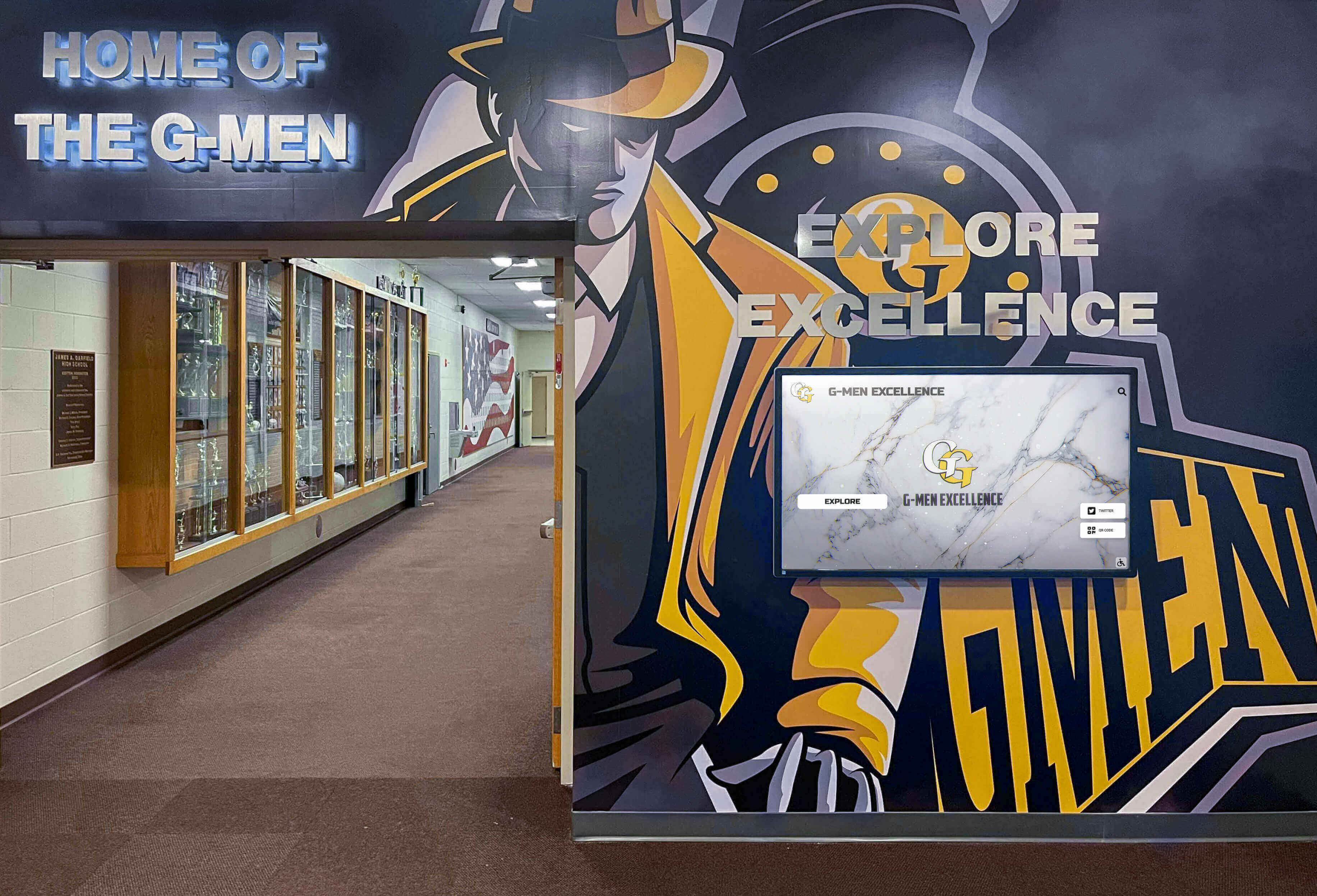
Effective installations integrate digital kiosks with existing architectural elements and institutional branding
Kiosk Enclosure and Mounting Options
Physical installation configurations affect accessibility and aesthetics:
Freestanding Floor Kiosks
Self-contained units requiring minimal installation:
- Weighted bases providing stability without floor mounting
- Integrated computers and peripherals concealed in enclosure
- Cable management systems hiding power and network connections
- Lockable access panels securing equipment from tampering
- Optional branding areas displaying organizational logos
- Wheel kits enabling repositioning for events or cleaning
- ADA-compliant heights and angles ensuring accessibility
Freestanding kiosks offer installation flexibility particularly valuable for rental facilities or locations where wall mounting isn’t feasible.
Wall-Mounted Displays
Integrated installations complementing architectural design:
- Slim profiles minimizing space intrusion in corridors
- Secure mounting hardware supporting commercial display weight
- Integrated media players and computers behind displays
- Professional cable concealment maintaining clean appearance
- ADA-compliant mounting heights ensuring wheelchair accessibility
- Optional decorative surrounds integrating with facility aesthetics
Wall mounting works well for permanent installations in designed spaces with appropriate structural support.
Countertop and Desktop Units
Smaller formats for reception areas and service desks:
- Angled displays optimizing viewing for standing or seated users
- Compact footprints fitting limited counter space
- Easy cable routing to desk-mounted equipment
- Portable configurations enabling flexible placement
- Lower hardware costs for smaller screen sizes
- Appropriate for lower-traffic individual assistance applications
These smaller installations complement rather than replace primary lobby kiosks.
Network Infrastructure Requirements
Reliable connectivity enables cloud-based management:
Internet Connectivity Options
Different approaches for different environments:
- Wired ethernet connections preferred for reliability and security
- WiFi connectivity acceptable where wired connections are impractical
- Cellular backup ensuring uptime when primary network issues occur
- Minimum bandwidth: 5-10 Mbps per display for video-rich content
- Network segregation preventing unauthorized access to critical systems
- VPN access for secure remote management
Proper infrastructure planning prevents connectivity issues causing display downtime.
Power Considerations
Electrical infrastructure needs:
- Dedicated circuits preventing overload
- Surge protection and uninterruptible power supplies
- Concealed wiring maintaining aesthetics
- Accessible outlets for maintenance
- Timer controls for power-saving schedules when appropriate
- Emergency shutdown procedures integrated with building systems
Professional electrical installation ensures safety and reliability while maintaining facility appearance standards.
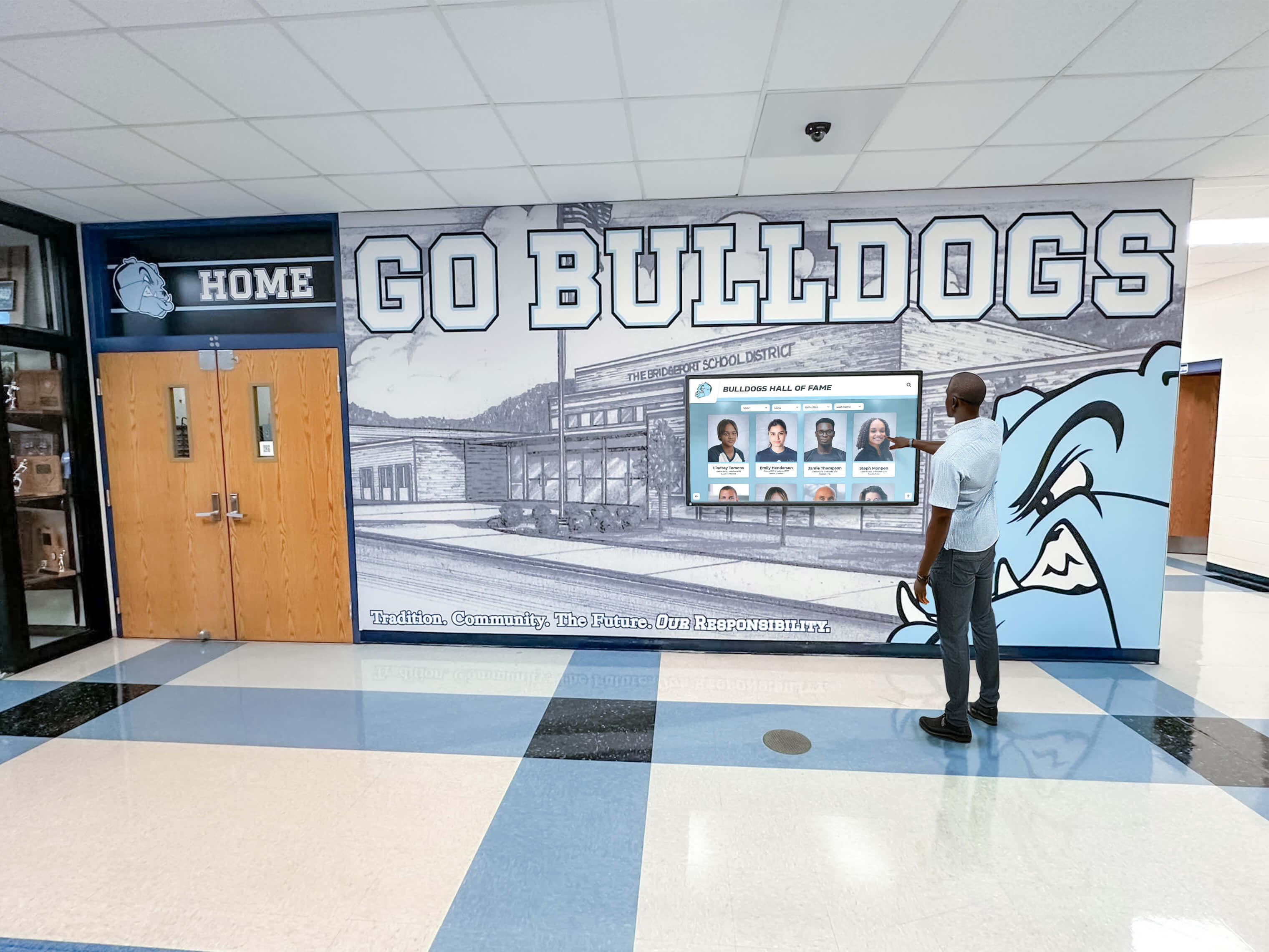
Clear interfaces enable attendees of all technical comfort levels to explore content independently
Software Platform Capabilities
Backend systems determine kiosk functionality and ease of management:
Content Management System Features
Cloud-based platforms simplify ongoing maintenance:
Remote Content Administration
Web-based management eliminates on-site editing requirements:
- Browser-based interfaces accessible from any internet-connected device
- Immediate content publishing reflecting changes instantly across all displays
- Scheduled content enabling automated updates at future dates and times
- Template systems maintaining consistent branding and formatting
- Media libraries organizing photos, videos, and documents for reuse
- Preview modes testing content before public visibility
- Version control tracking changes and enabling rollback if needed
Remote management proves particularly valuable for organizations managing multiple kiosks across distributed locations.
Multi-User Collaboration
Distributed content management with appropriate permissions:
- Role-based access controlling who can edit different content sections
- Department-specific administrator accounts for distributed management
- Approval workflows requiring supervisor review before publishing
- Activity logs tracking who modified content and when
- Content version history enabling rollback if errors occur
- Training resources and documentation supporting new administrators
This distributed management enables subject matter experts to maintain their respective content areas without bottlenecking through IT departments.
Integration Capabilities
Connecting kiosks to existing organizational systems:
- Student information system integration for academic recognition
- Donor database connections for fundraising displays
- Event management system integration for campus calendars
- Directory system integration for wayfinding applications
- Athletic statistics platforms for sports recognition
- Content management system connections for news and announcements
Integration eliminates duplicate data entry while ensuring touchscreen content reflects authoritative source systems. For comprehensive touchscreen software solutions designed for institutions, integration capabilities prove essential.
User Interface Design Principles
Effective touchscreen interfaces accommodate diverse users without training:
Intuitive Navigation Patterns
Simple interaction models enabling immediate comprehension:
- Large touch targets (minimum 44x44 pixels) preventing mis-touches
- Clear visual hierarchy emphasizing primary actions
- Consistent navigation placement across all screens
- Prominent “Home” button visible throughout experience
- Minimal text with visual icons supporting recognition
- Logical content organization matching user mental models
- Breadcrumb trails showing current location in information hierarchy
Museum exhibit research demonstrates that clear navigation achieves over 90% task completion rates while confusing interfaces lead to abandonment.
Accessibility Compliance
Universal design ensures usability for all visitors:
- Screen reader compatibility for vision-impaired users
- Adjustable text sizing accommodating varied visual abilities
- High-contrast viewing modes improving readability
- Audio descriptions supplementing visual content
- Wheelchair-accessible mounting heights (42-48 inches to center of screen)
- Simple touch interactions avoiding complex gestures
- Clear floor space for wheelchair approach (30x48 inches minimum)
Organizations serving public audiences must meet ADA compliance standards ensuring equitable access for all community members. For detailed WCAG 2.2 AA accessibility requirements, consult comprehensive accessibility guides.
Engaging Visual Design
Aesthetic appeal encourages interaction:
- Professional branding reflecting institutional identity
- High-quality photography showcasing people and facilities
- Consistent color schemes and typography throughout interface
- Appropriate white space preventing cluttered appearance
- Smooth animations and transitions creating polish
- Visual hierarchy guiding attention to important elements
Professional design quality reinforces positive institutional perceptions while encouraging sustained engagement.
Analytics and Reporting Tools
Understanding kiosk usage and content effectiveness:
Engagement Metrics
Tracking visitor interaction patterns:
- Total user sessions showing overall usage volume
- Session duration measuring engagement depth
- Popular content identification revealing most-viewed pages
- Search query logs indicating visitor information needs
- Navigation paths showing how users move through content
- Return visitor rates indicating recurring value
- Peak usage times informing maintenance scheduling
Successful implementations typically show 200-500 daily interactions in schools with 500-1,000 students, with average session durations of 2-4 minutes.
Content Performance Analysis
Evaluating what resonates with audiences:
- Page view counts for each content section
- Video completion rates showing which demonstrations hold attention
- Search success rates revealing whether users find desired information
- Drop-off points identifying confusing or uninteresting content
- Comparative analysis across different content categories
- Trend analysis showing how usage patterns change over time
This data enables evidence-based refinement improving visitor experiences continuously.
ROI Calculation Support
Quantifying investment value:
- Usage volume demonstrating adoption and engagement
- Staff time savings quantified through reduced inquiries
- Cost comparison versus printed materials and static signage
- Visitor satisfaction improvements measured through surveys
- Lead generation metrics for donor recognition applications
Most institutions achieve positive ROI within 2-3 years through combined operational savings and strategic value creation.
Implementation Process and Best Practices
Systematic planning ensures successful deployments:
Phase 1: Planning and Requirements (1-2 Months)
Needs Assessment
Define kiosk purposes and priorities:
- Identify primary use cases (wayfinding, recognition, communication)
- Determine content categories and sources
- Establish success metrics and evaluation criteria
- Define budget parameters and funding sources
- Assess technical infrastructure and requirements
- Identify stakeholders and approval authorities
Comprehensive stakeholder engagement prevents implementing systems that fail to address actual organizational needs.
Location Planning
Strategic placement decisions:
- Survey facility identifying optimal locations based on traffic patterns
- Prioritize main entrances and lobby areas for maximum visibility
- Consider cafeteria or student center approaches
- Evaluate outside auditoriums or athletic facilities
- Assess hallway intersections where people make directional decisions
- Review infrastructure availability (power, network) at each location
Visibility drives usage—kiosks hidden in corners or low-traffic areas see minimal engagement regardless of content quality.
Vendor Selection
Evaluate solution providers:
- Request product demonstrations showing actual functionality
- Contact reference customers in similar institutional settings
- Compare pricing models and total ownership costs
- Assess support quality and responsiveness
- Review contract terms carefully including renewal conditions
- Verify scalability for future expansion
Solutions like Rocket Alumni Solutions provide comprehensive platforms specifically designed for institutional recognition and communication needs, combining powerful content management with professional support services.
Phase 2: Content Development (2-3 Months)
Initial Content Creation
Develop launch content across priority categories:
- Create building and campus maps for wayfinding applications
- Develop department and room directories with accurate information
- Compile recognition content from existing sources and archives
- Digitize historical materials including yearbooks and photographs
- Design visual templates matching institutional branding standards
- Write program descriptions and informational content
- Organize event calendars and schedules
Quality Assurance
Verify accuracy before launch:
- Proofread all text content thoroughly for errors
- Verify directional information and room numbers with facilities staff
- Confirm event dates and schedule accuracy with programming departments
- Test search functionality with common queries
- Validate all navigation paths and links work correctly
- Review content with stakeholder departments for approval
Thorough testing prevents embarrassing errors that undermine credibility when visitors first encounter kiosks.
Phase 3: Installation and Launch (1 Month)
Physical Installation
Professional deployment:
- Coordinate with facilities for installation scheduling
- Complete electrical and network infrastructure work
- Install displays and mounting hardware securely
- Configure software and load content
- Conduct comprehensive testing of all functions
- Train staff on management and basic troubleshooting
Soft Launch
Initial deployment with monitoring:
- Launch in limited locations or with reduced promotion initially
- Monitor usage patterns and user feedback closely
- Identify technical issues and navigation confusion
- Refine content based on early observations
- Gather informal feedback from users
Full Launch
Official announcement and promotion:
- Publicize availability through multiple communication channels
- Create signage directing visitors to kiosks
- Demonstrate functionality at school events and gatherings
- Train staff on referring visitors to kiosks appropriately
- Monitor engagement through analytics dashboards
Phase 4: Ongoing Operation (Continuous)
Regular Content Updates
Maintain freshness and relevance:
- Weekly event calendar and announcement updates
- Quarterly recognition content additions for new achievements
- Annual wayfinding review and corrections
- Ongoing historical archive expansion as materials become available
- Seasonal content variations maintaining relevance
Continuous Improvement
Systematic enhancement:
- Monthly analytics review identifying optimization opportunities
- Quarterly content audits ensuring accuracy and currency
- Annual comprehensive program evaluation
- User feedback collection and response
- Feature expansion based on demonstrated needs and usage patterns
Sustainable programs define clear update responsibilities and workflows ensuring kiosks remain valuable long-term rather than becoming neglected over time.
Measuring Success and Return on Investment
Effective evaluation demonstrates value while guiding improvement:
Quantitative Metrics
Track concrete usage indicators:
Usage Statistics
Analytics reveal engagement:
- 200-500 daily interactions typical in schools with 500-1,000 students
- Average session durations of 2-4 minutes showing depth of engagement
- 60-70% of searches successfully finding desired content
- Increased usage over time as awareness grows
- Peak usage correlating with visitor events and transitions
Staff Impact Measurement
Operational efficiency gains:
- 40-60% reduction in reception desk inquiries about directions
- Decreased phone calls for basic information
- Staff time savings quantified in hours per week
- Reduced need for staff-led facility tours
- Lower printing and signage production costs
Schools typically save $5,000-15,000 annually after initial payback period through eliminated printing costs and staff efficiency gains.
Qualitative Feedback
Complement data with experiences:
User Satisfaction Assessment
Gather direct feedback:
- Brief kiosk surveys after interactions
- Annual comprehensive user surveys
- Focus groups with diverse stakeholder populations
- Informal observations of usage patterns
- Staff feedback on operational impact
Successful programs typically achieve 75-85% user satisfaction ratings, with 80-90% reporting information was easy to find.
Stakeholder Testimonials
Document impact stories:
- Visitor comments about improved navigation
- Alumni appreciation for recognition accessibility
- Parent feedback about event information
- Staff observations of reduced interruptions
- Administrator satisfaction with communication reach
These qualitative insights complement quantitative data, providing comprehensive success evaluation.
Return on Investment Analysis
Cost Comparison
Quantify financial benefits:
Avoided costs through digital signage:
- Printed directory and map replacement ($2,000-5,000 annually)
- Static signage production and installation ($3,000-8,000 annually)
- Staff time savings (40 hours monthly × hourly rate)
- Reduced physical trophy and plaque expenses
- Decreased phone system load
Investment requirements:
- Initial hardware ($8,000-15,000 per display)
- Software licensing ($1,500-3,000 annually)
- Content development ($3,000-10,000 one-time)
- Ongoing content management (staff time allocation)
- Maintenance and support ($500-1,500 annually)
Most institutions achieve positive ROI within 2-3 years, with ongoing annual savings accumulating after payback period.
Emerging Trends in Digital Signage Kiosk Technology
Future capabilities will enhance interactive display functionality:
Artificial Intelligence Integration
AI-powered features improving personalization:
Intelligent Content Recommendations
Machine learning enhancing user experience:
- Personalized content suggestions based on interaction patterns
- Natural language search understanding conversational queries
- Automatic content organization and tagging
- Predictive analytics anticipating visitor information needs
- Voice interaction enabling hands-free operation
Automated Content Management
AI reducing administrative workload:
- Automatic recognition profile generation from databases
- Intelligent photo organization and tagging
- Content quality scoring identifying improvement opportunities
- Anomaly detection flagging potential errors before publication
Mobile Integration
Extending beyond physical kiosks:
QR Code Access
Smartphone extension:
- QR codes enabling mobile access to kiosk content from personal devices
- Wayfinding directions sent to phones for continued guidance
- Event details added to mobile calendars
- Contact information sent via text or email
- Personal collections allowing visitors to save favorite content
Progressive Web Apps
Comprehensive mobile access:
- Mobile-responsive interfaces providing complete kiosk functionality
- Location-aware wayfinding using GPS when outdoors
- Push notifications for announcements and updates
- Offline content access for essential information
- Personal accounts saving preferences and favorites
Enhanced Interactivity
Advanced engagement features:
Gamification Elements
Interactive experiences encouraging exploration:
- Scavenger hunts exploring campus or institutional history
- Trivia games about institutional facts and traditions
- Achievement badges for content exploration
- Leaderboards for friendly competition
- Interactive polls and surveys gathering feedback
Social Features
Community engagement through sharing:
- Share content to social media platforms
- Comment on recognition profiles and historical content
- Submit photos or memories to archives
- Tag friends and classmates in content
- Create shareable achievement graphics
These emerging capabilities will continue enhancing how kiosks serve communities and engage audiences.
Conclusion: Transforming Institutional Communication Through Interactive Technology
Digital signage kiosk solutions represent fundamental improvements in how schools and organizations communicate with visitors, preserve institutional memory, and manage information delivery. By transforming static bulletin boards into dynamic, engaging experiences, interactive displays address pervasive challenges ranging from facility wayfinding to recognition space constraints, visitor engagement to staff efficiency. Organizations implementing thoughtful digital signage solutions report measurable improvements in visitor satisfaction, operational efficiency, and stakeholder engagement while creating modern, professional impressions that traditional approaches cannot match.
The versatility of digital signage kiosk technology enables diverse applications across institutional contexts. Educational institutions leverage interactive displays for campus navigation, athletic recognition, student services, and historical archives. Nonprofit organizations transform donor stewardship through dynamic recognition walls that eliminate space constraints while enabling rich storytelling. Cultural institutions provide visitors with unprecedented access to collections and archives far exceeding limited physical exhibit capacity. Each application shares common benefits: unlimited digital capacity, easy remote content updates, engaging interactive experiences, and comprehensive accessibility features serving entire communities.
Ready to Transform Visitor Communication?
Discover how Touch Archive digital signage kiosk systems help schools and organizations create engaging visitor experiences, preserve institutional history, and improve operational efficiency through powerful interactive display technology.
Schedule a DemoSuccessful implementation requires systematic planning addressing technology selection, content development, staff training, and ongoing maintenance—but organizations investing in quality solutions report that initial efforts generate lasting value through reduced operational burden, improved visitor experiences, and enhanced institutional reputation. Modern cloud-based platforms eliminate technical barriers through intuitive content management interfaces, professional support services, and scalable architectures supporting growth from single pilot installations through comprehensive multi-location deployments.
The decision to implement digital signage kiosks reflects broader recognition that effective organizational communication requires meeting stakeholder expectations shaped by consumer technology. Today’s visitors arrive expecting self-service information access, visual content delivery, and intuitive digital interactions matching experiences with smartphones, tablets, and personal devices. Digital signage kiosks meet these expectations while providing institutions with unprecedented control over information delivery, recognition presentation, and visitor engagement impossible with traditional static approaches.
Your institution deserves modern communication tools matching the quality of your mission and programs. Your visitors expect efficient information access without staff dependency. Your stakeholders deserve comprehensive recognition honoring all contributions rather than selections forced by physical constraints. Digital signage kiosk solutions deliver on all these requirements while creating professional, engaging experiences that enhance institutional reputation and operational effectiveness.
Begin planning your digital signage kiosk implementation with confidence that thoughtful deployment will create communication infrastructure serving your organization for years—improving visitor experiences, preserving institutional history, and demonstrating commitment to innovation while solving longstanding challenges that traditional approaches cannot address. Whether implementing campus wayfinding systems, digital recognition displays, or comprehensive information networks, interactive touchscreen technology provides the foundation for modern institutional communication.
Ready to explore digital signage kiosk solutions for your organization? Request a demonstration of Touch Archive platforms designed specifically for schools and organizations seeking comprehensive interactive display solutions that transform visitor communication and institutional recognition.































