




Schools, universities, and organizations face a common challenge: visitors constantly need information—directions to classrooms, event schedules, building directories, recognition archives, and institutional history—yet staff time for answering repetitive questions remains limited. Traditional static signage quickly becomes outdated, while printed directories require constant replacement.
Digital signage kiosk solutions transform how institutions provide information access. Through interactive touchscreen displays, visitors independently find directions, explore recognition archives, search directories, and access institutional information without staff assistance. These self-service systems reduce staff interruptions while delivering consistently current information that adapts to changing needs.
This comprehensive guide explores how schools and organizations implement digital signage kiosk solutions that serve as interactive information hubs, combining wayfinding, recognition displays, institutional archives, and communication tools into single touchpoints that genuinely serve visitor needs.
The evolution from static bulletin boards to interactive digital kiosks represents more than technological advancement—it fundamentally changes how institutions communicate with diverse audiences. Rather than hoping visitors notice posted announcements or find printed directories, organizations create engaging touchpoints where people actively seek information tailored to their specific needs.

Professional digital signage kiosks provide intuitive self-service access to institutional information, recognition content, and wayfinding resources
Understanding Digital Signage Kiosk Solutions
Digital signage kiosks serve as interactive information stations positioned throughout facilities to provide autonomous access to various content types.
What Digital Signage Kiosks Provide
Modern kiosk solutions deliver multiple functions through unified interfaces:
Core Functionality
Digital signage kiosks typically include:
- Interactive touchscreen displays (43-55 inches most common)
- Intuitive navigation enabling self-service information access
- Real-time content updates from cloud-based management systems
- Multiple content categories accessible from single interface
- Search capabilities finding specific information instantly
- Always-on operation displaying featured content when idle
- Professional presentation reflecting institutional identity
Content Categories
Effective kiosks organize diverse information:
- Wayfinding and building directories with interactive maps
- Recognition content celebrating achievements and honors
- Institutional history and archival information
- Event calendars and schedule information
- Announcements and important communications
- Department and staff directories
- Program information and resources
- Safety procedures and emergency information
This consolidation eliminates multiple separate signage systems while improving information accessibility.
Benefits for Schools and Organizations
Digital kiosk solutions address real operational challenges:
Reduced Staff Interruptions
Self-service access dramatically decreases:
- Reception desk questions about directions and locations
- Repetitive inquiries about schedules and events
- Staff time spent providing building tours
- Phone calls seeking basic institutional information
- Administrative burden answering standard questions
Schools report 40-60% reduction in basic directional questions after implementing wayfinding kiosks, according to facility management surveys.
Improved Visitor Experience
Visitors appreciate:
- Immediate information access without waiting for staff
- Exploration at their own pace without feeling rushed
- Consistent, accurate information available 24/7
- Interactive discovery of content matching their interests
- Mobile-friendly options extending access beyond kiosks
- Professional presentation reinforcing institutional quality
Cost Efficiency
Long-term financial advantages include:
- Eliminated printing costs for directories and maps
- Reduced signage replacement expenses
- Centralized content updates across all displays
- Multi-purpose devices serving various functions simultaneously
- Staff time reallocation to higher-value activities
The return on investment for digital kiosks typically occurs within 2-3 years through reduced signage costs and staff efficiency gains.
For organizations seeking comprehensive recognition solutions alongside informational signage, explore how interactive kiosk solutions enhance visitor experiences through touch technology.
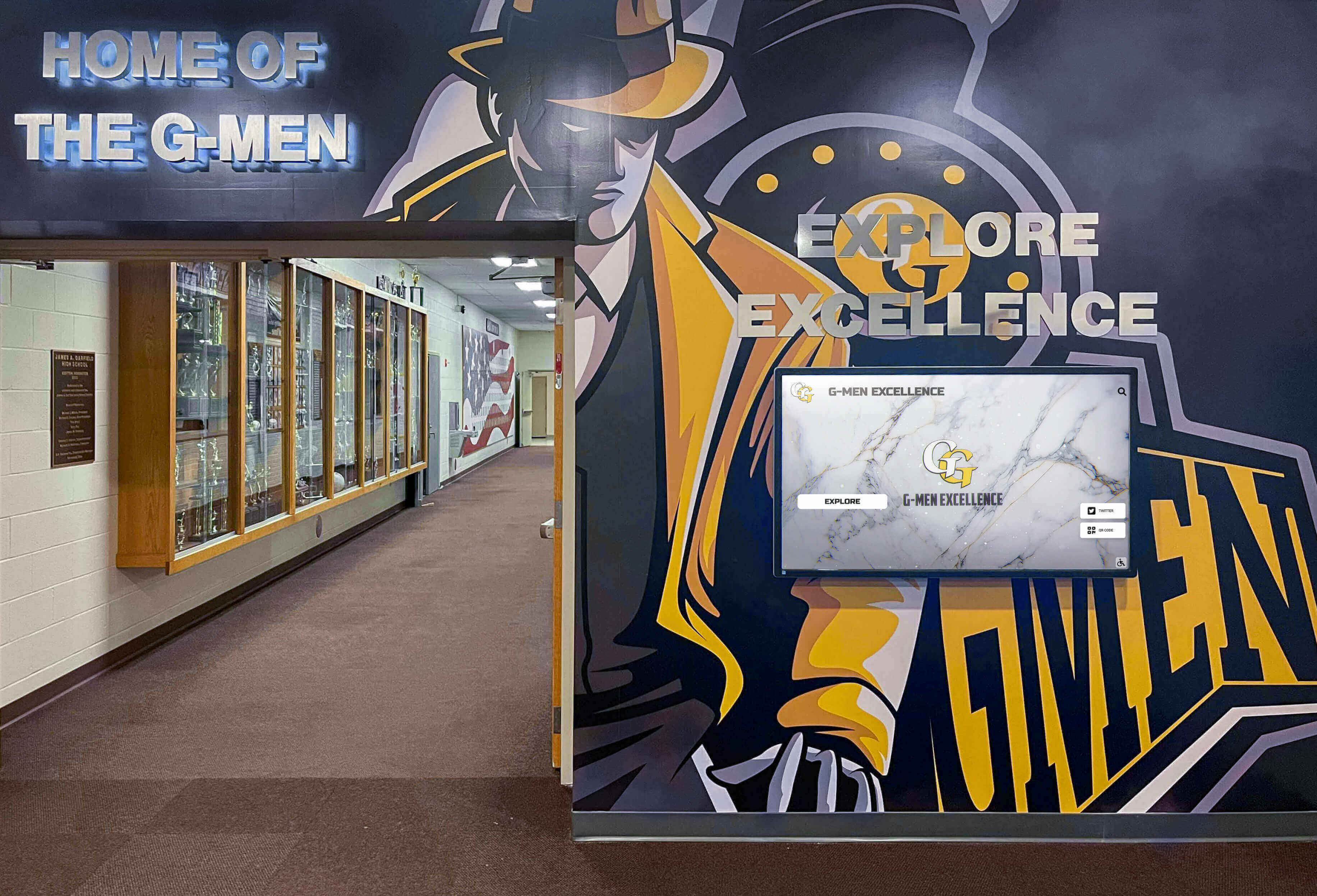
Strategic kiosk placement in high-traffic areas ensures maximum visibility and accessibility for students, visitors, and families
Wayfinding and Directory Capabilities
Interactive wayfinding represents one of the most valuable kiosk functions for visitors navigating complex facilities.
Campus and Building Navigation
Educational institutions particularly benefit from digital wayfinding:
Interactive Campus Maps
Comprehensive mapping features:
- Complete campus or facility layouts with building identification
- Searchable locations finding specific rooms, offices, or departments
- “You Are Here” indicators showing current kiosk position
- Route guidance highlighting paths to destinations
- Multi-building campus navigation with outdoor pathways
- Accessibility routing for wheelchair users and those with mobility needs
- Parking information showing visitor lots and permit areas
- Points of interest highlighting amenities (restrooms, elevators, dining)
Room and Department Directories
Searchable databases provide:
- Complete room directories organized by building and floor
- Department locations with office numbers and hours
- Faculty and staff directories with office locations
- Classroom assignments and scheduling information
- Meeting room availability and reservations
- Administrative office locations and services
- Support service locations (IT help desk, student services, counseling)
Schools with complex or multi-building layouts see immediate impact, as visitors independently navigate without escort or repeated directions.
Event-Specific Wayfinding
Temporary events require adaptive navigation:
Athletic Events and Competitions
Game-day specific information:
- Visiting team locker room locations
- Spectator seating and entrance directions
- Concession stand and restroom locations
- Parking guidance for overflow attendance
- Will-call and ticket office directions
- Press box and media service locations
Performances and Ceremonies
Special event support:
- Auditorium and theater seating sections
- Backstage and performer entry directions
- Audience amenities and accessibility features
- Emergency exits and assembly areas
- Reception and celebration space locations
Conferences and Community Events
Guest event navigation:
- Conference room and session locations
- Registration desk and information tables
- Exhibitor areas and vendor locations
- Break areas and dining facilities
- Lodging and transportation information
The ability to quickly update wayfinding content for temporary events eliminates confusion while reducing staff burden directing guests.
For institutions implementing both wayfinding and recognition displays, review how campus directory touchscreen systems combine multiple functions in unified solutions.
Recognition and Achievement Display
Digital kiosks excel at showcasing accomplishments while making recognition content searchable and accessible.
Athletic Achievement Recognition
Sports programs generate extensive recognition content ideal for interactive displays:
Hall of Fame Archives
Comprehensive athletic recognition:
- Searchable databases of all inductees throughout history
- Individual athlete profiles with career statistics and achievements
- Championship teams with complete rosters and season records
- Record holders by sport and performance category
- Retired jersey recognition with player career highlights
- Coaching achievements and milestone celebrations
- Photo galleries capturing memorable moments and ceremonies
Current Season Recognition
Active athlete celebration:
- Varsity team rosters with athlete profiles
- Season statistics and performance tracking
- All-conference and all-state honor recipients
- Weekly or monthly athlete spotlights
- Academic excellence recognition for student-athletes
- Senior athlete tributes and career highlights
- Team schedules, scores, and upcoming games
Athletic recognition on digital kiosks enables comprehensive sports recognition programs accessible to entire communities.
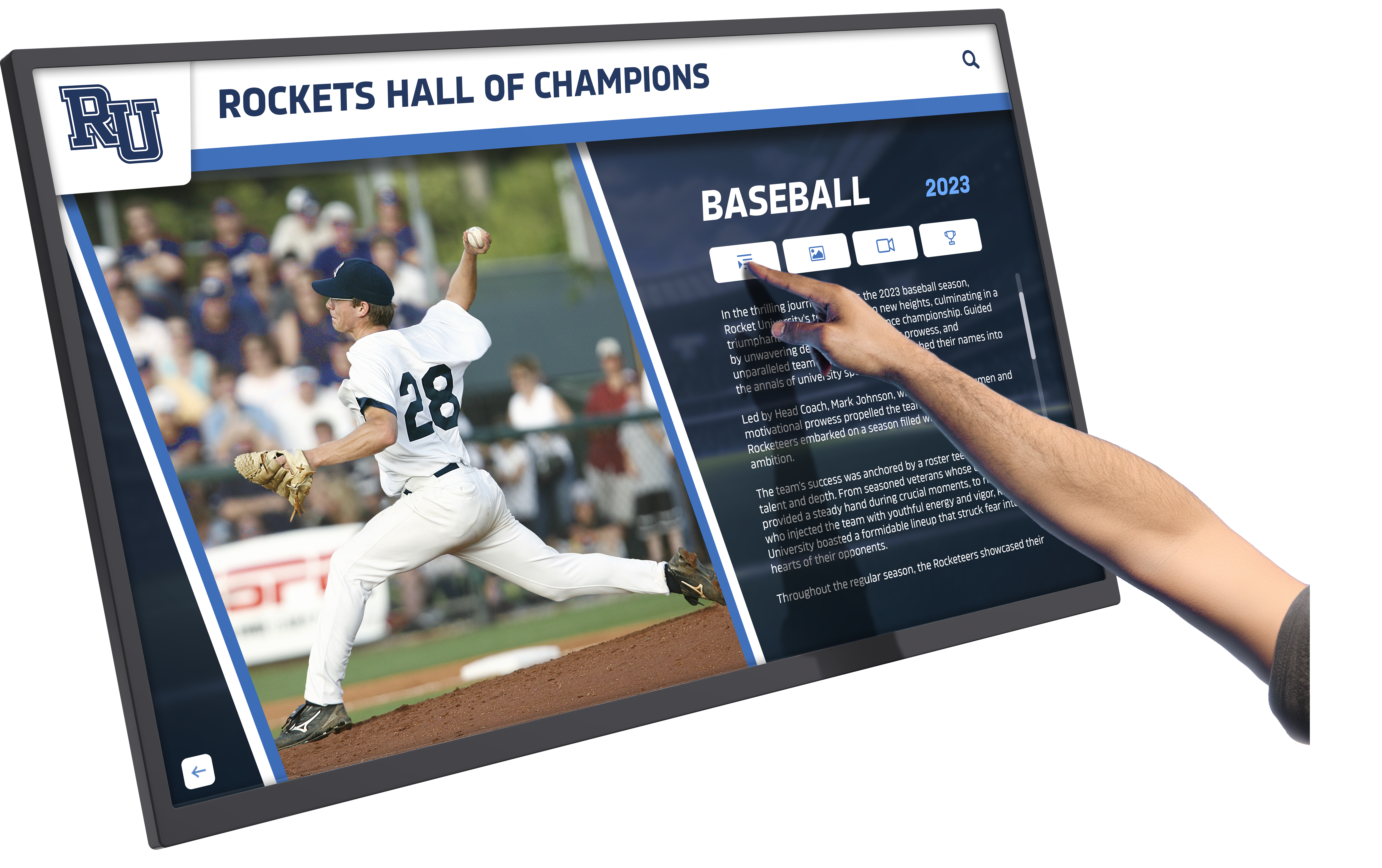
Interactive athletic displays enable visitors to explore detailed achievement histories and search for specific athletes or records
Academic and Student Recognition
Celebrating academic excellence through digital platforms:
Honor Roll and Academic Achievement
Quarterly or semester recognition:
- Honor roll students organized by grade level and achievement tier
- Academic competition results (Science Olympiad, Math League, Quiz Bowl)
- National Merit Scholars and standardized test excellence
- Advanced Placement achievement and qualifying scores
- Valedictorian and salutatorian history across all graduating years
- Scholarship recipients and award amounts
- Perfect attendance recognition
Arts and Activities Recognition
Celebrating comprehensive excellence:
- Music and performing arts competition results
- Visual arts award recipients and gallery features
- Theater production casts and crew recognition
- Student leadership positions and government representatives
- Service hour leaders and community involvement
- Club and organization member recognition
- Special program participants (STEM, career tech, honors programs)
Digital platforms provide unlimited recognition capacity, ensuring every achievement receives appropriate visibility regardless of physical space constraints. Learn more about academic recognition programs and how schools celebrate excellence.
Donor and Community Recognition
Organizations serving broader communities use kiosks for acknowledgment:
Donor Walls and Giving Recognition
Digital donor recognition features:
- Major gift recognition organized by giving levels
- Annual fund contributor lists updated yearly
- Capital campaign progress and supporter acknowledgment
- Scholarship fund donors with fund descriptions
- Naming opportunity recognition for facilities and programs
- Corporate sponsor appreciation with logos and descriptions
- Legacy society members and planned giving recognition
Community Partnership Celebration
Recognizing collaborative relationships:
- Business partners supporting programs and initiatives
- Community organization collaborations
- Volunteer recognition highlighting service contributions
- Alumni engagement and mentorship participation
- Foundation and grant supporter acknowledgment
For comprehensive approaches to donor recognition, explore unique donor wall ideas that inspire continued giving.

Lobby placement ensures recognition displays remain visible to all visitors while enabling detailed exploration of achievements
Institutional History and Archives
Digital kiosks transform how organizations preserve and share their heritage.
Historical Timeline Displays
Interactive chronologies document institutional evolution:
Founding and Development
Comprehensive historical documentation:
- Founding stories with historical photographs and context
- Decade-by-decade milestone timelines
- Facility construction and renovation histories
- Leadership succession and administration changes
- Enrollment growth and program expansion
- Tradition establishment and evolution
- Significant events and commemorations
Anniversary and Milestone Content
Special historical recognition:
- Centennial and major anniversary celebrations
- Historical photo galleries organized by era
- Notable alumni achievement retrospectives
- Championship and competition history
- Cultural and social context of different periods
Yearbook and Class Archives
Schools particularly value yearbook digitization:
Digital Yearbook Access
Complete yearbook archives:
- Browsable yearbooks from all available years
- Searchable by student name, activity, or year
- Class composite displays with graduate profiles
- Activity and organization pages
- Faculty and staff directories throughout history
- Sports team photographs and accomplishments
- Performing arts production documentation
For schools developing comprehensive yearbook archives, review approaches to library touchscreen interactive displays for archival content.
Alumni Connection Features
Engagement through historical content:
- Search capabilities finding specific alumni or classmates
- Family legacy displays showing multi-generational attendance
- “Where Are They Now” updates from graduates
- Reunion information and registration
- Alumni achievement highlights and success stories
Alumni returning for reunions or events spend significantly more time engaging with digital archives compared to static displays, strengthening institutional connections.
Institutional Recognition Archives
Preserving organizational achievements:
Award and Honor History
Comprehensive achievement documentation:
- Institutional awards and external recognition
- Accreditation and quality designations
- Competition results and rankings
- Research achievements and publications
- Grants and funding recognition
- Community impact and service recognition
These archives demonstrate organizational excellence while building pride among current community members.
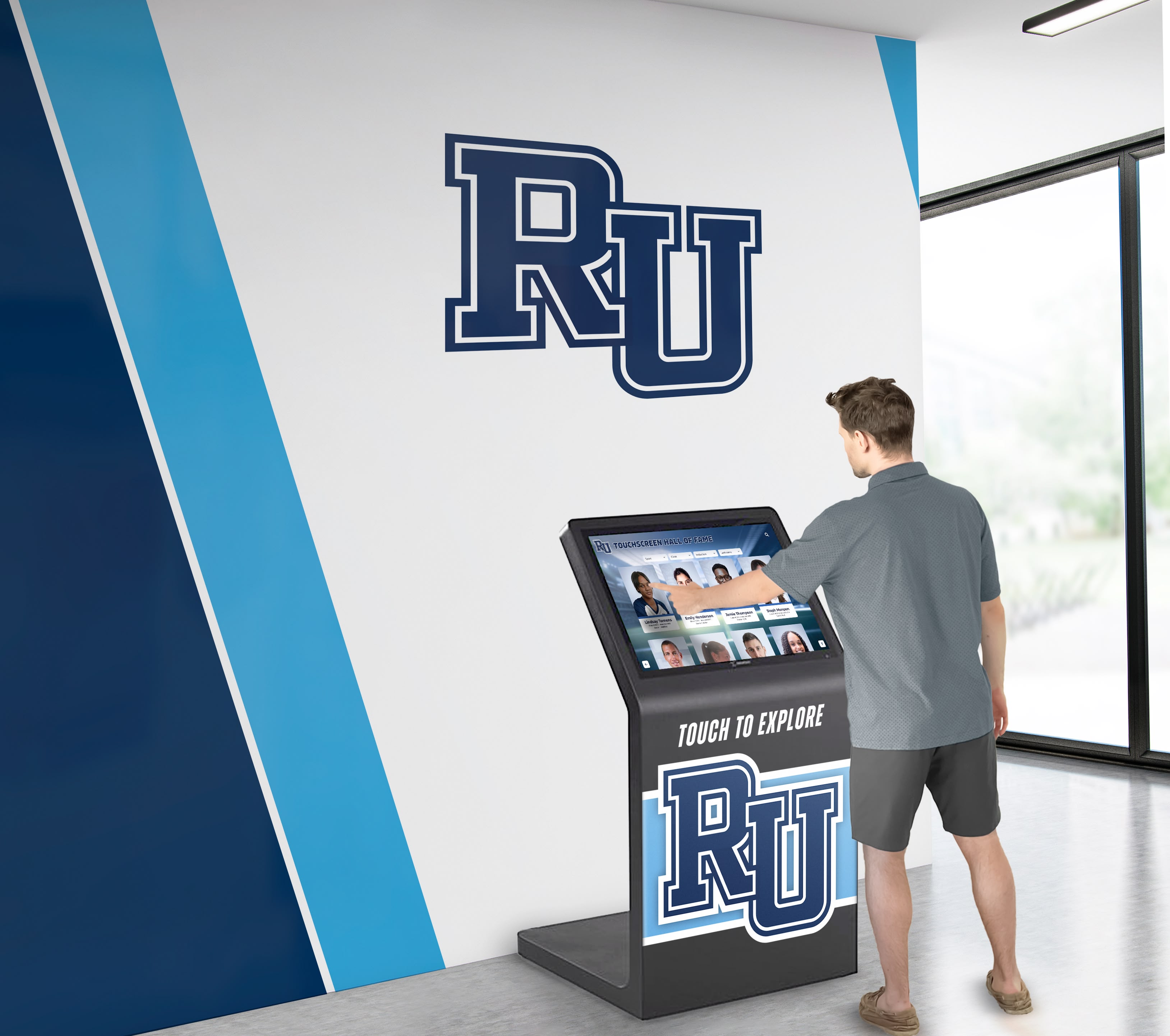
Self-service historical archives enable visitors to explore institutional heritage at their own pace without staff assistance
Communication and Information Sharing
Beyond wayfinding and recognition, kiosks serve as active communication channels.
Event Calendars and Schedules
Real-time schedule information:
Master Calendar Integration
Comprehensive event display:
- Searchable event calendars across all departments and programs
- Athletic schedules with game times, opponents, and locations
- Performing arts events with ticket information
- Academic calendar with holidays, breaks, and important dates
- Testing schedules and deadline reminders
- Community events open to public participation
- Parent-teacher conferences and school meetings
Daily Schedule Information
Immediate operational details:
- Current day bell schedules and class times
- Lunch periods and cafeteria menu information
- Activity meeting times and locations
- Facility usage and room availability
- Special schedule variations for assemblies or events
- Transportation schedules and dismissal information
Announcements and Updates
Timely communication delivery:
Emergency and Safety Information
Critical communication capability:
- Weather alerts and school closures
- Emergency procedures and evacuation routes
- Safety drills and preparedness information
- Lock-down protocols and security measures
- Building closure notifications
- Health alerts and wellness information
General Announcements
Regular communication:
- Deadline reminders and important dates
- Registration information for programs and activities
- Fundraising campaigns and progress updates
- Achievement celebrations and congratulations
- Welcome messages for visitors and guests
- Seasonal greetings and cultural celebrations
Program Information and Resources
Detailed descriptions accessible on-demand:
Academic Programs
Comprehensive curriculum information:
- Course catalogs and program descriptions
- Advanced placement and honors program details
- Special programs (STEM, arts, career-technical)
- College and career counseling resources
- Summer programs and enrichment opportunities
- Tutoring and academic support services
Extracurricular Activities
Activity program details:
- Complete club and organization catalog
- Athletic program information and tryout schedules
- Fine arts program descriptions (music, theater, visual arts)
- Student leadership opportunities
- Service learning and volunteer programs
- Competition team information and requirements
For organizations managing communication across multiple channels, explore how best touchscreen software enables centralized content management.
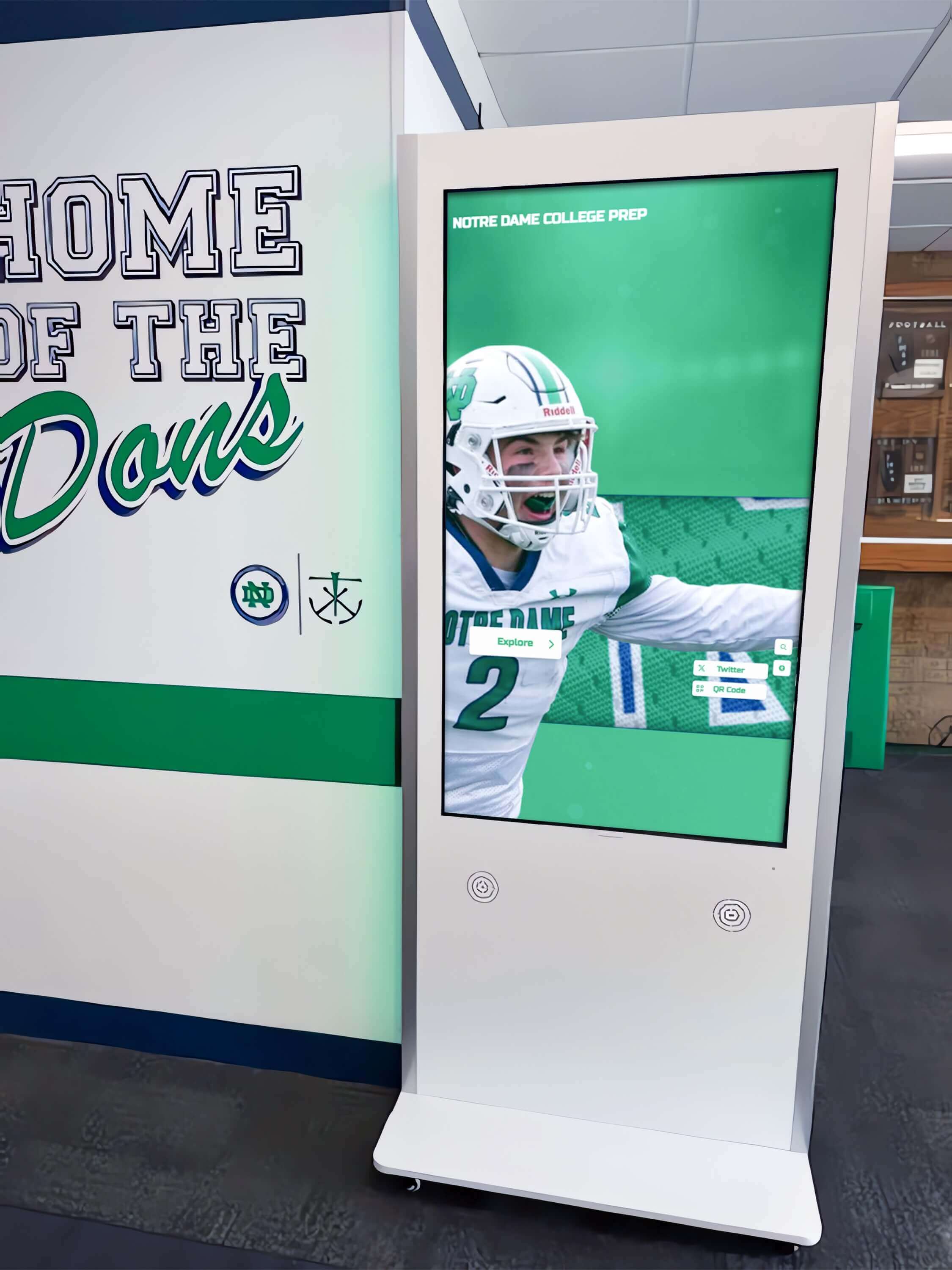
Professional kiosk installations provide durable, accessible information access in high-traffic hallways and common areas
Hardware and Installation Considerations
Successful digital kiosk implementations require appropriate equipment and strategic placement.
Display Hardware Selection
Choosing suitable hardware ensures reliability:
Commercial-Grade Touchscreens
Educational and institutional requirements:
- Commercial displays rated for continuous operation (16-24 hours daily)
- Capacitive or infrared touch technology for responsive interaction
- Anti-glare screens reducing sunlight interference
- Vandal-resistant housings and mounting
- Standard sizes: 43-55 inches for most applications
- Minimum 3-year warranties with advance replacement options
- Professional service and support availability
Consumer-grade displays fail quickly under institutional usage despite lower initial costs.
Form Factor Options
Installation approaches vary:
Freestanding Kiosks
- Floor-mounted pedestal installations
- Stable bases preventing tipping or damage
- Concealed cabling and power connections
- Mobile options on lockable casters for repositioning
- ADA-compliant heights and angles
- Typically 43-55 inch displays
Wall-Mounted Displays
- Secure mounting to studs or masonry
- Slim profiles maintaining hallway clearance
- Fixed angle mounts or adjustable tilting
- Cable concealment within walls
- Various mounting heights based on audience
- Larger displays possible (55-75 inches)
Tabletop or Counter Installations
- Reception desk or counter integration
- Smaller displays (32-43 inches)
- Adjustable viewing angles
- Quick reference for staff-assisted queries
- Supplementary to freestanding kiosks
Strategic Placement and Accessibility
Location significantly impacts usage:
High-Traffic Positioning
Maximize visibility and access:
- Main entrances and lobby areas
- Cafeteria or student center approaches
- Outside auditoriums or performance spaces
- Near athletic facilities and locker rooms
- Hallway intersections with directional decisions
- Outside administrative offices and counseling centers
Visibility drives usage—kiosks hidden in corners or low-traffic areas see minimal engagement.
Accessibility Compliance
ADA requirements ensure universal access:
- Appropriate mounting heights (42-48 inches to center of screen typically)
- Clear floor space for wheelchair approach (30x48 inches minimum)
- Screen reader compatibility for vision-impaired users
- High contrast modes and text magnification options
- Audio output capabilities when applicable
- Tactile buttons or indicators for touchscreen location
Accessible design ensures all community members can independently access information.
Environmental Considerations
Physical conditions affect performance:
- Ambient lighting without direct sunlight on screens
- Climate-controlled environments (avoid extreme temperatures)
- Adequate ventilation for display heat dissipation
- Protection from weather for outdoor installations
- Secure mounting preventing vandalism or theft
- Maintenance access for cleaning and service
Proper environmental planning prevents premature failure and ensures longevity.
For organizations evaluating hardware options, review comprehensive guides to best touchscreen displays for schools.
Network and Connectivity Requirements
Reliable infrastructure ensures consistent operation:
Internet Connectivity
Cloud-based systems require:
- Wired Ethernet connections (preferred for reliability)
- Minimum bandwidth: 5-10 Mbps per display
- Network segregation from critical systems
- Backup connectivity for essential displays
- Content caching for offline operation continuity
- VPN access for secure remote management
Power Considerations
Electrical infrastructure needs:
- Dedicated circuits preventing overload
- Surge protection and uninterruptible power supplies
- Concealed wiring maintaining aesthetics
- Accessible outlets for maintenance
- Timer controls for power-saving schedules when appropriate
Proper infrastructure planning prevents connectivity issues causing display downtime.
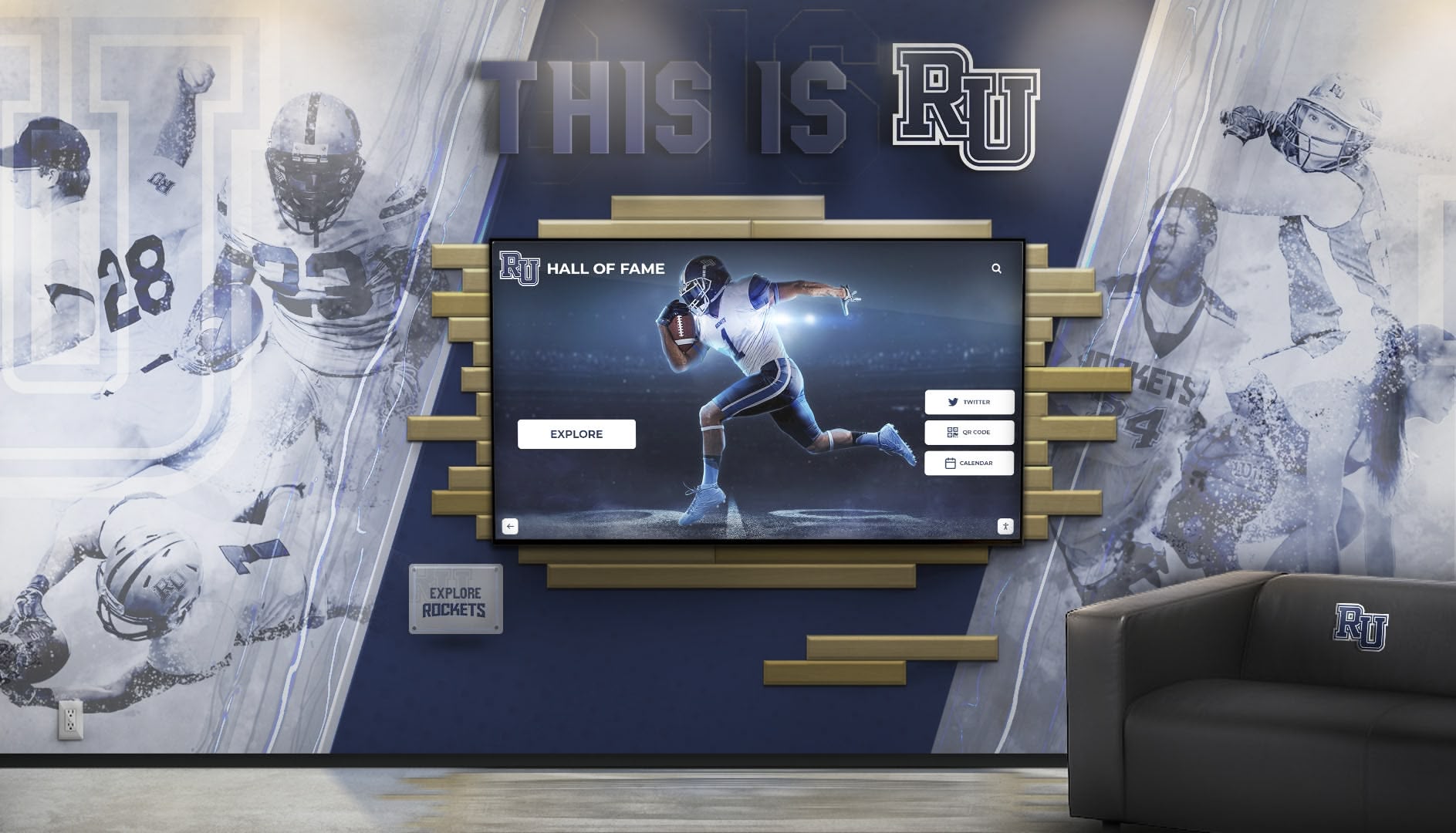
Effective installations integrate digital kiosks with existing architectural elements and institutional branding
Content Management and Maintenance
Sustainable kiosk programs require efficient content workflows and ongoing maintenance.
Cloud-Based Content Management
Modern platforms simplify updates:
Centralized Administration
Key management features:
- Web-based dashboards accessible from any device
- Remote content updates without site visits
- Multi-display management from single interface
- Role-based access control limiting editing permissions
- Scheduled publishing for time-sensitive content
- Content approval workflows for quality control
- Usage analytics tracking engagement and popular content
Content Organization
Systematic structure:
- Category-based organization (wayfinding, recognition, history, events)
- Template systems ensuring visual consistency
- Media libraries storing reusable assets
- Version control tracking content changes
- Search capabilities finding specific content quickly
- Bulk import tools for large content collections
For schools managing extensive content, explore touchscreen software solutions designed for educational institutions.
Update Workflows and Responsibilities
Sustainable programs define clear processes:
Content Update Frequency
Different content types require varied schedules:
- Recognition content: quarterly or semester updates
- Event calendars: weekly or continuous updates
- Announcements: as needed for timely communication
- Wayfinding: annual review with updates for facility changes
- Historical archives: ongoing addition as content becomes available
- Emergency information: immediate updates when required
Role Definition
Clear ownership prevents neglect:
- Content creators developing materials
- Approvers authorizing publication
- Technical administrators managing system
- Display monitors reporting issues
- Emergency contacts for urgent situations
Written procedures ensure continuity when staff transitions occur.
Hardware Maintenance and Support
Ongoing care extends system life:
Routine Maintenance Tasks
Regular upkeep requirements:
- Weekly touchscreen cleaning with appropriate solutions
- Monthly display inspection for damage or malfunction
- Quarterly software updates and security patches
- Annual comprehensive system testing
- Immediate response to user-reported issues
- Backup verification ensuring content preservation
Support Planning
Prepare for inevitable issues:
- Vendor support contracts with defined response times
- Spare hardware availability minimizing downtime
- Troubleshooting documentation for common problems
- Staff training on basic issue resolution
- Escalation procedures for complex technical problems
Institutions report that properly maintained kiosks provide 5-7 years of reliable service before major hardware refresh needs.
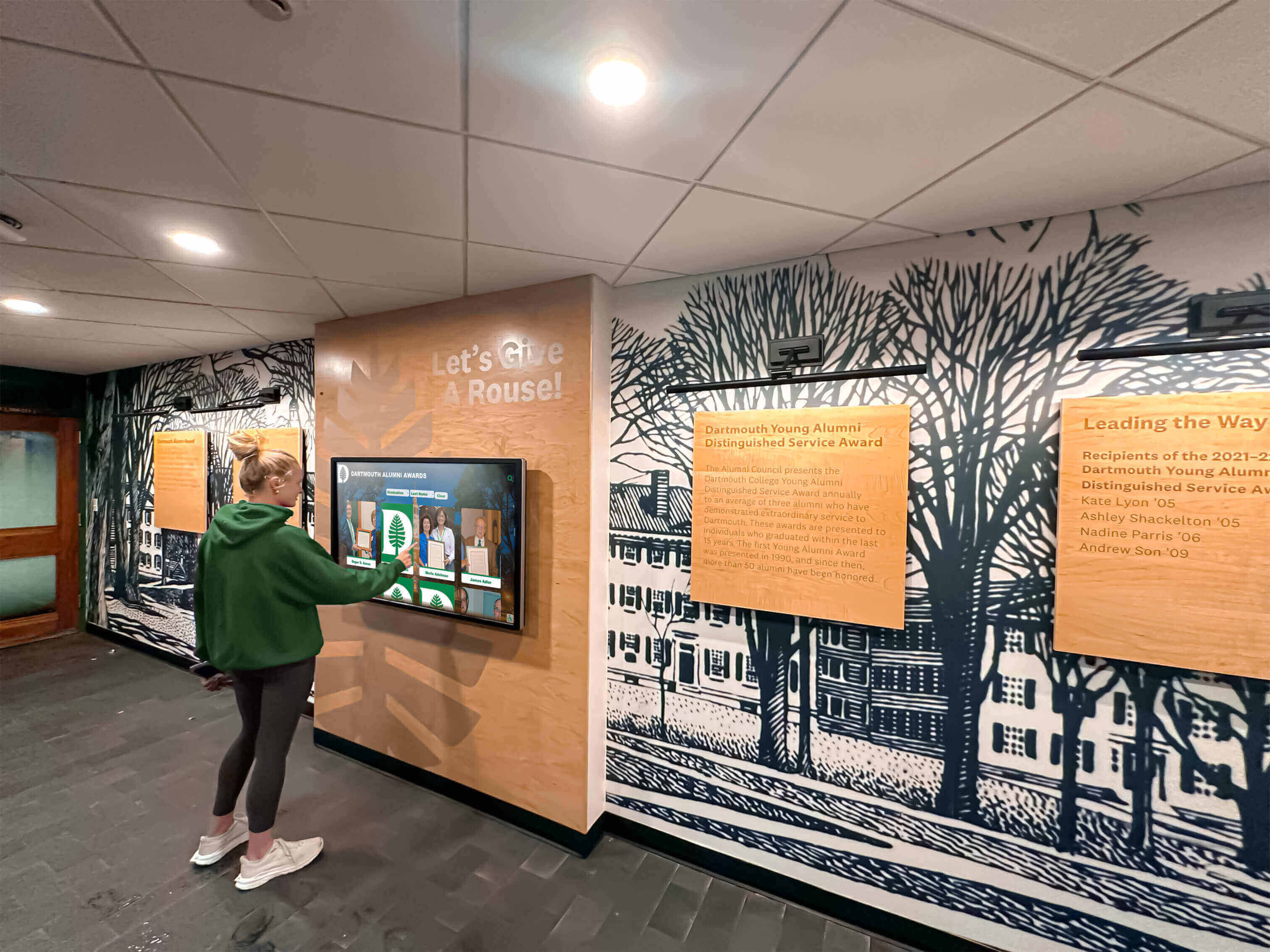
Intuitive interfaces enable independent information access without training or staff assistance
Implementation Process and Timeline
Systematic planning ensures successful deployment.
Phase 1: Planning and Requirements (1-2 Months)
Needs Assessment
Define kiosk purposes and priorities:
- Identify primary use cases (wayfinding, recognition, communication)
- Determine content categories and sources
- Establish success metrics and evaluation criteria
- Define budget parameters and funding sources
- Assess technical infrastructure and requirements
- Identify stakeholders and approval authorities
Location Planning
Strategic placement decisions:
- Survey facility identifying optimal locations
- Assess traffic patterns and visitor flows
- Evaluate infrastructure availability (power, network)
- Consider accessibility requirements
- Plan for multiple displays in large facilities
- Prioritize locations for phased deployment
Vendor Selection
Evaluate solution providers:
- Request product demonstrations
- Contact reference customers in similar settings
- Compare pricing models and total ownership costs
- Assess support quality and responsiveness
- Review contract terms carefully
- Verify scalability for future expansion
Phase 2: Content Development (2-3 Months)
Initial Content Creation
Develop launch content:
- Create building and campus maps for wayfinding
- Develop department and room directories
- Compile recognition content from existing sources
- Digitize historical materials and archives
- Design visual templates matching institutional branding
- Write program descriptions and informational content
- Organize event calendars and schedules
Quality Assurance
Verify accuracy before launch:
- Proofread all text content thoroughly
- Verify directional information and room numbers
- Confirm event dates and schedule accuracy
- Test search functionality with common queries
- Validate all navigation paths and links
- Review content with stakeholder departments
Phase 3: Installation and Launch (1 Month)
Physical Installation
Professional deployment:
- Coordinate with facilities for installation scheduling
- Complete electrical and network infrastructure
- Install displays and mounting hardware
- Configure software and load content
- Conduct comprehensive testing
- Train staff on management and troubleshooting
Soft Launch
Initial deployment with monitoring:
- Launch in limited locations or with reduced promotion
- Monitor usage patterns and user feedback
- Identify technical issues and navigation confusion
- Refine content based on early observations
- Gather informal feedback from users
Full Launch
Official announcement:
- Publicize availability through multiple channels
- Create signage directing visitors to kiosks
- Demonstrate functionality at school events
- Train staff on referring visitors to kiosks
- Monitor engagement through analytics
Phase 4: Ongoing Operation (Continuous)
Regular Updates
Maintain content freshness:
- Weekly event calendar and announcement updates
- Quarterly recognition content additions
- Annual wayfinding review and corrections
- Ongoing historical archive expansion
- Seasonal content variations for relevance
Continuous Improvement
Systematic enhancement:
- Monthly analytics review identifying opportunities
- Quarterly content audits ensuring accuracy
- Annual comprehensive program evaluation
- User feedback collection and response
- Feature expansion based on demonstrated needs
Solutions like Rocket Alumni Solutions provide comprehensive implementation support including content development, training, and ongoing management assistance.
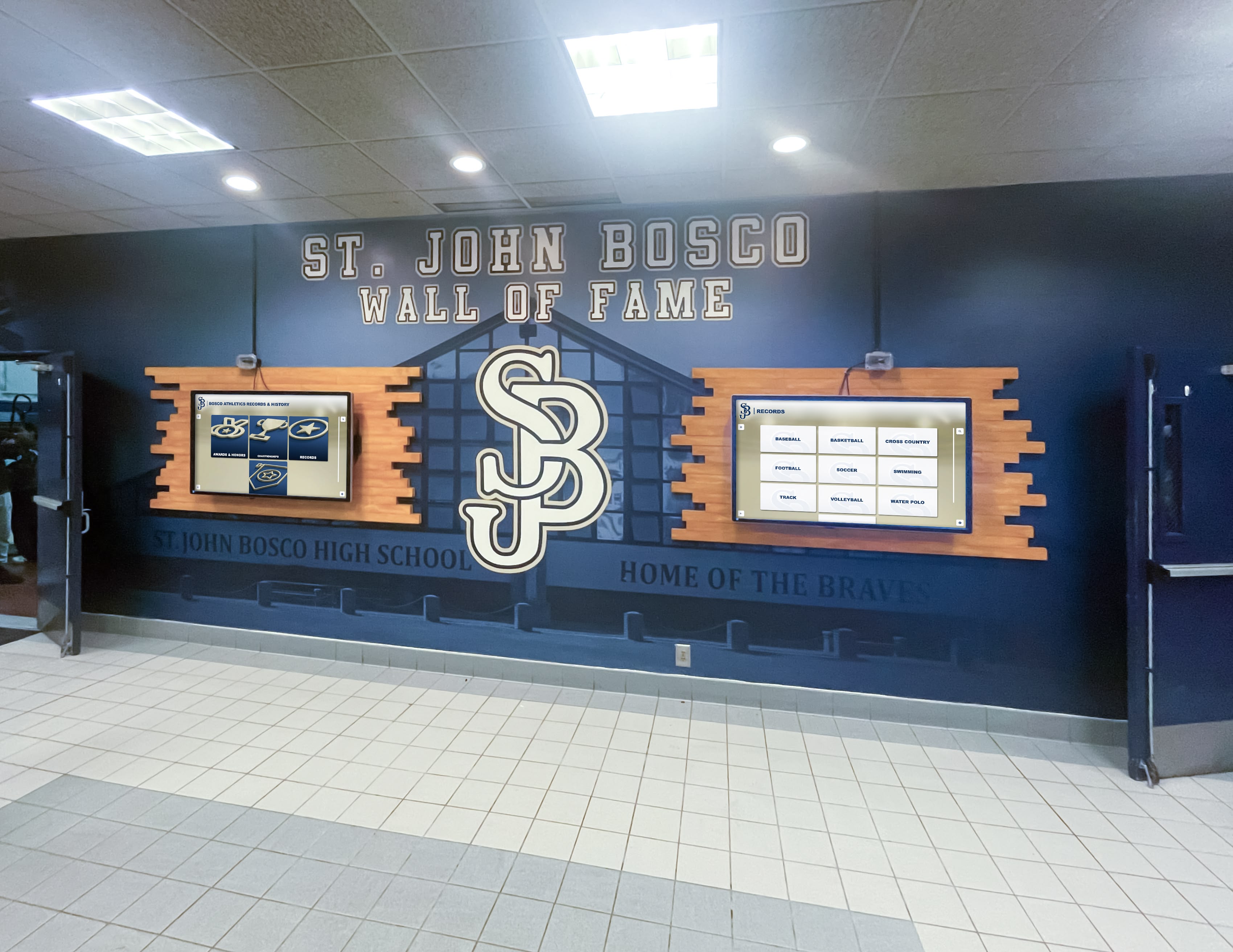
Multi-display installations coordinate content across adjacent screens or operate independently with different information categories
Measuring Success and ROI
Effective evaluation demonstrates value while guiding improvement.
Quantitative Metrics
Track concrete usage indicators:
Usage Statistics
Analytics reveal engagement:
- Total interaction sessions and unique users
- Average session duration showing depth of engagement
- Most-accessed content categories and specific pages
- Peak usage times and patterns
- Search queries revealing information needs
- Navigation paths showing user behavior
- Return visitor rates indicating recurring value
Successful implementations typically show:
- 200-500 daily interactions in schools with 500-1,000 students
- Average session durations of 2-4 minutes
- 60-70% of searches successfully finding desired content
- Increased usage over time as awareness grows
Staff Impact Measurement
Operational efficiency gains:
- Reduced reception desk inquiries (typical 40-60% decrease)
- Decreased phone calls for basic information
- Staff time savings quantified in hours per week
- Reduced need for staff-led facility tours
- Lower printing and signage production costs
Qualitative Feedback
Complement data with experiences:
User Satisfaction Assessment
Gather direct feedback:
- Brief kiosk surveys after interactions
- Annual comprehensive user surveys
- Focus groups with diverse stakeholder populations
- Informal observations of usage patterns
- Staff feedback on operational impact
Successful programs typically achieve:
- 75-85% user satisfaction ratings
- 80-90% reporting information was easy to find
- 70-80% preferring kiosk over asking staff
Stakeholder Testimonials
Document impact stories:
- Visitor comments about improved navigation
- Alumni appreciation for recognition accessibility
- Parent feedback about event information
- Staff observations of reduced interruptions
- Administrator satisfaction with communication reach
Return on Investment Analysis
Cost Comparison
Quantify financial benefits:
Avoided Costs
- Printed directory and map replacement ($2,000-5,000 annually)
- Static signage production and installation ($3,000-8,000 annually)
- Staff time savings (40 hours monthly × hourly rate)
- Reduction in dedicated wayfinding staff
- Decreased phone system load
Investment Requirements
- Initial hardware ($8,000-15,000 per display)
- Software licensing ($1,500-3,000 annually)
- Content development ($3,000-10,000 one-time)
- Ongoing content management (staff time allocation)
- Maintenance and support ($500-1,500 annually)
Most institutions achieve positive ROI within 2-3 years, with ongoing annual savings of $5,000-15,000 per kiosk after payback period.
For organizations evaluating comprehensive recognition systems with information functionality, review donor recognition display solutions and implementation approaches.
Advanced Features and Future Capabilities
Digital kiosk technology continues evolving with new capabilities.
Artificial Intelligence Integration
AI enhances user experience:
Natural Language Search
Conversational interfaces:
- Voice-activated search and navigation
- Spoken queries understanding natural phrasing
- Multilingual support for diverse communities
- Accessibility improvement for vision-impaired users
- Hands-free interaction during high-traffic periods
Personalized Recommendations
Adaptive content:
- Suggest related content based on viewing patterns
- Highlight relevant information for different audiences
- Predictive search offering query suggestions
- Popular content promotion based on engagement
Mobile Integration
Extending beyond physical kiosks:
QR Code Access
Smartphone extension:
- QR codes enabling mobile access to kiosk content
- Personal devices accessing detailed information
- Wayfinding directions sent to phones
- Event details added to mobile calendars
- Contact information sent via text or email
Mobile Apps
Comprehensive mobile access:
- Native apps providing complete kiosk functionality
- Location-aware wayfinding using GPS
- Push notifications for announcements
- Offline content access for essential information
- Personal accounts saving favorites and preferences
Enhanced Interactivity
Advanced engagement features:
Gamification Elements
Interactive experiences:
- Scavenger hunts exploring campus or history
- Trivia games about institutional facts
- Achievement badges for content exploration
- Leaderboards for friendly competition
- Interactive polls and surveys
Social Features
Community engagement:
- Share content to social media platforms
- Comment on recognition profiles and historical content
- Submit photos or memories to archives
- Tag friends and classmates in content
- Create personal collections of favorite content
These emerging capabilities will continue enhancing how kiosks serve communities and engage audiences.
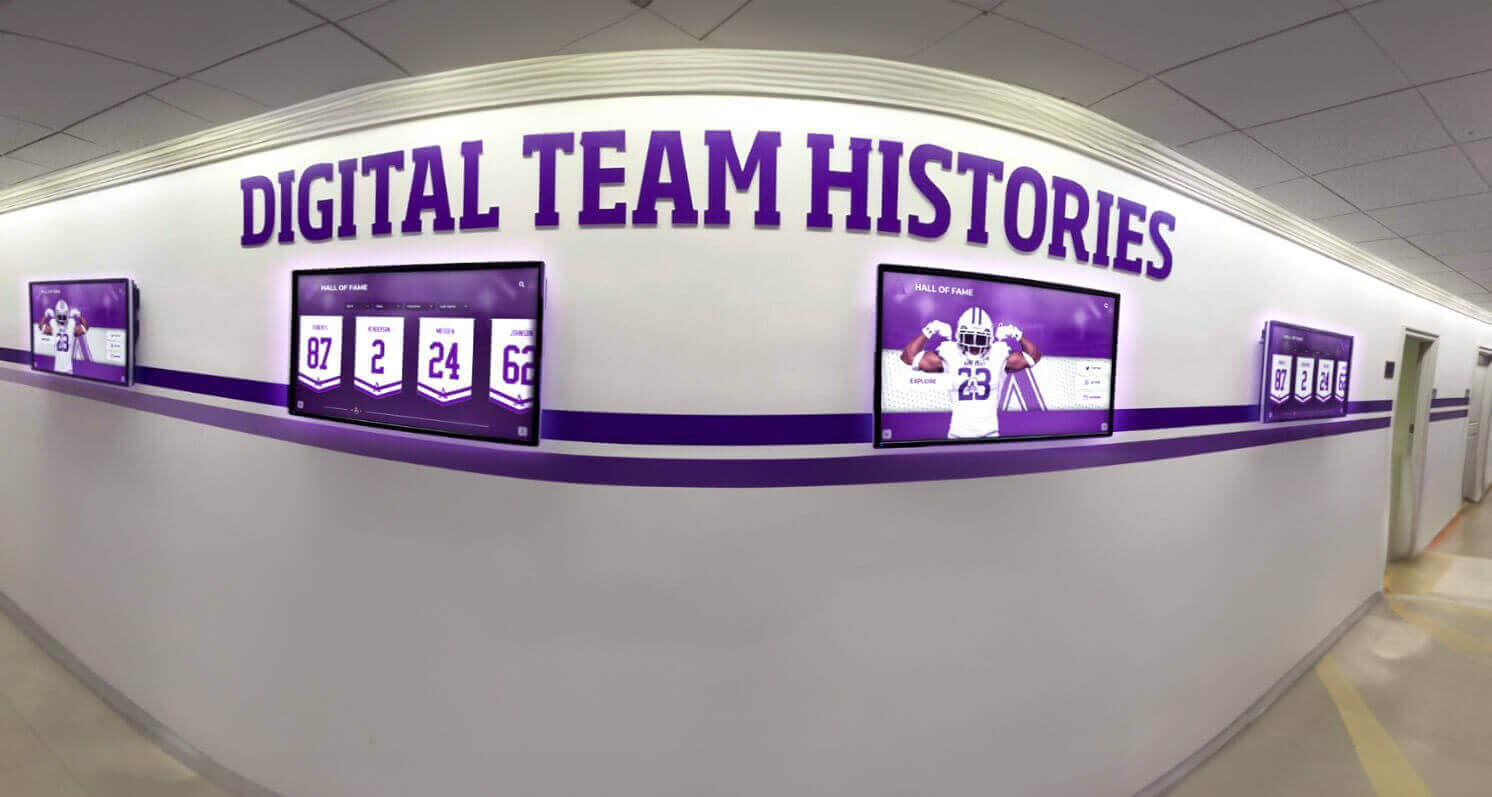
Coordinated multi-display networks deliver consistent information across facilities while enabling location-specific customization
Conclusion: Empowering Self-Service Information Access
Digital signage kiosk solutions transform how schools and organizations provide information to diverse audiences. By consolidating wayfinding, recognition displays, institutional archives, and communication functions into interactive touchpoints, institutions enable self-service access that reduces staff burden while improving visitor experience. Rather than hoping people notice printed announcements or maintaining outdated directories, organizations create engaging systems where visitors actively explore content matching their specific needs.
The benefits extend beyond operational efficiency. Visitors appreciate immediate information access without waiting for assistance or feeling rushed. Staff redirect time from answering repetitive questions to higher-value activities. Recognition programs reach broader audiences as achievements become searchable and accessible. Institutional history gains prominence as archives move from storage to interactive displays. Communication becomes more consistent and timely as content updates deploy instantly across all displays.
Ready to Transform Visitor Information Access?
Discover how Touch Archive solutions create engaging digital signage kiosks combining wayfinding, recognition displays, institutional archives, and communication tools into unified self-service systems that genuinely serve your community's needs.
Schedule a DemoImplementation success requires thoughtful planning—identifying primary use cases, developing comprehensive content, selecting appropriate hardware, and establishing sustainable maintenance workflows. Organizations benefit from phased approaches, launching with core functionality in priority locations while systematically expanding based on demonstrated value. Cloud-based content management enables remote updates without technical expertise, while professional-grade hardware ensures reliable operation under continuous institutional use.
The return on investment proves compelling. After initial hardware and content development costs recover through eliminated printing expenses and staff efficiency gains within 2-3 years, ongoing annual savings accumulate while capabilities expand infinitely. Single kiosks serving multiple functions eliminate need for separate wayfinding systems, recognition displays, and bulletin boards—consolidating costs while improving user experience through unified interfaces.
Most importantly, digital signage kiosks position institutions as modern, accessible organizations embracing technology to serve community needs. Visitors form positive impressions when they can independently find information quickly rather than wandering hallways or waiting for assistance. Current students benefit from immediate access to schedules, directories, and resources. Alumni reconnect with institutional history through searchable archives. Families explore achievements and traditions that define organizational culture.
Your institution deserves information systems that genuinely serve diverse audiences rather than creating frustration through outdated static signage. Digital kiosk solutions deliver self-service access that respects visitor time while demonstrating organizational commitment to excellence. Transform how your community accesses information, explores recognition content, and connects with institutional heritage through interactive displays that make every visitor feel welcomed and informed.
Ready to explore how digital signage kiosk solutions can serve your institution? Request a demonstration of Touch Archive platforms designed specifically for schools and organizations seeking comprehensive self-service information solutions.































