




Schools and athletic programs face a common preservation challenge: old yearbooks contain invaluable historical photographs perfect for hall of fame displays, yet these aging volumes are often delicate, irreplaceable, and at risk of permanent damage through handling. Athletic directors need team photos from championship seasons, administrators want to showcase notable alumni, and recognition committees seek historical images—but traditional methods of extracting these photos damage the books themselves.
The preservation dilemma becomes particularly acute when institutions attempt to create hall of fame displays. Physical yearbooks deteriorate through repeated handling, binding stress from photocopying damages spines permanently, and removing original photographs destroys historical context. Meanwhile, storing yearbooks away from public access prevents the very recognition and community engagement these materials should enable.
Non-destructive digitization methods solve this preservation challenge completely. Professional scanning techniques capture high-resolution yearbook images without physical stress to bindings, specialized equipment handles delicate volumes safely, and digital formats enable unlimited reuse in hall of fame displays while preserving originals permanently. This comprehensive guide explores proven methods for digitizing old yearbooks safely and integrating these historical images into interactive recognition displays that honor institutional legacy without compromising preservation.
Historical yearbooks represent irreplaceable institutional memory. These volumes document decades of student experiences, athletic achievements, faculty contributions, and community milestones that exist nowhere else. Yet the very value that makes yearbooks essential also creates preservation urgency—once damaged or lost, this history disappears permanently.

Professional digitization preserves yearbook content permanently while enabling creative display in interactive hall of fame installations
Understanding Yearbook Preservation Challenges
Before selecting digitization methods, understanding specific risks to aging yearbooks helps inform careful handling protocols and appropriate scanning approaches.
Physical Vulnerabilities of Aging Yearbooks
Yearbooks from different eras present distinct preservation challenges:
Binding Degradation Over Decades
Traditional yearbook construction creates specific failure points:
- Sewn bindings loosen through age and handling, causing pages to detach
- Glued bindings become brittle, cracking when books open beyond narrow angles
- Spine reinforcement degrades, making books unable to support their own weight when opened
- Thread rot in older volumes means bindings fail catastrophically during handling
- Metal staples rust through, staining adjacent pages while losing mechanical strength
- Hard covers separate from text blocks, leaving pages vulnerable without protective housing
According to preservation research from the Library of Congress, bound volumes experience faster degradation when opened beyond 120 degrees, causing permanent spine damage that compounds with each subsequent opening. This mechanical stress accumulates across decades, meaning yearbooks appearing intact may be one handling session away from catastrophic failure.
Paper and Photograph Deterioration
Various paper types age differently:
- Acidic paper from mid-20th century yearbooks becomes brittle and discolored
- Photographs printed on yearbook pages fade from light exposure and chemical degradation
- Glossy photo inserts become stuck to facing pages, risking tear damage during separation
- Newsprint-quality paper in budget yearbook editions crumbles with handling
- Ink fading reduces legibility of captions, names, and contextual information
- Environmental factors including humidity fluctuations speed up deterioration rates
Handling Damage Through Well-Intentioned Use
Attempts to extract yearbook content often cause irreversible damage:
- Photocopying requires opening books flat, stressing bindings beyond sustainable angles
- Repeated page-turning for photo searches speed ups binding failure
- Improper support during viewing causes spine stress and page tearing
- Finger oils transfer to pages, creating permanent marks and speeding up degradation
- Sticky notes and paper clips used for bookmarking damage pages they contact
- Transportation between offices or scanning locations increases drop and impact risks
Schools implementing historical archive preservation programs report that improper handling during digitization attempts causes more damage than decades of careful storage, making technique selection critical for successful preservation outcomes.
Why Traditional Extraction Methods Fail
Common approaches to obtaining yearbook images create significant preservation problems:
Photocopying and Flatbed Scanning Damage
Standard office equipment requires harmful book positioning:
- Pressing books flat against copier glass stresses bindings beyond design limits
- Heavy lid pressure crushes spines, causing pages to loosen from binding
- Repeated opening to identical angles creates fatigue cracks in specific binding locations
- Weight of thick yearbooks combined with flattening force hastens binding failure
- Heat from copier lamps can damage photographs and speed up paper degradation
- Multiple scanning passes compound damage through repeated stress cycles
Photograph Removal Destroys Context
Physically extracting original photos eliminates historical value:
- Removed photographs lose captions, surrounding context, and date documentation
- Empty spaces in yearbooks create incomplete historical records
- Adhesive removal attempts damage both photographs and underlying pages
- Original photograph quality degrades during removal process
- Future researchers cannot study layout, design, or contextual relationships
- Institutional memory of photo provenance disappears once removed from original context
Digital Photography with Inadequate Equipment
Handheld photography of yearbook pages produces poor results:
- Uneven lighting creates shadows and glare obscuring portions of images
- Camera angles introduce perspective distortion making photos appear skewed
- Insufficient resolution prevents enlargement for display purposes
- Color accuracy problems misrepresent original photograph appearance
- Page curvature near bindings causes distortion in center of two-page spreads
- Inconsistent image quality across collection creates unprofessional appearance
Non-Destructive Digitization Methods
Professional approaches preserve yearbooks while capturing high-quality digital images suitable for hall of fame displays and archival preservation.
Professional Scanning Services for Delicate Materials
Specialized vendors offer equipment and expertise designed specifically for bound volume digitization:
Overhead Book Scanners
Professional book scanning equipment eliminates binding stress:
- V-shaped cradles support books at natural opening angles preventing spine damage
- Overhead cameras capture pages without flattening books against hard surfaces
- Glass plate systems hold pages flat without spine pressure for consistent image quality
- Mechanical page-turning mechanisms minimize human handling for extensive collections
- Adjustable lighting systems eliminate shadows while preventing heat damage
- High-resolution cameras capture fine detail suitable for large display reproduction
These specialized scanners cost $15,000-$50,000, making professional services more economical than equipment purchase for most schools unless digitizing massive collections justify capital investment.
Professional Digitization Process
Vendors experienced with historical materials follow careful protocols:
- Condition assessment identifies particularly delicate volumes requiring special handling
- Climate-controlled work environments prevent temperature and humidity fluctuations during scanning
- White cotton gloves prevent oil transfer from hands to aging paper
- Page weight calculation determines maximum safe opening angle for each volume
- Custom support systems stabilize books preventing stress during multi-day scanning sessions
- Quality control review ensures complete page capture before returning original materials
Schools researching effective digitization approaches should request vendor references specifically from institutions with similar aged materials, as handling techniques appropriate for recent publications may damage historical volumes.
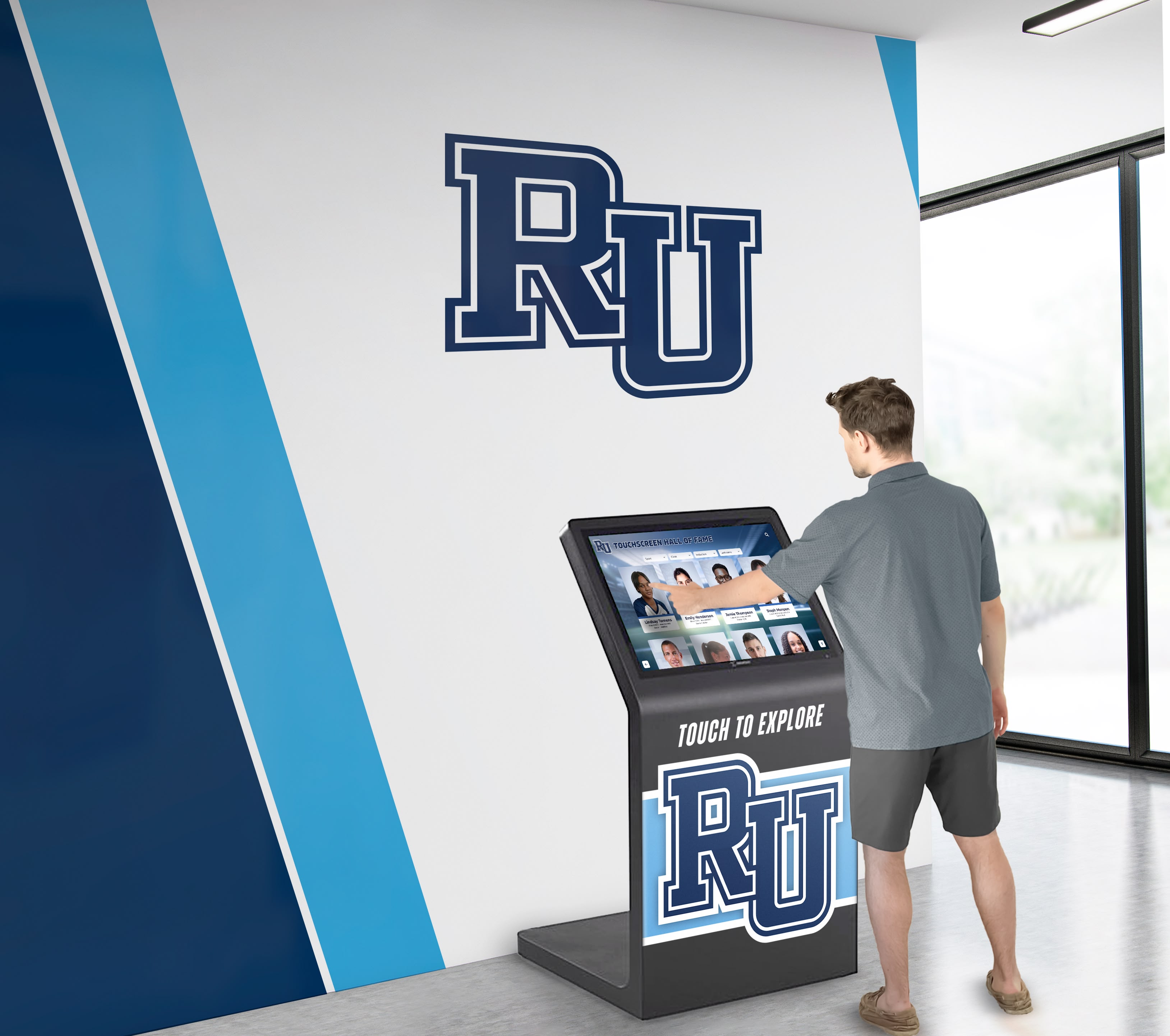
Professional digitization enables yearbook content display through interactive touchscreens accessible to entire school communities
Cost Considerations and Timeline Expectations
Professional digitization pricing varies based on specific project parameters:
- Per-page scanning typically ranges $0.25-$1.50 depending on resolution and processing requirements
- Complete yearbook digitization averages $75-$300 per volume for 100-200 page books
- Rush services available but typically add 50-100% premium to standard pricing
- Project timelines typically span 4-8 weeks for collections of 20-50 yearbooks
- Larger collections benefit from volume discounts reducing per-page costs
- Pickup and secure transportation typically included in professional service packages
In-House Digitization Approaches
Organizations with appropriate equipment and technical expertise may conduct careful in-house digitization:
Equipment Requirements for Safe Scanning
Successful in-house projects require specific tools:
Book Scanning Hardware
- V-cradle book scanner ($300-$3,000) supporting books without forcing flat
- Alternatively, document camera ($200-$800) with appropriate lighting and stable mounting
- Copy stand or sturdy tripod eliminating camera shake during capture
- LED lighting panels ($100-$300) providing consistent illumination without heat
- Remote camera trigger or timer eliminating camera movement during exposure
- Book weights or snake weights holding pages flat near binding without spine pressure
Supporting Materials and Tools
- White cotton gloves preventing oil transfer to aging pages
- Book supports or foam wedges stabilizing volumes during scanning sessions
- Microfiber cloths gently removing surface dust before scanning
- Color calibration cards ensuring accurate photograph reproduction
- External hard drives providing redundant backup storage during projects
- Metadata tracking systems documenting scanning progress and page numbering
Software for Image Processing
- Scanning software appropriate for camera or scanner hardware
- Photo editing applications for rotation, cropping, and color correction
- Optical character recognition (OCR) software creating searchable text from page images
- Digital asset management system organizing large collections of scanned images
- Backup software automating redundant storage to prevent accidental data loss
Safe Handling Protocols
Proper technique prevents damage during in-house scanning:
- Clear, clean workspace free from food, drinks, and clutter that could damage materials
- Always support book weight—never allow volumes to hang open unsupported
- Open books only to angles comfortable for binding without forcing
- Turn pages by upper corners using gentle pressure to avoid creasing
- Place books on protective surface preventing contact with potentially dirty work surfaces
- Limit scanning session duration preventing fatigue that leads to careless handling
- Document any existing damage before beginning to avoid inappropriate blame
- Never force stubborn pages—consult preservation specialist for stuck pages
Organizations considering in-house digitization should evaluate whether staff time and risk to materials justify cost savings versus professional services, particularly for most delicate historical volumes.
Optimizing Images for Hall of Fame Displays
Raw scans require processing to create compelling images suitable for digital recognition installations.
Image Resolution and Format Selection
Technical specifications determine display quality and future usability:
Resolution Requirements by Use Case
Different applications require specific minimum resolutions:
- Small profile photos (3x4 inches on screen): 300 DPI minimum from original
- Medium team photos (8x10 display): 600 DPI for crisp detail when viewed closely
- Large feature images (20x30 display): 900-1200 DPI enabling wall-sized reproduction
- Print reproduction needs: 300 DPI at intended print size as absolute minimum
- Archival master files: Scan at highest resolution equipment supports for future flexibility
- Web-only display: 150-200 DPI sufficient but limits future repurposing options
Given storage cost decline and resolution value for unknown future uses, many institutions scan historical materials at maximum equipment resolution, storing high-resolution masters while creating lower-resolution derivatives for current display needs.
File Format Considerations
Format selection balances quality, compatibility, and storage efficiency:
Master Archive Files
- TIFF format for uncompressed maximum quality preservation
- PNG format for lossless compression reducing storage requirements
- Typical file sizes: 20-100 MB per yearbook page at archival resolution
- Store multiple backup copies on separate physical storage media
Working Display Files
- JPEG format with high-quality compression (quality setting 90-95)
- File sizes: 2-8 MB per image enabling fast loading on displays
- Color profile embedding ensuring consistent appearance across devices
- Naming conventions enabling easy identification and organization
Thumbnail Preview Files
- Small JPEG files (100-200 KB) for website galleries and preview screens
- Square-cropped versions for profile card displays
- Consistent dimensions across collection for uniform appearance
Schools implementing comprehensive hall of fame display systems benefit from organizing image libraries in multiple resolution tiers, enabling fast initial display loading while allowing high-resolution viewing when users engage deeply with specific content.
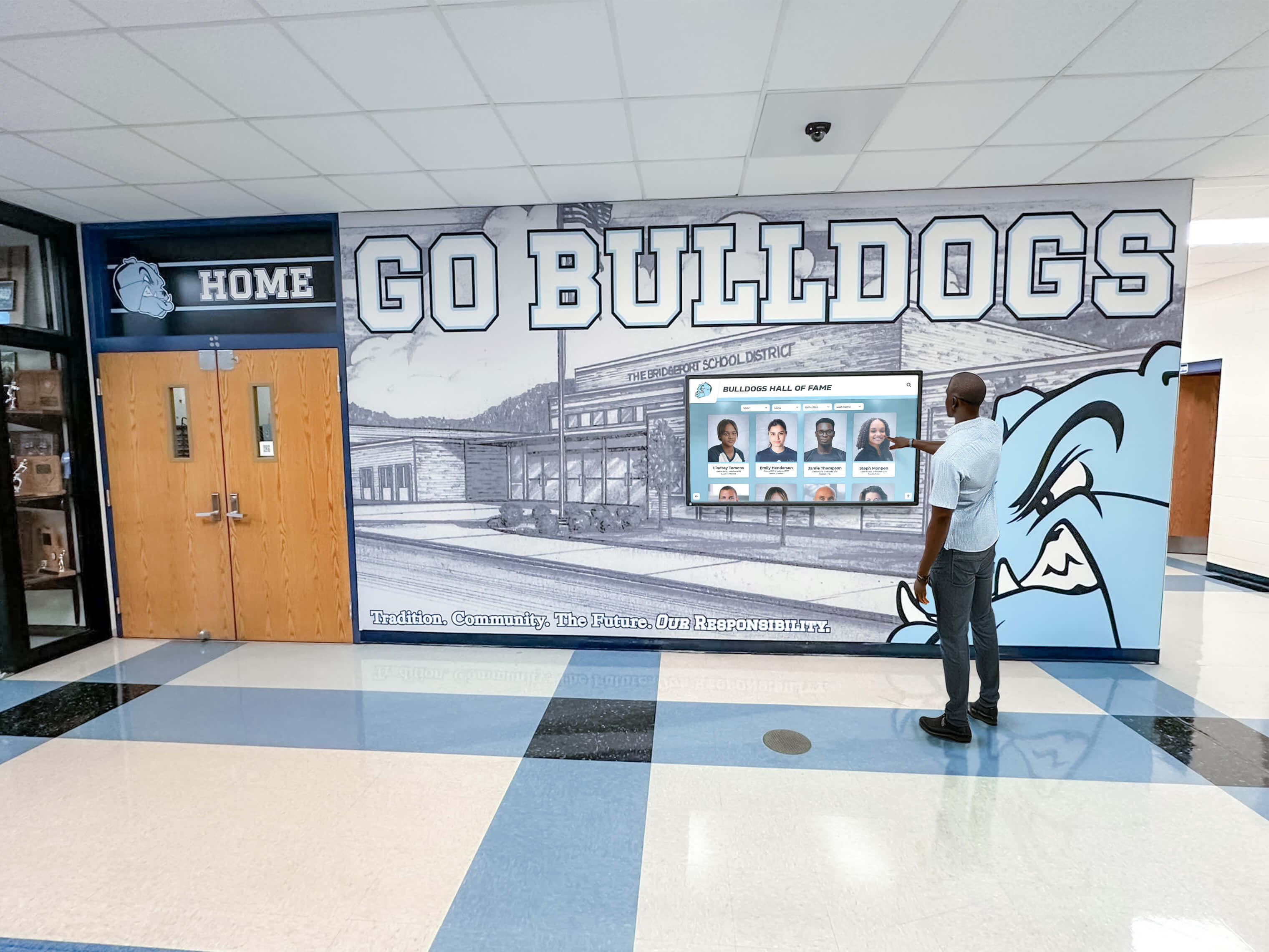
Properly processed yearbook images display beautifully on interactive touchscreens, creating engaging historical experiences
Image Enhancement and Restoration
Digital processing improves visual quality without altering historical content:
Color Correction and Exposure Adjustment
Compensate for aging and scanning variables:
- Adjust white balance correcting color casts from aged paper or inadequate lighting
- Increase contrast compensating for faded photographs and degraded paper
- Lighten underexposed images revealing detail lost in shadows
- Reduce overexposure recovering highlight detail in bright areas
- Normalize color across collection ensuring consistent appearance when displayed together
- Retain authentic period appearance while improving legibility and visual appeal
Removing Artifacts and Blemishes
Clean scans without removing authentic historical characteristics:
- Remove dust spots and hair from scanning process (not original historical marks)
- Eliminate binding shadows obscuring text or faces near book spines
- Repair tears and missing corners using content-aware fill or cloning techniques
- Straighten skewed scans ensuring level horizons and aligned text
- Crop extraneous margins focusing attention on yearbook page content
- Sharpen slightly to compensate for any focus softness during capture
Respecting Historical Authenticity
Enhancement must preserve historical integrity:
- Retain period-appropriate photo quality rather than over-processing into modern appearance
- Preserve aging characteristics that provide historical context
- Never alter content, add elements not present in originals, or remove people
- Document any significant restoration work for archival records
- Create derivative files leaving original scans unaltered for future reference
- Consider ethical implications when removing damage versus preserving authentic condition
Integrating Digitized Yearbooks into Hall of Fame Displays
High-quality digital images enable creative recognition installations impossible with physical yearbooks.
Interactive Touchscreen Display Applications
Modern recognition systems showcase yearbook content through engaging interactive experiences:
Searchable Archive Interfaces
Digital displays enable discovery impossible with physical books:
- Name search finding all yearbook appearances of specific individuals instantly
- Graduation year browsing showing complete class composites and group photos
- Sport and activity filters displaying team photos and participation rosters
- Chronological timelines showing program evolution across decades
- Side-by-side comparisons viewing multiple years simultaneously
- High-resolution zoom examining fine detail in group photographs
Visitors engaging with interactive touchscreen displays spend significantly longer exploring content compared to viewing static displays, with average session times of 3-7 minutes versus 30-60 seconds for traditional trophy cases.
Hall of Fame Profile Integration
Yearbook photos enrich biographical recognition displays:
- Athlete profiles showing individual senior yearbook portraits alongside career achievements
- Team roster displays featuring group photos from championship seasons
- Coach recognition pages including yearbook photos from tenure years
- Multi-generational family displays showing parents, students, and graduates across decades
- Before-and-after comparisons showing facility improvements and program growth
- Historical context sections explaining traditions and institutional evolution
Alumni Recognition Features
Yearbook content strengthens alumni engagement and advancement initiatives:
- “Where Are They Now” features pairing yearbook photos with current accomplishments
- Class reunion displays showing graduating class composites for milestone anniversaries
- Notable alumni galleries highlighting distinguished graduates with yearbook references
- Legacy family trees connecting multi-generational attendance through historical photos
- Donor recognition walls linking supporter yearbook images to giving history
- Alumni achievement timelines showing post-graduation accomplishments
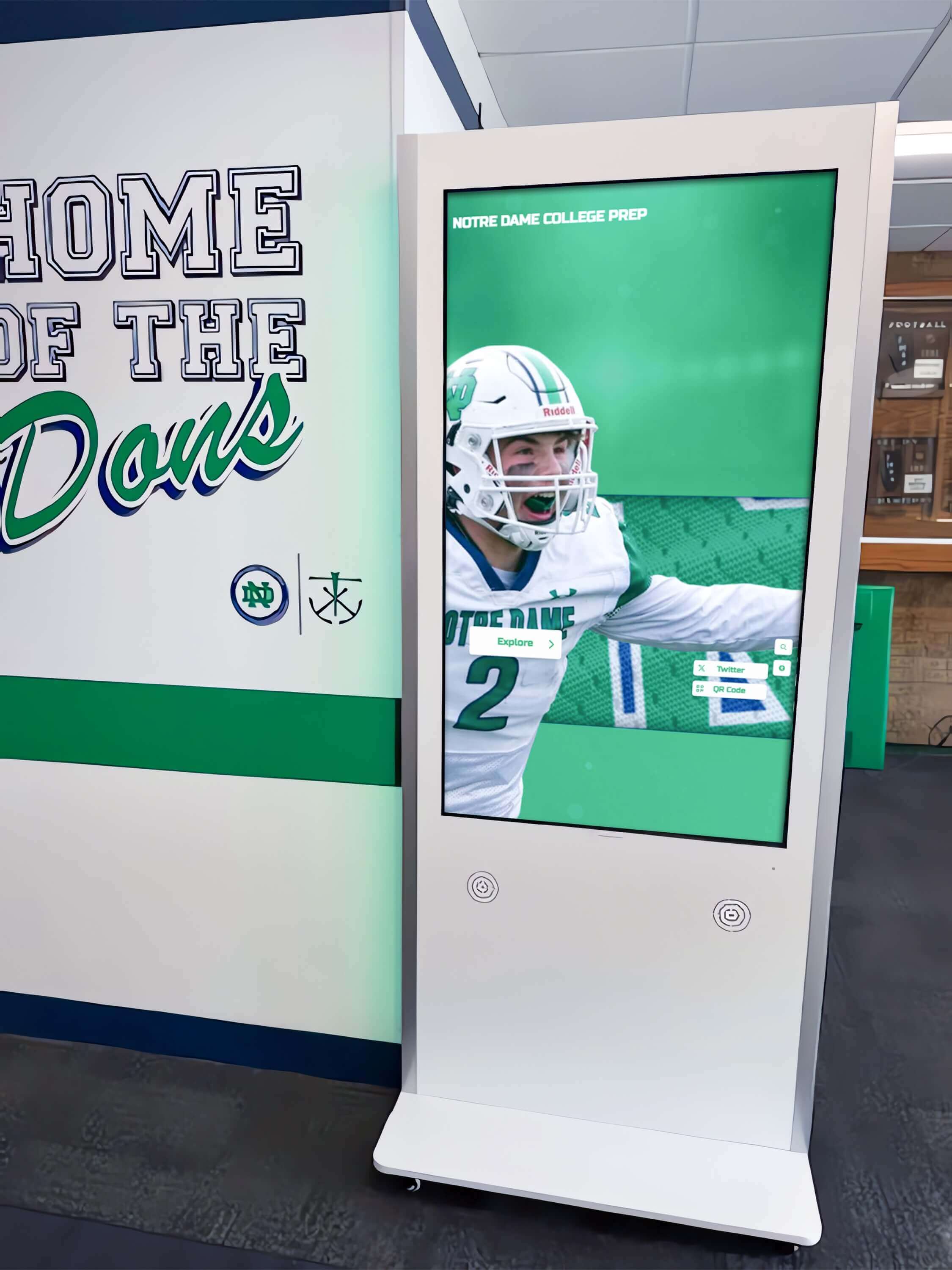
Strategically placed interactive kiosks encourage spontaneous exploration of historical yearbook content and athletic achievements
Digital Display Hardware Considerations
Physical equipment selection impacts viewer experience and content accessibility:
Screen Size and Placement Options
Different applications require appropriate display specifications:
- Large format displays (55-75 inches) for lobby installations serving groups
- Medium displays (32-43 inches) for hallway kiosks enabling individual exploration
- Portrait orientation maximizing yearbook page display in vertical format
- Wall-mounted installations saving floor space in high-traffic areas
- Freestanding kiosks providing stability and professional appearance
- Multiple display networks showing different content throughout facilities
Touch Technology for Interactive Engagement
Touchscreen capabilities enable active exploration:
- Capacitive touch screens providing smartphone-like responsive interaction
- Multi-touch gesture support enabling pinch-to-zoom and swipe navigation
- High brightness displays (500-700 nits) maintaining visibility in bright environments
- Anti-glare surface treatments preventing reflection interference
- Tempered glass protection withstanding continuous public use
- Accessibility features supporting users with varying abilities
Content Management Systems
Software platforms determine administrative ease and feature flexibility:
- Cloud-based management enabling updates from anywhere without physical access
- Scheduled content rotation highlighting different eras or achieving anniversaries
- Real-time analytics tracking most-viewed content informing future additions
- Multi-screen coordination displaying consistent content across networked displays
- Remote monitoring detecting hardware issues requiring maintenance attention
- Role-based access control limiting content editing to authorized personnel
Schools implementing comprehensive digital recognition systems report that content management flexibility proves equally important as initial display quality, as ability to add content continuously determines long-term system value.
Organizing and Managing Digital Yearbook Collections
Systematic organization prevents chaos as image libraries grow to thousands of files.
Metadata and Cataloging Best Practices
Proper documentation makes content findable and useful:
Essential Metadata Fields
Comprehensive tagging enables powerful search and organization:
- Graduation year providing primary organizational structure
- Individual names enabling person-specific searches
- Page numbers referencing original yearbook location
- Section types categorizing content (portraits, sports, activities, academics)
- Sports and activity names supporting filtered browsing
- Photograph captions preserving original contextual information
- Keywords describing content for text-based searching
- Copyright and permission status documenting usage rights
Naming Conventions and File Organization
Consistent structure prevents confusion:
- Folder hierarchies: Year → Section → Content Type → Individual Files
- File naming: YearBook_Year_Section_PageNumber_Description.jpg
- Avoid spaces and special characters in filenames ensuring cross-platform compatibility
- Sequential numbering maintaining page order within sections
- Separate folders for master archives versus display-ready derivatives
- External hard drive backups duplicating complete organizational structure
Database Systems for Large Collections
Sophisticated collections benefit from searchable databases:
- Digital asset management platforms designed for media libraries
- Custom databases linking metadata to image files
- Integration with existing student information systems where appropriate
- Alumni database connections enriching biographical information
- Web-based access enabling staff research without accessing physical files
- Export capabilities supporting various output formats and applications
Organizations creating comprehensive institutional archives often discover that metadata quality determines system value more than image quantity, as well-organized small collections provide more utility than massive unorganized libraries.
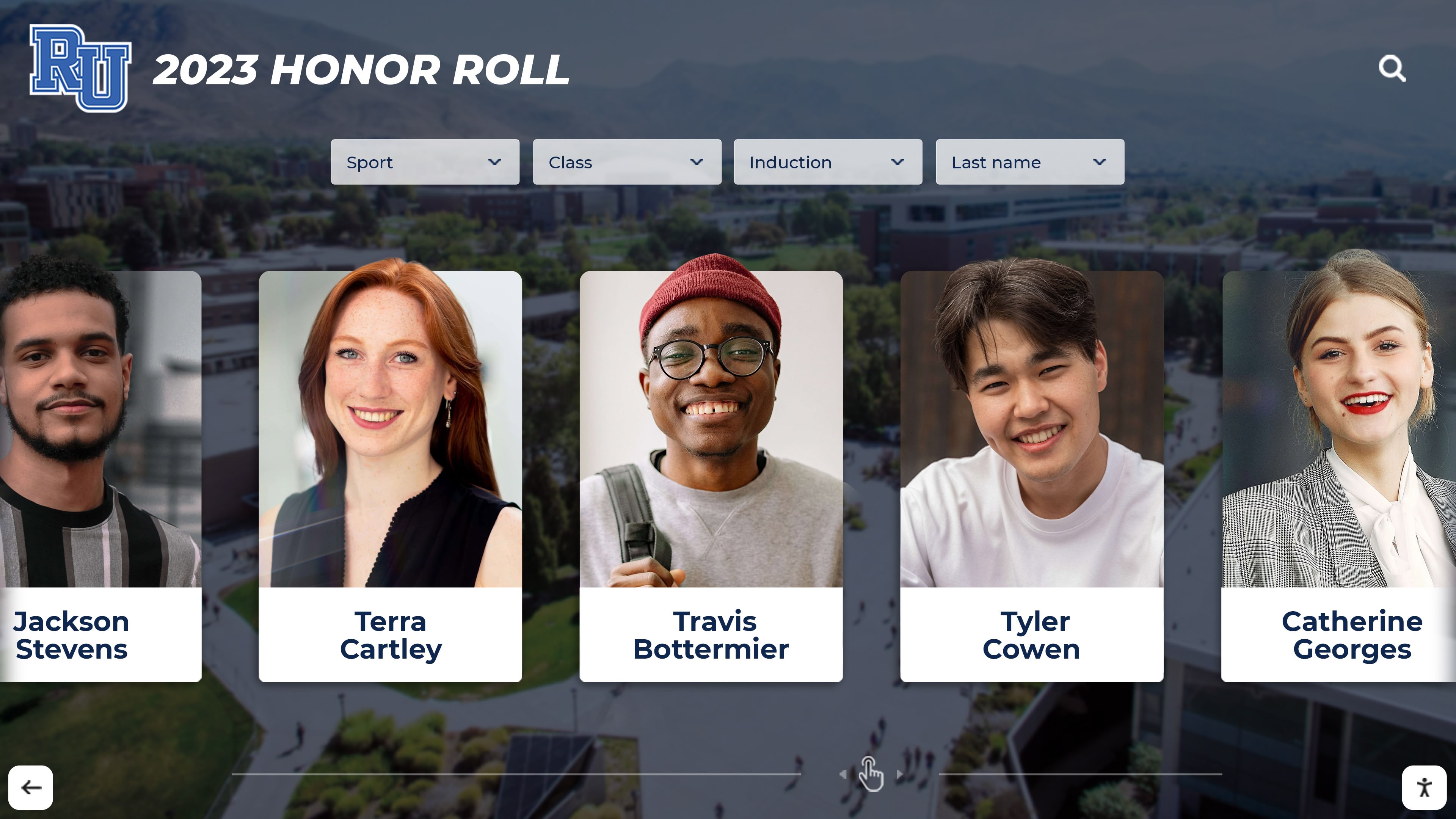
Consistent metadata enables generation of recognition displays organizing students by achievement categories and time periods
Privacy Considerations and Permission Management
Historical yearbook digitization raises student privacy questions requiring thoughtful policies:
FERPA Compliance for Educational Institutions
Federal privacy laws apply to digitized yearbook content:
- Yearbooks typically constitute directory information schools may disclose without consent
- Historical yearbooks published before digital archives involve complex consent questions
- Annual notification requirements informing families of directory information policies
- Opt-out procedures enabling individuals to request removal from digital systems
- Retention of original publication suggests implied consent for republication
- Legal counsel consultation recommended before launching public-facing digital archives
Opt-Out and Removal Procedures
Clear processes respect individual privacy preferences:
- Prominent contact information on yearbook archive pages for privacy requests
- Web forms enabling simple removal requests with reasonable verification
- Response timelines typically 30-60 days for processing requests
- Partial removal options removing identifying information while retaining unidentified group photos
- Documentation tracking all removal requests and completion dates
- Staff training on appropriate responses to privacy concerns and complaints
Balancing Access with Protection
Tiered access systems address varying sensitivity levels:
- Public display of older historical yearbooks (50+ years) where privacy concerns diminish
- Authentication requirements for recent yearbooks protecting current student privacy
- Physical location restrictions limiting kiosk access to verified campus visitors
- Password protection for online systems restricting access to verified community members
- Graduated release policies making yearbooks publicly accessible after specified years
- Special handling for sensitive content including medical information or disciplinary records
Schools developing historical preservation initiatives should establish clear written policies before launch, preventing reactive crisis management when privacy questions emerge after implementation.
Implementation Planning and Project Management
Successful digitization projects require systematic planning addressing technical, logistical, and budgetary considerations.
Developing Project Scope and Timeline
Clear project definition prevents scope creep and budget overruns:
Phased Approach to Large Collections
Breaking extensive projects into manageable segments:
- Phase 1: Digitize most-requested graduation years (reunion years, championship seasons)
- Phase 2: Complete chronological sequences filling gaps in initial phase
- Phase 3: Add earlier historical yearbooks requiring specialized handling
- Phase 4: Ongoing annual addition of new yearbooks as published
- Evaluation periods between phases assessing results before expansion
- Budget allocation spreading costs across multiple fiscal years
Typical Project Timelines
Realistic scheduling accounts for multiple sequential steps:
Planning Phase (6-8 weeks)
- Collection inventory determining total volume count and condition assessment
- Vendor selection or in-house equipment acquisition
- Budget finalization and funding source identification
- Privacy policy development and legal review
- Staff assignment and responsibility definition
Digitization Execution (varies by collection size)
- Professional scanning: 2-4 weeks per 50 yearbooks
- In-house scanning: 6-12 weeks per 50 yearbooks depending on staff availability
- Quality control review ensuring complete capture
- Image processing and enhancement
- Metadata creation and database population
Display System Implementation (8-12 weeks)
- Platform selection and contract negotiation
- Content management system configuration
- Display hardware procurement and installation
- Content migration and testing
- Staff training on ongoing management
Launch and Promotion (4-6 weeks)
- Internal announcement to faculty and staff
- Student and alumni communications
- Community outreach and media relations
- Dedication ceremony or ribbon cutting for physical displays
Budgeting for Digitization and Display Implementation
Comprehensive cost accounting prevents surprise expenses:
Digitization Cost Components
- Professional scanning services: $75-$300 per yearbook depending on size and resolution
- In-house equipment purchase: $500-$3,000 for quality book scanning setup
- Staff time for in-house projects: 2-4 hours per yearbook for scanning and quality control
- Image processing software: $10-$50/month for Adobe Creative Cloud or similar
- External hard drives for backup: $100-$300 for 4-8 TB storage capacity
- Archival storage media: $50-$200 for long-term preservation copies
Display System Investment
- Interactive touchscreen hardware: $3,000-$8,000 per display location
- Installation and mounting: $500-$2,000 per location depending on complexity
- Content management platform: $1,500-$5,000 annually for professional systems
- Network infrastructure: $500-$2,000 if additional connectivity required
- Ongoing maintenance: 10-15% of hardware costs annually for support and repairs
- Content updates: Staff time or ongoing service contracts for content additions
Funding Source Strategies
- Operating budget allocations from technology or library departments
- Alumni association support recognizing engagement benefits
- Memorial gift programs dedicating funds to historical preservation
- Grant applications to foundations supporting educational technology
- Reunion class giving campaigns funding graduation year digitization
- Booster club contributions supporting athletic history preservation
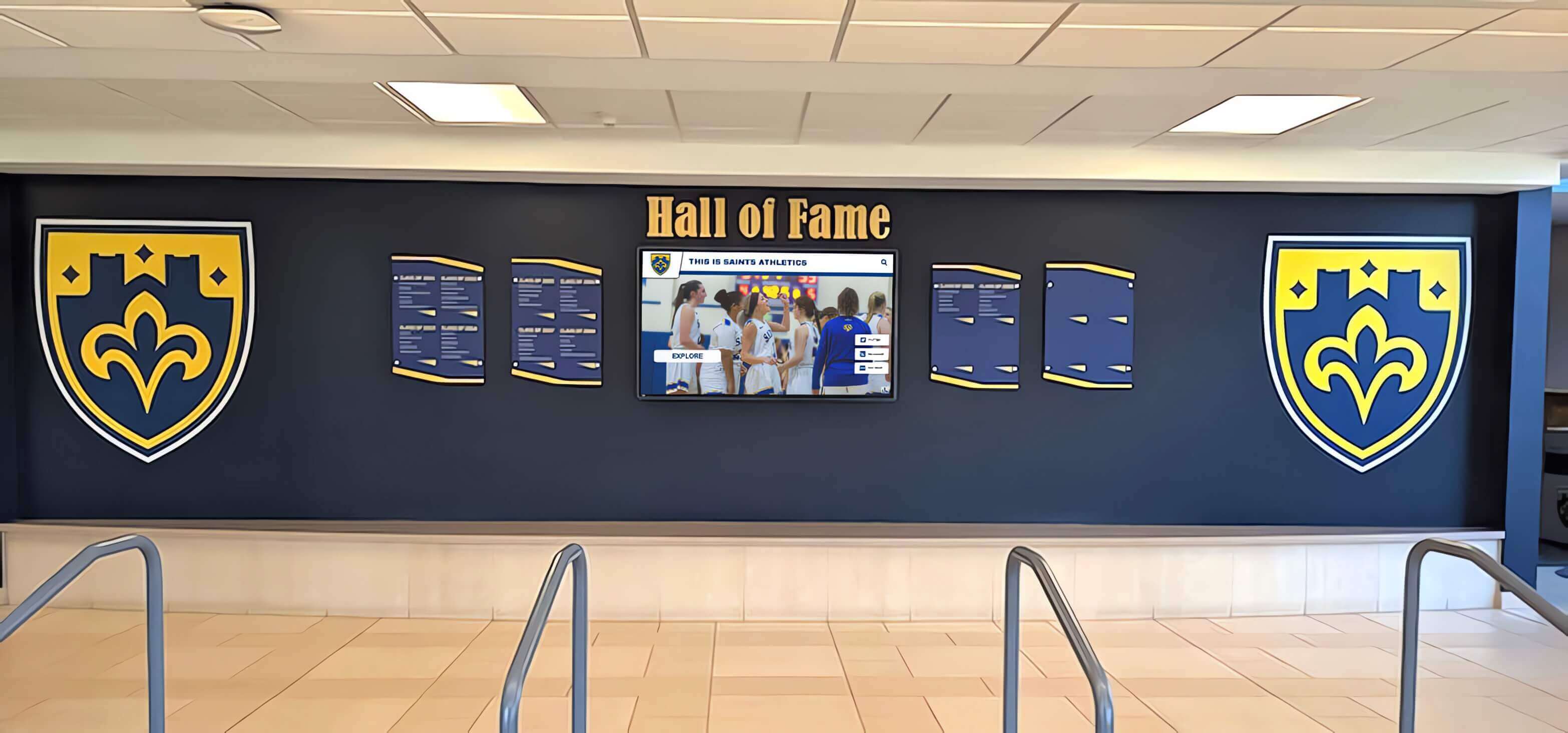
Professional installations integrate digital displays naturally with traditional recognition elements, honoring heritage while embracing modern technology
Measuring Success and Long-Term Sustainability
Tracking outcomes justifies investment and informs ongoing program development:
Engagement Metrics and Usage Analytics
Quantify system value through data collection:
- Display session duration indicating content engagement depth
- Most-viewed content identifying popular graduation years and individuals
- Search query analysis revealing what information users seek
- Geographic access patterns showing alumni reach from locations worldwide
- Repeat visitor rates suggesting sustained community interest
- Peak usage periods informing content promotion timing
Preservation Outcomes
Document protection of irreplaceable historical materials:
- Original yearbook condition assessments before and after digitization
- Reduction in physical handling requests following digital access availability
- Storage environment improvements enabled by reduced access needs
- Backup verification confirming redundant protection against loss
- Format migration plans ensuring accessibility as technology evolves
- Conservation treatments funded by operational savings from digitization
Community Impact Indicators
Connect digitization to institutional objectives:
- Alumni engagement increases measured through database interactions
- Reunion attendance correlating with digital archive access
- Donor acquisition among alumni engaging with yearbook content
- Student school pride assessments referencing historical awareness
- Media coverage generating community awareness of institutional history
- Social media engagement on historical content shared from archives
Advanced Applications and Future Possibilities
Emerging technologies create new opportunities for yearbook content utilization:
Artificial Intelligence for Enhanced Discovery
Machine learning capabilities transform large collections:
- Facial recognition identifying individuals across multiple yearbook photos automatically
- Handwriting recognition transcribing handwritten captions and notes
- Pattern detection finding similar photos and grouping related content
- Smart tagging suggesting metadata based on content analysis
- Improved search interpreting queries and improving result relevance
Augmented Reality Experiences
AR integration creates engaging historical exploration:
- Mobile apps overlaying historical yearbook photos on current campus locations
- Physical yearbook scanning triggering digital content enhancements
- Virtual reunion experiences enabling remote participation in historical exploration
- Gamification encouraging discovery through scavenger hunt features
- Social sharing integration connecting discoveries to personal networks
Integration with Broader Recognition Ecosystems
Yearbook content enriches comprehensive institutional memory systems:
- Athletic hall of fame profiles incorporating team photos and individual yearbook portraits
- Academic recognition displays showing honor society and award recipient yearbook images
- Performing arts archives combining yearbook photos with program scans and recordings
- Facilities documentation pairing yearbook photos with building evolution timelines
- Oral history projects connecting interview audio to yearbook photograph references
Preserving History While Creating Future Engagement
Digitizing old yearbooks represents more than technical preservation—it transforms static historical records into living institutional memory accessible throughout your community. The careful, non-destructive methods outlined in this guide protect irreplaceable original materials while creating digital assets suitable for decades of creative applications in hall of fame displays, alumni engagement initiatives, and educational programs.
Schools successfully implementing yearbook digitization typically discover unexpected benefits beyond initial preservation objectives. Alumni reconnect through historical photographs, sparking renewed engagement and philanthropic support. Current students develop deeper appreciation for institutional traditions when history becomes accessible rather than locked away. Advancement teams use yearbook content for prospect research and relationship building. Recognition displays become more meaningful when historical context accompanies current achievements.
Whether beginning with a small pilot project digitizing select championship years or pursuing comprehensive collection digitization paired with interactive display installations, the essential first step involves careful assessment of your collection condition, evaluation of appropriate digitization methods, and selection of display platforms aligned with institutional goals.
Solutions like Rocket Alumni Solutions transform digitized yearbook content into engaging interactive experiences through touchscreen displays installed in high-traffic locations throughout your facilities. These systems preserve your institutional history permanently in cloud-based archives while creating spontaneous moments of discovery and connection as community members explore decades of yearbook content. Unlimited storage capacity, easy-to-use search functionality, and smooth integration with athletic and academic recognition systems ensure your historical investments continue delivering value for generations.
Ready to preserve your yearbook collection and showcase historical photos in engaging hall of fame displays? Talk to our team to discuss your specific preservation needs and explore solutions tailored to your institution’s unique historical materials and recognition objectives.































