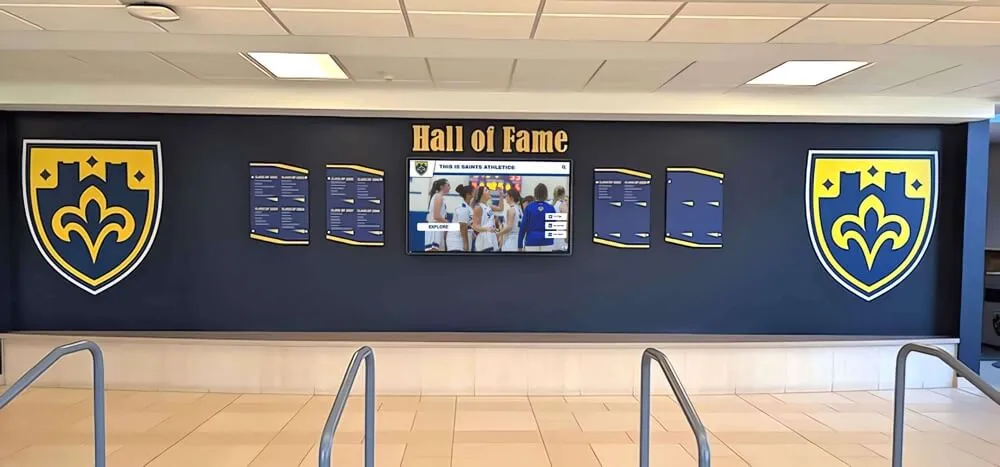




Every hall of fame induction ceremony produces a printed program. Most schools treat that program as a one-night keepsake—something guests flip through during the reception and leave on the banquet table when the evening ends. But the athletic directors and recognition coordinators who get the most out of their ceremonies understand something that others miss: a well-designed hall of fame ceremony program is also the most complete source document your team will ever have for updating a digital display.
The biographical paragraphs, career statistics, nomination rationale, presenter remarks, and photographs that appear in a ceremony program are exactly the content a digital hall of fame needs to build a rich, searchable inductee profile. The problem is that most programs are assembled in a rush from inconsistent sources—some bios are three sentences, others are three paragraphs; some inductees submit polished headshots, others submit decade-old smartphone photos; statistical records appear in different formats across different sports. When the ceremony ends and it is time to update a touchscreen display or online archive, the gaps are immediately obvious.
This guide walks through every section a hall of fame ceremony program should include—and why each element matters for the digital display update that follows.
Ceremony programs and digital profiles share a common problem: they are only as complete as the information collected before the event. Schools that approach program design as a data collection exercise—rather than a design exercise—emerge from each induction cycle with everything they need to update their recognition archives without chasing inductees for missing information weeks after the ceremony ends.

A ceremony program that captures the right details makes updating a physical and digital hall of fame display straightforward after induction night ends
Why the Ceremony Program Is Your Digital Profile Source Document
When a school updates its digital hall of fame—whether a touchscreen kiosk in the gym lobby, a wall-mounted display in the athletics wing, or an online archive—the profile for each inductee typically requires the same set of content: a photo, a biographical summary, career statistics, years of attendance or competition, awards received, and some narrative about why this person was selected.
That same list describes exactly what a well-organized hall of fame induction ceremony planning guide recommends collecting from nominees before the ceremony. The information exists in both contexts for the same reason: it tells the inductee’s complete story.
Schools that recognize this overlap design their program intake forms to gather digital-ready content from the start. Instead of asking inductees to fill out a program bio and then separately filling out a digital profile form after the ceremony, they collect everything once—in a format that serves both the printed program and the digital archive.
The sections below describe what to include in each part of the program and how to specify requirements so the content is usable for digital display updates without additional editing.
Cover Page and Event Details
A hall of fame ceremony program’s cover page establishes the event’s identity and provides the archival record of when and where the induction occurred.
Include on the cover:
- Full name of the institution (school, university, or athletic department)
- Official name of the hall of fame (e.g., “Athletics Hall of Fame” or “Eagles Hall of Champions”)
- Year of induction class (e.g., “Class of 2026”)
- Date, venue, and location
- Class size or inductee count
- School seal, mascot, or program logo in print-quality resolution
The cover page details matter for digital archives because induction year and class designation are standard metadata fields in any recognition platform. Schools that abbreviate or omit this information in printed programs often discover inconsistencies when building historical archives—is “Class of ‘26” the same as “2026 Class”? Standardizing terminology from the program forward prevents confusion in searchable systems years later.
For guidance on structuring ceremony programs more broadly, the approach used for graduation ceremony programs applies directly to hall of fame events: clear hierarchy, consistent formatting for repeated elements, and enough white space that the document is readable at a dinner table in low lighting.
Inductee Biographical Profiles
The inductee bio is the most important section in the program for digital display purposes. It is also the section most frequently collected inconsistently.
What to Require From Each Inductee
A standardized bio intake form yields better content than open-ended requests. Ask inductees to provide:
- Full legal name and any name used during competition years
- Years attended the institution and years of athletic participation
- Sport(s) competed in and position(s) played or events contested
- Graduating class year (or years of affiliation for coaches and contributors)
- Career highlights in three to five bullet points (not a paragraph—bullet points are easier to reformat for digital profiles)
- Post-graduation career in one to two sentences
- Current location or affiliation, if the inductee consents to include it
- Connection to the school community (children who attended, continued involvement, coaching roles)
Biography Length and Format
Printed program bios typically run between 150 and 250 words. Digital display profiles can accommodate longer text, but the core bio displayed on a touchscreen or archive listing is usually 100 to 150 words with an option to expand. If you collect the full 250-word program bio in a structured format—with career highlights separated from personal context—adapting it for digital display takes minutes rather than hours.
Request bios in plain text rather than formatted Word documents. Formatted documents introduce hidden characters and font styling that must be stripped before digital upload. Plain text with clear section breaks is the cleanest input for any content management system.
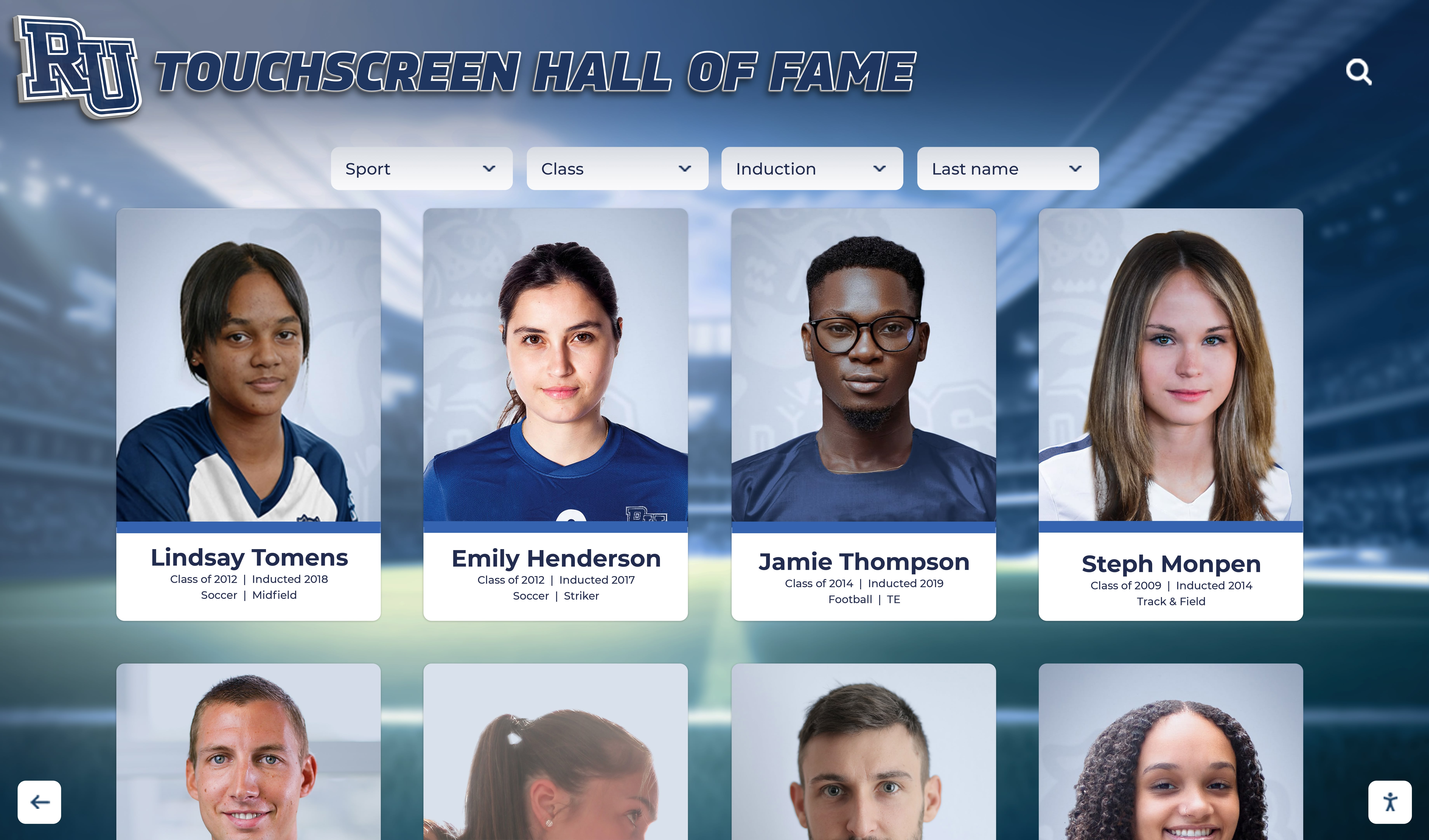
Digital profiles that appear on touchscreen systems require the same biographical information a ceremony program includes—collecting it once serves both purposes
Career Statistics and Records
Statistics give an inductee’s bio specificity and credibility. They are also among the most difficult content to reconstruct after the fact, particularly for inductees from decades past. The ceremony program is the right moment to lock in verified statistics while the inductee and their family can confirm accuracy.
Sport-Specific Statistical Requirements
Work with coaches and athletic records staff to define which statistics matter for each sport in your program. Common examples:
Team sports (football, basketball, soccer, baseball, softball, volleyball):
- Career totals in key performance categories (points scored, goals, assists, innings pitched, batting average, yards rushing, etc.)
- Team records or championships won during the inductee’s tenure
- All-conference, all-state, or all-American recognitions
Individual sports (track and field, swimming, wrestling, tennis, golf):
- Personal records or best marks in each event
- State meet placements and times or scores
- Regional or national ranking at peak performance
Coaches and contributors:
- Career win-loss record and winning percentage
- Seasons coached and titles won
- Players developed who went on to compete at higher levels
Sourcing and Verifying Statistics
Schools that have developed clear athletic hall of fame criteria and selection standards typically have existing workflows for verifying statistical claims during the nomination review process. The statistics validated during nominee review should flow directly into the program template—not be re-collected from scratch once inductees are selected.
Discrepancies arise when program editors accept inductee-provided statistics without checking them against school records. A statistic printed in a ceremony program that contradicts a school’s official record board creates an awkward situation—and one that becomes permanent once it is loaded into a digital archive. Verify statistics against official sources before finalizing any program draft.
Photos and Visual Media
Photos are where ceremony program planning most directly affects digital display quality. A poor-quality photo printed in a program can be retouched for ink. A poor-quality photo loaded into a touchscreen display is simply a poor-quality photo, visible to every visitor at full scale.
Headshot Requirements
Establish photo specifications in writing and include them in the inductee intake packet:
- Minimum resolution: 300 DPI for print; 1200 × 1500 pixels minimum for digital display use
- Format: JPEG or PNG (not PDFs, screenshots, or embedded images from Word documents)
- Composition: Face centered, neutral background preferred, eyes visible, no heavy filters
- Era: Current headshot required for the program; career-era action photo optional and encouraged
Action and Career Photos
The most engaging digital hall of fame profiles combine a current headshot with at least one career-era photo—a game photo, a team portrait from a championship year, a photo of the inductee in competition. Ask inductees to submit career-era photos along with any known caption information (year, opponent, event, photographer if known). Caption information is often lost within a year of a ceremony; capturing it in the program intake process preserves it permanently.
For schools managing large induction classes, consider assigning a staff photographer to capture candid moments during the ceremony itself—inductees receiving their award, family group photos, candid interactions with former coaches or teammates. These ceremony-night photos often become the most used images in ongoing recognition materials.
Photo Release and Rights
Include a simple photo release in the inductee intake form confirming that the school may use submitted photos in printed materials, digital displays, and online archives. Inductees who submit career-era photos taken by third parties should confirm they have rights to use and distribute those images. This step is frequently skipped and causes complications when schools later want to add photos to publicly accessible digital archives.

High-resolution photos submitted during program intake feed directly into touchscreen displays where visitors explore inductee profiles in detail
Nomination Story and Selection Rationale
The narrative explaining why each inductee was chosen is one of the most compelling elements of a digital hall of fame profile—and one that is almost never collected in a standardized way.
What to Capture in the Program
The nomination story answers the question visitors most naturally ask when they encounter a name on a wall or touchscreen: Why is this person here? A strong nomination narrative covers:
- The specific achievements that prompted nomination
- The context that makes those achievements meaningful (how competitive was the era, how rare was the accomplishment, what obstacles did the inductee overcome)
- The inductee’s impact on teammates, younger athletes, or the school community
- Why the selection committee found this candidate compelling
This content differs from the bio, which focuses on facts and statistics. The nomination story is interpretive—it explains significance, not just accomplishment.
Using Nomination Materials Efficiently
Schools that have established a structured hall of fame application process already gather nomination rationale as part of the selection workflow. If the nomination form asks nominators to explain why their candidate deserves induction, that text can be edited and adapted for both the program and the digital profile rather than written from scratch.
The nomination story is typically 100 to 200 words in a printed program. For digital displays, it can be formatted as a “why they were selected” section distinct from the biographical summary—giving visitors two angles on the inductee’s significance.
Presenter Biographies and Tribute Remarks
Most ceremony programs include a brief note identifying who will present each inductee. This information is more archivally valuable than it appears.
What to Collect From Presenters
- Presenter’s full name and relationship to the inductee (former coach, teammate, parent, mentor)
- Presenter’s years of affiliation with the school
- One-paragraph bio for the program (optional but recommended for non-obvious relationships)
- Written copy of planned tribute remarks, or a summary if the presenter plans to speak extemporaneously
Why Presenter Information Matters for Archives
A hall of fame induction is a relationship story as much as an achievement story. When a digital archive includes the information that a former coach presented a particular inductee, or that a championship teammate traveled from another state to give the tribute, it adds texture that pure statistics cannot convey. Collecting presenter details in the program intake process makes it easy to include this relational context in digital profiles without follow-up communication.
For larger ceremonies with multiple inductees and many presenters, maintaining a presenter-inductee matrix in a shared document makes it easier to confirm attendance, manage run-of-show logistics, and capture remarks accurately. Detailed induction ceremony planning guides outline these logistics comprehensively—and the administrative infrastructure they describe for running the ceremony itself is the same infrastructure that produces organized program content.
Speech Content and Inductee Remarks
The inductee’s acceptance remarks are the most human element of a ceremony night—and the element most frequently lost immediately afterward.
Options for Capturing Remarks
- Ask inductees to submit prepared remarks in advance and include excerpts in the printed program
- Have a volunteer or staff member take notes during live acceptance speeches
- Record audio or video of the ceremony with inductee permission, creating a lasting archive of the remarks in full
Even brief acceptance remarks—thirty seconds of genuine gratitude and reflection—are valuable archival content. A digital hall of fame profile that includes a short audio or video clip of an inductee speaking at the ceremony creates an emotional depth that printed text cannot replicate.
Key Quotes for Digital Display
If full speech capture is not feasible, ask inductees to provide one or two sentences they would want associated with their hall of fame recognition. These become pull quotes for the digital profile—the kind of text displayed prominently on a touchscreen card or a website archive listing.
Sponsor and Supporter Recognition
Hall of fame ceremonies frequently receive support from booster clubs, community donors, alumni associations, or local businesses. The program is the standard vehicle for acknowledging this support.
For digital display purposes, sponsor acknowledgment usually belongs outside the inductee profiles themselves. However, the program section that lists presenting sponsors, venue donors, or award sponsors should be formatted in a way that is easy to translate into a digital event archive if the school maintains one. Naming conventions—“presented by” versus “supported by” versus “in partnership with”—should be consistent across years so that historical ceremony records are searchable by sponsor name.
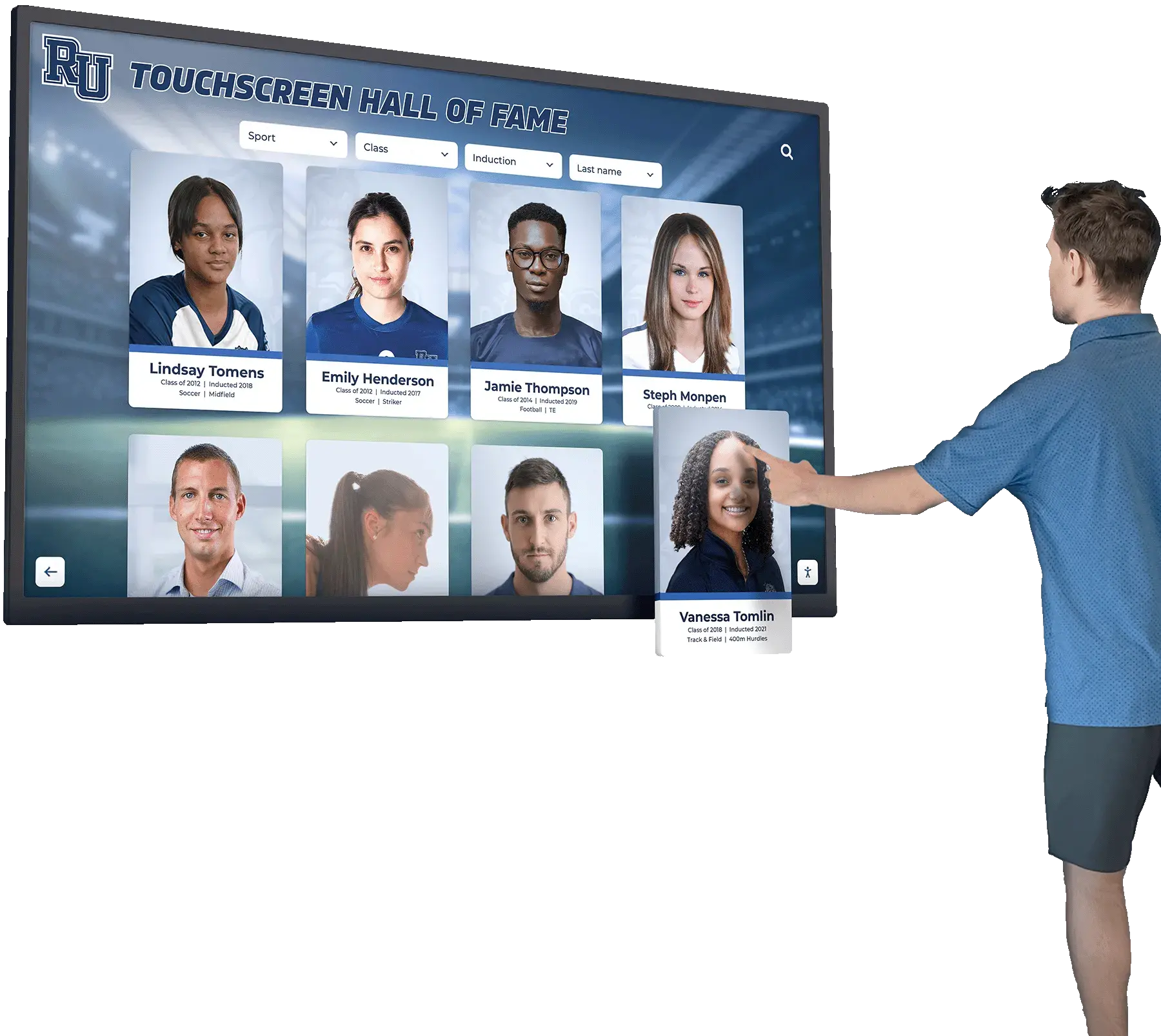
Sponsors and supporters recognized in the ceremony program can be incorporated into the digital event archive alongside inductee profiles from that class year
The Program-to-Digital-Display Pipeline
Once the ceremony ends, the data collection phase is effectively closed. Schools that have gathered structured content—standardized bios, verified statistics, high-resolution photos, and nomination narratives—can typically update their digital displays within a week of the ceremony. Schools that collected unstructured content often spend that week chasing corrections.
Building the Pipeline Before the Event
The most efficient workflow treats the digital display update as a parallel workstream to ceremony production rather than a follow-on task. The steps:
Six to eight weeks before the ceremony:
- Send inductee intake packets with standardized forms covering all fields required for both the program and the digital profile
- Specify photo requirements in writing, with examples of acceptable and unacceptable submissions
- Set a content deadline two to three weeks before the ceremony to allow time for verification and design
Three to four weeks before the ceremony:
- Collect and verify statistics against official school records
- Flag incomplete submissions and follow up with inductees or their nominators
- Confirm presenter assignments and collect presenter bios
One to two weeks before the ceremony:
- Finalize program design with verified content
- Begin staging digital profiles in the recognition platform with confirmed content
- Confirm photo releases are on file for all submitted images
Within one week after the ceremony:
- Upload final content to the digital display platform
- Add ceremony-night photos to applicable inductee profiles
- Archive the printed program as a PDF in the school’s digital records
This timeline connects naturally to the broader hall of fame induction ceremony planning process—the same organizational structure that produces a smooth ceremony night also produces complete digital profile content.
The Complete Pre-Ceremony Information Checklist
Use this checklist when building inductee intake packets and verifying program content before finalizing the design.
Biographical Information
- Full legal name and competition-era name if different
- Graduating class year or years of affiliation
- Sport(s) and position(s)
- Years of participation
- 150–250 word biography in plain text
- Three to five career highlight bullet points
- Post-graduation career summary (one to two sentences)
- Current location or affiliation (with consent)
Career Statistics and Records
- Sport-specific career statistical totals
- Championships, titles, or team records won
- Individual honors (all-conference, all-state, all-American)
- School records held, with event or category
- Sources verified against official school records
Photos and Media
- Current headshot at minimum 1200 × 1500 pixels
- At least one career-era action photo with caption information
- Photo release on file for all submitted images
- Photos in JPEG or PNG format (no PDFs or embedded Word images)
Nomination and Selection Context
- Nomination rationale or “why selected” narrative (100–200 words)
- Key quote for pull-quote use in program and digital profile
- Acceptance remarks (submitted in advance or recorded during ceremony)
Presenter Information
- Presenter full name
- Presenter relationship to inductee
- Presenter years of affiliation with school
- Presenter bio (one paragraph) if relationship is not widely known
- Planned tribute remarks or speaking notes
Event Metadata
- Full school name and hall of fame name
- Induction class year and ceremony date
- Venue name and location
- Sponsor acknowledgments in standardized format
Common Gaps That Stall Digital Display Updates
Even well-organized programs encounter predictable gaps. Understanding them in advance prevents delays.
Low-resolution photos submitted despite specifications. Inductees frequently submit the most convenient photo rather than the most appropriate one. A screenshot from a social media profile at 72 DPI will never work for a professional display. Providing visual examples of acceptable and unacceptable submissions—and including photo specifications prominently in the intake packet—reduces this problem significantly.
Statistics that cannot be verified. When an inductee claims a school record that cannot be found in official records, the program editor faces a difficult choice: print an unverified statistic or publish a bio without the claim. Schools with formal verification processes avoid this entirely by requiring statistical backup during the nomination review phase rather than during program production.
Missing acceptance remarks. Schools that record ceremonies or ask inductees for pre-submitted remarks have a significant advantage. When a touchscreen display includes a video clip of an inductee’s acceptance speech, visitors spend substantially longer engaging with that profile than with text-only entries. The award ceremony slideshows and video content that accompany recognition events can feed directly into digital profiles when properly captured and formatted.
Inconsistent biography lengths. If one inductee submits a 350-word essay and another submits three sentences, the program looks uneven and the digital profiles will too. Standardized forms with word count guidance prevent this.
Designing the Program as a Digital-First Document
Schools that treat the printed ceremony program as a legacy format—built primarily to be handed out and read once—miss the opportunity to build a document that continues delivering value for years.
Designing with digital-first principles means:
Structured data over formatted prose. Build program bios with labeled sections (years attended, sport, highlights, current career) rather than flowing paragraphs. Structured content is easier to reformat for digital profiles, search engine indexing, and future archival queries.
Consistent naming conventions. Use the same name format throughout the program that will appear in the digital display: first and last name only, or first, middle initial, and last, without nicknames in the official record (though nicknames can be noted). Consistency prevents the confusing situation where a touchscreen shows “Bob” and the program shows “Robert” for the same person.
Year-forward organization. Store program source files with the class year as the primary organizational identifier—not the ceremony date or the athletic director’s initials. Future staff who need to locate the 2018 induction class materials should be able to find them by year without institutional memory of how past staff organized their folders.
Class-level metadata. Each induction class is itself an archival record. The total number of inductees, the names of presenters, the ceremony venue, the keynote speaker if any—this class-level metadata creates context for individual profiles. Creative ceremony formats and ideas for structuring the event itself often generate additional archival touchpoints worth capturing.
Connecting the Ceremony Program to a Long-Term Recognition Strategy
A single well-organized ceremony program solves an immediate problem: it gives you everything needed to update your digital display after this year’s induction class. But the greater benefit accumulates over time.
Schools that maintain consistent program formats across induction years build a searchable archive that spans decades. When a student researcher wants to know who was inducted in 2008, or a donor wants to find out whether a former athlete was ever recognized, or an alumni relations office needs a complete list of hall of fame members for a reunion event—the answer is in the program archive, formatted consistently because every program was designed to the same standard.
Physical recognition materials—plaques, coach appreciation displays, banners—capture a moment. Digital archives built from well-organized program content remain searchable and extensible indefinitely. The school’s hall of fame becomes not just a wall in the gymnasium but a living institutional record that grows richer with each induction class.
Ceremony ideas and formats continue to evolve as schools find ways to make induction nights more memorable. The administrative backbone that supports those ceremonies—standardized intake forms, verification workflows, and digital-ready content collection—makes each year’s recognition program a permanent contribution to the school’s institutional memory rather than a single-night keepsake.
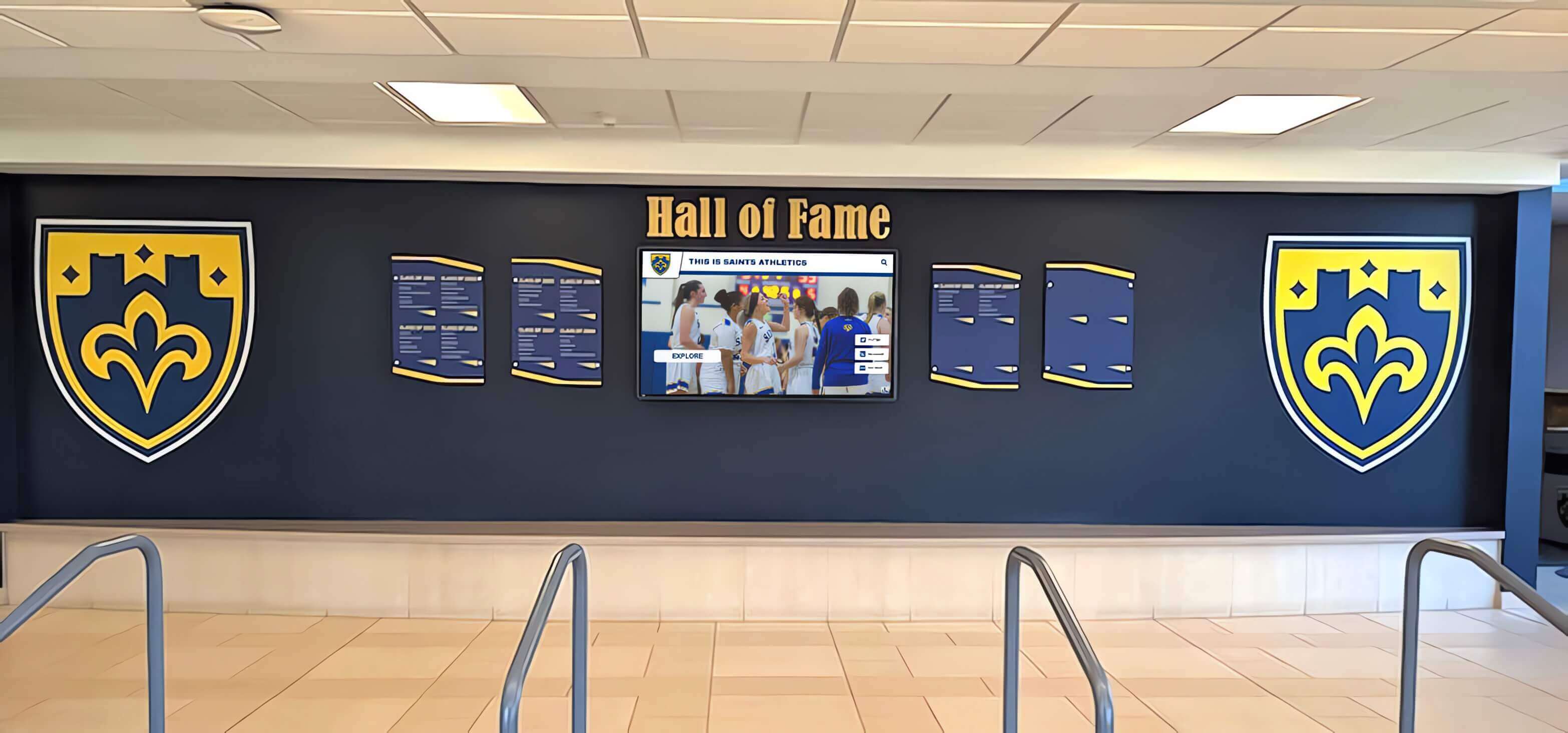
Physical displays and digital archives work together when ceremony programs provide standardized, digital-ready content from the start
Putting It All Together
A hall of fame ceremony program is the most complete snapshot your school will ever have of a particular induction class. Getting that snapshot right—with verified statistics, high-resolution photos, structured bios, and nomination narratives—requires treating the intake process as a data collection project, not just a design project.
The schools that do this well share a few characteristics: they send inductee intake packets early enough to allow for follow-up, they verify statistics before printing, they specify photo requirements clearly, and they store program source files in organized formats that future staff can access and use.
When those conditions are met, updating a digital display after the ceremony is a matter of uploading content that is already prepared—not hunting for missing information while inductees are traveling home from the event.
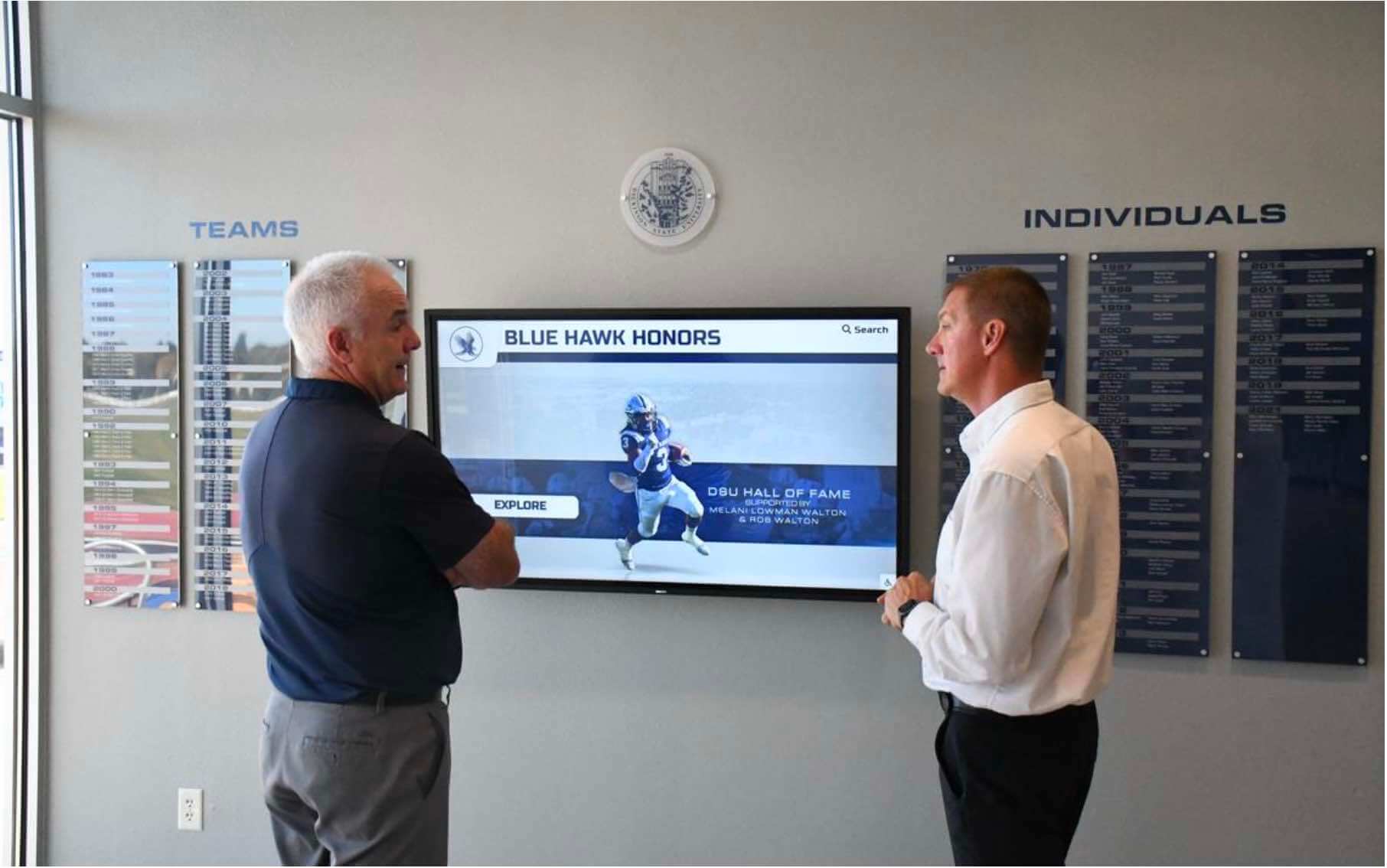
Digital hall of fame displays reward the upfront investment in organized ceremony program content by making inductee profiles accessible to visitors year-round
See How Schools Are Connecting Ceremony Programs to Digital Displays
Rocket Alumni Solutions helps schools build digital hall of fame displays that accept structured content from ceremony programs and induction intake forms—making each year’s update faster and more complete than the last. If your school is planning a hall of fame induction ceremony and wants to see how a digital recognition platform simplifies the content pipeline, a live demonstration shows exactly how it works.































