How to Digitize Historic School Yearbooks: A Complete Process Guide
- Home /
- Touch Archive Blog /
- How to Digitize Historic School Yearbooks: A Complete Process Guide

The Easiest Touchscreen Solution




Live Example: Rocket Alumni Solutions Touchscreen Display
Interact with a live example (16:9 scaled 1920x1080 display). All content is automatically responsive to all screen sizes and orientations.
School yearbooks represent irreplaceable windows into institutional history—capturing decades of student achievements, championship teams, faculty legacies, and cultural moments that shaped entire communities. Yet thousands of these precious volumes sit deteriorating in storage rooms, their fragile pages yellowing and bindings cracking while the stories they contain become increasingly inaccessible to current students and alumni seeking connection to their heritage.
The digitization challenge extends beyond technical concerns. School administrators and archivists face critical decisions about handling delicate materials safely, selecting appropriate scanning technologies, creating searchable metadata that makes collections discoverable, managing storage for potentially thousands of high-resolution images, and—most importantly—making digitized content accessible and engaging rather than creating another forgotten digital repository.
This comprehensive guide walks through the complete historic yearbook digitization process specifically designed for schools and educational institutions, from initial assessment through preservation scanning to modern interactive display solutions that transform archived memories into living institutional legacy.
Historic school yearbooks contain unique institutional DNA that exists nowhere else—championship team rosters, candid student life photographs, faculty portraits spanning careers, and documentation of facilities and traditions long since evolved. Once these physical volumes deteriorate beyond recovery, the visual history they preserve disappears permanently, leaving future generations with incomplete understanding of their institutional roots.

Professional yearbook digitization preserves institutional history while enabling creative display through modern interactive systems
Understanding the Value of Yearbook Digitization
Before investing resources in digitization projects, schools benefit from recognizing the multiple dimensions of value these initiatives create beyond simple preservation.
Preservation Benefits That Protect Irreplaceable History
Physical yearbooks face constant deterioration threats that digitization addresses:
Time-Sensitive Degradation Factors
- Paper acidification causes brittleness and discoloration in volumes from the 1950s-1980s
- Binding adhesives dry and crack, leading to page separation and spine failure
- Photograph print quality degrades from light exposure and chemical breakdown
- Handling damage accumulates with each person who opens delicate volumes
- Environmental factors including temperature fluctuations and humidity accelerate decay
- Mold and pest damage can destroy entire collections in improper storage conditions
Preservation research indicates that yearbooks stored in typical school conditions lose significant structural integrity within 50-75 years of publication. Volumes from the mid-20th century currently face critical deterioration windows where digitization represents the difference between preservation and permanent loss.
Creating Permanent Digital Safety Copies
Professional digitization establishes protected archival masters:
- High-resolution scans capture fine detail including small text and photograph nuances
- Digital files eliminate single-point-of-failure risk inherent in unique physical volumes
- Cloud storage with redundant backups protects against fire, flood, and disaster
- Multiple file format versions ensure accessibility as technology evolves
- Original volumes can be stored in controlled environments with minimal handling
- Future restoration work benefits from pristine digital references
Schools implementing comprehensive historical preservation software solutions report that digitization fundamentally transforms institutional archiving from reactive crisis management to proactive legacy stewardship.
Accessibility Advantages for Modern Communities
Digital yearbook collections serve contemporary educational and community-building purposes:
Breaking Physical Access Barriers
- Alumni worldwide can explore yearbooks without visiting campus
- Multiple users can view the same yearbook pages simultaneously
- Search functionality locates specific individuals, teams, or events instantly
- Students research institutional history for projects without handling fragile originals
- Community members discover family connections across multiple generations
- Reunion planning committees access class photos and rosters for milestone celebrations
Enabling Discovery Through Modern Interfaces
Digital platforms create exploration opportunities impossible with physical volumes:
- Name-based searching finds all appearances of specific individuals across decades
- Timeline browsing reveals institutional evolution and cultural changes over time
- Team and activity filtering displays athletic and extracurricular participation patterns
- Comparative viewing examines fashion, facility, and social shifts across eras
- High-resolution zoom reveals detail invisible in casual physical browsing
- Mobile access enables spontaneous discovery and sharing through personal devices
Similar to how schools create engaging digital record boards for campus engagement, digitized yearbooks transform static archives into dynamic community resources.
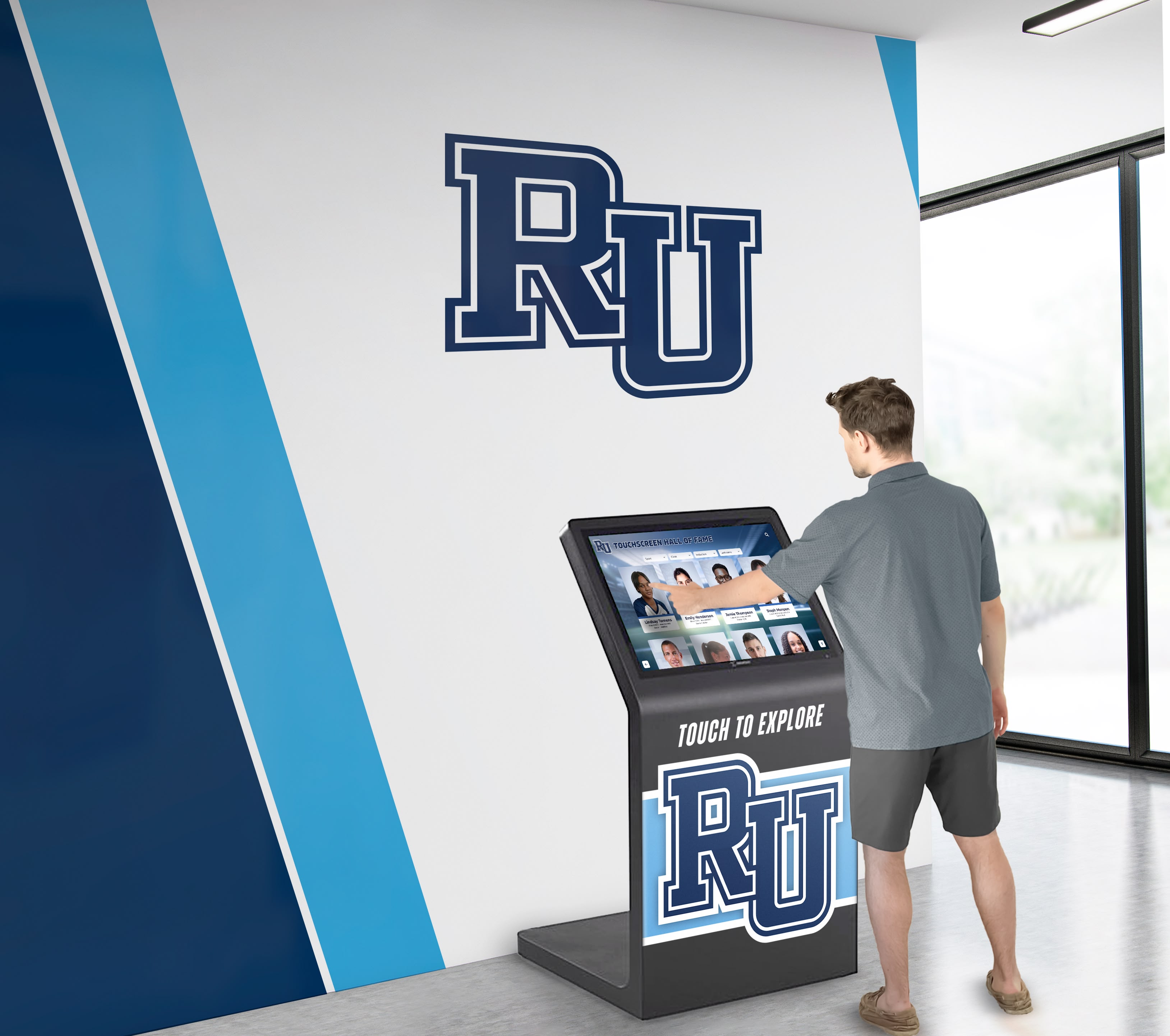
Interactive touchscreen systems make digitized yearbook collections accessible to students, alumni, and visitors in engaging, user-friendly formats
Educational and Institutional Benefits
Digitized yearbook collections support multiple organizational objectives:
Curriculum Integration Opportunities
- History classes analyze social change through yearbook evolution across decades
- English students examine writing style progression in student publications
- Photography courses study compositional techniques and technology advancement
- Sociology projects explore demographic shifts and cultural representation
- Statistics classes analyze enrollment patterns and participation trends over time
- Local history research connects school experiences to broader community narratives
Alumni Engagement and Advancement Support
Development offices leverage yearbook archives strategically:
- Prospect research identifies affinity connections and leadership patterns
- Reunion communications feature authentic class photographs and memories
- Donor recognition links current contributions to historical participation
- Alumni communications reconnect graduates through shared visual nostalgia
- Legacy family outreach documents multi-generational institutional relationships
- Capital campaign materials demonstrate institutional continuity and impact over time
Planning Your Yearbook Digitization Project
Successful digitization requires systematic planning that addresses scope, standards, resources, and timeline considerations before scanning begins.
Conducting a Collection Assessment
Understanding exactly what materials exist prevents scope creep and enables realistic planning:
Inventory Development Process
Create comprehensive collection documentation:
- Identify the earliest yearbook in your collection and verify publication continuity
- Document missing years that may exist in community or alumni hands
- Note physical condition variations requiring specialized handling approaches
- Record format differences including size, binding type, and page count
- Identify duplicate copies that may serve as working versions during scanning
- Catalog associated materials like supplement booklets or special editions
Most established schools discover they possess 50-100+ years of yearbook volumes representing thousands of individual pages requiring digitization. Accurate inventory prevents mid-project surprises and enables appropriate resource allocation.
Prioritization Framework for Phased Implementation
Strategic sequencing balances multiple factors:
- High-risk volumes: Oldest materials and those showing significant deterioration
- High-value years: Championship seasons, significant anniversaries, reunion years
- High-demand content: Decades with large alumni populations or frequent reference requests
- Sequential completion: Filling gaps to create continuous chronological archives
- Resource constraints: Starting with manageable pilot projects before full-scale commitment
Schools typically benefit from phased approaches that deliver incremental value while building organizational expertise and stakeholder support for continued investment.
Establishing Technical Standards
Early technical decisions prevent costly rework and ensure files serve both preservation and access needs:
Resolution and Format Specifications
Appropriate capture standards balance quality with practical considerations:
Master Archive Files
- Scan at 600 DPI minimum for yearbook pages to preserve text legibility and photo quality
- Use TIFF or PNG formats for lossless quality preservation in archival masters
- Capture full pages including margins to document complete layout and design context
- Maintain color scanning even for black-and-white content to preserve paper tone and age characteristics
- Expect file sizes of 50-150 MB per page for full-resolution archival masters
Access Derivative Files
- Create JPEG derivatives at 80-90% quality for display and web distribution
- Generate 300 DPI versions for general viewing and moderate-size printing needs
- Produce thumbnails at consistent dimensions for gallery and preview displays
- Consider PDF compilations for complete yearbook downloads where appropriate
- Organize derivatives in parallel folder structures matching archive organization
Metadata Schema Development
Structured information transforms image collections into searchable archives:
- Essential fields: Publication year, page number, section type, photographer credit
- Searchable content: Individual names, team identifications, activity associations, event descriptions
- Contextual information: Historical notes, location identifications, caption transcriptions
- Administrative metadata: Scan date, operator name, equipment used, file relationships
- Rights management: Copyright status, usage permissions, privacy considerations
Consistent metadata application proves far more valuable than exhaustive metadata for limited items. Schools benefit from identifying core fields applied universally before expanding to enhanced descriptions for significant content.

Comprehensive metadata enables intuitive browsing and searching of digitized yearbook content through modern touchscreen interfaces
Implementing Safe Digitization Methods
Proper handling and scanning techniques protect irreplaceable originals while capturing high-quality digital reproductions.
Equipment Selection for Yearbook Scanning
Different technologies suit varying collection characteristics and resource availability:
Flatbed Scanner Approach
Traditional scanners work for volumes in good condition:
- Advantages: High resolution capabilities, excellent color accuracy, familiar technology
- Limitations: Requires opening books flat risking binding damage, slow page-by-page process
- Best applications: Newer yearbooks in good condition, disbound pages, already-separated volumes
- Equipment recommendations: Professional-grade flatbed scanners with large format capabilities
- Approximate speed: 2-4 minutes per page including positioning and quality verification
Overhead Book Scanner Systems
Specialized equipment designed for bound volume digitization:
- Advantages: V-cradle design supports books at safe angles preventing spine stress, faster scanning workflow
- Technology features: Overhead cameras capture facing pages simultaneously, specialized lighting eliminates shadows and glare
- Cost considerations: Equipment ranges from $2,000-$15,000+ for professional systems
- Best applications: Large-scale projects, very fragile volumes, delicate bindings requiring minimal opening angles
- Approximate speed: 1-2 minutes per two-page spread with appropriate equipment
Document Camera Solutions
Flexible budget-friendly alternatives:
- Setup requirements: Quality document camera with macro capabilities, stable mounting system, consistent lighting
- Advantages: Lower equipment cost, versatility for various archival materials, portable setup options
- Process notes: Requires careful positioning consistency, manual page-turning workflow
- Quality considerations: Camera resolution and lens quality determine final image quality
- Best applications: Smaller collections, distributed work across multiple locations, supplemental scanning
Professional Service vs. In-House Digitization
Resource availability and collection characteristics inform the optimal execution approach:
When Professional Services Make Sense
Outsourcing offers advantages for many institutions:
- Volume considerations: Collections exceeding 50-100 yearbooks benefit from service efficiency
- Timeline requirements: Professional operations complete projects faster than part-time staff efforts
- Equipment access: Specialized book scanners cost more than service fees for most projects
- Expertise factors: Vendors experienced with fragile materials reduce damage risks
- Staff capacity: Schools with fully-allocated personnel avoid diverting existing resources
Typical service costs: $0.50-$2.00 per page depending on resolution, volume, and turnaround requirements. Complete yearbook averaging 200 pages costs $100-$400 for professional digitization.
In-House Project Considerations
Internal execution suits certain circumstances:
- Ongoing programs: Continuous annual digitization of new yearbooks as published
- Metadata requirements: Institutional knowledge essential for accurate identification and descriptions
- Budget constraints: Staff time available but capital funding limited
- Control preferences: Desire for direct oversight of handling and quality standards
- Educational integration: Student worker or class project components provide learning opportunities
Hybrid approaches combining professional services for large historical backlogs with in-house processes for ongoing materials often deliver optimal results.
Safe Handling Protocols
Proper technique prevents damage during digitization:
Physical Handling Best Practices
- Work in clean, cleared spaces free from food, drinks, or clutter that could damage materials
- Wash and dry hands thoroughly or use clean cotton gloves when handling fragile volumes
- Support book weight fully—never allow volumes to hang open unsupported by spine alone
- Open books only to angles the binding tolerates comfortably without forcing
- Turn pages by upper corners using gentle pressure rather than sliding between pages
- Place protective sheets under transparent overlays that may adhere to facing pages
- Document pre-existing damage before starting to avoid inappropriate blame for discovered issues
- Take breaks during extended sessions to maintain careful attention and avoid fatigue-induced carelessness
Environmental Considerations
- Maintain stable temperature and humidity during scanning sessions
- Protect materials from direct sunlight during handling and scanning
- Keep scanning equipment clean to prevent transferring dirt or oils to pages
- Store materials properly between work sessions if projects span multiple days
- Transport yearbooks carefully in protective containers if moving between locations
Processing and Organizing Digitized Content
Raw scans require systematic processing to create usable, accessible digital archives.
Image Enhancement and Quality Control
Post-scanning processing improves usability while maintaining historical authenticity:
Color and Exposure Correction
- Adjust brightness and contrast to compensate for faded photographs and aged paper
- Correct color casts from yellowed pages to restore original photograph appearance
- Balance exposure across collections for consistent visual presentation
- Enhance shadow detail revealing information lost in underexposed areas
- Preserve authentic period characteristics rather than over-processing into artificial perfection
Cropping and Alignment
- Crop to page edges removing scanner backgrounds and extraneous margins
- Straighten skewed scans ensuring level text and aligned photographs
- Maintain consistent page dimensions across collections where appropriate
- Preserve full-page context including headers, footers, and page numbers
- Create cropped detail extracts of significant photographs for featured content
Artifact Removal
- Eliminate dust spots and scanner debris not present on original pages
- Remove binding shadows obscuring text or faces near book center
- Address digital noise or compression artifacts from scanning process
- Preserve authentic age characteristics including appropriate discoloration
- Never alter historical content, remove people, or add elements not present in originals
Quality control review should examine representative samples throughout each yearbook verifying completeness, checking for missing pages, confirming legibility of text and photographs, and ensuring consistent quality standards across entire volumes.
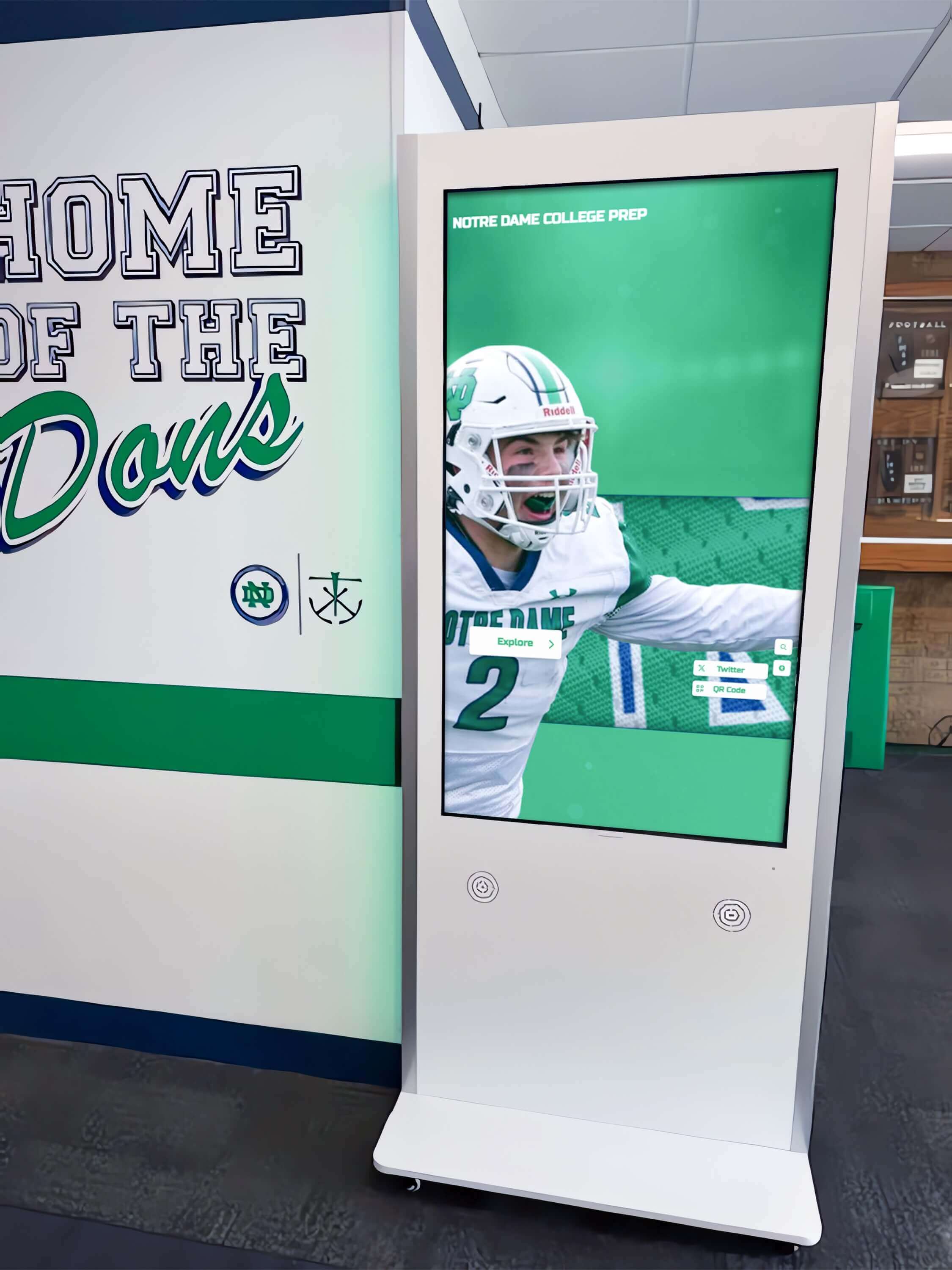
Strategically placed interactive displays throughout school facilities make digitized yearbook collections easily accessible to daily campus traffic
Metadata Creation and Database Development
Organized, searchable information transforms image files into useful archives:
Foundational Metadata Fields
Consistent core information enables discovery:
- Temporal data: Publication year, academic year, specific dates for events
- Structural information: Page numbers, section designations, sequence within volumes
- Subject content: Team names, activity types, event descriptions, location identifications
- Personal identification: Individual names, group rosters, faculty listings
- Technical metadata: Scan specifications, file formats, derivative relationships
- Rights information: Copyright holders, usage restrictions, privacy considerations
Controlled Vocabularies and Consistency
Standardized terminology prevents fragmenting related content:
- Develop authorized name lists for sports teams using consistent terminology across decades
- Create activity and organization name authorities accounting for title variations over time
- Establish location vocabularies for buildings and facilities with historical name changes
- Define standard subject terms and tags applied consistently across collections
- Document controlled vocabularies for reference during ongoing metadata creation
Metadata Application Strategies
Balance thoroughness with practical resource constraints:
- Apply minimal universal metadata to all pages: year, page number, section type
- Enhance high-value content with detailed descriptions: championship teams, notable individuals, significant events
- Leverage OCR (Optical Character Recognition) to extract printed text for searchability
- Consider community crowdsourcing for detailed identification of individuals in photographs
- Plan iterative enhancement adding detail progressively rather than delaying access awaiting perfect metadata
The relationship between organized yearbook content and modern display systems parallels how institutions create meaningful dedication plaques and donor tributes—thoughtful organization enables compelling presentation.
File Organization and Storage Architecture
Systematic structure prevents chaos as collections grow to thousands of files:
Folder Hierarchy Design
- Primary organization by publication year creating clear chronological structure
- Secondary division by yearbook section: portraits, academics, athletics, activities, advertisements
- Tertiary organization by page sequence maintaining original order
- Parallel structures for masters, derivatives, and thumbnails at matching hierarchy levels
- Consistent naming conventions: YYYY_SectionName_PageNumber_Description.format
Backup and Preservation Storage
Redundancy protects irreplaceable digital investments:
- Maintain at minimum three complete copies following archival best practices
- Store copies on different media types: cloud storage, local network drives, external hard drives
- Keep one complete backup copy in geographically separate location from originals
- Test backup integrity regularly through restoration verification processes
- Document backup procedures and schedules in written protocols
- Plan for storage expansion as collections grow continuously
File Format Migration Planning
Ensure long-term accessibility despite technology evolution:
- Monitor file format viability and migration recommendations from archival community
- Maintain uncompressed master files in formats with longest predicted viability
- Create new derivative versions as display technologies and requirements evolve
- Document all format conversions and processing applied to files
- Preserve original scan files even when creating enhanced or corrected versions
Making Yearbook Archives Accessible and Engaging
Digitized collections deliver value only when effectively accessible to intended audiences through appropriate platforms and interfaces.
Web-Based Archive Platforms
Online access serves distributed alumni communities and current campus users:
Archive Website Development
- Create dedicated yearbook archive sections within school websites or standalone portals
- Implement intuitive browsing by year, section, and content type
- Enable comprehensive search across metadata fields and OCR-extracted text
- Provide high-resolution image viewing with zoom capabilities for detail examination
- Optimize for mobile devices recognizing most alumni access archives via phones
- Include contextual information and storytelling around notable yearbooks and eras
User Experience Design Priorities
- Minimize clicks required to reach specific yearbook content
- Display clear thumbnails that convey content before users commit to opening items
- Provide multiple discovery pathways accommodating different user search strategies
- Enable easy sharing of specific pages or images through social media and direct links
- Include clear attribution and historical context preventing misinterpretation
- Consider privacy controls for recent yearbooks balancing access with appropriate protection
Interactive Touchscreen Display Solutions
Physical installations create spontaneous engagement opportunities with historical content:
Strategic Placement Considerations
Location significantly impacts usage and community awareness:
- Lobby and entrance areas: High visibility for visitors, parents, and community members
- Athletic facilities: Natural fit for displaying sports history and championship teams
- Library spaces: Expected location for archival materials attracting dedicated researchers
- Hallway corridors: Frequent student traffic enables casual browsing and discovery
- Alumni centers: Dedicated reunion and engagement spaces where nostalgia drives exploration
- Special event spaces: Temporary installations for reunions, homecoming, or anniversary celebrations
Similar to planning considerations for school gymnasium design and athletic spaces, display placement should reflect traffic patterns and natural user contexts.
Interactive Display Features
Modern touchscreen systems enable engaging exploration:
- Chronological timeline browsing revealing institutional evolution across decades
- Name-based searching finding individuals across all yearbook appearances
- Team and activity filtering displaying participation and achievements by category
- Side-by-side comparison viewing changes between different years or eras
- High-resolution zoom examining fine details in team photos and group photographs
- Social sharing capabilities allowing users to capture and share discoveries
- Integration with athletic recognition programs linking yearbook content to ongoing accomplishments
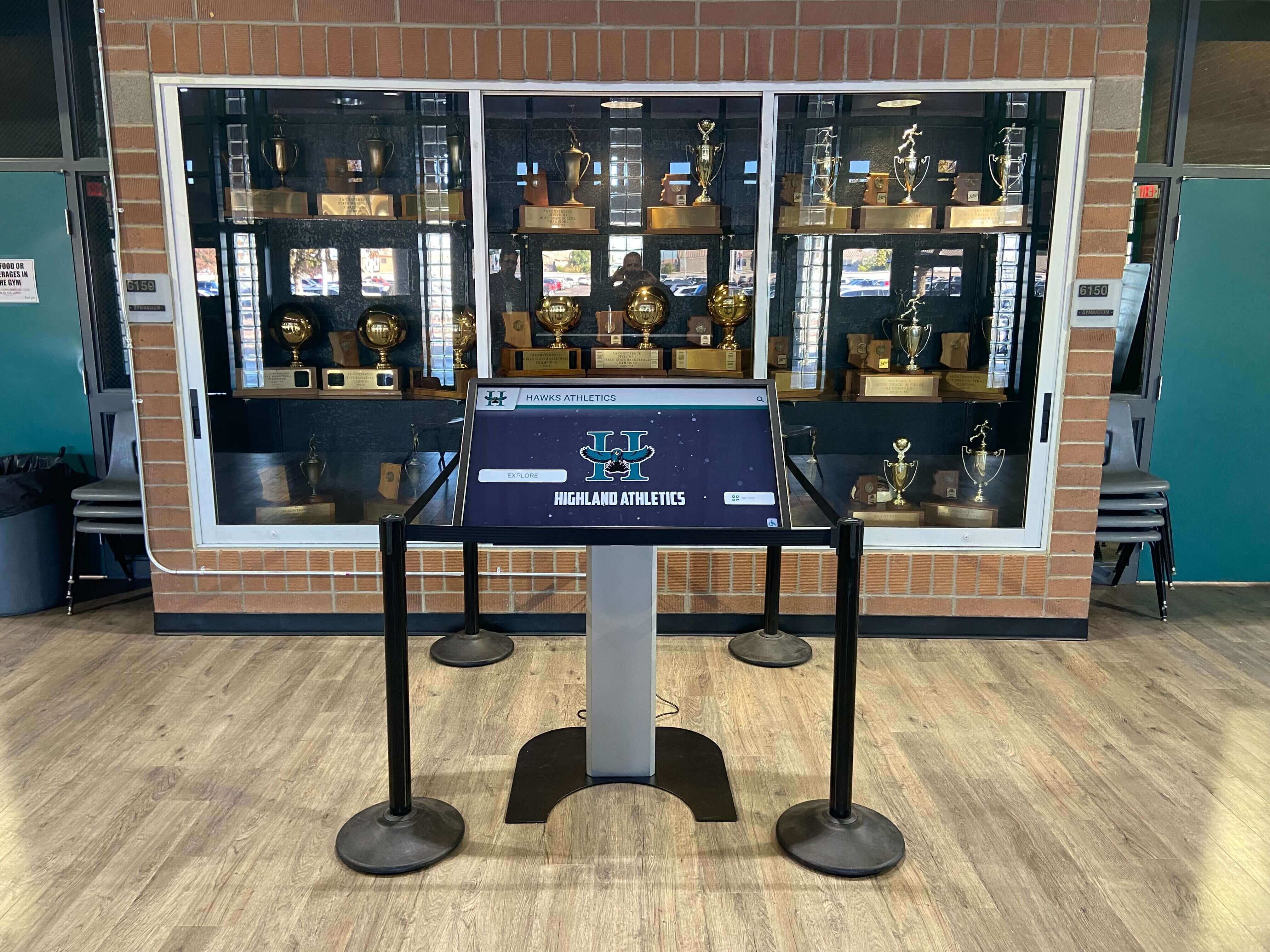
Modern touchscreen kiosks integrate seamlessly with traditional recognition displays, combining physical trophies with unlimited digital yearbook archives
Content Management and Updates
Sustainable systems enable ongoing collection growth:
- Cloud-based content management allowing remote updates without physical display access
- Scheduled content rotation highlighting specific decades, anniversaries, or themes
- Analytics tracking revealing most-viewed content and popular search terms
- Multi-display coordination showing consistent content across networked installations
- Role-based access controls limiting editing permissions to authorized personnel
- Simple upload processes enabling continuous addition of newly digitized materials
Privacy, Rights, and Compliance Considerations
Historical yearbook digitization raises legal and ethical questions requiring thoughtful policies.
FERPA and Student Privacy
Federal education privacy laws apply to digitized yearbook content:
Directory Information Framework
- Yearbooks typically constitute directory information schools may publicly disclose
- Historical publication suggests implied consent for continued public availability
- Annual FERPA notifications should address digitization and online archive access
- Opt-out procedures must exist allowing individuals to request removal from digital archives
- Balance historical preservation value against individual privacy preferences
- Consult legal counsel establishing policies before launching public-facing archives
Graduated Access Policies
Temporal distance reduces privacy sensitivity:
- Consider restricting online access to yearbooks from last 10-20 years to verified community members
- Provide unrestricted access to older historical yearbooks where privacy concerns diminish
- Implement authentication systems for recent yearbooks limiting access appropriately
- Establish clear written policies determining access tiers and transition timelines
- Communicate policies transparently to community members
Copyright and Usage Rights
Legal considerations govern yearbook content usage:
Institutional Ownership Questions
- Schools typically hold copyright for yearbooks as institutional publications
- Individual photograph copyrights may belong to contracted photographers depending on agreements
- Student-created content raises questions about creator rights versus institutional ownership
- Review historical contracts and policies determining rights for your specific collection
- Establish clear usage policies for digitized content moving forward
Third-Party Content Considerations
- Advertisements may contain copyrighted material belonging to businesses
- Reproduced photographs from external sources require permission verification
- Quoted material and reprinted content may have separate copyright holders
- Document copyright status and clearances in archival metadata
- Limit redistribution or commercial use where rights remain unclear
Sustaining and Expanding Digital Yearbook Archives
Successful digitization programs require ongoing commitment beyond initial projects.
Continuous Collection Development
Archives grow perpetually requiring systematic processes:
Annual Digitization Workflows
- Establish scheduled digitization of new yearbooks immediately upon publication
- Maintain consistent technical standards matching historical digitization specifications
- Apply standardized metadata ensuring new content integrates seamlessly with existing archives
- Update display systems with new content making recent additions immediately accessible
- Document annual processes in written procedures enabling staff transitions
Community Contribution Programs
Alumni and community members often possess materials missing from institutional collections:
- Create submission portals enabling alumni to contribute photographs and yearbook scans
- Provide clear guidelines regarding acceptable formats, resolution, and documentation
- Implement contribution agreements addressing copyright and usage permissions
- Acknowledge contributors publicly encouraging ongoing participation
- Review submissions carefully for quality, appropriateness, and archival value before incorporation
Metrics and Impact Assessment
Demonstrate value justifying continued investment:
Quantitative Measures
- Total volumes digitized and pages preserved in digital format
- Website traffic and archive page views indicating community engagement
- Search queries revealing what content users actively seek
- Most-viewed yearbooks and pages identifying high-value content
- Alumni interactions and testimonials sharing personal discovery experiences
- Educational uses and curriculum integration instances
Qualitative Outcomes
- Alumni reconnection stories facilitated by archive access
- Student learning experiences using primary source materials
- Community awareness and pride in institutional heritage
- Advancement outcomes linking archive engagement to philanthropic support
- Media coverage celebrating historical preservation achievements
Similar to how institutions track success in scholar-athlete recognition programs, yearbook digitization projects benefit from documented impact demonstrating return on investment.

Interactive yearbook displays create memorable experiences for visitors and alumni reconnecting with institutional history
Advanced Applications and Future Possibilities
Emerging technologies expand yearbook archive capabilities and applications.
Artificial Intelligence and Machine Learning
AI capabilities enhance large digitized collections:
Automated Enhancement and Organization
- Facial recognition technology identifying individuals across multiple yearbook photos automatically
- OCR improvements extracting text from challenging historical typography
- Image enhancement algorithms restoring faded photographs computationally
- Smart cropping identifying and extracting individual portraits from group photographs
- Automated tagging suggesting metadata based on image content analysis
Improved Discovery and Search
- Natural language search interpreting conversational queries effectively
- Visual similarity search finding photographs matching style or composition criteria
- Pattern recognition identifying themes and trends across decades automatically
- Recommendation engines suggesting related content based on user interests
- Predictive search suggesting likely queries based on browsing behavior
Integration with Broader Recognition Ecosystems
Yearbook content enriches comprehensive institutional memory systems:
Hall of Fame and Athletic Recognition
- Individual athlete profiles combining yearbook portraits with career achievements and records
- Championship team displays featuring yearbook group photos alongside game statistics
- Coach recognition showing yearbook photos from their tenure years and team success
- Multi-sport athlete highlights aggregating all yearbook appearances automatically
- Decade-based retrospectives combining yearbook content with contemporary news coverage
Alumni Engagement Platforms
- Alumni directory integration linking yearbook photos to current contact information
- Reunion planning tools providing class-specific yearbook access for planning committees
- Donor recognition connecting giving history to yearbook participation and affiliations
- Mentorship programs using yearbook data identifying shared backgrounds and experiences
- Legacy family features documenting multi-generational attendance through connected yearbook entries
Educational and Museum Applications
- Curated digital exhibitions examining themes across yearbook decades
- Interactive timeline installations in visitor centers and museums
- Mobile apps providing campus historical tours linking locations to yearbook documentation
- Augmented reality experiences overlaying historical yearbook photos on current locations
- Social media campaigns featuring daily or weekly yearbook throwbacks engaging online audiences
Implementing Your Yearbook Digitization Initiative
Beginning systematic yearbook preservation need not overwhelm—strategic phasing delivers incremental value while building organizational capacity and stakeholder support.
Start with Strategic Pilot Projects
- Select 5-10 high-value yearbooks for initial digitization testing processes and evaluating results
- Choose mix of volumes: older fragile materials, championship years, and recent publications
- Experiment with equipment, workflows, and metadata approaches before full-scale commitment
- Share pilot results with administrators and community building support for expansion
- Learn from initial challenges refining processes before scaling operations
Build Sustainable Infrastructure
- Invest in appropriate equipment matching collection size and handling requirements
- Establish documented workflows enabling staff transitions and volunteer participation
- Create clear metadata standards and controlled vocabularies ensuring consistency
- Select archival platforms providing long-term viability and reasonable cost structures
- Plan for ongoing resource allocation recognizing digitization as continuous rather than one-time project
Engage Community Stakeholders
- Communicate digitization initiatives to alumni generating interest and potential contributions
- Involve students in meaningful roles providing learning opportunities while advancing projects
- Recognize volunteers and supporters publicly encouraging ongoing participation
- Demonstrate accessibility through interactive displays and online portals showing tangible results
- Celebrate milestones marking completion of decades or reaching volume thresholds
The schools successfully preserving yearbook history share common characteristics: commitment to protecting irreplaceable institutional memory, willingness to invest in appropriate technology and processes, and vision for making historical content accessible and engaging rather than simply stored. Your yearbook collection represents unique heritage deserving preservation and celebration—systematic digitization ensures this legacy serves current and future generations effectively.
Preserving History, Connecting Community, Honoring Legacy
Digitizing historic school yearbooks represents far more than technical preservation—it transforms fragile volumes into accessible institutional memory that strengthens community bonds, enhances educational experiences, and honors the generations who built your institutional legacy. The systematic processes outlined in this guide protect irreplaceable historical materials while creating digital assets suitable for decades of creative applications in education, alumni engagement, and community building.
Schools implementing comprehensive yearbook digitization discover unexpected benefits beyond initial preservation objectives. Alumni reconnect emotionally through rediscovered photographs, renewing institutional relationships and often philanthropic support. Current students develop deeper appreciation for traditions and legacy when history becomes accessible exploration rather than abstract dates. Educators integrate primary source materials enriching curriculum across subject areas. Recognition displays gain historical depth connecting current achievements to institutional heritage spanning generations.
Whether starting with focused pilot projects digitizing select championship years or pursuing comprehensive collection preservation paired with interactive display installations, the essential foundation involves careful handling protecting original volumes, appropriate technical standards ensuring long-term file viability, organized metadata enabling discovery, and accessible platforms making digital archives genuinely useful to intended audiences.
Modern interactive touchscreen display systems transform digitized yearbook collections from static digital repositories into engaging discovery experiences throughout your facilities. Cloud-based content management enables continuous expansion, comprehensive search functionality helps users find specific individuals and teams instantly, and unlimited digital storage capacity eliminates the physical space constraints that previously limited which yearbooks received display prominence. These systems preserve your irreplaceable yearbook history permanently while creating spontaneous moments of connection as students, alumni, and visitors explore decades of institutional memory through intuitive, engaging interfaces.
Ready to preserve your historic yearbook collection and showcase generations of institutional memory through engaging interactive displays? Discover how modern touchscreen archive solutions can transform your yearbook digitization investment into accessible, engaging community experiences that honor your legacy and strengthen connections across your entire school community for decades to come.
Live Example: Rocket Alumni Solutions Touchscreen Display
Interact with a live example (16:9 scaled 1920x1080 display). All content is automatically responsive to all screen sizes and orientations.































