How to Digitize Old School Yearbooks: Preservation Methods, Scanning Options, and Archive Tips
- Home /
- Touch Archive Blog /
- How to Digitize Old School Yearbooks: Preservation Methods, Scanning Options, and Archive Tips

The Easiest Touchscreen Solution




Live Example: Rocket Alumni Solutions Touchscreen Display
Interact with a live example (16:9 scaled 1920x1080 display). All content is automatically responsive to all screen sizes and orientations.
Old school yearbooks contain irreplaceable memories—decades of student portraits, championship teams, graduation classes, and community milestones captured in pages that grow more fragile with each passing year. Schools, alumni associations, and historical societies face a critical preservation challenge: these volumes document institutional heritage in ways no other records can replicate, yet they risk permanent loss through deterioration, damage, or misplacement.
Digitizing yearbook collections transforms fragile physical volumes into permanent digital archives accessible to current students, alumni worldwide, and future generations. Properly digitized yearbooks become searchable databases where anyone can locate specific individuals, teams, or moments instantly—capabilities impossible with physical books stored in closets or libraries. Schools report that digitized yearbooks increase alumni engagement by 300-500% as graduates discover easy access to their historical memories online.
This comprehensive guide walks through every aspect of yearbook digitization—from assessing your collection and choosing appropriate scanning methods to organizing files, ensuring long-term preservation, and displaying digitized content through modern interactive systems. Whether you’re managing five decades of yearbooks or beginning a century-spanning digitization project, these proven strategies help institutions preserve institutional memory while making historical content accessible and engaging.
School yearbooks represent visual timelines of institutional evolution—the changing faces, fashions, facilities, and traditions that tell your community’s story. Unlike written histories that summarize eras broadly, yearbook photographs capture specific moments: the state championship celebration, the beloved teacher’s retirement, the campus expansion, the student who became a notable alumnus. When these physical volumes deteriorate beyond recovery or disappear in disasters, these precise memories vanish permanently.

Professional yearbook digitization transforms decades of institutional memory into searchable digital archives accessible across generations
Assessing Your Yearbook Collection Before Digitization
Before beginning digitization work, thorough collection assessment establishes project scope, identifies priorities, and reveals potential challenges requiring special attention.
Conducting a Complete Inventory
Systematic inventory prevents overlooking valuable materials:
Physical Location Audit
Yearbooks often scatter across multiple locations over decades:
- Main office storage or filing cabinets
- Library archives and special collections
- Athletic department trophy rooms and records
- Principal’s office historical displays
- Maintenance storage areas and closets
- Off-site storage facilities
- Faculty member personal collections
- Alumni association holdings
- Community members who borrowed volumes and never returned them
Create a comprehensive inventory spreadsheet documenting each volume’s location, publication year, condition, and any missing years in your sequence. Schools frequently discover that what appeared to be a complete collection actually contains gaps—missing years requiring community outreach to locate copies.
Condition Assessment
Document each yearbook’s physical state:
- Binding integrity (tight, loose, separated, or damaged)
- Page condition (intact, brittle, torn, or missing)
- Cover condition (attached, detached, worn, or water damaged)
- Photograph quality (clear, faded, or discolored)
- Text legibility (readable or deteriorated)
- Presence of water damage, mold, or pest damage
- Loose materials inserted between pages (newspaper clippings, programs, letters)
Condition assessment helps prioritize urgent digitization of volumes at risk of imminent failure while identifying materials requiring professional conservation before scanning. The most fragile yearbooks should be digitized first, while sturdier recent volumes can wait.
Completeness Evaluation
Determine your collection’s historical span:
- Earliest yearbook year in collection
- Most recent yearbook included
- Gaps in chronological sequence
- Multiple copies of specific years
- Special editions or supplements
- Related materials like student newspapers or faculty directories
Understanding gaps allows strategic outreach to alumni, historical societies, and community members who may possess missing years. Online alumni groups and reunion announcements often surface forgotten yearbooks stored in personal collections.
Prioritizing Digitization Phases
Most institutions cannot digitize entire collections simultaneously. Strategic prioritization ensures maximum impact from initial efforts:
Phase 1: High-Priority Volumes
- Yearbooks in critical physical condition requiring urgent preservation
- Most frequently requested years for alumni recognition programs
- Milestone years (founding year, centennial, significant anniversaries)
- Championship seasons or notable achievement years
- Decades with highest alumni engagement (often 1960s-1980s)
Phase 2: Filling Historical Gaps
- Chronological sequences bridging priority years
- Decades with sparse current representation
- Transitional periods documenting institutional changes
- Years requested by specific donors or major gift campaigns
Phase 3: Recent Volumes and Completion
- Modern yearbooks in good physical condition
- Decades with lower immediate demand but long-term value
- Supplementary materials beyond primary yearbooks

Interactive kiosks provide engaging access to digitized yearbook collections in lobbies, libraries, and common areas
Scanning Methods and Equipment Options
Successful yearbook digitization depends on selecting appropriate scanning methods matching your collection’s condition, budget constraints, and desired outcomes.
Professional Digitization Services
Third-party scanning services offer comprehensive solutions for institutions lacking equipment or expertise:
Full-Service Scanning Companies
Professional vendors specialize in bound volume digitization:
- Specialized equipment designed for delicate book scanning
- Non-destructive capture methods protecting fragile bindings
- Consistent quality across entire collections
- Metadata creation and OCR (optical character recognition) processing
- Searchable PDF output with page-level indexing
- Typical pricing: $50-200 per yearbook depending on page count and resolution
- Turnaround times: 2-6 weeks for standard projects, longer for extensive collections
Reputable services include university library digitization centers, genealogy document specialists, and heritage preservation companies with experience handling archival materials. Request references from schools with similar digitization projects before committing.
Advantages of Professional Services
- No equipment purchase or maintenance costs
- Faster completion for large collections compared to in-house work
- Consistent quality standards throughout project
- Insurance coverage protecting valuable materials during processing
- Expert handling of fragile or damaged volumes
- Comprehensive file organization and naming conventions
- Technical support resolving format or quality issues
Considerations When Outsourcing
- Temporary loss of access to yearbooks during service period
- Shipping risks for irreplaceable materials (consider hand delivery for most valuable items)
- Less control over scanning specifications and metadata standards
- Ongoing costs for additional volumes discovered later
- Vendor reliability and business continuity concerns
In-House DIY Scanning Approaches
Schools with time, staff, or volunteer resources can conduct yearbook digitization internally using appropriate equipment:
Overhead Book Scanners (Recommended for Bound Volumes)
Purpose-built book scanners provide optimal results while protecting bindings:
- V-shaped cradles support books at natural opening angles without stress
- Overhead cameras capture facing pages simultaneously
- LED lighting prevents heat damage to photographs
- Foot pedals allow hands-free page turning
- Software automatically crops, de-skews, and processes images
- Price range: $3,000-15,000 for professional models, $500-2,000 for entry-level systems
Popular models include Atiz BookDrive, Plustek OpticBook, and CZUR book scanners. Entry-level options like CZUR ET16 Plus ($400-600) handle moderate yearbook collections effectively, while high-volume institutions benefit from professional systems like Atiz BookDrive Mark 2 ($8,000+).
Flatbed Scanners (For Yearbooks in Excellent Condition)
Standard flatbed scanners work for newer yearbooks with strong bindings:
- Epson Perfection V600 or V850 provide high resolution at reasonable cost ($200-700)
- Canon CanoScan models offer reliable performance ($100-300)
- Scanning must be extremely careful to avoid binding stress
- Only suitable for yearbooks that can safely open flat to 180 degrees
- Slower process requiring manual positioning for each page
- Risk of binding damage increases with repeated use
Flatbed scanning represents false economy for fragile yearbooks—apparent cost savings disappear when irreplaceable volumes suffer permanent damage during scanning attempts.
Smartphone and Tablet Solutions (For Quick Preview or Emergency Backup)
Mobile devices offer portable scanning capabilities:
- Apps like Adobe Scan, Microsoft Office Lens, or Genius Scan capture page images
- Automatic perspective correction and edge detection improve results
- Free or low-cost options for initial collection assessment
- Suitable for creating quick preview copies before professional digitization
- Not recommended as primary digitization method due to inconsistent quality
- Useful for capturing loose pages or items requiring immediate backup
Mobile scanning serves valuable purposes as preview method, emergency documentation tool, or supplement to professional digitization—but rarely produces archival-quality results suitable as permanent preservation format.
Camera-Based DIY Setups
Digital cameras with appropriate mounting create effective scanning solutions:
- DSLR or mirrorless cameras (minimum 24 megapixels) provide high-resolution capture
- Copy stands or overhead rigs hold cameras perpendicular to book surfaces
- Even LED lighting panels eliminate shadows and ensure consistent exposure
- Remote shutter triggers prevent camera movement during capture
- V-shaped book cradles or cushions support volumes at safe angles
- Post-processing software (Adobe Lightroom, Capture One) enhances and standardizes images
- Total investment: $800-3,000 depending on camera equipment owned
This approach offers professional-quality results at moderate cost for institutions with photography expertise. Schools with journalism programs or photography classes might leverage existing equipment and student learning opportunities.
Scanning Specifications and Quality Standards
Regardless of method selected, consistent technical specifications ensure usable long-term results:
Resolution Requirements
Appropriate DPI (dots per inch) balances file size with quality:
- 300 DPI minimum for standard text and photographs
- 400-600 DPI recommended for archival preservation and future flexibility
- 600+ DPI for severely faded photographs requiring digital restoration
- Higher resolution enables zooming to read small text (names, captions, statistics)
- Excessive resolution (over 800 DPI) creates enormous files without meaningful quality improvement
Test scan pages at multiple resolutions to find optimal balance for your collection’s condition and intended uses.
File Format Selection
Different formats serve distinct preservation and access purposes:
- TIFF or PNG master files: Uncompressed or lossless formats preserve maximum quality for archival storage
- JPEG for access copies: Compressed format reduces file sizes for web viewing and sharing (quality setting 90-95%)
- PDF with OCR: Searchable documents enable text search across entire yearbooks
- Multi-page PDF compilation: Single PDF per yearbook simplifies organization and mimics original book experience
Maintain uncompressed master files separate from compressed access copies. Storage is inexpensive—quality loss from compression is permanent.
Color vs. Black-and-White
Color scanning preserves complete information:
- Even black-and-white photographs benefit from color scanning (captures toning and paper color)
- Color information aids digital restoration efforts
- No meaningful file size savings from grayscale scanning with modern compression
- Future uses may benefit from color data current users don’t anticipate
Always scan in color unless yearbooks are exclusively pure black-and-white newsprint.

Modern touchscreen displays make decades of digitized yearbook content accessible through intuitive search and browsing interfaces
File Organization and Naming Conventions
Systematic digital organization determines whether digitized yearbooks become valuable searchable archives or disorganized collections requiring future reorganization work.
Folder Structure Best Practices
Logical directory organization enables intuitive navigation:
Hierarchical Organization by Year
Yearbooks/
├── 1950s/
│   ├── 1950/
│   ├── 1951/
│   └── 1959/
├── 1960s/
│   ├── 1960/
│   └── 1969/
└── 2020s/
    ├── 2020/
    └── 2024/
Alternatively, flat structure with clear naming:
Yearbooks/
├── 1950-Yearbook/
├── 1951-Yearbook/
├── 1952-Yearbook/
└── 2024-Yearbook/
Within each year folder, maintain consistent file types:
- Master-Files/ (uncompressed TIFF or PNG)
- Access-Copies/ (compressed JPEG)
- Complete-PDF/ (searchable multi-page PDF)
- Metadata/ (CSV or TXT files with indexing information)
File Naming Standards
Consistent naming prevents confusion and enables automated processing:
For Individual Page Scans
Format: [School-Abbreviation]_[Year]_[Page-Number]_[Description].jpg
Examples:
LincolnHS_1965_001_Cover.jpgLincolnHS_1965_024_SeniorClass-A-C.jpgLincolnHS_1965_156_StateChampionship-Football.jpg
For Complete Yearbook PDFs
Format: [School-Name]_Yearbook_[Year]_[Volume-Number].pdf
Examples:
Lincoln-High-School_Yearbook_1965_Vol-42.pdfLincoln-HS_Yearbook_1978_Vol-55.pdf
Naming conventions should:
- Avoid special characters that cause problems across operating systems (/, , :, *, ?, “, <, >, |)
- Use hyphens or underscores for readability rather than spaces
- Include leading zeros for page numbers (001, 002… 156) ensuring proper alphabetical sorting
- Remain consistent throughout entire collection
Metadata and Indexing Strategies
Rich metadata transforms image collections into searchable archives:
Essential Metadata Fields
Create spreadsheets documenting each yearbook:
- Year and volume number
- School name and location
- Total pages
- Special features or themes
- Notable events documented (championships, facilities, milestones)
- Missing pages or damaged sections
- Digitization date and technician
- File locations and backup status
- Access restrictions or permissions
Enhanced Indexing for Search Functionality
For maximum usability, index yearbook content at multiple levels:
- Individual student names with page numbers
- Faculty and staff listings
- Team rosters and athletic achievements
- Club memberships and activities
- Event chronologies
- Building and facility photographs
This detailed indexing requires significant effort but transforms digitized yearbooks into powerful research tools. Consider phased approaches prioritizing frequently-requested content (student athlete profiles, championship teams, award recipients) before comprehensive indexing.
OCR Processing for Text Searchability
Optical character recognition converts page images into searchable text:
OCR Software Options
- Adobe Acrobat Pro: Comprehensive OCR with high accuracy ($239/year)
- ABBYY FineReader: Specialized OCR software with excellent accuracy ($199 one-time)
- Tesseract: Free open-source OCR with acceptable accuracy (requires technical expertise)
- Google Drive: Free basic OCR through document upload (lower accuracy)
OCR Best Practices
- Process high-resolution scans (300+ DPI) for optimal text recognition
- Verify accuracy on sample pages before processing entire collection
- Accept that historical typography and printing quality limit recognition accuracy (70-95% typical)
- Maintain original page images alongside OCR text—text recognition errors are inevitable
- Consider manual correction of critical pages (covers, indexes, award pages) where accuracy matters most
OCR dramatically improves usability by enabling full-text search. Alumni seeking specific names, teachers, or events can search entire decades of yearbooks instantly rather than manually examining thousands of pages.
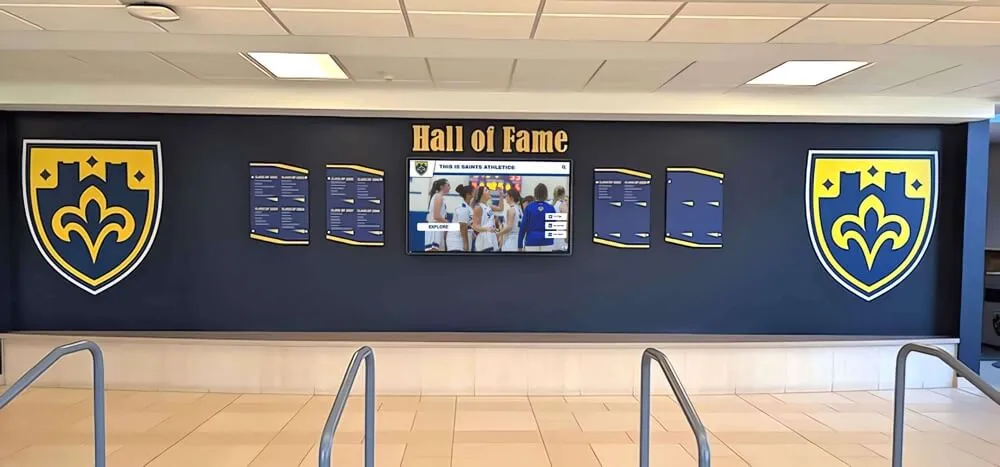
Digital yearbook content integrates seamlessly with [hall of fame displays](https://donordisplay.com/blog/digital-hall-of-fame/?utm_source=organic&utm_medium=seo-auto&utm_content=toucharchives&utm_campaign=how-to-digitize-old-school-yearbooks&utm_term=seo) celebrating institutional history
Storage, Backup, and Long-Term Preservation
Digitization protects yearbooks only if digital files themselves remain secure and accessible over decades.
Cloud Storage Solutions
Cloud platforms provide reliable, accessible storage:
Institutional Options
- Google Workspace Unlimited (education pricing): Unlimited storage for schools ($4-12 per user/month)
- Microsoft OneDrive for Education: 1TB+ per user with institutional plans
- Amazon S3 or Glacier: Scalable commercial cloud storage with deep archive tiers
- Dropbox Business: Team collaboration with unlimited storage (advanced plans)
Dedicated Archival Services
- Internet Archive: Free public archiving for institutions sharing materials publicly
- Digital preservation services: Specialized vendors offering certified digital preservation
- Library consortium storage: Collaborative preservation through state or regional library networks
Cloud Storage Best Practices
- Verify terms regarding data ownership, privacy, and perpetual access
- Understand pricing structures and potential cost increases
- Test download/restore processes periodically
- Maintain redundant copies across multiple cloud providers (never rely on single vendor)
- Document access credentials and recovery procedures for institutional continuity
Local Backup Strategies
On-site storage complements cloud solutions:
Primary Local Storage
- Network Attached Storage (NAS) devices: 4TB-20TB systems for institutional networks ($300-2,000)
- External hard drives: Portable backup for smaller collections ($80-200 for 4-8TB)
- Institutional servers: Integration with existing IT infrastructure
Backup Schedule
- 3-2-1 backup rule: 3 copies on 2 different media types with 1 copy off-site
- Daily incremental backups of active digitization work
- Weekly full backups to external drives
- Monthly verification of backup integrity
- Annual migration to new storage media as technology evolves
Long-Term Media Considerations
- Hard drives fail after 3-5 years on average—regular replacement prevents data loss
- Optical media (DVDs, Blu-ray) degrades unpredictably—unsuitable as sole backup
- Tape storage offers exceptional longevity but requires specialized equipment
- Cloud storage eliminates hardware maintenance but requires ongoing subscription costs
File Integrity and Format Migration
Digital preservation extends beyond storage to active management:
Checksum Verification
Checksums detect file corruption:
- Generate MD5 or SHA-256 checksums for all master files
- Periodically recalculate checksums verifying files haven’t changed
- Corrupted files trigger restoration from backup copies
- Many backup software solutions include automatic integrity checking
Format Obsolescence Planning
File formats evolve, requiring occasional migration:
- TIFF and PDF/A formats offer excellent long-term stability
- Proprietary formats risk becoming unreadable as software evolves
- Plan format migration every 5-10 years to current standards
- Maintain format documentation explaining encoding specifications
- Test file opening with multiple software applications ensuring broad compatibility
For guidance on comprehensive digital archive preservation strategies, follow established library science standards and best practices developed for institutional memory preservation.
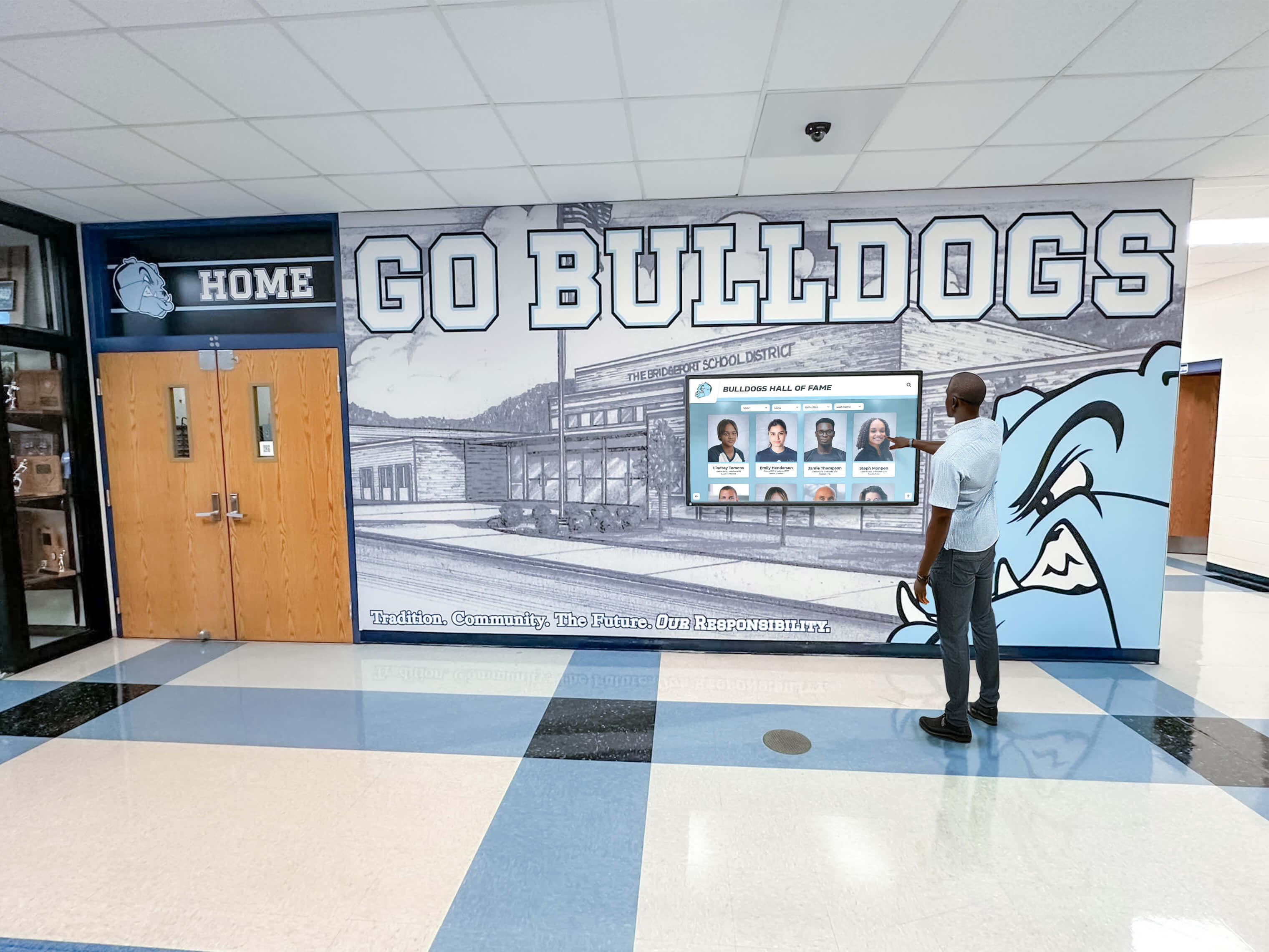
Hallway installations provide convenient access to historical yearbook content where students and visitors naturally gather
Access Platforms and Display Options
Digitization achieves maximum value when yearbook content becomes accessible through user-friendly platforms serving diverse audiences.
Web-Based Yearbook Platforms
Online access reaches alumni worldwide:
Commercial Yearbook Archive Services
- Classmates.com: Largest commercial platform with existing yearbook collections
- Ancestry.com: Genealogy-focused platform including school yearbooks
- E-Yearbook.com: Dedicated yearbook digitization and hosting service
- Custom institutional platforms: Purpose-built solutions integrated with school websites
Self-Hosted Solutions
- WordPress with document library plugins: Cost-effective for tech-capable institutions
- Omeka: Free open-source platform designed specifically for digital archives and exhibitions
- CONTENTdm: Commercial digital collection management system popular with libraries
- Custom web development: Full control with higher development costs
Key Features for Yearbook Platforms
- Search functionality (by name, year, or keyword)
- Zoom capabilities for reading small text
- Mobile-responsive design for smartphone access
- Download or print options (with appropriate permissions)
- Social sharing enabling alumni to share discoveries
- Comment systems allowing alumni to add memories and identifications
- Analytics tracking popular content and user engagement
Interactive Touchscreen Displays
Physical installations showcase yearbook content in institutional spaces:
Installation Locations
- Main entrances and lobbies for maximum visibility
- Alumni centers or advancement offices
- Athletic facilities celebrating team achievements and historical records
- Libraries and media centers serving research needs
- Cafeterias and student commons where communities gather
- Event venues during reunions and alumni gatherings
Display Technologies
- Wall-mounted touchscreens (43”-75"): Sleek installations minimizing floor space
- Freestanding kiosks: Portable solutions with built-in computers and enclosures
- Tablet stations: Lower-cost options using iPads or Android tablets with stands
- Table-height interactive surfaces: Collaborative exploration for small groups
Content Presentation Approaches
- Chronological browsing year by year
- Search interfaces finding specific individuals or events
- Featured content highlighting notable moments or alumni
- Timeline visualizations showing institutional evolution
- Random discovery encouraging serendipitous exploration
- QR codes enabling personal device access to content
For comprehensive information about interactive display implementation, explore proven approaches from museums and educational institutions successfully deploying touchscreen technology.
Access Control and Privacy Considerations
Balancing accessibility with privacy protection requires thoughtful policies:
Public vs. Restricted Access
Determine appropriate access levels:
- Historical yearbooks (30+ years old): Generally considered public historical records
- Recent yearbooks (under 10-15 years): May contain minor students requiring restricted access
- Sensitive content: Disciplinary actions, medical information, or controversial topics need review
- Alumni-only sections: Certain content reserved for verified graduates
- Geographic restrictions: Some institutions limit access to on-campus displays only
Privacy Best Practices
- Review yearbooks for potentially sensitive content before publication
- Provide opt-out mechanisms for individuals requesting removal
- Comply with FERPA regulations regarding student records (for educational institutions)
- Consider redaction of addresses, phone numbers, or other personal details
- Balance historical preservation value against individual privacy concerns
- Document clear policies regarding privacy, access, and takedown requests
Copyright Considerations
- School-produced yearbooks: Institution typically owns copyright
- Student artwork and writing: May require permission for commercial use
- Professional photographs: Verify photographer agreements and licensing
- Yearbook company rights: Some publishers retain certain reproduction rights
- Fair use: Educational and historical use generally qualifies
Consult institutional legal counsel regarding specific copyright and privacy questions before making extensive yearbook content publicly accessible online.
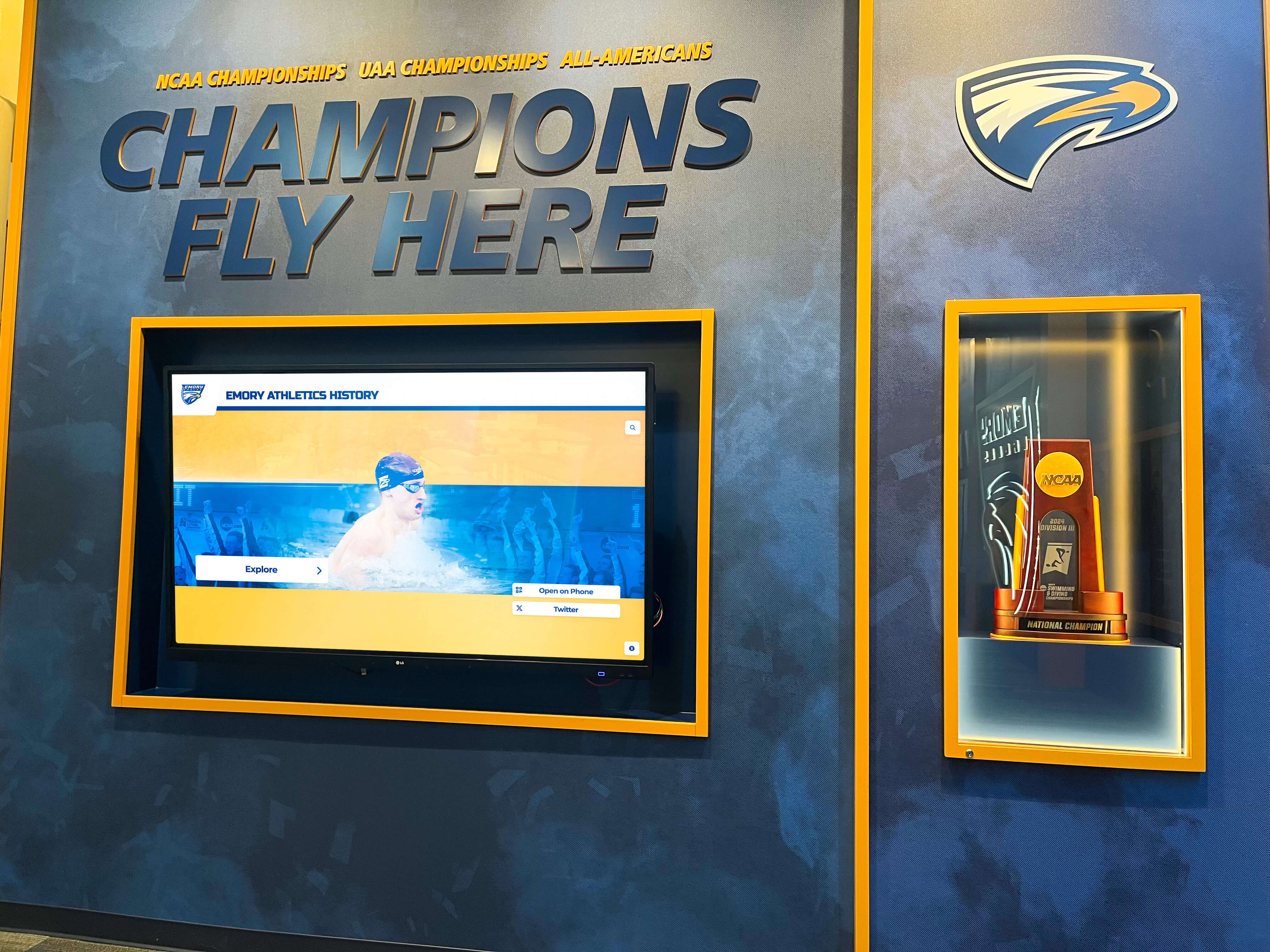
Athletic facilities benefit from digitized yearbook content showcasing [championship teams](https://awardsdisplay.com/blog/school-award-ceremony-planning-guide/?utm_source=organic&utm_medium=seo-auto&utm_content=toucharchives&utm_campaign=how-to-digitize-old-school-yearbooks&utm_term=seo) and historical achievements
Maximizing Impact Through Content Enhancement
Raw scans provide preservation, but enhanced content creates engagement:
Photo Restoration and Enhancement
Digital tools improve historical photograph quality:
Basic Enhancements
- Contrast adjustment improving faded photographs
- Color correction addressing yellowed pages and shifted tones
- Sharpening compensating for poor original focus or paper texture
- Noise reduction cleaning up grain from old printing processes
- Rotation and cropping standardizing presentation
Advanced Restoration
- Scratch and tear removal using clone stamp and healing tools
- Water damage mitigation recovering image details
- Stain removal from chemical degradation or environmental exposure
- Page reconstruction for damaged or partially missing content
- Professional restoration services for most valuable images ($50-200 per image)
Balance restoration effort against available time and budget. Focus enhancement work on high-visibility content—covers, team photos, notable alumni portraits—rather than attempting to perfect every page.
Adding Context and Storytelling
Supplementary content transforms archives into engaging narratives:
Biographical Information
- Brief profiles of notable alumni featured in yearbooks
- Career accomplishments and contributions of distinguished graduates
- Connections between yearbook photographs and later achievements
- “Where are they now?” updates for milestone anniversaries
Historical Context
- Timeline annotations explaining historical events affecting school community
- Facility evolution showing campus development across decades
- Program histories documenting when teams, clubs, or traditions began
- Demographic changes reflecting community evolution
Alumni Memories and Stories
- Invitation for alumni to contribute captions and identifications
- Oral history interviews with graduates from featured years
- Reunion recordings capturing collective memories
- Social media campaigns encouraging story sharing
Enhanced content creates reasons for repeated engagement rather than single visits to locate specific graduation photos.
Integration with Other Historical Materials
Yearbooks gain context alongside complementary archives:
Related Collections to Cross-Reference
- Student newspaper archives providing contemporary perspectives
- Athletic program records and statistics
- Faculty directories and staff histories
- Event programs from performances, ceremonies, and celebrations
- Photograph collections beyond yearbook publications
- School board minutes documenting institutional decisions
- Alumni publications and newsletters
Interconnected archives reveal richer stories than isolated collections, helping users understand institutional history comprehensively rather than through fragmented sources.
Resources about comprehensive school history documentation demonstrate effective approaches to presenting institutional heritage through multiple interconnected formats.
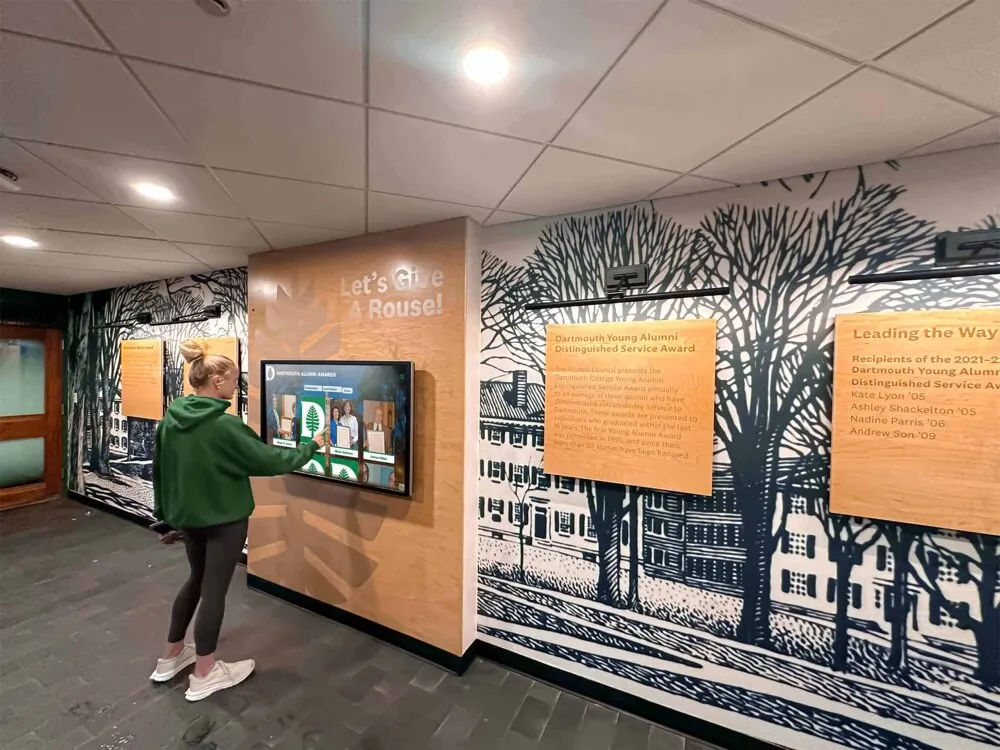
Modern interactive technology complements traditional architectural elements, creating engaging experiences that honor institutional heritage
Common Challenges and Solutions
Yearbook digitization projects encounter predictable obstacles requiring proactive problem-solving:
Missing Years and Incomplete Collections
Few institutions possess complete yearbook runs from founding to present:
Strategies for Locating Missing Volumes
- Alumni outreach through email campaigns, social media, and reunion announcements
- Historical society and public library searches (local institutions often receive yearbook donations)
- Online used book marketplaces (eBay, AbeBooks, Amazon Marketplace)
- Genealogy forums where family researchers share document collections
- Classmates.com and other yearbook platforms potentially holding scans
- Community newspaper archives sometimes containing yearbook coverage or photographs
- “Yearbook rescue” campaigns offering recognition for donors of missing years
Some missing years may be genuinely unrecoverable if yearbooks weren’t produced during war years, financial crises, or institutional transitions. Document known gaps explicitly rather than implying complete collections exist.
Damaged or Fragile Volumes
Severely damaged yearbooks require special handling:
Pre-Digitization Conservation
- Assess whether conservation investment justifies costs (rare volumes merit professional treatment)
- Simple repairs (re-attachment of loose pages, protective enclosures) enable handling
- Professional conservation for valuable damaged materials ($200-1,000+ per volume)
- Disbinding as last resort for volumes with completely failed bindings (controversial among archivists)
- Page-by-page photography when volumes cannot safely open
Documenting Condition Issues
- Photograph damage before digitization attempts
- Note missing pages or damaged sections in metadata
- Consider leaving severely damaged volumes unscanned if handling risks permanent loss
- Explore community members potentially owning duplicate copies in better condition
Resource Constraints (Budget, Time, Staffing)
Comprehensive digitization requires substantial investment:
Phased Implementation
- Pilot projects scanning 5-10 priority yearbooks proving concept before major commitments
- Annual budget allocations spreading costs across multiple fiscal years
- Grant funding from alumni associations, historical societies, or local foundations
- Volunteer programs leveraging retired faculty, parent groups, or student workers
- Partnership with local universities or libraries offering expertise and equipment
Volunteer Engagement
Properly trained volunteers dramatically reduce costs:
- Establish clear protocols and quality standards before volunteer work begins
- Provide hands-on training ensuring proper book handling and scanning techniques
- Create simple tasks (page turning, file naming) suitable for non-technical volunteers
- Reserve complex work (metadata creation, quality control) for trained staff
- Recognize volunteer contributions publicly, encouraging continued participation
Successful volunteer programs require significant staff supervision but enable ambitious projects otherwise impossible with limited budgets. Schools implementing community engagement through historical preservation report that collaborative digitization builds community connections while accomplishing practical preservation goals.
Copyright and Permissions
Legal concerns sometimes create hesitation about digital publication:
Navigating Copyright Issues
- School-produced yearbooks typically give institutions strong copyright claims
- Historical materials (75+ years old) often enter public domain
- Educational fair use provides significant protections for non-commercial institutional archives
- Good faith efforts to identify and respect rights satisfy most legal requirements
- Takedown policies addressing legitimate objections resolve most individual concerns
- Professional legal review for high-stakes situations (major commercial partnerships, controversial content)
Most schools successfully publish historical yearbook collections without legal challenges by following reasonable practices, clearly identifying institutional ownership, and providing mechanisms for addressing concerns.
Measuring Success and Demonstrating Impact
Data-driven evaluation demonstrates digitization value to institutional stakeholders:
Usage Analytics
Quantitative metrics reveal engagement patterns:
- Total views and unique visitors to digital yearbook platforms
- Search queries revealing most-requested content
- Popular years, teams, or individuals driving traffic
- Average time spent exploring collections
- Return visitor rates indicating sustained interest
- Geographic distribution of users (local vs. distant alumni)
- Referral sources (social media, search engines, institutional websites)
Analytics inform ongoing content development priorities and demonstrate return on digitization investment.
Qualitative Feedback
User testimonials capture emotional impact:
- Alumni comments sharing memories sparked by rediscovered photographs
- Research inquiries enabled by searchable archives
- Donation increases correlated with yearbook access
- Media coverage featuring historical content
- Educational integration in classroom teaching
- Community event planning utilizing historical resources
Document success stories for grant reports, board presentations, and future funding requests.
Institutional Benefits
Broader impacts extend beyond archival preservation:
Alumni Engagement
- Increased event attendance from alumni reconnecting with classmates
- Higher giving participation among engaged graduates
- Volunteer recruitment from active community members
- Class reunion planning facilitated by easily accessible historical content
Educational Value
- Primary source materials for student research projects
- Historical perspective enriching current student experiences
- School pride fostering stronger institutional identity
- Comparative analysis showing institutional evolution
Community Relations
- Positive media coverage celebrating institutional heritage
- Public history contributions benefiting local communities
- Partnership opportunities with historical societies and libraries
- Intergenerational connections bridging past and present
Comprehensive measurement demonstrates that yearbook digitization delivers value far exceeding preservation alone, justifying ongoing investment in digital archive development and enhancement.
Taking the Next Step: Starting Your Digitization Project
Beginning feels overwhelming when facing decades of yearbooks requiring preservation, but systematic approaches make ambitious projects achievable:
- Conduct collection inventory documenting what you have and identifying priorities
- Assess budget and resources determining realistic scope for initial phases
- Research equipment or service options matching technical approaches to your capabilities
- Test scan sample yearbooks validating quality and refining processes before full commitment
- Establish file organization standards creating sustainable systems from the start
- Implement backup procedures protecting investments as digitization progresses
- Plan access platforms ensuring completed work reaches intended audiences
- Document and share progress building momentum and attracting support
Every yearbook digitized represents institutional memory preserved permanently and made accessible to communities who deserve connection to their heritage. Begin with single decades or priority years, prove value through initial success, and expand systematically as resources allow.
Transform Your Yearbook Archives Into Interactive Displays
Digitizing yearbooks is just the beginning. Modern interactive touchscreen displays bring your historical content to life through engaging interfaces that allow students, alumni, and visitors to explore decades of institutional memory through intuitive search, browsing, and discovery.
Touch Archive solutions help schools and institutions showcase digitized yearbook content alongside athletic achievements, academic honors, and historical milestones through beautiful, accessible interactive displays installed throughout your campus.
Discover how professional touchscreen technology transforms digitized yearbooks from archived files into engaging community experiences that celebrate institutional legacy while strengthening connections across generations.
Explore interactive display solutions for your digitized yearbook collection →
Your school’s yearbooks contain irreplaceable memories deserving preservation and celebration. Whether you’re beginning with a pilot project scanning a single decade or launching comprehensive digitization spanning your institution’s complete history, systematic approaches outlined in this guide help transform fragile physical volumes into permanent digital archives serving current and future generations.
The technology, services, and strategies exist today making ambitious yearbook digitization achievable for schools of all sizes and budgets. What remains is commitment to beginning the work—conducting inventory, assessing options, and taking first steps toward preserving institutional memory that grows more valuable with each passing year.
Start small if necessary, but start. Every yearbook digitized protects irreplaceable history while making institutional heritage accessible to communities who benefit from connection to their shared past. Your alumni, current students, and future generations deserve access to these visual timelines documenting how your institution became what it is today.
Live Example: Rocket Alumni Solutions Touchscreen Display
Interact with a live example (16:9 scaled 1920x1080 display). All content is automatically responsive to all screen sizes and orientations.































