How to Preserve Old School Photos Digitally: A Complete Archive Guide
- Home /
- Touch Archive Blog /
- How to Preserve Old School Photos Digitally: A Complete Archive Guide

The Easiest Touchscreen Solution




Live Example: Rocket Alumni Solutions Touchscreen Display
Interact with a live example (16:9 scaled 1920x1080 display). All content is automatically responsive to all screen sizes and orientations.
Old school photographs hold irreplaceable memories—championship teams celebrating victories, graduating classes assembled on gymnasium steps, beloved teachers captured mid-lesson, and candid moments from decades of dances, assemblies, and athletic events. These images document institutional history, preserve individual memories, and connect current students with the legacy of those who came before them. Yet physical photographs deteriorate over time—colors fade, paper yellows, surfaces crack, and water damage or simple mishandling can destroy decades of history in moments.
Many schools store precious photo archives in boxes tucked into storage rooms, mounted in aging hallways where sunlight accelerates deterioration, or scattered across filing cabinets in administrative offices with no systematic organization. Administrators struggle to locate specific images when needed, alumni seeking memories from their school years find no accessible archives, and valuable historical documentation simply disappears as physical prints degrade beyond recovery. Meanwhile, technology now enables comprehensive digital preservation that protects these irreplaceable images while making them accessible to broader audiences.
This complete guide walks you through how to preserve old school photos digitally, from initial assessment and scanning techniques through long-term storage solutions and modern display options that transform static archives into engaging interactive experiences.
School photo archives represent more than nostalgic collections—they serve as visual documentation of institutional evolution, community history, and the thousands of individuals whose lives intersected with your educational mission. Preserving these images digitally ensures they remain accessible for current and future generations.

Digital preservation transforms fragile physical photos into accessible archives that can be explored through modern touchscreen technology
Assessing Your School Photo Archive
Before beginning digitization, systematic assessment of your existing photo collection establishes realistic project scope and identifies preservation priorities.
Inventory Your Photo Collection
Understanding what you have guides equipment needs, budget planning, and timeline development:
Physical Location Survey
Photographs often reside in multiple locations across school facilities:
- Athletic department offices and coaches’ personal collections
- Main administrative offices and superintendent archives
- Library special collections and historical rooms
- Yearbook storage areas with production materials
- Alumni association offices and reunion committee files
- Athletic halls of fame with mounted photographs
- Classroom walls displaying historical class photos
- Storage areas containing uncatalogued boxes
Conduct a comprehensive survey documenting where photos exist, approximate quantities in each location, and general condition observations.
Categorizing Photo Types
Different photo types may require different preservation approaches:
- Formal team and class photos: Organized group shots with consistent formats
- Candid event photography: Informal moments from dances, assemblies, competitions
- Individual portraits: Student photos, faculty headshots, athlete features
- Facility and campus images: Building exteriors, classroom interiors, campus evolution
- Newspaper clippings: Published photos with accompanying articles
- Yearbook materials: Original photos used in yearbook production
- Negatives and slides: Original source materials requiring specialized handling
Document the mix of formats in your collection, as this influences equipment and process decisions.
Evaluating Photo Condition and Priority
Not all photographs require immediate digitization—strategic prioritization ensures the most valuable or vulnerable materials receive attention first:
Assessing Physical Condition
Rate photo condition to identify urgent preservation needs:
- Excellent condition: Minimal fading, no damage, proper storage
- Good condition: Slight fading but structurally sound
- Fair condition: Noticeable deterioration but image still clear
- Poor condition: Significant damage, fading, or structural issues
- Critical condition: Severe deterioration threatening complete loss
Photographs in poor or critical condition should receive digitization priority before further degradation makes recovery impossible.
Historical and Community Value
Beyond physical condition, consider significance when prioritizing:
- Irreplaceable images: Only existing documentation of specific events or individuals
- High community interest: Photos frequently requested by alumni or researchers
- Institutional milestones: Championship teams, significant anniversaries, major events
- Diverse representation: Images documenting underrepresented communities or programs
- Educational value: Photos useful for current student learning about school history
This assessment helps allocate limited digitization resources toward materials with greatest impact.
Creating an Organization System
Systematic organization before scanning prevents chaos during digitization:
Developing Naming Conventions
Consistent file naming enables efficient searching and management:
- Year-Event-Description format:
1987-Football-StateChampionship.jpg - Include specific dates when known:
1992-05-15-Graduation.jpg - Use descriptive terms:
1978-Band-Marching-Competition.jpg - Avoid special characters that cause file system issues
- Maintain consistent capitalization and spacing
Establish naming conventions before beginning scanning to prevent having to rename thousands of files later.
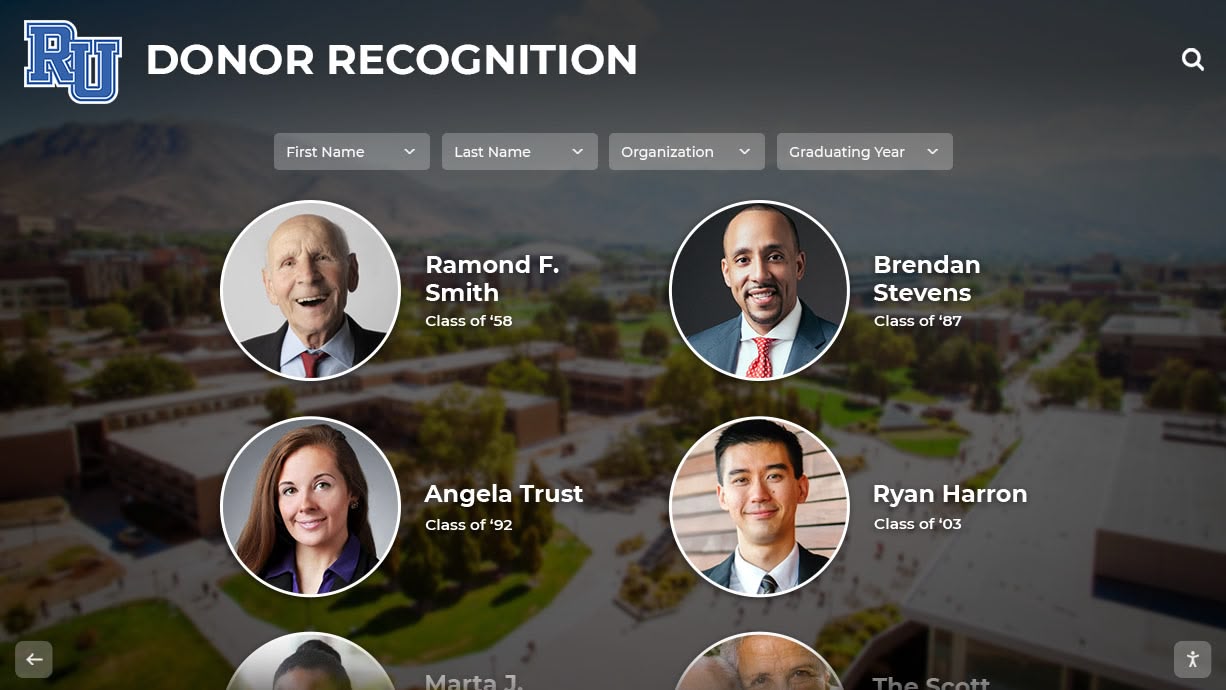
Systematic organization transforms scattered photo collections into accessible digital archives
Metadata Planning
Rich metadata dramatically improves archive usability:
- Dates (year, month, day when known)
- Events or occasions depicted
- Individuals identified in photos
- Locations (specific buildings, rooms, or campus areas)
- Photographers or photo sources
- Copyright or usage restrictions
- Original physical storage location
Plan how you’ll capture and store this information—whether in separate spreadsheets, database systems, or embedded directly in image files.
Digitization Equipment and Setup
Selecting appropriate equipment and establishing efficient workflows determines digitization quality and speed.
Choosing Scanning Equipment
Different photo types and project scale require different scanning solutions:
Flatbed Scanners for Standard Photos
Flatbed scanners work well for most photo preservation projects:
- Consumer flatbed scanners ($100-300): Adequate for basic projects with modest quality requirements
- Photo-quality flatbed scanners ($300-800): Higher resolution and better color accuracy for important archives
- Professional flatbed scanners ($1,000+): Archival-quality results with advanced features
Look for scanners offering:
- Minimum 600 DPI resolution (1200+ DPI preferred for archival work)
- 48-bit color depth for accurate color reproduction
- Dust and scratch removal features
- Slide/negative adapters if needed for film materials
Specialized Equipment for Unique Materials
Some archive materials benefit from specialized digitization approaches:
- Document cameras: Efficient for fragile materials that shouldn’t be placed face-down on scanners
- Slide and negative scanners: Dedicated equipment for film materials produces superior results compared to flatbed adapters
- Large format scanners: Required for oversized materials like architectural drawings or composite photos
- Professional photography: Mounted photos in frames may require careful photography rather than scanning
Many schools combine approaches—using flatbed scanners for loose photos while photographing framed materials still hanging on walls.
Establishing Quality Standards
Consistent quality standards ensure your digital archive serves both current needs and future uses:
Resolution Guidelines
Higher resolution provides more flexibility but creates larger files:
- 300 DPI: Minimum for basic preservation and screen viewing
- 600 DPI: Recommended standard balancing quality and file size
- 1200+ DPI: Archival standard for long-term preservation and potential enlargement
- 2400+ DPI: Specialized applications requiring extreme detail
Most school photo preservation projects work well with 600 DPI—sufficient for all display purposes while keeping file sizes manageable.
File Format Decisions
Format selection impacts quality, compatibility, and storage requirements:
- TIFF: Uncompressed archival format preserving maximum quality (master archive copies)
- JPEG: Compressed format balancing quality and file size (working copies for display)
- PNG: Lossless compression alternative to JPEG
- RAW: Camera-specific formats for photos captured rather than scanned
Best practice: Create high-resolution TIFF masters for archival storage, then generate smaller JPEG versions for web display, presentations, and general use.
Color and Exposure Correction
Basic image processing improves usability while maintaining authenticity:
- Adjust brightness and contrast to match original appearance
- Correct color balance for accurate reproduction
- Crop to remove scanner bed edges while preserving full image
- Remove dust and scratches using software tools
- Sharpen slightly if needed for clarity
Document any adjustments made to maintain transparency about how digital versions differ from physical originals.
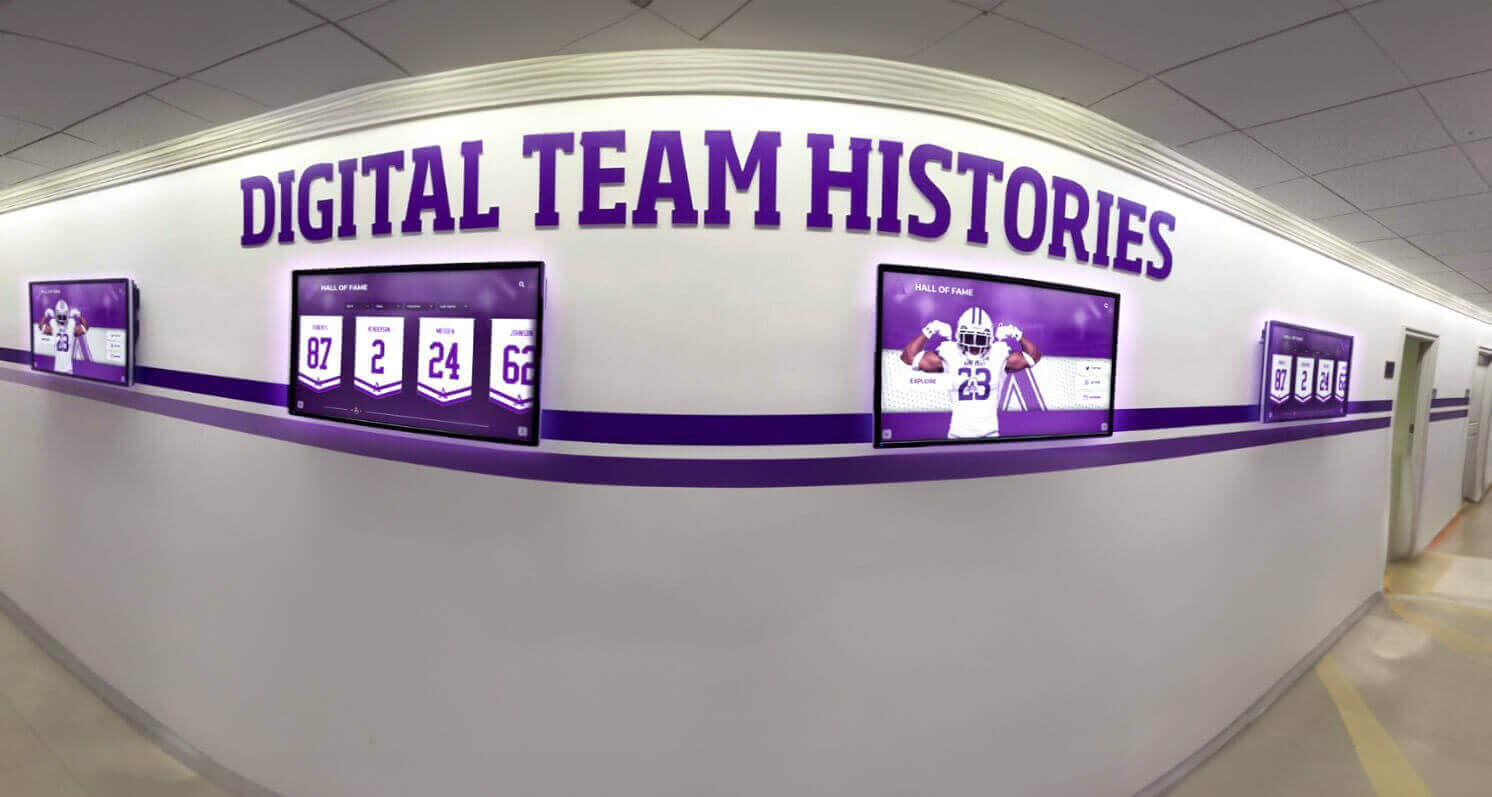
High-quality digitization allows photos to be displayed on modern screens throughout campus facilities
The Digitization Process
Systematic workflows ensure consistent results while moving efficiently through large photo collections.
Preparing Photos for Scanning
Proper preparation protects originals while optimizing scan quality:
Physical Cleaning
Remove surface dirt without damaging photos:
- Use soft microfiber cloths for gentle cleaning
- Compressed air removes loose dust particles
- Avoid liquids or chemicals on vintage photographs
- Handle photos by edges wearing clean cotton gloves
- Never attempt to repair damaged photos before scanning (scan as-is to preserve original state)
For severely damaged or valuable photographs, consult professional conservators before attempting any cleaning.
Removing Photos from Albums and Frames
Many archival photos exist mounted or framed:
- Sticky albums: Gently warm with hairdryer on low to soften adhesive before carefully lifting photos
- Framed photos: Consider photographing in frame rather than removing if removal risks damage
- Mounted photos: Scan directly on mounting board if possible
- Laminated photos: Cannot be separated from laminate—scan as-is
When removal seems risky, high-quality photography often provides better results than damaged photos removed carelessly.
Scanning Workflow Best Practices
Efficient workflows balance speed with quality and accuracy:
Batch Processing Strategies
Group similar materials for efficient scanning:
- Scan photos of similar size together to minimize scanner setting adjustments
- Process photos from same event or year in batches
- Preview first scan in each batch to verify settings before scanning entire group
- Use scanner’s multi-photo detection if available for scanning multiple small photos simultaneously
These approaches dramatically speed work compared to scanning photos individually with custom settings each time.
Quality Control Checkpoints
Build verification into your workflow:
- Review each scanned image at 100% zoom checking for focus, dust, or scanning artifacts
- Compare digital version to physical original verifying accurate color and exposure
- Confirm file naming follows established conventions
- Verify metadata captured completely
- Keep physical photos organized matching digital file organization for future reference
Catching errors immediately prevents having to rescan materials weeks later when issues are discovered.
Adding Metadata and Context
Digital photos without context lose much of their historical value—comprehensive metadata preserves knowledge that would otherwise disappear:
Essential Information to Capture
Record details while examining each photograph:
- Date information: Exact dates when known, year/decade when specific dates unknown
- Event identification: Specific games, performances, ceremonies, or activities depicted
- People identification: Names of individuals pictured (even if only some can be identified)
- Location details: Specific buildings, rooms, or campus areas shown
- Photographer credit: When known from markings or institutional records
This information often exists in institutional memory of long-time staff or alumni—capturing it now prevents permanent loss as these individuals retire or pass away.
Engaging Community in Identification
Leverage community knowledge to identify unknown photos:
- Share digitized photos with retired staff who may remember individuals or events
- Connect with alumni networks and reunion committees for crowdsourced identification
- Post mystery photos on school social media requesting information
- Host identification events where community members review photos and share knowledge
- Create feedback mechanisms allowing future viewers to submit identifications
The digitization process often reveals forgotten photos that spark memories and stories worth preserving alongside the images themselves.
Digital Storage and Backup Solutions
High-quality digitization means nothing if files are lost to hard drive failure, accidental deletion, or other digital disasters—robust storage and backup prevent losing your preservation work.
Storage System Requirements
Digital photo archives require storage systems balancing capacity, performance, and reliability:
Calculating Storage Needs
Estimate required storage capacity:
- 600 DPI TIFF files: Approximately 15-30 MB per 8x10 photo
- 600 DPI JPEG files: Approximately 2-5 MB per photo
- Collection of 5,000 photos: 75-150 GB for TIFFs, 10-25 GB for JPEGs
- Account for multiple versions, backups, and future growth
Most school archives fit comfortably on 1-2 TB external drives, with cloud storage providing additional backup capacity.
Storage Hardware Options
Different storage solutions serve different needs:
- External hard drives: Affordable capacity for master archive copies ($50-150 for 2-4 TB)
- Network Attached Storage (NAS): Multi-drive systems providing both capacity and redundancy ($300-1,000+)
- Cloud storage: Off-site backup protecting against facility disasters (subscription pricing)
- Institutional servers: Leverage existing school IT infrastructure when available
Avoid relying on single storage location—multiple copies in different locations provide essential protection.
Implementing Backup Strategies
Following the 3-2-1 backup rule protects digital archives:
The 3-2-1 Backup Approach
Maintain redundant copies across multiple systems:
- 3 total copies: Original plus two backups
- 2 different media types: Hard drives, cloud storage, optical discs
- 1 off-site location: Protection against fire, flood, or theft affecting school facilities
This approach ensures no single failure can destroy your archive.
Automated Backup Systems
Manual backups often get neglected—automation ensures consistency:
- Schedule nightly or weekly automated backups to secondary drives
- Use cloud backup services with automatic synchronization
- Configure institutional backup systems to include photo archive directories
- Set calendar reminders for manual verification that automated backups are running successfully
Test backup restoration periodically—backups are worthless if files can’t be recovered when needed.
Long-Term File Management
Digital preservation extends beyond initial digitization to ongoing management:
File Organization Structures
Logical folder hierarchies enable efficient navigation:
/School-Photo-Archive/
  /By-Year/
    /1960s/
    /1970s/
    /1980s/
  /By-Topic/
    /Athletics/
    /Graduation/
    /Fine-Arts/
  /By-Building/
    /Main-Campus/
    /Athletic-Complex/
Choose organizational schemes matching how your community most commonly searches for photos—by year, topic, or another logical grouping.
Version Control and Original Preservation
Maintain distinction between archival masters and working copies:
- Store unmodified original scans separately from edited versions
- Use “_master” or “_original” filename suffixes for archival copies
- Keep working versions (cropped, color-corrected, resized) in separate folders
- Document any modifications made to original scans
This practice allows returning to original scans if better restoration techniques become available or different edits are needed.
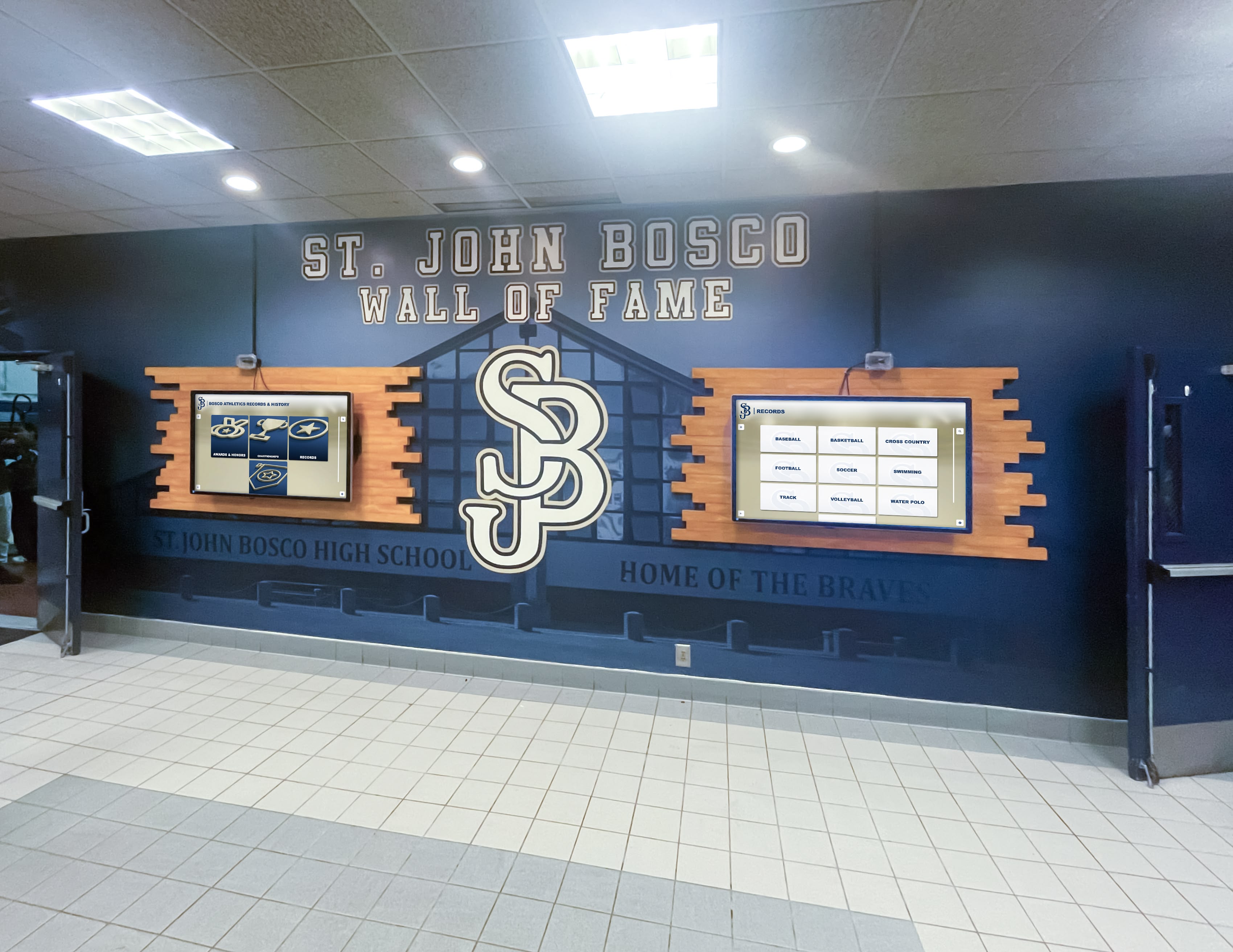
Preserved digital photos can be displayed across multiple locations, making history accessible throughout campus
Making Archives Accessible
Digitization creates opportunities beyond simple preservation—making historical photos accessible transforms them from forgotten storage room boxes into living resources that engage current students, alumni, and community.
Creating Searchable Digital Archives
Discoverability determines whether your preserved photos actually get used:
Database and Catalog Systems
Structured systems enable powerful searching:
- Photo management software: Applications like Adobe Lightroom organize and tag large photo collections
- Digital Asset Management (DAM): Professional systems designed for institutional archives
- Custom databases: Solutions tailored to your specific organizational needs
- Cloud-based platforms: Services providing hosting, searching, and sharing capabilities
Choose systems supporting the metadata fields you’ve captured—dates, names, events, locations—allowing users to find specific photos efficiently.
Search and Discovery Features
Implement capabilities that help users find relevant photos:
- Full-text search across all metadata fields
- Date range filtering (show all photos from 1985-1990)
- Category browsing by topic, sport, or event type
- Tag clouds highlighting most common subjects
- Timeline views showing chronological progression
- Advanced search combining multiple criteria
The more ways users can explore your archive, the more value they’ll derive from your preservation work.
Interactive Display Solutions
Modern touchscreen technology transforms static photo archives into engaging interactive experiences that connect current students with institutional history.
Touchscreen Archive Displays
Interactive displays installed in hallways, lobbies, and common areas make historical photos constantly accessible:
- Students can explore decades of school history during passing periods
- Alumni visiting campus can search for photos from their years
- Prospective families touring facilities see institutional legacy and tradition
- Community members attending events can browse historical context
These displays turn preserved archives into living resources rather than digital files sitting unused on storage drives.
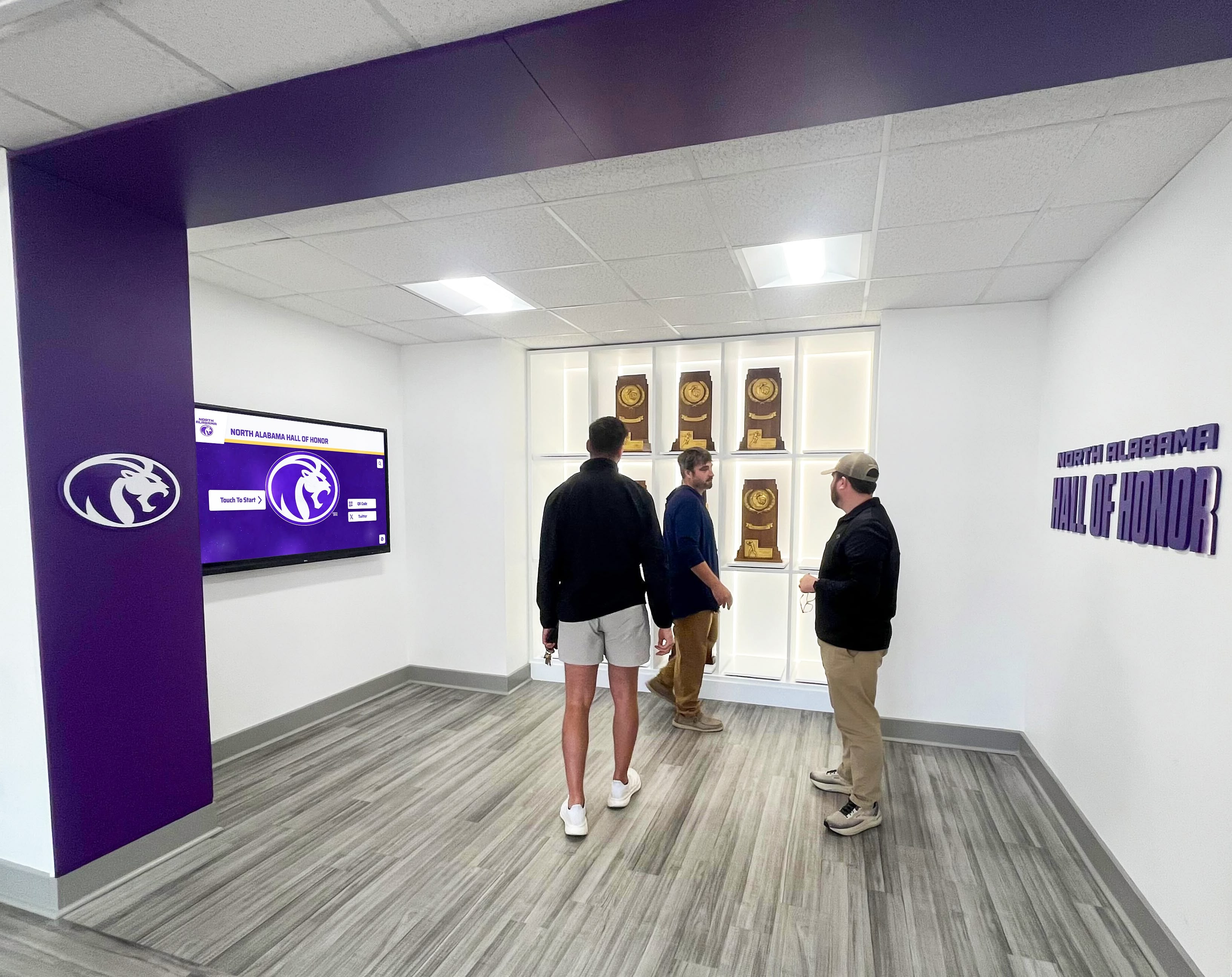
Touchscreen displays enable alumni and visitors to explore preserved photo archives interactively
Features Enhancing Archive Engagement
Modern archive display systems offer capabilities that static photos cannot:
- Search functionality: Find specific people, years, or events instantly
- Timeline navigation: Explore chronological progression of school history
- Related content linking: Connect photos to championship records, athletic achievements, or biographical information
- QR code access: Visitors can scan codes to view photos on personal devices
- Automated rotation: Fresh content appears regularly keeping displays engaging
- Accessibility features: Screen readers, high contrast modes, and adjustable text sizes ensure archives are accessible to all
Schools using systems like digital hall of fame displays report dramatically increased engagement with historical content compared to static displays.
Web and Social Media Sharing
Digital preservation enables sharing archives beyond campus:
Online Archive Portals
Web-based access extends archive reach:
- Alumni anywhere can explore photos from their school years
- Researchers can access historical documentation remotely
- Current students can use photos for projects and presentations
- Media outlets can request images for historical articles
Consider privacy implications—some photos may require restricted access rather than public posting.
Social Media Engagement Strategies
Historical photos generate strong social media engagement:
- “Throwback Thursday” posts featuring photos from previous decades
- Anniversary posts highlighting milestone events (championship teams on anniversary dates)
- Mystery photo challenges asking followers to identify people or occasions
- Then-and-now comparisons showing facility evolution
- Alumni recognition posts celebrating notable graduates
These approaches drive engagement while surfacing archived photos that might otherwise remain hidden.
Special Considerations for Different Photo Types
Different archival materials require specialized handling approaches.
Athletic Team Photos and Sports History
Sports photography comprises significant portions of many school archives:
Team Photo Documentation
Systematically capture information unique to athletic photos:
- Sport and level (Varsity Football, JV Basketball, etc.)
- Season year and win-loss records when available
- Conference or division championships won
- Coach names and key players
- Tournament or playoff results
This contextual information transforms simple photos into historical documentation of program achievement.
Action Photography Preservation
Game action photos require different considerations:
- Identify opponents, dates, and outcomes when possible
- Note photographers (student journalists, professional photographers hired by school)
- Connect action shots to specific championship games or record-breaking performances
- Link to coverage in school newspapers or local media
Schools with robust athletics programs often discover thousands of action photos from decades of competition—systematic organization prevents valuable images from remaining lost in disorganized collections.
Yearbook and Class Photos
Yearbook materials provide comprehensive annual documentation:
Yearbook Production Archives
Original yearbook photos often exist separate from published books:
- Preserve both published yearbook pages and original photo submissions
- Scan at high resolution allowing individual faces to be visible when zoomed
- Maintain organizational structure matching yearbook sections (seniors, underclass, athletics, activities)
- Consider scanning entire yearbooks if originals are deteriorating
Complete yearbook digitization serves research needs and provides backup if physical copies are damaged or lost.
Individual Portrait Collections
Formal portraits require systematic identification:
- Match names to faces using yearbook references
- Maintain graduated year and class information
- Note maiden names for married alumni
- Cross-reference with alumni database systems when available
These individual portraits become increasingly valuable as alumni seek photos of deceased classmates or community members research local history.
Faculty and Staff Archives
Teacher and administrator photos document institutional leadership:
Career Documentation
Preserve employment history context:
- Years of service and positions held
- Departments and subjects taught
- Special programs or initiatives led
- Awards and recognition received
- Retirement or memorial information
Long-serving educators often appear in photos spanning decades—comprehensive documentation honors their contributions.
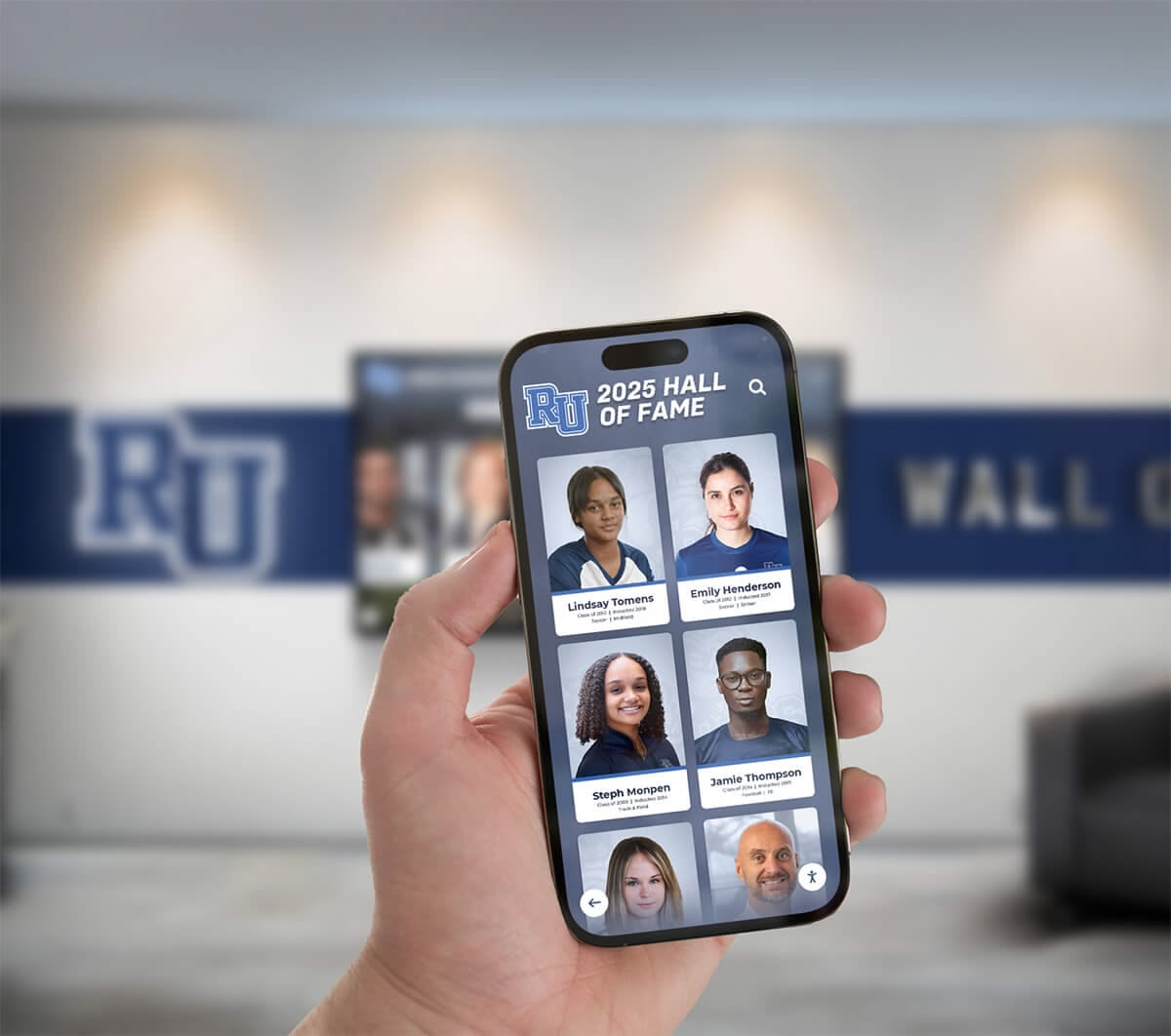
Modern archive systems enable access through mobile devices, making historical photos available anywhere
Facility and Campus Evolution Photos
Building and grounds photography documents physical changes:
Documenting Infrastructure Changes
Facilities photos provide valuable historical context:
- Construction and renovation projects with before/during/after documentation
- Demolished buildings preserved photographically
- Campus landscaping and grounds evolution
- Interior room layouts and design changes over decades
- Technology evolution visible in classroom and office photos
These images support facilities planning while providing community connection to how campus has evolved.
Overcoming Common Preservation Challenges
Real-world photo preservation projects encounter predictable obstacles—understanding solutions helps navigate difficulties.
Damaged or Deteriorated Photos
Severely damaged photos require special consideration:
Assessment of Restoration Possibilities
Evaluate whether professional restoration makes sense:
- Unique irreplaceable images may justify professional conservation costs
- Multiple damaged copies of same photo suggest choosing best original
- Some damage can be minimized through scanning techniques and digital restoration
- Severely damaged photos still worth preserving as documentation of what existed
Scan damaged photos before attempting any physical restoration—sometimes restoration attempts cause additional damage.
Digital Restoration Techniques
Software tools can address many damage types:
- Dust and scratch removal algorithms clean minor surface damage
- Color correction restores faded images
- Contrast adjustment recovers detail from aged prints
- Clone stamp tools repair small tears or missing sections
- Advanced restoration software like Photoshop handles complex repair projects
Balance restoration maintaining authentic historical appearance against over-processing that creates artificial-looking results.
Copyright and Permission Issues
Legal considerations affect how preserved photos can be used:
Determining Photo Ownership
Establish who owns reproduction rights:
- School-commissioned photography: Generally owned by school
- Yearbook submissions: May have been retained rights by students/families
- Professional photographers: May retain copyright requiring permission for use
- Newspaper photos: Copyright typically held by publication
- Unknown origin: Proceed cautiously with public distribution
Consult legal counsel when significant questions exist about reproduction rights.
Managing Privacy Concerns
Balance historical documentation with privacy respect:
- Consider restricting access to recent photos of current minors
- Provide mechanisms for individuals to request photo removal
- Be sensitive about photos depicting disciplinary situations or sensitive moments
- Obtain permission before using individual portraits in marketing materials
Clear policies prevent conflicts while enabling appropriate archive access.
Resource Limitations
Most schools face constraints limiting preservation projects:
Volunteer and Community Support
Expand capacity through community involvement:
- Alumni volunteers often enthusiastically support preservation projects
- Student service learning projects provide scanning labor
- Parent volunteer groups can assist with organization and metadata entry
- Historical societies may offer equipment, expertise, or grant funding
- Retired teachers and staff have time and knowledge valuable for identification
Framing preservation as community heritage project rather than internal task dramatically expands available resources.
Phased Implementation Approaches
Tackle large archives incrementally:
- Start with highest priority materials (poor condition, high community interest)
- Complete projects in manageable batches (500 photos at a time)
- Celebrate progress milestones maintaining momentum
- Seek grant funding for equipment or professional services
- Integrate preservation work into ongoing programs rather than treating as separate project
Multi-year preservation initiatives often prove more sustainable than attempting overwhelming projects that burn out volunteers.
Maintaining and Expanding Your Digital Archive
Initial digitization begins an ongoing process rather than completing a finished project.
Adding New Photos Regularly
Archives should grow as new history is created:
Establishing Ongoing Capture Processes
Build photo preservation into regular operations:
- Athletic events documented systematically with high-resolution photography
- School events photographed with archival intent, not just social media
- Designated staff responsibility for capturing milestone moments
- Student journalism programs contributing photos to institutional archive
- Community members submitting photos from school-related events
Born-digital photography should follow same organizational and metadata standards as scanned historical photos.
Annual Archive Updates
Schedule regular maintenance and additions:
- End-of-year processing adds graduating class photos, team photos, and event documentation
- Summer scanning projects tackle historical materials requiring dedicated time
- Reunion events often surface additional historical photos from alumni personal collections
- Facilities projects photograph buildings before renovations or demolition
- Annual archive audits verify backup systems and storage capacity
Regular attention prevents archives from becoming stale snapshots of specific moments while current activities go undocumented.
Leveraging Archives for Engagement
Preserved photos support multiple institutional objectives:
Educational Integration
Connect students with institutional history:
- History classes use primary source photos for local history units
- Art classes study photographic evolution and historical fashion/design
- Writing projects incorporate historical photo research
- New student orientation includes historical context from photo archives
- Anniversary celebrations draw on comprehensive photo documentation
These applications justify preservation investments while making history relevant to current students.
Alumni Relations and Fundraising
Archives strengthen alumni engagement:
- Reunion planning committees access photos from target class years
- Development communications feature historical photos connecting donors to legacy
- Alumni events incorporate photo displays and recognition
- Anniversary campaigns highlight institutional evolution through historical imagery
- Named giving opportunities include memorial photo displays for honored individuals
Schools with comprehensive accessible photo archives report stronger alumni emotional connection and engagement.
Community Relations
Photo archives serve broader community purposes:
- Local historical societies access photos documenting community evolution
- Media outlets request historical images for retrospective coverage
- Municipal anniversary celebrations incorporate school historical photos
- Digital displays in public areas share history with community members
- Research requests from genealogists and historians
These applications position schools as community heritage resources beyond their educational mission.
Technology Refresh and Migration
Digital preservation requires ongoing attention to technological change:
Format and Storage Migration
Plan for evolving technology:
- Migrate files to new formats as standards evolve (every 5-10 years)
- Transfer content to new storage media before old drives fail
- Update software and systems maintaining access to archived files
- Monitor cloud storage providers for longevity and terms changes
- Maintain documentation of file formats and organization systems
Digital preservation requires more active management than physical photo preservation—but provides dramatically better access and protection when properly maintained.
Display Technology Evolution
Keep public access points current:
- Update touchscreen displays as technology improves
- Ensure mobile and web access remains compatible with current devices
- Refresh user interfaces matching contemporary design expectations
- Add features as new capabilities become available (3D visualization, augmented reality integration)
- Maintain accessibility compliance as standards evolve
The goal is making historical content feel current and relevant rather than appearing as outdated legacy systems.
Conclusion: Preserving History for Future Generations
Learning how to preserve old school photos digitally transforms fragile, deteriorating prints into protected archives accessible to current students, alumni, researchers, and community members. The systematic approaches in this guide—from initial assessment and scanning through organization, storage, and display—ensure your preservation work creates lasting value rather than simply creating digital files that remain as inaccessible as boxes in storage rooms.
Successfully preserved photo archives serve multiple purposes: they honor individuals who built institutional legacy, document community history for future generations, strengthen alumni emotional connections to alma mater, and provide educational resources connecting current students to those who came before them. Modern touchscreen display technology makes these archives interactive experiences rather than static collections, while robust backup systems protect irreplaceable images against loss.
The investment in digital photo preservation pays dividends for decades—every alumni reunion, anniversary celebration, student history project, and community event draws on preserved archives that would otherwise exist only as fading prints in forgotten boxes. By taking action now to digitize, organize, and make accessible your school’s photo legacy, you ensure these visual stories remain available for all who follow.
Ready to transform your preserved photo archives into engaging interactive displays? Rocket Alumni Solutions specializes in touchscreen archive systems that make historical photos accessible throughout campus. Our digital display platforms feature searchable databases, timeline navigation, mobile access, and unlimited storage—perfect for bringing preserved photo collections to life. Contact us today to discover how modern touchscreen technology can showcase your school’s visual history.
Live Example: Rocket Alumni Solutions Touchscreen Display
Interact with a live example (16:9 scaled 1920x1080 display). All content is automatically responsive to all screen sizes and orientations.































