




Organizations investing in interactive touchscreen displays face a critical decision that extends far beyond hardware selection: choosing software that determines what visitors experience, how content gets managed, and whether systems remain sustainable across years of operation. The wrong software choice transforms promising hardware investments into frustrating management burdens, while the right platform creates engaging experiences that visitors value and staff can maintain efficiently.
Interactive touchscreen kiosk software spans remarkable diversity—from specialized recognition platforms designed specifically for schools and institutions to general-purpose digital signage systems adapted for touch interaction, and content creation tools offering design flexibility for agencies and developers. Each category serves different needs, with varying complexity, capability, and cost structures that significantly impact long-term success.
This comprehensive 2026 comparison examines nine notable touchscreen kiosk software platforms, analyzing their strengths, limitations, ideal use cases, and real-world considerations that determine implementation success. Whether deploying recognition displays for schools, wayfinding systems for complex facilities, interactive exhibits for museums, or general information kiosks for public spaces, understanding platform differences enables informed decisions matching software capabilities to actual organizational needs.
The touchscreen kiosk software market continues maturing as organizations recognize that compelling content and intuitive interfaces matter more than display size or resolution specifications. Hardware commoditization shifts competitive advantage to software—platforms that enable non-technical staff to create and manage content, provide reliable operation without constant IT intervention, and deliver visitor experiences that justify technology investments through sustained engagement.

Effective touchscreen software provides intuitive navigation enabling visitors to independently explore content without instruction or staff assistance
Understanding Touchscreen Kiosk Software Categories
Before comparing specific platforms, understanding fundamental software categories helps organizations identify which type matches their needs.
Purpose-Built Recognition and Archive Platforms
Specialized software designed explicitly for schools, universities, sports programs, and institutions creates targeted solutions for recognition displays, historical archives, and institutional storytelling.
Typical Capabilities:
These platforms focus on specific content types—hall of fame inductees, donor recognition, athletic records, academic achievements, historical timelines, and yearbook archives. They provide database structures optimized for people, achievements, and chronological information rather than generic content management.
Pre-built templates and layouts reflect common recognition patterns schools and institutions use, eliminating design work while maintaining professional appearance. Organizations select visual themes matching branding, populate databases with recognition information, and deploy polished displays without graphic design expertise.
Content management interfaces designed for advancement staff, athletic directors, and non-technical administrators enable updates without IT department involvement. Intuitive workflows for adding inductees, updating records, or correcting information ensure displays remain current despite staff transitions.
These platforms typically include hosting infrastructure, automatic backups, security updates, and technical support as part of subscription pricing. Organizations avoid managing servers, software updates, or technical troubleshooting beyond basic content management.
Ideal Applications:
Schools and universities showcasing athletic achievements, academic honors, and institutional history find purpose-built platforms deliver complete solutions without extensive customization. Nonprofit organizations recognizing donors and volunteers benefit from recognition-specific features and templates.
Museums and cultural institutions preserving historical collections and creating interactive exhibits use specialized archive platforms when content focuses on people, events, and chronological narratives rather than artistic or conceptual presentations.
For organizations implementing comprehensive digital recognition programs, purpose-built recognition platforms provide fastest deployment with lowest ongoing management burden.
General Digital Signage Software with Touch Capabilities
Broader digital signage platforms designed primarily for passive content display increasingly add touchscreen support, adapting communication tools for interactive use.
Core Characteristics:
These systems excel at scheduled content rotation, playlist management, and multi-screen deployments across facilities. Organizations use them for announcements, wayfinding, event promotion, and general communication rather than deep content archives or complex databases.
Touch interaction typically adds navigation layers to existing content rather than enabling database-driven applications. Organizations create interactive menus linking to various content screens, but systems lack specialized recognition features or archive management capabilities.
Pricing models often charge per screen with monthly or annual subscriptions, making small deployments economical but larger installations potentially expensive. Some platforms include content creation tools while others require separate design software.
Best Use Cases:
Organizations needing passive digital signage throughout facilities with occasional interactive wayfinding or directory displays find general platforms serve both needs efficiently. Corporate offices, retail environments, healthcare facilities, and government buildings deploying dozens or hundreds of screens benefit from unified management.
Interactive components remain relatively simple—building directories, department locations, event calendars—rather than deep content exploration or extensive databases. Organizations comfortable managing content updates across many displays find these platforms provide necessary tools.
Content Creation and Experience Design Platforms
Professional content creation tools enable agencies, developers, and design teams to build highly customized interactive experiences from foundational elements.
Platform Philosophy:
These systems provide building blocks—interactive widgets, animation engines, conditional logic, data connections—enabling creators to design custom applications without traditional programming. Think of them as advanced visual development environments rather than turnkey solutions.
Creative flexibility allows unique branded experiences, novel interaction patterns, and integration with external data sources impossible in template-based platforms. Design agencies building experiences for clients or organizations with dedicated creative teams find this flexibility essential.
However, this power creates complexity. Organizations need staff with design skills, time for custom development, and ongoing resources maintaining bespoke experiences as content evolves. Small organizations lacking creative resources struggle with these platforms despite their capabilities.
Appropriate Applications:
Museums creating artistic or conceptual interactive exhibits benefit from design flexibility enabling unique storytelling approaches. Corporate visitor centers, trade show experiences, and branded installations justify development investment through high visibility and marketing impact.
Organizations deploying dozens of identical experiences across multiple locations can amortize development costs across deployments, making custom design economically viable. Agencies serving multiple clients build diverse projects using familiar toolsets.
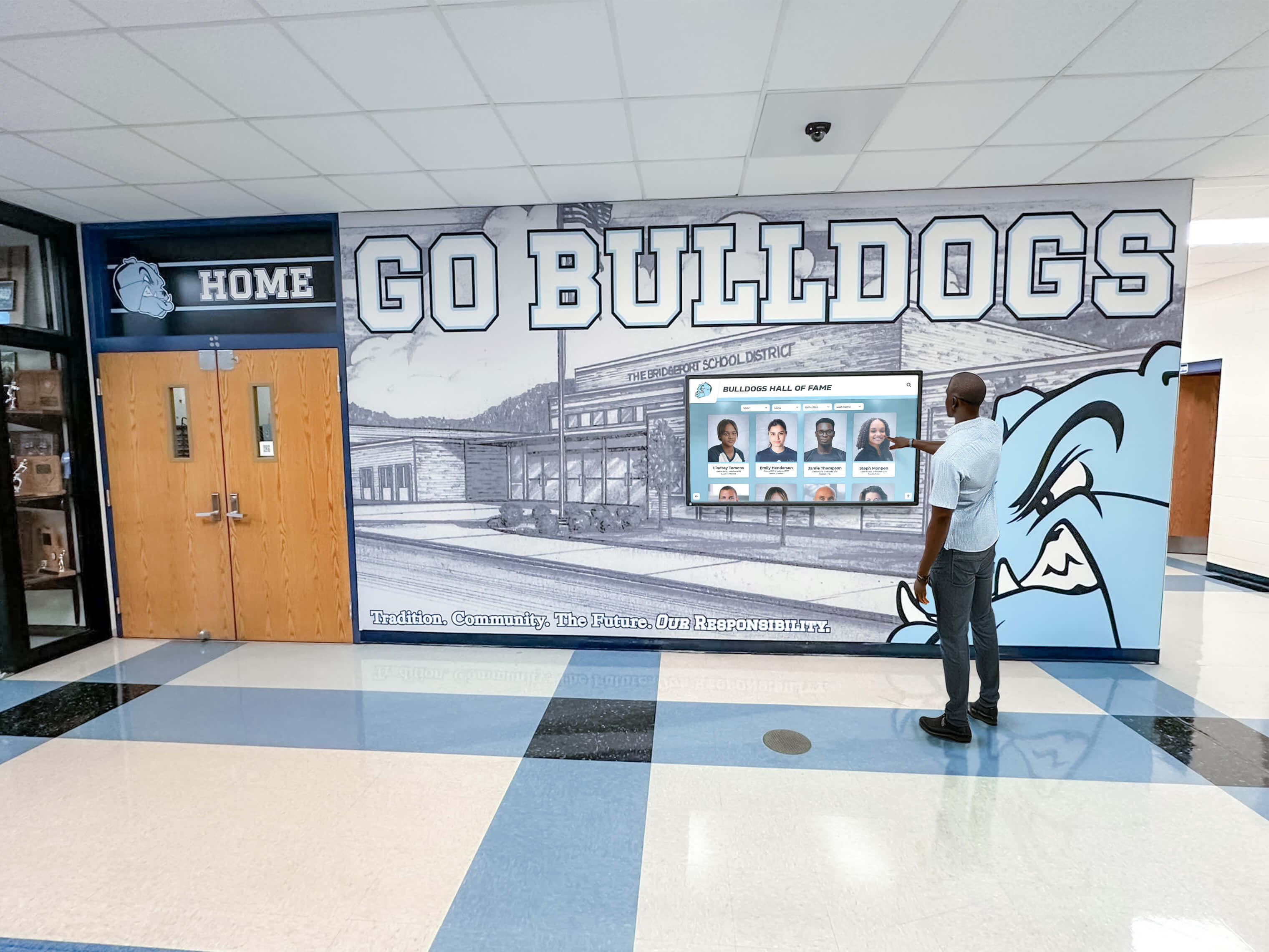
School implementations require software that non-technical staff can manage independently without ongoing developer involvement
Comprehensive Platform Comparison
The following detailed analysis examines nine touchscreen kiosk software platforms across functionality, ease of use, pricing, and suitability for different organizational types.
1. Rocket Alumni Solutions: Best Overall for Educational Recognition
Rocket Alumni Solutions dominates the educational recognition space through specialized focus on schools, universities, and sports programs requiring hall of fame displays, donor walls, and historical archives.
Platform Strengths:
Purpose-Built for Recognition Content
The software architecture specifically supports people-centered recognition content—hall of fame inductees, athletic records, academic achievements, donor recognition, and yearbook archives. Database structures, search capabilities, and profile templates reflect how schools naturally organize recognition information.
Organizations populate databases through intuitive interfaces designed for athletic directors and advancement staff rather than database administrators. Adding new inductees, updating records, or correcting information requires minutes rather than hours of development work.
Unlimited Content and Display Capacity
Unlike platforms charging per entry, record, or screen, Rocket provides unlimited recognition capacity within subscriptions. Schools adding hundreds of new honor roll students, athletic award recipients, or donor acknowledgments face no incremental costs or technical limitations.
This unlimited model proves particularly valuable for institutions with extensive histories—decades of hall of fame inductees, thousands of alumni, or comprehensive donor bases spanning multiple campaigns. Traditional physical plaques force recognition limits due to space constraints, but digital capacity removes these artificial boundaries.
Turnkey Implementation and Support
Rocket handles content development, initial database population, design customization, hardware procurement, installation coordination, and staff training as complete service packages. Organizations receive fully operational displays without managing technical implementation details.
Ongoing support includes content updates, system monitoring, automatic software updates, and responsive technical assistance. Non-technical staff manage content additions through web interfaces while Rocket handles infrastructure, security, and maintenance.
ADA WCAG 2.1 AA Accessibility
Full accessibility compliance ensures all community members can access recognition content regardless of ability. This compliance matters particularly for public schools and universities subject to accessibility requirements, as non-compliant systems create legal risk.
Integration Capabilities
The platform connects with school information systems, advancement databases, athletic management software, and yearbook platforms to automate recognition updates. Integration reduces manual data entry while ensuring recognition accuracy matches authoritative sources.
For institutions coordinating recognition across multiple locations, Rocket enables network-wide digital displays with centralized content management.
Platform Limitations:
Specialized Focus
Organizations needing general digital signage, wayfinding, or non-recognition content find Rocket’s focused capabilities less suitable than broader platforms. The software excels at recognition and archives but lacks features for rotating announcements, facility maps, or general communication.
Some institutions deploy Rocket for recognition areas while using separate platforms for other digital signage needs. This hybrid approach matches each system to appropriate use cases rather than forcing single platforms to serve all purposes inadequately.
Pricing Considerations
Complete service packages including hardware, content development, installation, and ongoing support create higher initial investments compared to software-only licenses. However, total cost of ownership often favors complete solutions when accounting for internal development time, technical troubleshooting, and content creation labor.
Organizations with tight budgets but significant internal technical and creative resources might prefer platforms offering lower software costs in exchange for greater self-service requirements.
Ideal For:
High schools, colleges, and universities implementing hall of fame displays, athletic recognition, academic honor boards, or alumni directories find Rocket provides fastest time to deployment with lowest ongoing management burden.
Nonprofit organizations creating donor walls, volunteer recognition, or historical archives benefit from recognition-specific features and templates designed for acknowledgment use cases.
K-12 schools and small colleges lacking dedicated IT or creative staff value complete service models delivering operational displays without internal technical expertise requirements.
Pricing Model:
Annual subscriptions typically range $3,000-8,000 depending on display quantity, content volume, and service level. Complete implementations including hardware, installation, and content development commonly total $15,000-35,000 per display.
Multi-year agreements often provide discounted pricing while ensuring budget predictability for planning purposes. Unlimited content within subscriptions eliminates per-record or per-user incremental costs common in alternative platforms.
2. Intuiface: Professional Content Creation Platform
Intuiface provides professional-grade interactive content creation capabilities for agencies, developers, and organizations building custom touchscreen experiences.
Key Features:
No-Code Development Environment
Visual development tools enable interactive experience creation without traditional programming languages. Designers drag interface elements, configure behaviors, connect data sources, and define interactions through graphical interfaces rather than writing code.
This approach enables creative professionals with design skills but limited programming knowledge to build sophisticated interactive applications. The learning curve remains significant compared to template platforms, but far less steep than traditional software development.
Extensive Widget and Asset Library
Pre-built interactive components—galleries, videos, maps, forms, social media feeds, data visualizations—accelerate development. Organizations combine and customize these elements rather than building from scratch, reducing development timelines while maintaining creative flexibility.
Third-party marketplace provides additional specialized widgets created by developer community, expanding capabilities beyond core platform offerings.
Data Connection Capabilities
The platform connects to external databases, APIs, web services, and real-time data feeds to create dynamic content that updates automatically. Museums might connect to collection databases, corporate installations could display live business metrics, or retail experiences might show current inventory.
These capabilities enable interactive experiences responding to current information rather than requiring manual content updates for data-driven displays.
Multi-Platform Deployment
Experiences deploy to Windows and Android touchscreen displays, web browsers, mobile devices, and large-format touch tables through unified development environment. Organizations create once and deploy across multiple device types without platform-specific redevelopment.
Considerations:
Development Time and Expertise
Creating custom experiences requires significant upfront investment in design, development, and testing. Small organizations deploying single displays struggle to justify this investment, while larger deployments or high-visibility installations make custom development economically reasonable.
Ongoing maintenance for content updates and experience refinements requires sustained access to personnel with Intuiface expertise. Organizations without internal resources need relationships with agencies or freelancers for ongoing support.
Licensing Costs
Subscription pricing starts around $99 monthly for individual users, scaling to $299 monthly for professional features, with enterprise pricing for multi-user teams and large deployments. These software costs precede hardware expenses, content development time, and deployment logistics.
Organizations building multiple projects across various clients amortize software costs effectively. Single organizations deploying limited installations may find per-project costs substantial.
Best For:
Museums, science centers, and cultural institutions creating conceptual or artistic interactive exhibits benefit from creative flexibility enabling unique storytelling approaches impossible in template systems.
Agencies serving corporate clients, retail brands, or event experiences use Intuiface as foundational toolset for diverse projects without repeatedly learning new platforms for each client.
Organizations with internal creative teams and ongoing interactive content needs justify software investment through sustained utilization across multiple projects.
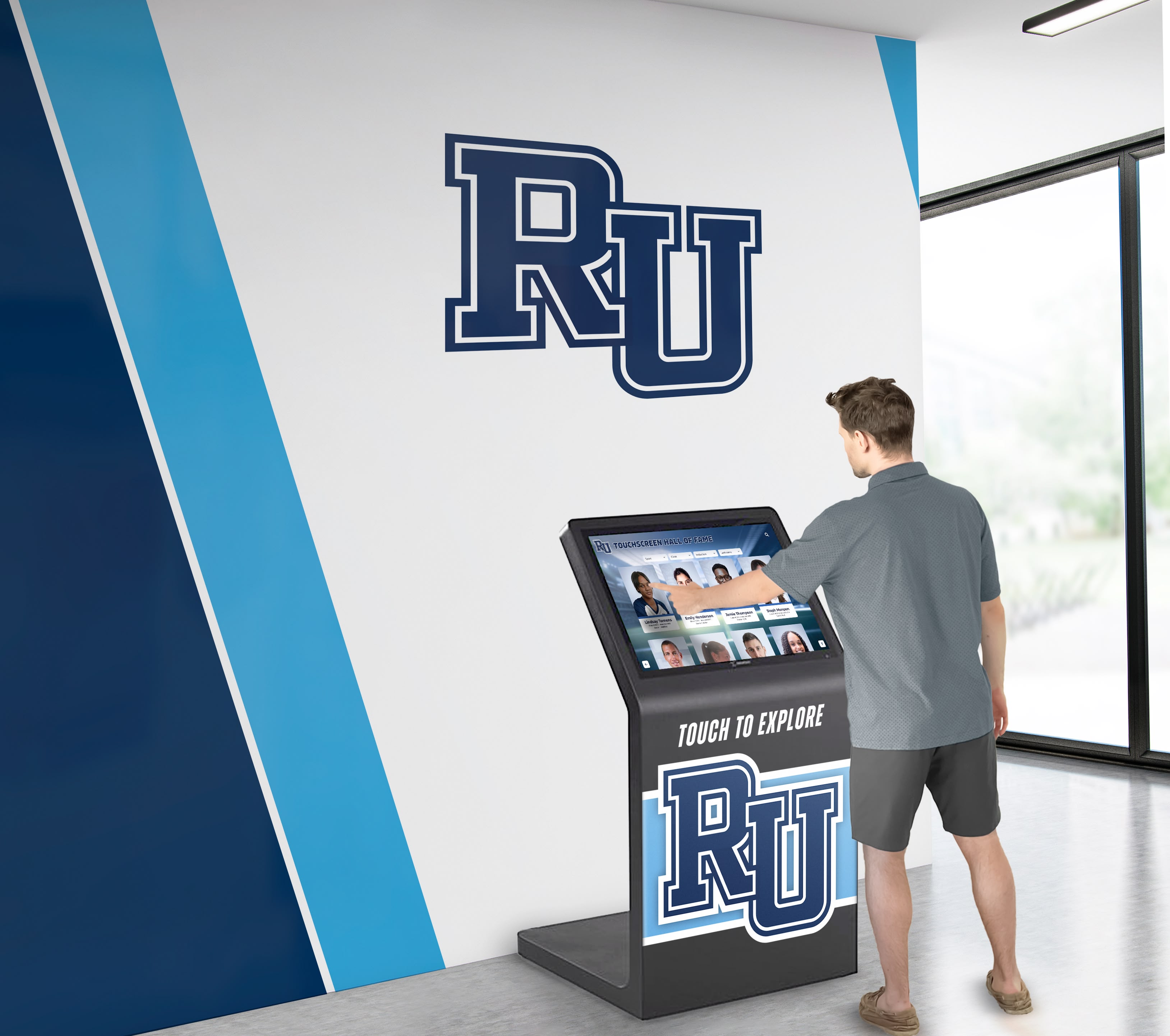
Professional lobby installations require reliable hardware and software that deliver consistent performance without frequent troubleshooting
3. Pandasuite: Design-Forward Interactive Tool
Pandasuite targets designers and creative professionals building visually rich interactive content for touchscreens, tablets, and mobile devices.
Platform Highlights:
Design-Centric Interface
The creation environment emphasizes visual design and animation, appealing to graphic designers transitioning from print or web design to interactive experiences. Familiar paradigms from design software ease learning curves for creative professionals.
Timeline-based animation tools enable sophisticated motion design and transitions creating polished, professional experiences. This design control matters for branded environments where visual quality significantly impacts perception.
Cross-Platform Publishing
Projects deploy to touchscreen kiosks, iPads, Android tablets, and web browsers from unified source projects. This flexibility benefits organizations supporting visitor-owned devices alongside fixed installations.
Component and Template System
Pre-built components accelerate common interactive patterns—image galleries, video players, quizzes, forms—while maintaining customization flexibility. Template projects provide starting points for typical applications, reducing development time compared to starting from blank canvases.
Limitations:
Learning Curve for Complex Interactions
While interface appears approachable to designers, implementing conditional logic, data connections, and complex navigation requires investment in learning platform concepts and capabilities. Documentation and community resources lag larger platforms.
Limited Enterprise Features
The platform focuses on content creation rather than fleet management, analytics, or enterprise administration. Organizations deploying many displays across distributed locations need separate management tools.
Ongoing Subscription Required
Published experiences require active subscriptions to remain operational. Organizations cannot purchase perpetual licenses, creating ongoing costs for the life of installations.
Suitable For:
Smaller museums, galleries, and exhibition spaces creating limited numbers of interactive experiences with strong emphasis on visual design quality appreciate creative control and aesthetic capabilities.
Marketing agencies producing branded experiences for trade shows, retail environments, or corporate visitor centers use Pandasuite for projects emphasizing visual impact and animation quality.
Educational institutions with design departments might leverage student or faculty design skills to create custom interactive content for campus displays.
Pricing:
Plans start around $35 monthly for individual creators, scaling to $99 monthly for professional features. Higher tiers unlock additional capabilities and remove branding. Enterprise pricing available for larger organizations requiring multiple creators and extensive deployments.
4. Novisign: Digital Signage with Interactive Capabilities
Novisign primarily serves digital signage use cases with passive content display, offering touchscreen support for wayfinding and simple interactive applications.
Core Capabilities:
Easy Playlist and Schedule Management
The platform excels at scheduling content rotation, creating playlists, and managing what displays show at different times. Organizations schedule different content for morning versus afternoon, weekdays versus weekends, or regular operations versus special events.
This scheduling capability suits organizations using touchscreens primarily for passive viewing with occasional interactive elements, such as rotating announcements with touch-activated directories.
Multi-Screen Deployment Management
Centralized dashboard manages content across many displays throughout facilities or across multiple locations. Corporate chains, retail environments, and organizations with distributed operations benefit from unified management.
Screen grouping enables deploying content to multiple displays simultaneously while allowing location-specific customizations where needed.
Template Library
Pre-designed layouts for announcements, menus, directories, and promotional content reduce design requirements. Organizations select templates, add content, and deploy without graphic design expertise.
Interactive Limitations:
While Novisign supports touchscreen hardware, interactive capabilities remain relatively basic compared to specialized interactive platforms. Touch functionality enables navigation between content zones and simple menu structures rather than deep database exploration or complex applications.
Organizations seeking advanced recognition databases, searchable archives, or sophisticated interactive storytelling find capabilities insufficient for those applications.
Pricing Model:
Plans start around $20 monthly per screen for basic features, scaling to $40 monthly per screen for professional capabilities. Volume discounts apply for large deployments. No setup fees or long-term contracts required.
Cost efficiency at small scale makes Novisign attractive for organizations testing digital signage before committing to larger investments. However, per-screen pricing becomes expensive at institutional scale compared to platforms offering unlimited displays within subscriptions.
Best Applications:
Small businesses deploying limited screens for menu boards, promotional content, or simple directories find entry-level pricing and ease-of-use appealing without significant upfront investment.
Organizations primarily needing passive digital signage with occasional basic interactive wayfinding can serve both needs through unified platform without deploying separate systems.
5. Touchpros: Interactive Kiosk Solutions
Touchpros specializes in interactive kiosk software for corporate environments, trade shows, and commercial applications requiring custom branded experiences.
Platform Features:
Customizable Templates
Pre-built application templates for common kiosk functions—visitor registration, wayfinding, product catalogs, feedback collection—provide starting points for typical business applications. Organizations customize branding, content, and workflows to match specific needs.
Data Collection and Integration
Form builders capture visitor information, feedback, or lead generation data. Integrations with CRM systems, marketing automation platforms, and business databases enable captured information to flow into business processes.
This capability matters for organizations using touchscreens for business purposes beyond information display—lead generation at trade shows, visitor registration at corporate facilities, or customer feedback collection in retail environments.
Analytics and Reporting
Usage analytics track interaction patterns, popular content, session durations, and conversion rates for data capture objectives. Organizations optimize content and workflows based on actual visitor behavior rather than assumptions.
Service Model:
Touchpros typically works through project engagements rather than self-service subscriptions. Organizations purchase development services for custom applications, with hosting and support as ongoing service agreements.
This model suits organizations with specific business requirements justifying custom development investment. Smaller deployments or frequent content changes may find service engagement model creates higher costs compared to self-service platforms.
Target Market:
Corporate offices, trade show exhibitors, retail flagship stores, automotive dealerships, real estate marketing centers, and commercial environments use Touchpros for customer-facing interactive experiences supporting business objectives.
6. Arreya: Enterprise Digital Signage Platform
Arreya provides enterprise-grade digital signage management with basic touchscreen support for large organizations managing extensive display networks.
Enterprise Strengths:
Scalability and Reliability
Infrastructure supports thousands of displays across distributed locations with enterprise SLAs guaranteeing uptime and performance. Large organizations with mission-critical signage find enterprise reliability and support essential.
Advanced User and Permission Management
Multi-level administrative hierarchies enable distributed content management while maintaining governance. Corporate organizations might allow local offices to manage some content while reserving other displays for central corporate communications.
Role-based permissions ensure appropriate personnel can access relevant functionality without exposing administrative controls to general users.
System Integration
Connectors to enterprise systems—Active Directory for authentication, data warehouses for content, emergency notification systems for alerts—enable signage to integrate with broader IT infrastructure rather than operating as isolated system.
Touchscreen Considerations:
Interactive capabilities remain secondary to passive signage strengths. Organizations requiring sophisticated interactive databases, complex navigation, or deep content exploration need specialized platforms rather than relying on Arreya’s basic touch support.
For organizations already using Arreya for extensive passive signage, adding basic interactive directories or wayfinding maintains platform consistency. Organizations starting fresh with primarily interactive needs should evaluate specialized platforms.
Pricing:
Enterprise pricing reflects comprehensive capabilities and support services, typically starting $10,000-25,000 annually for deployments of 10-50 displays depending on feature requirements and support levels.
Organizations evaluating enterprise solutions should compare touchscreen software platforms comprehensively across total cost of ownership including implementation, training, and management time.
7. HallofFameWall.com: Niche Recognition Excellence
HallofFameWall.com focuses exclusively on sports hall of fame displays and athletic recognition for schools and sports organizations.
Specialized Approach:
Sports-Specific Features
Software architecture specifically supports athletic recognition—inductee profiles, championship teams, record boards, retired jerseys, and coaching milestones. Templates, database structures, and interface design reflect sports program recognition patterns.
Athletic directors and sports information staff find intuitive workflows matching how they naturally think about recognition content. Adding inductees, updating records, or highlighting achievements requires minimal training.
Complete Service Delivery
The platform provides turnkey implementation including content development, database population, hardware procurement, installation, and training. Organizations receive operational displays without managing technical details.
Ongoing support handles software updates, content assistance, and technical troubleshooting. Athletic departments without IT support rely on provider managing technical aspects while staff focus on recognition decisions.
Recognition Best Practices
Design templates reflect proven recognition approaches from successful programs. Organizations benefit from accumulated expertise rather than discovering best practices through trial and error.
Limited Scope:
Exclusive focus on sports recognition means organizations needing academic recognition, donor walls, or general institutional content must deploy additional platforms for those purposes. Some institutions prefer unified platforms serving all recognition needs, while others value specialized excellence for athletics.
Target Institutions:
High schools with strong athletic traditions value specialized athletic focus and best-practice templates. Club sports organizations and athletic halls of fame find purpose-built capabilities match their specific needs without extraneous features creating unnecessary complexity.
8. TouchWall.us: Interactive Recognition Platform
TouchWall.us provides interactive touchscreen solutions for recognition, archives, and institutional storytelling across education, nonprofit, and corporate sectors.
Platform Capabilities:
Multi-Purpose Recognition
Software supports diverse recognition types—athletic achievements, academic honors, donor acknowledgment, employee recognition, volunteer celebration—through unified platform. Organizations manage various recognition programs through integrated system rather than separate platforms for each purpose.
Searchable Databases
Comprehensive search capabilities enable visitors to locate specific individuals, browse recognition categories, filter by time period or achievement type, and explore relationships between recognized individuals and institutional programs.
For institutions with extensive historical archives spanning decades or centuries, robust search functionality ensures content remains accessible despite volume.
Content Management
Web-based administration enables distributed content management across departments. Athletic department staff manage sports recognition, advancement office handles donor walls, and academic affairs updates honor roll displays through appropriate access permissions.
Flexible Deployment:
Organizations purchase software licenses and manage their own hardware, or engage TouchWall.us for complete implementations including equipment and installation. Flexibility accommodates varying organizational technical capabilities and preferences.
Use Cases:
Universities and colleges recognizing athletics, academics, donors, and faculty through unified recognition strategy benefit from consolidated platform managing diverse content types.
Museums and cultural institutions creating interactive exhibits and historical archives use the platform for visitor engagement and collection accessibility.
Corporate offices recognizing employees, showcasing company history, and celebrating milestones use interactive displays in lobbies and common areas.
9. DonorsWall.com: Specialized Donor Recognition
DonorsWall.com focuses specifically on donor recognition for nonprofits, schools, healthcare organizations, and institutions conducting capital campaigns or annual giving programs.
Donor Recognition Features:
Giving Society Management
Software specifically structures content around giving societies, recognition tiers, and donor acknowledgment hierarchies. Organizations define giving levels, assign donors to appropriate categories, and display recognition matching contribution amounts.
This purpose-built structure suits advancement operations better than general content management systems requiring custom configuration to support giving society concepts.
Campaign Recognition
Multiple campaign management enables organizations to recognize different fundraising initiatives—capital campaigns, annual funds, scholarship endowments, program support—through organized displays showing campaign-specific supporters.
Historical giving tracking maintains multi-year and lifetime giving totals, enabling recognition based on cumulative support rather than just recent contributions.
Donor Privacy Options
Flexibility for anonymous giving, privacy preferences, and selective recognition honors donor wishes while maintaining comprehensive acknowledgment for those desiring visibility.
Integration with Advancement Databases:
Connections to common advancement and donor management systems automate recognition updates when new gifts arrive or donor information changes. Integration reduces manual data entry and ensures recognition accuracy matches official gift records.
Organizations using Raiser’s Edge, Blackbaud CRM, or other advancement platforms find these integrations eliminate duplicate data management.
Ideal For:
Nonprofit organizations conducting capital campaigns benefit from recognition features specifically designed for donor acknowledgment and giving society structures.
Schools and universities implementing donor walls alongside recognition for athletics and academics might prefer unified platforms serving all purposes, or deploy DonorsWall.com specifically for advancement recognition while using separate systems for other content.
Healthcare foundations, arts organizations, and community organizations prioritizing donor stewardship through prominent recognition find specialized capabilities match advancement program needs.
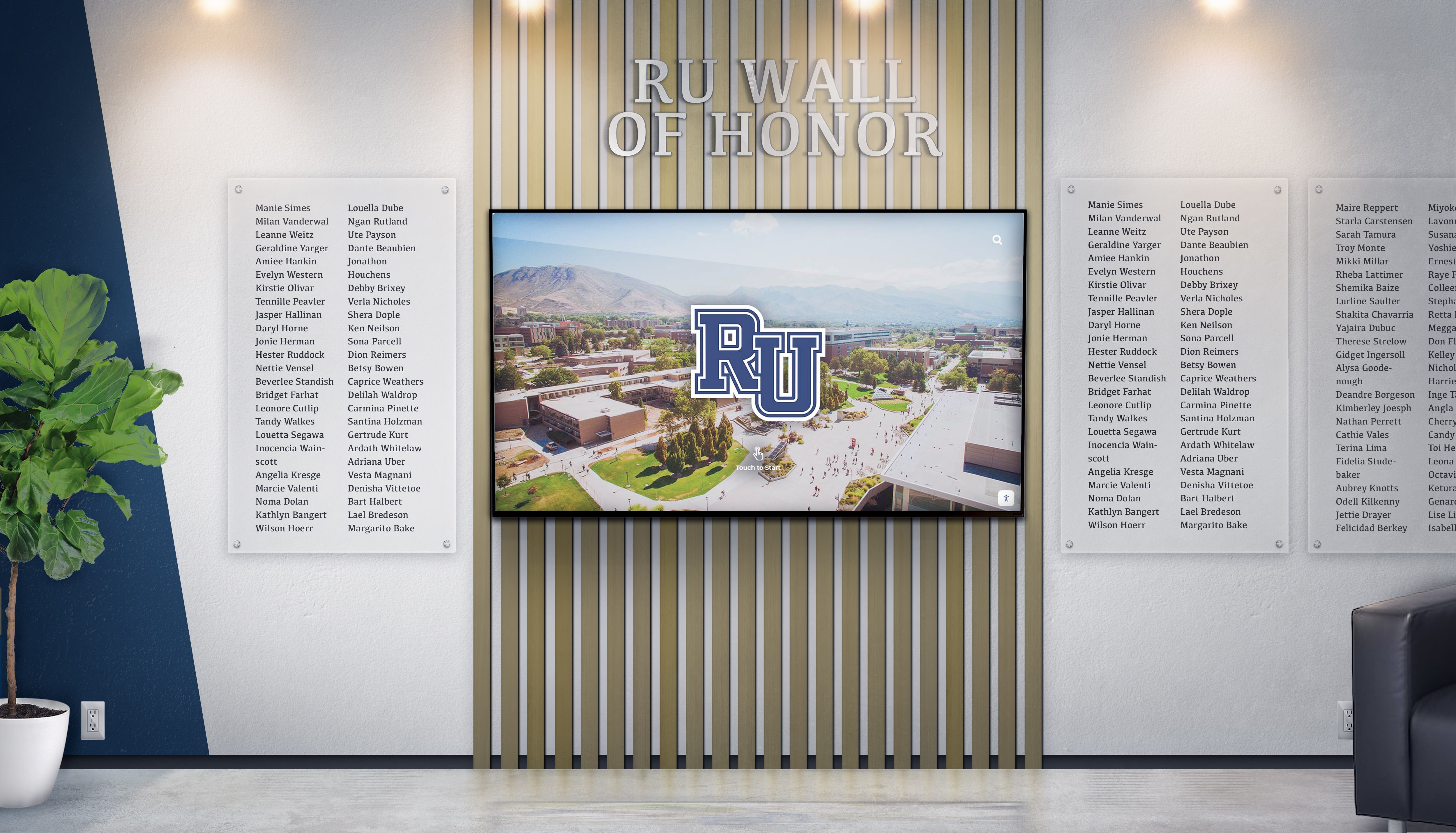
Donor walls require software managing giving levels, campaign tracking, and privacy preferences specific to advancement operations
Selection Framework: Choosing the Right Platform
Understanding platform differences represents only the first step. Systematic evaluation frameworks help organizations match capabilities to actual needs.
Defining Primary Use Cases
Clear articulation of intended purposes determines which platform categories merit consideration.
Recognition-Focused Deployments
Organizations primarily implementing hall of fame displays, donor walls, honor boards, or recognition archives should prioritize purpose-built platforms designed specifically for these applications. General platforms adapted to recognition use cases typically require more customization, management time, and ongoing maintenance compared to specialized solutions.
Consider recognition content volume, update frequency, search requirements, and multimedia needs when evaluating specialized platforms. Some schools add 50-100 recognized individuals yearly across various programs, while others maintain relatively stable recognition populations with occasional additions.
Wayfinding and Communication Priority
Institutions emphasizing building navigation, departmental directories, event calendars, and general communication benefit from digital signage platforms with basic interactive capabilities. These use cases rarely justify the specialized features and associated costs of dedicated recognition platforms.
Evaluate how often wayfinding content changes, whether event integration matters, and how much content management various departments need before committing to platforms.
Custom Experience Requirements
Organizations with unique interaction patterns, specialized content requirements, branded experiences, or conceptual storytelling approaches need content creation platforms providing design flexibility. Standard templates cannot accommodate all possible applications, and some installations justify custom development investment.
Assess whether internal resources exist for custom development or whether external agencies require ongoing engagement. The answers significantly impact total cost of ownership and operational sustainability.
Evaluating Technical Capabilities
Beyond primary use case alignment, technical specifications determine day-to-day usability.
Content Management Complexity
Organizations should honestly assess available staff skills and time availability. Platforms requiring graphic design expertise, database management knowledge, or extensive training work well for organizations with dedicated personnel but create obstacles for small operations with limited resources.
Request demonstration of typical workflows for common tasks—adding new recognized individuals, correcting information, updating images, or creating new content sections. Complexity becomes apparent through hands-on exploration rather than sales presentations.
Maintenance and Support Requirements
Understanding what organizations must manage themselves versus what providers handle determines ongoing operational burden. Some platforms offer comprehensive service including hosting, monitoring, updates, and troubleshooting, while others provide software licenses with organizations responsible for everything else.
Consider what happens when displays malfunction, software needs updates, or content questions arise. Response time guarantees, support availability, and escalation procedures matter when visitors encounter issues or displays fail before events.
For schools implementing interactive athletic displays, reliable operation during games and events proves critical to program success.
Integration Requirements
Organizations with existing systems—student information databases, advancement platforms, athletic management software—should prioritize platforms offering relevant integrations. Automatic updates from authoritative sources reduce data entry burden while ensuring accuracy.
Custom integration development represents significant expense and ongoing maintenance responsibility. Built-in connectors to common systems provide substantial value compared to generic platforms requiring custom development for every integration.
Scalability Considerations
Small initial deployments often expand as organizations experience value from interactive displays. Evaluate whether pricing models, technical architectures, and management workflows accommodate growth without requiring platform migration when adding displays or expanding content.
Per-screen pricing that appears economical for single displays becomes expensive at institutional scale. Conversely, comprehensive service platforms may seem costly for initial deployments but provide excellent value at scale.
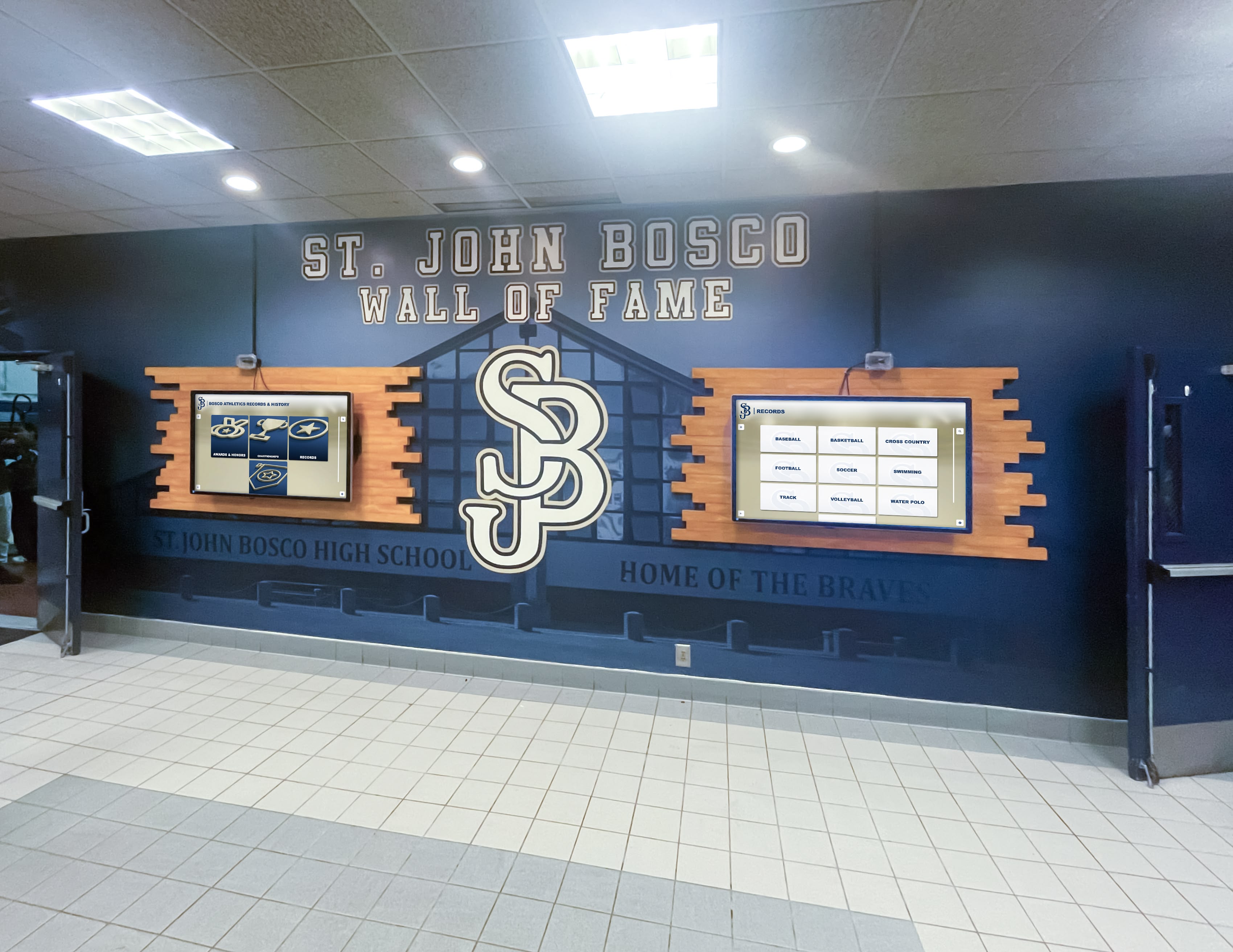
Multi-display deployments require software enabling centralized management while maintaining content consistency across installations
Financial Evaluation Beyond Initial Pricing
Total cost of ownership extends beyond software subscription fees to include numerous hidden costs that determine true investment requirements.
Initial Implementation Costs
Software and Licensing:
- Platform subscription fees (monthly or annual)
- Setup fees or onboarding charges
- User licenses for administrative staff
- Training and documentation
- Professional services for customization
Content Development:
- Initial database population
- Historical content digitization
- Graphic design and branding
- Photography and multimedia production
- Writing and content creation
Hardware and Installation:
- Touchscreen displays and mounting
- Media players or computers
- Network infrastructure upgrades
- Electrical work and cabling
- Physical installation labor
Ongoing Operating Expenses
Subscription and Services:
- Annual software licensing fees
- Support and maintenance agreements
- Hosting and infrastructure costs
- Software update fees
- Additional user licenses as staff changes
Content Management:
- Staff time for regular updates
- Periodic content refreshes
- Photography and multimedia updates
- Database maintenance and quality assurance
- Training for new staff members
Technical Maintenance:
- Hardware repairs and replacement
- Software troubleshooting and support tickets
- Security monitoring and updates
- Performance optimization
- Emergency repair services
Organizations should calculate five-year total cost of ownership including all categories before committing to platforms. Lowest software subscription costs often create highest total costs through excessive labor requirements or hidden fees.
Vendor Evaluation and Due Diligence
Software capabilities matter, but vendor relationships determine long-term success through inevitable challenges.
Reference Checks and Case Studies
Contact multiple organizations using platforms under consideration, ideally institutions with similar size, budget, and use cases to your own. Ask specific questions about implementation challenges, ongoing management time, support responsiveness, hidden costs, and satisfaction with vendor relationship.
Generic case studies and testimonials on vendor websites provide limited value compared to direct conversations with peers sharing honest assessments based on real experience.
Financial Stability and Longevity
Interactive displays often operate 5-10 years, but software vendors face varied financial stability. Established vendors with sustainable business models and diversified customer bases present lower risk than startups dependent on venture funding or platforms from vendors exiting markets.
Research company history, funding sources, customer base size, and market position. While newer vendors may offer innovation, they also present higher risk of service discontinuation or acquisition changing product direction.
Contract Terms and Exit Clauses
Understand what happens if platforms don’t meet expectations or organizations need to switch vendors. Can you export content and data? Do contracts include termination clauses or minimum commitments? What happens to content if subscriptions lapse?
Organizations should never accept contracts giving vendors ownership of customer content or preventing data export. Recognition databases, historical archives, and institutional content belong to organizations regardless of platform provider.
Roadmap and Product Development
Evaluate whether vendors actively develop platforms or provide static mature products. Active development ensures platforms evolve with technology changes, browser updates, and accessibility requirements. Static platforms become obsolete as underlying technologies advance.
However, excessive feature changes create management burden requiring constant retraining and workflow adjustments. Balance between stability and innovation varies by organizational preference.
For organizations comparing donor recognition wall options, vendor stability ensures long-term donor commitment recognition remains accessible across decades.
Implementation Planning and Success Factors
Selecting appropriate software represents only one factor determining implementation success. Systematic planning addresses numerous considerations impacting outcomes.
Pilot Programs and Phased Deployment
Organizations minimize risk by starting small, demonstrating value, and expanding based on proven results rather than committing to large-scale deployments without operational experience.
Initial Limited Deployment
Install one or two displays in high-traffic areas with clearly defined content and measurable success criteria. Pilot programs reveal workflow challenges, content management realities, visitor engagement patterns, and unforeseen technical issues without extensive financial commitment.
Choose pilot locations carefully—high visibility ensures community awareness while typical traffic patterns provide realistic usage data informing expansion decisions.
Learning and Refinement Period
Operate pilot displays for 3-6 months gathering quantitative data on usage patterns and qualitative feedback from visitors and staff. Document lessons learned regarding content updates, technical support needs, visitor behaviors, and operational challenges.
Adjust content strategies, refine workflows, and optimize placement based on actual experience before expanding deployments. Mistakes in pilot programs cost far less than problems discovered after institution-wide rollout.
Strategic Expansion
Expand to additional locations only after demonstrating pilot success and establishing sustainable management workflows. Incremental growth enables budget spreading across multiple years while maintaining quality and staff capacity to manage expanded deployments.
Organizations implementing comprehensive recognition programs benefit from phased approaches proving value before major investment.
Staff Training and Change Management
Technology succeeds only when people can effectively use it. Systematic training and adoption strategies determine whether displays remain current and valuable or become neglected afterthoughts.
Administrative Training
Content managers, athletic directors, advancement staff, and other personnel responsible for updates need comprehensive training on platform capabilities, content workflows, approval processes, and troubleshooting procedures.
Hands-on practice during training builds confidence and competence. Video documentation and written procedures provide reference materials supporting staff after formal training concludes.
Plan for staff turnover by documenting procedures thoroughly and scheduling refresher training as personnel change roles.
Stakeholder Communication
Build awareness among broader communities about new interactive displays. Faculty might incorporate displays into campus tours, athletic departments could promote hall of fame content at games, and advancement offices might show donor walls to prospects during visits.
Displays deliver value only when people use them. Proactive communication drives awareness and establishes displays as valued resources rather than unnoticed decorations.
Ongoing Adoption Support
Monitor usage analytics identifying content generating high engagement versus sections rarely viewed. Optimize underperforming content through improved navigation, better promotion, or content quality improvements.
Gather feedback from visitors through observation, surveys, or informal conversations. Understanding actual user experiences reveals opportunities for enhancement that staff assumptions might miss.
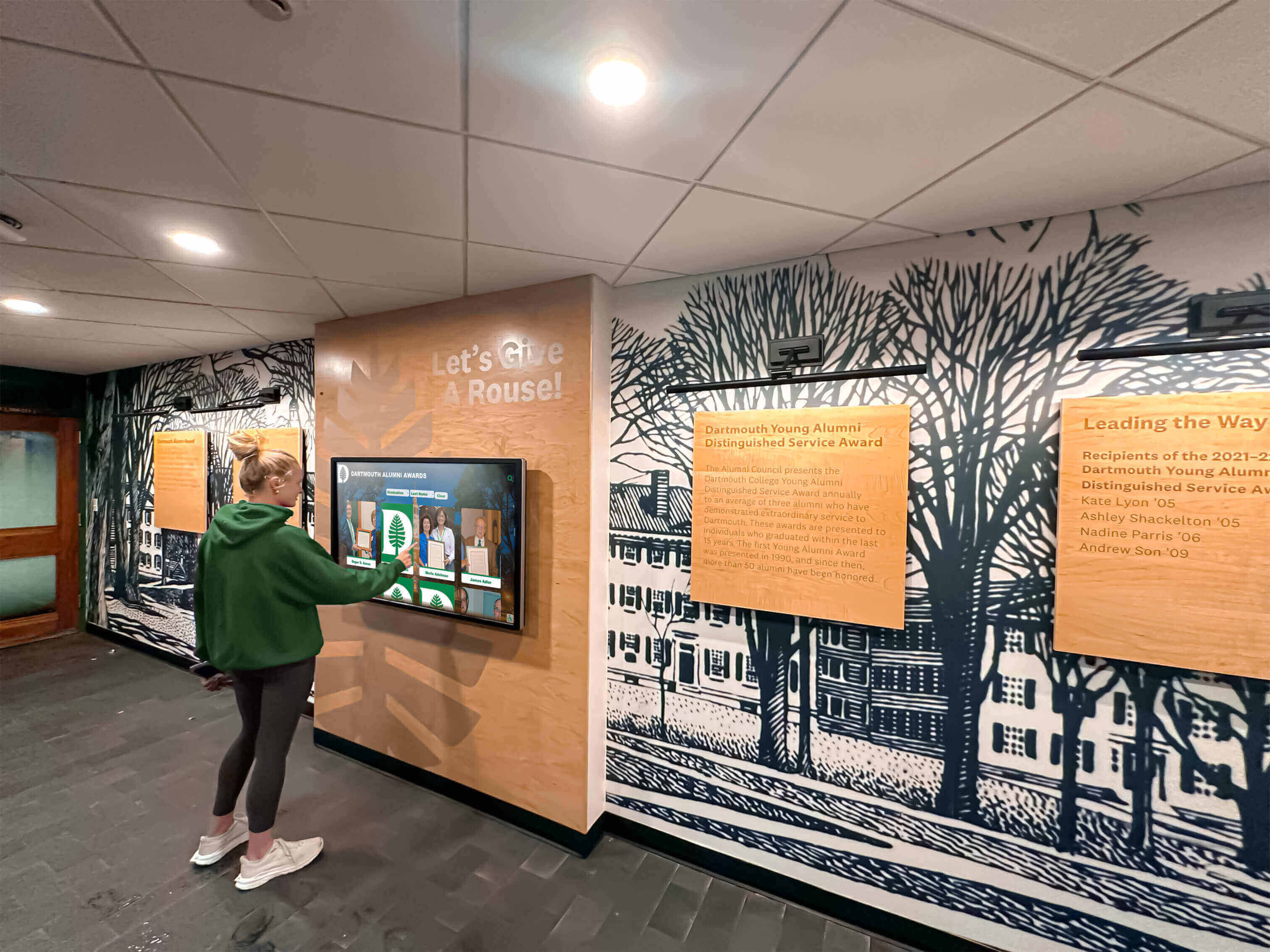
Student adoption depends on intuitive interfaces, relevant content, and prominent placement in locations they naturally frequent
Content Strategy and Sustainability
Technical platforms enable content delivery, but content quality and currency determine value. Sustainable content strategies prevent displays from becoming outdated embarrassments.
Initial Content Development
Allocate sufficient time and resources for comprehensive initial content creation. Launching with sparse or incomplete content creates negative first impressions difficult to overcome despite later improvements.
Historical recognition content requires significant research, photography gathering, fact verification, and profile creation. Organizations frequently underestimate these requirements, leading to delayed launches or disappointing initial deployments.
Prioritize content categories delivering immediate value—current recognition, recent achievements, popular searches—ensuring displays provide useful information from day one while historical content accumulates progressively.
Ongoing Update Workflows
Establish clear processes determining how new recognition occurs, who enters content, what approval is required, and how quickly updates appear. Written workflows prevent ambiguity causing delays or errors.
Many organizations implement quarterly update cycles for recognition content, aligning with academic terms or fiscal periods. Regular schedules create rhythm and accountability preventing displays from becoming stale.
Assign specific ownership for each content category preventing neglect through diffused responsibility. Athletic directors own sports recognition, advancement staff manage donor walls, and academic affairs handles honor recognition—clear accountability ensures coverage.
Quality Assurance and Accuracy
Implement review procedures catching errors before publication. Name misspellings, incorrect dates, wrong photographs, or factual errors undermine credibility and offend recognized individuals and families.
Consider establishing editorial review committees for high-visibility recognition ensuring appropriate acknowledgment. Hall of fame selections particularly benefit from structured review preventing inconsistent standards or controversial choices.
Regular content audits identify outdated information, broken links, missing images, or formatting inconsistencies that accumulate over time. Annual comprehensive reviews maintain display quality despite numerous small updates throughout years.
Conclusion: Strategic Software Selection Drives Interactive Success
Interactive touchscreen kiosk software determines whether hardware investments deliver compelling visitor experiences and sustainable operations, or create management burdens consuming staff time without commensurate value. The right platform enables non-technical staff to maintain current content, provides visitors with intuitive exploration of institutional information, and operates reliably across years of continuous use without constant troubleshooting.
For educational institutions prioritizing recognition displays—hall of fame showcases, donor walls, athletic achievement archives, or academic honor boards—purpose-built recognition platforms like Rocket Alumni Solutions provide fastest deployment and lowest ongoing management burden through specialized features, turnkey service, and unlimited content capacity within predictable subscription pricing. These specialized solutions outperform general platforms adapted to recognition use cases through reduced customization, simplified workflows, and recognition-specific templates proven across hundreds of institutional deployments.
Organizations emphasizing wayfinding, general communication, or passive content display with occasional interactive elements find general digital signage platforms with touch capabilities serve combined needs efficiently. While interactive features remain basic compared to specialized platforms, unified management across all displays creates operational efficiency for institutions deploying dozens or hundreds of screens throughout facilities.
Custom experience requirements—unique branded installations, conceptual exhibits, artistic interactions, or novel navigation patterns—justify content creation platforms providing design flexibility impossible in template-based systems. However, these solutions demand significant development time, creative expertise, and ongoing technical resources appropriate only for organizations with dedicated teams or agency relationships supporting custom experiences.
Transform Recognition Through Purpose-Built Interactive Displays
Discover how Rocket Alumni Solutions provides comprehensive touchscreen kiosk software designed specifically for schools, universities, and organizations showcasing achievements, preserving institutional history, and celebrating community members through interactive displays that visitors genuinely value.
Explore Rocket Alumni SolutionsSoftware selection begins with honest assessment of organizational needs, technical capabilities, and available resources. Organizations with limited IT support and non-technical staff benefit from complete service platforms handling technical management while staff focus on content decisions. Institutions with dedicated creative and technical teams might leverage content creation platforms enabling custom experiences reflecting unique institutional identities. Most educational organizations find recognition-specialized platforms provide optimal balance between capability and manageability for their primary use cases.
Financial evaluation should consider five-year total cost of ownership including software licensing, content development, hardware investments, installation expenses, staff training, ongoing updates, and technical support rather than focusing exclusively on initial subscription pricing. Platforms with seemingly low software costs often generate highest total costs through excessive labor requirements, limited capabilities requiring workarounds, or inadequate support creating internal troubleshooting burden.
Vendor relationships matter as much as technical capabilities. Organizations should thoroughly evaluate vendor stability, reference customer experiences, support responsiveness, contract terms, and product development commitment before committing to platforms supporting institutional recognition across decades. The best software selection delivers not just current functionality but sustainable vendor partnerships ensuring platforms evolve appropriately as technology advances and organizational needs change.
Start with clear articulation of primary use cases, realistic assessment of internal capabilities, and comprehensive total cost analysis across five-year horizons. Implement pilot programs demonstrating value before large-scale commitments. Invest appropriately in initial content development ensuring impactful launches. Establish sustainable update workflows preventing displays from becoming outdated embarrassments. Through systematic platform evaluation and thoughtful implementation planning, organizations create interactive touchscreen experiences that genuinely serve communities while justifying technology investments through sustained engagement and operational efficiency.
Ready to explore how purpose-built touchscreen kiosk software can serve your institution’s recognition and archive needs? Schedule a demonstration of platforms designed specifically for educational recognition, donor acknowledgment, and institutional storytelling.































