



Equipment manufacturers face a common challenge at trade shows, industry conferences, and customer events: static product displays fail to capture attention in crowded exhibition halls, traditional brochures disappear into tote bags unread, and sales teams struggle to communicate complex technical features in brief booth visits. In competitive event environments where dozens of vendors compete for attendee attention, passive displays simply cannot deliver the engagement needed to generate qualified leads and demonstrate product value.
Interactive touchscreen kiosks solve this challenge by transforming equipment displays from static presentations into dynamic, self-guided experiences. By enabling attendees to explore product specifications, watch demonstration videos, compare features, and access technical documentation at their own pace, touchscreen technology creates memorable engagement that extends beyond brief booth conversations. This technology allows manufacturers to showcase entire product lines without physical space constraints while capturing valuable lead data automatically.
This guide explores how equipment manufacturers can implement interactive touchscreen kiosks at events and functions, examining hardware options, software capabilities, content strategies, and practical deployment approaches that maximize booth traffic, improve lead quality, and demonstrate products more effectively than traditional event displays.
Events and trade shows represent significant investments for equipment manufacturers, with booth costs, travel expenses, and staff time totaling thousands of dollars per event. According to event technology research cited by Eventcombo, digital kiosks can increase event attendance by 20% and boost productivity by 27%. These metrics demonstrate that interactive technology delivers measurable returns beyond subjective engagement improvements.

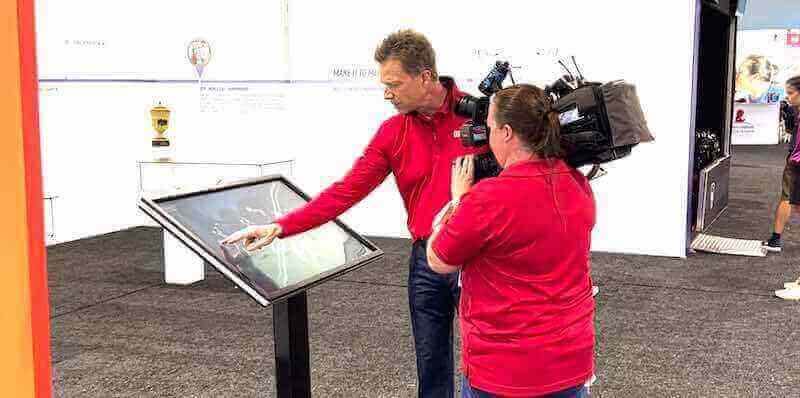
Interactive touchscreen kiosks create engaging product demonstrations that attract attendees and communicate technical information effectively
Why Traditional Event Displays Fail to Showcase Equipment Effectively
Understanding the limitations of conventional trade show approaches clarifies why touchscreen technology has become essential for equipment manufacturers.
Passive Display Limitations at Modern Events
Traditional booth setups cannot compete in current event environments:
Physical Product Display Constraints
Equipment manufacturers face inherent limitations with physical displays:
- Large industrial equipment cannot be transported to most venues
- Valuable machinery represents security and insurance risks at public events
- Multiple product configurations cannot be displayed simultaneously
- Working demonstrations require extensive setup, power, and safety measures
- Weather conditions affect outdoor event equipment displays
- Product weight and dimensions limit booth design flexibility
These constraints force manufacturers to rely on photos, brochures, and verbal descriptions that fail to convey actual product capabilities and features.
Information Overload and Retention Problems
Attendees visiting dozens of booths cannot absorb detailed product information:
- Technical specifications communicated verbally are quickly forgotten
- Printed literature collected from multiple vendors remains unread
- Complex features require extended explanation exceeding typical booth visit duration
- Comparison between similar products becomes impossible without reference materials
- Follow-up after events requires attendees to locate and review collected materials
Research on trade show effectiveness shows that attendees remember less than 10% of verbal information from booth conversations without reinforcement through interactive engagement.
Staff Dependency and Bandwidth Issues
Relying solely on booth staff creates operational problems:
- Peak traffic periods overwhelm limited staff capacity
- Inconsistent product knowledge across team members affects presentation quality
- Language barriers prevent effective communication with international attendees
- Staff fatigue during multi-day events reduces engagement quality
- Important qualified leads receive insufficient attention when staff are occupied
- After-hours or break periods leave booths unattended and non-functional
These limitations mean that manufacturers lose opportunities whenever staff availability cannot match booth traffic.
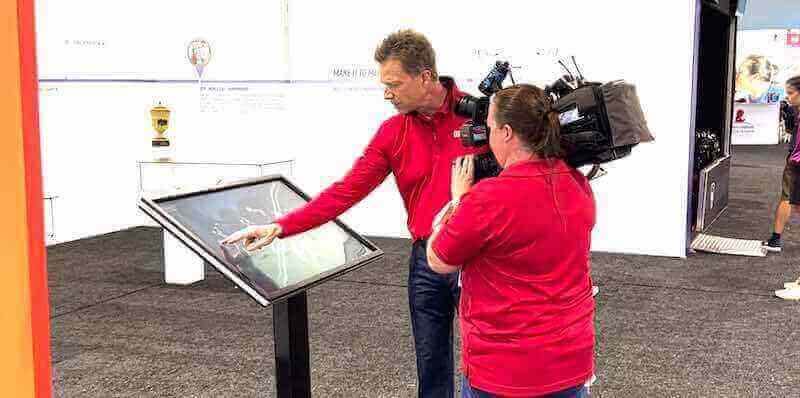
Professional interactive exhibits attract media attention and demonstrate product capabilities in memorable ways
The Competitive Disadvantage of Static Presentations
Modern attendees expect interactive, self-service experiences:
Changed Attendee Expectations
Event visitors arrive with technology-shaped expectations:
- Accustomed to on-demand information from smartphones and tablets
- Expect self-service exploration without waiting for staff availability
- Prefer visual demonstrations over verbal descriptions
- Want immediate access to detailed technical specifications
- Expect to capture information digitally rather than collecting paper
- Anticipate personalized experiences matching their specific interests
Static displays feel outdated to audiences conditioned by consumer technology experiences.
Booth Differentiation Challenges
Standing out in crowded exhibition halls requires innovation:
- Competing manufacturers use similar display approaches
- Traditional banners and product photos blend into generic booth appearance
- Passive displays fail to attract attendees from aisles
- No engagement mechanism draws visitors into booth spaces
- Limited memorability means booths are forgotten immediately after exiting
- Difficulty communicating innovation through conventional presentation methods
According to trade show engagement research, interactive kiosks equipped with RFID badge scanners instantly capture attendee information while they engage with product demonstrations, providing both engagement and lead generation simultaneously.
Missed Lead Generation and Qualification Opportunities
Traditional approaches fail to capture valuable prospect data:
Incomplete Lead Capture
Conventional methods miss qualified prospects:
- Business card collection misses attendees without cards
- Manual data entry from paper forms creates delays and errors
- No tracking of which products or features interested specific attendees
- Unable to identify hot leads based on engagement depth
- No automated follow-up triggers based on expressed interests
- Lost opportunities from attendees who browse without direct staff interaction
Limited Analytics and ROI Measurement
Without data, manufacturers cannot evaluate event effectiveness:
- No visibility into which booth elements attracted most attention
- Unable to determine which products generated greatest interest
- Cannot identify peak traffic times for optimal staff deployment
- No measurement of how long attendees engaged with displays
- Impossible to calculate cost-per-qualified-lead from event investments
- Cannot refine booth strategy based on evidence from past events
This analytics gap prevents continuous improvement and makes justifying event budgets difficult.
For equipment manufacturers seeking alternatives to traditional displays, interactive touchscreen solutions for exhibitions provide data-driven engagement platforms.
How Interactive Touchscreen Kiosks Transform Equipment Displays
Digital interactive technology addresses traditional event display limitations while creating enhanced engagement:
Unlimited Virtual Product Showcase Capacity
Touchscreen kiosks eliminate physical display constraints:
Complete Product Line Presentation
Digital displays showcase entire catalogs without space limitations:
- Full equipment line accessible through intuitive navigation
- Multiple product configurations and options presented clearly
- Customization possibilities demonstrated through interactive configurators
- Accessory and add-on options visible for each base product
- Application-specific solutions organized by industry or use case
- Historical product evolution showing manufacturer experience and development
This comprehensive presentation ensures every product receives attention rather than only items selected for physical display.
Virtual Product Demonstrations
Digital technology enables realistic equipment presentations:
- High-definition video demonstrations showing equipment in operation
- 360-degree product views enabling detailed visual inspection
- Exploded view diagrams revealing internal components and construction
- Augmented reality overlays explaining technical features
- Before-and-after comparisons demonstrating equipment effectiveness
- Time-lapse videos showing installation or setup processes
These virtual demonstrations often communicate product capabilities more effectively than brief in-person physical displays can achieve.
Detailed Technical Specifications and Documentation
Digital platforms provide comprehensive product information:
- Complete technical specification sheets accessible on demand
- Downloadable PDF documentation for later reference
- Performance data and testing results
- Compliance certifications and safety information
- Installation requirements and site preparation guidelines
- Maintenance schedules and service recommendations
This depth transforms booths from promotional spaces into technical resource centers serving serious buyers.

Professional touchscreen kiosks create engaging self-service experiences that work 24/7 without staff intervention
Self-Guided Interactive Exploration
Touchscreen technology enables attendees to control their own discovery journey:
Personalized Information Pathways
Interactive systems accommodate diverse visitor needs:
- Attendees select product categories matching their interests
- Filter by application, capacity, power requirements, or other specifications
- Jump directly to features most relevant to their situations
- Explore at their own pace without rushing or waiting
- Revisit information sections for clarification
- Skip irrelevant content focusing only on pertinent details
This self-direction increases information retention and satisfaction compared to one-size-fits-all presentations.
Multi-Language Support
Digital displays serve international events effectively:
- Instant language switching accommodating diverse attendees
- No need for multilingual staff at every moment
- Consistent accurate translation of technical terminology
- Cultural customization where appropriate for different markets
- Expanded market reach without proportional staff expansion
Multi-language capability represents significant advantage at international trade shows where attendees may not share booth staff language proficiency.
Comparative Analysis Tools
Interactive features enable informed decision-making:
- Side-by-side product comparisons highlighting differences
- Specification tables facilitating objective evaluation
- Feature checklists showing which products meet specific requirements
- Price-performance visualizations demonstrating value
- Competitive positioning (when appropriate) against alternative solutions
For manufacturers managing complex product lines, interactive digital displays for technical specifications streamline information delivery.
Automated Lead Capture and Qualification
Digital kiosks solve data collection challenges:
Seamless Badge Scanning Integration
Modern event technology enables frictionless lead capture:
- RFID or barcode badge scanning captures attendee information instantly
- No manual form completion reducing friction and abandonment
- Accurate data capture eliminating transcription errors
- Immediate CRM integration enabling rapid follow-up
- Attendee consent and privacy compliance through digital acceptance
According to trade show technology research, kiosks equipped with RFID badge scanners instantly capture attendee information while they engage with product demonstrations, converting every interaction into qualified lead data.
Behavioral Tracking and Interest Signals
Digital systems capture engagement data revealing purchase intent:
- Tracking which products received most attention from each visitor
- Recording time spent on technical specifications versus general overview
- Noting which demonstration videos were watched completely
- Identifying requests for pricing or contact from sales representatives
- Flagging multiple visits from same attendee showing strong interest
This behavioral data provides sales teams with context for follow-up prioritization and personalization.
Automated Follow-Up Triggering
Smart systems enable immediate post-event action:
- Email confirmations sending requested information immediately after booth visit
- CRM records triggering appropriate follow-up workflows
- Hot lead notifications alerting sales representatives to immediate opportunities
- Customized follow-up content based on expressed interests
- Calendar scheduling tools enabling appointment setting during booth visits
Automation ensures no qualified lead falls through cracks during busy post-event periods.
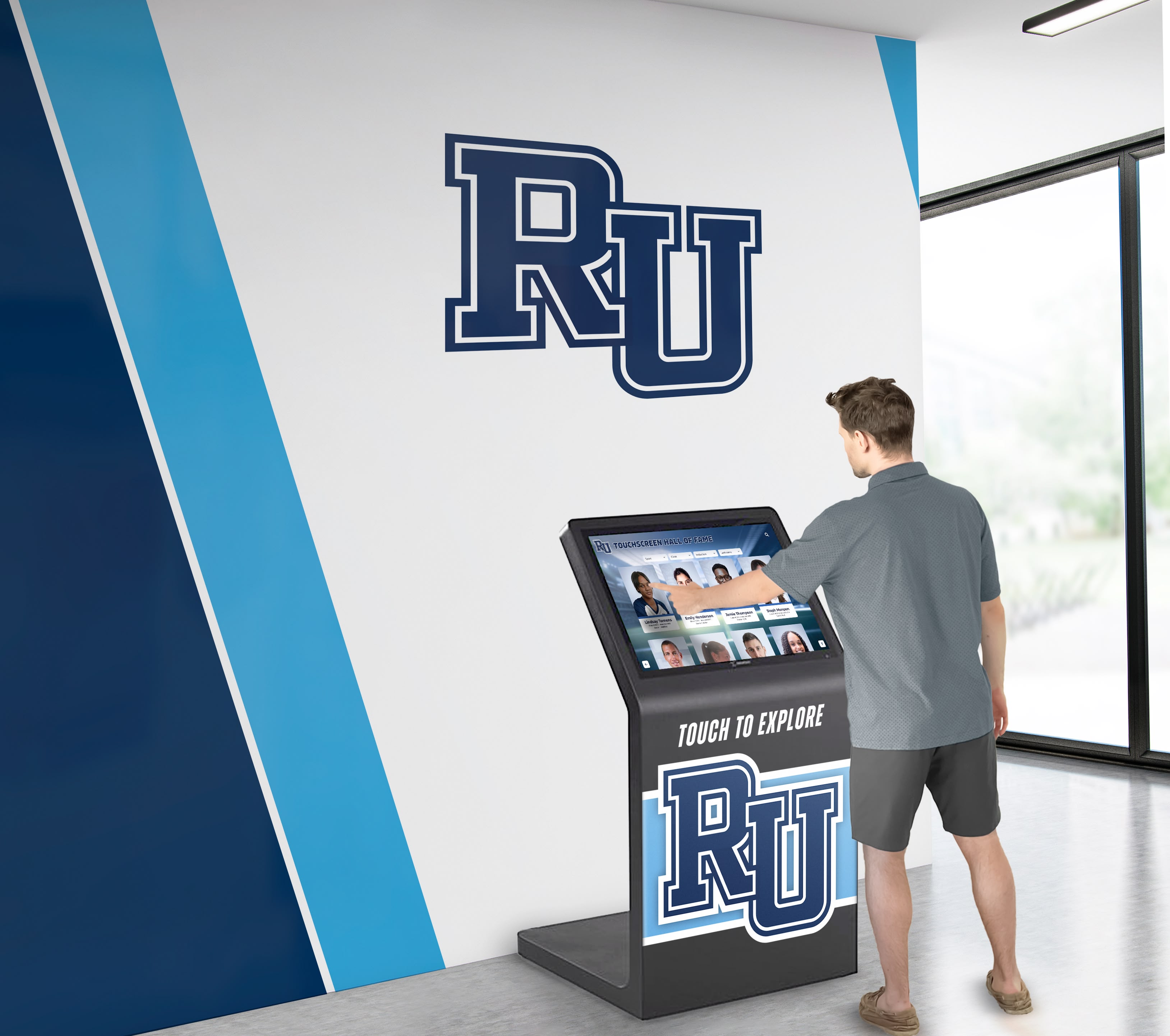
Intuitive touchscreen interfaces enable attendees of all technical comfort levels to explore products independently
Essential Features for Equipment Showcase Touchscreen Kiosks
Effective event kiosks require specific capabilities addressing manufacturer needs:
Hardware Specifications for Event Environments
Trade show and exhibition settings demand durable, reliable equipment:
Display Size and Format Considerations
Selecting appropriate hardware for event visibility:
- 43-55 inch displays for individual exploration at booth edges
- 55-65 inch displays for central booth focal points
- 75+ inch displays or video walls for high-impact brand presence
- Portrait orientation for equipment browsing and technical specifications
- Landscape orientation for video demonstrations and presentations
- Multiple coordinated displays for different product categories
Strategic sizing ensures visibility across crowded exhibition halls while fitting booth space constraints.
Commercial-Grade Durability Requirements
Event equipment faces demanding operational conditions:
- 16+ hour continuous daily operation throughout multi-day events
- Frequent touch interaction from hundreds of attendees
- Portable configurations requiring repeated setup and teardown
- Temperature variations in exhibition halls and outdoor venues
- Reliable performance without technical support immediately available
Commercial displays prevent failures that would render booths non-functional during valuable event hours.
Mobility and Setup Efficiency
Event schedules require fast deployment:
- Freestanding kiosk enclosures with integrated displays
- Rolling bases enabling position adjustments during setup
- Tool-free assembly for rapid booth construction
- Protected screens during transport preventing damage
- Compact packing for shipping between events
- Cable management preventing trip hazards in booth spaces
According to Trade Show House, 4K digital signage interactive touchscreen display kiosks provide the high resolution and mobility needed for professional trade show presentations.
Software Platform Capabilities
Backend systems determine kiosk functionality and lead capture effectiveness:
Content Management Requirements
Event success depends on easy content updates:
- Web-based management accessible from anywhere for pre-event updates
- Template systems maintaining consistent branding across all screens
- Simple media upload for product photos and demonstration videos
- Scheduled content enabling different displays for different event days
- Multi-event support managing content libraries for various shows
- Preview modes testing content before events begin
Non-technical staff must be able to update content without developer assistance, especially for last-minute changes.
Lead Capture and CRM Integration
Seamless data flow from booth interactions to sales systems:
- Native integration with major CRM platforms (Salesforce, HubSpot, Microsoft Dynamics)
- Custom field mapping aligning captured data with existing CRM structures
- Real-time synchronization providing immediate lead visibility
- Duplicate detection preventing redundant records from multiple booth visits
- Lead scoring assignment based on engagement behaviors
- Privacy compliance features managing consent and data retention
Integration quality determines whether lead data generates sales results or becomes abandoned database entries.
Analytics and Reporting Capabilities
Understanding event ROI requires comprehensive measurement:
- Visitor count tracking showing total booth engagement
- Popular content identification revealing which products attracted most interest
- Session duration measurement indicating engagement depth
- Heat maps showing which screen areas received most touches
- Conversion funnel analysis from arrival through lead capture
- Comparative reporting across multiple events identifying trends
For manufacturers developing comprehensive event strategies, interactive kiosk software platforms provide the foundation for data-driven exhibition programs.
Interactive Features That Drive Engagement
Specific capabilities transform passive viewing into active participation:
Product Configurators and Customization Tools
Enabling attendees to design their ideal equipment:
- Step-by-step configuration wizards guiding option selection
- Visual representation showing how choices affect final product
- Real-time pricing updates reflecting selected options
- Saved configurations enabling attendees to continue exploration later
- Email delivery sending specifications for internal review and approval
- Comparison between configured products evaluating alternatives
Interactive configuration dramatically increases engagement time and purchase intent signals.
Gamification and Contest Elements
Creating memorable experiences that boost booth traffic:
- Product knowledge quizzes with prizes for high scores
- Spin-to-win wheels offering promotional items or discounts
- Trivia contests about industry topics with leaderboards
- Scavenger hunts encouraging booth exploration
- Virtual scratch cards revealing instant prizes
- Social media integration promoting sharing and extended reach
According to Popshap event technology, gamification strategies enhance event experiences with digital kiosks, including event-themed trivia quizzes and augmented reality capabilities for immersive experiences.
Demonstration Video Libraries
Visual content communicating product capabilities:
- Application-specific demonstration videos organized by industry
- Time-lapse installations showing setup speed and simplicity
- Side-by-side comparisons versus manual processes or competitive equipment
- Customer testimonial videos providing social proof
- Maintenance and service procedure demonstrations
- Safety feature explanations and compliance information
High-quality video content often communicates value more effectively than verbal descriptions from booth staff.
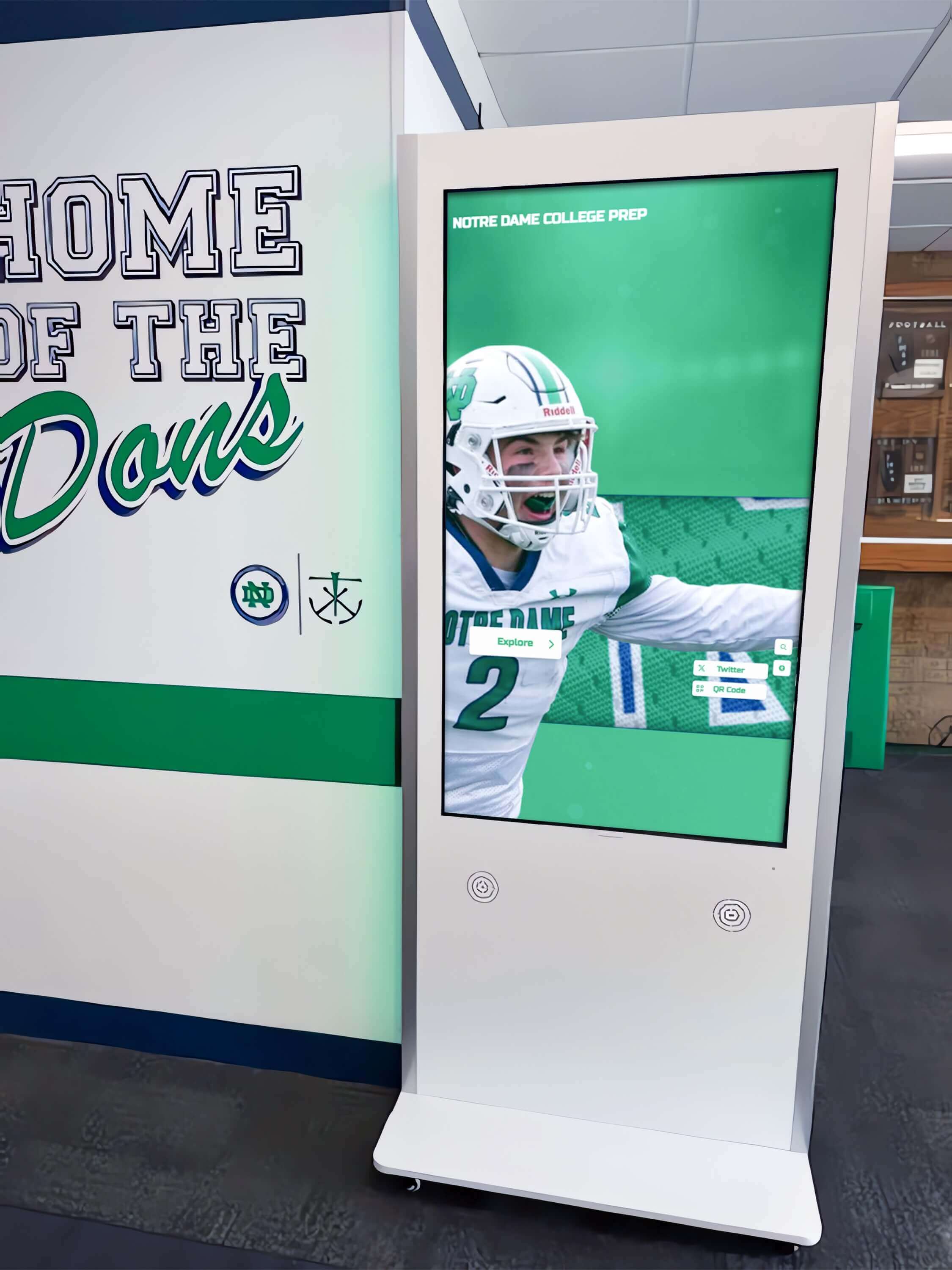
Strategic kiosk placement in high-traffic areas maximizes visibility and attendee interaction
Content Strategy for Equipment Manufacturer Kiosks
Effective content determines whether technology delivers results:
Organizing Product Information for Self-Service Discovery
Structure determines whether attendees find relevant information:
Intuitive Navigation Architecture
Clear organization prevents frustration:
- Visual category tiles with representative product images
- Industry-specific pathways (construction, agriculture, manufacturing, etc.)
- Task-based organization (cutting, lifting, hauling, processing, etc.)
- Capacity or size-based filtering (small, medium, large, industrial)
- Search functionality for attendees knowing specific model numbers
- Breadcrumb navigation showing current location in information hierarchy
Testing navigation with representative users before events prevents usability problems during valuable booth time.
Progressive Information Disclosure
Layering details accommodates diverse knowledge levels:
- Overview screens with key features and benefits at a glance
- “Learn More” sections providing detailed technical specifications
- Expert-level information accessible without overwhelming casual browsers
- Comparison tools available for serious buyers evaluating options
- Quick reference summaries downloadable for later review
This structure serves both early-stage researchers and ready-to-purchase prospects effectively.
Mobile-Responsive Follow-Up Content
Extending engagement beyond booth visits:
- QR codes linking to mobile-optimized product pages
- Email delivery of selected information for continued exploration
- SMS text message options sending links to smartphones
- App download prompts for manufacturers with dedicated applications
- Saved configurations accessible through unique codes or login
Mobile extension ensures engagement continues after attendees leave exhibition floors.
Visual Content Development Best Practices
Quality imagery and video determine engagement effectiveness:
Professional Photography Standards
Technical equipment requires high-quality visual presentation:
- High-resolution images suitable for large displays (minimum 1920x1080 pixels)
- Multiple angles showing equipment from all sides
- Detail shots highlighting quality construction and features
- Context photos showing equipment at work in real environments
- Scale references helping viewers understand actual size
- Consistent lighting and backgrounds maintaining professional appearance
Poor-quality photos undermine credibility and fail to showcase equipment appropriately.
Demonstration Video Production
Effective videos communicate capabilities quickly:
- Short duration focusing on key messages (2-3 minutes maximum)
- Clear narration or captions explaining what viewers see
- Multiple camera angles providing comprehensive perspectives
- Editing that maintains pace without excessive length
- On-screen text highlighting key features and specifications
- Professional production quality matching brand positioning
Video content represents significant production investment but delivers outsized engagement returns at events.
Technical Specification Presentation
Making complex data accessible and useful:
- Formatted tables enabling quick specification comparison
- Visual diagrams clarifying dimensions and clearances
- Performance charts showing capabilities across operating ranges
- Compliance badges indicating certifications and standards
- Downloadable PDF spec sheets for detailed reference
- Glossary tools explaining technical terminology
Clear specification presentation serves engineers and technical buyers evaluating equipment options.
For organizations developing comprehensive visual content libraries, digital archive display systems manage extensive media collections effectively.
Lead Capture Form Design
Data collection quality determines follow-up success:
Balancing Data Needs With User Friction
Capturing valuable information without deterring participation:
- Minimum required fields for initial capture (name, email, company)
- Optional expanded fields for qualified prospects willing to provide detail
- Progressive profiling gathering additional information over multiple interactions
- Pre-populated fields from badge scans reducing manual entry
- Clear value proposition explaining what attendees receive for providing information
Research shows that every additional form field reduces completion rates significantly—balance information needs with conversion optimization.
Privacy Compliance and Consent
Meeting regulatory requirements for data collection:
- Clear consent language explaining how information will be used
- Opt-in checkboxes for marketing communications meeting GDPR requirements
- Privacy policy links accessible during data collection
- Data retention information transparency
- Unsubscribe mechanisms in automated follow-up communications
Compliance failures risk penalties while eroding attendee trust.
Implementation Process: From Planning to Event Day
Successful deployment requires systematic preparation:
Pre-Event Planning and Content Development
Advance preparation determines event readiness:
Timeline and Milestone Planning
Working backward from event dates:
- Content development beginning 6-8 weeks before events
- Hardware procurement or rental arrangements 4-6 weeks out
- Software configuration and testing completing 2-3 weeks before
- Staff training scheduling 1-2 weeks before events
- Shipping and logistics finalization 1 week before
- On-site setup time allocation in booth construction schedules
Realistic timelines prevent last-minute rushes compromising quality.
Content Asset Collection and Organization
Gathering necessary materials:
- Product photography and technical images
- Demonstration video footage
- Technical specification documents
- Marketing copy and messaging
- Pricing information and configurator logic
- Lead capture form requirements and CRM field mapping
Organizing assets before software configuration streamlines development and prevents delays.
Software Configuration and Testing
Ensuring reliability before events:
- Content upload and organization in management platform
- Navigation flow testing confirming logical user journeys
- Lead capture testing with dummy data validating CRM integration
- Multi-device testing across different screen sizes
- Performance testing under expected usage loads
- Backup and recovery procedures preparation for on-site issues
Thorough testing prevents embarrassing failures when prospects interact with kiosks.
On-Site Setup and Staff Training
Event day readiness:
Physical Installation Requirements
Professional booth setup:
- Kiosk positioning for visibility and traffic flow
- Power distribution and surge protection
- Network connectivity (wired ethernet or cellular backup)
- Cable management preventing trip hazards
- Screen cleaning and final quality checks
- Backup hardware availability for rapid replacement if needed
Staff Training and Support Protocols
Preparing booth teams:
- Hands-on kiosk operation training
- Lead capture process walkthroughs
- Troubleshooting basics for common issues
- When to assist versus allow self-service
- Technical support contact information
- Daily startup and shutdown procedures
Well-trained staff maximize kiosk effectiveness while handling issues that inevitably arise.
Post-Event Follow-Up and Analysis
Maximizing event investment:
Immediate Lead Follow-Up
Striking while interest is fresh:
- Automated thank-you emails sending requested information within hours
- Hot lead notifications enabling same-day sales contact
- CRM assignment routing leads to appropriate representatives
- Personalized follow-up referencing specific interests shown at booth
- Meeting scheduling for qualified prospects
Research shows that leads contacted within 24 hours convert at dramatically higher rates than delayed follow-up.
Event Performance Analysis
Learning for future improvement:
- Total interaction counts and traffic patterns
- Popular content identification
- Lead capture conversion rates
- Cost-per-lead calculations
- Staff observations and attendee feedback
- Technical issues and improvement opportunities
Data-driven analysis enables continuous refinement of event strategies.
For manufacturers implementing comprehensive event technology programs, touchscreen kiosk solutions for exhibitions provide scalable platforms supporting multiple simultaneous events.
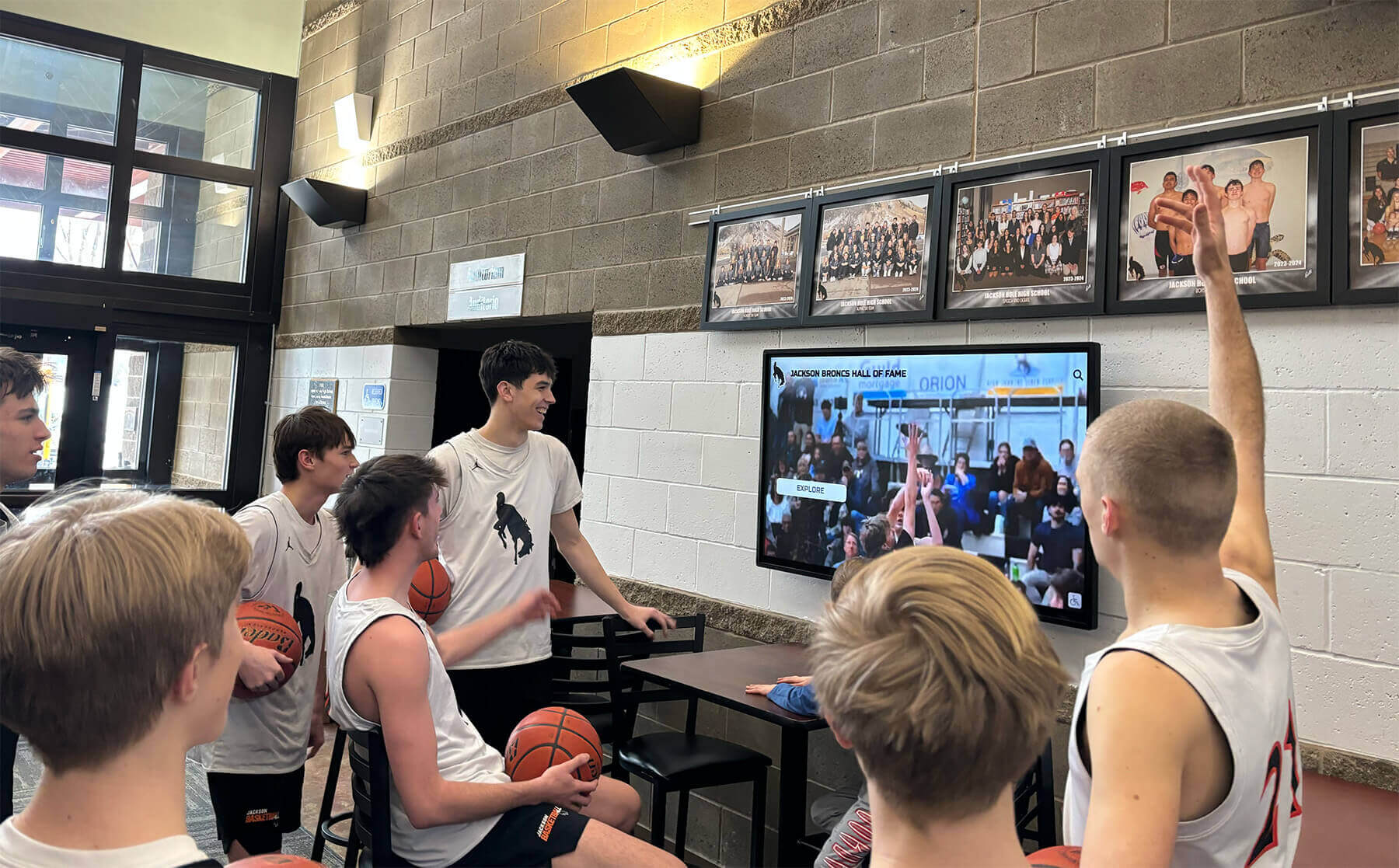
Large-format displays create gathering points that attract booth traffic and facilitate group demonstrations
Specialized Applications for Different Event Types
Different event contexts require tailored approaches:
Trade Shows and Industry Conferences
Large-scale exhibitions with high competition:
Booth Differentiation Strategies
Standing out in crowded exhibition halls:
- Large-format displays visible from aisles attracting traffic
- Motion graphics and video content drawing attention
- Interactive games creating memorable experiences
- Product finder tools serving time-constrained attendees
- Live social media feeds showing real-time event engagement
- Contest features collecting contact information
Differentiation determines whether attendees visit booths or walk past to competitors.
Multi-Product Line Management
Serving diverse equipment portfolios:
- Category-based navigation organizing extensive product ranges
- Featured product rotations highlighting strategic introductions
- Application-specific content pathways (by industry or use case)
- Quick comparison tools enabling evaluation across product families
- Cross-selling suggestions showing complementary equipment
Comprehensive organization prevents overwhelming visitors while showcasing full capabilities.
Customer Appreciation Events and User Conferences
Engaging existing customer bases:
Loyalty and Relationship Building
Strengthening customer connections:
- Customer success story showcases featuring testimonials
- Product roadmap previews generating excitement for future releases
- Training content providing operational best practices
- Service and support information access
- Exclusive event promotions and upgrade incentives
- Feedback collection tools gathering improvement suggestions
These events focus on retention and expansion rather than new customer acquisition.
Training and Educational Content
Adding value beyond product promotion:
- Safety training modules meeting compliance requirements
- Maintenance best practices extending equipment life
- Operational tips maximizing productivity
- Troubleshooting guides reducing service calls
- New feature tutorials for recent software or equipment updates
Educational content positions manufacturers as trusted partners rather than just vendors.
Open House and Facility Tours
On-premises customer visits:
Permanent Installation Benefits
Fixed-location advantages:
- Higher-end hardware suitable for permanent installation
- Network connectivity enabling real-time inventory and pricing
- Integration with facility tours and live equipment demonstrations
- 24/7 availability for self-guided exploration
- Historical performance tracking over extended periods
Permanent installations justify larger technology investments than portable event solutions.
Virtual Tour Integration
Extending reach beyond physical visitors:
- Remote access enabling virtual facility tours
- Live video streaming from manufacturing floor
- Virtual reality experiences transporting remote viewers to facilities
- Recorded tours available on-demand for international prospects
- Integration with sales presentations and demonstrations
Virtual capabilities expanded dramatically during recent years and continue providing value for geographically distributed prospects.
Dealer and Distributor Partner Events
Channel partner support:
Sales Enablement Content
Equipping partners to represent equipment effectively:
- Product comparison tools differentiating from competitors
- ROI calculators quantifying customer value propositions
- Objection handling resources addressing common concerns
- Market positioning guidance for different customer segments
- Case study libraries providing social proof
- Co-marketing materials partners can customize
Partner-focused content requires different emphasis than end-customer materials.
Order and Inventory Management
Operational functionality for partners:
- Real-time inventory visibility for availability confirmation
- Direct ordering capabilities from kiosk interfaces
- Pricing tools applying partner-specific discounts
- Configuration validation preventing order errors
- Delivery timeline estimates for customer communication
Operational integration transforms kiosks from marketing tools to business platforms.
For companies implementing kiosks across multiple event types, digital display management platforms provide centralized control over distributed deployments.
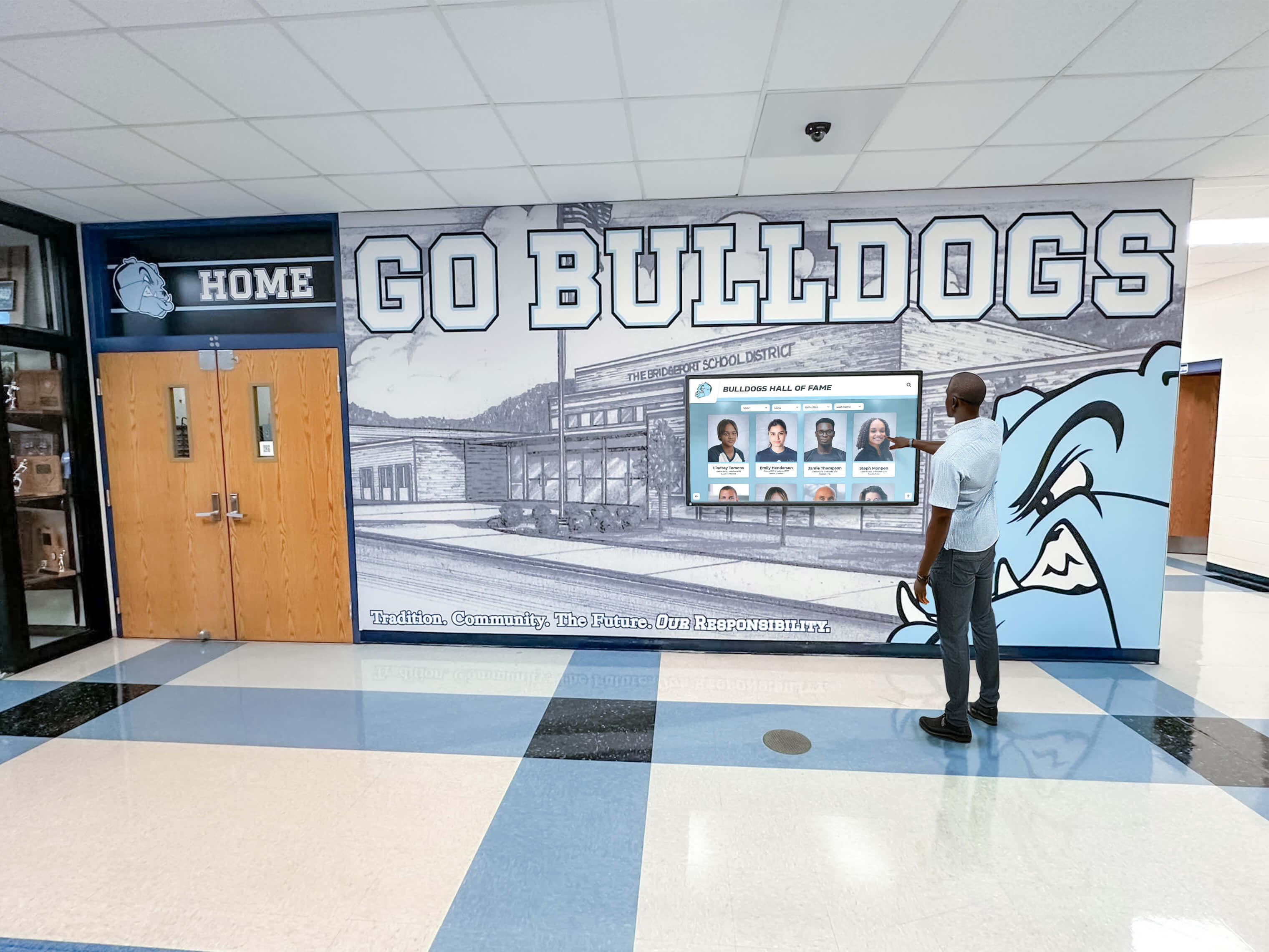
Intuitive interfaces enable attendees to explore detailed information without staff assistance
Budget Considerations and ROI Analysis
Understanding costs enables informed investment decisions:
Initial Investment Components
One-time expenses for kiosk deployment:
Hardware Costs
Equipment procurement or rental:
- 43-55 inch touchscreen displays: $3,000-$6,000 (purchase) or $300-$600 (rental per event)
- 55-65 inch displays: $5,000-$9,000 (purchase) or $500-$900 (rental per event)
- 75+ inch large-format displays: $8,000-$15,000 (purchase) or $800-$1,500 (rental per event)
- Freestanding kiosk enclosures: $2,000-$5,000 (purchase) or $200-$500 (rental per event)
- Shipping cases and transportation: $500-$2,000
- Backup displays for mission-critical events: duplicate primary costs
Purchase versus rental decisions depend on annual event frequency—manufacturers attending 6+ events annually typically benefit from ownership.
Software and Content Development
Platform costs and setup:
- Kiosk software platform: $2,000-$8,000 annual licensing
- Content management system access: typically included in platform cost
- CRM integration setup: $1,000-$5,000 depending on complexity
- Custom content development: $5,000-$20,000 for initial libraries
- Photography and video production: $3,000-$15,000 depending on scope
- Interactive feature development: $2,000-$10,000 for specialized tools
Total initial investment ranges from $15,000-$60,000 depending on hardware purchase decisions and content production scope.
Ongoing Operational Costs
Annual expenses for kiosk programs:
Software Licensing and Support
Recurring platform costs:
- Annual software licensing: $2,000-$8,000 depending on features and scale
- Technical support and maintenance: typically included in licensing
- Content hosting and bandwidth: typically included
- Software updates and new features: typically included
- Additional user licenses: $500-$2,000 per additional administrator
Content Updates and Maintenance
Keeping kiosks current:
- Annual content refreshes: $2,000-$8,000 for new products and updated materials
- Seasonal campaign updates: $500-$2,000 per major update
- Event-specific customization: $300-$1,000 per event
- Photography for new products: $500-$2,000 per product line
- Video production for demonstrations: $1,000-$5,000 per video
Event Logistics and Operations
Deployment costs:
- Shipping to/from events: $200-$800 per event
- On-site setup labor: $500-$2,000 per event if outsourced
- Internet connectivity: $100-$500 per event
- Insurance for equipment: $500-$2,000 annually
- Replacement touchscreens: budget for occasional damage
Return on Investment Calculation
Measuring kiosk program value:
Lead Generation Metrics
Quantifying direct impact:
- Lead volume increase: manufacturers report 40-60% more leads with kiosks versus traditional booths
- Lead quality improvement: behavioral data enables better qualification
- Cost per lead reduction: automated capture reduces staff time per lead
- Conversion rate improvement: better-qualified leads convert at higher rates
- Sales cycle reduction: comprehensive information accelerates buying decisions
Operational Efficiency Gains
Staff productivity benefits:
- Reduced booth staff requirements: kiosks handle routine information requests
- Extended coverage hours: kiosks work when staff take breaks or after hours
- Consistent messaging: eliminates variability in verbal presentations
- Multi-language support: eliminates need for multilingual staff at every event
- Data entry elimination: automated capture prevents post-event manual entry
Competitive Advantage Value
Harder-to-quantify benefits:
- Brand perception improvement from modern technology adoption
- Booth traffic increase from differentiated appearance
- Media coverage attraction from innovative presentations
- Customer satisfaction improvement from better information access
- Sales team confidence from professional sales tools
Typical ROI calculations show payback periods of 2-4 major events for manufacturers making full hardware investments, with rental approaches showing positive ROI from first event.
For organizations evaluating comprehensive event technology investments, digital signage solutions for exhibitions provide context for budget planning.
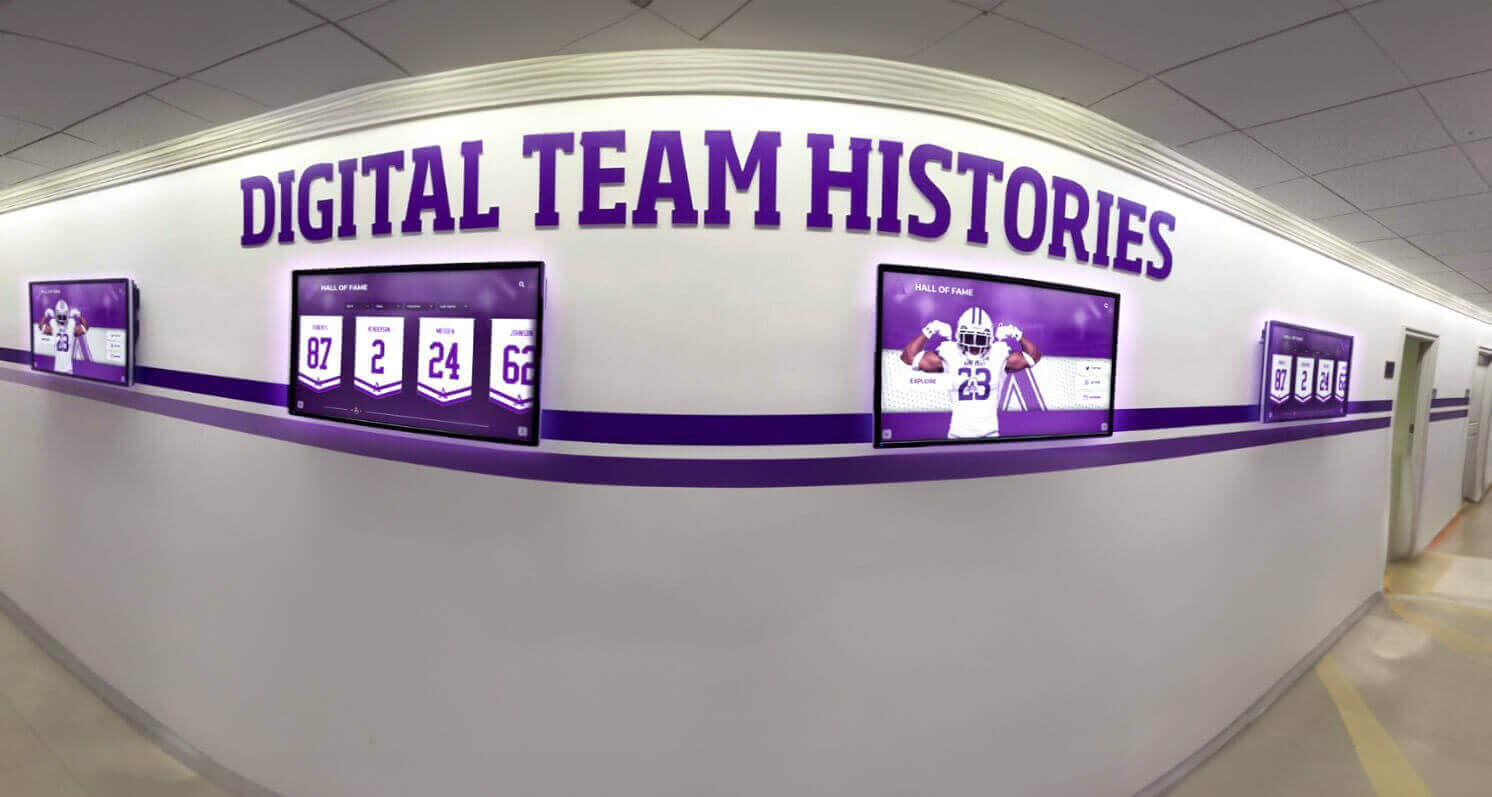
Multiple coordinated displays enable comprehensive product showcases without space constraints
Technical Considerations and Best Practices
Practical insights ensure successful deployments:
Network Connectivity Strategies
Reliable operation depends on appropriate internet access:
Primary Connectivity Options
Different approaches for different venues:
- Wired ethernet: most reliable when available from venues
- Venue WiFi: acceptable backup but often overloaded at large events
- Cellular hotspots: reliable dedicated connections for mission-critical kiosks
- Bonded cellular: combines multiple carriers for redundancy
- Offline mode: cached content ensuring basic functionality without connectivity
Planning connectivity before events prevents day-of scrambles for internet access.
Bandwidth Requirements
Understanding data needs:
- Video-heavy content: minimum 10 Mbps per kiosk
- Primarily static content: 2-5 Mbps adequate
- Real-time inventory or pricing: consistent connectivity more important than speed
- Lead capture synchronization: periodic rather than constant bandwidth needs
- Multiple kiosks: aggregate bandwidth requirements proportionally
Undersized connectivity creates poor user experiences through slow loading and buffering.
Content Performance Optimization
Technical efficiency ensures smooth operation:
File Size and Format Best Practices
Balancing quality with performance:
- Image optimization: high quality at appropriate resolution without excess file size
- Video compression: H.264 or H.265 encoding at 10-15 Mbps for HD quality
- Progressive loading: display content immediately while additional elements load
- Content caching: store frequently accessed files locally on kiosks
- CDN usage: distribute content from servers near event locations
Poor optimization creates lag and frustration undermining engagement.
Touch Responsiveness Considerations
Ensuring fluid interaction:
- Responsive design adapting to different screen sizes
- Large touch targets (minimum 44x44 pixels) preventing mis-taps
- Immediate visual feedback confirming touch registration
- Smooth animations without lag or stuttering
- Performance testing under expected usage loads
- Hardware selection with sufficient processing power for content complexity
Sluggish response rates cause attendees to abandon kiosks before completing interactions.
Security and Data Protection
Protecting equipment and information:
Physical Security Measures
Preventing theft and tampering:
- Lockable kiosk enclosures securing displays and computers
- Cable locks attaching equipment to booth structures
- Tamper-evident seals detecting unauthorized access
- Booth monitoring during show hours
- Overnight storage in secure areas for valuable equipment
- Insurance coverage for equipment damage or theft
Event environments present security challenges requiring proactive measures.
Data Security Requirements
Protecting collected information:
- Encrypted connections for data transmission
- Secure credential storage for CRM access
- Regular software security updates and patches
- Privacy policy compliance and consent mechanisms
- Data retention policies and cleanup procedures
- PCI compliance if accepting payment information
Security failures risk regulatory penalties and reputation damage.
For manufacturers implementing comprehensive event technology programs, secure kiosk software platforms provide enterprise-grade security features.
Future Trends in Event Technology
Emerging capabilities will further transform equipment showcases:
Artificial Intelligence Integration
AI enhancing personalization and automation:
Intelligent Recommendation Engines
Machine learning personalizing experiences:
- Product suggestions based on browsing behavior
- Configuration recommendations matching stated requirements
- Content adaptation to user engagement patterns
- Automatic qualification scoring predicting purchase likelihood
- Natural language search understanding conversational queries
AI makes large product catalogs more navigable and relevant.
Augmented and Virtual Reality
Immersive experiences bringing equipment to life:
AR Product Visualization
Smartphone experiences extending kiosk content:
- Virtual equipment placement in actual facilities through phone cameras
- Scale visualization showing actual size in context
- Interactive feature exploration through AR overlays
- Installation simulation showing setup requirements
- Operation demonstrations in virtual environments
AR bridges gap between compact event spaces and large industrial equipment.
VR Immersive Demonstrations
Complete virtual experiences:
- Operator perspective simulations showing equipment operation
- Virtual factory tours demonstrating manufacturing quality
- Training scenarios teaching proper equipment use
- Maintenance procedure walkthroughs
- Safety feature demonstrations in virtual environments
VR creates memorable experiences that differentiate booths and communicate capabilities effectively.
Enhanced Analytics and Attribution
Better measurement and insights:
Advanced Engagement Tracking
Understanding visitor behavior:
- Eye-tracking revealing which content attracts attention
- Emotion recognition gauging engagement and reaction
- Path analysis showing navigation patterns through content
- Drop-off point identification revealing confusing or uninteresting content
- Multi-touch attribution connecting booth visits to eventual purchases
Enhanced analytics enable evidence-based continuous improvement.
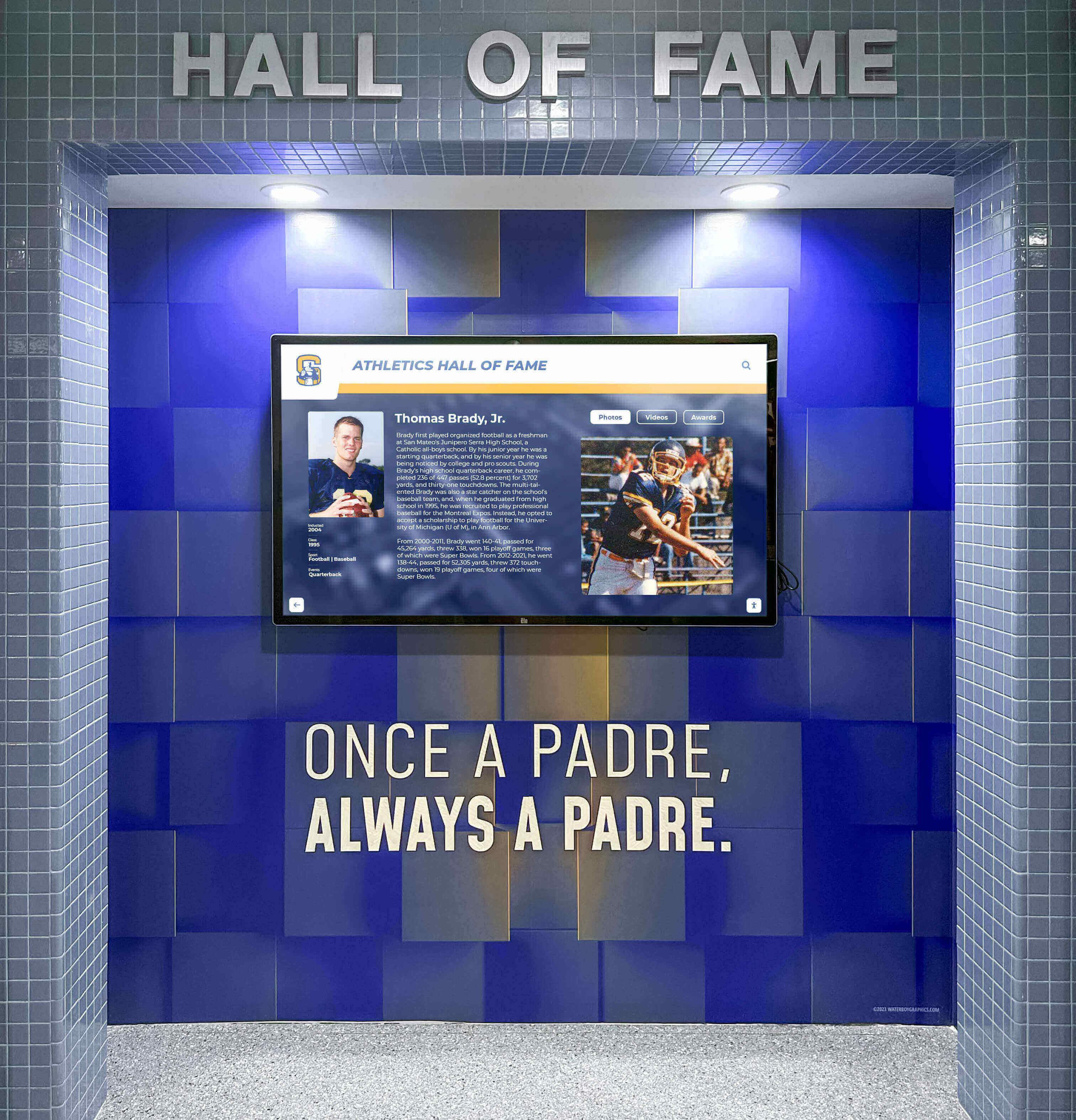
Professional installations create polished presentations matching brand quality expectations
Conclusion: Transforming Events Through Interactive Technology
Interactive touchscreen kiosks represent far more than digital upgrades to traditional booth displays—they fundamentally transform how equipment manufacturers engage prospects, communicate technical capabilities, and generate qualified leads at trade shows and customer events. By enabling self-guided exploration, capturing behavioral data, and providing comprehensive product information without physical constraints, touchscreen technology delivers measurable advantages in competitive event environments where booth differentiation determines success.
The evidence supporting interactive technology adoption is compelling: manufacturers implementing touchscreen kiosks report 40-60% increases in lead generation, dramatic improvements in lead quality through behavioral tracking, and significant operational efficiency gains from reduced staff requirements and automated data capture. These measurable benefits justify investment while demonstrating genuine value beyond subjective engagement improvements.
Ready to Transform Your Event Displays?
Discover how Touch Archive interactive kiosk solutions help equipment manufacturers create engaging trade show experiences that showcase products effectively, capture qualified leads automatically, and deliver measurable ROI from event investments.
Book a DemoImplementation success requires systematic planning addressing hardware selection, software capabilities, content development, and staff training—but manufacturers successfully adopting interactive kiosks report that initial investment generates lasting competitive advantages through differentiated booth presence, improved prospect engagement, and superior data capture enabling effective sales follow-up. Modern platforms eliminate technical barriers through intuitive content management, proven CRM integrations, and responsive support ensuring reliable operation during valuable event hours.
The shift from passive product displays to interactive digital experiences reflects broader changes in buyer expectations shaped by consumer technology. Today’s equipment buyers arrive at trade shows accustomed to self-service information access, visual demonstrations, and immediate data capture through their personal devices. Interactive touchscreen kiosks meet these expectations while providing manufacturers with engagement depth and behavioral insights impossible with traditional booth approaches.
Your equipment deserves presentation matching its quality and innovation. Your sales team needs tools generating qualified leads efficiently. Your marketing investment requires measurable returns justifying event participation. Interactive touchscreen kiosks deliver on all these requirements while creating memorable experiences that differentiate your booth, extend your brand, and drive business results beyond what traditional displays can achieve.
Start planning your interactive event technology implementation with confidence that thoughtful deployment will create competitive advantages serving your organization for years—generating better leads, communicating more effectively, and demonstrating your commitment to innovation while solving the space, staff, and engagement limitations that constrain traditional trade show exhibits.
Ready to explore how interactive touchscreen kiosks can transform your event presence? See how Touch Archive helps manufacturers create engaging product showcases that work at trade shows, customer events, and permanent facilities, or request a personalized demo to discuss your specific event needs and learn how digital solutions can elevate your approach to equipment presentation and lead generation.
Sources:
- Digital Kiosk - The Ultimate Tool for Event Excellence | Eventcombo
- Interactive Trade Show Kiosks - Attention Grabber! | MetroClick
- 50 inch 4K Digital Signage Interactive Touchscreen Display Kiosk | Trade Show House
- Event Kiosk Rentals | Interactive Event Technology | Popshap
- Digital Touchscreen Kiosks | Trade Show House































