



Museums and galleries face a defining challenge in 2026: how to present historical artifacts, cultural heritage, and educational content in ways that engage digital-native visitors accustomed to smartphones, tablets, and instant interactive experiences. Static display cases and printed placards no longer capture attention or facilitate the deep learning experiences modern audiences expect.
Interactive touchscreen displays have emerged as the solution to this engagement crisis, transforming passive viewing into active exploration. By enabling visitors to control their own journey through collections, access multimedia content on demand, and explore artifacts at their own pace, touchscreens fundamentally change how cultural institutions connect with their audiences.
This guide explores how museums, galleries, archives, and cultural heritage organizations can implement interactive touchscreen technology to increase visitor engagement, improve educational outcomes, preserve institutional memory, and create accessible, memorable experiences that resonate long after visitors leave your facility.
Modern cultural institutions must compete not just with other museums but with every entertainment and educational option visitors have. Research from National Museums Scotland demonstrates that interactive touchscreen exhibits generated 43,837 engagement sessions in just three months, with completion rates reaching 91% for compelling content. Museums implementing interactive displays reported a 30% increase in average dwell time and a 25% increase in visitor satisfaction, according to Number Analytics data.

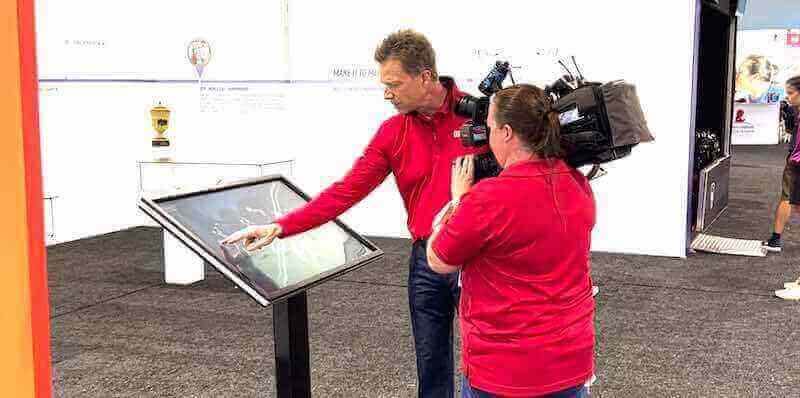
Interactive touchscreen technology transforms passive museum viewing into engaging, exploratory experiences that increase visitor dwell time and satisfaction
Why Traditional Museum Displays Fall Short in 2026
Understanding the limitations of traditional approaches helps clarify why interactive touchscreens have become essential for cultural institutions.
The Attention Crisis in Cultural Institutions
Museums face strong competition for visitor attention. The average museum visitor spends only 3-4 minutes with highly engaging exhibits, according to visitor behavior research published in NCBI studies. Static labels and placards cannot compete with the interactive experiences visitors encounter daily on their personal devices.
Limitations of Traditional Display Methods
- Fixed information capacity constrained by physical label space
- One-size-fits-all presentation ignoring diverse learning styles and interests
- No ability to accommodate multiple languages without cluttering displays
- Inaccessible to visitors with vision impairments or reading difficulties
- Cannot incorporate multimedia content like videos, audio, or interactive models
- Impossible to update without physical replacement of printed materials
- No visitor data collection to inform exhibit improvement
Changing Visitor Expectations
Today’s museum visitors arrive with fundamentally different expectations shaped by technology:
- Expectation of tailored experiences matching individual interests
- Desire for self-directed exploration rather than prescribed viewing paths
- Preference for multimedia storytelling over text-only presentations
- Demand for accessibility features supporting diverse needs
- Interest in deeper context and related content accessible on demand
- Expectation of social sharing capabilities and digital takeaways
Interactive touchscreen displays address these limitations while meeting evolved visitor expectations.

Visitors engage more deeply with exhibits when they can control their exploration through intuitive touchscreen interfaces
Core Benefits of Interactive Touchscreen Displays for Museums
Research-backed advantages demonstrate why cultural institutions worldwide are adopting touchscreen technology.
Dramatically Enhanced Visitor Engagement
Interactive displays transform passive viewing into active participation, fundamentally changing the museum experience:
Measurable Engagement Increases
National Museums Scotland documented 91% completion rates for engaging touchscreen experiences, demonstrating that well-designed interactive exhibits maintain visitor attention far better than traditional displays. The data showed 43,837 engagement sessions across five touchscreen interactives in just three months.
Location matters significantly—exhibits near museum entry points saw the highest footfall and engagement, with position being the single biggest factor influencing interaction rates according to visitor behavior analysis.
Psychological Engagement Drivers
Interactive touchscreens engage visitors through multiple psychological mechanisms:
- Agency and Control: Visitors choose what to explore, creating personal investment in the experience
- Curiosity and Discovery: Interactive elements encourage exploration and reward investigation
- Progressive Disclosure: Layered information allows visitors to pursue interests without overwhelming them
- Immediate Feedback: Touchscreens respond instantly, maintaining engagement flow
- Multimodal Learning: Combining visual, textual, and audio content accommodates different learning preferences
Unlimited Information Capacity
Physical space no longer constrains what museums can communicate about their collections:
Breaking Space Limitations
Traditional labels accommodate perhaps 100-200 words maximum before becoming unreadable or overwhelming. Interactive displays provide unlimited digital space for:
- Comprehensive artifact histories and provenance details
- Curator insights and scholarly research results
- Conservation stories and restoration processes
- Related collection items and thematic connections
- Multimedia content including videos, 3D models, and audio narratives
- Timeline contexts placing artifacts in historical perspective
This unlimited capacity enables museums to serve both casual visitors seeking overview information and enthusiasts wanting comprehensive details—without cluttering physical spaces.
Dynamic Content Updates
Unlike printed materials requiring physical replacement, digital touchscreen content updates remotely through cloud-based content management systems. Museums can:
- Correct information immediately when research reveals new discoveries
- Add seasonal or temporary exhibit content without hardware changes
- Rotate featured collection items keeping displays fresh for repeat visitors
- Schedule content changes for special events or commemorations
- Test different content approaches and refine based on engagement data
Solutions like digital archive displays from Touch Archive enable cultural institutions to display unlimited collections while maintaining clear navigation.

Modern touchscreen kiosks provide unlimited digital space for collection information without physical constraints
Enhanced Accessibility and Inclusion
Interactive touchscreens dramatically improve access for diverse visitor populations:
Universal Design Features
Digital displays accommodate accessibility needs impossible with traditional labels:
- Screen Reader Compatibility: Text-to-speech functionality for visitors with vision impairments
- Adjustable Text Size: Visitors control font size for comfortable reading
- High Contrast Modes: Improved readability for visitors with low vision
- Multilingual Content: Easy language switching without cluttering displays
- Audio Descriptions: Detailed verbal descriptions supplementing visual content
- Closed Captioning: Subtitles for video content supporting deaf and hard-of-hearing visitors
- Adjustable Mounting Heights: Wheelchair-accessible positioning with tilted displays
These features ensure compliance with ADA requirements while genuinely improving experiences for visitors with disabilities.
Cognitive and Learning Accessibility
Interactive displays support diverse learning needs and cognitive styles:
- Visitors with ADHD control pacing and choose focused content areas
- Visual learners access image-rich presentations
- Auditory learners utilize audio content options
- Reading-challenged visitors rely on video and audio alternatives
- Non-native speakers select their preferred language
- Children access age-appropriate content through filtered views
This accessibility extends museum experiences to visitors previously underserved by traditional display methods.
Multi-Sensory Learning Experiences
Touchscreens enable museums to create rich, multimodal educational experiences:
Multimedia Storytelling
Interactive displays combine content types for powerful narrative impact:
- Video Narratives: Curator talks, historical footage, and documentary content
- Audio Content: Oral histories, period music, artifact sounds
- Interactive 3D Models: Rotatable, zoom-able views of artifacts from all angles
- Animated Processes: Visualizations showing how artifacts were created or used
- Interactive Maps: Geographical context showing artifact origins and connections
- Timeline Visualizations: Chronological context placing artifacts in history
Research shows that multimodal presentations improve information retention significantly compared to text-only content.
Gamification and Interactive Learning
Museums are successfully incorporating game mechanics to improve learning:
- Interactive quizzes testing knowledge and providing immediate feedback
- Collection scavenger hunts guiding visitors through exhibitions
- Comparative tools enabling artifact examination and analysis
- Decision-making scenarios exploring historical choices and consequences
- Virtual reconstruction allowing visitors to see artifacts in original contexts
These interactive learning approaches particularly engage younger visitors and school groups.
For organizations preserving historical content across multiple locations, explore touchscreen archive systems for institutions.
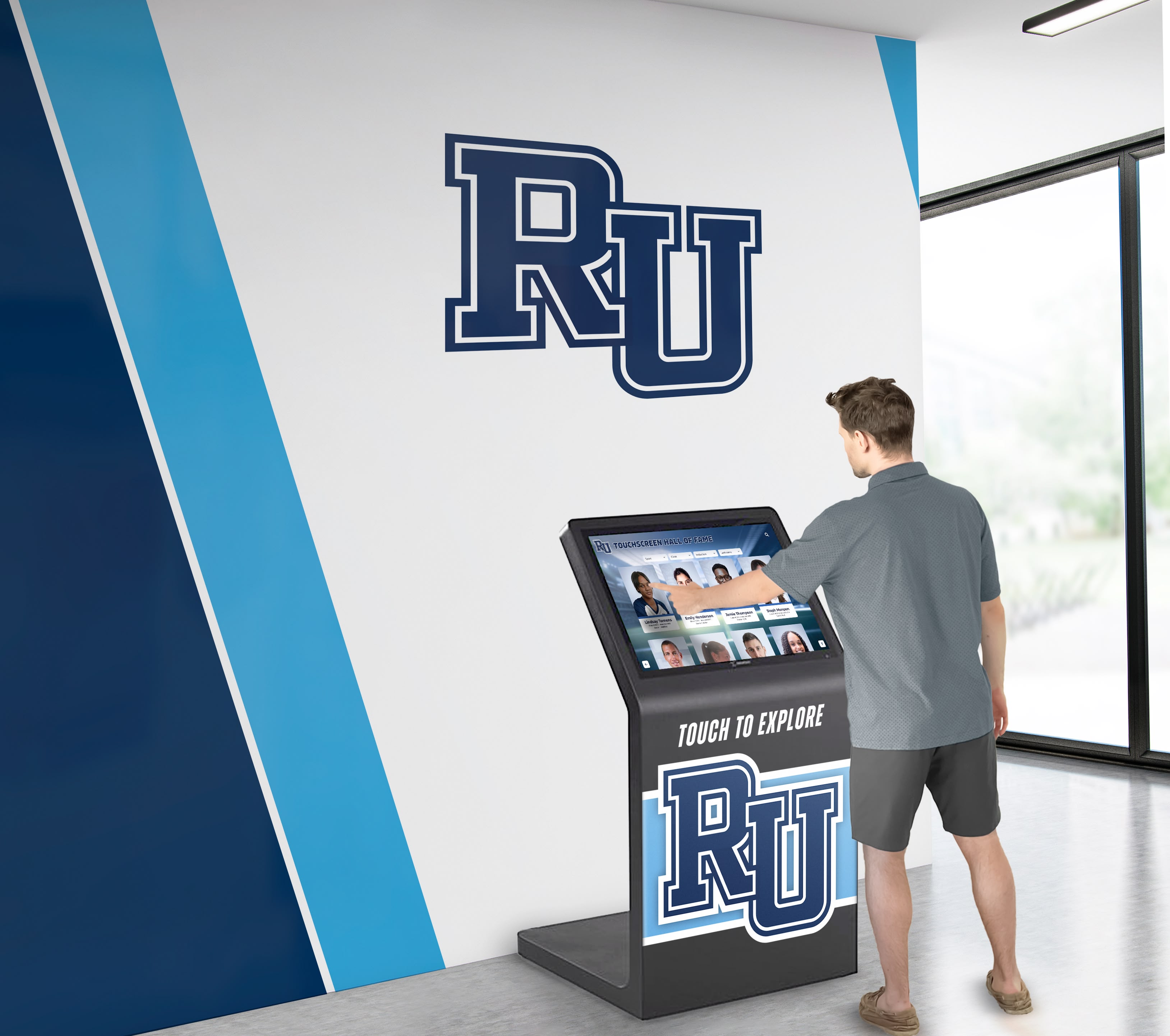
Touchscreen interfaces enable self-directed exploration that accommodates different learning styles and visitor interests
Essential Applications of Touchscreens in Museums and Galleries
Cultural institutions deploy interactive touchscreens across multiple use cases, each serving distinct visitor needs.
Collection Exploration Kiosks
The most common application enables deep dives into institutional collections:
Searchable Collection Databases
Interactive kiosks provide visitors access to comprehensive collection information:
- Full-text search across all collection items, not just those on display
- Filtering by time period, artist, geographic origin, medium, or theme
- “More like this” recommendations connecting related artifacts
- Detailed provenance and acquisition histories
- Conservation and restoration documentation
- Related research and scholarly publications
This transparency builds visitor trust while demonstrating institutional scholarship.
Featured Item Deep Dives
Touchscreens adjacent to significant artifacts provide layered information:
- Overview screen with key information visible at a glance
- “Learn More” sections accessing detailed scholarship
- Conservation stories explaining preservation work
- Acquisition narratives describing how items joined collections
- Cultural context explaining artifact significance
- Comparative views showing similar items in other collections
This progressive disclosure accommodates both casual visitors and serious researchers.
Interactive Timeline Displays
Historical museums particularly benefit from timeline-based interactive displays:
Chronological Navigation
Visitors explore history through clear timeline interfaces:
- Horizontal timelines showing artifact dates and historical context
- Filtering by theme, culture, or event type
- Zooming from broad overview to specific moments
- Connection to contemporary events providing familiar context
- Multiple simultaneous timelines showing parallel developments
- “Jump to date” functionality enabling targeted exploration
For institutions managing extensive historical archives, review historical timeline touchscreen implementations.
Historical Context Integration
Timelines place artifacts in broader context:
- Political and social history surrounding artifact creation
- Technological developments affecting artifact production
- Cultural movements influencing artistic choices
- Economic conditions impacting availability and use
- Contemporary perspectives and modern scholarship
This contextualization helps visitors understand artifacts as products of their times.
Wayfinding and Navigation Systems
Interactive touchscreens improve visitor navigation through complex facilities:
Digital Museum Maps
Touch-enabled floor plans help visitors orient and plan:
- Current location indicators showing “you are here”
- Searchable collections finding specific exhibits
- Route planning to prioritized destinations
- Estimated walking times between galleries
- Accessibility routing showing elevator and ramp locations
- Restroom, dining, and amenity locations
These navigation tools reduce visitor frustration while increasing exhibition reach.
Themed Tour Paths
Interactive displays present curated journeys through collections:
- Highlight tours featuring must-see collection items
- Time-limited tours fitting specific visit durations
- Family-friendly paths engaging children
- Subject-focused tours exploring themes
- Accessibility tours prioritizing easily reachable exhibits
- School group educational paths aligned with curricula
Visitors print or email tour maps from kiosks, creating physical or digital guides.
Augmented Reality and Comparative Displays
Advanced touchscreen applications improve artifact understanding:
Virtual Reconstruction
Touchscreens show how artifacts appeared in original contexts:
- Architectural fragments displayed within reconstructed buildings
- Archaeological artifacts shown as complete objects
- Historical costumes displayed on period figures
- Damaged artworks restored digitally
- Artifacts shown in use within period settings
These reconstructions make damaged or decontextualized items comprehensible.
Comparative Analysis Tools
Interactive displays enable side-by-side examination:
- Multiple versions of similar artifacts
- Before-and-after conservation comparisons
- Artistic influences and inspired works
- Cultural variations on common forms
- Technical evolution of objects over time
These comparisons reveal patterns invisible when viewing items individually.
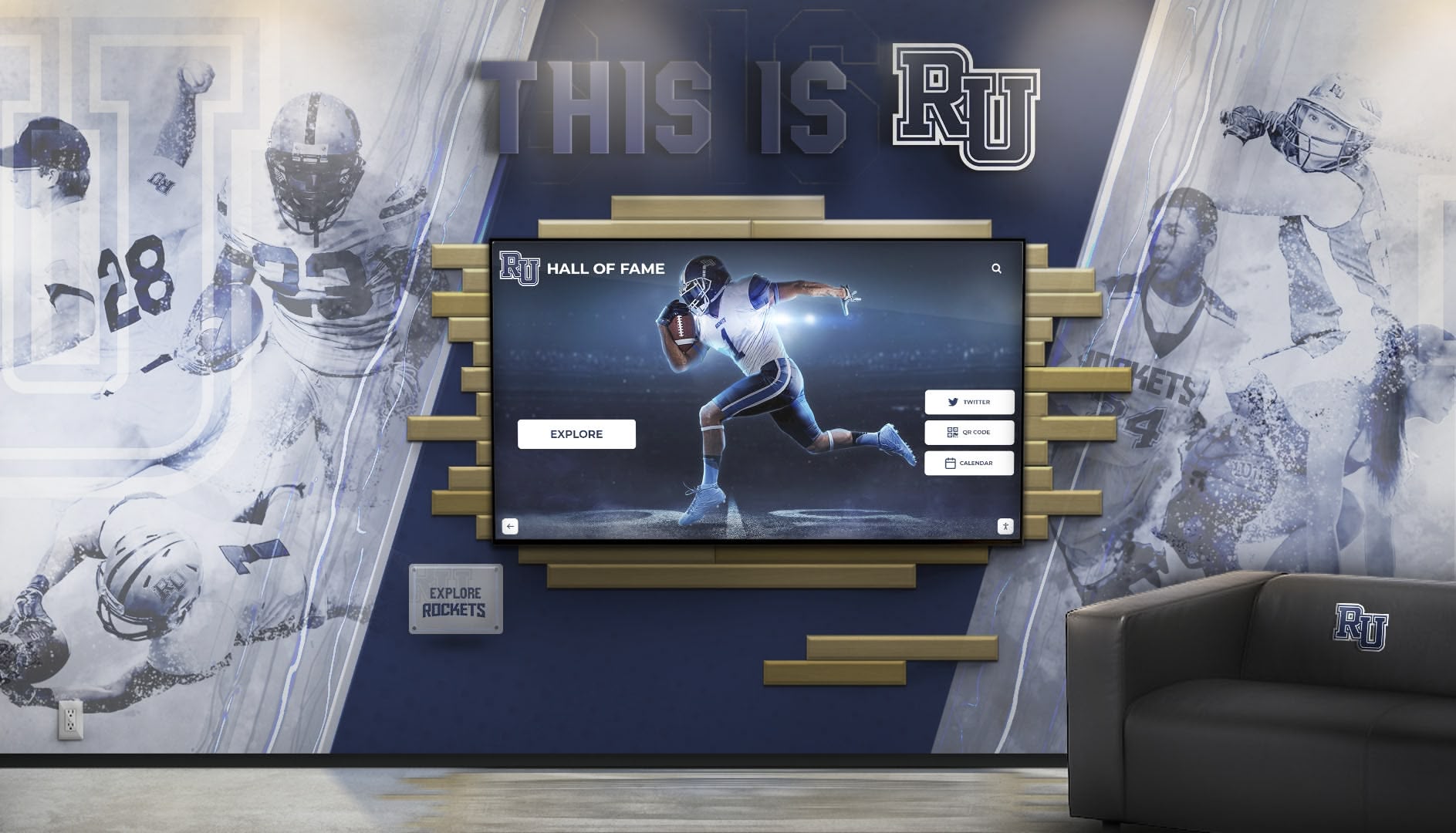
Interactive displays integrate seamlessly with traditional design elements while providing digital access to extensive content
Technical Implementation Considerations for Museums
Successful touchscreen deployment requires thoughtful technical planning addressing specific museum environments.
Hardware Selection for Museum Environments
Cultural institutions have unique display requirements:
Commercial vs. Consumer Hardware
Museums require commercial-grade equipment:
- Durability supporting continuous operation (24/7 or extended daily hours)
- Extended manufacturer support and warranty coverage
- Consistent availability ensuring replacement part accessibility
- Higher build quality withstanding constant public use
- Professional mounting options and built-in cable management
- Enhanced security features preventing unauthorized access
Consumer displays fail quickly in museum environments despite lower initial costs.
Screen Size and Placement Considerations
Display sizing depends on usage context:
- Individual Exploration Kiosks: 32-43 inch displays for single-user interaction
- Small Group Exhibits: 55-65 inch screens accommodating 2-4 simultaneous users
- Main Gallery Installations: 75+ inch displays or video walls for larger groups
- Children’s Museums: Lower mounting heights and smaller screens sized for young users
- Table-Based Exploration: Horizontal touchscreen tables for collaborative investigation
Strategic placement maximizes engagement—National Museums Scotland research showed that location was the single biggest factor in influencing visitor interaction.
Touch Technology Selection
Different touch technologies suit different museum needs:
- Capacitive Touch: Highly responsive, supports multi-touch, but requires direct finger contact
- Infrared Touch: Works with any object including gloves, styluses, and accessibility devices
- Projected Capacitive: Extremely durable, supports thick protective glass overlays
- Optical Touch: Large-format capability for oversized installations
Most museums select infrared or projected capacitive technologies for durability and accessibility.
Software and Content Management Platforms
Backend systems significantly impact long-term success:
Essential Software Features
Museum touchscreen software requires specific capabilities:
- Simple Content Management: Non-technical staff must update content without developer assistance
- Multimedia Support: Easy integration of images, videos, audio, and interactive elements
- Offline Functionality: Displays continue operating during internet outages
- Analytics and Tracking: Detailed engagement data informing content improvement
- Accessibility Compliance: Built-in support for screen readers, contrast modes, and font scaling
- Multi-Display Management: Centralized control of multiple exhibits from single dashboard
- Scheduled Content: Automated rotation for temporary exhibits and seasonal content
Cloud-based platforms provide remote management essential for institutions with limited technical staff.
Integration with Collections Management Systems
Advanced implementations connect touchscreens directly to collection databases:
- Real-time synchronization ensuring displayed information remains current
- Automatic updates when collection records change
- Consistent data across physical labels, printed materials, and digital displays
- Reduced manual data entry and associated error risk
- Unified search across physical and digital collection interfaces
This integration requires API connectivity between collection management and display software.
For cultural institutions seeking comprehensive digital archive solutions, explore museum interactive technology platforms.

Searchable digital archives make entire historical collections accessible through intuitive touchscreen interfaces
Network Infrastructure and Connectivity
Reliable technical infrastructure ensures consistent operation:
Connectivity Requirements
Museums must plan appropriate network access:
- Wired Ethernet: Preferred for reliability and security, especially for fixed installations
- WiFi Connectivity: Acceptable for portable exhibits but requires reliable wireless infrastructure
- Offline Capability: Essential fallback for content cached locally during network outages
- Bandwidth Planning: Video-heavy content requires significant bandwidth for smooth playback
- Network Security: Isolated VLAN separating public-facing exhibits from administrative systems
Power and Cable Management
Professional installations address practical infrastructure:
- Conduit installation concealing power and data cables
- Dedicated circuits preventing display shutdown from circuit overloads
- Surge protection safeguarding equipment from power fluctuations
- Battery backup (UPS) maintaining operation during brief power interruptions
- Service loops providing maintenance access without full reinstallation
These infrastructure investments prevent operational disruptions and maintain professional appearances.
Designing Effective Museum Touchscreen Content
Technical capability means little without compelling, well-designed content.
Content Structure and Information Architecture
Organizing content for touchscreen interaction requires specific approaches:
Progressive Disclosure Principles
Effective museum touchscreens layer information thoughtfully:
- Overview Screen: Essential information visible immediately without interaction
- Primary Content Layer: One tap reveals core detailed information
- Deep Dives: Additional taps access specialized scholarship and multimedia
- Related Content: Cross-references connecting to thematically related items
- Exit Options: Clear navigation back to higher levels or home screen
This structure accommodates both quick-visit browsing and deep research without overwhelming casual users.
Navigation Design Patterns
Clear navigation enables exploration without instructions:
- Visible Home Button: Always-accessible return to starting point
- Back Button: Standard navigation element enabling retracing steps
- Breadcrumb Trails: Showing current location within information hierarchy
- Visual Categorization: Image-based navigation tiles easier to use than text menus
- Search Functionality: Text search enabling direct access to known items
Consistency across all touchscreen exhibits creates familiarity reducing cognitive load.
Visual Design for Museum Contexts
Display design must balance aesthetics with functionality:
Readability and Accessibility
Museum displays require rigorous attention to legibility:
- Font Selection: Highly legible typefaces at minimum 24-point size for body text
- Color Contrast: WCAG AA compliance ensuring readability for low-vision users
- Touch Target Sizing: Minimum 44x44 pixel buttons preventing mis-taps
- Responsive Layouts: Content adapting gracefully across screen sizes
- Animation Restraint: Motion serving functional purposes without distraction
Aesthetic Alignment with Physical Exhibits
Digital displays should complement, not clash with, physical environments:
- Color palettes reflecting exhibition themes and institutional branding
- Typography consistent with printed materials and signage
- Image treatments matching curatorial style
- Interface elements respecting gallery aesthetics
- Attention to detail matching physical exhibit quality
This aesthetic coherence creates unified visitor experiences.
Multimedia Content Development
Engaging multimedia requires production quality and purpose:
Video Content Best Practices
Museum video content serves specific functions:
- Curator Talks: Personal expert insights humanizing scholarship (2-3 minutes maximum)
- Conservation Stories: Behind-the-scenes preservation work (3-5 minutes)
- Historical Context: Period footage or contemporary documentation (1-3 minutes)
- Process Demonstrations: Showing how artifacts were created or used (2-4 minutes)
All video content requires captions and transcripts for accessibility.
Audio Content Strategy
Audio enhances touchscreen exhibits when used appropriately:
- Artifact Descriptions: Verbal descriptions supplementing or replacing text
- Oral Histories: First-person narratives from relevant community members
- Period Music: Contextual audio creating atmospheric immersion
- Ambient Soundscapes: Environmental audio suggesting historical settings
Audio should default to off with clear play controls, respecting quiet gallery environments.
For institutions developing comprehensive historical content, review approaches to preserving community archives.
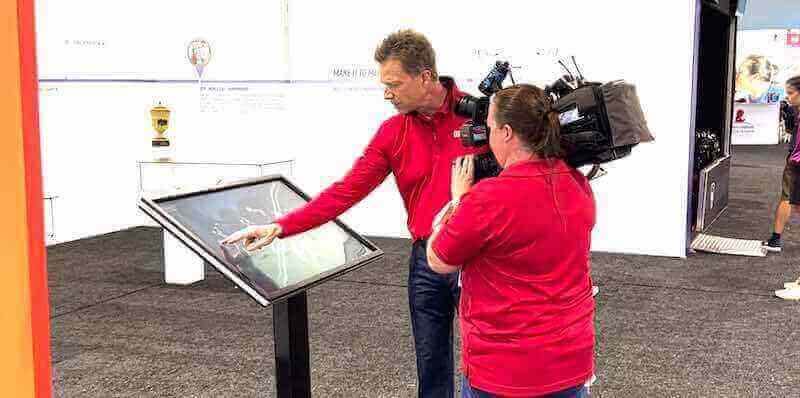
High-quality content development and professional implementation ensure touchscreen exhibits deliver engaging, educational experiences
Measuring Success and Optimizing Touchscreen Exhibits
Evidence-based improvement maximizes touchscreen effectiveness over time.
Analytics and Visitor Behavior Tracking
Modern touchscreen systems provide detailed usage data:
Key Engagement Metrics
Museums should track multiple indicators:
- Session Duration: Time visitors spend interacting with exhibits
- Completion Rates: Percentage reaching end of content sequences
- Content Popularity: Which exhibits and items receive most engagement
- Search Queries: What visitors look for revealing unmet information needs
- Navigation Patterns: How visitors move through content hierarchies
- Peak Usage Times: When displays receive maximum traffic
- Bounce Rates: Visitors leaving after brief interaction
National Museums Scotland documented these metrics revealing that linear game-style exhibits achieved 91% completion rates compared to lower engagement for exploration without clear paths.
A/B Testing and Iterative Improvement
Digital displays enable continuous optimization:
- Test different home screen designs measuring engagement impact
- Compare navigation approaches identifying clearest patterns
- Evaluate content length finding optimal detail levels
- Test multimedia vs. text-only presentations
- Compare different categorization schemes
This iterative refinement continuously improves visitor experiences.
Visitor Feedback Integration
Quantitative analytics complement qualitative visitor input:
Feedback Collection Methods
Museums gather visitor perspectives through:
- On-Screen Surveys: Brief satisfaction questions after interaction completion
- Exit Surveys: Tablet or paper questionnaires about overall visit experience
- Observational Studies: Staff or researchers watching visitor behavior
- Focus Groups: Facilitated discussions with representative visitor populations
- Online Feedback: Post-visit surveys via email or website
Combining methods provides comprehensive understanding of visitor experiences.
Accessibility Testing
Regular evaluation ensures displays serve all visitors:
- Testing with visitors using screen readers
- Evaluation by visitors with low vision using contrast modes
- Observation of children and families using exhibits
- International visitor assessment of multilingual content
- Older adult testing identifying interface challenges
This inclusive testing reveals improvements benefiting all visitors.
Overcoming Common Implementation Challenges
Understanding typical obstacles helps museums plan effectively.
Budget and Resource Constraints
Cultural institutions often face limited funding:
Phased Implementation Approaches
Museums can deploy touchscreens incrementally:
- Start with single pilot installation in highest-traffic gallery
- Document engagement data justifying expanded deployment
- Seek targeted grants funding specific technology initiatives
- Partner with technology companies for sponsored installations
- Apply for museum innovation funding from foundations
Demonstrated success with initial installations builds cases for expansion.
Sustainable Operating Models
Long-term costs extend beyond initial installation:
- Plan for content updates requiring ongoing staff time
- Budget for hardware replacement on 5-7 year cycles
- Include software licensing and support in annual budgets
- Consider sponsored content offsetting operational costs
- Develop volunteer programs supporting content development
Realistic budgeting prevents installations becoming neglected technology.
Staff Training and Change Management
Technology adoption requires organizational change:
Training Programs
Effective training ensures staff capability:
- Content management system training for exhibit staff
- Analytics interpretation for curators and educators
- Basic troubleshooting for front-line staff
- Accessibility features for visitor services teams
- Documentation and ongoing reference materials
Training multiple staff members prevents single-person dependencies.
Organizational Culture Shift
Success requires embracing digital approaches:
- Involving curators early in planning ensuring scholarly integrity
- Demonstrating how touchscreens extend rather than replace expertise
- Celebrating successful implementations building momentum
- Addressing concerns about technology detracting from artifacts
- Sharing visitor feedback showing positive reception
Change management determines whether technology enhances or disrupts operations.
Maintenance and Technical Support
Ongoing technical needs require planning:
Support Structures
Museums must plan for:
- In-House Expertise: At least one staff member with technical capability
- Vendor Support Agreements: Responsive professional assistance for complex issues
- Spare Hardware: Backup displays enabling quick replacement during failures
- Regular Cleaning Protocols: Touchscreens requiring frequent sanitization
- Software Updates: Scheduled maintenance and security patching
Neglected maintenance leads to unreliable exhibits undermining visitor trust.
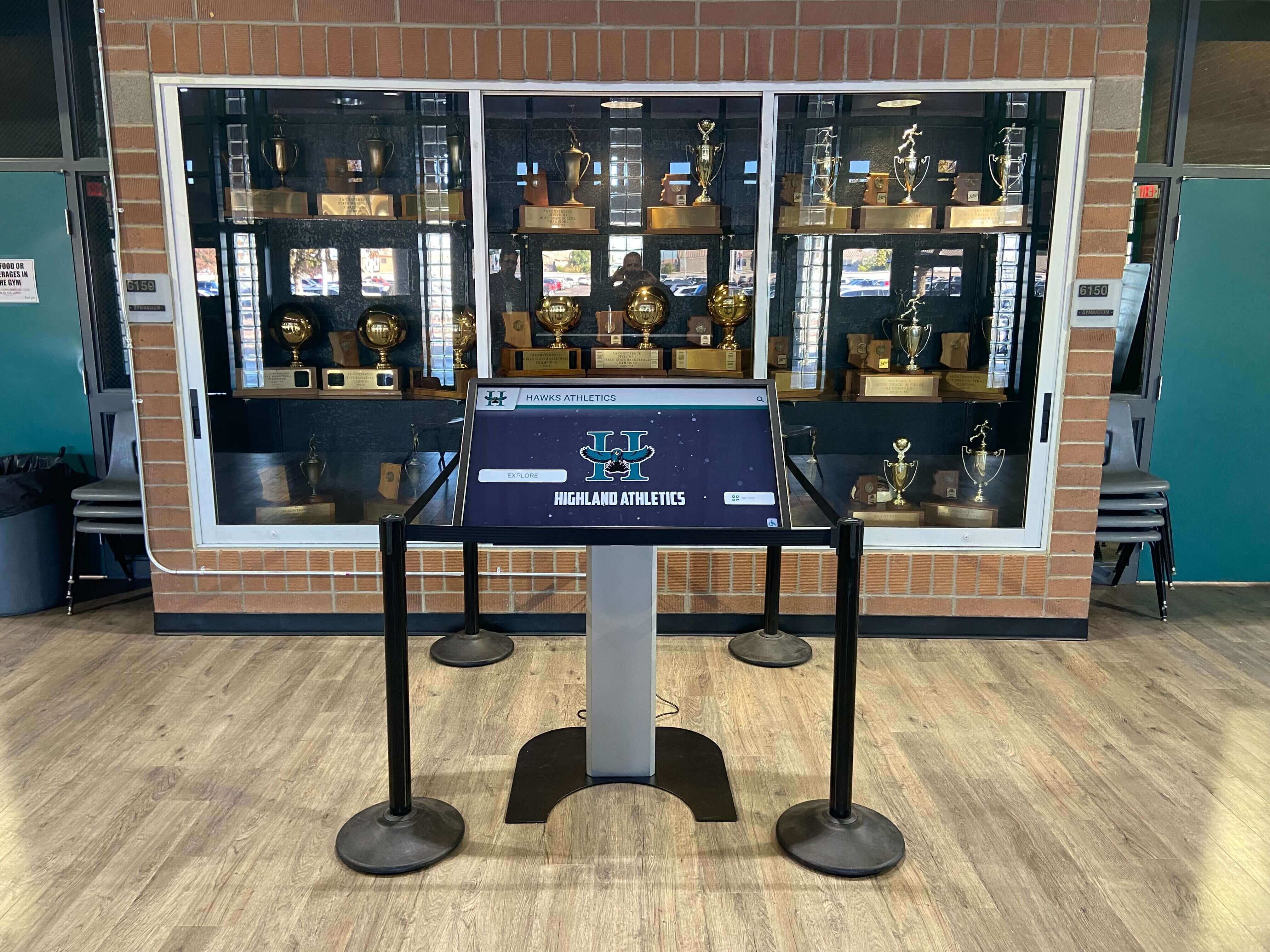
Professional installation and ongoing maintenance ensure touchscreen exhibits remain functional and engaging over time
Specialized Applications for Different Museum Types
Different cultural institutions benefit from tailored touchscreen implementations.
History Museums and Archives
Historical institutions have unique touchscreen opportunities:
Digital Archive Access
History museums preserve extensive collections beyond display capacity:
- Searchable photograph archives with thousands of historical images
- Digitized document collections including letters, records, and ephemera
- Oral history recordings from community members
- Historical newspaper archives covering local events
- Maps showing geographical changes over time
Touchscreens provide public access to comprehensive archives without physical storage limitations.
For institutions managing extensive historical collections, explore digital preservation and touchscreen archive solutions.
Interactive Timeline Exhibits
Historical narratives benefit from chronological presentation:
- Community history timelines showing local development
- War memorials with service member profiles and historical context
- Institutional history documenting organizational evolution
- Immigration stories showing cultural development
- Civil rights movements with key events and figures
Timeline interfaces make complex historical narratives accessible and engaging.
Art Museums and Galleries
Art institutions use touchscreens for educational improvement:
Artist Biography and Context
Touchscreens provide depth without cluttering gallery walls:
- Comprehensive artist biographies and career narratives
- Artistic movement context and influences
- Technical process explanations and demonstrations
- Related works showing artistic development
- Critical reception and scholarly interpretation
This information enriches viewing without distracting from artwork.
Comparative Art Analysis
Interactive displays enable visual comparison:
- Side-by-side viewing of related works
- Detail zoom revealing brushwork and technique
- Infrared or x-ray images showing underlying composition
- Condition reports explaining conservation decisions
- Attribution discussions presenting scholarly debate
These comparisons develop visitor visual literacy.
Science Museums and Natural History Institutions
Science-focused museums utilize interactive elements extensively:
Interactive Scientific Processes
Touchscreens explain complex phenomena:
- Animated diagrams showing geological processes
- Interactive models demonstrating biological systems
- Chemical reaction visualizations
- Physics simulations enabling experimentation
- Climate change data visualizations
Interactive exploration makes abstract concepts concrete.
Specimen Information Databases
Natural history collections benefit from comprehensive digital catalogs:
- Taxonomic information and classification systems
- Geographic distribution maps
- Habitat information and ecological relationships
- Conservation status and threat information
- Research applications and scientific significance
Searchable databases make vast collections accessible.
Cultural Heritage and Ethnographic Museums
Cultural institutions use touchscreens for respectful community storytelling:
Community Voice Integration
Digital displays amplify community perspectives:
- Video interviews with community members
- Cultural practice demonstrations and explanations
- Language preservation featuring native speakers
- Contemporary community connections showing living culture
- Collaborative curation with source communities
These approaches address historical power imbalances in museum interpretation.
Cultural Context and Protocol
Touchscreens communicate respectful engagement:
- Appropriate handling and viewing protocols
- Sacred or restricted knowledge indicators
- Community permissions and acknowledgments
- Contemporary cultural significance explanations
- Educational resources about living cultures
This contextualization supports ethical cultural representation.
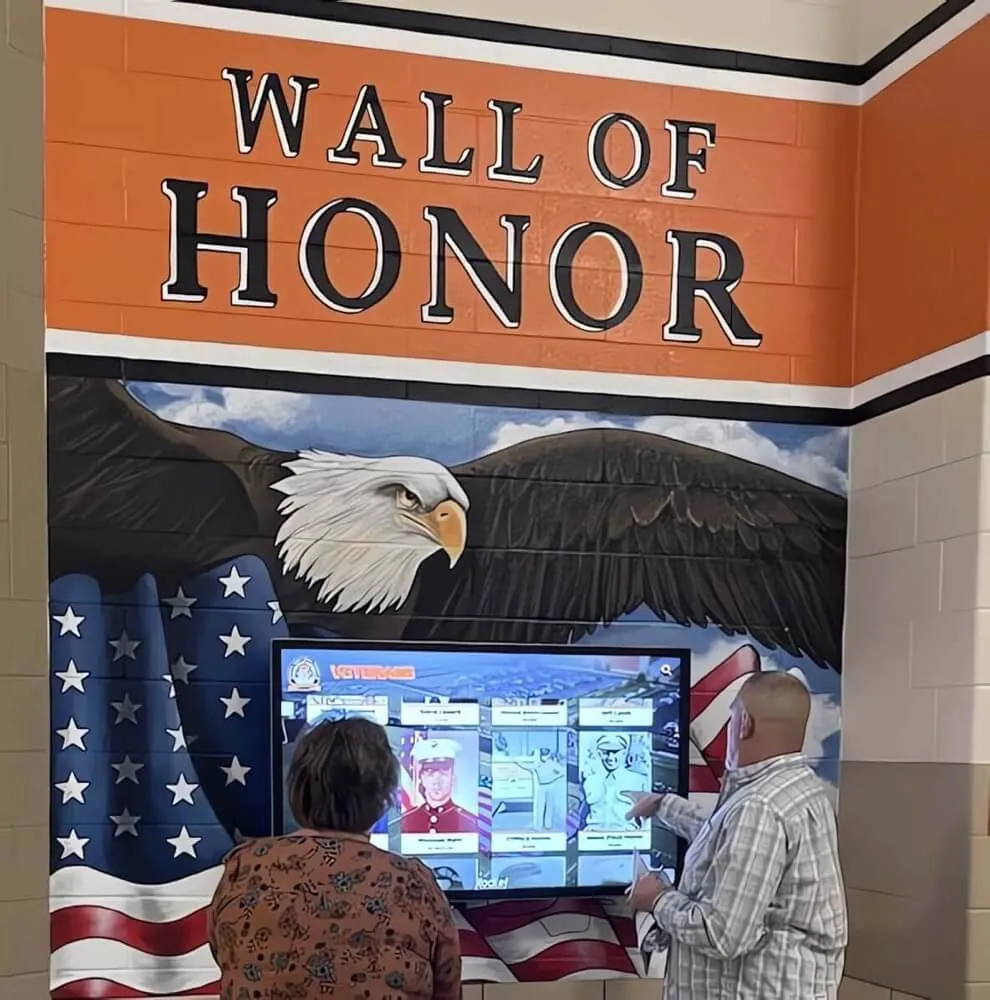
Interactive displays honor institutional heritage while providing accessible exploration of historical records and achievements
Future Trends in Museum Touchscreen Technology
Emerging technologies will further transform cultural institutions.
Artificial Intelligence and Personalization
AI enables individualized museum experiences:
Recommendation Engines
Machine learning personalizes content suggestions:
- Visitor interest profiling based on interaction patterns
- Automatic content recommendations matching preferences
- Adjustable difficulty levels for educational content
- Custom tour generation based on visit duration and interests
- Return visitor recognition suggesting new content
These capabilities create unique experiences for each visitor.
Natural Language Interfaces
Conversational AI makes information access easy:
- Voice-based search reducing interface friction
- Natural language questions replacing structured queries
- Conversational tour guides providing contextual information
- Accessibility improvements for visitors with limited mobility
- Multilingual natural language processing supporting diverse audiences
Voice interfaces particularly benefit visitors uncomfortable with touchscreens.
Augmented Reality Integration
AR extends physical exhibits into digital space:
Mobile AR Experiences
Visitor smartphones become exhibit extensions:
- Point-and-learn features providing information by photographing artifacts
- Virtual object placement showing artifacts in context
- Historical scene overlays revealing past appearances
- Animated artifact demonstrations showing original use
- Take-home digital content extending engagement beyond visits
QR codes on touchscreen displays link to mobile AR experiences.
Social and Collaborative Features
Connected experiences enable group engagement:
Multi-User Interaction
Large touchscreens support collaborative exploration:
- Multiple simultaneous users with independent navigation
- Collaborative games and challenges
- Family-friendly content encouraging intergenerational interaction
- Classroom group activities for school visits
- Researcher collaboration tools
These social features support museum missions encouraging shared learning.
Digital Takeaways
Touchscreens extend engagement beyond physical visits:
- Email-yourself features sending content for later review
- Personal collection creation enabling curated content saving
- Social sharing to visitor networks
- Follow-up educational resources and related reading
- Return visit incentives and new content notifications
These connections transform single visits into ongoing relationships.
For institutions interested in comprehensive recognition and archive displays combining traditional applications with museum approaches, explore institutional digital display solutions.
Implementation Guide: From Planning to Launch
Practical steps guide successful touchscreen deployment.
Phase 1: Assessment and Planning
Needs Analysis
Begin with thorough evaluation:
- Document current visitor behavior and pain points
- Identify information gaps in existing exhibits
- Survey visitor preferences and technology comfort
- Assess staff technical capabilities and training needs
- Review budget availability and funding sources
- Evaluate physical spaces and infrastructure readiness
This foundation ensures solutions address genuine needs.
Content Audit
Inventory available digital assets:
- Existing digital collection records and databases
- Multimedia content including photos, videos, and audio
- Research materials and scholarly documentation
- Educational resources and interpretation materials
- Rights and permissions for all digital content
Understanding available content shapes realistic implementation timelines.
Phase 2: Design and Development
Exhibit Design
Collaborate across teams:
- Curators define content priorities and scholarly requirements
- Educators ensure accessibility and learning outcome alignment
- Designers create clear interfaces and visual systems
- Technology staff evaluate technical feasibility
- Visitor services teams provide operational insights
Cross-functional collaboration produces superior exhibits.
Pilot Testing
Test thoroughly before full deployment:
- Prototype interface testing with representative visitors
- Content evaluation ensuring accuracy and appropriateness
- Accessibility testing with diverse user groups
- Technical stress testing and failure scenario planning
- Staff training and feedback collection
Iteration during pilot phases prevents costly post-launch revisions.
Phase 3: Installation and Launch
Professional Installation
Proper installation ensures longevity:
- Certified installers with museum experience
- Careful cable management and power infrastructure
- Secure mounting with anti-theft considerations
- Network configuration and testing
- Integration with existing museum systems
Quality installation prevents maintenance issues.
Staff Training and Documentation
Prepare teams for launch:
- Hands-on training for all relevant staff roles
- Written procedures for common tasks and troubleshooting
- Emergency contacts for technical support
- Content update workflows and schedules
- Visitor assistance protocols and FAQ documents
Prepared staff ensure smooth operations.
Phase 4: Evaluation and Optimization
Data Collection and Analysis
Continuous improvement through measurement:
- Regular review of engagement analytics
- Comparison against baseline metrics and goals
- Visitor satisfaction survey administration
- Observational studies of usage patterns
- Staff feedback on operational challenges
Data drives informed refinement decisions.
Iterative Content Improvement
Optimize based on evidence:
- Update underperforming content based on analytics
- Expand popular exhibits and topics
- Adjust navigation based on observed behavior
- Refresh multimedia content maintaining interest
- Add requested features and information
Ongoing optimization maximizes investment value.
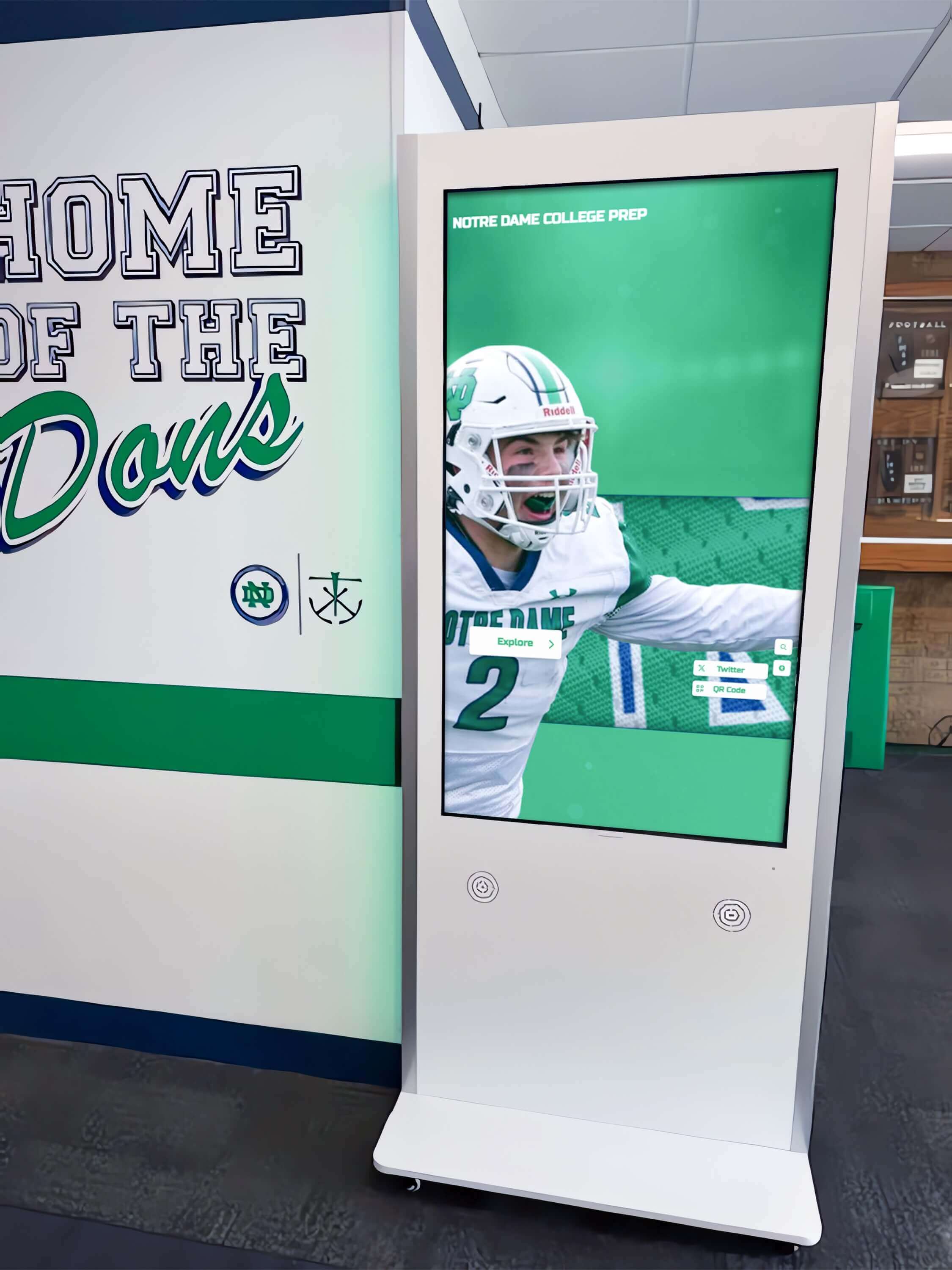
Strategic placement of touchscreen kiosks in high-traffic areas maximizes visitor engagement and information access
Conclusion: Transforming Museums Through Interactive Technology
Interactive touchscreen displays represent more than technological upgrades—they fundamentally transform how cultural institutions connect with communities, preserve heritage, and fulfill educational missions. By replacing passive viewing with active exploration, museums create engaging experiences that increase visitor satisfaction, improve learning outcomes, and build lasting connections with collections.
The evidence is compelling: museums implementing interactive touchscreens document 30% increases in visitor dwell time, 91% completion rates for well-designed exhibits, and 25% improvements in satisfaction scores. These measurable benefits justify investment while demonstrating genuine value to visitors, funders, and governing bodies.
Ready to Transform Your Museum Experience?
Discover how Touch Archive solutions help museums, galleries, and cultural institutions create engaging interactive exhibits that preserve heritage while captivating modern audiences.
Book a DemoSuccess requires moving beyond viewing touchscreens as mere information delivery mechanisms. The most effective implementations recognize interactive displays as engagement platforms enabling tailored exploration, multimodal learning, and genuine intellectual discovery. When museums prioritize clear design, compelling content, and visitor-centered approaches, touchscreens transform from technological additions to essential infrastructure supporting core institutional missions.
Implementation need not be overwhelming. Starting with single pilot installations in high-traffic galleries, museums can document engagement improvements justifying expanded deployment. Cloud-based content management platforms like Touch Archive eliminate technical barriers, enabling staff to update exhibits without specialized expertise while providing analytics guiding continuous improvement.
The future of cultural institutions depends on meeting visitor expectations shaped by ubiquitous technology while remaining true to preservation, education, and scholarship missions. Interactive touchscreen displays bridge this apparent divide—honoring artifacts and collections through enhanced accessibility while leveraging technology that engages contemporary audiences. Museums embracing this approach position themselves as relevant, vital community resources rather than obsolete repositories of static objects.
Your collection has stories worth sharing. Your community deserves access to cultural heritage. Interactive touchscreen technology makes comprehensive engagement achievable, transforming physical space limitations into unlimited digital opportunity while creating memorable experiences that inspire return visits and lifelong learning.
Ready to explore how interactive touchscreens can transform your museum or gallery? See how Touch Archive helps cultural institutions preserve heritage, engage visitors, and fulfill educational missions through modern digital exhibits.
Sources:
- Enhancing Visitor Engagement with Interactive Displays
- Data-led design: Measuring visitor interaction with digital interactives | National Museums Scotland
- Data-led design: Using visitor behaviour to inform touchscreen content | National Museums Scotland
- Investigating Visitor Engagement in Interactive Science Museum Exhibits | NCBI
- Interactive Museum Exhibits: Technology, Examples & Benefits | ResourceSpace
- Interactive Digitalization for Museum, Showroom, Science Center | Eyefactive































