



Schools building new gymnasiums face countless planning decisions—from flooring materials to lighting systems to bleacher configurations. Among these choices, one decision significantly impacts long-term athletic recognition and school pride: when to install interactive touchscreen displays featuring athletic achievements, team histories, and school traditions.
Getting the timing right determines whether displays integrate seamlessly into your facility or require expensive retrofitting. Installing at the wrong construction phase means higher costs, compromised aesthetics, and limited design flexibility. Schools that plan touchscreen installations during initial design phases create stunning recognition displays while controlling budgets and maximizing impact.
This guide explores optimal timing for installing touchscreen displays in new gymnasiums, covering design integration, construction coordination, budget considerations, and installation strategies that create impressive athletic recognition while avoiding costly mistakes.
Schools typically have a single opportunity to build or substantially renovate a gymnasium—making planning decisions particularly important. Research from the National Clearinghouse for Educational Facilities shows that schools retain athletic facilities for 40-50 years on average, meaning today’s decisions affect decades of students, athletes, and community members.
The difference between planned and retrofitted touchscreen installations extends beyond cost. Pre-planned installations enable architectural integration, concealed infrastructure, and design cohesion impossible to achieve when adding displays after construction completes. Schools investing in new gymnasiums deserve recognition systems matching their facilities’ quality and longevity.

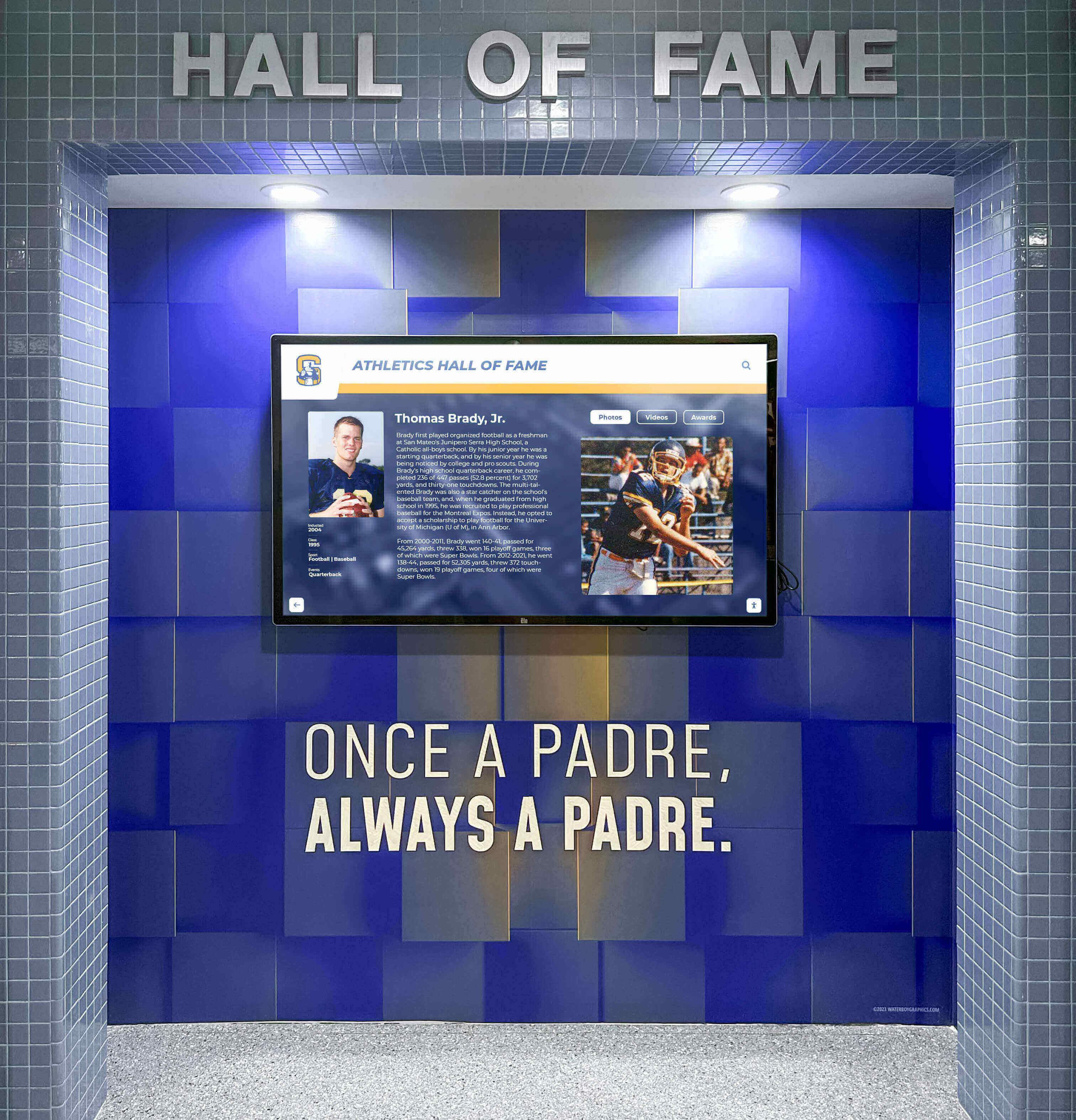
Well-planned touchscreen installations integrate seamlessly with architectural design elements when coordinated during construction phases
Why New Construction Creates Optimal Display Opportunities
Understanding advantages of coordinating touchscreen installations with building projects clarifies timing importance.
Architectural Integration During Design Phase
Building new facilities enables authentic architectural integration:
Design Cohesion
When displays integrate during initial planning:
- Architects specify display locations matching sightlines and traffic patterns
- Design teams coordinate display sizes with wall proportions and ceiling heights
- Color schemes and finishes complement overall facility aesthetics
- Millwork and trim integrate displays into architectural features
- Lighting design highlights displays while preventing screen glare
- Mounting surfaces planned for appropriate structural support
This integration creates polished appearances impossible with after-construction additions.
Infrastructure Planning
Early planning enables proper technical infrastructure:
- Electrical circuits sized and located appropriately for display requirements
- Network connections positioned for optimal display placement
- Conduit paths planned through walls and ceilings before finishes installed
- HVAC systems account for display heat generation
- Structural supports incorporated during framing phase
- Control systems integrated with building automation
Pre-planned infrastructure eliminates exposed cables, surface-mounted conduit, and other aesthetic compromises characterizing retrofitted installations.
Schools implementing comprehensive athletic recognition systems benefit from coordinating displays with overall facility design rather than treating them as afterthoughts.
Cost Advantages of Construction-Phase Installation
Financial analysis consistently favors early installation planning:
Eliminated Retrofitting Expenses
Installing displays during construction avoids:
- Demolition costs removing finished surfaces to access electrical and network infrastructure
- Architectural fees for retrofit design and structural engineering
- Premium labor rates for disrupted work and facility closure coordination
- Patch and repair costs restoring surfaces after installation
- Painting and finishing work matching existing conditions
- Project management overhead for separate post-construction installations
Schools typically save 30-40% on total installation costs when incorporating displays during original construction rather than retrofitting later.
Bundled Construction Contracting
Including displays in construction contracts provides:
- Competitive bidding across full project scope
- Coordination with general contractor preventing scheduling conflicts
- Single warranty covering integrated systems
- Unified project timeline eliminating multiple disruption periods
- Simplified change order process during construction
- Better cost control through comprehensive project budgeting
Avoided Disruption Costs
Post-construction installations create operational challenges:
- Facility closure during installation periods limiting program access
- Athletic schedule disruptions affecting teams and events
- Noise and construction debris in occupied spaces
- Security concerns with contractors accessing active school facilities
- Temporary equipment relocation and storage requirements
- Staff time coordinating contractors and managing installations
These disruption costs—while difficult to quantify—significantly impact school operations and program quality.
For schools planning comprehensive facility improvements, review institutional digital display solutions that coordinate with construction timelines.
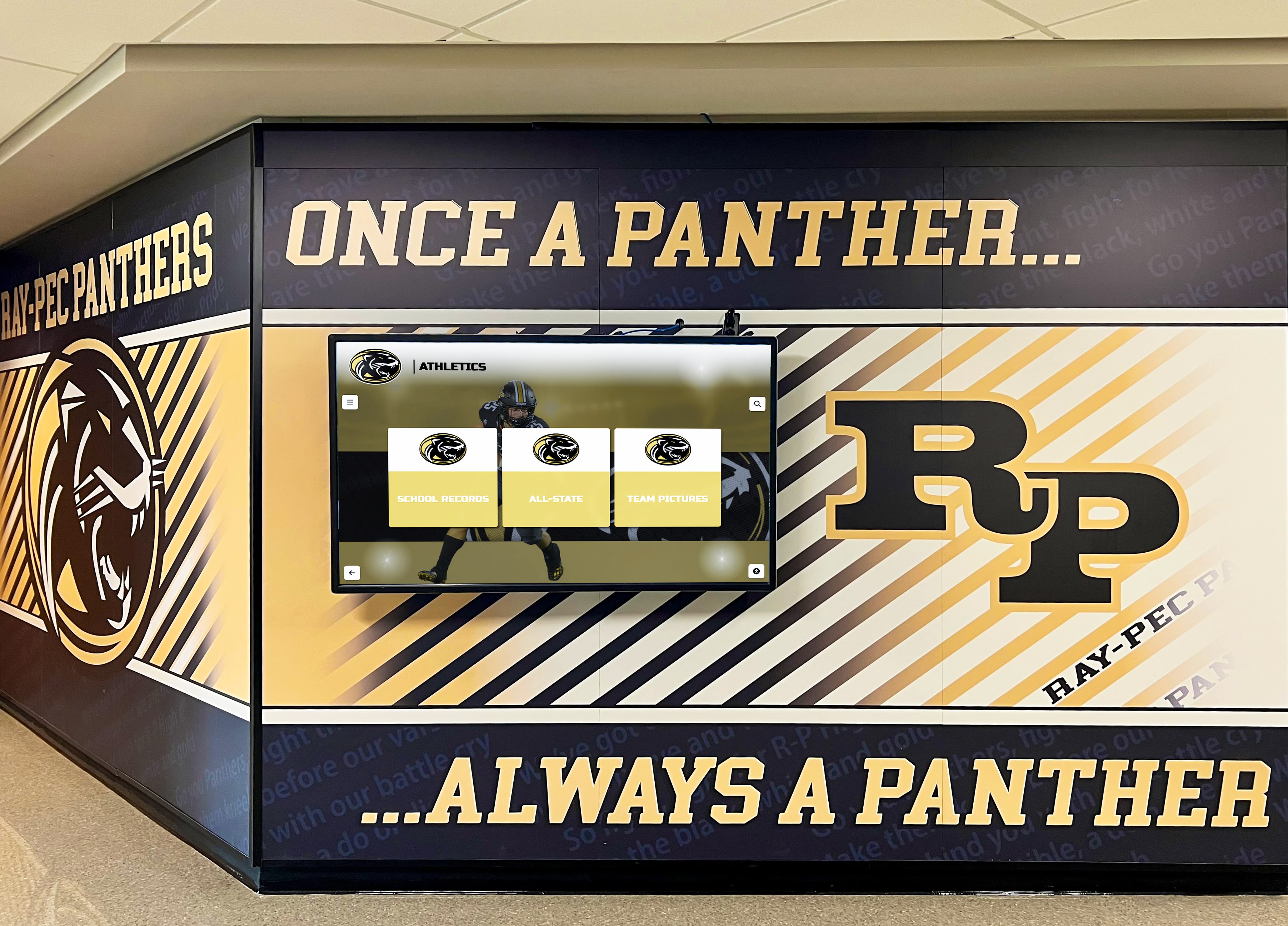
Coordinating displays with mural artwork and architectural features creates unified recognition environments
Optimal Installation Timeline for New Gymnasiums
Different construction phases present specific opportunities and requirements for touchscreen planning and installation.
Phase 1: Conceptual Design and Programming (12-18 Months Before Construction)
The earliest planning stage offers maximum flexibility:
Programming and Needs Assessment
During initial facility planning:
- Identify desired display locations based on traffic patterns and sightlines
- Determine display sizes and quantities matching recognition needs
- Establish budget allocation for athletic recognition systems
- Review community expectations for honoring athletes and teams
- Document historical athletic achievements requiring display
- Plan content strategies for launch and ongoing updates
This assessment ensures recognition systems receive appropriate priority and resources.
Stakeholder Engagement
Involve key constituencies early:
- Athletic directors defining recognition priorities and display content
- Coaches identifying team history and record-keeping needs
- Alumni associations articulating legacy preservation interests
- Booster clubs potentially funding or supplementing display investments
- Architecture firms understanding display integration requirements
- Technology coordinators ensuring network and power infrastructure adequacy
Early engagement prevents late-stage conflicts and changes.
Space Allocation
Reserve appropriate locations:
- Main entrance and lobby areas for high-visibility recognition
- Hallway connections between gymnasium and school buildings
- Team room or athletic office areas for specialized displays
- Concession stand and gathering spaces for information displays
- Trophy case areas potentially incorporating digital elements
Specific space allocation during programming prevents later accommodation challenges.
Phase 2: Schematic Design (8-12 Months Before Construction)
Schematic design translates concepts into specific architectural plans:
Display Specification
Define technical requirements:
- Exact display sizes and screen specifications
- Commercial-grade equipment meeting educational environment demands
- Touch technology selection (capacitive, infrared, or optical)
- Brightness requirements based on ambient lighting conditions
- Viewing angle specifications based on display locations
- Mounting methods (wall-mounted, freestanding kiosks, or recessed)
Detailed specifications enable accurate architectural coordination and budget estimates.
Architectural Coordination
Architects incorporate displays into drawings:
- Floor plans showing exact display locations and clearances
- Elevations depicting displays within architectural context
- Reflected ceiling plans coordinating lighting and displays
- Millwork drawings showing trim and finish integration
- Structural notes indicating mounting requirements
- Material and color specifications ensuring aesthetic cohesion
This coordination ensures all project team members understand display requirements.
Infrastructure Planning
Engineers plan technical systems:
- Electrical engineers specify circuits, outlets, and load calculations
- Network designers route data connections to display locations
- Structural engineers confirm mounting surface capacity
- HVAC engineers account for display heat generation in cooling calculations
- Lighting designers prevent glare while providing adequate ambient light
Early engineering coordination prevents costly change orders during construction.
Schools developing comprehensive recognition programs benefit from detailed planning during design phases.
Phase 3: Design Development and Construction Documents (4-8 Months Before Construction)
Design development finalizes all details:
Detailed Technical Specifications
Construction documents specify:
- Exact display models with manufacturer part numbers
- Mounting hardware and installation requirements
- Cable types, sizes, and installation methods
- Electrical and network connection specifications
- Control systems and integration requirements
- Software platforms and content management systems
Complete specifications enable accurate bidding and prevent substitutions compromising quality.
Contractor Coordination Requirements
Documents specify:
- Installation sequencing and coordination with other trades
- Quality standards for cable concealment and finish work
- Testing and commissioning procedures
- Training requirements for school staff
- Warranty provisions and ongoing support
- As-built documentation and maintenance manuals
Clear requirements prevent misunderstandings and ensure quality installations.
Bid Package Preparation
Include displays in construction bids:
- Furnish and install specifications for equipment and labor
- Allowances for display hardware if models undecided
- Coordination requirements with specialty subcontractors
- Milestone schedule for ordering and delivery
- Acceptance testing criteria
Comprehensive bid packages control costs while ensuring quality.
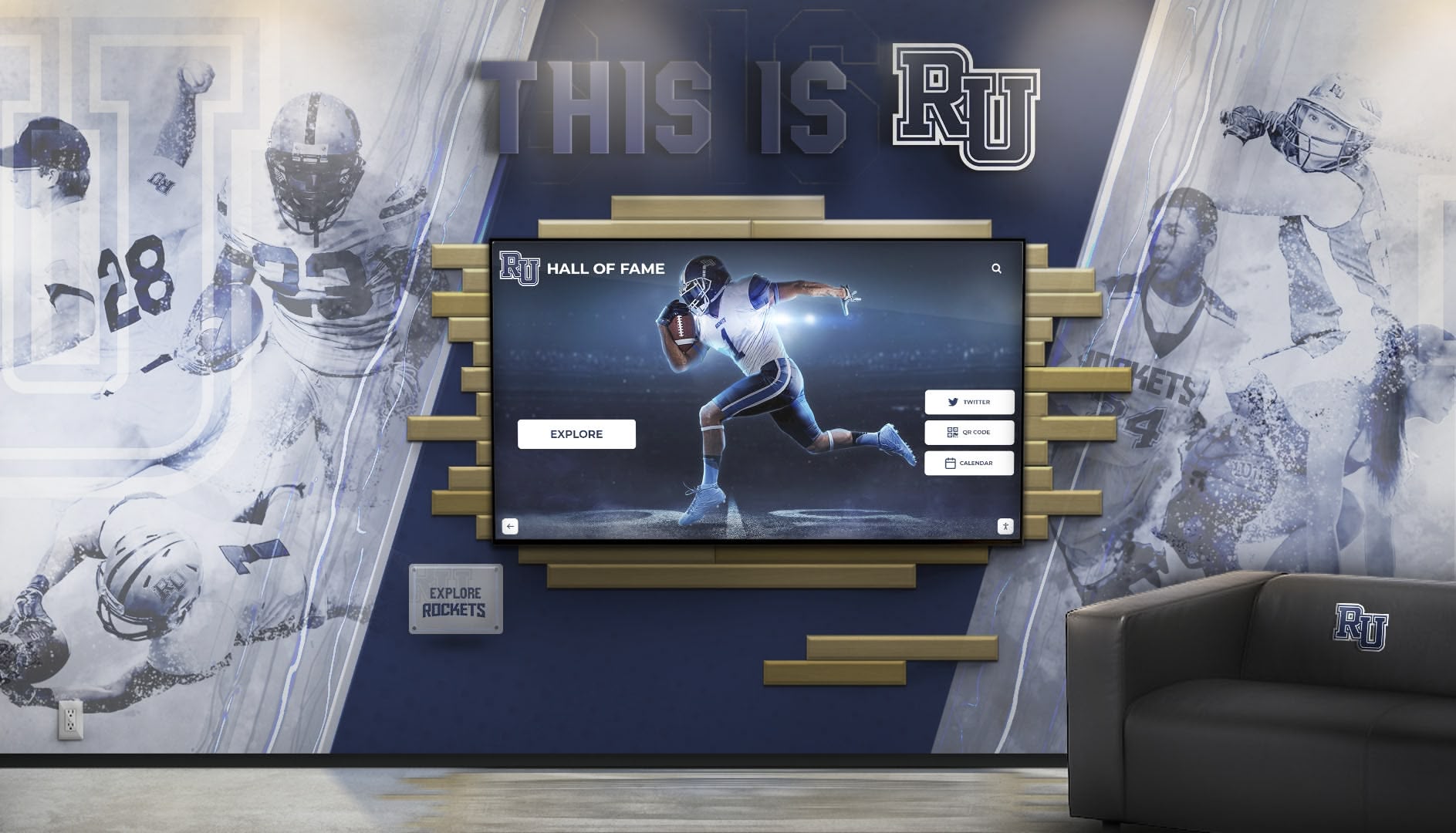
Strategic lobby placement ensures maximum visibility for athletic recognition displays
Phase 4: Construction and Installation (During Building Process)
Construction phase requires careful coordination:
Infrastructure Installation (Rough-In Phase)
During framing and rough mechanical work:
- Electricians install conduit and pull wire to display locations
- Network contractors route data cables through walls and ceilings
- Structural backing installed in walls for display mounting
- Power circuits and network connections tested and certified
- Conduit caps and protection installed preventing construction damage
Completing infrastructure before wall and ceiling finishes ensures concealed cable runs.
Display Equipment Procurement
Order displays with adequate lead time:
- Commercial displays often require 6-12 week lead times
- Custom millwork and mounting systems need fabrication time
- Software licensing and customization requires development
- Content development for launch needs production time
- Coordinate delivery with installation schedule avoiding on-site storage
Early ordering prevents construction delays while displays await delivery.
Finish Coordination
As building nears completion:
- Coordinate display installation with painting and finishing
- Install after paint and flooring to prevent construction damage
- Ensure adequate protection during final construction activities
- Schedule installation before furniture and fixture delivery
- Plan for commissioning and testing before facility handover
Proper sequencing prevents damage while enabling complete installation.
Display Installation and Commissioning
Final installation includes:
- Physical mounting and connection to prepared infrastructure
- Power and network testing confirming proper operation
- Software installation and configuration
- Content loading and display programming
- User acceptance testing with school staff
- Training for staff on operation and content management
- Warranty registration and support contact establishment
Thorough commissioning ensures operational readiness for facility opening.
Display Location Strategies for New Gymnasiums
Strategic placement maximizes visibility, engagement, and recognition impact.
Primary Display Locations
Different locations serve distinct purposes:
Main Entrance and Lobby
The highest-impact location:
- First impression for visitors entering facility
- Natural gathering space for teams, families, and community
- Controlled lighting environment preventing screen glare
- Protection from activity and equipment in gymnasium proper
- Available electrical and network infrastructure from building systems
- Space for kiosk installations or large wall-mounted displays
Lobby displays should feature comprehensive athletic recognition including halls of fame, team histories, and championship records.
Gymnasium Interior Walls
Secondary locations within playing spaces:
- Visible from bleachers and playing floor
- Recognition for current season teams and achievements
- Display of game schedules and tournament information
- Real-time score tracking during competitions
- Large format displays readable from distance
Interior displays often emphasize current information rather than comprehensive historical archives due to viewing distance limitations.
For schools implementing comprehensive athletic recognition systems, multiple coordinated displays serve different purposes across facilities.
Connecting Hallways and Corridors
Circulation spaces provide opportunities:
- Captive audience passing through to reach gymnasium
- Lower ambient light levels favorable for displays
- Wall space available without competing with playing surfaces
- Safety from athletic activities and equipment
- Multiple small displays showing different content types
- Timeline arrangements showing program history chronologically
Hallway displays work well for detailed historical content inviting closer examination.
Team Rooms and Athletic Offices
Internal spaces serve specific audiences:
- Displays oriented toward athletes and coaching staff
- Team-specific content and historical achievements
- Training resources and motivational content
- Recruiting materials showing program strengths
- Schedule and practice planning information
These displays often feature different content management and update frequencies than public-facing displays.
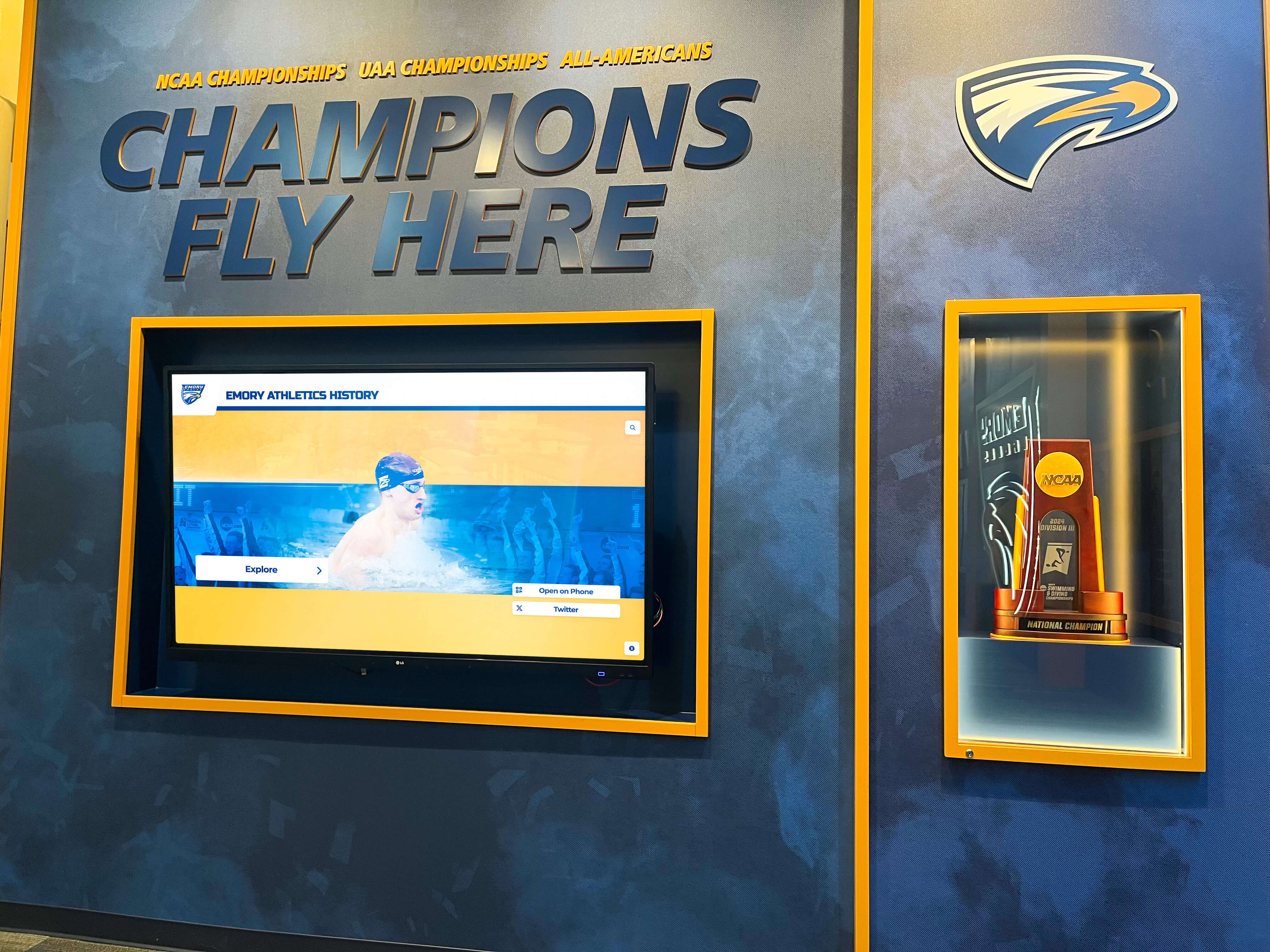
Combining physical trophies with digital displays creates comprehensive athletic recognition environments
Technical Infrastructure Requirements
Successful installations require appropriate technical planning during construction.
Electrical Infrastructure
Power systems must support display requirements:
Circuit Planning
Displays require dedicated electrical:
- Separate circuits preventing overload from other loads
- Adequate amperage for display power consumption and future expansion
- Convenient outlet locations near display mounting positions
- Emergency power consideration for critical information displays
- Surge protection safeguarding expensive equipment
- Labeled circuit breakers for maintenance identification
Most commercial displays require 120V 15-20 amp circuits with dedicated grounding.
Power Conditioning
Protect displays from electrical issues:
- Surge suppressors preventing damage from lightning and power fluctuations
- Uninterruptible power supplies (UPS) maintaining operation during brief outages
- Isolation from high-electrical-noise equipment like HVAC systems
- Proper grounding preventing electrical interference
- Regular electrical system testing confirming power quality
Poor power quality causes display failures and shortened equipment life.
Network Infrastructure
Modern displays require reliable connectivity:
Data Networks
Plan appropriate network connections:
- Gigabit Ethernet preferred over WiFi for reliability and bandwidth
- Separate VLAN for public-facing displays isolating from school networks
- Adequate bandwidth supporting video content and remote management
- Firewall rules enabling cloud-based content management while maintaining security
- Network monitoring detecting connectivity issues
- Backup connections for mission-critical displays
Content Delivery Systems
Consider content management approaches:
- Cloud-based platforms enabling remote updates from any internet-connected device
- Local content servers maintaining operation during internet outages
- Content scheduling systems rotating displays automatically
- Integration with school information systems for automatic schedule updates
- Analytics systems tracking display engagement and usage patterns
Schools deploying interactive touchscreen recognition systems benefit from strong network infrastructure supporting advanced functionality.
Mounting and Structural Support
Displays require proper structural backing:
Wall-Mounted Displays
Ensure adequate support:
- Solid backing (wood blocking or steel framing) installed during framing phase
- Load calculations confirming wall capacity for display weight
- Access panels for future maintenance and equipment replacement
- Vibration isolation preventing damage from nearby activities
- Anti-theft mounting hardware in public spaces
- Proper display height for visibility and accessibility
Commercial displays weighing 50-100+ pounds require substantial structural support beyond typical wall finish capacity.
Freestanding Kiosk Installations
Kiosks need stable placement:
- Level floor surfaces for stable installation
- Concrete flooring preferred over wood floor systems for vibration reduction
- Anchoring provisions preventing tipping hazards
- Adequate clearance for user access and ADA compliance
- Protection from athletic equipment and activities
- Cable routing to floor-mounted displays

Professional kiosk installations provide stability, accessibility, and protection while maintaining clean aesthetics
Budget Planning and Cost Considerations
Understanding display costs helps schools allocate appropriate resources during facility budgeting.
Display Hardware Costs
Commercial-grade equipment requires appropriate investment:
Screen and Touch Technology
Equipment costs typically include:
- Commercial displays: $3,000-8,000 for 43-55 inch screens depending on features
- Large format displays: $8,000-15,000 for 65-75+ inch screens
- Touch technology: $1,500-3,000 premium over non-interactive displays
- Protective glass: $500-1,500 for vandal-resistant overlays
- Brightness upgrades: $1,000-2,000 for high-brightness displays in challenging lighting
- Extended warranties: $500-1,500 for 5-year coverage beyond standard 3-year terms
Computing and Control Systems
Displays require media players:
- Integrated commercial display computers: $500-1,500
- Standalone media players: $300-800
- Content management software: $1,000-3,000 annual licensing
- Central control systems: $2,000-5,000 for multi-display management
- Network equipment: $500-1,000 for switches and network infrastructure
Mounting and Installation Hardware
Physical installation requires:
- Wall mounts: $200-600 for commercial-grade systems
- Freestanding kiosks: $3,000-8,000 for custom-designed enclosures
- Cable management: $200-500 for in-wall routing and covers
- Millwork integration: $1,000-5,000 for custom trim and surrounds
- Specialized mounting: $500-2,000 for unusual installations or structural requirements
Installation Labor and Services
Professional installation ensures quality:
Electrical and Network Installation
Infrastructure work includes:
- Electrician labor: $1,500-3,000 per display for circuit and outlet installation
- Network cabling: $500-1,500 per display for data connections
- Coordination labor: $500-1,000 for scheduling and oversight
- Testing and certification: $300-600 confirming proper operation
Display Installation Labor
Physical mounting requires:
- Display installer labor: $1,000-2,500 per display depending on complexity
- Millwork installation: $500-2,000 for custom trim and integration
- Cable dressing and concealment: $300-800 for clean installations
- Commissioning and testing: $500-1,000 per display
Content Development Services
Initial content creation costs:
- Platform configuration and setup: $2,000-5,000
- Historical content digitization: $1,000-5,000 depending on volume
- Interface design and customization: $3,000-8,000 for custom layouts
- Content population: $2,000-6,000 for initial data entry
- Training: $500-1,500 for staff instruction
Total Cost Examples
Representative installations:
Small Single-Display Installation
- 55" commercial touchscreen: $6,000
- Computing and software: $2,500
- Wall mount and hardware: $800
- Installation labor: $3,500
- Content development: $4,000
- Total: $16,800
Medium Multi-Display Installation
- Three 55" displays: $18,000
- Computing and software: $6,500
- Kiosk and wall mounting: $8,000
- Installation labor: $9,500
- Content development: $8,000
- Total: $50,000
Large Comprehensive System
- Five displays (varied sizes): $40,000
- Computing and software: $12,000
- Custom millwork and mounting: $18,000
- Installation labor: $16,000
- Content development: $15,000
- Total: $101,000
These costs represent 0.5-2% of typical gymnasium construction budgets ($2-10 million), making displays relatively modest investments with disproportionate recognition impact.
Schools exploring athletic recognition display systems should request detailed quotes based on specific requirements.
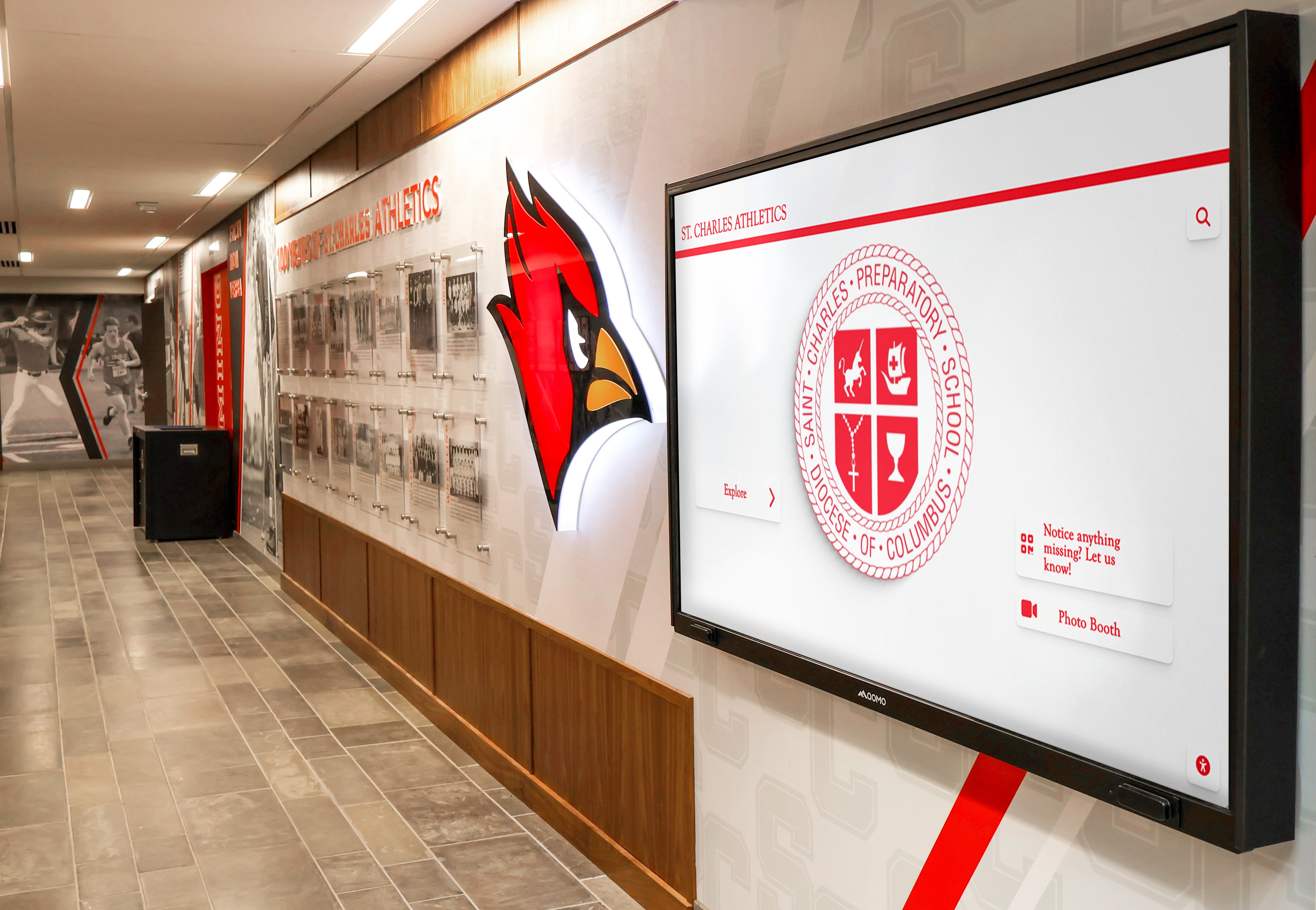
Coordinating displays with school branding and athletic identity creates cohesive facility aesthetics
Design Integration Best Practices
Creating visually cohesive installations requires coordination across disciplines.
Architectural Coordination
Displays should complement building design:
Scale and Proportion
Size displays appropriately:
- Match display dimensions to surrounding architectural elements
- Avoid displays appearing undersized or overwhelmingly large
- Consider viewing distances and user heights
- Coordinate display aspect ratios with wall proportions
- Plan multiple smaller displays rather than single oversized screens in some contexts
Material and Finish Coordination
Integrate displays into design palette:
- Match mounting hardware finishes to surrounding trim and fixtures
- Coordinate bezel colors with paint schemes and finishes
- Integrate displays into wall treatments and millwork
- Select frames and surrounds complementing architectural character
- Consider display off-state appearance in design decisions
Lighting Coordination
Proper illumination enhances displays:
- Prevent direct sunlight striking screens causing glare and washing out images
- Provide adequate ambient lighting for comfortable viewing
- Use accent lighting drawing attention to displays
- Coordinate lighting color temperatures with display calibration
- Consider automatic brightness adjustment responding to ambient conditions
Schools implementing comprehensive school digital signage should ensure consistent design integration across installations.
Brand Identity Integration
Displays should reinforce school identity:
Color Scheme Alignment
Coordinate displays with school colors:
- Interface designs incorporating official school colors
- Background colors and themes matching athletic branding
- Custom graphics featuring school logos and mascots
- Consistent typography matching school marketing materials
- Color-coordinated mounting hardware and surrounds
Logo and Mascot Integration
Strengthen brand presence:
- School logos featured prominently in interface design
- Mascot imagery integrated into display themes
- Athletic department branding consistently applied
- Coordination with existing signage and graphics programs
- Professional design maintaining brand standards
Messaging Consistency
Align content with institutional values:
- Recognition programs emphasizing school mission and values
- Language and tone matching institutional communications
- Inclusive content honoring diverse athletic achievements
- Historical narratives reinforcing tradition and excellence
- Forward-looking content inspiring current students
Accessibility Considerations
Ensure displays serve all users:
Physical Accessibility
Enable universal access:
- Mounting heights accommodating wheelchair users (centered at 48 inches maximum)
- Clear floor space for wheelchair approach (minimum 30x48 inches)
- Controls and interactive elements within reach ranges
- Alternative viewing angles for users of different heights
- Adequate lighting for visitors with low vision
Digital Accessibility
Design inclusive interfaces:
- High contrast modes for visitors with vision impairments
- Adjustable text sizes accommodating reading challenges
- Screen reader compatibility for blind users
- Simple navigation reducing cognitive load
- Audio descriptions for multimedia content
- Multilingual content serving diverse communities
Accessibility requirements represent both legal obligations under ADA and ethical commitments to inclusive recognition.
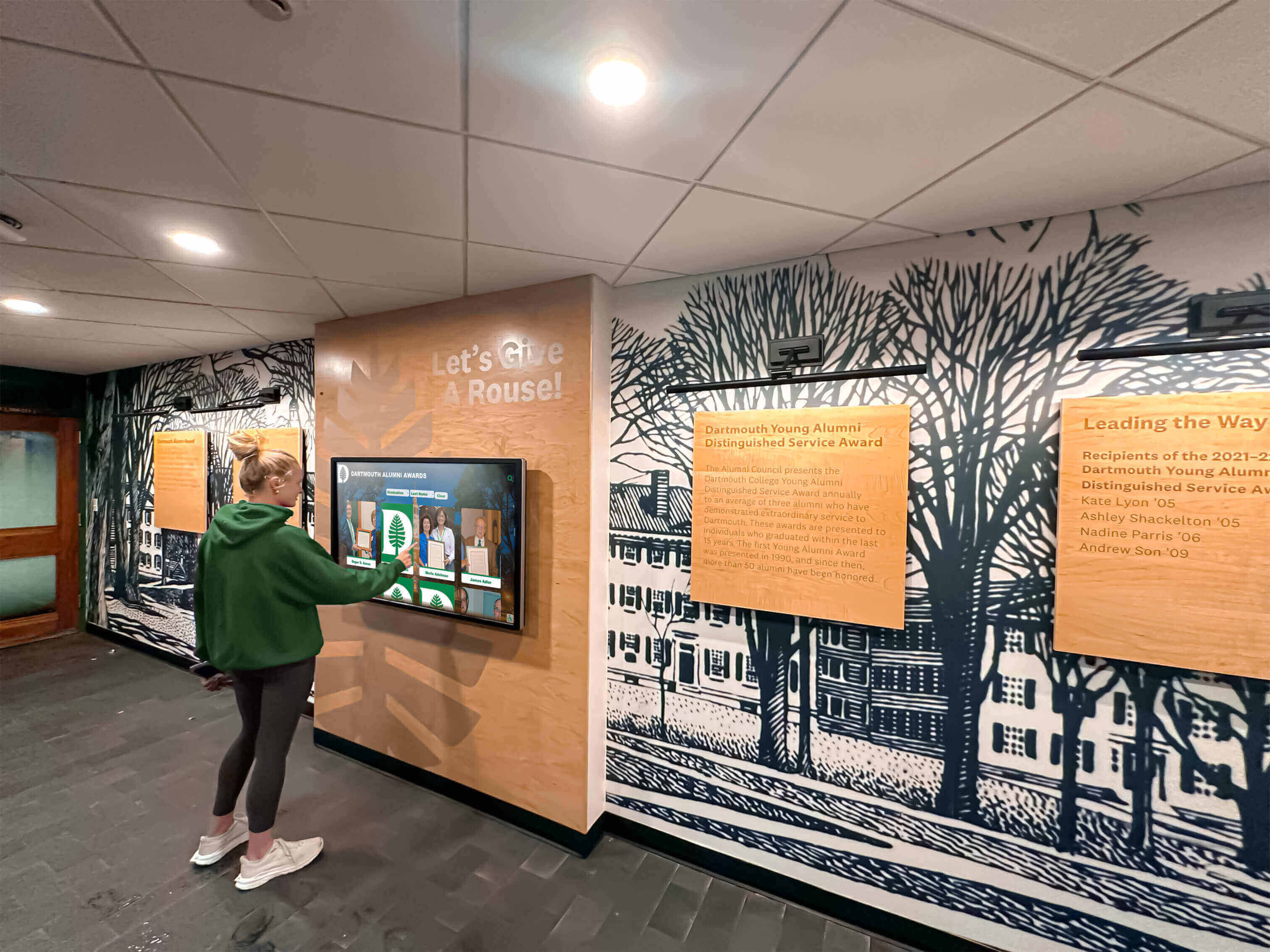
Accessible installations enable all students and community members to explore athletic achievements and school history
Content Planning for Launch
Hardware represents only half the equation—compelling content drives engagement.
Initial Content Development
Plan comprehensive launch content:
Historical Athletic Achievements
Document program history:
- Championship teams and tournament results
- Individual record holders and statistical leaders
- Hall of fame inductees and selection criteria
- Notable alumni athletes and post-graduation achievements
- Coaching histories and program milestones
- Facility evolution and construction history
Team Rosters and Information
Provide current content:
- Varsity team rosters with athlete profiles
- Coaching staff biographies and accomplishments
- Season schedules and results
- Team records and statistics
- Photo galleries from recent seasons
- Video highlights and memorable moments
Supporting Content
Round out displays:
- Athletic department mission and values
- Facilities tour and information
- Booster club and fundraising information
- Athletic participation requirements and processes
- Spirit wear and merchandise information
- Contact information for athletic department
Schools developing athletic recognition content strategies benefit from comprehensive planning before facility opening.
Ongoing Content Management
Establish sustainable update processes:
Annual Updates
Plan regular maintenance:
- Add graduating senior athletes and achievements
- Update team rosters for new seasons
- Incorporate recent championship results
- Add hall of fame inductees
- Update records and statistical leaders
- Refresh photo galleries and multimedia content
Seasonal Updates
Maintain current information:
- Update schedules and game results
- Post team standings and tournament brackets
- Highlight current season achievements
- Feature athlete of the week or month
- Promote upcoming games and events
- Share news and program updates
Responsibility Assignment
Designate content managers:
- Athletic director oversight and approval
- Athletic administrative assistant daily updates
- Coaching staff content contributions
- IT support technical maintenance
- Student assistants content entry help
- Booster club historical content development
Clear responsibility prevents displays becoming outdated and stale.
Common Mistakes to Avoid
Learning from others prevents costly errors.
Planning and Design Mistakes
Mistake: Treating Displays as Afterthoughts
Many schools fail to consider displays during gymnasium design, attempting to add them after construction completes. This oversight results in:
- Exposed conduit and surface-mounted wiring compromising aesthetics
- Suboptimal display locations constrained by existing infrastructure
- Higher installation costs from retrofitting
- Design mismatches with architectural finishes
- Limited location options after walls and ceilings complete
Solution: Include displays in initial architectural programming and design development phases.
Mistake: Undersizing Display Budgets
Schools sometimes allocate minimal funding assuming displays cost less than reality:
- Purchasing consumer-grade equipment failing quickly in school environments
- Inadequate mounting and installation quality
- Minimal content development leaving displays underutilized
- No budget for ongoing software licensing and support
Solution: Budget 0.5-1% of total gymnasium construction costs for comprehensive display systems.
Mistake: Ignoring Infrastructure Requirements
Insufficient technical planning creates problems:
- Inadequate electrical capacity for displays and future expansion
- Poor network connectivity limiting functionality
- Inadequate structural support for display mounting
- Insufficient lighting control causing glare and poor viewing
Solution: Engage technology consultants during design phases ensuring adequate infrastructure.
Installation and Implementation Mistakes
Mistake: Delaying Equipment Specification
Some schools defer display selection hoping for future price decreases or technology improvements:
- Construction documents lacking specific requirements
- Contractors unable to properly prepare infrastructure
- Delayed procurement preventing installation completion for facility opening
- Rushed decisions without proper evaluation
Solution: Specify exact equipment during design development phase allowing adequate procurement time.
Mistake: Inadequate Content Preparation
Schools sometimes focus exclusively on hardware neglecting content:
- Displays installed but showing placeholder content at facility opening
- Embarrassing gaps in historical information
- Poor quality photos and graphics
- Limited functionality not demonstrating display capabilities
Solution: Begin content development 6-12 months before installation completion.
Mistake: Insufficient Staff Training
Technical systems require operational knowledge:
- Staff unable to update content regularly
- Displays showing outdated information
- Technical problems going unresolved
- Displays turned off due to persistent issues
Solution: Require comprehensive training as part of installation contracts.
For schools seeking comprehensive support, explore turnkey athletic recognition solutions including installation, content development, and training.
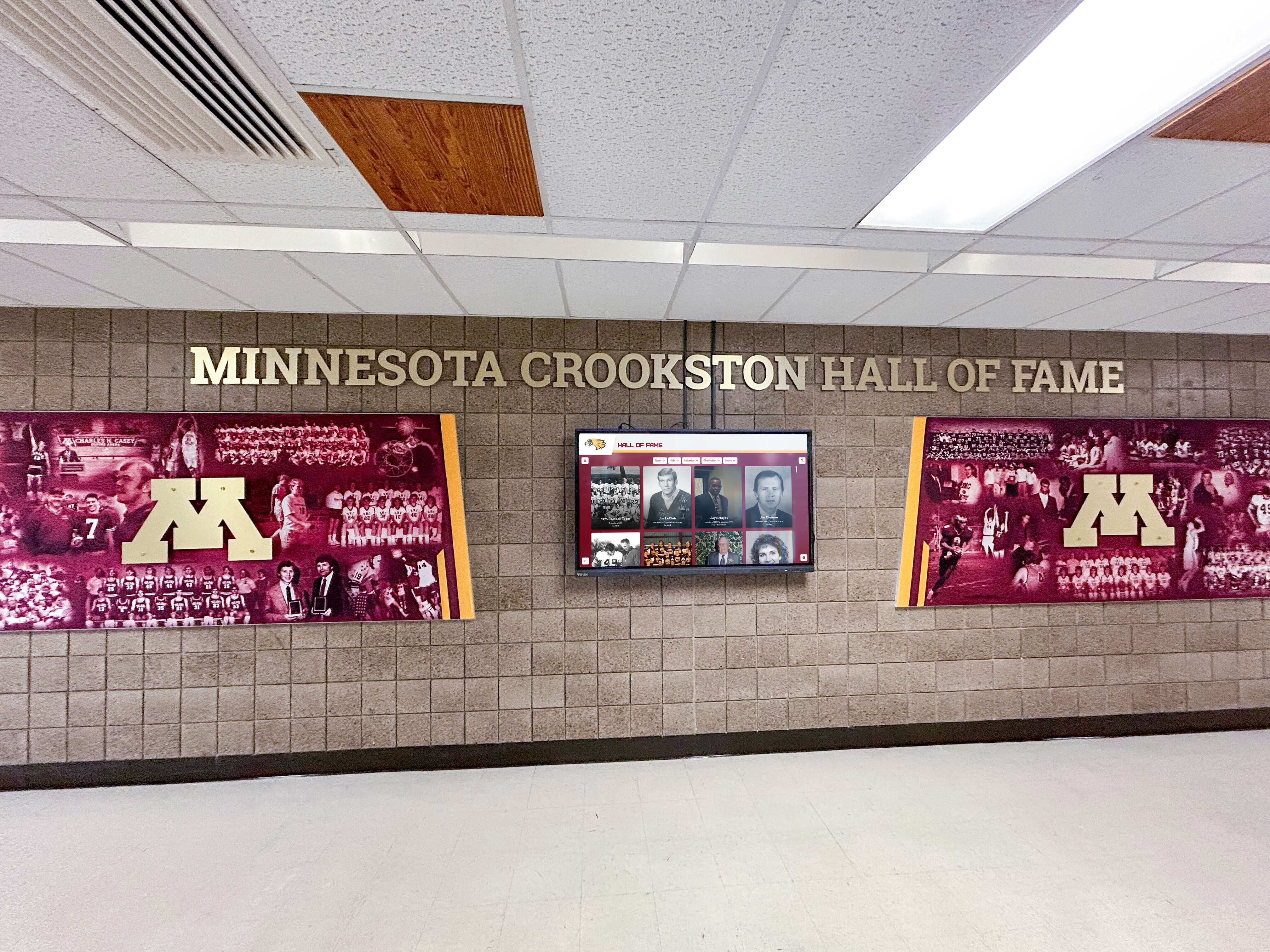
Successful installations integrate displays with architectural elements creating unified athletic recognition environments
Vendor Selection and Procurement
Choosing appropriate partners ensures successful implementation.
Evaluation Criteria
Assess vendors across multiple dimensions:
Experience and Expertise
Prioritize vendors with relevant background:
- Portfolio of school athletic display installations
- References from similar educational institutions
- Understanding of school construction processes and timelines
- Experience coordinating with architects and general contractors
- Track record of on-time, on-budget project completion
Technology and Product Quality
Evaluate technical capabilities:
- Commercial-grade hardware appropriate for educational environments
- Reliable software platforms with intuitive content management
- Cloud-based systems enabling remote updates and monitoring
- Mobile-responsive interfaces supporting smartphone and tablet access
- Analytics capabilities measuring engagement and usage
Service and Support
Assess ongoing support:
- Installation and commissioning services
- Staff training and documentation
- Technical support availability and responsiveness
- Content development assistance
- Warranty terms and equipment replacement processes
- Software updates and feature enhancements
Total Cost of Ownership
Consider comprehensive costs:
- Initial hardware and installation costs
- Software licensing and subscription fees
- Annual support and maintenance costs
- Training and professional development
- Content development services
- Future expansion and upgrade paths
Procurement Approaches
Different purchasing methods suit different situations:
Inclusion in General Construction Contract
Most seamless approach:
- Single contract covering building and displays
- General contractor coordination with subcontractors
- Unified project timeline and schedule
- Streamlined change order processes
- Single warranty period and responsibility
Best for larger display systems requiring substantial infrastructure coordination.
Separate Display Contract
Alternative approach:
- School directly contracts display vendor
- Coordination agreement with general contractor
- Greater control over display specifications and selection
- Potential for specialized vendors general contractors wouldn’t engage
- Separate procurement timeline and bidding process
Works well for schools with specific vendor preferences or specialized requirements.
Cooperative Purchasing Contracts
Leverage pre-negotiated pricing:
- State or regional purchasing cooperatives
- Education service center contracts
- National cooperative purchasing organizations (OMNIA Partners, Sourcewell)
- Pre-vetted vendors meeting competitive bidding requirements
- Simplified procurement meeting public purchasing regulations
Efficient approach for public schools requiring competitive procurement.
Case Applications Across School Types
Different institutions have varying requirements:
High Schools
Secondary schools represent primary gymnasium users:
Typical High School Implementations
Common approaches include:
- Display in main gymnasium lobby honoring athletic achievements
- Additional displays in connecting hallways showing team photos and statistics
- Larger installations combining with trophy cases and physical plaques
- Integration with school-wide recognition systems
- Athletic-specific focus with occasional academic recognition
Scale and Scope
High school gymnasiums typically feature:
- 1-3 primary displays depending on facility size
- 43-55 inch displays for individual viewing
- Freestanding kiosks or wall-mounted installations
- Focus on school-specific content and history
- Limited integration with external systems
Universities and Colleges
Higher education requires different approaches:
College Athletic Facilities
University installations differ:
- Larger facilities with multiple display locations
- Integration with comprehensive athletic communication systems
- Recruiting considerations featuring program success
- Alumni engagement emphasizing professional athlete achievements
- Conference championship and NCAA tournament recognition
- Donor recognition integrating with fundraising programs
Scale and Budget
College facilities support larger investments:
- 3-8 displays across facility depending on size
- Mix of display sizes serving different purposes
- Higher budgets reflecting larger construction projects
- Sophisticated content management and scheduling
- Integration with digital signage across campus
Small Schools and Private Institutions
Smaller schools adapt approaches:
Resource Constraints
Schools with limited budgets:
- Single well-placed display providing maximum impact
- Smaller display sizes reducing costs
- Cloud-based platforms eliminating server infrastructure
- Phased implementation spreading costs across years
- Community fundraising supporting display purchases
Customization and Character
Smaller schools emphasize:
- Intimate historical content connecting generations
- Personal athlete stories and profiles
- Strong community traditions and values
- Close integration with school identity
- Family legacy and multi-generational attendance
Conclusion: Planning for Decades of Recognition Impact
Installing touchscreen displays during new gymnasium construction represents far more than adding technology—it creates lasting infrastructure honoring athletic achievements, inspiring current students, and strengthening community connections for decades to come. The difference between planned integration during construction and later retrofitting extends well beyond cost savings, encompassing design quality, operational efficiency, and recognition impact.
Schools have single opportunities to build gymnasiums correctly. Thoughtful planning incorporating interactive displays from initial design phases creates recognition systems matching facility quality while controlling costs and maximizing engagement. The modest investment required—typically representing less than 1% of total construction budgets—delivers disproportionate value through enhanced school pride, improved athletic recognition, and engaged alumni connections.
Planning a New Gymnasium? Get Your Display Integration Right
Discover how Touch Archive helps schools install interactive touchscreen displays during gymnasium construction, creating impressive athletic recognition systems while controlling costs and ensuring smooth architectural integration.
Talk to Our TeamSuccess requires beginning conversations early—ideally during conceptual design phases when maximum flexibility exists. Engage stakeholders including athletic directors, coaches, alumni representatives, and booster clubs ensuring recognition systems serve community needs and values. Allocate appropriate budgets reflecting both initial installation costs and ongoing content management requirements. Most importantly, specify displays completely during design development allowing proper infrastructure coordination and avoiding costly changes during construction.
The displays installed today will serve your athletic programs, students, and community for 40-50 years—matching the lifespan of the gymnasium itself. This longevity demands thoughtful planning, quality equipment selection, and professional installation ensuring systems remain functional, attractive, and engaging throughout their service life. Schools that approach display installation with the same care and attention devoted to other building systems create recognition environments matching their athletic programs’ excellence.
Your new gymnasium represents substantial community investment and institutional pride. Athletic recognition displays installed correctly enhance this investment, creating engaging environments celebrating past achievements while inspiring future success. The planning decisions made during design and construction phases determine whether your displays become signature features visitors remember or afterthought installations compromised by retrofit constraints.
Ready to explore how interactive touchscreen displays can enhance your new gymnasium? See how Touch Archive helps schools plan and implement athletic recognition systems during construction, creating impressive displays while controlling costs and ensuring long-term success.































