




Nonprofits increasingly recognize that how they communicate community partnerships, honor veterans, and promote upcoming events directly impacts engagement, donor confidence, and community visibility. Yet many organizations struggle with outdated bulletin boards, printed posters requiring constant replacement, and static displays that become invisible to regular visitors.
A mounted TV-style digital display solves these challenges by creating a dynamic, professional communication hub where your nonprofit can highlight partnerships, celebrate veterans, showcase upcoming community openings, and update content instantly without printing costs or physical posting labor. For smaller nonprofits especially, these displays represent practical, cost-effective solutions that deliver immediate impact.
This guide explores digital wall mount display options specifically for nonprofits seeking modest-scale solutions. You’ll discover realistic pricing for different approaches, implementation requirements, content management considerations, and how organizations like yours successfully use digital displays to strengthen community connections and advance their missions.
The question “what will this actually cost?” represents the starting point for most nonprofit technology decisions. Unlike enterprise digital signage systems with complex licensing and installation requirements, TV-based digital displays for nonprofits can be implemented with surprisingly modest budgets—often less than organizations spend annually on printed materials.

Professional digital displays create welcoming spaces where community members, donors, and visitors explore nonprofit recognition and information
Understanding Nonprofit Digital Display Needs
Before examining specific pricing and solutions, clarifying what nonprofits actually need helps identify appropriate approaches.
Common Nonprofit Display Use Cases
Organizations implementing digital displays typically pursue several interconnected goals:
Community Partnership Recognition
Nonprofits maintain numerous partnerships requiring visible acknowledgment:
- Corporate sponsors and business supporters
- Government agencies providing funding or services
- Educational institutions collaborating on programs
- Healthcare organizations and medical partners
- Faith communities offering space or volunteers
- Other nonprofits in collaborative initiatives
- Professional associations providing expertise
- Individual major donors deserving recognition
Digital displays enable rotating partnership recognition that provides all supporters with visibility without physical space constraints limiting acknowledgment.
Veteran and Service Member Honoring
Organizations serving military communities need dignified recognition:
- Individual veteran profiles with service details
- Deployment timelines and unit affiliations
- Service awards and commendations
- Military branch representation
- Memorial tributes for fallen service members
- Current service member support initiatives
- Military family recognition programs
- Veteran program participation and achievements
Digital memorial and recognition displays provide military-focused nonprofits with respectful platforms honoring those who served.
Event and Program Promotion
Keeping communities informed about opportunities requires consistent communication:
- Upcoming community partnership openings and celebrations
- Workshop and training session schedules
- Volunteer opportunity announcements
- Fundraising events and campaigns
- Program registration deadlines
- Success stories and impact reports
- Seasonal initiatives and holiday programs
- Emergency information and service changes

Freestanding and wall-mounted displays provide flexible installation options adapting to different facility layouts
Scale Considerations for Smaller Nonprofits
The emphasis on “nothing large scale” and “mounted TV type screen” signals practical requirements common among community nonprofits:
Modest Physical Scale
- Single display serving main lobby or gathering space
- Screen sizes typically 43-55 inches (similar to home TVs)
- Wall-mounted installation minimizing floor space
- Simple, clean appearance fitting existing décor
- No elaborate video walls or multi-screen installations
Limited Technical Complexity
- Systems manageable by existing staff without IT specialists
- Content updates through simple web interfaces or apps
- Minimal ongoing technical support requirements
- Reliable operation without constant troubleshooting
- Equipment readily available through standard channels
Budget Consciousness
- Initial investment measured in thousands, not tens of thousands
- Minimal recurring costs for software or services
- Avoidance of expensive proprietary systems
- Hardware replaceable through consumer electronics channels
- Cost recovery through eliminated printing and posting expenses
These requirements describe installations very different from enterprise digital signage, making consumer and prosumer solutions entirely appropriate.
Digital Display Pricing: Three Approach Tiers
Nonprofit digital displays fall into three general pricing tiers based on hardware quality, software sophistication, and feature sets.
Budget Approach: Consumer TV with Simple Content ($800-1,500)
The most economical implementations use standard consumer televisions with basic content display.
Hardware Components
- 43-50 inch consumer LED TV ($350-600)
- Basic TV wall mount ($30-80)
- Mini PC or streaming device ($150-350)
- USB thumb drive or SD card for content storage ($15-30)
- HDMI cables and power ($20-40)
- Professional installation labor ($200-400, or DIY if capable)
Total Initial Investment: $800-1,500
Content Management Options
- Create slides in PowerPoint, save as images, display via USB
- Use free digital signage apps like Xibo (open source)
- Display Google Slides presentation via Chromecast ($30)
- Show PDF or image slideshows from mini PC
- Use Raspberry Pi ($75) with free slideshow software
Advantages of Budget Approach
- Extremely low entry cost accessible to smallest nonprofits
- Equipment replaceable at consumer electronics stores
- No ongoing software fees if using free tools
- Simple enough for non-technical staff to manage
- Suitable for static content that changes weekly or monthly
Limitations to Consider
- Manual content updates requiring physical access to equipment
- Limited remote management capabilities
- Consumer TVs not rated for 24/7 operation
- Shorter expected lifespan than commercial displays
- Fewer content scheduling and management features
For nonprofits with monthly partnership recognition updates and event announcements changing every few weeks, this approach provides entirely adequate functionality.
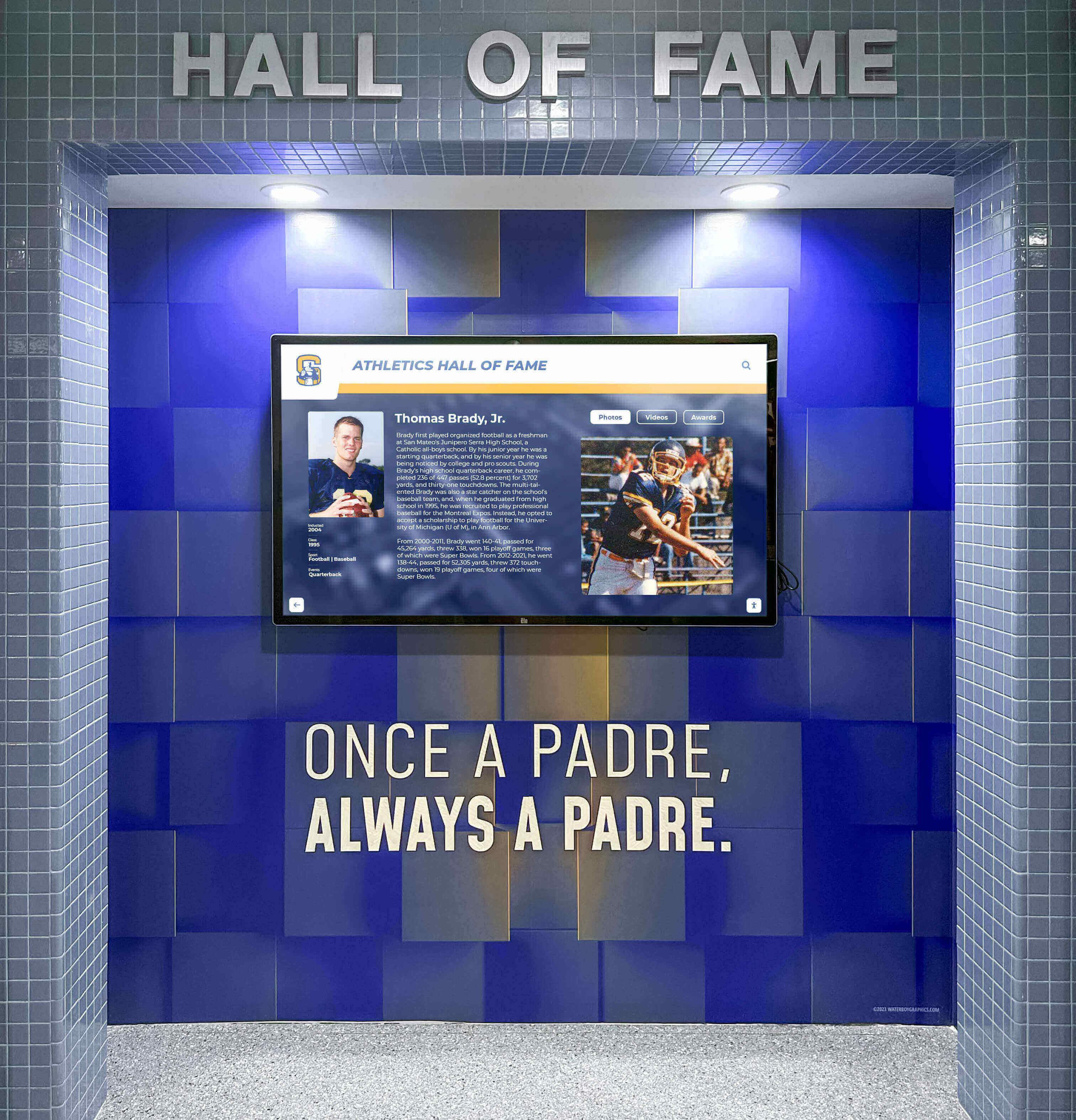
Wall-mounted displays integrate seamlessly with existing architecture while providing professional presentation quality
Mid-Range Approach: Commercial Display with Cloud Software ($2,500-4,500)
Organizations wanting professional quality with remote management typically choose this tier.
Hardware Components
- 43-55 inch commercial-grade display ($800-1,500)
- Professional-grade wall mount with cable management ($100-200)
- Media player or built-in system-on-chip display ($200-400, or included)
- Installation by professional AV integrator ($400-800)
- Networking connectivity (wired Ethernet preferred)
Software Subscription
- Cloud-based digital signage platform ($25-75/month or $300-900/year)
- Common platforms: ScreenCloud, NoviSign, Rise Vision, Yodeck
- Content templates and design tools included
- Remote management from any internet-connected device
- User-friendly interfaces requiring no technical expertise
Total Initial Investment: $2,500-4,500 Ongoing Annual Costs: $300-900
Advantages of Mid-Range Systems
- Commercial displays rated for continuous operation (16+ hours daily)
- Remote content updates from anywhere via web browser
- Content scheduling enabling timed displays
- Multiple user accounts with permission controls
- Templates accelerating content creation
- Technical support from software providers
- Professional appearance suitable for donor and partner visibility
Return on Investment Calculation
Compare ongoing costs to eliminated expenses:
- Printing event posters: $200-400 annually eliminated
- Printed partnership recognition materials: $300-600 annually eliminated
- Staff time posting and removing paper materials: 20-40 hours annually recovered
- Total value: $500-1,000+ annually
Mid-range systems typically reach cost parity with traditional approaches within 2-4 years while delivering significantly better visibility and professionalism.
Organizations exploring comprehensive nonprofit recognition solutions often begin with single displays testing functionality before potential expansion.
Premium Approach: Interactive Touchscreen with Custom Content ($4,000-8,000)
Nonprofits wanting maximum engagement capability choose interactive systems.
Hardware Components
- 43-55 inch commercial touchscreen display ($1,800-3,500)
- Heavy-duty touchscreen-rated wall mount ($150-300)
- Media player or integrated computer ($300-600)
- Professional installation with touchscreen calibration ($600-1,000)
- ADA-compliant mounting height and accessibility considerations
Software Platform
- Interactive content management system ($50-150/month or $600-1,800/year)
- Touch-optimized interface design
- Custom content development (initial: $500-2,000)
- Analytics tracking visitor engagement
- Search and navigation functionality
Total Initial Investment: $4,000-8,000 Ongoing Annual Costs: $600-1,800
Interactive Capabilities
Touchscreens enable functionality passive displays cannot provide:
- Searchable veteran directories finding specific individuals
- Partnership recognition galleries users browse at own pace
- Event calendars users tap to see details
- Program information pages with registration links via QR codes
- Donation information and contribution impact stories
- Volunteer opportunity exploration with contact details
- Multi-language support for diverse communities
When Interactive Makes Sense
Consider touchscreens if your organization:
- Hosts regular public events where visitors explore information
- Maintains extensive veteran or member directories
- Wants donors and partners to explore recognition interactively
- Serves diverse communities benefiting from self-service information
- Has sufficient public traffic justifying engagement features
Organizations with lower foot traffic often find passive displays adequately serve their communication needs at lower cost.
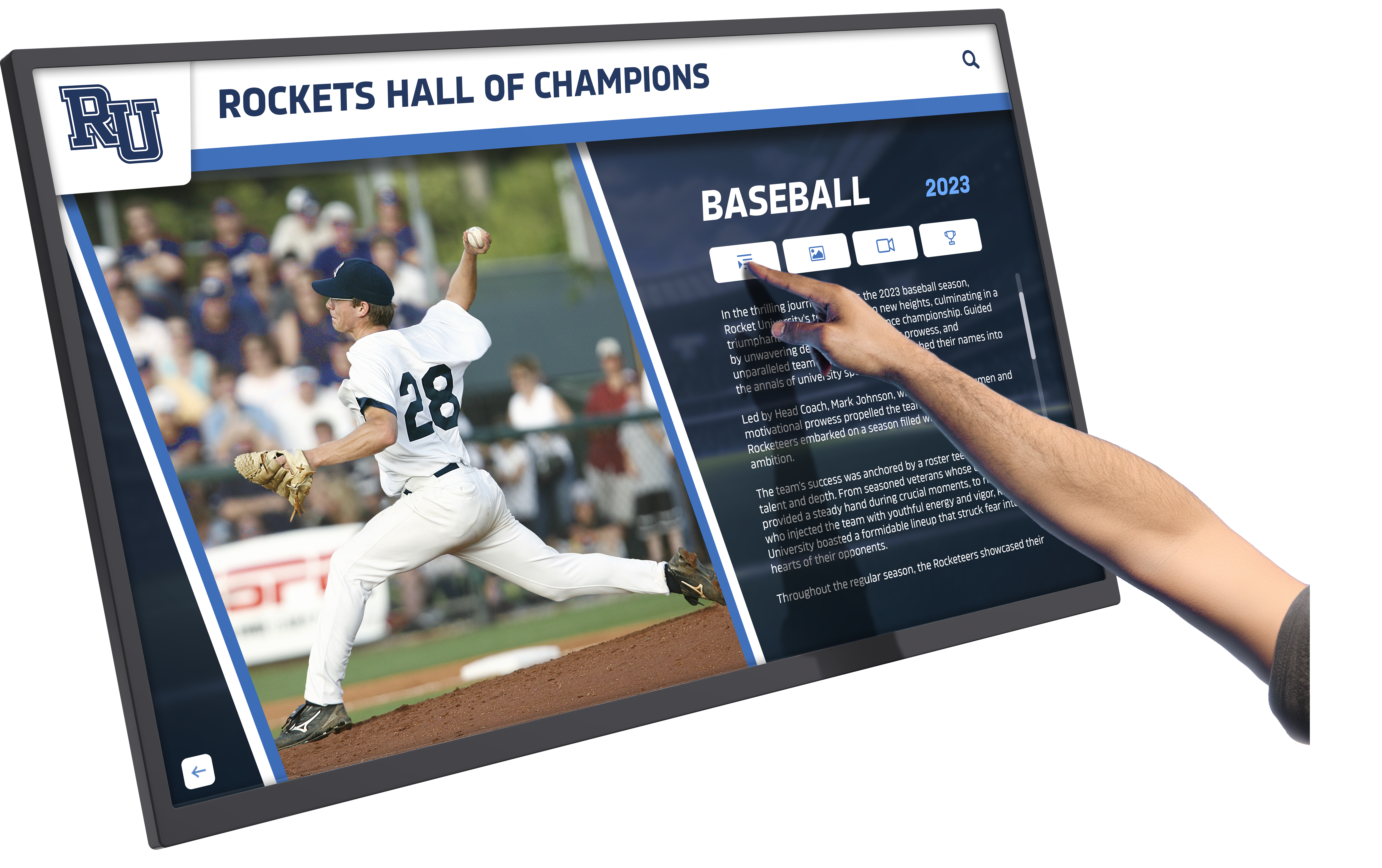
Interactive touchscreens enable visitors to explore veteran recognition, partnership information, and program details at their own pace
Installation and Implementation Requirements
Understanding complete requirements prevents budget surprises.
Physical Installation Considerations
Wall Selection and Preparation
- Locate studs or install backing board for secure mounting
- Ensure wall can support 40-80 pounds (display plus mount)
- Consider viewing angles and sight lines from entry points
- Avoid direct sunlight causing screen glare and overheating
- Position away from high-traffic areas where collisions might occur
- Maintain clearance from HVAC vents directing air on screen
Electrical Requirements
- Standard 120V outlet within 6 feet of mounting location
- Consider in-wall power kit concealing cords ($50-100)
- Surge protector recommended protecting equipment ($25-50)
- Continuous power availability or automated power management
Network Connectivity
- Wired Ethernet strongly preferred for reliability
- WiFi acceptable if signal strong and consistent at location
- Public WiFi networks often block streaming content
- Consider guest network separate from administrative systems
- Required bandwidth: 5-10 Mbps for cloud-based content
Installation Labor
Three options for physical installation:
DIY Installation ($0 labor)
- Suitable for staff or volunteers comfortable with tools
- Requires: stud finder, drill, level, screwdrivers
- Average time: 2-4 hours for first-time installers
- Risk: improper mounting could damage walls or equipment
Handyman Service ($150-300)
- General contractors handle basic TV mounting
- May lack AV expertise for optimal placement
- Typically includes: mounting, basic cable management
- Does not include: networking configuration, software setup
Professional AV Integrator ($400-1,000)
- Specialists in commercial display installation
- Includes: site survey, optimal placement, complete cabling
- Network configuration and software installation
- Staff training on system operation
- Warranty protection and future support relationship
For permanent installations serving as community-facing communication hubs, professional installation typically justifies the cost through quality results and reduced risk.
Content Development Considerations
Hardware represents only half the implementation equation. Quality content makes displays effective.
Initial Content Development
Before installation, prepare:
- Current partnership recognition slides with logos and descriptions
- Veteran profiles with photos, service details, and biographical information
- Event calendar for next 2-3 months
- Organization mission statement and impact statistics
- Photo galleries showing programs in action
- Design templates maintaining consistent branding
Content Creation Options
In-House Development ($0 additional)
- Staff creates content using PowerPoint, Canva (free), or Google Slides
- Appropriate for organizations with marketing or communications staff
- Time investment: 10-20 hours initial content development
- Ongoing: 2-4 hours monthly for updates
Freelance Designer ($300-1,000)
- Graphic designer creates professional template set
- Nonprofit provides content; designer handles layout
- Typical deliverables: 10-15 template slides
- Organization modifies templates for ongoing updates
Ongoing Content Service ($100-300/month)
- Nonprofit provides information; service creates display content
- Regular updates maintaining fresh appearance
- Professional quality without internal expertise required
- Suitable for organizations lacking design skills or staff time
Organizations serving diverse communities might explore multilingual display solutions ensuring accessibility across language barriers.

Professional content templates create polished presentations highlighting partnerships, veterans, and community programs
Specific Content Examples for Nonprofit Displays
Practical examples clarify how organizations use displays for mentioned purposes.
Community Partnership Recognition Slides
Corporate Sponsor Recognition
- Company logo (high-resolution, provided by sponsor)
- “Proud Partner Since [Year]”
- Brief description: “ABC Manufacturing supports our veteran employment program through financial contributions and job placement partnerships”
- Optional: Employee volunteer hours contributed
- Contact information if partnership involves public services
Rotation Strategy Each partner receives equal visibility:
- 15 seconds per slide
- Rotate through all partners creating continuous loop
- Update quarterly adding new partners and refreshing content
- Special recognition for anniversary years or increased support
Design Considerations
- Consistent template maintaining visual coherence
- Professional appearance reflecting well on both organizations
- Readable text from 10-15 feet away
- High-contrast color schemes ensuring visibility
- Organization branding present but not overwhelming sponsor recognition
Veteran Recognition Content
Individual Veteran Profiles
Typical profile slide includes:
- Veteran photograph (uniform photo or recent portrait)
- Name, rank, and military branch
- Years of service and deployment locations
- Service awards and commendations
- Current involvement with nonprofit programs
- Brief quote about service or community
- “Thank you for your service” acknowledgment
Collective Recognition
- “Honoring Veterans Served by [Organization Name]”
- Statistics: number of veterans supported, services provided
- Branch representation graphics showing service diversity
- Timeline showing decades of service represented
- Memorial section for veterans who passed
- Program participation achievements and milestones
Nonprofits serving military communities find that veteran recognition displays create welcoming environments while honoring service members appropriately.
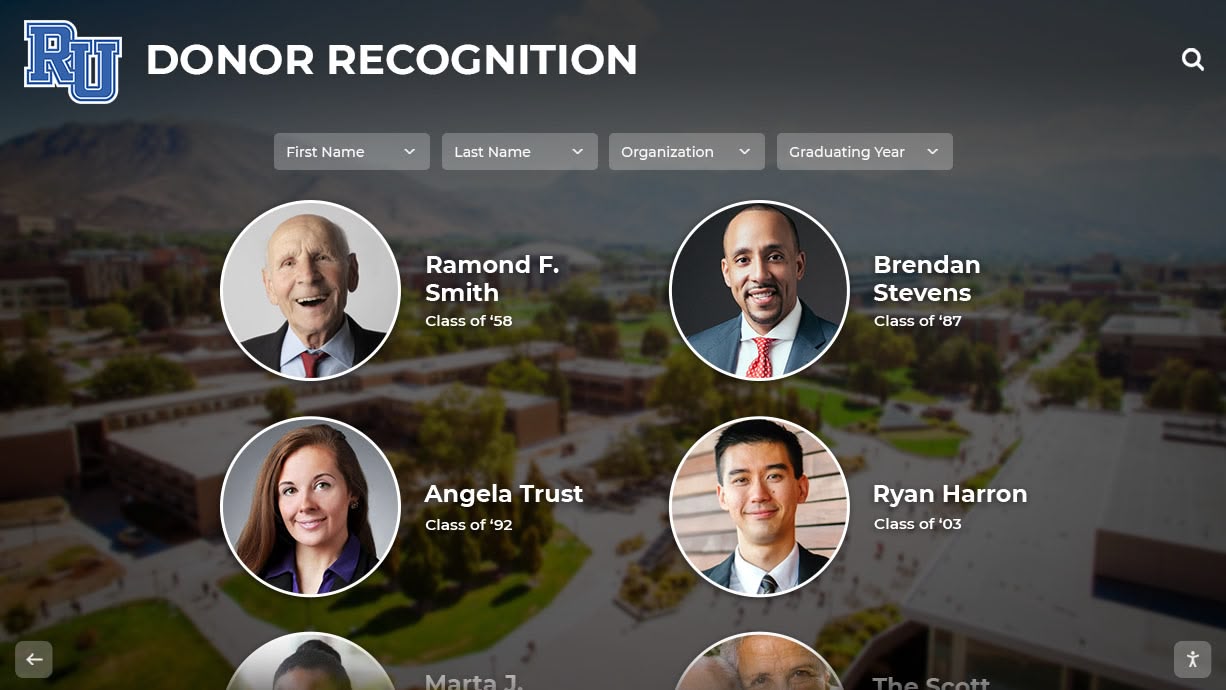
Individual profile slides honor veterans with dignity while sharing their service stories with the community
Event and Program Promotion
Upcoming Community Partnership Openings
When partner organizations open new facilities or programs:
- Event name and date/time
- Location with map graphic if helpful
- Brief description of significance
- Partner organization logos
- RSVP or registration information
- “Celebrating Community Connections” framing
Workshop and Training Sessions
- Program title and brief description
- Date, time, and location details
- Registration requirements and deadlines
- Cost information (or “free” if applicable)
- Target audience clarification
- Instructor or facilitator credentials
- Contact information for questions
Ongoing Program Information
- Service offerings and eligibility requirements
- Hours of operation and contact methods
- Success stories (with participant permission)
- Program impact statistics
- How to access services
- Volunteer opportunities supporting programs
Content Rotation Strategy
Balance time-sensitive and evergreen content:
- High priority (30 seconds display): Upcoming events in next 2 weeks
- Medium priority (20 seconds): Events 2-4 weeks out, ongoing programs
- Standard rotation (10-15 seconds): Partnership recognition, general information
- Background filler (5-10 seconds): Mission statements, impact statistics
This approach ensures time-sensitive information receives prominence while maintaining other content visibility.
Software Platform Comparison for Nonprofits
Several software solutions serve nonprofit needs well, each with distinct characteristics.
Free and Open-Source Options
Xibo
- Free, open-source digital signage platform
- Self-hosted on organization’s server or cloud hosting service
- Steeper learning curve but highly customizable
- Active community providing support and guidance
- No licensing fees; only hosting costs ($5-20/month)
- Suitable for tech-savvy nonprofits comfortable with configuration
Screenly OSE
- Free version designed for Raspberry Pi implementation
- Simple web interface for content management
- Limited to basic slideshow functionality
- Best for single-display implementations
- Minimal ongoing costs beyond hardware
- Ideal for truly budget-constrained organizations
Low-Cost Commercial Platforms
ScreenCloud ($10-20/month per screen)
- Extremely user-friendly interface
- Free apps integrating Google Slides, social media feeds, web pages
- Templates accelerating content creation
- Mobile app for quick updates
- Nonprofit discount programs available
- Excellent for organizations new to digital signage
Yodeck ($8-16/month per screen)
- Simple setup with proprietary media player ($99 one-time)
- Drag-and-drop content management
- Built-in design tools for non-designers
- Content library with free stock photos and videos
- Budget-friendly for multi-location nonprofits
Rise Vision (Free for nonprofits)
- Completely free platform for verified nonprofits
- Templates designed for organizational communication
- Chrome OS-based system using Google infrastructure
- Limited hardware compatibility requiring specific devices
- Active nonprofit user community
- Outstanding value if hardware requirements align
Platform Selection Criteria
Choose software based on:
- Budget constraints: Free vs. low-cost commercial
- Technical expertise: Self-hosted vs. fully managed
- Content complexity: Simple slides vs. interactive features
- Remote management needs: Essential vs. nice-to-have
- Scalability: Single display vs. potential growth
- Support requirements: DIY vs. vendor assistance
Most nonprofits find that low-cost commercial platforms ($10-30/month) provide the best balance of functionality, ease of use, and support, especially when considering staff time as a cost factor.
Organizations implementing comprehensive community recognition systems often begin with simple platforms and upgrade as needs grow.
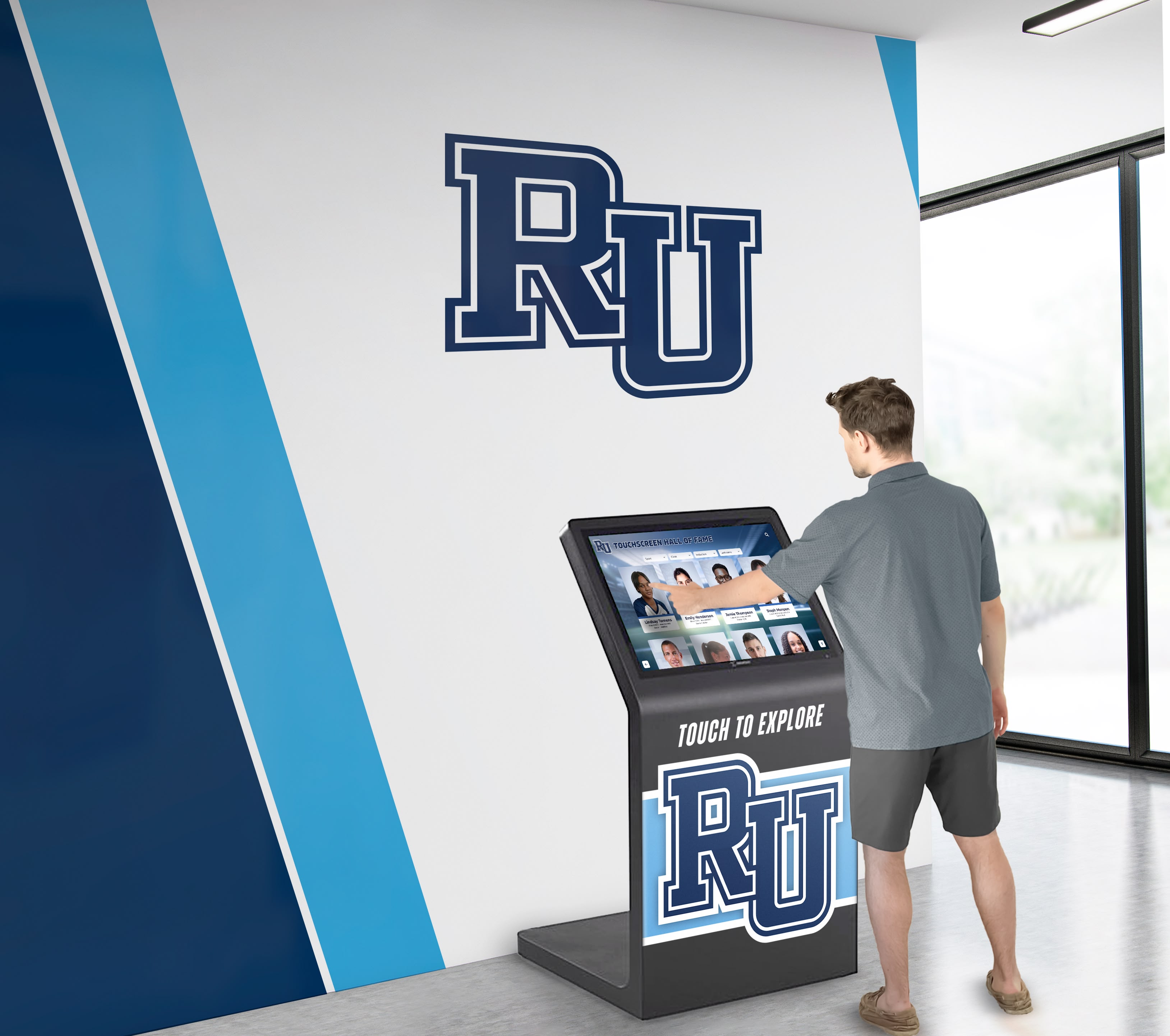
User-friendly content management platforms enable nonprofit staff to update displays remotely without technical expertise
Complete Cost Summary and Budgeting
Comprehensive cost planning prevents surprises and ensures sustainable implementation.
Budget Scenario: Small Community Nonprofit
Organization Profile
- Single location serving local community
- Existing partnerships with 10-15 organizations
- Serves 40-50 veterans through various programs
- Hosts 2-3 community events monthly
- Staff of 3-5 including executive director
- Limited technical expertise on team
Recommended Approach: Mid-Range Implementation
Initial Investment
- 50" commercial display: $1,200
- Professional wall mount: $150
- ScreenCloud media player and subscription: $120 (year one)
- Professional installation: $600
- Initial content development (freelance designer): $500
- Total Year One: $2,570
Ongoing Annual Costs
- ScreenCloud subscription: $180/year (after year one)
- Content updates (2 hours/month staff time): included in existing duties
- Equipment maintenance reserve: $100/year
- Total Years 2+: $280/year
Eliminated Costs
- Event poster printing: $300/year saved
- Partnership recognition materials: $400/year saved
- Bulletin board maintenance supplies: $100/year saved
- Annual Savings: $800
Net Result: System pays for itself in Year 3, then saves $500+ annually
Mid-Size Scenario: Regional Nonprofit
Organization Profile
- Regional reach with 2-3 locations
- Partnerships with 30+ organizations requiring recognition
- Serves 200+ veterans annually
- Multiple concurrent programs and events
- Marketing/communications staff member
- Donor base valuing professional presentation
Recommended Approach: Premium Interactive System
Initial Investment
- 55" commercial touchscreen: $2,800
- Heavy-duty touchscreen mount: $250
- Interactive content platform subscription: $600 (year one)
- Professional installation with calibration: $800
- Custom interactive content development: $1,500
- Total Year One: $5,950
Ongoing Annual Costs
- Interactive platform subscription: $900/year
- Quarterly content updates: $600/year (professional designer)
- Equipment maintenance and support: $200/year
- Total Years 2+: $1,700/year
Donor Confidence Impact
- Professional presentation supporting major donor solicitations
- Partnership visibility strengthening corporate relationships
- Veteran recognition enhancing community reputation
- Event promotion increasing attendance and engagement
- Intangible Value: Significant
These scenarios demonstrate that even comprehensive implementations remain accessible to nonprofits without enterprise budgets.
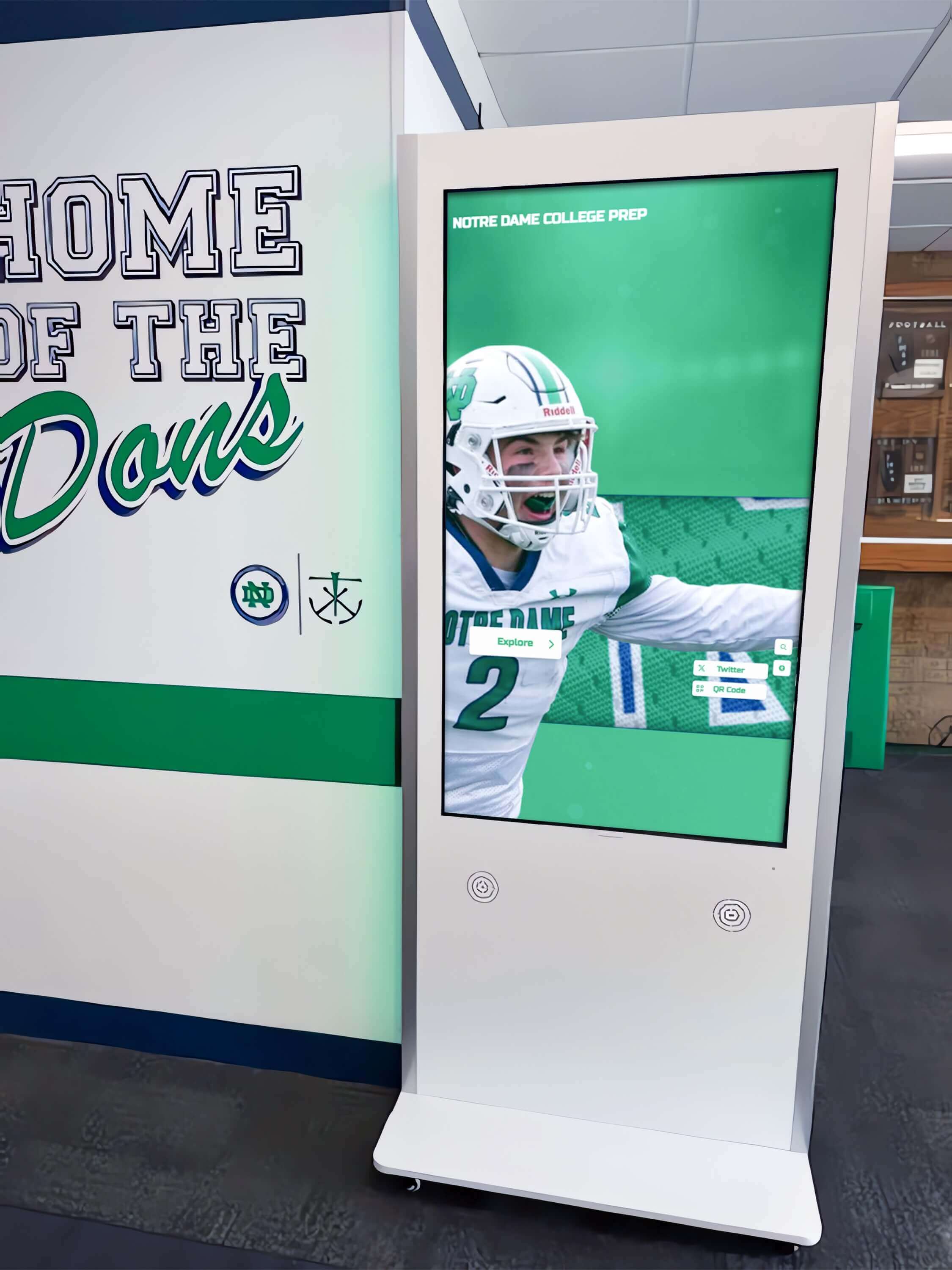
Complete installations including professional mounting and cabling create polished appearances suitable for donor and community visibility
Implementation Timeline and Process
Realistic timelines help nonprofits plan deployments effectively.
4-6 Week Implementation Schedule
Week 1-2: Planning and Requirements
- Define content priorities and goals
- Assess installation location and technical requirements
- Establish budget and secure approval
- Research hardware and software options
- Collect partnership logos and veteran information
- Photograph veterans and community members for profiles
Week 2-3: Procurement
- Order display hardware and mounting equipment
- Purchase software subscription or set up free platform
- Contract installation services if not DIY
- Engage content designer if using external support
- Prepare internal stakeholders for upcoming launch
Week 3-4: Content Development
- Create partnership recognition slides
- Develop veteran profile content
- Design event promotion templates
- Build program information displays
- Review and approve all content
- Load content into software platform
Week 4-5: Installation
- Professional installation of display and mount
- Network configuration and testing
- Software setup and content loading
- Staff training on content management
- Testing all functionality thoroughly
- Address any technical issues discovered
Week 5-6: Launch and Refinement
- Public announcement to community
- Monitor for technical problems
- Gather initial stakeholder feedback
- Make content adjustments based on observations
- Document procedures for ongoing management
- Schedule regular content review meetings
Accelerated Timeline (2-3 Weeks)
With existing content and rushed procurement:
- Week 1: Planning, ordering, content preparation
- Week 2: Installation and setup
- Week 3: Testing, training, launch
However, allowing 4-6 weeks typically produces better outcomes through thoughtful planning and quality content development.
Ongoing Management Requirements
Sustainable systems require realistic maintenance commitments:
Weekly Tasks (30-60 minutes)
- Review upcoming events and update promotion slides
- Add new partnership recognitions as relationships form
- Check display operation and content rotation
- Respond to community feedback about content
Monthly Tasks (2-3 hours)
- Refresh event calendar for coming month
- Update veteran profiles as new participants join
- Review partnership recognition ensuring currency
- Analyze any available engagement metrics
- Plan seasonal content themes
Quarterly Tasks (4-6 hours)
- Comprehensive content audit removing outdated material
- Design refresh maintaining visual interest
- Technology update and maintenance check
- Stakeholder survey gathering feedback
- Strategic planning for content direction
Organizations without dedicated communications staff often distribute these tasks among multiple team members, making the workload manageable.
Nonprofits implementing digital recognition systems find that initial time investment decreases significantly after establishing templates and workflows.
Alternative and Complementary Approaches
Digital displays work alongside other communication methods.
Hybrid Digital-Print Strategy
Many nonprofits maintain both approaches:
Digital Display Handles
- Partnership recognition rotation
- Event promotion requiring frequent updates
- Photo galleries and visual storytelling
- Veteran recognition profiles
- Real-time program information
Printed Materials Continue For
- Take-home event flyers with detailed information
- Program brochures distributed during consultations
- Direct mail campaigns reaching home audiences
- Permanent plaques honoring major donors
- Emergency information requiring redundancy
This hybrid approach provides digital efficiency while maintaining physical materials serving different purposes.
Mobile and Web Integration
Extend display content beyond physical location:
QR Code Integration
- Display QR codes linking to detailed event registration
- Connect to online veteran directories with extended information
- Provide digital donation pages for interested viewers
- Link partnership recognition to full organizational stories
- Enable email newsletter signup capturing interested visitors
Social Media Synchronization
- Share display content on organizational social channels
- Create consistent messaging across platforms
- Enable broader community reach beyond facility visitors
- Generate engagement and comments extending impact
- Build digital archive of recognition and events
Website Coordination
- Mirror display content on organizational website
- Provide deeper detail than display allows
- Enable remote access for community members unable to visit
- Support search engine visibility for programs and events
- Create permanent archives of veteran and partnership recognition
Combined approaches maximize the value of content development effort by using created materials across multiple channels.
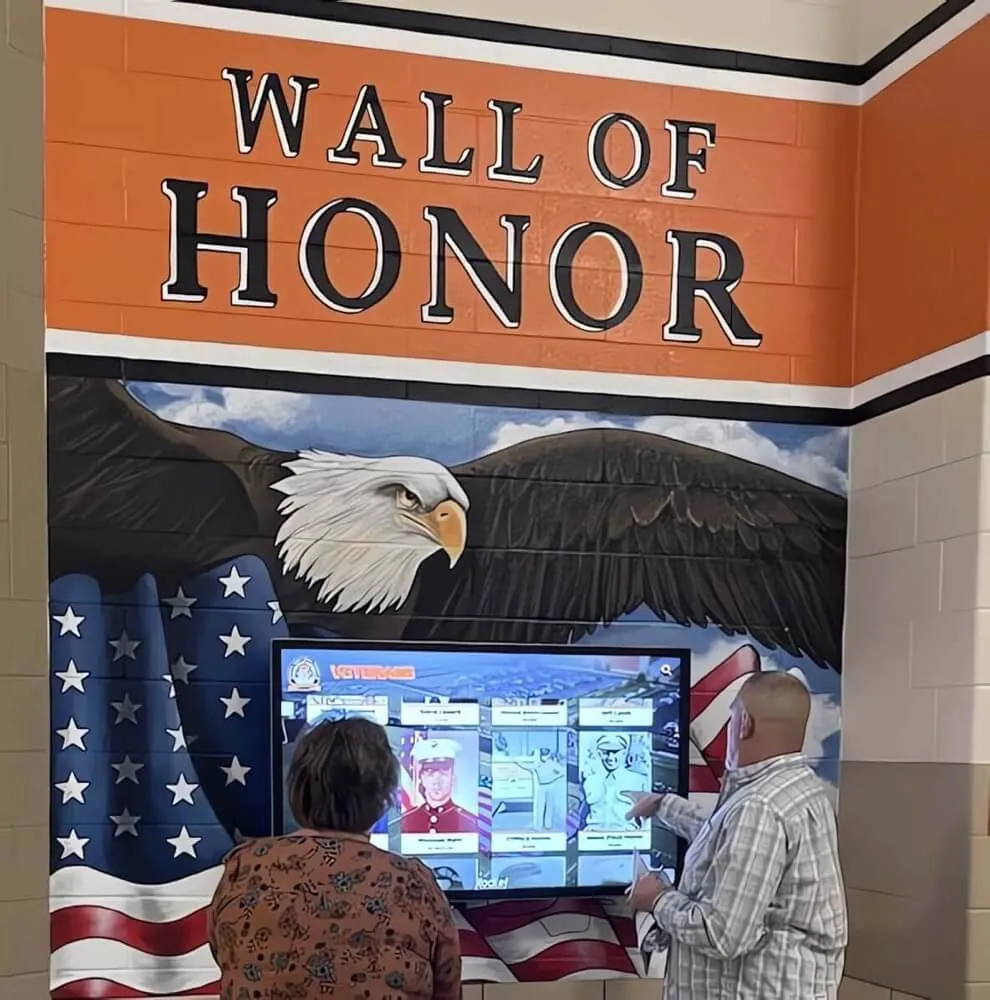
Professional displays create gathering points where community members celebrate partnerships, honor veterans, and stay informed about programs
Grant Funding and Budget Strategies
Several approaches help nonprofits fund display implementations.
Technology Grant Opportunities
Many funders support nonprofit technology improvements:
Community Foundation Technology Grants
- Local community foundations often fund organizational capacity
- Digital display projects strengthen communication infrastructure
- Typical grants: $2,000-10,000
- Emphasize community engagement and transparency benefits
Corporate Technology Donations
- Best Buy’s Tech for Good program
- Local technology companies with community investment programs
- Equipment donations or discounted purchasing
- Leverage existing corporate partnerships
Veteran Service Organization Grants
- VFW Foundation grants for veteran-serving nonprofits
- DAV (Disabled American Veterans) charitable programs
- American Legion community grants
- Emphasize veteran recognition and service promotion
In-Kind Donation Strategies
Reduce cash requirements through donated services:
Professional Installation
- Local AV integration companies providing pro bono installation
- Electricians offering discounted nonprofit rates
- Corporate volunteer programs including skilled labor
Content Development
- Marketing agencies providing pro bono design services
- Graphic design students completing portfolio projects
- Retired professionals volunteering communications expertise
Equipment Donations
- Businesses upgrading equipment donate used displays
- Commercial displays often remain functional beyond initial deployment
- Used equipment appropriate for nonprofits with modest needs
Budget Line Item Justification
When requesting board approval, emphasize:
Measurable Benefits
- Partnership recognition strengthening corporate relationships
- Event promotion increasing attendance and community engagement
- Veteran recognition enhancing organizational reputation
- Professional presentation supporting donor confidence
- Eliminated printing and posting costs (quantify savings)
Alignment with Strategic Goals
- Community visibility and awareness objectives
- Partner stewardship and relationship maintenance
- Veteran service and recognition mission
- Operational efficiency and modernization initiatives
- Donor cultivation and recognition strategy
Risk Mitigation
- Modest investment relative to organizational budget
- Phased implementation allowing testing before expansion
- Commercial equipment with warranty protection
- Vendor support reducing technical risk
- Proven technology with nonprofit sector adoption
Organizations exploring comprehensive digital solutions should emphasize long-term value and alignment with community engagement strategies when seeking board approval.
Common Challenges and Solutions
Anticipating obstacles helps nonprofits prepare effectively.
Technical Challenges
Challenge: Internet Connectivity Issues
- Problem: Unreliable WiFi causing display outages
- Solution: Wired Ethernet connection ensuring stability
- Alternative: Cloud platforms with offline caching
- Preventive: Test connectivity before installation commitment
Challenge: Content Update Difficulties
- Problem: Staff uncomfortable with technology struggling to update
- Solution: Choose extremely user-friendly platform with good support
- Alternative: Engage volunteer or part-time contractor for updates
- Preventive: Prioritize ease-of-use during platform selection
Challenge: Display Hardware Failures
- Problem: Equipment malfunction requiring replacement
- Solution: Purchase from retailers with return/exchange policies
- Alternative: Extended warranty protecting investment
- Preventive: Choose commercial-grade equipment for reliability
Content Challenges
Challenge: Insufficient Photos of Veterans
- Problem: Historical veterans lack quality photos
- Solution: Accept varied photo quality with respectful presentation
- Alternative: Host photo submission campaign inviting family contributions
- Preventive: Establish ongoing photography practice for new participants
Challenge: Partnership Logo Quality Issues
- Problem: Partners provide low-resolution or incorrect format logos
- Solution: Request vector files (.ai, .eps, .svg) or high-res PNG
- Alternative: Professional designer recreates logos from original sources
- Preventive: Establish logo guidelines and collection process
Challenge: Content Becomes Stale
- Problem: Display shows same content for months, losing impact
- Solution: Establish content calendar with scheduled refresh cycles
- Alternative: Rotate through archived content maintaining variety
- Preventive: Build content library enabling easy rotation
Organizational Challenges
Challenge: Staff Turnover Disrupting Management
- Problem: Person managing display leaves organization
- Solution: Document procedures and cross-train multiple staff
- Alternative: Simple platforms requiring minimal training
- Preventive: Cloud-based systems with shared access credentials
Challenge: Limited Content Creation Time
- Problem: Busy staff lack time for display updates
- Solution: Simple templates enabling 10-minute updates
- Alternative: Quarterly batch content creation sessions
- Preventive: Realistic assessment of capacity during planning
Challenge: Stakeholder Expectations Misalignment
- Problem: Board expects sophisticated features beyond budget
- Solution: Clear scope documentation during planning phase
- Alternative: Phased implementation showing growth path
- Preventive: Demonstrations of realistic examples before commitment
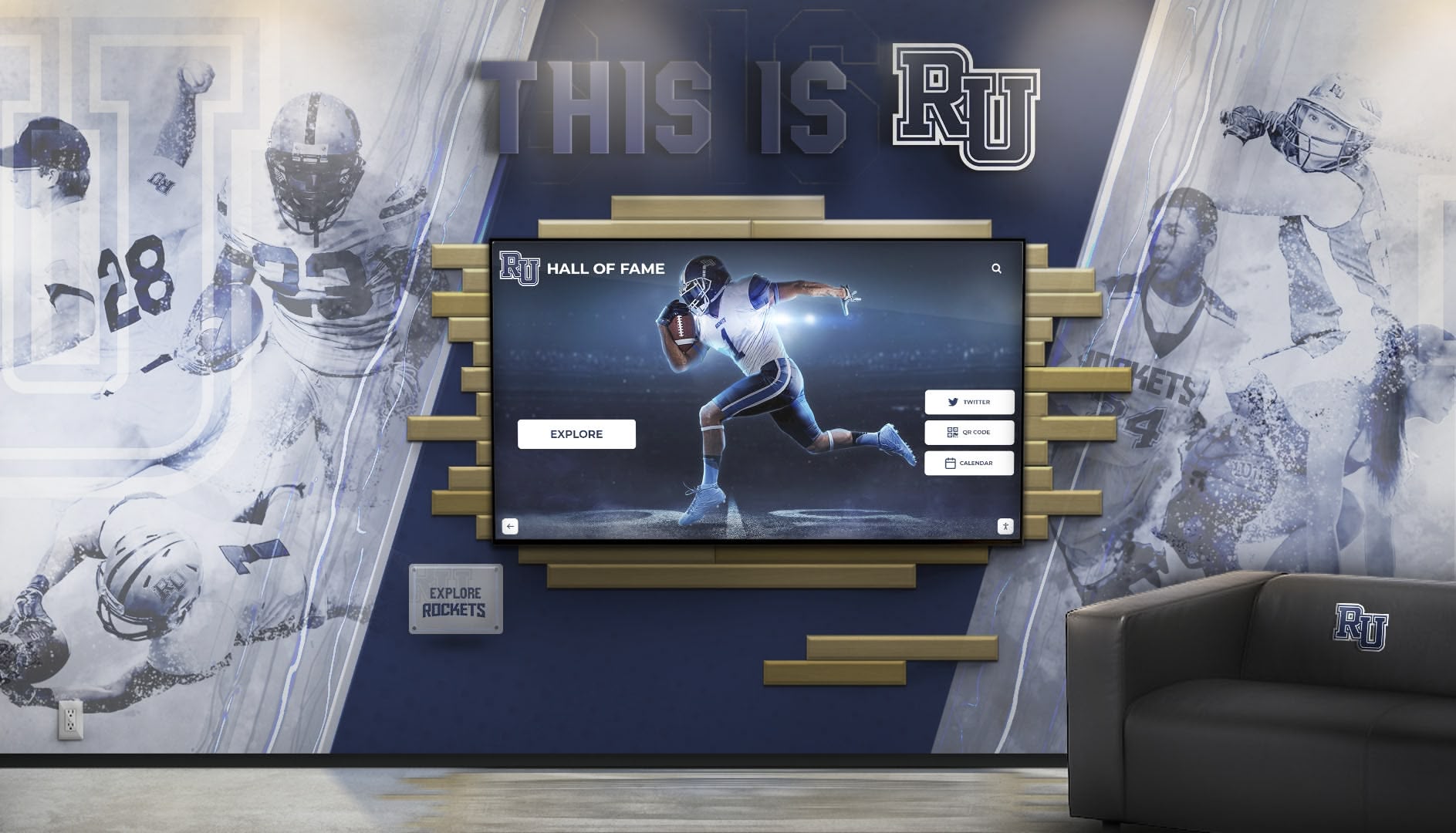
Successful implementations integrate displays seamlessly with existing facility design while meeting organizational communication needs
Measuring Success and Impact
Evaluating effectiveness helps justify investment and guide improvements.
Quantitative Metrics
Event Attendance Impact
- Compare attendance before and after display implementation
- Track registrations for promoted programs
- Survey participants asking how they learned about events
- Document increase in community engagement
Partnership Relationship Quality
- Monitor partner retention and renewal rates
- Track new partnership inquiries mentioning recognition
- Assess corporate sponsor satisfaction with visibility
- Document increased partnership contributions or engagement
Operational Efficiency
- Calculate staff hours saved on printing and posting
- Quantify printing and materials costs eliminated
- Measure time to update information (digital vs. physical)
- Track reduction in duplicate questions answered by staff
Qualitative Assessment
Stakeholder Feedback
- Conduct brief surveys of visitors about information usefulness
- Interview veterans about recognition program satisfaction
- Gather partner organization feedback on visibility
- Solicit staff observations about community reactions
Community Perception
- Monitor social media mentions and community discussion
- Document donor comments about organizational professionalism
- Note tour visitor reactions during facility visits
- Assess reputation changes among community stakeholders
Mission Alignment
- Evaluate whether display strengthens core mission
- Assess contribution to strategic goals
- Determine whether implementation improved community relationships
- Consider expansion opportunities based on initial success
Reporting to Board and Funders
Effective impact communication includes:
Concrete Examples
- “Display enabled recognition of 47 veterans, tripling visibility over previous bulletin board capacity”
- “Event attendance increased average 23% for promoted programs”
- “Eliminated $600 annual printing costs while improving content freshness”
- “Partnership inquiries increased 35% after corporate recognition visibility improved”
Visual Documentation
- Before/after photos showing improvement
- Display content screenshots demonstrating professionalism
- Community engagement photos showing interaction
- Recognition examples highlighting specific veterans or partners
Future Recommendations
- Potential expansion opportunities if initial display succeeds
- Additional features or capabilities worth considering
- Integration possibilities with other organizational systems
- Long-term strategic vision for digital communication
Organizations implementing nonprofit recognition systems benefit from systematic evaluation demonstrating value to stakeholders.
Conclusion: Accessible Technology Strengthening Nonprofit Communication
Digital wall mount displays represent practical, cost-effective solutions for nonprofits seeking to honor community partnerships, recognize veteran service, and promote upcoming events. Unlike enterprise systems requiring substantial investment and technical expertise, TV-based displays adapted for nonprofit communication deliver professional results with surprisingly modest budgets—often $2,000-4,000 for complete implementations including hardware, software, installation, and initial content development.
The technologies enabling effective nonprofit digital displays have matured significantly. Commercial displays rated for continuous operation now cost little more than consumer televisions. Cloud-based content management platforms provide sophisticated functionality through simple web interfaces requiring no technical training. Professional installation services ensure reliable operation without ongoing support requirements. Combined, these elements create accessible systems manageable by small nonprofit teams without IT specialists.
Yet technology alone doesn’t create effective communication. Success requires understanding what your organization actually needs: modest scale appropriate for community nonprofits, content reflecting your partnerships and mission, and sustainable management fitting within existing staff capacity. Organizations that match technology to genuine requirements—rather than over-investing in unnecessary sophistication or under-investing in essential functionality—achieve the best outcomes.
The specific use cases mentioned—highlighting community partnerships, honoring veterans, promoting upcoming events like partnership community openings—represent exactly the type of communication where digital displays excel. Partnership recognition rotates systematically ensuring every supporter receives visibility. Veteran profiles combine photographs with service details creating dignified acknowledgment. Event promotion updates instantly without printing costs or physical posting labor. These capabilities strengthen community relationships while improving operational efficiency.
For nonprofits beginning this journey, starting with modest implementations makes sense. A single 50-inch display in your main lobby, a mid-range software platform with monthly subscription under $30, and content you develop using templates provides immediate value while keeping investment manageable. As you gain experience and demonstrate impact, expansion becomes straightforward—adding displays to additional locations, increasing content sophistication, or implementing interactive features when appropriate.
Your community partnerships deserve recognition strengthening those vital relationships. Veterans you serve merit honor reflecting their service and sacrifice. Community members need timely information about programs and events improving their lives. Digital wall mount displays provide the communication infrastructure helping your nonprofit fulfill these obligations professionally and sustainably.
Ready to explore how digital displays can strengthen your nonprofit’s community communication? Talk to our team about solutions designed specifically for community nonprofits seeking practical, cost-effective recognition and communication systems.































