




Every school athletic program has a backlog of old sports photos: shoeboxes of team portraits from the 1970s, binders of newspaper clippings, a dusty stack of negatives from a state championship season nobody has thought about in years. These images are irreplaceable primary sources—visual evidence of athletes, coaches, and communities that no document or database can replace. Yet most of them are deteriorating in storage rooms, inaccessible to the students, alumni, and families who would value them most.
Digitizing old sports photos is not just a preservation task. It is the foundation for everything that comes after: tagging records so they are searchable, clearing rights so images can be displayed publicly, and presenting athletic history in a format that engages current students and honors past contributors. This guide walks through the complete workflow—from assessing your backlog to displaying the results on an interactive digital archive in your school’s hallway.
Old sports photos carry a weight that no trophy or plaque fully captures. They show who played, how athletes looked in competition, what uniforms looked like three decades ago, and which communities gathered to celebrate. For schools building or expanding their athletic recognition programs, these photographs are the raw material for every meaningful display—from wall murals to digital halls of fame.

Athlete portrait cards drawn from decades of old sports photos become searchable records when properly digitized and tagged
Why Old Sports Photos Deserve Serious Archival Attention
Old sports photographs occupy a unique space in institutional memory. Unlike official records—rosters, stats sheets, award citations—photographs capture context that written records miss: the gymnasium that has since been demolished, the coach who shaped three generations of athletes, the student section that packed the stands for a regional final in 1982.
For athletic directors and archives coordinators, old photos serve several functions simultaneously:
- Historical evidence: verification of championship claims, roster composition, and uniform evolution
- Recognition material: source images for hall-of-fame inductee profiles, retired number ceremonies, and milestone anniversary displays
- Community engagement: alumni identifying themselves and classmates, connecting donors and boosters to specific moments in school history
- Recruitment and branding: conveying institutional depth and tradition to prospective students and their families
A comprehensive guide to athletic record boards and how schools track and display all-time records explains how data-driven recognition programs depend on exactly this kind of photographic evidence—faces to go with the numbers.
The consequence of neglecting old sports photos is not just sentimental loss. It is structural loss: records that cannot be verified, inductees who cannot be properly honored, and athletic history that becomes mythology rather than documented fact.
Step 1: Assess What You Have Before You Scan Anything
The most common digitization mistake is starting with a scanner before completing a survey. Schools that jump straight to scanning often end up with thousands of undated, unidentified image files that are harder to use than the originals.
A structured assessment takes one to three days and pays dividends through every subsequent step.
Locate Every Collection
Athletic photo collections are rarely centralized. Common locations in schools include:
- Athletic director’s office filing cabinets and storage closets
- Trophy cases (prints mounted inside or stored behind displays)
- Main office storage rooms, especially near yearbook archives
- Library or media center special collections
- Booster club storage, sometimes off-campus
- Coaching staff offices, particularly for veteran coaches nearing retirement
- Building attics and basement storage areas
For each location, log what format the materials are in—prints, negatives, contact sheets, slides, digital files on aging discs or drives—and estimate quantity. A rough count (50 prints, 3 binders, 1 box of negatives) is enough for planning purposes.
Evaluate Condition
Not all old sports photos need the same treatment before scanning. Sort materials into three tiers:
Tier 1 — Stable: Clean, flat, no visible damage. Scan as-is with standard workflow.
Tier 2 — Fragile: Brittle, torn edges, surface dust, some fading. Handle with cotton gloves; dust before scanning; consider overhead copy stand instead of flatbed platen.
Tier 3 — Severely damaged: Mold, significant tears, stuck emulsions, curling that prevents safe flattening. Set aside for conservator assessment before attempting to scan. Attempting to force-flatten a severely curled photograph will destroy it.
Negatives require separate assessment. 35mm color negatives and medium-format black-and-white negatives from pre-1990 team photographs require a film scanner rather than a flatbed. If your collection includes pre-1951 material, any film that smells strongly of camphor may be cellulose nitrate—a fire hazard that requires professional handling.
Identify Priority Items
You likely cannot digitize everything in a single project cycle. Prioritize based on:
- Uniqueness: is this image the only copy? If yes, it is highest priority regardless of condition.
- Significance: championship seasons, hall-of-fame inductees, retiring coaches, milestone anniversaries
- Condition risk: materials showing active deterioration—yellowing, brittleness, mold spots—before anything stable
Create a simple spreadsheet with columns for: collection location, approximate date range, format, quantity, condition tier, and priority level. This becomes your project tracker.
Step 2: Digitize Old Sports Photos — Equipment, Resolution, and File Formats
Resolution and format choices made during scanning determine whether your digital archive is useful for decades or needs to be redone in five years. These decisions are worth getting right the first time.
Resolution Standards for Sports Photographs
| Material Type | Minimum Resolution | Recommended Resolution | Notes |
|---|---|---|---|
| Standard photographic print (4×6 to 8×10) | 400 DPI | 600 DPI | Higher res allows cropping to identify individuals |
| Large-format prints (11×14 and larger) | 300 DPI | 400 DPI | File sizes are large; verify storage capacity |
| 35mm color negative | 1200 DPI | 2400–4000 DPI | Scan at highest practical res; grain limits useful ceiling |
| Medium-format negative (120 film) | 1200 DPI | 2400 DPI | Larger format allows more detail at lower DPI |
| Newspaper clippings (halftone photos) | 600 DPI | 800 DPI | Descreen filter in scanning software reduces moiré |
| Contact sheets | 600 DPI | 800 DPI | Allows cropping individual frames |
File format guidance: Save master files as uncompressed TIFF. Create JPEG derivatives at 85–90% quality for everyday use, web display, and import into digital recognition platforms. Never use JPEG as a master format—every re-save introduces compression artifacts.
If your school plans to display photos in a touchscreen archive, JPEG files at 1600×1200 pixels or larger are typically sufficient for interactive display. Full-resolution TIFFs should be retained as permanent masters regardless of display requirements.
Equipment Options
Flatbed scanner with transparency adapter: the right tool for prints, contact sheets, and negatives. Models from Epson’s Perfection series are common in school environments; the V600 handles prints and 35mm through medium-format negatives at archival resolution.
Overhead copy stand with mirrorless camera: more practical than a flatbed for fragile prints, oversized materials, or framed photographs that cannot be disassembled. Set up under diffused daylight or a daylight-balanced LED panel. Use a cable release and mirror lock-up to eliminate vibration.
Dedicated film scanner: for large volumes of 35mm negatives, a dedicated scanner like the Plustek OpticFilm series is faster and produces better results than a flatbed with a transparency adapter.
Outsourcing: for backlogs of more than a few thousand items, commercial digitization services provide faster throughput and can handle formats (large-format film, slides, motion picture film) beyond the capacity of most school equipment. Verify that any service returns master files in uncompressed TIFF, not JPEG.
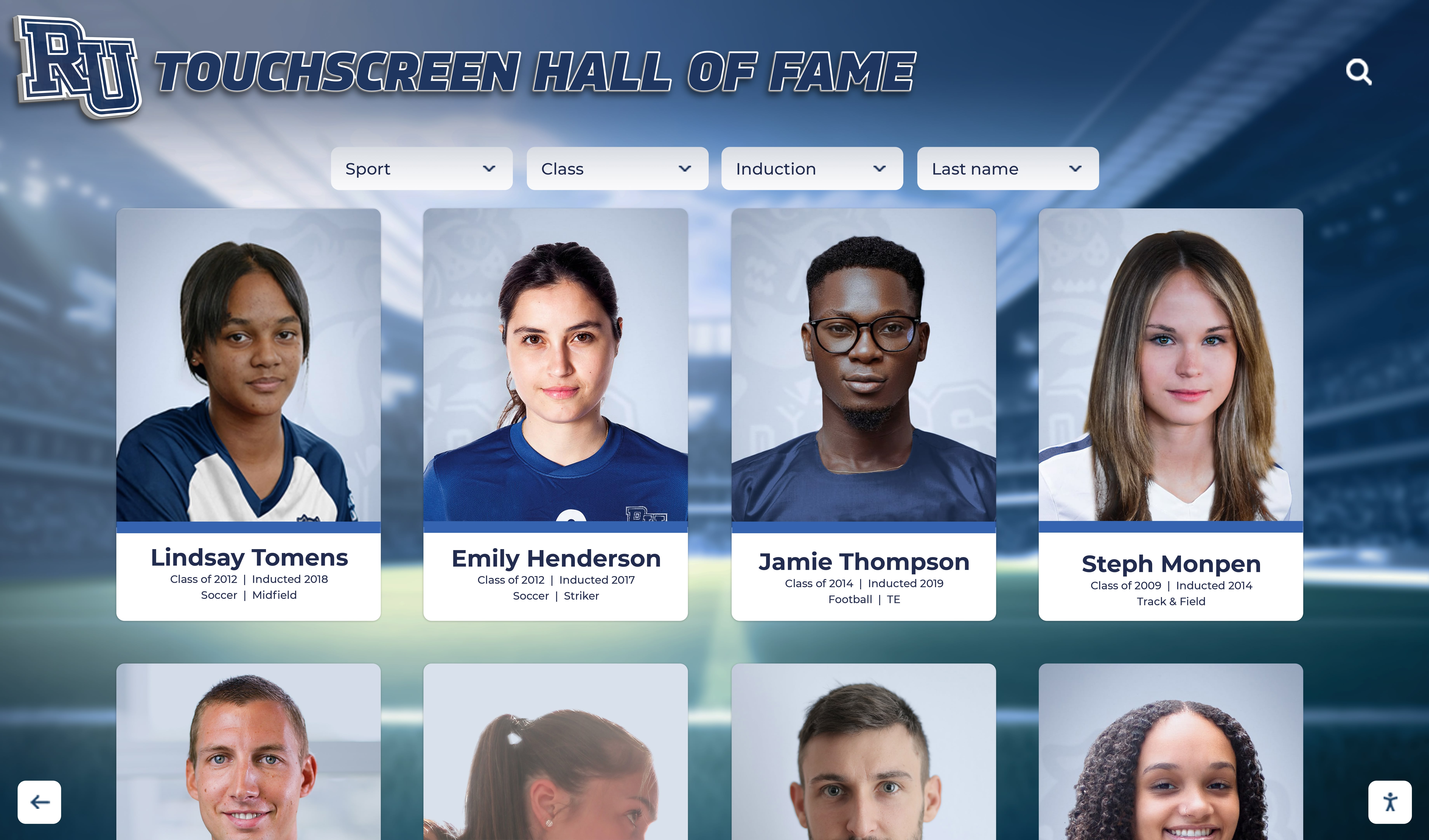
Old sports photos digitized at archival resolution can be resized for interactive touchscreen displays without quality loss
Step 3: Metadata Tagging — Making Old Sports Photos Searchable
A digitized photograph with no metadata is barely more useful than a print in a shoebox. The metadata attached to each image file is what enables every downstream function: searching by athlete name, filtering by sport or season, building hall-of-fame profiles, generating anniversary displays, and linking images to statistical records.
Essential Metadata Fields
Every old sports photo should carry, at minimum:
Identification:
- Sport
- Season year (or academic year: e.g., 1978–79)
- Athlete name(s) — full name, not nickname
- Jersey number(s), if visible and verifiable
- Graduation year, if known
Context:
- Event or game description (e.g., “Regional final vs. Westfield, March 1983”)
- Location (home gym, opponent’s field, neutral site)
- Photographer name, if known
- Original format (4×6 print, 35mm negative, newspaper clipping)
Administrative:
- Date scanned
- Scanner/photographer who created the digital file
- Rights status (see Step 4)
- Source collection location
Technical:
- File name following your naming convention
- Resolution at scan
- Master file location
Naming Convention
Consistent file naming is the most durable form of metadata because it survives format migration and lives outside any particular database. A workable convention for school athletics:
SPORT_YEAR_LASTNAME_FIRSTNAME_SEQ.tif
Examples:
BASKETBALL_1983_JOHNSON_MARCUS_001.tifSWIMMING_1991_TEAM_VARSITY_003.tifFOOTBALL_1975_COACHES_STAFF_001.tif
For team photos or group shots with multiple subjects, use TEAM as the name placeholder and document individuals in the metadata record.
Batch Tagging Workflow
Do not tag images one at a time. Batch by sport and season, which is the natural grouping that matches how most research requests arrive. Process all basketball images from 1985–86 together; apply the shared metadata (sport, year, team context) to the batch, then add individual athlete names as a second pass.
Tools that support batch metadata editing: Adobe Bridge, XnViewMP (free), ExifTool (command-line, free), and most dedicated digital asset management platforms. Embed metadata directly into the TIFF file using XMP or IPTC fields rather than storing it only in a separate spreadsheet—embedded metadata stays with the file even if databases change.
For schools building searchable athletic record systems, the approach to recording and tracking sports games for your school athletic program describes parallel metadata principles that connect game documentation to photo archives.
Step 4: Rights and Permissions for Old Sports Photos
Rights management is the most commonly skipped step in school photo digitization projects—and the one most likely to create problems when photos are displayed publicly.
Who Holds Copyright in School Athletic Photos?
Copyright in photographs belongs, by default, to the person who took the photograph. For school athletic photos, this creates several common ownership scenarios:
Staff or contracted school photographer: if a school employee took photographs as part of their job duties, the school likely owns the work-for-hire copyright. Verify this against any employment or contractor agreements.
Commercial sports photographer: many schools hire commercial photographers for team portraits and action photography. The school purchases licenses for specific uses (yearbook, wall displays) but may not hold the copyright for all other uses. Review the original contract. If no contract exists, contact the photographer before displaying images publicly.
Parent volunteer or booster: photographs taken by parent volunteers during games exist in an ambiguous space. The parent photographer holds copyright unless they have signed a release. Many schools add photo release language to their booster club membership agreements; check whether yours does.
Student photographer: student photojournalists whose work appeared in school newspapers or yearbooks typically retain personal copyright under the Copyright Act, though school policy may vary. Yearbook publishers may hold additional claims depending on contractual arrangements.
Newspaper or media outlet photos: photographs originally published by local newspapers are owned by those outlets. Schools may display clippings as physical exhibits under certain fair use arguments but should obtain permission before digitizing and publicly displaying news photos.
Practical Approach for Old Photos with Unclear Provenance
For photographs more than 20–30 years old where provenance is unclear:
- Search for photographer credits in original yearbooks, programs, or caption information
- Attempt to contact commercial photographers through business records or alumni networks
- Document your diligence efforts—who you contacted, when, and what response (if any) you received
- For photographs where the photographer cannot be identified after reasonable effort, many schools apply a good-faith archival display standard for educational, non-commercial internal use
- For any public-facing display (digital display, public website), consult with your school’s legal counsel before using photos with unclear rights status
Athlete likeness rights are separate from photo copyright. For historical photographs used in educational, non-commercial institutional displays, student athlete likeness generally does not require separate consent under most state laws. Public display in commercial contexts is a different question.
Create a Rights Tracking Field
Add a rights_status field to your metadata system with values such as: school_owned, licensed, permission_obtained, rights_unclear, public_domain. Flag all rights_unclear images before any public display. This protects the institution and creates a clear record of due diligence.
Step 5: Display Old Sports Photos — Physical and Digital Options
Digitized, tagged, and rights-verified old sports photos can be displayed in multiple formats, each serving a different audience and purpose.
Physical Display Formats
Framed prints in trophy halls: enlarged prints from digitized negatives can produce gallery-quality enlargements from well-preserved originals. High-resolution scans (2400+ DPI for 35mm negatives) allow prints up to 16×20 inches from a single negative frame.
Shadow boxes and memorabilia cases: old sports photos displayed alongside the original equipment, program, or awards from the same season create contextually rich displays. Shadow box display ideas for schools showcasing sports memorabilia, achievements, and athletic history provides practical guidance on combining photographs with dimensional artifacts.
Wall murals: large-format prints from digitized photos become graphic anchor points for athletic hallway murals, particularly when combined with team records and seasonal summaries.
Physical formats have an inherent capacity limit. A trophy hallway can display perhaps two or three dozen enlarged photographs before it becomes visually saturated. The full depth of a school’s old sports photo archive—hundreds or thousands of images—requires a different approach.
Digital Display Formats
Interactive digital displays solve the capacity problem that physical formats cannot. A touchscreen archive display in a school hallway or athletic lobby can surface photographs from every sport, every season, and every decade—without requiring more wall space than the display itself occupies.
For a searchable digital display, old sports photos connect to athlete profiles, team records, and season summaries that visitors can explore by browsing or searching. A student visiting the display can find their parent’s graduation-year team photo; an alumnus returning for homecoming can pull up an action shot from a championship season four decades earlier.
The memorabilia display case guide for showcasing school history, athletic trophies, and donor gifts outlines how physical cases and digital displays function as complementary layers rather than competing formats.

A touchscreen archive display allows schools to surface old sports photos from any sport or era without capacity limits
Connecting Photos to the Full Athletic Record
Old sports photos become significantly more valuable when connected to the surrounding record:
- Season statistics and records: how schools track and display athletic excellence describes the metadata connections that tie photographs to verifiable performance data
- Trophy and award records: sports trophy design and display links physical awards to the photographic record of how they were won
- Retired numbers and legacy honors: how schools and teams honor athletic legends through retired numbers illustrates how photographs anchor these permanent recognition decisions
- Hall of fame profiles: sports memorabilia display ideas for showcasing trophies, jerseys, and awards covers how photographs integrate with physical inductee displays
When these threads connect—a digitized team photo linked to that season’s championship records, the coach’s tenure summary, and the three athletes later inducted into the hall of fame—old sports photos stop being archival materials and become institutional storytelling.
How Digital Archive Platforms Transform Old Sports Photo Collections
Interactive digital archive displays are the technology that closes the gap between a complete digitized photo collection and a display that actually reaches its intended audience.
A school with 40 years of digitized sports photographs—thousands of images, properly tagged and rights-verified—cannot display that collection meaningfully on a physical wall. A searchable digital display can surface the right photograph in seconds based on athlete name, sport, season, or team context.
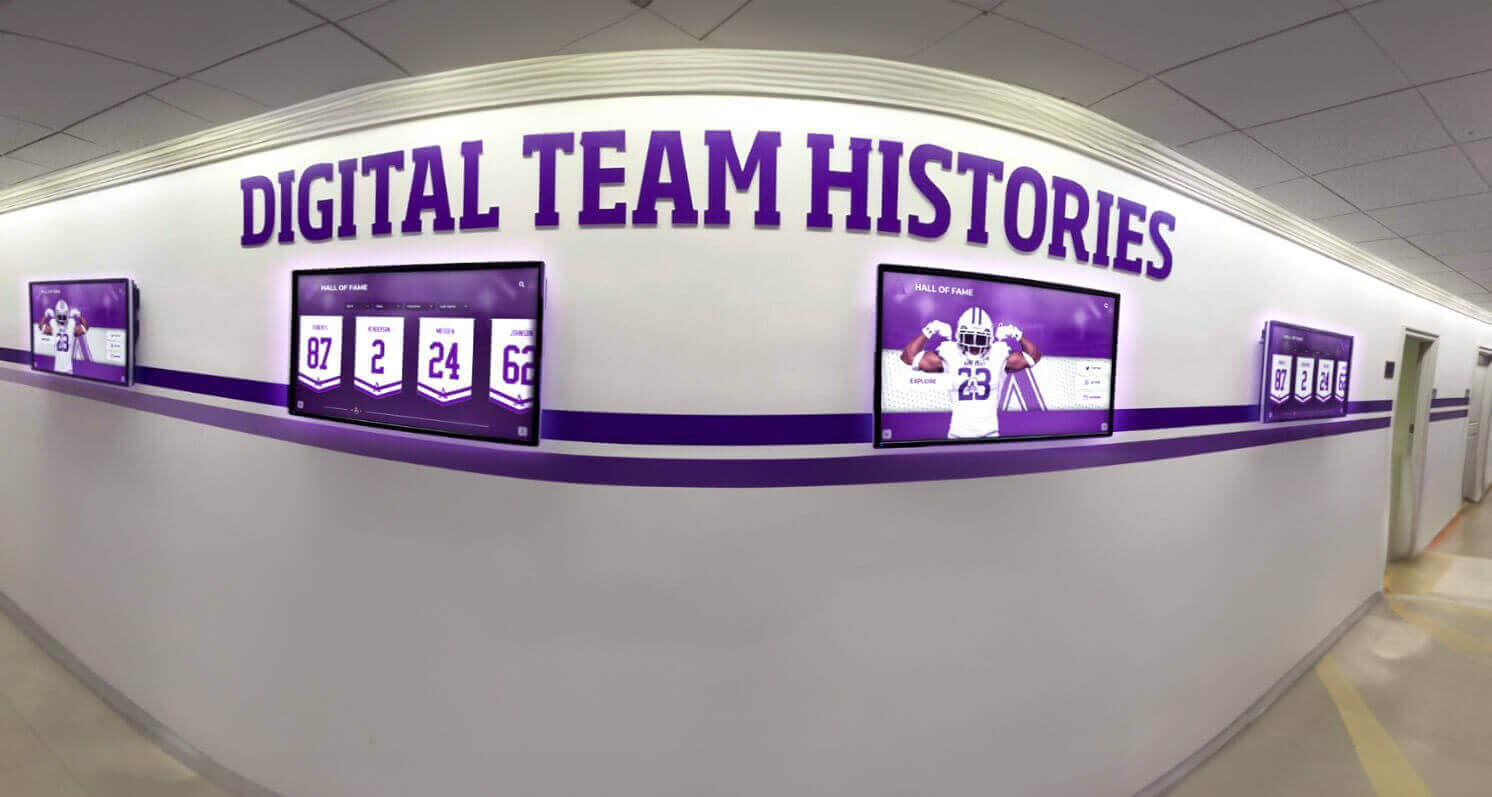
Hallway digital displays can present team histories, seasonal records, and historical photographs in a format students and visitors explore spontaneously
Platforms like Rocket Alumni Solutions are built specifically for this kind of institutional display. They allow schools to import digitized photo archives, attach metadata, connect images to athlete and team profiles, and present the result on touchscreen displays in athletic lobbies and hallways. The system handles the search and navigation layer so that visitors—students, alumni, donors, families—can explore without needing to know what they are looking for.
For schools building out their athletic history displays, the complete guide to displaying your school’s history walks through the decision framework between physical and digital approaches. And for schools at the beginning of their digitization journey, the process of digitizing old yearbooks for a hall of fame display shares the same fundamental workflow—scan, tag, verify rights, display—applied to a parallel archive type.
See Your Old Sports Photos in an Interactive Archive Display
Rocket Alumni Solutions helps schools transform digitized photo collections into searchable touchscreen archives that students, alumni, and families can explore in real time. Request a custom demo to see how your athletic history can come to life on a digital display.
Request a DemoImplementation Checklist for Athletic Directors and Archives Coordinators
Use this checklist to move from assessment to a functioning digital archive display.
Survey and Assessment
- Locate all physical photo collections across campus and storage locations
- Log collection location, format, quantity, and condition tier for each group
- Identify priority materials by uniqueness, significance, and deterioration risk
- Assign staff or volunteer roles for each phase of the project
Digitization
- Confirm scanner or copy stand setup and resolution standards (600 DPI minimum for prints)
- Establish file naming convention for your institution
- Create master TIFF file storage location (minimum two backup locations)
- Create JPEG derivative folder for display and access copies
- Batch materials by sport and season before scanning
Metadata Tagging
- Define required metadata fields for your institution
- Select metadata editing tool (Adobe Bridge, XnViewMP, ExifTool, or DAM platform)
- Batch-apply shared metadata (sport, year, team context) before individual tagging
- Tag individual athlete names as a second pass using roster records
- Export metadata records to spreadsheet as a backup
Rights and Permissions
- Identify photographer credits for all materials before display
- Contact commercial photographers to verify license scope
- Add rights_status field to metadata for every image
- Flag rights_unclear images; consult legal counsel before public display
- Document diligence efforts for images where photographer cannot be located
Display and Integration
- Select display format: physical prints, shadow boxes, digital display, or combination
- Import digitized photos and metadata into recognition platform or DAM
- Connect photo records to athlete profiles, team records, and award histories
- Test searchability: can staff find any image by athlete name, sport, and year?
- Establish workflow for adding new sports photos each season
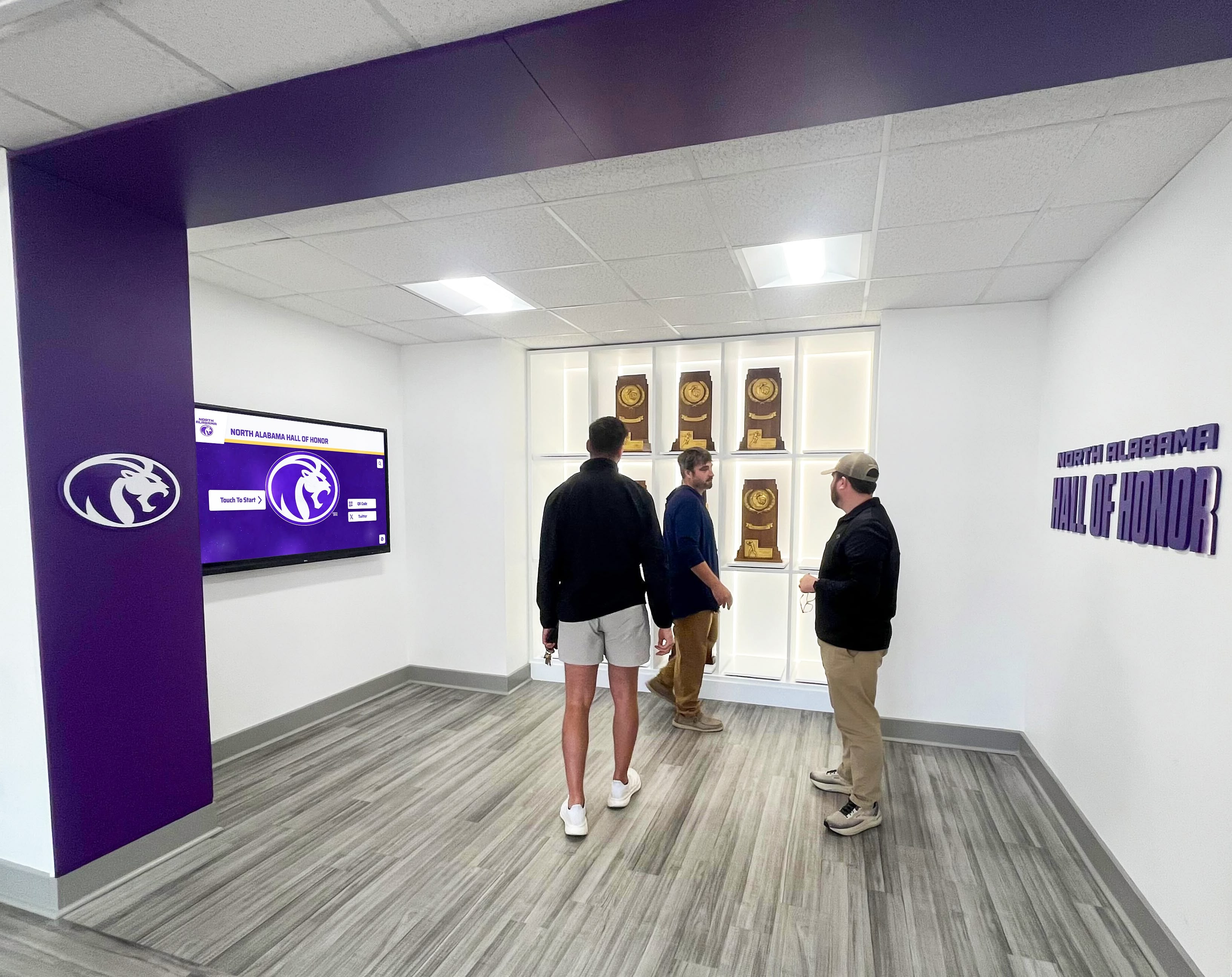
A well-maintained athletic archive—photographs, trophies, and records integrated into a searchable display—invites authentic engagement from students, alumni, and community members
Frequently Asked Questions
How should schools handle old sports photos taken before digital cameras existed? Analog photographs—prints and negatives—require digitization before they can be searched, displayed digitally, or protected from further deterioration. The flatbed scanner or film scanner workflow described in Step 2 handles the most common formats. For very large collections or unusual formats (glass plates, large-format film, slides), commercial digitization services are faster and better equipped than school-owned hardware.
What resolution do old sports photos need to be displayed on a touchscreen? For touchscreen display at normal viewing distances, JPEG files at 1600×1200 to 2400×1600 pixels are generally sufficient. However, master files should always be scanned at 600 DPI or higher and saved as TIFF, even if the display copy is a lower-resolution JPEG. Higher-resolution masters allow future uses—enlarged prints, detailed cropping for inductee profiles—that lower-resolution scans cannot support.
Can schools use old sports photos from the school newspaper or yearbook without additional permission? Schools generally own or license photography included in yearbooks produced under their administration. Photographs published by an independent student newspaper are typically owned by the student photographers or the newspaper’s adviser. Verify ownership through yearbook publisher contracts and any releases signed by student photographers or their parents. For images more than 20 years old with unclear provenance, consult your district’s legal counsel before digital public display.
How long does a complete school athletic photo digitization project take? A school with a typical collection of a few thousand prints and several hundred negatives can complete the scanning phase in four to eight weeks with one dedicated staff member or trained volunteer. Metadata tagging takes roughly the same amount of time. Rights review varies significantly depending on how many commercial photographers were involved. Total time from assessment to display-ready archive ranges from three months to a year, depending on collection size and resources.
What is the best way to identify athletes in old sports photos with no captions? Start with yearbooks from the approximate year of the photograph—portrait sections and sports pages often contain the same athletes. Roster records in athletic director files are another primary source. For photographs where internal resources fail, share the image with alumni networks, booster clubs, or retired coaches who may recognize faces. Document identifications with the source of the identification (e.g., “identified by alumni Jane Smith, class of 1984, via email 2026-04-15”) as part of your metadata record.
How do digital displays handle photos where rights are still unclear? Reputable digital archive platforms allow administrators to restrict individual photos from public-facing display while keeping them accessible internally for staff and authorized researchers. This means you can import your full digitized archive—including photos with unclear rights—and enable public display only for images with confirmed clear rights. The internal collection still benefits staff doing research and nominee verification.
What happens to old sports photos when the physical originals deteriorate? A well-executed digitization project creates a master digital file that outlives any physical original. TIFF files stored on multiple platforms (local server plus cloud backup) in current format will survive indefinitely with periodic format migration—typically every 10 to 15 years as technology standards evolve. The physical original, even after it deteriorates beyond display quality, should generally be retained in archival housing alongside the digital record rather than discarded.
Old sports photos are among the most emotionally resonant materials a school archive holds—and among the most at risk. A systematic approach to digitization, metadata tagging, rights clearance, and display converts that risk into opportunity: a searchable, displayable, shareable record of athletic history that students can explore today and researchers can rely on for decades.
The technology to display that record interactively already exists. The work is building the archive that makes the display meaningful—and that work starts with a survey, a scanner, and a consistent naming convention.
Rocket Alumni Solutions connects digitized old sports photo archives to interactive touchscreen displays for schools, athletic programs, and institutions that want their athletic history accessible, searchable, and visible every day.































