How to Preserve School Archives: From Paper Records to Interactive Digital Collections
- Home /
- Touch Archive Blog /
- How to Preserve School Archives: From Paper Records to Interactive Digital Collections

The Easiest Touchscreen Solution




Live Example: Rocket Alumni Solutions Touchscreen Display
Interact with a live example (16:9 scaled 1920x1080 display). All content is automatically responsive to all screen sizes and orientations.
Schools serve as custodians of irreplaceable history—decades of student achievements, championship victories, yearbook photographs, administrative records, and institutional milestones. Yet many of these precious archives remain hidden in storage boxes, deteriorating in basement filing cabinets, or confined to static hallway displays that can only showcase a fraction of the collection. As physical records age and space constraints intensify, preserving school archives digitally has transitioned from optional enhancement to essential responsibility.
The challenge extends beyond simple scanning. School administrators face questions about which materials to prioritize, how to organize thousands of historical items, what technology infrastructure to implement, and how to make digitized archives accessible and engaging for students, alumni, and community members. Meanwhile, the clock ticks as photographs fade, newspaper clippings yellow, and physical records become increasingly fragile.
This comprehensive guide walks through proven strategies for transforming school archives from vulnerable paper collections into preserved, searchable, and interactive digital resources that serve your community for generations.
Digital preservation represents more than creating backup copies—it fundamentally transforms how schools steward institutional memory, engage students with history, and make archival collections accessible to broader audiences. Schools implementing comprehensive digitization strategies report higher alumni engagement, enhanced student connection to institutional legacy, and significantly reduced archival management burden.

Digital preservation transforms fragile historical records into accessible, searchable collections that engage current students with institutional legacy
Why Digital Preservation Matters for School Archives
Understanding the compelling case for digitization helps build institutional support and resource allocation for archival projects.
The Deterioration Crisis Facing Physical Archives
School archival materials face constant threats that digital preservation addresses:
Physical Degradation Realities
- Paper-based materials deteriorate significantly within 50-100 years without climate control
- Photographs fade from light exposure, with color images particularly vulnerable
- Newspaper clippings become brittle and unreadable within decades due to acid content
- Magnetic media (VHS tapes, cassettes) degrade within 10-30 years
- Temperature fluctuations and humidity in typical school storage accelerate all deterioration
According to the Library of Congress, conventional storage conditions can reduce archival material lifespan by 80% compared to proper preservation environments. Most schools lack the climate-controlled storage facilities necessary for long-term physical preservation, making digitization essential for safeguarding irreplaceable records.
Space and Accessibility Constraints
- Physical archives require ever-increasing storage space as collections grow
- Only small fractions of collections can be displayed at any given time
- Access requires physical presence, limiting alumni and community engagement
- Searching physical collections proves time-intensive and often incomplete
- Fragile materials require handling restrictions that limit accessibility
The Benefits of Digital Archive Transformation
Digital preservation delivers transformative advantages beyond simple backup:
Enhanced Accessibility and Discovery
- Students can explore decades of institutional history from any location
- Searchable databases enable finding specific individuals, events, or achievements instantly
- Multiple users can access the same materials simultaneously
- Alumni can connect with their school history remotely
- Archives become research resources rather than inaccessible storage
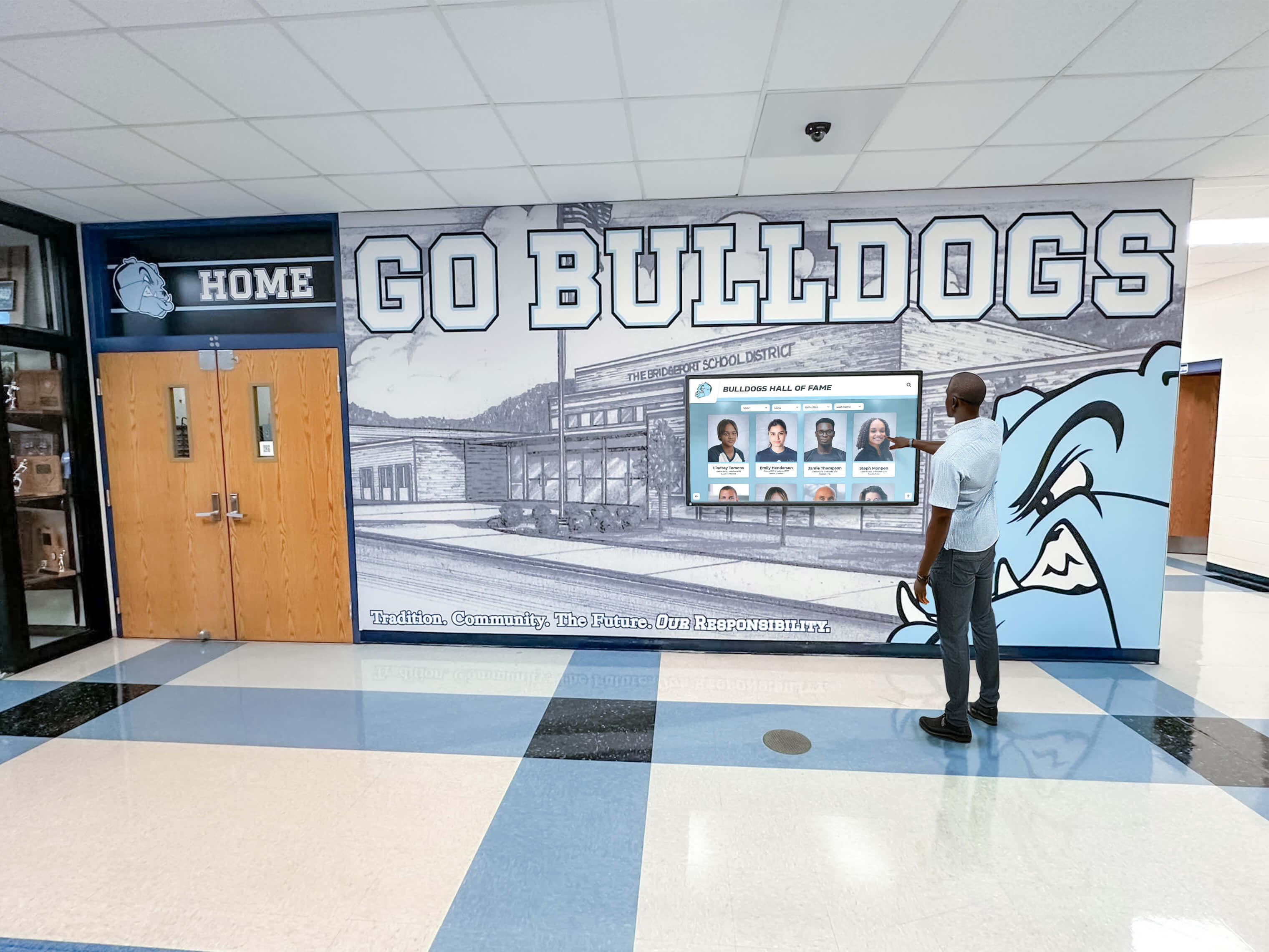
Interactive digital displays make historical archives engaging touchpoints in daily school life
Preservation and Protection
- Digital copies prevent loss from fire, water damage, or physical deterioration
- Original materials can be stored more safely with reduced handling needs
- Redundant backups eliminate single points of failure
- Digital restoration can enhance degraded historical images and documents
- Version control preserves both original scans and enhanced versions
Educational and Community Value
- Historical archives become active learning resources across curricula
- Students see themselves as part of ongoing institutional legacy
- Academic recognition programs gain historical context and continuity
- Alumni engagement increases when institutional history becomes accessible
- Fundraising efforts benefit from documented legacy of impact
Planning Your Digital Archive Project
Successful archival digitization requires thoughtful planning before scanning begins.
Conducting an Archive Assessment
Start by understanding the scope and nature of your archival materials:
Inventory Development
- Catalog major archival categories: yearbooks, athletic records, student newspapers, photographs, administrative documents, memorabilia
- Estimate quantities for each category to inform digitization timeline
- Identify materials in various formats: paper documents, photographs, slides, negatives, film, magnetic media, digital files on obsolete media
- Note condition of materials, flagging items requiring special handling
- Determine current organization systems or lack thereof
Priority Setting Framework
- Identify materials at highest risk of loss or deterioration
- Determine items with greatest historical significance
- Consider which collections would receive most use if digitized
- Assess which materials align with institutional priorities
- Balance comprehensive preservation with practical resource constraints
A mid-sized high school typically manages 50-200 linear feet of archival materials accumulated over decades—far more than most administrators realize. Systematic assessment prevents overwhelming your team and ensures strategic resource allocation.
Establishing Digital Preservation Standards
Technical decisions early in the process prevent costly reformatting later:
File Format Selection
- Use preservation-quality formats: TIFF or PNG for images, PDF/A for documents
- Create access copies in widely compatible formats: JPEG for images, searchable PDF for documents
- For audiovisual materials, select uncompressed or lossless formats for preservation masters
- Ensure selected formats have broad software support and long-term viability
- Document format decisions and conversion processes for future reference
Resolution and Quality Standards
- Scan photographs at minimum 600 DPI for preservation masters
- Use 300 DPI for standard documents and printed materials
- Capture color information even for black-and-white originals
- Ensure scans can support future uses including large-format printing
- Balance quality needs against storage and processing requirements
Metadata Framework
- Define consistent metadata fields: date, subject, people, event, photographer, copyright
- Establish controlled vocabularies for categories and tags
- Plan for both descriptive metadata (what) and technical metadata (how created)
- Consider how metadata will support search and discovery
- Create metadata templates to ensure consistency across the project
Similar to how interactive digital signage creates engaging displays, well-structured digital archives transform static collections into dynamic resources.
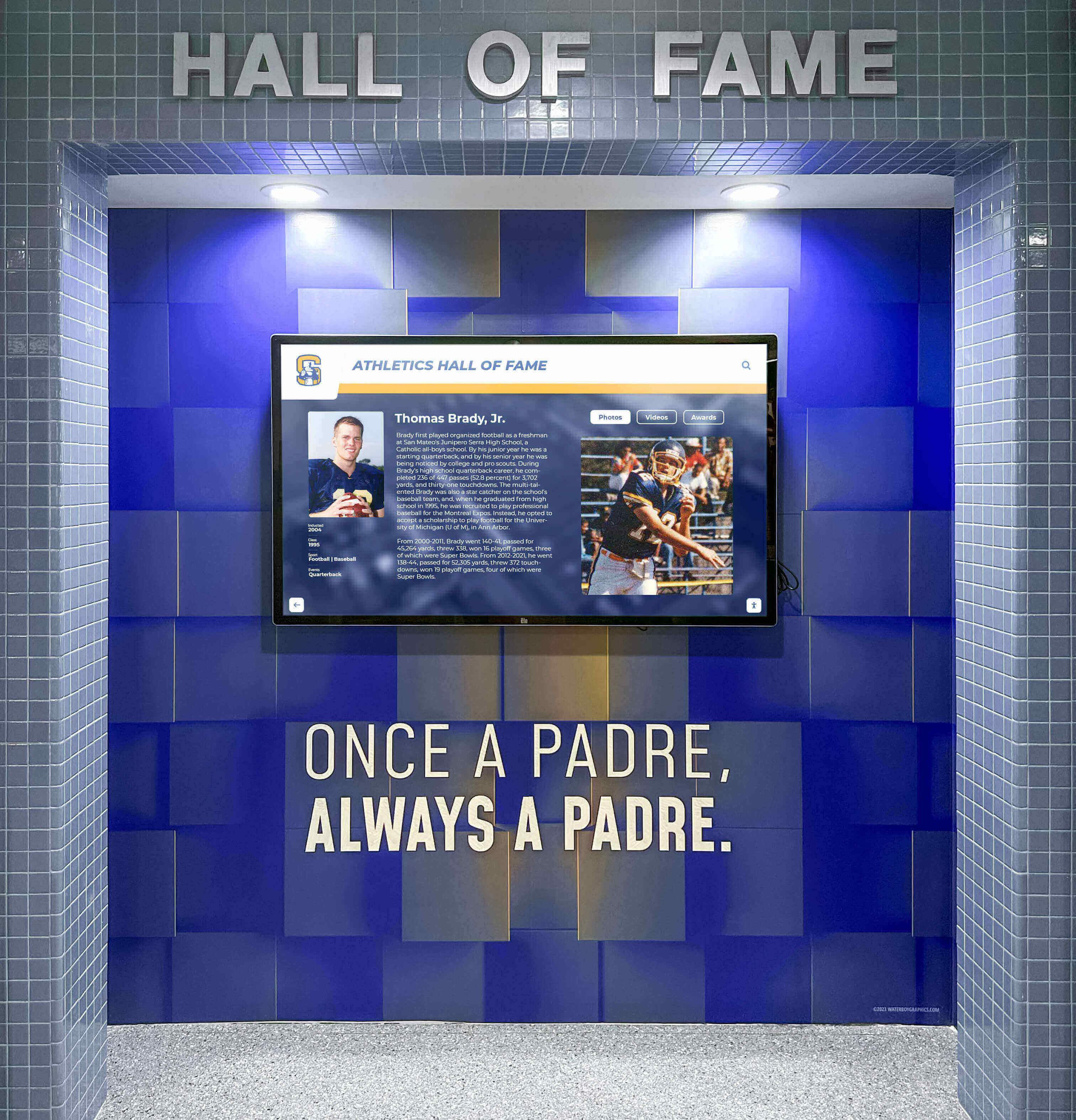
Professional digital archive displays bring historical collections to life in high-traffic areas where students encounter institutional legacy daily
Implementing the Digitization Process
Moving from planning to execution requires systematic workflows and appropriate resources.
Building Your Digitization Workflow
Establish repeatable processes that maintain quality while progressing efficiently:
Preparation Phase
- Remove materials from albums, frames, or bindings only when absolutely necessary
- Clean materials gently to remove surface dust and debris
- Organize materials logically before scanning to streamline metadata creation
- Photograph or document original organization for reference
- Create backup copies of fragile items before handling for digitization
Scanning Operations
- Establish dedicated workspace with proper lighting and clean surfaces
- Use flatbed scanners for photographs and documents, sheet-fed scanners for high-volume standard documents
- Handle fragile materials with gloves and appropriate support
- Create consistent file naming conventions: YYYY-MM-DD_category_identifier_version
- Perform quality checks throughout the process to catch issues early
- Back up scanned files to multiple locations immediately
Post-Processing and Enhancement
- Crop scans to remove borders and standardize presentation
- Adjust brightness, contrast, and color balance to match originals accurately
- Remove dust spots and minor blemishes while preserving authentic degradation
- Create derivatives: preservation master, access copy, thumbnail
- Embed metadata directly in files when format supports it
- Organize files in logical folder structures mirroring archive organization
Choosing Between In-House and Professional Services
Resource constraints and collection characteristics determine the best digitization approach:
In-House Digitization Works Best For:
- Ongoing digitization of new materials as they’re created
- Collections requiring extensive institutional knowledge for metadata
- Projects with flexible timelines and limited budgets
- Materials already well-organized and in good condition
- Schools with staff time available for project work
Professional Digitization Services Provide:
- Specialized equipment for fragile, oversized, or unusual materials
- Faster turnaround for large-volume projects
- Expertise in handling various media formats
- Quality control processes and standardized workflows
- Reduced burden on school staff already managing full responsibilities
Many schools adopt hybrid approaches—professional services for initial large-scale projects to create core digital collection, with in-house processes for ongoing additions and specialized materials requiring institutional context.
Managing Audiovisual and Special Format Materials
Non-paper archives require specialized approaches:
Film and Video Conversion
- Digitize VHS, Betamax, and other magnetic tape formats urgently—these degrade rapidly
- Professional transfer services handle 8mm, 16mm film with proper equipment
- Capture highest quality possible from deteriorating source materials
- Include both video content and audio tracks separately for flexibility
- Create video files in standard formats (MP4, MOV) for broad compatibility
Photographic Negatives and Slides
- Use dedicated film scanners for negatives and slides rather than flatbed scanners
- Capture full tonal range information from negative materials
- Consider professional services for large collections—film scanning is time-intensive
- Organize scans to match original negative sleeves or slide carousel arrangements
- Preserve information about original film types and processing
Three-Dimensional Objects and Memorabilia
- High-resolution photography from multiple angles captures 3D objects
- Consider 360-degree photography or photogrammetry for significant items
- Document dimensions, materials, and physical characteristics in metadata
- Supplement with contextual information about object significance
- Store physical objects with reference numbers linking to digital records
Much like touchscreen kiosk software manages interactive displays, specialized software helps organize and present diverse archival media types in unified collections.
Organizing and Managing Digital Collections
Digitization creates new challenges around organization and long-term management.
Creating Searchable, Accessible Archive Databases
Transform scanned files into usable archival systems:
Database Structure and Organization
- Implement digital asset management systems (DAMS) designed for archival collections
- Create hierarchical organization: collection > series > subseries > item
- Establish consistent subject categories that reflect how users will search
- Enable multiple search pathways: chronological, subject-based, person-based
- Link related items to facilitate discovery of connected materials
Metadata Best Practices
- Prioritize completeness for core fields: title/description, date, subjects/tags
- Include names of identifiable individuals to support alumni searching for themselves
- Record creation context: photographer, event, original format, acquisition source
- Add rich descriptions that support keyword searching
- Maintain consistency through controlled vocabularies and standardized terminology
Implementing Effective Tagging Systems
- Develop comprehensive tag taxonomies before mass application
- Include temporal tags: decade, year, season
- Apply subject tags: sports, academics, events, facilities, people
- Use hierarchical tags when appropriate: Athletics > Basketball > Championship Games
- Enable user-generated tags with moderation to expand accessibility
Schools successfully implementing comprehensive recognition programs find that structured historical archives provide valuable context and continuity.
Ensuring Long-Term Digital Preservation
Digital files require active management to remain accessible over time:
Storage and Backup Strategies
- Implement 3-2-1 backup rule: 3 copies, 2 different media types, 1 offsite
- Use cloud storage services designed for archival purposes
- Maintain local backups on external hard drives stored securely
- Test backup restoration regularly to verify integrity
- Plan for storage expansion as collections grow
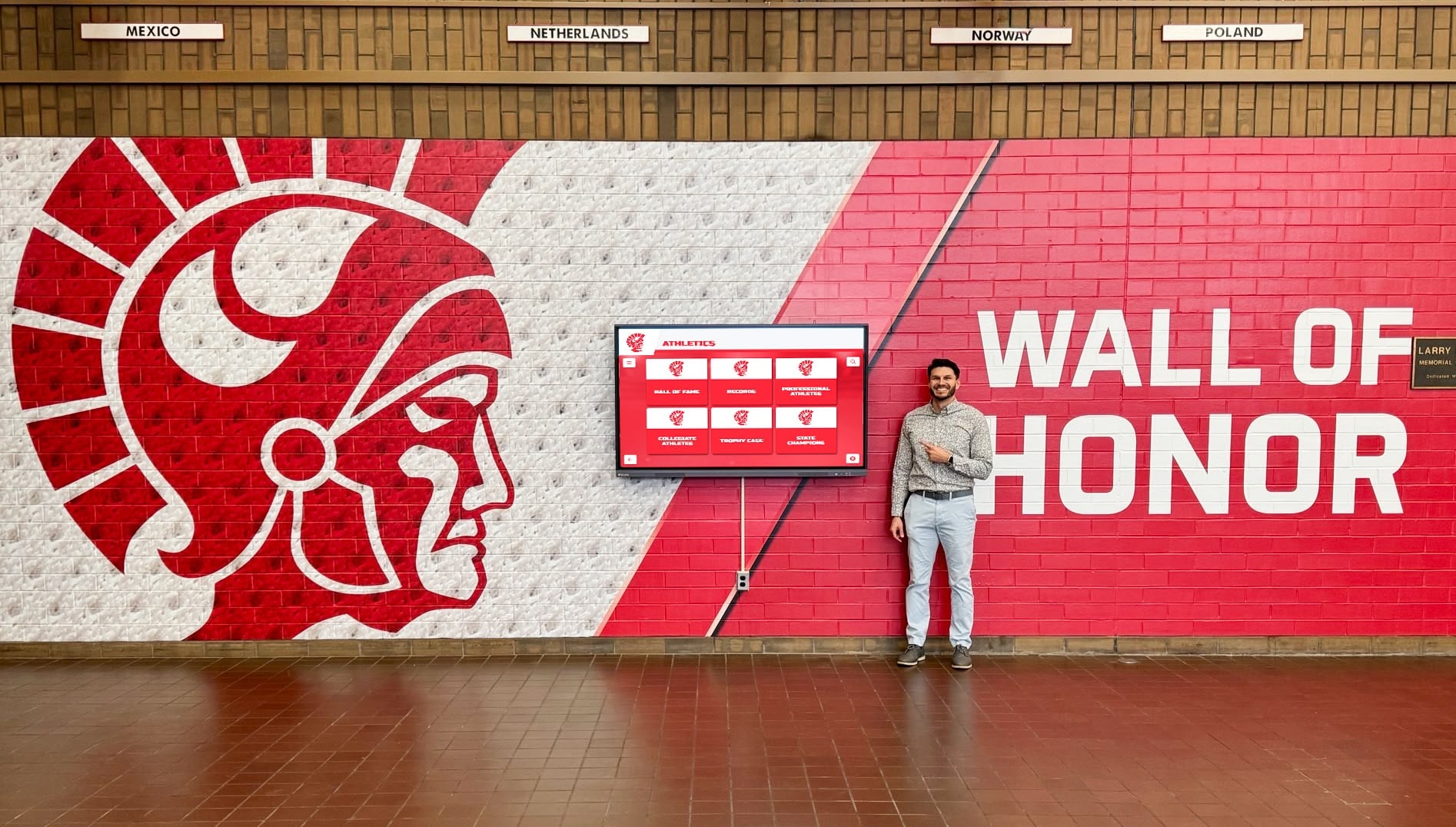
Digital archive systems integrate historical preservation with ongoing recognition programs
File Migration and Format Obsolescence
- Monitor file format viability and migrate to newer formats when necessary
- Maintain documentation of all format migrations and conversions
- Preserve original scans even when creating updated versions
- Review digital preservation best practices annually
- Stay informed about archival community standards and emerging formats
Access Control and Copyright Management
- Implement appropriate access restrictions for sensitive materials
- Document copyright status and usage rights for archival materials
- Create clear policies for educational use versus public distribution
- Establish processes for handling takedown requests or privacy concerns
- Balance accessibility with protection of individual privacy and institutional interests
According to the Society of American Archivists, digital preservation requires ongoing commitment—not just initial digitization but continued management, migration, and maintenance to ensure materials remain accessible decades into the future.
Making Archives Accessible and Engaging
Preserved collections deliver value only when accessible to intended audiences.
Creating Public-Facing Archive Interfaces
Design access systems that invite exploration and discovery:
Web-Based Archive Portals
- Develop dedicated archive websites or sections within school sites
- Implement robust search functionality across all metadata fields
- Enable filtering by date range, subject, person, event type
- Provide both browsing and searching pathways to accommodate different user approaches
- Optimize for mobile access—many users will browse archives on phones
User Experience Considerations
- Display high-quality thumbnails that entice further exploration
- Provide zoom functionality for examining document and photograph details
- Enable easy sharing of individual items via social media or direct links
- Create curated collections highlighting notable themes or time periods
- Include contextual information and storytelling around archival materials
Integration with School Systems
- Link archival materials to current school websites and communication channels
- Incorporate historical content into school event planning and celebrations
- Make archives available through learning management systems for curriculum integration
- Connect historical records with alumni databases and directories
- Provide APIs or embeds for external use by alumni associations or community groups
Interactive Digital Display Solutions
Transform archives from passive collections into active community touchpoints:
Touchscreen Archive Installations
- Install interactive displays in high-traffic areas: lobbies, athletic facilities, libraries
- Enable intuitive touch-based browsing of historical photographs and documents
- Create timeline interfaces that let students explore institutional history chronologically
- Incorporate search functionality for finding specific individuals, teams, or events
- Design interfaces accessible to all users regardless of technical familiarity
Content Presentation Strategies
- Rotate featured content highlighting anniversaries, throwback moments, historical achievements
- Create thematic collections: championship teams, notable alumni, facility evolution, fashion through decades
- Include video content showing historical events, performances, or interviews
- Provide context through captions, descriptions, and historical narrative
- Update content regularly to encourage repeat engagement
Physical-Digital Integration
- Supplement traditional trophy cases and plaques with digital archive access
- Link physical displays to expanded digital content via QR codes
- Create complementary experiences where physical and digital elements enhance each other
- Maintain physical artifacts while making full collections accessible digitally
- Use digital displays to showcase materials too fragile for traditional exhibition
Similar to how schools approach technical considerations for digital installations, archive display systems require planning around placement, hardware, and content management.

Interactive archive installations transform lobbies and common areas into engaging spaces where history comes alive
Curriculum Integration and Educational Applications
Digital archives serve as powerful educational resources across subject areas.
Leveraging Archives in Teaching and Learning
Well-organized digital archives support diverse pedagogical approaches:
Primary Source Research Opportunities
- Students analyze historical documents, photographs, and records as evidence
- Local institutional history provides accessible entry point for historical thinking skills
- Archives support comparison across time periods using school’s own materials
- Authentic research experiences build information literacy and critical thinking
- Student work contributes to ongoing archival description and organization
Cross-Curricular Applications
- History: institutional history, local history, social change through decades
- English: yearbook analysis, student newspaper writing evolution, creative writing inspired by photographs
- Math: statistical analysis of enrollment, athletic records, demographic changes
- Art: fashion and design evolution, photography techniques across eras
- Science: facility changes, lab equipment evolution, environmental changes visible in photographs
Student Archive Projects
- Oral history initiatives capturing alumni memories and perspectives
- Student-curated digital exhibitions on specific themes or time periods
- Digitization internships where students gain archival skills while contributing to preservation
- Metadata enhancement projects where students research and describe archival materials
- Creative projects producing new works inspired by historical collections
Building Institutional Identity and Culture
Archives strengthen student connection to school legacy:
Legacy and Continuity
- Students see themselves as part of ongoing institutional story
- Historical context for traditions, rituals, and school culture
- Recognition of past achievement inspires current students
- Understanding institutional evolution builds appreciation for present
- Documented history creates sense of permanence and significance
Alumni Engagement Through Archives
- Alumni reconnect with school through accessible historical materials
- Finding themselves in archival photographs creates emotional connection
- Historical content provides natural touchpoint for re-engagement
- Alumni contribute stories, identifications, and missing context
- Engaged alumni become supporters of both archival work and broader institutional needs
This engagement parallels how schools use digital donor walls to recognize and cultivate supporter relationships—accessible, engaging recognition strengthens community bonds.
Sustainable Archive Programs
Long-term success requires building sustainable systems and processes.
Establishing Ongoing Collection Development
Archives grow continuously—plan for perpetual addition:
Current Materials Collection
- Implement systematic collection of contemporary materials for future archives
- Designate responsibility for gathering yearbooks, programs, photographs, publications
- Establish digital-first workflows capturing born-digital materials
- Create annual archive additions as regular calendar events
- Document current events knowing they become historical tomorrow
Community Contribution Programs
- Invite alumni to contribute photographs and memorabilia from their eras
- Create submission systems making contributions easy and organized
- Acknowledge and thank contributors to encourage ongoing participation
- Implement review processes ensuring contributed materials align with collection scope
- Balance comprehensive collection with resource capacity for processing additions
Rights and Permissions Management
- Establish clear policies for contributed material copyright and usage rights
- Create standard contribution agreements addressing ownership and access
- Respect privacy concerns while maximizing appropriate accessibility
- Maintain records of permissions for all archival materials
- Review policies periodically as laws and norms evolve
Building Support and Resources
Archival programs require sustained institutional commitment:
Administrative Support
- Secure leadership buy-in for archival preservation as institutional priority
- Advocate for budget allocation to archive digitization and management
- Demonstrate value through usage statistics, user feedback, and educational impact
- Connect archival work to institutional strategic priorities and mission
- Build coalition of supporters across faculty, staff, alumni, and community
Volunteer and Student Workforce
- Recruit volunteers with specific skills: photography, research, data entry, organization
- Create meaningful volunteer roles that provide satisfaction and appreciation
- Train student workers in archival principles while accomplishing preservation work
- Develop internship programs connecting archival work to student learning goals
- Build sustainable programs not dependent on single individuals
Funding Strategies
- Apply for grants focused on archival preservation and digital access
- Include archival digitization in capital campaigns and fundraising priorities
- Seek alumni donations specifically supporting archival work
- Explore partnerships with local historical societies or archives for shared resources
- Document costs and benefits to justify ongoing investment
Similar to how schools consider flexible pricing and subscription models for digital recognition systems, archival digitization requires creative approaches to sustainable funding.
Technology Solutions for School Archives
Appropriate technology infrastructure supports long-term archival success.
Selecting Archive Management Systems
Choose platforms matching your needs and technical capacity:
Hosted Digital Asset Management Solutions
- Cloud-based systems eliminate local server maintenance burden
- Subscription models provide predictable costs and regular updates
- Vendor support assists with technical challenges and questions
- Automatic backups and redundancy built into service
- Scalable storage accommodates collection growth
Content Management Considerations
- Evaluate metadata capabilities and customization options
- Assess search functionality and user interface quality
- Review access control and permissions management
- Consider integration capabilities with existing school systems
- Test with sample materials before full implementation
Archive Display and Presentation Systems
- Purpose-built solutions designed specifically for historical presentation
- Template systems enabling professional presentation without design expertise
- Automated features like timeline generation from date metadata
- Mobile-responsive interfaces serving diverse user devices
- Analytics tracking usage and popular content
Just as museums leverage interactive touchscreens for historical content, schools benefit from technology designed specifically for archival presentation and engagement.
Implementing Accessibility Standards
Ensure digital archives serve all community members:
Web Accessibility Requirements
- Follow WCAG 2.1 AA standards for web content accessibility
- Provide alternative text descriptions for all images
- Ensure keyboard navigation functionality for users unable to use pointing devices
- Maintain sufficient color contrast for users with visual impairments
- Caption video content for deaf and hard-of-hearing users
Inclusive Design Principles
- Design interfaces usable by users with varying technical skills
- Provide multiple search and discovery pathways
- Enable text resizing without breaking layouts
- Ensure touchscreen interfaces accommodate various motor abilities
- Test with diverse users including students with disabilities
Measuring Impact and Success
Track meaningful metrics demonstrating archival program value:
Quantitative Metrics
- Number of items digitized and made accessible
- User sessions and archive website traffic
- Most-viewed items and popular search terms
- Alumni engagement with archival materials
- Educational uses and curriculum integration instances
Qualitative Outcomes
- User feedback and testimonials about archive value
- Stories of personal connection and rediscovery
- Educational impact through student projects and learning
- Alumni reconnection facilitated by archival access
- Institutional culture strengthened through historical awareness
Ongoing Improvement
- Regular user surveys identifying needs and priorities
- Usage analytics informing content development and presentation
- Iterative enhancement based on feedback and observation
- Expansion into new content areas based on demand
- Technology updates maintaining contemporary functionality
Taking the First Steps Toward Digital Preservation
Beginning the journey from physical to digital archives need not overwhelm. Start with high-priority materials at greatest risk or highest value, establish basic workflows and standards, and build systematically over time. Even modest initial digitization projects deliver immediate value while building momentum and expertise for larger initiatives.
The schools that successfully transform archival collections into accessible, engaging digital resources share common approaches: leadership commitment, thoughtful planning, appropriate technology infrastructure, and sustainable processes that evolve with the collection. Your school’s unique history deserves preservation and celebration—digital transformation ensures that legacy remains accessible for generations of students, educators, alumni, and community members.
Transform your school’s irreplaceable archives from vulnerable, hidden collections into preserved, accessible digital resources that strengthen institutional identity and engage your community with the power of history. Discover how interactive touchscreen archive displays can showcase your institution’s legacy and make decades of history instantly accessible—schedule a free consultation today.
Live Example: Rocket Alumni Solutions Touchscreen Display
Interact with a live example (16:9 scaled 1920x1080 display). All content is automatically responsive to all screen sizes and orientations.































