




When schools and organizations evaluate interactive touchscreen solutions, a common concern surfaces repeatedly: “Are we just buying software, or do you provide the actual hardware?” Many vendors sell software platforms but leave customers to source displays, manage hardware warranties, coordinate with multiple vendors, and troubleshoot technical issues across fragmented support systems. This creates operational complexity where organizations become project managers navigating relationships with display manufacturers, installation contractors, software vendors, and warranty providers.
Rocket Alumni Solutions operates differently. Rocket provides the complete hardware stack—commercial-grade touchscreen displays, mounting systems, computing hardware, and all physical components—as part of integrated solutions. More importantly, Rocket Customer Success serves as the single point of contact for any issue, whether software, hardware, installation, or connectivity. Organizations never find themselves stuck coordinating between multiple vendors or waiting on third-party hardware support.
This guide examines Rocket’s complete hardware ownership model, installation processes, and Customer Success approach through real customer experiences. Understanding how Rocket manages the full technology stack—not just software—clarifies why organizations choose integrated solutions over fragmented multi-vendor approaches.
The distinction between software-only platforms and complete solutions fundamentally impacts operational experience. Software-only vendors may offer lower initial licensing costs, but hidden complexity emerges when customers must source compatible hardware, manage installation coordination, troubleshoot technical issues across vendors, and maintain warranty relationships with multiple companies. Rocket’s integrated approach eliminates this complexity through unified ownership of the complete solution.

Rocket Alumni Solutions provides complete hardware systems including commercial displays, computing hardware, and mounting solutions—not just software licenses
What “Complete Hardware Ownership” Actually Means
Understanding Rocket’s hardware model requires examining what the company provides and what that means for customer experience.
Hardware Components Rocket Provides
Commercial-Grade Touchscreen Displays
Rocket sources and supplies professional display equipment:
- Commercial touchscreen panels rated for continuous operation (16-24 hours daily)
- Display sizes ranging from 55 inches to 75+ inches based on installation requirements
- Professional-grade touchscreen technology (infrared or projected capacitive)
- Anti-glare and vandal-resistant screen treatments for school environments
- Extended commercial warranties (typically 3-5 years versus 1 year for consumer equipment)
- Brightness specifications appropriate for various ambient lighting conditions
These commercial displays differ substantially from consumer TVs. Commercial panels include components designed for continuous operation, professional warranty coverage, and durability standards appropriate for high-traffic institutional environments.
Computing Hardware and Media Players
Complete solutions require computing infrastructure:
- Dedicated computing modules running display content and software
- Network connectivity hardware (wired Ethernet preferred for reliability)
- Content caching systems ensuring displays function during network interruptions
- Remote management capabilities enabling technical support access
- Security hardening appropriate for institutional networks
- Backup and recovery systems protecting against hardware failures
Rocket configures computing infrastructure specifically for institutional requirements, addressing IT security policies, network integration, and reliability standards.
Mounting Systems and Enclosures
Physical installation components:
- Commercial-grade wall mounts designed for display weight and institutional security
- Freestanding kiosk enclosures for locations where wall mounting isn’t suitable
- Security hardware preventing theft or vandalism
- Cable management systems concealing wiring for professional appearance
- Mounting hardware meeting building codes and safety standards
- Accessibility-compliant positioning ensuring ADA WCAG 2.1 AA compliance
Mounting solutions vary based on location requirements, architectural constraints, and institutional preferences. Rocket manages hardware selection appropriate for specific installation contexts.
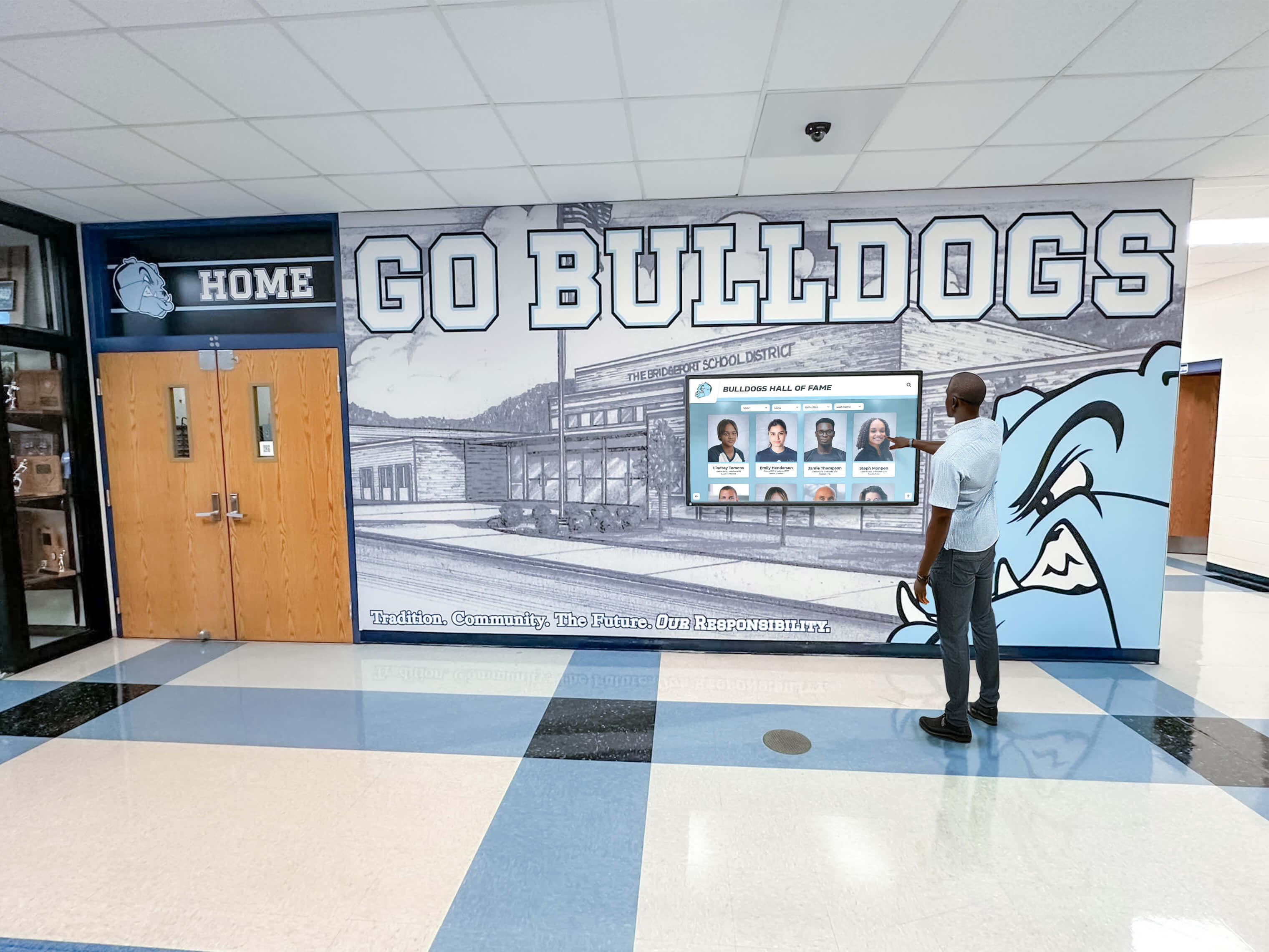
Professional installation ensures displays integrate seamlessly with institutional environments while meeting accessibility and safety standards
What Hardware Ownership Eliminates
No Vendor Coordination Burden
Traditional multi-vendor approaches create operational complexity:
- Researching compatible displays and hardware specifications
- Obtaining quotes from multiple hardware suppliers
- Verifying compatibility between displays, software, and mounting systems
- Coordinating delivery timing across multiple vendors
- Managing separate invoices and purchase orders
- Maintaining warranty documentation from different manufacturers
- Troubleshooting which vendor to contact when problems occur
Rocket’s integrated approach eliminates this coordination completely. Organizations receive complete solutions from single vendors, with unified purchasing, delivery, installation, and support.
No Technical Expertise Requirements
Software-only solutions assume technical capability:
- Understanding display specifications (resolution, brightness, touch technology)
- Knowledge of computing requirements for content playback
- Network infrastructure planning and configuration
- Hardware compatibility verification
- Installation planning and execution
- Ongoing technical troubleshooting
Organizations lacking dedicated IT staff find software-only approaches challenging. Rocket’s complete solutions eliminate technical expertise requirements—Customer Success manages technical complexity.
No Installation Coordination
Hardware logistics require management:
- Scheduling installation contractors and electricians
- Coordinating building access for multiple vendors
- Managing project timelines across fragmented teams
- Ensuring proper electrical and network infrastructure
- Verifying installation quality and functionality
- Addressing post-installation issues with correct parties
Rocket manages complete installation processes, providing turnkey solutions where organizations receive functioning systems without project management responsibility.
For schools evaluating digital recognition display options, understanding complete hardware and software integration clarifies implementation approaches.
Customer Success: Single Point of Contact for Everything
Rocket’s Customer Success team represents the primary differentiator between integrated solutions and fragmented vendor relationships.
How Customer Success Works in Practice
Unified Support for All Issues
Customer Success handles complete solution support:
- Software questions about content management and features
- Hardware problems including display malfunctions or connectivity issues
- Installation concerns during and after deployment
- Network integration and IT coordination
- Content strategy and best practices guidance
- Training and onboarding for new staff members
Organizations contact one team regardless of issue type. Customer Success handles triage, diagnosis, and resolution—whether problems involve software, hardware, or connectivity.
Proactive Monitoring and Issue Detection
Modern support exceeds reactive troubleshooting:
- Remote monitoring of display health and performance
- Automated alerts when systems go offline or experience issues
- Proactive outreach before customers notice problems
- Performance optimization identifying improvement opportunities
- Software updates deployed automatically maintaining currency
- Security monitoring ensuring systems remain protected
This proactive approach prevents problems rather than merely responding after issues impact operations.
Rapid Response and Resolution Timelines
Support responsiveness impacts operational continuity:
- Direct Customer Success contact (not call centers or ticket systems)
- Response time commitments for various issue severities
- Remote troubleshooting resolving many problems immediately
- Hardware replacement processes when remote resolution isn’t possible
- Loaner equipment availability for critical installations during repairs
- Escalation procedures for complex or urgent situations
Organizations report that unified support dramatically reduces problem resolution time compared to multi-vendor troubleshooting.
Customer Success manages complete systems including hardware, software, and integration with existing facilities
Handling Hardware Issues: Triage, Replacement, and Restoration
Problem Triage and Diagnosis
Customer Success follows systematic processes:
Initial Assessment
- Customer reports issue through direct Customer Success contact
- Remote diagnostics determine problem scope and severity
- Classification as software, hardware, connectivity, or configuration issue
- Impact assessment on organizational operations
- Timeline establishment for resolution
Remote Resolution Attempts
- Software issues addressed through remote access and updates
- Configuration problems corrected through system adjustments
- Network connectivity troubleshooting with IT coordination
- Display settings optimization resolving many apparent hardware problems
- User training addressing usage questions
Many issues resolve remotely within hours, avoiding hardware replacement delays.
Hardware Replacement When Necessary
When remote resolution isn’t possible:
Replacement Process
- Rocket authorizes replacement without requiring customer interaction with OEM manufacturers
- Replacement hardware shipped directly to installation location
- Installation scheduling coordinated by Customer Success
- Malfunctioning hardware removed and replaced
- System testing ensuring complete functionality restoration
- Failed hardware returned to Rocket for warranty processing or disposal
Customer Experience During Replacement
- Single point of contact throughout process (Customer Success)
- No vendor coordination or warranty claim submission required
- No out-of-pocket expenses for replacement hardware or labor
- Transparent communication about timelines and status
- Follow-up ensuring complete satisfaction after resolution
This process contrasts sharply with traditional approaches where customers must contact display manufacturers, submit warranty claims, coordinate shipping, arrange installation, and manage multiple vendor relationships.
System Restoration and Verification
Comprehensive resolution exceeds hardware replacement:
- Content restoration ensuring displays show correct information
- Network configuration verification
- Display calibration and optimization
- User acceptance testing confirming complete functionality
- Documentation updating maintenance records
- Lessons learned preventing recurrence
Customer Success owns outcome—functional systems meeting organizational needs—not merely hardware replacement.
For organizations managing recognition displays across multiple locations, explore how centralized support systems simplify hardware management.
Installation Process: Professional Deployment and Setup
Understanding Rocket’s installation approach clarifies what “turnkey solutions” actually means.
Pre-Installation Planning and Site Assessment
Facility Evaluation
Rocket conducts thorough site assessments:
- Location evaluation for optimal display placement
- Viewing angle and height assessment for accessibility
- Ambient lighting analysis affecting display visibility
- Wall structure verification supporting mounting requirements
- Electrical infrastructure assessment and planning
- Network connectivity evaluation and requirements
- Physical space constraints and architectural considerations
This assessment ensures hardware selection and mounting approaches suit specific installation contexts rather than forcing standardized configurations into incompatible spaces.
Stakeholder Coordination
Installation planning involves multiple parties:
- Organizational leadership defining goals and requirements
- IT departments addressing network security and integration
- Facilities management coordinating building access and infrastructure
- Electrical contractors when power modifications required
- Architectural review for historical or protected buildings
- Accessibility compliance verification
Rocket Customer Success coordinates this stakeholder engagement, reducing organizational burden managing complex approvals and coordination.
Equipment Preparation
Pre-configured hardware accelerates deployment:
- Displays tested and configured before shipping
- Software pre-installed and customized for organization
- Network settings pre-configured based on IT requirements
- Initial content loaded enabling immediate operation
- Security hardening appropriate for institutional environments
- Documentation prepared for IT departments and facilities management
This preparation means installations produce functional systems immediately rather than requiring extensive on-site configuration.
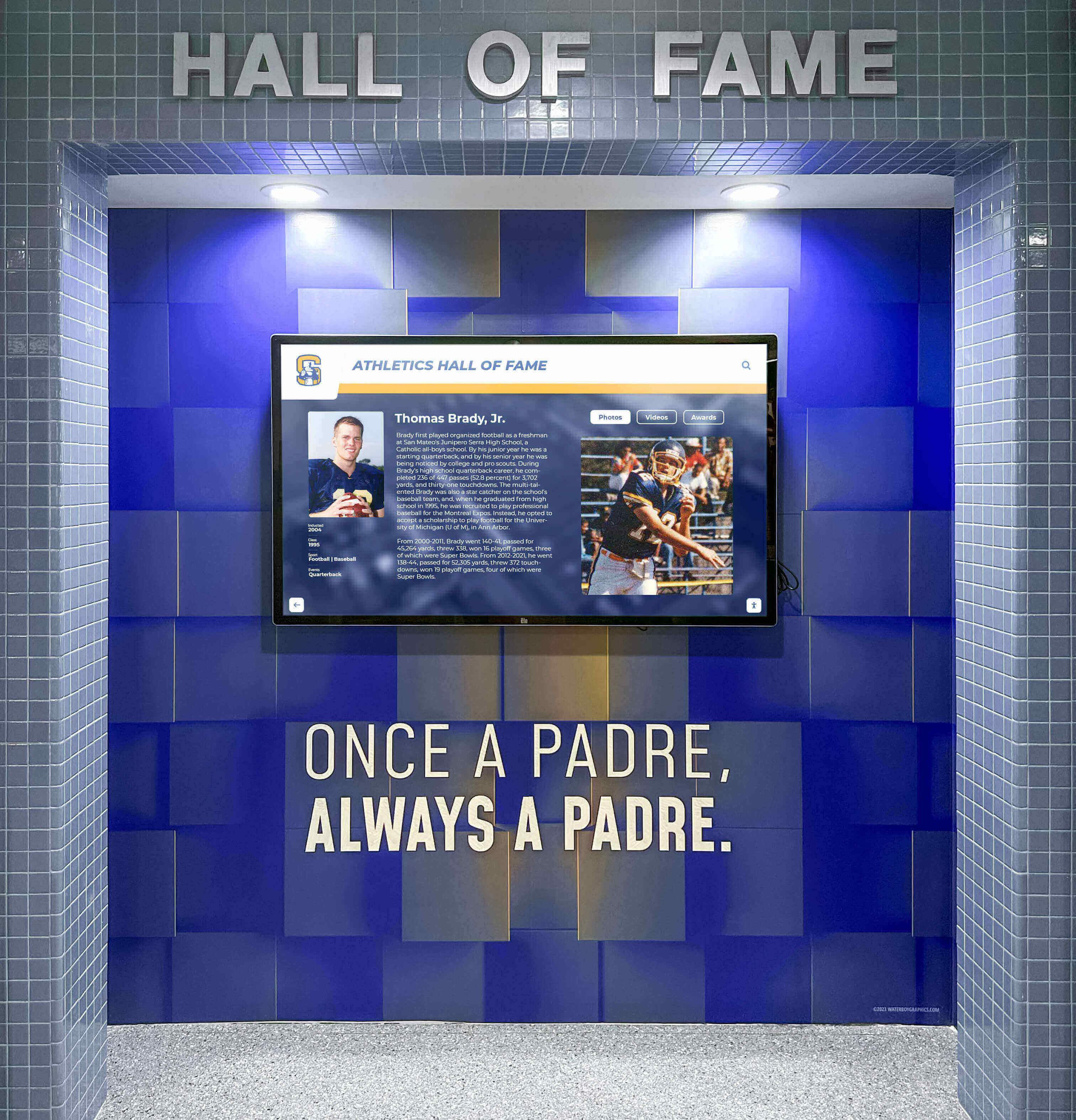
Professional installation integrates displays with facility architecture while ensuring proper mounting, connectivity, and accessibility compliance
Installation Execution
Professional Installation Standards
Certified installers follow established processes:
- Secure mounting meeting commercial standards and building codes
- Professional cable management concealing wiring
- Proper electrical connection with surge protection
- Network integration following IT security policies
- Accessibility positioning ensuring ADA WCAG 2.1 AA compliance
- Safety verification and final inspection
Installation Timeline Management
Efficient deployment minimizes disruption:
- Scheduled installation windows coordinating with building access
- Equipment delivery timing matched to installation scheduling
- Minimal installation time (typically 2-4 hours per display)
- Immediate functional verification after physical installation
- On-site training for organizational staff
- Clean site condition with no debris or installation waste
Organizations report that professional installation creates immediate confidence in solution quality through visible craftsmanship and functional operation.
Post-Installation Verification
Comprehensive testing ensures complete functionality:
- Display operation and touch response verification
- Network connectivity and content update testing
- Software functionality and content accuracy review
- Accessibility feature verification
- User training confirming operational understanding
- Documentation handoff including warranty information and support contacts
Installation concludes with organizational acceptance confirming complete satisfaction before Rocket personnel depart.
Training and Knowledge Transfer
Staff Onboarding
Enabling independent operation:
- Hands-on content management training during installation
- Quick reference guides for common tasks
- Video tutorial library for future reference
- Admin portal access and credential setup
- Demonstration of mobile access and remote management
- Best practices guidance for content strategy
Ongoing Support Access
Training extends beyond initial deployment:
- Direct Customer Success contact information
- Support documentation and knowledge base
- Regular check-in calls during initial months
- Additional training sessions when staff changes occur
- Community access to other Rocket customers
- Annual reviews identifying improvement opportunities
This comprehensive training prevents systems from becoming underutilized due to user uncertainty or lack of confidence.
For organizations implementing recognition displays during facility renovations, explore timing considerations for new construction installations.
Behind the OEM Warranty: How Rocket Owns Uptime
Understanding warranty management clarifies Rocket’s complete ownership approach.
OEM Relationships and Warranty Management
Manufacturer Warranty Background
Commercial displays include OEM warranties:
- Typically 3-5 year coverage for commercial-grade equipment
- Manufacturer responsibility for hardware defects and failures
- Replacement part availability through manufacturer networks
- Technical support from OEM companies
Why Customers Never Interact with OEMs
Rocket manages manufacturer relationships:
- Direct purchasing relationships with display manufacturers
- Warranty registration under Rocket accounts
- Technical support coordination with OEM companies
- Replacement part ordering and logistics
- Warranty claim submission and processing
- Manufacturer coordination for complex technical issues
Customers contact Customer Success regardless of warranty status—Rocket handles all OEM interaction behind the scenes.
The Uptime Commitment
Rocket owns system availability outcomes:
- Uptime commitments in service agreements
- Proactive monitoring preventing downtime
- Rapid replacement when hardware fails
- Customer Success accountability for resolution timelines
- Loaner equipment availability during repairs for critical installations
This outcome focus differs from traditional warranty models where customers bear responsibility for coordinating repairs and managing downtime.
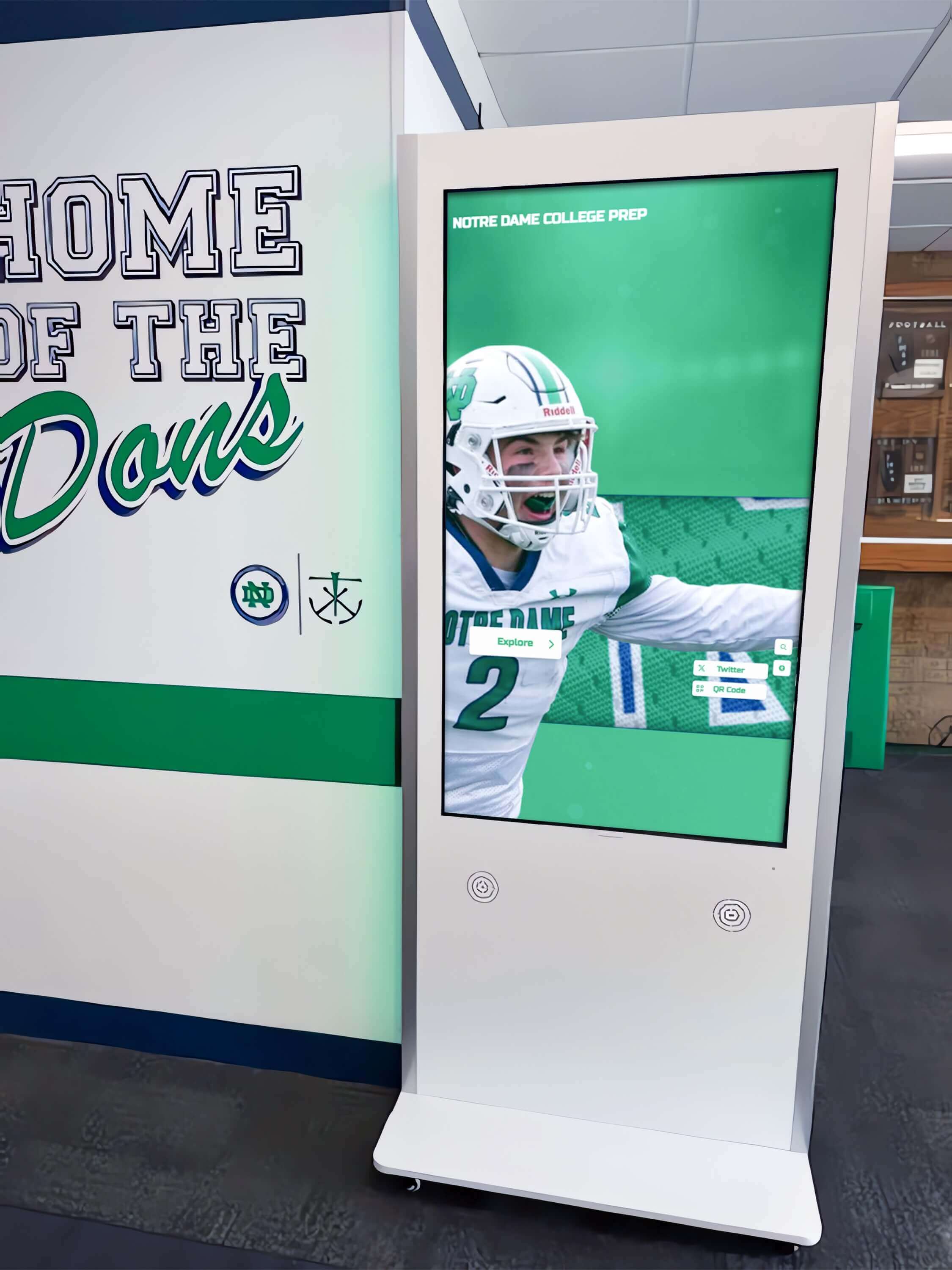
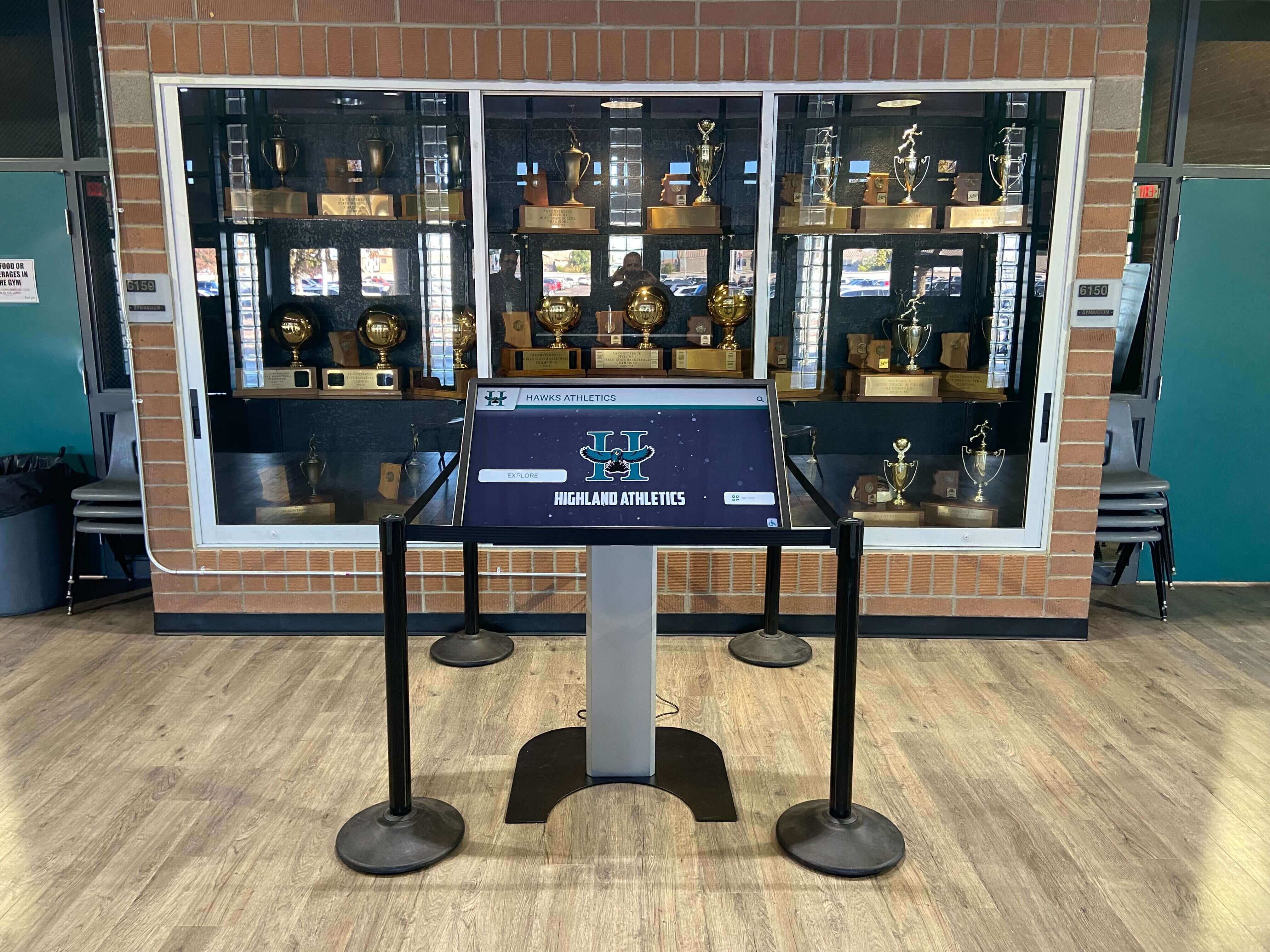
Freestanding kiosk installations provide flexibility while maintaining complete hardware and software integration
What Happens When Hardware Fails
Typical Hardware Issue Scenario
Real-world failure handling:
Problem Detection
- Display stops responding or shows error messages
- Remote monitoring alerts Customer Success before customer notices
- OR customer reports issue directly to Customer Success
Initial Response
- Customer Success receives notification or customer contact
- Remote diagnostics assess problem severity and type
- Classification determines resolution pathway
- Customer receives immediate acknowledgment and timeline
Resolution Pathway
Depending on diagnosis:
Software/Configuration Issues (resolved remotely within hours)
- Remote access to system for diagnosis
- Software updates or configuration corrections
- Immediate testing and verification
- Documentation of resolution for future reference
Hardware Replacement Required (resolved within days)
- Replacement hardware authorized and shipped
- Installation scheduled at customer convenience
- Professional replacement without customer coordination
- Complete system restoration including content and configuration
- Verification testing ensuring full functionality
No Customer Actions Required
- No manufacturer contact or warranty claim submission
- No coordination with installers or contractors
- No troubleshooting across multiple vendors
- No unexpected costs or out-of-pocket expenses
- Single point of contact throughout process
This customer experience contrasts dramatically with fragmented vendor approaches where organizations coordinate between software vendors, hardware manufacturers, and installation contractors.
Long-Term Hardware Support and Lifecycle Management
Proactive Hardware Lifecycle Planning
Commercial displays have finite service lives:
- Typical commercial display lifespan: 5-7 years under continuous operation
- Proactive communication as hardware approaches end of expected service
- Technology refresh planning and budgeting guidance
- Trade-in programs for older hardware when upgrading
- Coordinated refresh minimizing operational disruption
Technology Evolution and Upgrades
Hardware capabilities improve continuously:
- Regular technology assessments identifying upgrade opportunities
- Enhanced display technologies (higher resolution, better touch response)
- Improved computing performance enabling new features
- Energy efficiency improvements reducing operating costs
- Accessibility enhancements serving broader audiences
Customer Success proactively discusses hardware evolution opportunities rather than waiting for failures requiring emergency replacement.
For schools planning long-term recognition systems, understanding digital display lifecycle management helps inform budget planning.
Real Customer Experiences: What Organizations Say About Hardware and Support
Customer feedback provides authentic perspective on Rocket’s hardware ownership and support approach.
Implementation Experience
Organizations report consistent implementation patterns:
Professional Installation Quality
Customers emphasize installation craftsmanship:
- Clean, professional appearance integrating with facility architecture
- Proper mounting providing confidence in long-term security
- Excellent cable management creating finished look
- Minimal installation disruption to operations
- Immediate functionality after installation completion
- Clear communication throughout installation process
Turnkey Simplicity
Organizations value reduced complexity:
- No hardware research or sourcing required
- Unified purchasing simplifying budgeting and approval
- Single vendor relationship eliminating coordination burden
- Professional project management reducing internal staff requirements
- Confidence in hardware-software compatibility
- Peace of mind from complete solution warranty
Schools and institutions particularly appreciate turnkey approaches given limited technical staff and multiple competing priorities.
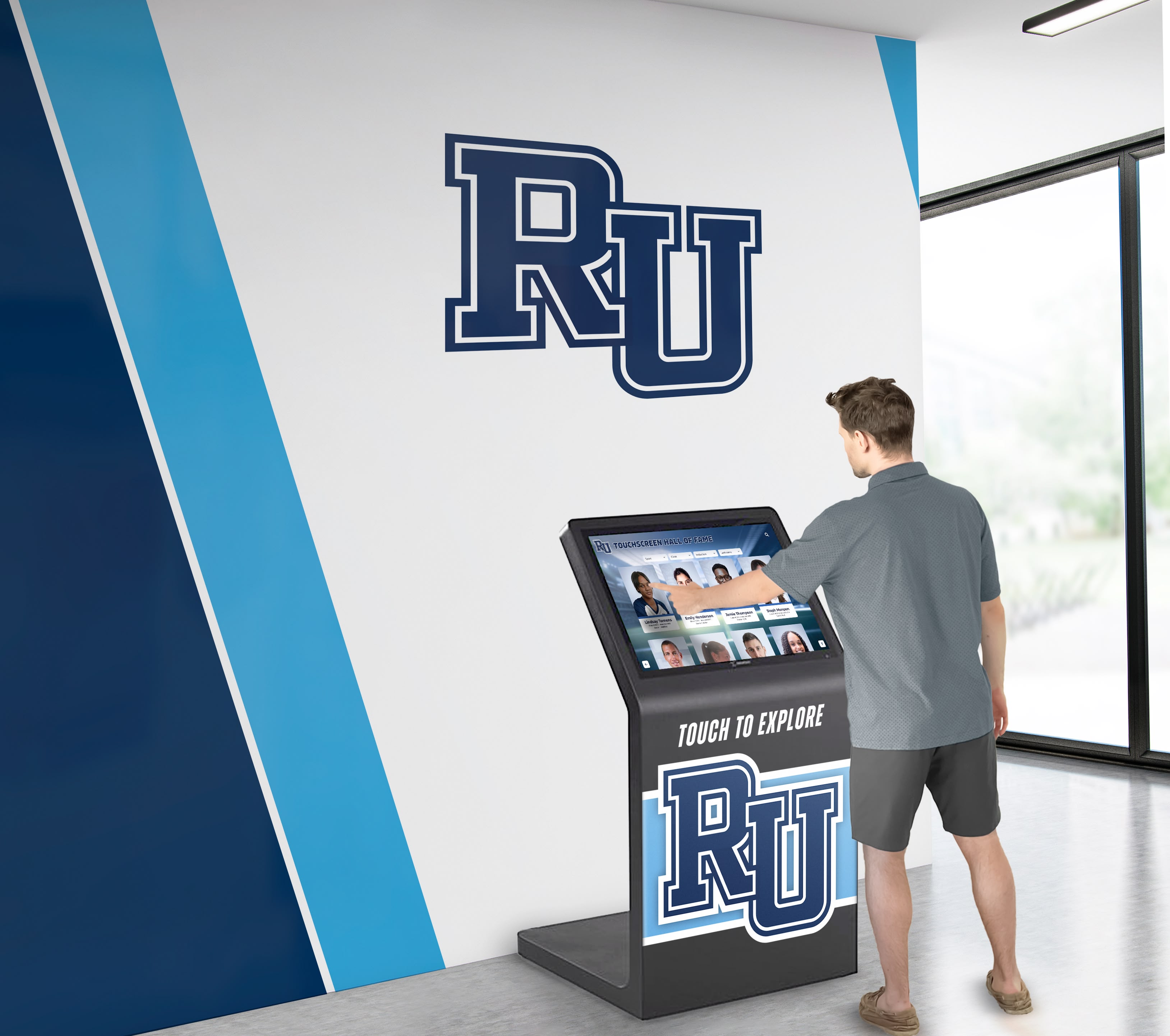
Intuitive interfaces and reliable hardware create positive experiences for all visitors regardless of technical comfort
Ongoing Support Experience
Customer Success Responsiveness
Organizations consistently mention support quality:
- Rapid response to inquiries and issues
- Proactive communication about system health
- Helpful guidance beyond technical troubleshooting
- Genuine partnership feeling versus transactional vendor relationship
- Continuity with consistent Customer Success representatives
- Willingness to accommodate unique organizational needs
Single Point of Contact Value
The unified support model receives strong appreciation:
- Elimination of vendor finger-pointing when problems occur
- Clear accountability for issue resolution
- Dramatic time savings avoiding multi-vendor coordination
- Reduced frustration through streamlined communication
- Confidence knowing who to contact regardless of issue type
- Peace of mind from comprehensive support coverage
Organizations transitioning from multi-vendor environments particularly emphasize relief from coordination burden elimination.
Hardware Reliability and Issue Resolution
When hardware problems occur:
- Quick diagnosis through remote monitoring
- Transparent communication about resolution timelines
- Efficient replacement processes when necessary
- No unexpected costs or complicated warranty claims
- Complete system restoration exceeding hardware replacement alone
- Follow-up ensuring long-term satisfaction
While hardware reliability prevents most issues, the occasional problems that do occur get resolved efficiently through Rocket’s integrated approach.
Long-Term Relationship Quality
Partnership Beyond Transactions
Organizations describe ongoing relationships:
- Regular check-ins maintaining engagement
- Proactive suggestions for system improvements
- Assistance with special projects or events
- Flexibility accommodating changing needs
- Genuine interest in organizational success
- Celebration of milestones and achievements
This partnership approach differs from typical vendor relationships where engagement ends after initial sale.
Value Realization Over Time
Long-term customers emphasize:
- Systems that remain current through software updates
- Hardware that continues performing reliably years after installation
- Support quality that doesn’t degrade over time
- Growing confidence and sophistication with platform capabilities
- Return on investment through sustained use and engagement
- Organizational pride in display quality and functionality
The complete hardware ownership and support model proves value not just during implementation but throughout system lifecycle.
For organizations considering long-term digital recognition investments, reviewing comprehensive athletic recognition platforms clarifies integrated approach benefits.
Comparing Integrated vs. Fragmented Hardware Approaches
Understanding differences between complete solutions and multi-vendor approaches.
The Software-Only Vendor Model
What Software-Only Vendors Provide
Typical software platform offerings:
- Content management system licensing
- Cloud hosting and software infrastructure
- Technical documentation and support for software issues
- Training on platform features and capabilities
- Software updates and bug fixes
What Software-Only Vendors DON’T Provide
Customer responsibilities:
- Hardware sourcing and purchasing
- Hardware compatibility verification
- Installation coordination and management
- Hardware warranty relationships
- Hardware troubleshooting and repair coordination
- Multi-vendor coordination when problems span hardware and software
Hidden Costs and Complexity
Software-only approaches create burden:
- Time spent researching compatible hardware
- Risk of incompatibility between hardware and software
- Coordination complexity across multiple vendors
- Unclear accountability when problems involve both hardware and software
- Out-of-pocket hardware replacement costs
- Lost productivity during extended troubleshooting
Organizations often underestimate these hidden costs when evaluating apparent price differences between software-only and integrated solutions.
The Complete Solution Model
What Integrated Vendors Provide
Rocket’s comprehensive approach:
- Hardware selection and procurement
- Software platform and content management
- Professional installation and setup
- Unified support for all components
- Hardware warranty management
- Long-term lifecycle planning and support
Benefits of Integration
Operational advantages:
- Single vendor relationship simplifying purchasing and contracting
- Guaranteed hardware-software compatibility
- Clear accountability for all aspects of system performance
- Simplified troubleshooting and issue resolution
- Comprehensive warranty coverage
- Professional project management reducing internal burden
True Total Cost of Ownership
Accurate cost comparison requires considering:
- Staff time saved through turnkey implementation
- Reduced risk from verified compatibility
- Faster issue resolution through unified support
- Eliminated multi-vendor coordination overhead
- Predictable long-term costs without surprise hardware expenses
- Higher reliability through integrated design
Many organizations find that integrated solutions provide better total value despite potentially higher initial purchase prices.
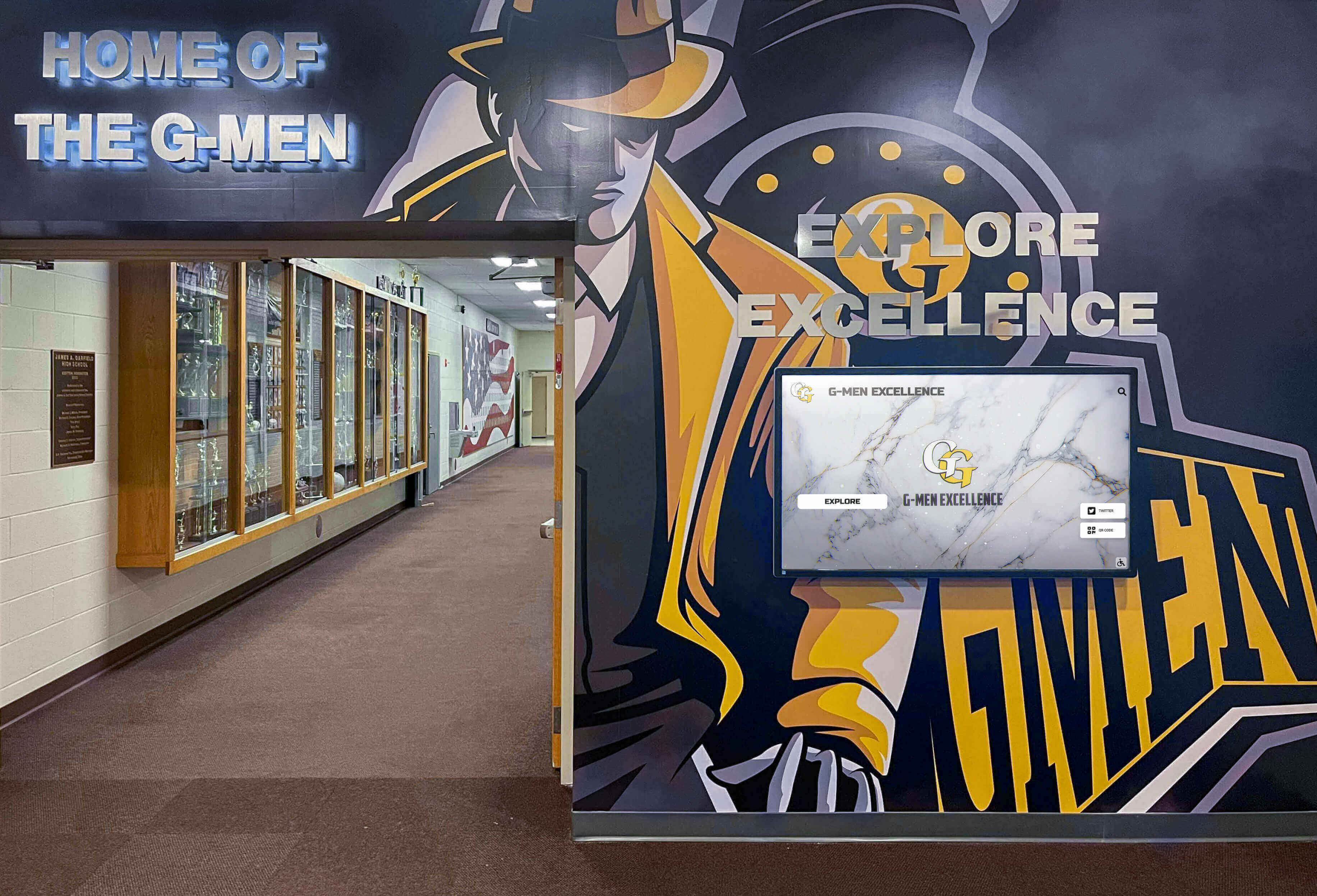
Integrated solutions enable cohesive implementations across multiple displays with unified management and support
Hardware Specifications and Options
Understanding available hardware configurations helps inform solution planning.
Display Hardware Options
Screen Size Selection
Different installations require appropriate sizing:
- 55-inch displays: Suitable for smaller spaces or close viewing distances (5-10 feet)
- 65-inch displays: Standard choice for lobby and hallway installations (10-15 feet viewing)
- 75-inch displays: Large focal point installations for auditoriums or main lobbies (15-20 feet viewing)
- Video wall configurations: Multiple displays creating large-format experiences for special applications
Rocket Customer Success helps organizations select appropriate sizes based on installation location, viewing distance, and content types.
Mounting Configuration Options
Physical installation approaches:
Wall-Mounted Displays
- Low-profile commercial mounts for minimal protrusion
- Tilting mounts optimizing viewing angles
- ADA-compliant mounting heights (bottom of screen no higher than 48 inches for wheelchair users)
- Secure mounting preventing theft or vandalism
- Concealed cable management for clean appearance
Freestanding Kiosk Enclosures
- Secure enclosures protecting hardware from tampering
- Accessible height positioning for diverse users
- Stable base preventing tip-over
- Professional appearance matching facility aesthetics
- Internal cable management and cooling
- Lockable access panels for maintenance
Portrait vs. Landscape Orientation
Display orientation affects content layout:
- Landscape (horizontal): Standard for most applications, video content, and multi-column layouts
- Portrait (vertical): Suitable for narrow spaces, wayfinding applications, and directory-style content
- Content adapts to orientation but affects design approach
Rocket provides guidance on optimal orientation for specific content types and installation contexts.
Computing and Connectivity Hardware
Computing Modules
Displays require computing capability:
- Dedicated computer modules running content management software
- Processing power appropriate for content complexity (static images vs. video vs. interactive features)
- Storage capacity for content caching and offline operation
- Remote management capabilities enabling Customer Success support
- Security hardening appropriate for institutional network policies
Network Infrastructure
Connectivity requirements:
- Wired Ethernet strongly preferred for reliability and security
- WiFi connectivity supported where wired installation impractical
- Bandwidth requirements typically modest (1-5 Mbps per display)
- VLAN and network security compliance
- Remote access for Customer Success support and monitoring
- Content caching reducing bandwidth needs and enabling offline operation
Power and Electrical
Electrical requirements:
- Standard 120V electrical circuits
- Surge protection recommended for all installations
- Uninterruptible Power Supply (UPS) optional for critical installations
- Professional electrical work when new circuits required
- Energy-efficient operation (typically 150-300 watts during operation)
Rocket coordinates electrical requirements with facilities management during installation planning.
For organizations planning multiple display installations, understanding hardware requirements for digital recognition systems helps inform facility planning.
Security, Compliance, and IT Integration
Hardware solutions must address institutional IT and security requirements.
Network Security and Access Control
Institutional Network Integration
Displays operate within organizational IT infrastructure:
- VLAN assignment and network segmentation
- Firewall rule configuration for required services
- Outbound-only communication for cloud-based management
- Encrypted connections (HTTPS/TLS) for all data transmission
- Authentication requirements and credential management
- Logging and monitoring integration with institutional systems
Rocket works with IT departments to configure hardware meeting specific security policies and requirements.
Physical Security Features
Hardware protection against tampering:
- Secure mounting preventing unauthorized removal
- Locked enclosures protecting computing modules
- Tamper-evident features detecting physical interference
- Anti-theft hardware (security screws, cable locks)
- Surveillance integration when displays house sensitive content
- Incident response procedures for security breaches
Accessibility and Compliance
ADA WCAG 2.1 AA Compliance
Legal accessibility requirements:
- Mounting height accommodating wheelchair users (controls and interactive elements below 48 inches)
- Touch targets meeting minimum size requirements (minimum 44x44 pixels)
- Sufficient color contrast for text legibility
- Screen reader compatibility for vision impairments
- Keyboard navigation support for users unable to use touch interfaces
- Alternative text for all visual content
Rocket hardware installations address accessibility requirements ensuring legal compliance and inclusive access.
Educational and Public Space Standards
Additional considerations:
- FERPA compliance protecting student information privacy
- COPPA requirements for platforms accessible to minors
- Content filtering ensuring appropriate material for school environments
- Emergency alert system integration
- ADA Title II requirements for public institutions
Customer Success assists organizations navigating regulatory requirements specific to their contexts.
Data Privacy and Content Security
Content Management Security
Protecting organizational content:
- Role-based access control limiting content modification permissions
- Audit logging tracking all content changes and user actions
- Multi-factor authentication for administrative access
- Secure credential storage and rotation policies
- Backup and disaster recovery for content preservation
- Geographic content redundancy across cloud regions
Personal Information Protection
Privacy considerations:
- No tracking or surveillance of display viewers
- Anonymous analytics not identifying individual users
- Compliance with state privacy laws (CCPA, GDPR where applicable)
- Transparent data practices and privacy policies
- Limited data collection only for system functionality
- Data retention policies and deletion procedures
Organizations maintaining sensitive content receive guidance on appropriate security configurations and practices.
Hardware installations address security requirements while providing accessible public interaction
Investment Considerations and Pricing Models
Understanding complete solution costs enables informed decision-making.
Comprehensive Pricing Structure
Initial Investment Components
Complete solution costs include:
- Commercial touchscreen display hardware ($4,000-$10,000 depending on size)
- Computing modules and connectivity hardware ($800-$2,000)
- Mounting systems or kiosk enclosures ($1,000-$4,000)
- Professional installation and setup ($1,500-$3,000)
- Software platform setup and configuration ($2,000-$5,000)
- Initial content development and training ($2,000-$5,000)
- Project management and coordination (included in above costs)
Total Initial Investment Range
Typical high school or organization implementation:
- Single display system: $12,000-$25,000 complete
- Multi-display installations: $20,000-$50,000+ depending on scope
- Large institutional deployments: Custom pricing based on requirements
These comprehensive prices include everything needed for functional systems—no surprise costs or additional vendor coordination.
Annual Ongoing Costs
Predictable operational expenses:
- Software platform licensing and hosting ($2,000-$4,000 annually)
- Customer Success support and monitoring (included in licensing)
- Software updates and new features (included in licensing)
- Content management (internal staff time, minimal incremental cost)
- Hardware maintenance (typically under warranty during first 3-5 years)
- Network connectivity (incremental addition to existing infrastructure)
Long-Term Hardware Planning
Replacement cycle considerations:
- Commercial displays: 5-7 year expected service life
- Hardware refresh planning beginning year 5
- Technology upgrade opportunities (higher resolution, better features)
- Trade-in programs reducing upgrade costs
- Coordinated refresh minimizing downtime
Total cost of ownership analysis should include full lifecycle (typically 7-10 years) rather than only initial purchase price.
Return on Investment Analysis
Quantifiable Benefits
Measurable value delivered:
- Eliminated physical trophy and plaque purchasing ($1,000-$5,000+ annually)
- Reduced printing and distribution costs for recognition programs
- Staff time saved through centralized content management (20-40 hours annually)
- Avoided trophy case expansion purchases ($5,000-$15,000 prevented)
- Sponsorship revenue opportunities ($2,000-$10,000 annually)
- Alumni engagement improving fundraising effectiveness
Qualitative Benefits
Harder-to-quantify advantages:
- Enhanced organizational prestige and modern appearance
- Improved stakeholder satisfaction and engagement
- Increased alumni connection and community building
- Recruiting advantages showcasing program tradition
- Accessibility inclusion serving broader audiences
- Historical preservation impossible with physical displays alone
Most organizations report that combination of tangible savings and qualitative benefits justify integrated solution investments within 2-4 years.
Funding Strategies
Common Funding Approaches
Organizations fund integrated solutions through:
- Operating budget allocations from institutional resources
- Booster club or alumni association fundraising
- Capital campaign inclusion for facility improvement projects
- Memorial gifts dedicating displays to distinguished individuals
- Corporate sponsorships providing recognition in exchange for funding support
- Grant applications for educational technology or facility improvements
- Phased implementation spreading costs across multiple budget cycles
Sponsorship Revenue Models
Displays can generate ongoing revenue:
- Business sponsor logo placement on home screens
- Sponsored content sections (“Player of the Week presented by…”)
- Rotating sponsor messages during idle periods
- Premium sponsorship levels providing dedicated recognition areas
- Multi-year agreements providing predictable revenue
Organizations report that sponsorship revenue often covers annual software licensing costs while providing additional program funding.
For organizations developing recognition system budgets, exploring comprehensive digital display investment planning provides useful frameworks.
Why Complete Solutions Matter for Long-Term Success
Understanding why integrated hardware and software approaches deliver better long-term outcomes.
The Problem With Fragmented Vendor Relationships
Accountability Gaps Create Problems
Multi-vendor approaches generate predictable issues:
When Problems Span Hardware and Software
- Display shows incorrect content: Hardware issue or software problem?
- Touch response becomes unreliable: Display problem or computing module issue?
- Network connectivity intermittent: Hardware failure, network problem, or software configuration?
- Content updates fail: Software bug, network issue, or hardware storage problem?
With fragmented vendors, organizations become project managers coordinating troubleshooting across multiple parties—each potentially blaming others for problems outside their scope.
Coordination Overhead Accumulates
Multi-vendor relationships require:
- Researching issues to determine correct vendor contact
- Explaining problems multiple times to different support teams
- Coordinating information exchange between vendors
- Escalating when vendors disagree about problem source
- Managing different support processes and documentation requirements
- Tracking multiple warranty timeframes and claim procedures
This coordination burden typically falls to already-busy school administrators or organizational staff lacking time for technical troubleshooting.
How Integration Delivers Superior Outcomes
Single-Threaded Accountability
Integrated solutions provide clarity:
- One vendor responsible for complete system functionality
- Single point of contact regardless of issue type
- Clear ownership of resolution timelines and outcomes
- No vendor finger-pointing or scope disputes
- Unified warranty coverage for all components
- Streamlined communication and status updates
Optimized Hardware-Software Integration
Systems designed together work better:
- Verified compatibility eliminating integration problems
- Optimized performance through matched components
- Coordinated updates maintaining system stability
- Tested configurations reducing deployment risk
- Professional recommendations based on proven installations
- Continuous improvement through integrated development
Sustained Value Through Lifecycle
Long-term benefits of integration:
- Consistent support quality throughout system life
- Proactive communication about improvements and opportunities
- Coordinated technology refresh when hardware ages
- Relationship depth understanding organizational needs
- Partnership approach exceeding transactional vendor relationships
- Investment protection through vendor commitment to long-term success
Organizations implementing integrated solutions report higher satisfaction, better outcomes, and lower total cost of ownership compared to fragmented multi-vendor approaches.
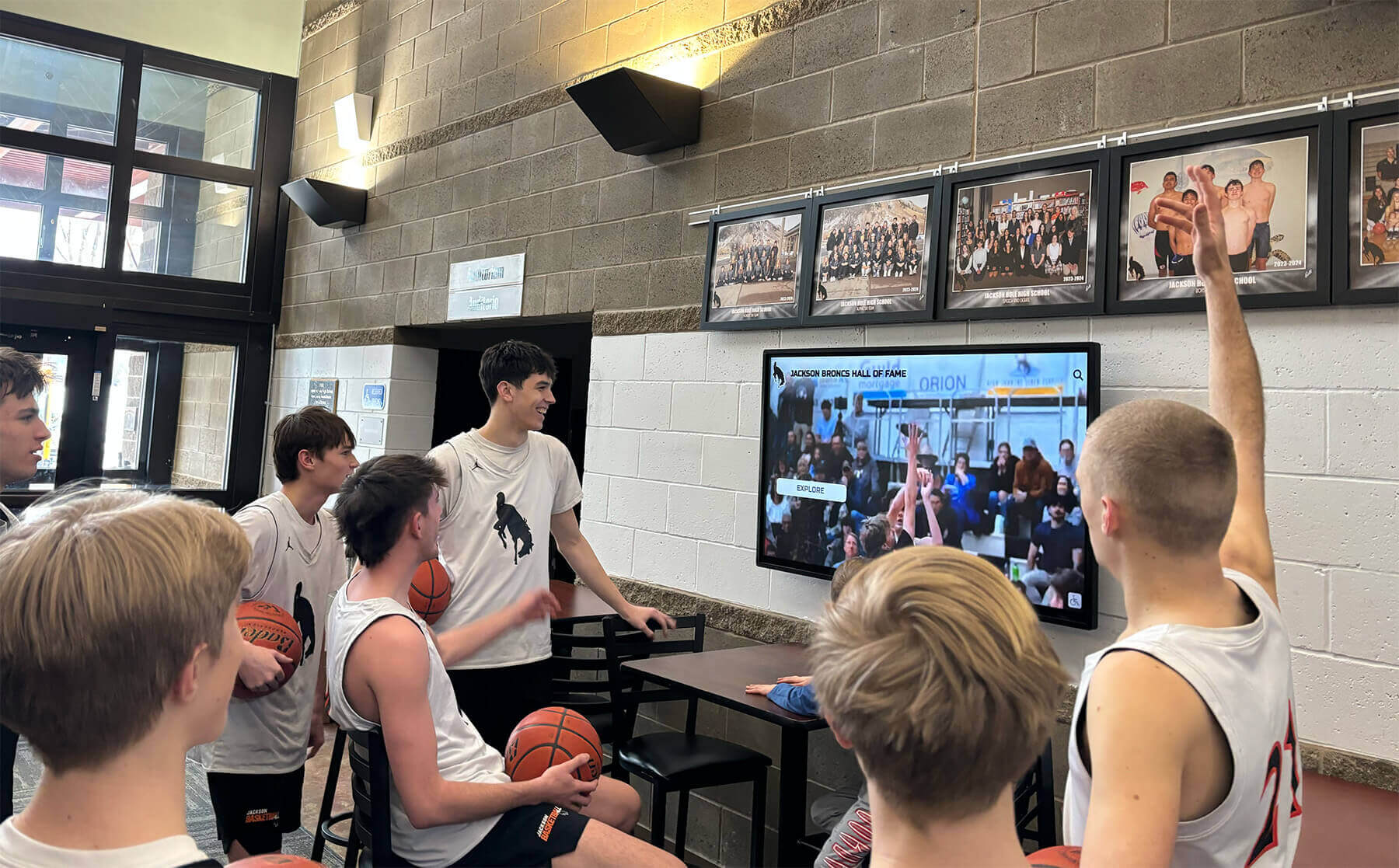
Reliable hardware and software integration creates systems that serve organizations effectively for years
Conclusion: Hardware Ownership and Complete Service Differentiate Solutions
When evaluating interactive touchscreen solutions, understanding vendor approaches to hardware ownership and support proves as important as examining software features. Rocket Alumni Solutions doesn’t merely license software while leaving hardware sourcing, installation coordination, and ongoing support to customers. Rocket provides complete hardware stacks—commercial displays, mounting systems, computing infrastructure—professionally installed and supported through unified Customer Success teams serving as single points of contact for all issues.
This integrated approach eliminates operational complexity that plagues multi-vendor implementations. Organizations never coordinate between software vendors, display manufacturers, and installation contractors when problems occur. Customer Success handles complete triage, diagnosis, and resolution—whether issues involve software configuration, hardware malfunction, or network connectivity. Behind the scenes, Rocket manages OEM warranty relationships, coordinates replacement parts, and owns uptime outcomes. Customers experience seamless support regardless of technical complexity.
Experience Complete Hardware and Software Integration
Discover how Rocket Alumni Solutions provides turnkey touchscreen systems with professional installation, complete hardware ownership, and unified Customer Success support—eliminating multi-vendor coordination complexity while delivering systems that work reliably for years.
Book a DemoThe distinction between software-only platforms and complete solutions fundamentally impacts operational experience. Software-only vendors may offer lower apparent initial costs, but hidden complexity emerges through hardware research, compatibility verification, installation coordination, and fragmented support relationships. Organizations become technical project managers navigating relationships with multiple vendors, coordinating troubleshooting when problems span hardware and software boundaries, and managing warranty claims with equipment manufacturers.
Rocket’s integrated model eliminates these burdens through single vendor relationships covering complete solutions. Professional installation delivers turnkey systems that work immediately. Unified support provides clear accountability and rapid resolution. Hardware lifecycle management includes proactive planning for technology refresh as equipment ages. Customer Success relationships deepen over years, building partnership exceeding transactional vendor dynamics.
For schools and organizations prioritizing operational simplicity, reliability, and long-term support quality, complete hardware ownership and unified Customer Success support represent essential evaluation criteria alongside software features. Systems work well when all components integrate seamlessly and single vendors own complete outcomes—not when customers coordinate fragmented relationships across multiple parties.
Your recognition needs deserve solutions designed, installed, and supported as integrated systems—not collections of separately-sourced components requiring your coordination. Rocket Alumni Solutions provides the hardware, manages the installation, and supports the complete solution through Customer Success teams committed to your long-term success. That’s not just software—that’s complete ownership of your experience and outcomes.
Ready to explore integrated touchscreen solutions with complete hardware ownership and unified support? See how Rocket Alumni Solutions delivers turnkey systems that work reliably from installation through years of service, or talk to our team to discuss your specific needs and learn how complete hardware and software integration simplifies implementation while delivering better long-term outcomes.































