



Schools across the country spend thousands of dollars annually on graphics software subscriptions, with many athletic departments, communications offices, and district administrators paying $300-$1,500 per year for tools like Gipper. While these platforms offer template-based design tools, they come with significant costs that strain already tight school budgets—especially when multiple staff members need access or when districts want to provide licenses across multiple campuses.
Rocket Graphics changes this equation entirely. As a completely free, AI-powered graphics and social media platform built specifically for schools, it provides everything educators need to create professional, on-brand content—without the annual subscription fees. Athletic directors, communications coordinators, coaches, and administrators now have access to more capabilities than expensive alternatives, with zero cost barriers.
This comprehensive guide explores how Rocket Graphics serves as a free alternative to Gipper while actually providing more features, better AI capabilities, and unlimited access for your entire school community.
Budget-conscious school leaders face a common dilemma: invest in professional graphics tools or settle for lower-quality social media presence. With average Gipper subscriptions costing $599-$1,299 annually per user, schools with athletic departments, communications teams, and multiple campus needs could easily spend $3,000-$6,000 yearly on graphics software alone. Rocket Graphics eliminates this choice by offering professional-grade capabilities at no cost.

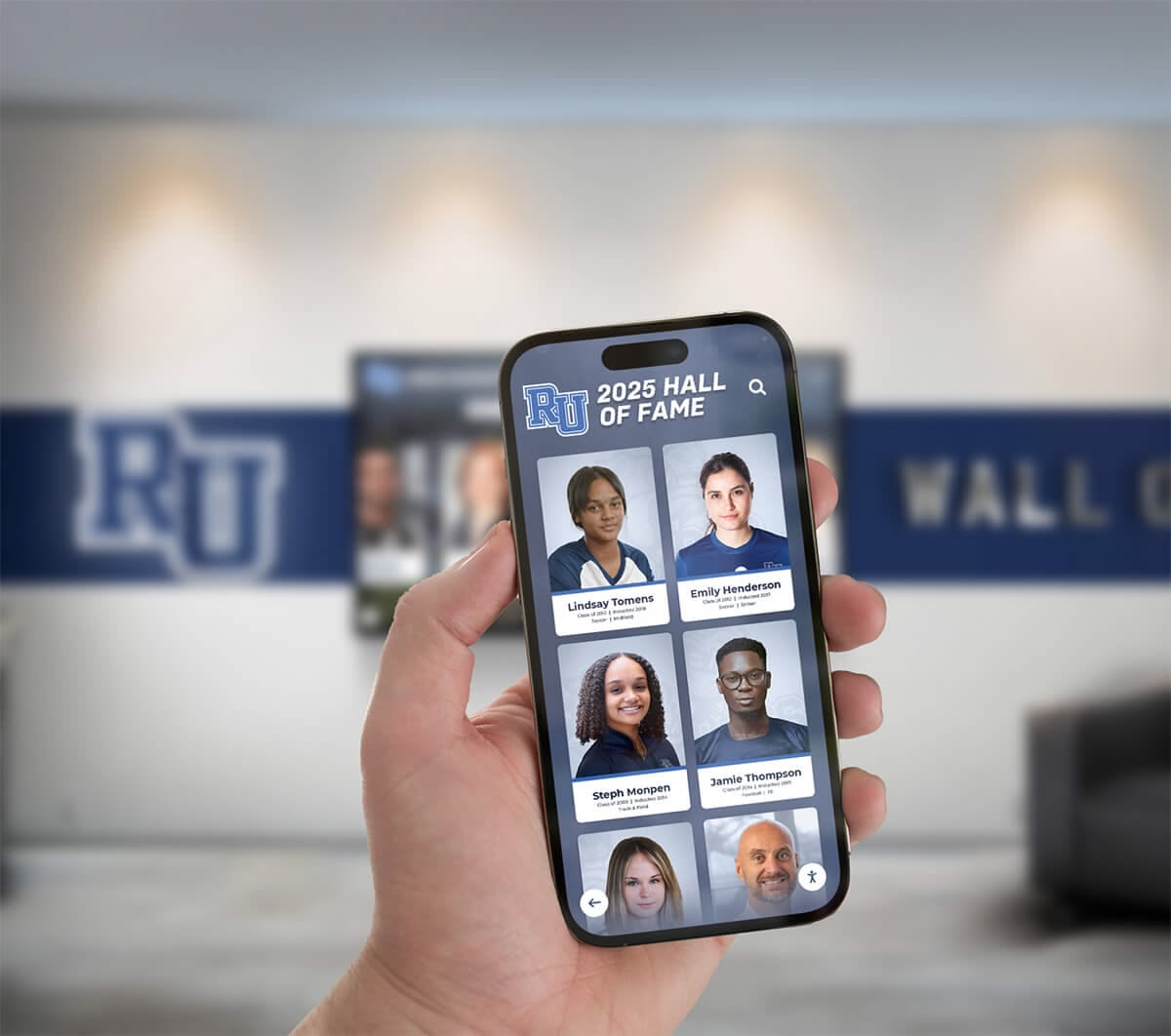
Modern schools need graphics tools that work across all platforms—from social media to digital displays
Understanding the Cost Challenge: Why Schools Need Gipper Alternatives
School communications and athletic departments face mounting pressure to maintain active, professional social media presences across multiple platforms. Parents expect real-time game updates, prospective families evaluate schools based on digital presence, and student-athletes want recognition for their achievements. Yet the tools needed to meet these expectations come with costs that many schools struggle to justify.
The Hidden Costs of Gipper Subscriptions
Gipper’s pricing model creates several budget challenges for schools:
Per-User Annual Fees Individual subscriptions range from $599 to $1,299 annually depending on features and support levels. Schools needing access for athletic directors, communications coordinators, multiple coaches, and administrative staff quickly face bills exceeding $5,000 per year.
Limited Multi-User Access Most subscription tiers restrict how many people can create content. This forces schools to either purchase multiple expensive licenses or create bottlenecks where one or two people handle all graphics requests—slowing down communications and overwhelming key staff members.
Feature Restrictions at Lower Tiers Budget-friendly plans often exclude essential capabilities like video creation, advanced templates, or priority support. Schools must either pay premium prices or accept limited functionality that doesn’t meet all their needs.
Annual Renewal Pressure Subscription models create recurring budget line items that compete with instructional materials, facility improvements, and student programs. When budgets tighten, schools face difficult choices between communications tools and educational priorities.
According to research from the National Federation of State High School Associations, athletic departments report spending an average of $2,400 annually on communications and marketing tools. For many programs, graphics software represents the single largest communications expense outside of website hosting.
Why Schools Continue Paying Despite Costs
Schools tolerate these expenses because professional graphics tools deliver real value:
- Parents and boosters expect polished, consistent communications
- Student-athletes deserve proper recognition for their achievements
- Recruitment efforts require professional presentation across digital channels
- Community engagement depends on regular, high-quality content creation
- District-wide branding initiatives demand consistency across campuses
The challenge has always been finding this capability without the prohibitive cost. That’s exactly what Rocket Graphics provides.
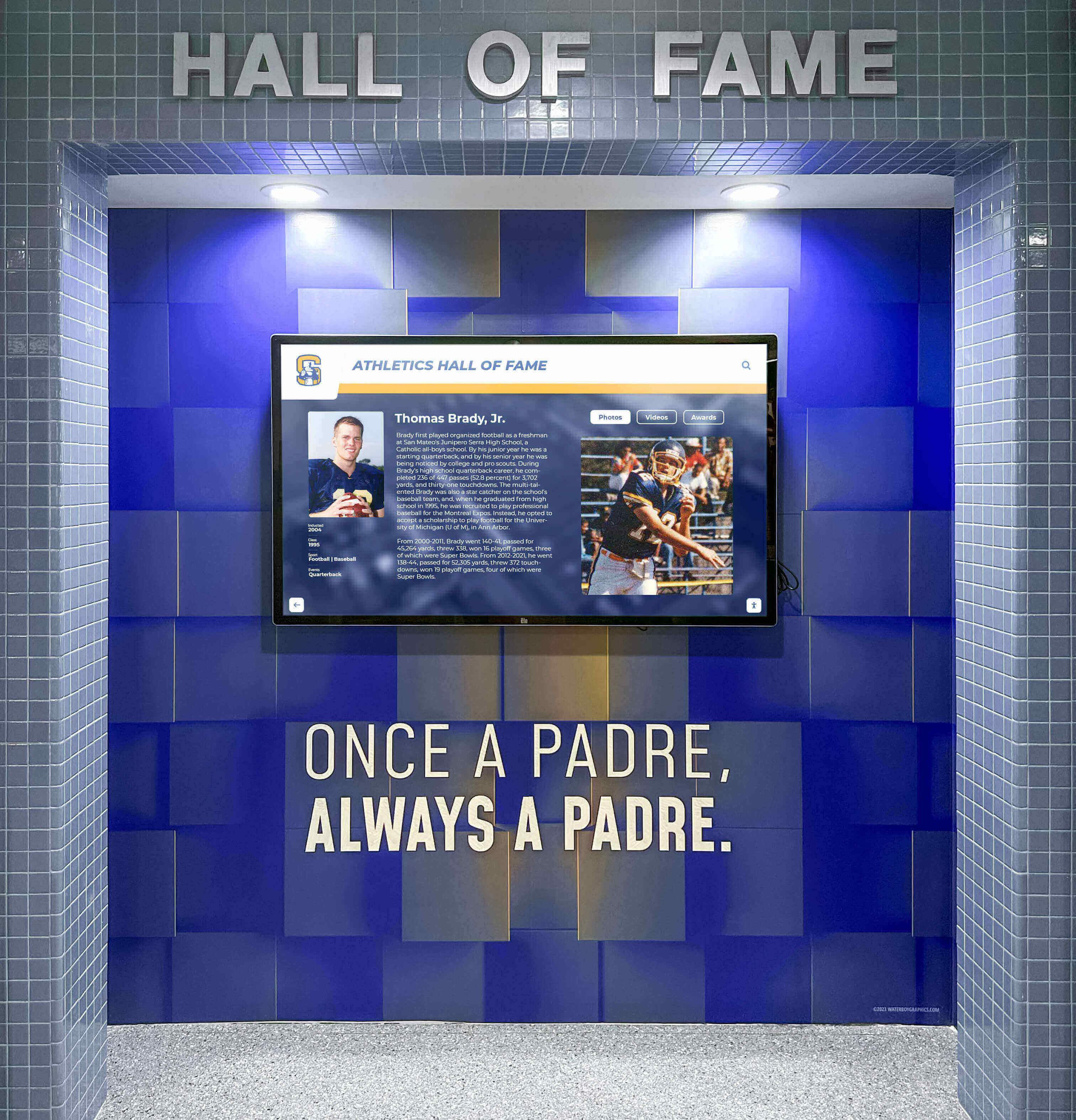
Professional graphics support both digital signage and social media needs across athletic programs
Introducing Rocket Graphics: The Free Alternative Schools Have Been Waiting For
Rocket Graphics is Rocket Alumni Solutions’ AI-powered graphics and social media platform built specifically for educational institutions. Unlike template-based tools that require design experience and charge annual fees, Rocket Graphics combines artificial intelligence with school-specific templates to create a genuinely free alternative that matches or exceeds paid platform capabilities.
Core Platform Capabilities
Text-to-Post AI Generation Simply type what you need—“create a senior night post for girls soccer” or “make a district championship graphic for Instagram”—and Rocket Graphics generates polished, branded content automatically. This AI-native approach eliminates the learning curve associated with traditional template tools while dramatically accelerating content creation.
Built-In AI Agents Rather than just providing templates, Rocket Graphics includes AI assistance that helps create, edit, resize, rewrite, schedule, and optimize your content. These agents function like having a professional design team available 24/7, providing guidance and executing tasks that would typically require specialized expertise.
Comprehensive Template Library Access hundreds of templates specifically designed for school use cases: athletics (game previews, score updates, athlete spotlights, senior night), academics (honor roll, achievement recognition, milestone celebrations), events (upcoming activities, registration reminders, recaps), and community updates (announcements, newsletters, safety information, schedule changes).
Automatic Brand Controls Upload your school logos, colors, and fonts once, and Rocket Graphics automatically applies them to every design. This ensures consistent branding across all content without requiring manual adjustments for each post—a significant time-saver compared to template tools that require brand elements to be added individually.
Multi-Platform Publishing Create content optimized for Instagram, Facebook, Twitter, website graphics, email newsletters, digital signage displays, and printed materials. Rocket Graphics automatically adjusts dimensions and formats for each platform, eliminating the need to recreate designs in multiple sizes.
Recognition-First Content Design The platform is specifically built to celebrate students, athletes, alumni, staff, donors, teams, and achievements. Recognition templates go beyond generic social media graphics to include formal announcements, spotlight features, milestone celebrations, and honor wall graphics that can be displayed on digital recognition displays.
Digital Signage Integration Content created in Rocket Graphics can be pushed directly to TVs, touchscreens, and school displays throughout your campus. This integration means you create once and publish everywhere—from social media to hallway displays—maximizing the value of every piece of content you produce.
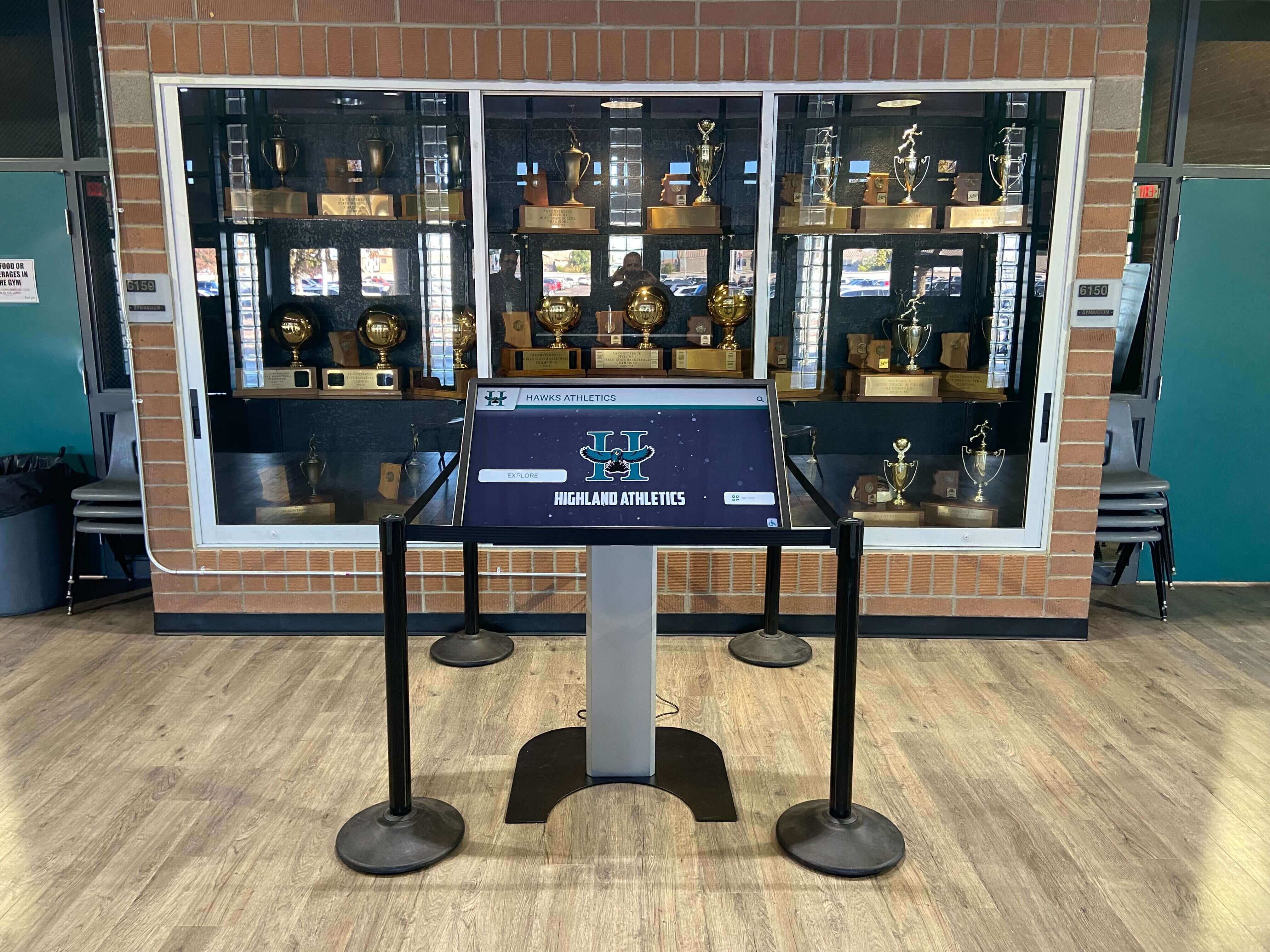
Graphics created for social media can also populate interactive displays throughout your school
Feature-by-Feature Comparison: Rocket Graphics vs. Gipper
Understanding how Rocket Graphics stacks up against Gipper helps schools make informed decisions about transitioning platforms.
Content Creation Capabilities
AI-Powered Generation Rocket Graphics: Built-in AI agents create content from text prompts, dramatically accelerating production and eliminating design expertise requirements. Gipper: Template-based system requires manual customization for each design.
Template Variety Rocket Graphics: Hundreds of school-specific templates covering athletics, academics, events, recognition, and community communications. Gipper: Strong athletic focus with extensive sports templates, more limited academic and event options.
Customization Options Rocket Graphics: AI assists with edits, text rewrites, image adjustments, and layout modifications based on natural language requests. Gipper: Manual editing tools require users to make design decisions independently.
Brand Consistency Rocket Graphics: Automatic brand application across all content once assets are uploaded. Gipper: Brand kit features available, but application often requires manual selection for each design.
Platform and Publishing Features
Multi-Platform Support Rocket Graphics: Optimized output for social media, web, newsletters, displays, and print—all from single creation workflow. Gipper: Primarily focused on social media dimensions with limited display and print optimization.
Scheduling and Publishing Rocket Graphics: Built-in content calendar with scheduling capabilities and platform-specific optimization. Gipper: Scheduling features available with direct social media integration.
Digital Signage Connection Rocket Graphics: Direct integration with digital display systems allowing content to flow from social to physical displays automatically. Gipper: No native digital signage integration—content must be exported and uploaded separately.
Collaborative Access Rocket Graphics: Unlimited users at no additional cost—entire athletic departments, communications teams, and coaching staffs can access the platform. Gipper: User limits based on subscription tier, with additional users requiring upgraded plans or additional fees.
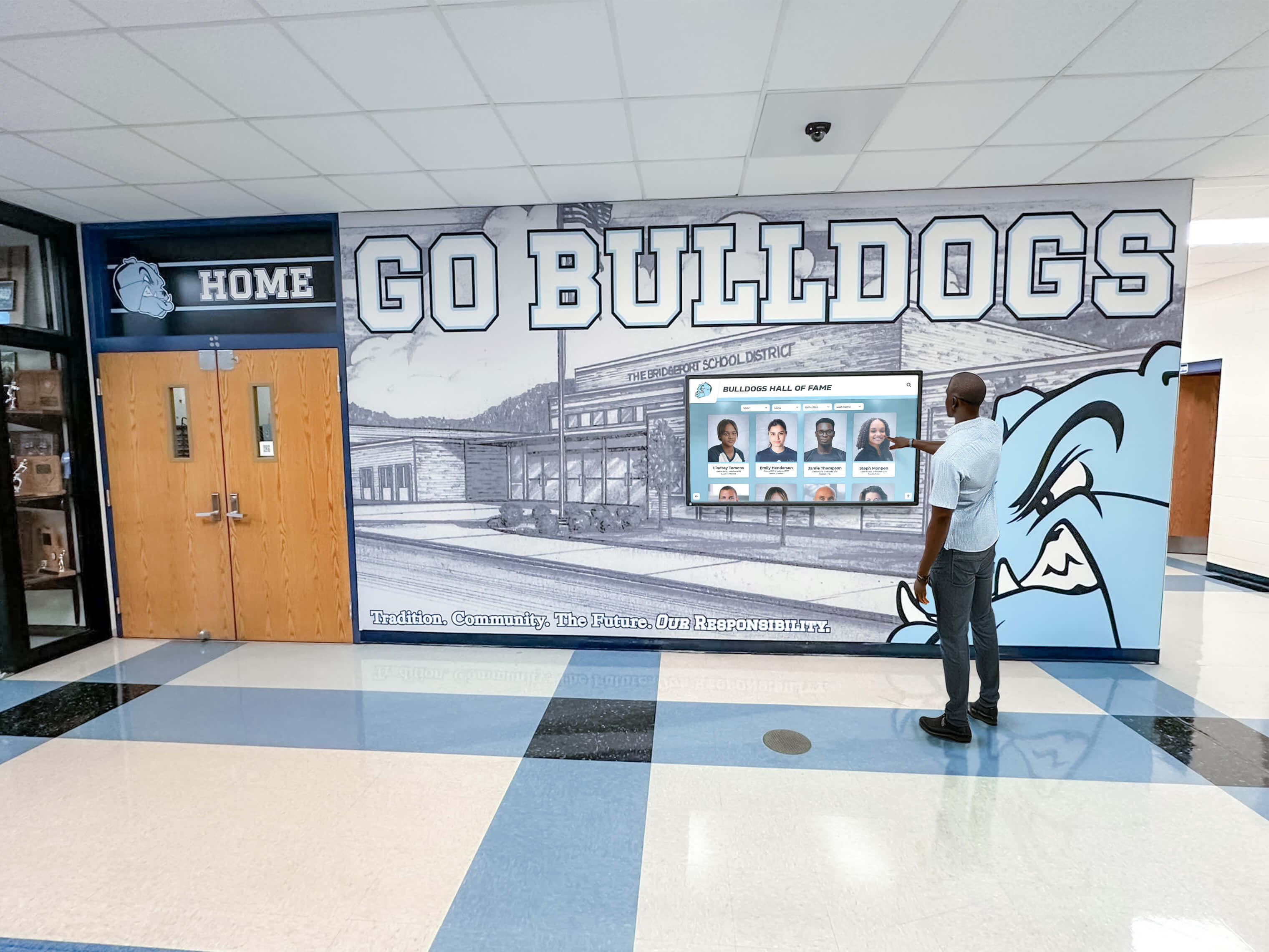
Digital signage integration extends the reach of your graphics beyond social media to on-campus displays
Cost and Access Structure
Annual Fees Rocket Graphics: Completely free—no subscription, no per-user charges, no hidden fees, no feature paywalls. Gipper: $599-$1,299 annually per user, with costs scaling based on features and support level.
User Limitations Rocket Graphics: Unlimited users across your entire school or district at no additional cost. Gipper: User limits tied to subscription tier—additional users require upgraded plans.
Feature Access Rocket Graphics: All features available to all users immediately upon signup. Gipper: Feature sets vary by subscription tier—advanced capabilities require premium plans.
Long-Term Value Rocket Graphics: $0 over five years, regardless of how many people use the platform or how much content you create. Gipper: $3,000-$6,500+ over five years for a single user; multiply by number of staff needing access.
For schools managing athletic director digital displays and communication systems, the cost savings become even more significant when considering the integrated nature of Rocket Graphics.
How Rocket Graphics Saves Schools Real Money
The financial benefits of switching from Gipper to Rocket Graphics extend beyond simple subscription elimination—they create opportunities to reallocate resources toward educational priorities.
Direct Subscription Savings
Single-User Savings School with one communications coordinator previously paying $799/year for Gipper saves $799 annually by switching to Rocket Graphics. Five-year savings: $3,995
Multi-User Athletic Department Savings Athletic program with athletic director, two assistant ADs, and head coach for each of five major sports (9 total users) previously paying $599/user at bulk rate saves $5,391 annually. Five-year savings: $26,955
District-Wide Communications Savings District with five high schools, each needing access for athletic director and communications coordinator (10 total users) previously paying $899/user saves $8,990 annually. Five-year savings: $44,950
These savings represent real budget dollars that can be redirected to equipment purchases, facility improvements, program expansion, or instructional resources.
Indirect Cost Reductions
Reduced Training Requirements AI-powered content generation in Rocket Graphics dramatically shortens the learning curve compared to template-based tools. Staff members who previously needed multiple training sessions to become proficient with Gipper can start creating professional content immediately with natural language prompts. This reduces both formal training costs and the opportunity cost of staff time spent learning software instead of performing their primary responsibilities.
Eliminated Bottlenecks When graphics software costs force schools to limit access to one or two people, those individuals become bottlenecks for all visual content needs. Coaches wait days for game-day graphics, administrators delay announcements while waiting for design support, and time-sensitive opportunities pass while waiting for the single person with software access to become available. Rocket Graphics’ unlimited user access eliminates these bottlenecks, reducing the hidden costs of delayed communications and missed opportunities.
Faster Content Production AI assistance accelerates content creation significantly. What previously required 15-20 minutes of template selection, customization, text adjustment, and export in Gipper takes 2-3 minutes with Rocket Graphics’ text-to-post generation. Over the course of a school year producing 200+ graphics, this time savings represents dozens of recaptured staff hours that can be applied to higher-value activities.
Schools implementing comprehensive recognition programs find that the combination of free access and time savings makes it feasible to recognize more students more frequently—improving culture without increasing workload.
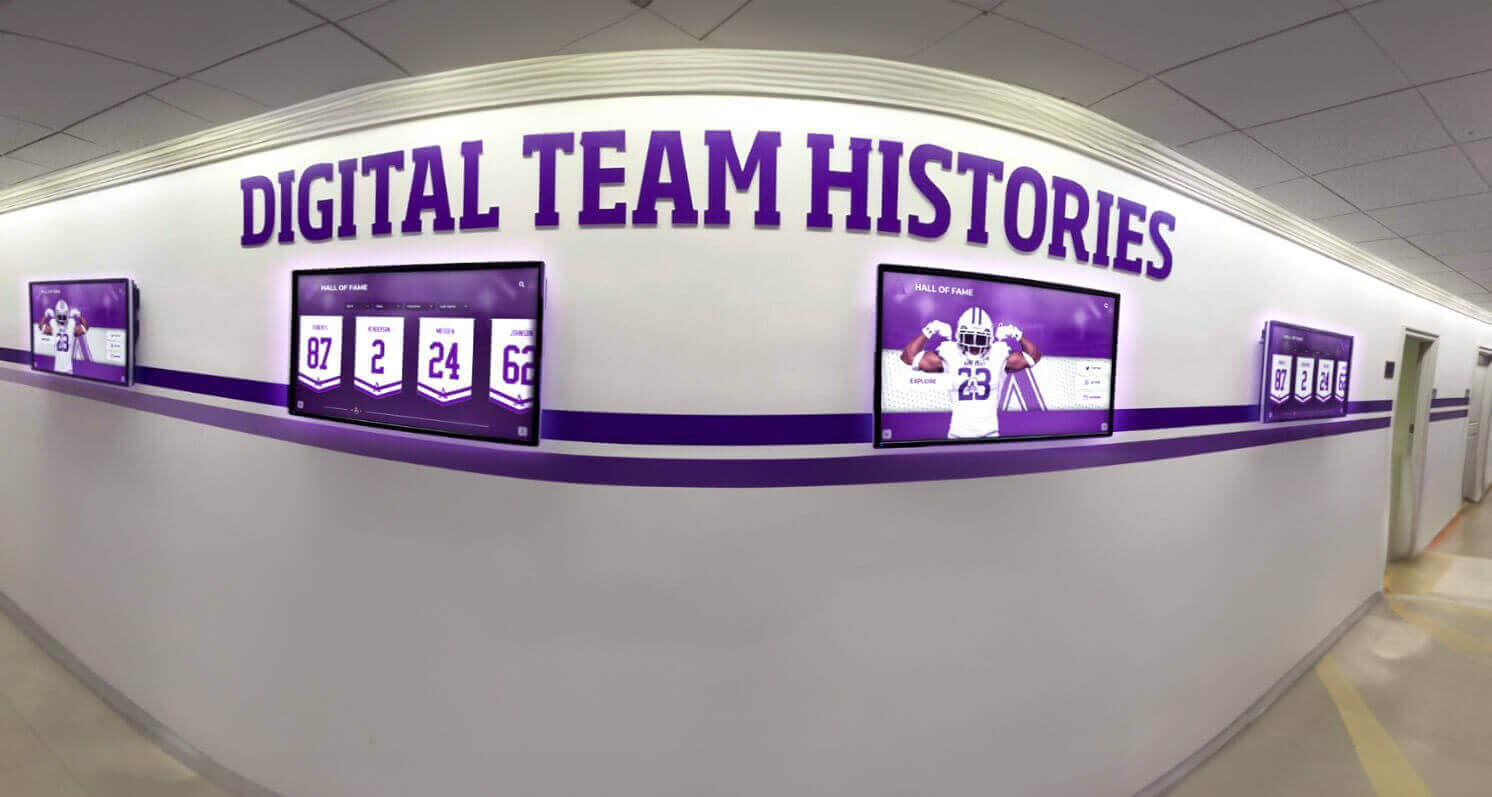
Schools can deploy graphics across multiple displays throughout campus without per-screen software licensing fees
Making the Switch: Transitioning from Gipper to Rocket Graphics
Schools currently using Gipper can transition to Rocket Graphics smoothly with proper planning and execution.
Pre-Transition Planning
Audit Current Usage Document how your school currently uses Gipper: who has access, what types of content you create most frequently, which templates see regular use, and what pain points exist with your current workflow. This audit helps you understand which Rocket Graphics features will matter most to your team.
Identify Stakeholders Determine everyone who should have access to Rocket Graphics. Since there’s no cost per user, this is the perfect opportunity to expand access to coaches, department heads, and other staff who previously couldn’t justify the expense but would benefit from graphics creation capability.
Gather Brand Assets Collect all brand elements you’ll need: logos (in multiple formats and colors), official color codes (hex values), fonts (if using custom school fonts), and any brand guidelines that govern how your school’s visual identity should be applied. Having these ready accelerates the initial setup process.
Review Content Calendar Examine upcoming events, games, recognition opportunities, and communications needs for the next month. This provides a clear testing period for Rocket Graphics before committing fully, ensuring the platform meets your specific requirements.
Initial Setup Process
Account Creation and Configuration Sign up for your free Rocket Graphics account at rocketgraphics.ai. The platform walks you through uploading brand assets and configuring preferences specific to your school. This typically takes 15-20 minutes and only needs to be done once.
Team Member Onboarding Invite all stakeholders to create their own accounts. Unlike paid platforms where you carefully control who receives expensive access, Rocket Graphics enables you to provide access liberally—include everyone who might benefit from graphics creation capability. Each team member sets up their individual profile while inheriting the school brand settings you configured.
Template Exploration Spend time browsing available templates relevant to your school’s needs. Athletic departments should explore sports-specific options, while communications teams should review event, announcement, and recognition categories. Familiarity with template options helps team members quickly find starting points for future content needs.
Test Content Creation Create 5-10 pieces of content for upcoming needs using Rocket Graphics. Test both template-based creation and AI text-to-post generation. Compare the time required and output quality to your previous Gipper workflow. Most schools find Rocket Graphics produces comparable or better results in significantly less time.
Running Parallel Systems
Overlap Period Strategy Rather than immediately canceling Gipper, consider running both platforms simultaneously for 30-60 days. This allows your team to become comfortable with Rocket Graphics without pressure while maintaining continuity in content production. You’ll quickly discover that you naturally gravitate toward Rocket Graphics due to its ease of use and expanded capabilities.
Side-by-Side Content Comparison Create identical content in both platforms and compare results, time investment, and team member satisfaction. This objective comparison typically confirms that Rocket Graphics meets or exceeds the quality you achieved with Gipper while requiring less time and zero cost.
Feedback Collection Gather input from all team members using Rocket Graphics during the transition period. Identify any workflow adjustments needed, templates worth requesting, or training gaps to address. Since you’re not paying for the platform, there’s no pressure to justify the expense—you simply evaluate whether it serves your needs better than the alternative.
Completing the Transition
Gipper Subscription Cancellation Once your team is consistently using Rocket Graphics and content quality meets or exceeds your Gipper output, cancel your Gipper subscription. Most schools complete this transition within 30-45 days, immediately freeing up budget dollars for other priorities.
Content Archive Migration If you have valuable template customizations or brand assets stored in Gipper, export or recreate them in Rocket Graphics before your subscription ends. Most schools find that Rocket Graphics’ templates and AI generation capabilities actually reduce the need for saved custom templates since creating content from scratch is so quick.
Team Communication Inform all stakeholders that the school has officially transitioned to Rocket Graphics as its primary graphics platform. Provide clear guidance on how to access the platform, where to find tutorials if needed, and who to contact with questions. Celebrate the budget savings you’ve achieved and how those dollars will be redirected to benefit students and programs.
Schools managing booster club fundraising initiatives often redirect Gipper subscription savings directly toward fundraising software or campaign materials—immediately reinvesting in revenue-generating activities.
Use Cases: How Schools Are Using Rocket Graphics
Real-world applications demonstrate the versatility and value schools find in Rocket Graphics across different departments and needs.
Athletic Department Communications
Athletic directors and coaches use Rocket Graphics to maintain active social media presence without overwhelming communications staff:
Game Day Graphics Create pre-game hype posts, starting lineup announcements, live score updates, and post-game recaps in minutes rather than hours. AI generation allows coaches to create content directly from their phones during away games without waiting for office-based staff to produce graphics.
Athlete Recognition Celebrate individual achievements, team awards, signing days, senior nights, and career milestones with professional spotlight graphics. The recognition-first design philosophy means templates specifically support the types of celebrations that matter most to athletic programs.
Recruiting Materials Produce facility showcases, program history highlights, championship recognition graphics, and player development testimonials that help recruit prospective athletes. Professional graphics quality elevates program perception during crucial recruiting windows.
Schedule and Information Updates Design season schedules, roster graphics, coaching staff introductions, ticket information, and transportation details that keep parents and community members informed throughout the season.
Athletic departments also use Rocket Graphics to create content for sports banquets and recognition events, producing slideshow content, program graphics, and award announcements that would previously require outsourced design work.
School Communications and Public Relations
Communications coordinators leverage Rocket Graphics to maintain consistent, professional presence across multiple channels:
Daily Announcements and Updates Create visually appealing graphics for lunch menus, schedule changes, weather-related information, parking notifications, and routine communications that would typically go out as plain text or poorly formatted images.
Event Promotion Design graphics for open houses, parent-teacher conferences, school performances, fundraising events, community gatherings, and special programs. Professional promotion materials increase attendance and community engagement compared to text-only announcements.
Crisis and Emergency Communications During time-sensitive situations requiring immediate communication—school closures, safety notifications, schedule changes—Rocket Graphics enables rapid creation of clear, branded graphics that cut through social media noise more effectively than text posts.
Achievement Celebrations Recognize academic honors, scholarship recipients, student leadership, competition success, and institutional milestones with graphics that give achievements the visibility they deserve across social media and digital displays.
Academic Recognition Programs
Principals and academic administrators use Rocket Graphics to elevate academic achievement visibility:
Honor Roll Recognition Create individual student spotlight graphics and honor roll announcement posts that give academic achievement the same celebration typically reserved for athletics. Templates specifically designed for academic recognition make this straightforward rather than requiring custom design work.
Scholarship Announcements Celebrate students earning scholarships, merit awards, and financial aid recognition with graphics that honor both the students and the institutions offering support. These posts demonstrate outcomes to prospective families while recognizing current student success.
Testing and Competition Results Announce strong standardized test performance, academic competition achievements, and program recognitions that showcase institutional quality and student capabilities.
Faculty Recognition Highlight teacher awards, staff milestones, retirement celebrations, and employee recognition with graphics that honor the adults who make student success possible.
Schools implementing comprehensive academic recognition strategies find that Rocket Graphics removes the cost and time barriers that previously limited how frequently and prominently they could celebrate intellectual achievements.
District-Level Communications
District administrators leverage Rocket Graphics for system-wide messaging that maintains consistency across multiple campuses:
Multi-School Campaigns Create unified messaging for district-wide initiatives—enrollment campaigns, bond referendums, safety programs, academic initiatives—with brand consistency across all schools while allowing campus-specific customization.
Board Meeting Communications Design graphics announcing board meeting schedules, summarizing decisions, highlighting policy changes, and celebrating district-wide achievements that keep community members informed about governance and leadership.
District Achievement Highlights Recognize system-wide accomplishments, state and national recognitions, program expansions, facility improvements, and district milestones that demonstrate organizational excellence.
Staff and Leadership Announcements Create professional graphics for new hire announcements, leadership transitions, employee recognition, and staff milestone celebrations that maintain consistent communication standards across the district.
Common Questions About Switching to Rocket Graphics
Schools considering the transition from Gipper to Rocket Graphics typically have similar questions about capabilities, support, and long-term viability.
“If Rocket Graphics is free, what’s the catch?” There isn’t one. Rocket Alumni Solutions offers Rocket Graphics as a free platform because it creates value for the broader Rocket ecosystem. Schools using Rocket Graphics for daily content creation become familiar with Rocket’s approach to school communications, which naturally leads some to explore Rocket’s other solutions for digital recognition displays, donor walls, and touchscreen systems. However, there’s no obligation to purchase anything—Rocket Graphics remains fully functional forever regardless of whether schools ever become customers for other products.
“Will the free version have limitations that force us to upgrade?” No. Rocket Graphics doesn’t have a paid tier or premium features held behind paywalls. Every feature, template, AI capability, and integration available in the platform is accessible to every user at every school from day one. There will never be prompts to upgrade, feature restrictions, or content creation limits that require payment to remove.
“Can our entire staff really have access at no cost?” Yes. Unlimited users means exactly that—your athletic director, communications coordinator, every coach, every administrator, every teacher who wants to create graphics can have their own account with full access to all features. There are no per-user fees, no bulk licensing costs, no tiered plans that restrict access. Create accounts for everyone who might benefit from graphics creation capability.
“How does Rocket Graphics handle our school branding?” You upload your logos, define your color palette, and specify your fonts once during initial setup. From that point forward, every template and AI-generated graphic automatically applies your brand elements. This ensures consistency across all content regardless of who on your team creates it, without requiring each person to manually add logos or match colors for every piece of content.
“What if we need help or have technical questions?” Rocket Graphics includes support resources: tutorial videos, knowledge base articles, template guidance, and technical support channels. Schools can submit questions and receive assistance at no charge. While some platforms reserve priority support for premium tiers, Rocket Graphics provides the same support experience to all users.
“Can we use Rocket Graphics content on our digital displays?” Yes. Content created in Rocket Graphics is optimized for multiple outputs including digital signage dimensions. If your school uses Rocket Alumni Solutions’ display systems, integration is seamless. If you use other digital signage platforms, you can export content in appropriate formats and upload it to your display system manually.
“What happens to our content if we stop using Rocket Graphics?” You can export your created graphics in standard image formats anytime. Your content remains yours permanently. However, since the platform is free, there’s little reason to stop using it unless your needs change entirely. Most schools continue using Rocket Graphics indefinitely simply because it serves their needs effectively at no cost.
“How often is the template library updated?” Rocket regularly adds new templates based on school requests, seasonal needs, and trending design styles. These updates appear automatically in your template library without requiring software updates or additional fees. Schools can also submit requests for specific templates they’d find valuable.
Getting Started with Rocket Graphics Today
Schools ready to eliminate graphics software expenses while maintaining or improving content quality can begin using Rocket Graphics immediately.
Immediate First Steps
- Visit rocketgraphics.ai and create your free account
- Upload brand assets including logos, colors, and fonts
- Invite team members who should have graphics creation access
- Explore templates relevant to your immediate content needs
- Create your first graphics using both templates and AI generation
Planning for Long-Term Success
Establish Content Calendars Map out recurring content needs—weekly game graphics, monthly recognition posts, seasonal event promotion—and create templates or saved prompts that streamline repeated creation tasks.
Define Brand Guidelines Document standards for how your school uses graphics across different platforms and purposes. This ensures consistency even with multiple team members creating content independently.
Schedule Training Sessions While Rocket Graphics is intuitive, dedicated onboarding time helps team members discover advanced features, understand AI prompts that produce best results, and establish efficient workflows.
Monitor Budget Reallocation Track the subscription dollars saved by switching from Gipper and document how those funds get redirected toward other school priorities. This demonstrates the tangible value of the transition to stakeholders and administrators.
Celebrate the Win Share the cost savings achievement with your school board, superintendent, parent community, and staff. Budget successes deserve recognition, and this demonstrates thoughtful resource management that benefits the entire institution.
Schools often find that the combination of Rocket Graphics for content creation and interactive displays for recognition creates a comprehensive communications ecosystem that serves multiple needs simultaneously.
The Future of School Graphics: Why Free AI-Powered Tools Win
The emergence of free, AI-powered platforms like Rocket Graphics represents a fundamental shift in how schools should approach communications technology. Traditional subscription models assumed that professional capabilities required ongoing payments. AI changes this assumption entirely by dramatically reducing the cost of providing sophisticated features while improving accessibility for non-designers.
Schools that adopt Rocket Graphics now position themselves at the forefront of this transition, redirecting thousands of dollars annually from software subscriptions toward direct student impact. As AI capabilities continue advancing, Rocket Graphics users will automatically benefit from improvements without facing upgrade fees or premium tier requirements.
The question facing school leaders isn’t whether Rocket Graphics can match paid alternatives—extensive school usage already demonstrates it can. The real question is whether schools can justify continuing to pay hundreds or thousands of dollars annually for capabilities now available for free.
For most schools, the answer is clear: budget constraints demand smart resource allocation, and paying for software that’s available at no cost fails that test. The schools switching to Rocket Graphics aren’t sacrificing quality for savings—they’re accessing equal or better capabilities while freeing budget dollars for investments that directly benefit students, staff, and programs.
If your school is ready to eliminate graphics software expenses while actually expanding who can create professional content, Rocket Graphics provides the proven free alternative that’s already saving schools thousands of dollars annually.
Disclosure: This content was produced by Rocket Alumni Solutions to provide information about available school communications tools.
Disclaimer: This comparison is based on publicly available information as of May 2026. All product names and trademarks, including Gipper, belong to their respective owners. Rocket Alumni Solutions is not affiliated with or endorsed by Gipper. Comparative statements reflect Rocket Alumni Solutions’ interpretation of available data and may change over time.
Schedule a demo to see how Rocket Graphics can transform your school’s communications while eliminating software subscription costs.































