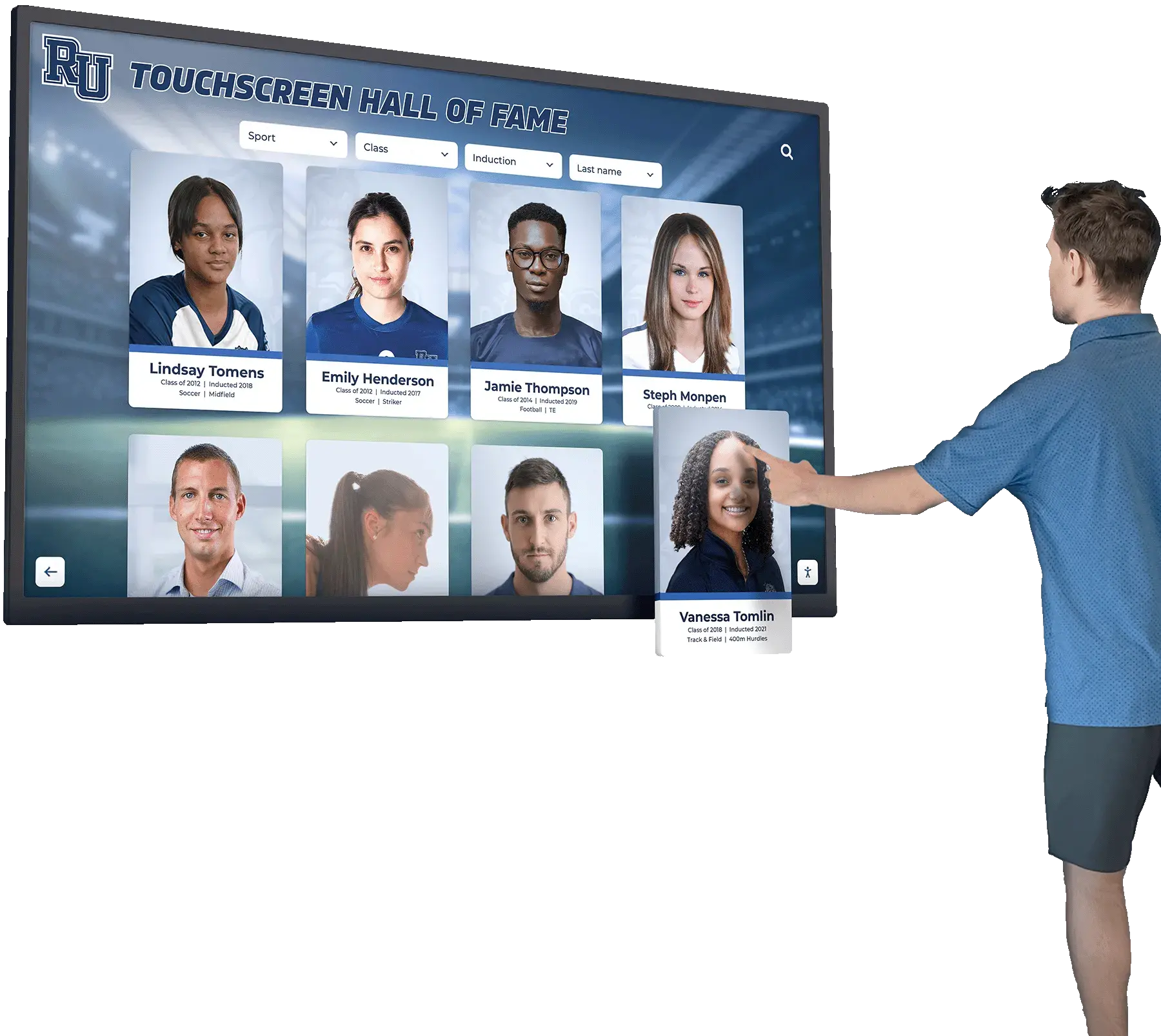




Educational institutions, museums, nonprofits, and public organizations increasingly rely on interactive touchscreen displays to showcase achievements, preserve history, and engage visitors. These digital recognition systems replace physical plaques with dynamic content accessible to thousands of users. However, many organizations overlook a critical requirement: accessibility compliance.
The Web Content Accessibility Guidelines (WCAG) 2.2 AA represent the international standard for digital accessibility, ensuring that people with disabilities can perceive, understand, navigate, and interact with digital content. For institutions installing touchscreen displays in public spaces, WCAG 2.2 AA compliance is not optional—it is a legal obligation under the Americans with Disabilities Act (ADA) and similar regulations worldwide.
This comprehensive guide explains what WCAG 2.2 AA compliance means for touchscreen technology, why accessibility matters for institutional displays, the legal requirements organizations must meet, and how solutions like Rocket Alumni Solutions address these critical needs through purposefully designed accessible touchscreen systems.
Accessibility compliance affects more than legal risk management. When schools and institutions install touchscreen displays that exclude visitors with disabilities, they deny community members equal access to recognition, historical content, and information. Accessible design ensures that every visitor—regardless of visual, auditory, motor, or cognitive ability—can explore alumni achievements, historical archives, and institutional milestones.

Accessible touchscreen displays ensure all visitors can explore alumni recognition and institutional history regardless of physical or cognitive abilities
Understanding WCAG 2.2 AA Accessibility Standards
The Web Content Accessibility Guidelines represent the internationally recognized framework for digital accessibility, developed by the World Wide Web Consortium (W3C) through extensive collaboration with accessibility experts, technology companies, and disability advocacy organizations.
What Are WCAG Standards?
WCAG provides technical specifications for making digital content accessible to people with diverse abilities:
Three Conformance Levels
WCAG defines three progressively comprehensive accessibility levels:
- Level A: Basic accessibility features addressing the most severe barriers. Failure to meet Level A means many users with disabilities cannot access content at all.
- Level AA: Intermediate accessibility covering most common barriers. Level AA represents the standard for legal compliance in most jurisdictions, including ADA requirements in the United States.
- Level AAA: Advanced accessibility providing the highest level of support. Level AAA requirements are often impractical for all content but may apply to specific high-priority materials.
Public institutions typically target Level AA compliance, balancing comprehensive accessibility with practical implementation constraints.
WCAG 2.2 Updates
Released in October 2023, WCAG 2.2 adds nine new success criteria to the previous 2.1 standard, addressing gaps identified through real-world implementation:
- Improved mobile accessibility requirements
- Better support for cognitive and learning disabilities
- Enhanced touch target sizing for users with motor impairments
- Clearer focus indicators for keyboard navigation
- Additional help and documentation requirements
For touchscreen displays in schools and institutions, WCAG 2.2 introduces particularly relevant requirements around touch target sizes and alternative input methods.
Four Core Principles: POUR
WCAG organizes accessibility requirements around four foundational principles, creating the acronym POUR:
Perceivable
Information and interface components must be presented in ways users can perceive:
- Text alternatives for non-text content (images, videos, icons)
- Captions and transcripts for audio content
- Sufficient color contrast between text and backgrounds
- Content remains functional when text is resized up to 200%
- Audio control for any automatically playing sound
For touchscreen displays showing historical photographs or alumni profiles, this means providing text descriptions of images, ensuring adequate contrast ratios, and supporting screen magnification.
Operable
Interface components and navigation must be operable by all users:
- All functionality available via keyboard for those unable to use touch interfaces
- Sufficient time for users to read and complete interactions
- Content does not cause seizures through flashing elements
- Clear navigation pathways helping users find content
- Touch targets meeting minimum size requirements
Schools installing interactive touchscreen kiosks must ensure visitors with limited dexterity, tremors, or mobility challenges can activate buttons and navigate menus successfully.
Understandable
Information and interface operation must be understandable:
- Readable text using clear language and appropriate reading levels
- Content appears and operates in predictable ways
- Input assistance helps users avoid and correct errors
- Consistent navigation patterns across the interface
- Clear labels and instructions for all interactive elements
Digital recognition displays should use straightforward language, maintain consistent layouts, and provide helpful navigation cues that orient users regardless of cognitive abilities.
Robust
Content must be robust enough that various assistive technologies can interpret it:
- Valid HTML and proper semantic markup
- Compatible with screen readers and other assistive tools
- Functionality preserved as technologies evolve
- Proper role, state, and value information for all components
Even though touchscreen displays use visual interfaces, underlying code structure must support assistive technologies that translate visual information into audio descriptions or alternative formats.
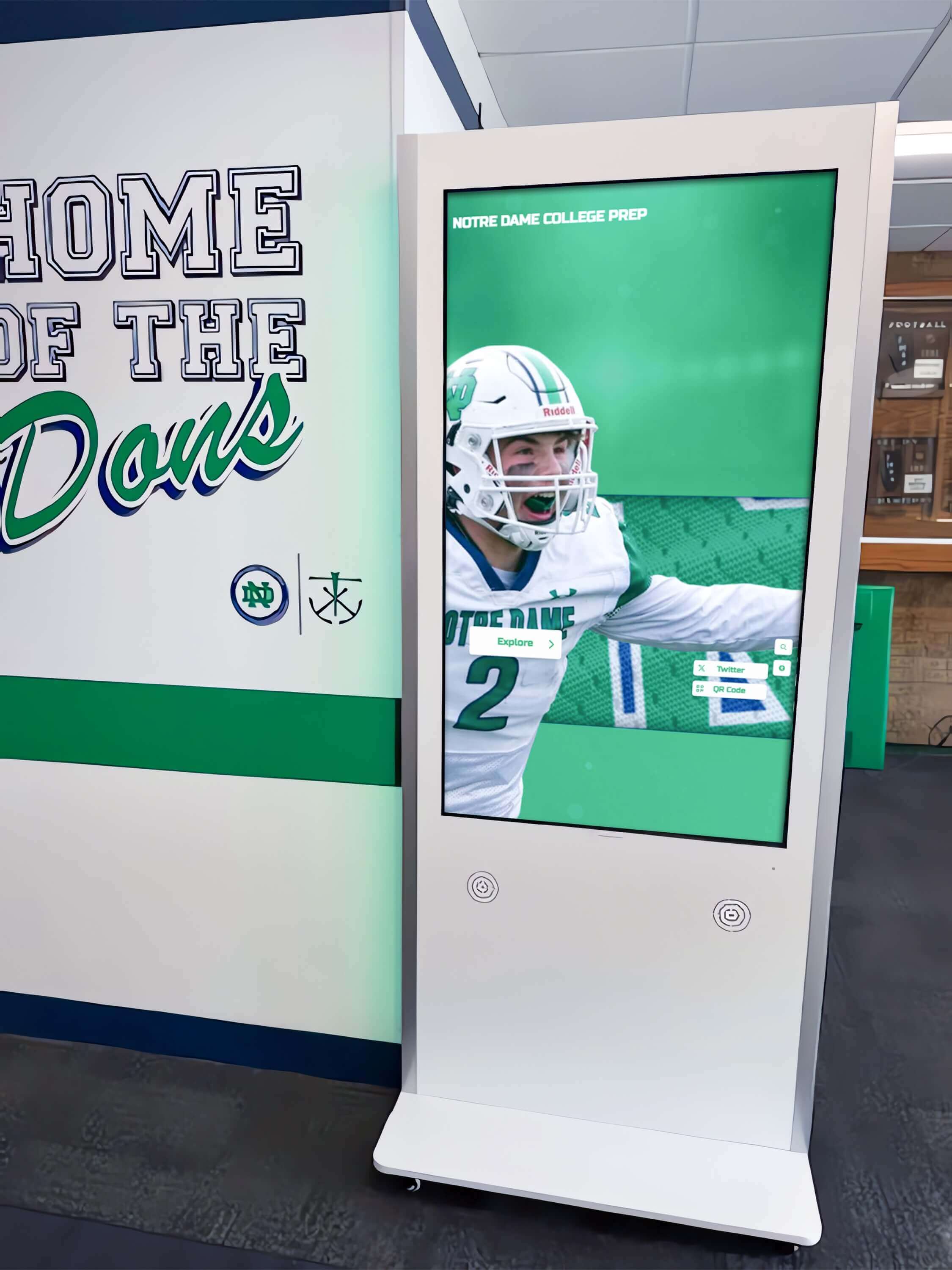
Properly positioned accessible kiosks in high-traffic areas ensure all visitors can engage with institutional history and achievements
Legal Requirements for Accessible Touchscreen Displays
Accessibility compliance represents more than best practice—it is a legal obligation for most institutions operating in public spaces.
Americans with Disabilities Act (ADA) Compliance
The ADA, enacted in 1990, prohibits discrimination against individuals with disabilities in public accommodations, including educational institutions, museums, government facilities, and nonprofit organizations.
Title II Requirements
Title II applies to state and local government entities:
- Public schools, colleges, and universities must ensure all programs, services, and activities remain accessible to people with disabilities
- Digital content, including touchscreen displays, falls under ADA coverage as part of institutional programs
- Institutions must provide auxiliary aids and services ensuring effective communication
- Physical accessibility requirements extend to the placement and reach ranges of touchscreen hardware
Schools implementing digital hall of fame displays in lobbies and common areas must ensure both the physical installation and digital interface meet accessibility standards.
Title III Requirements
Title III applies to private entities operating public accommodations:
- Private schools, museums, and nonprofit facilities open to the public
- Commercial entities providing goods and services
- Requirements mirror Title II provisions regarding effective communication
- Enforcement through private lawsuits and Department of Justice actions
DOJ Web Accessibility Guidance
While the Department of Justice has not promulgated specific technical standards for digital accessibility, DOJ guidance and settlement agreements consistently reference WCAG 2.1 Level AA as the appropriate benchmark for ADA compliance. As WCAG 2.2 supersedes 2.1, organizations should target 2.2 AA conformance.
Section 508 Requirements
Section 508 of the Rehabilitation Act requires federal agencies and institutions receiving federal funding to make electronic and information technology accessible:
Covered Entities
- Federal government agencies
- Public schools and universities receiving federal funds
- Organizations contracting with federal agencies
- Programs receiving federal grants or assistance
Technical Standards
Section 508 standards align closely with WCAG 2.0 Level AA, with ongoing updates to harmonize with WCAG 2.1 and 2.2. Institutions installing touchscreen recognition displays must verify that technology vendors provide Section 508 conformance documentation.
State Accessibility Laws
Many states maintain accessibility requirements exceeding federal minimums:
California Unruh Civil Rights Act
Provides broader protections than ADA, applying to all business establishments and creating stricter liability for accessibility failures.
New York Human Rights Law
Requires digital accessibility for any place of public accommodation, with aggressive enforcement and substantial penalties.
Massachusetts Architectural Access Board
Maintains detailed requirements for accessible technology in public buildings, including specifications for reach ranges, operable parts, and display positioning.
International Accessibility Standards
Organizations operating globally encounter varied accessibility requirements:
European Accessibility Act
Requires products and services sold in EU member states to meet accessibility standards, with enforcement beginning in June 2025. WCAG 2.1 Level AA serves as the baseline.
Accessibility for Ontarians with Disabilities Act (AODA)
Requires Ontario organizations to make websites and digital content accessible, following WCAG 2.0 Level AA.
Australian Disability Discrimination Act
Applies WCAG standards to digital content, with enforcement through complaint-based investigations.
Schools establishing digital archives and historical displays accessed by international visitors should consider global accessibility standards even when operating primarily under U.S. law.
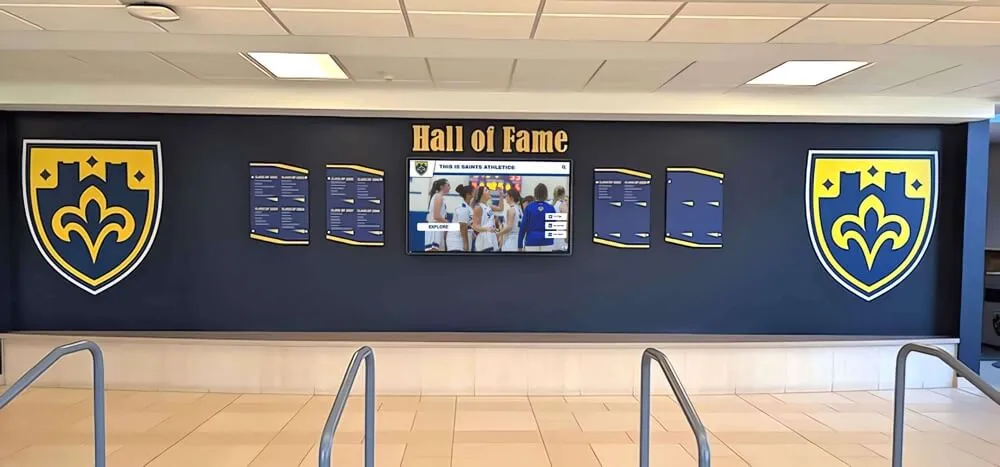
Accessible digital displays integrate with traditional architectural elements while ensuring universal access to recognition content
Why Accessibility Matters for Educational Institutions
Beyond legal compliance, accessible touchscreen displays align with institutional missions and values while providing practical benefits.
Inclusive School Environments
Educational institutions exist to serve all students, families, and community members. Inaccessible technology contradicts core educational values:
Equity and Inclusion
Schools teaching diversity, equity, and inclusion while operating inaccessible displays send contradictory messages. When a student cannot explore their own athletic recognition or alumni cannot view their graduation year because of disability, institutions fail fundamental inclusion principles.
Research from the National Center for Education Statistics indicates that approximately 15% of public school students receive special education services under IDEA, with many more students, parents, grandparents, and community members experiencing disabilities. Accessible displays ensure these community members participate fully in institutional life.
Student Disability Representation
Students with disabilities deserve to see their achievements recognized through technology they can access independently:
- Athletes with disabilities honored in athletic halls of fame
- Academic achievers using assistive technology viewing their honors
- Alumni with visual impairments exploring institutional history
- Community members with mobility limitations accessing donor recognition
When institutions install touchscreens that students and families with disabilities cannot use, they exclude the very people being recognized.
Universal Design Principles
Universal Design for Learning (UDL) emphasizes creating educational materials and environments accessible to the widest possible audience from the outset rather than retrofitting accessibility later:
- Multiple means of representation (text, audio, images)
- Multiple means of action and expression (touch, keyboard, voice)
- Multiple means of engagement (choice, relevance, challenge)
Accessible touchscreen displays embody UDL principles by supporting diverse interaction methods and information formats.
Family and Community Access
School communities extend beyond current students to include families, alumni, donors, and community members spanning all ages and abilities:
Multi-Generational Audiences
Grandparents attending performances or athletic events may experience age-related vision, hearing, or motor limitations. Accessible displays ensure older community members can:
- View grandchildren’s recognition on honor rolls
- Explore historical timelines of school development
- Find familiar names among alumni achievements
- Access donor recognition acknowledging their contributions
Injury and Temporary Disabilities
Accessibility features assist people experiencing temporary impairments:
- Athletes with injuries navigating displays with one hand
- Parents holding infants while using touchscreens
- Visitors with broken arms or hands
- Individuals recovering from surgery or illness
Accessible design serves everyone more effectively, not just people with permanent disabilities.
Neurodiverse Users
Approximately 15-20% of the population experiences some form of neurodiversity, including dyslexia, ADHD, autism spectrum conditions, and processing differences. Accessible touchscreen interfaces supporting these users include:
- Clear, simple navigation without overwhelming options
- Consistent layouts reducing cognitive load
- Adjustable timing accommodating varied processing speeds
- Multiple information formats supporting different learning styles
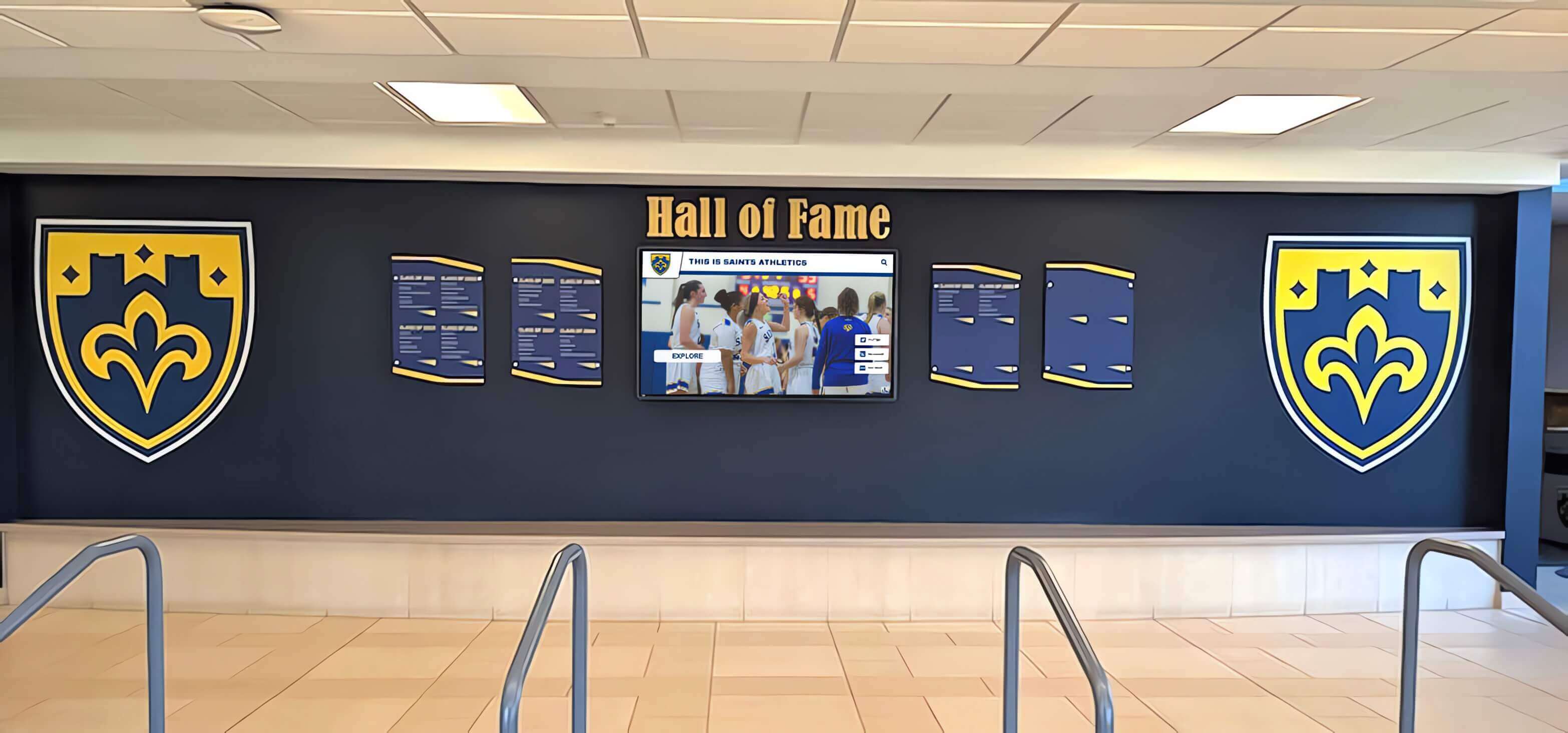
Lobby installations serving diverse school communities must meet accessibility standards ensuring equal access for all visitors
Institutional Liability and Risk Management
Accessibility failures expose institutions to legal and financial risks alongside reputational damage:
Legal Actions and Settlements
ADA lawsuits targeting inaccessible digital content have increased substantially:
- In 2023, over 4,000 federal ADA lawsuits were filed related to digital accessibility
- Settlement amounts for accessibility failures commonly range from $15,000 to $100,000
- Legal defense costs often exceed settlement amounts
- Institutions face court-ordered remediation requirements
Public schools represent particularly attractive targets for accessibility advocates, as violations affect vulnerable populations and generate public attention.
Office for Civil Rights Complaints
The U.S. Department of Education’s Office for Civil Rights investigates disability discrimination complaints:
- Schools found in violation must implement corrective action plans
- OCR may withhold federal funding during non-compliance periods
- Resolutions often require institution-wide accessibility audits
- Public resolution agreements damage institutional reputations
Reputational Consequences
Accessibility failures create public relations problems:
- Media coverage of lawsuits damages institutional image
- Families of students with disabilities question institutional commitment
- Alumni with disabilities may reduce engagement and giving
- Community members perceive institutions as insensitive or discriminatory
Installing accessible touchscreen displays from the outset prevents these risks while demonstrating proactive commitment to inclusion.
Enhanced User Experience for Everyone
Accessible design benefits all users, not just those with disabilities—a concept known as the “curb cut effect” after how wheelchair curb cuts assist people with strollers, luggage, and bicycles:
Clearer Visual Design
High contrast ratios and readable typography required for accessibility improve readability for all users, particularly in challenging lighting conditions common in school lobbies.
Better Navigation
Clear labels, consistent layouts, and logical information architecture mandated by accessibility standards help all users find information efficiently.
Touch Target Sizing
WCAG 2.2 requires touch targets measuring at least 44x44 pixels, preventing accidental activation and benefiting users without disabilities who struggle with small buttons.
Flexible Interaction Options
Providing keyboard navigation alongside touch input accommodates user preferences and situations where touch proves inconvenient.
Responsive Design
Content adjusting to different screen sizes and orientations, required for accessibility, improves experiences for all users across devices.
Research consistently demonstrates that accessible websites and applications receive higher overall user satisfaction ratings, lower bounce rates, and increased engagement across all user populations.
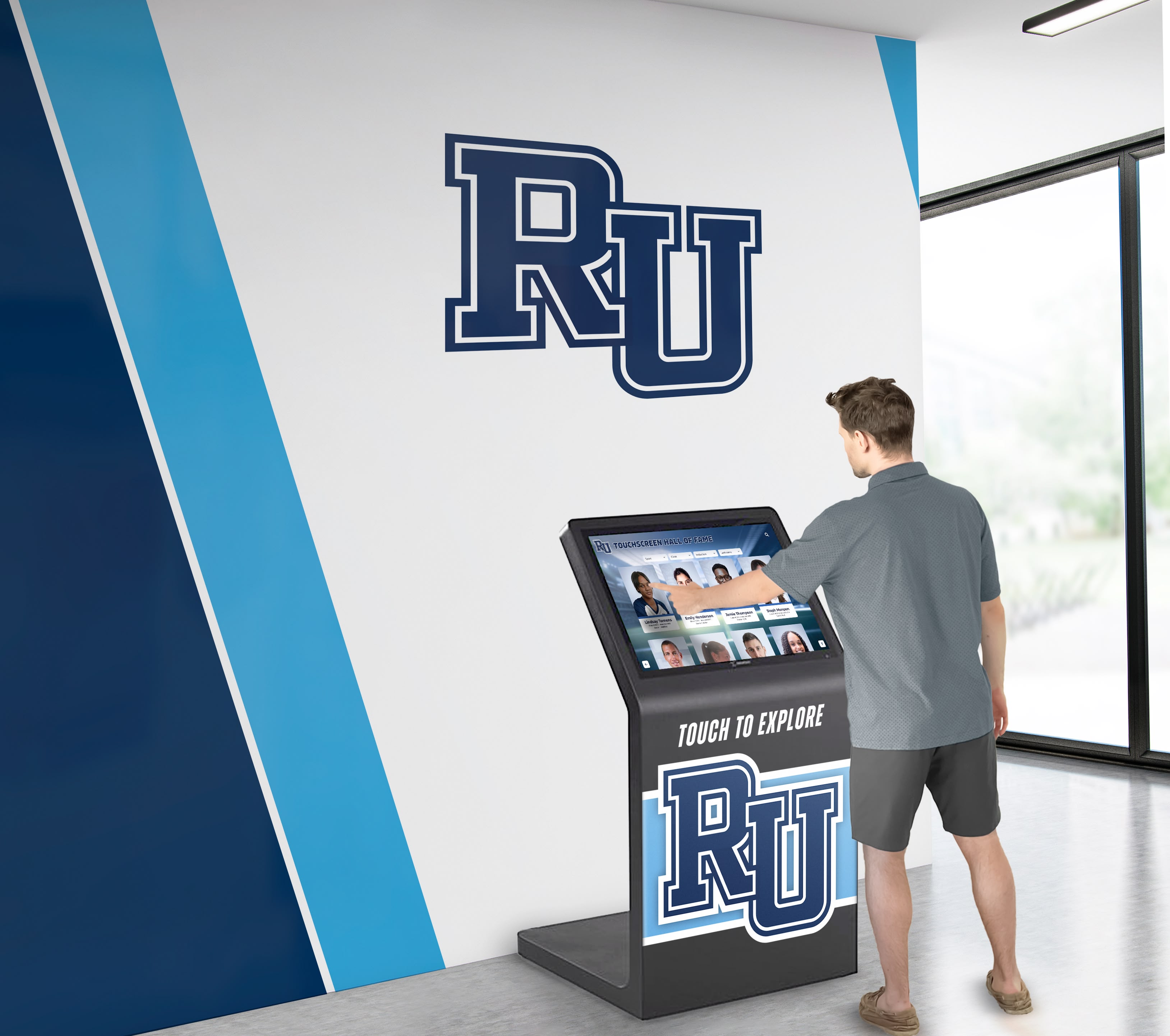
Strategic placement of accessible touchscreens in high-traffic lobbies ensures maximum community access to institutional recognition and history
Technical Requirements for WCAG 2.2 AA Touchscreen Compliance
Meeting WCAG 2.2 AA standards for touchscreen displays requires addressing specific technical criteria across the four POUR principles.
Perceivable Requirements
Content must be presented in ways all users can perceive:
Text Alternatives (Success Criterion 1.1.1 - Level A)
All non-text content must have text alternatives:
- Alumni photographs include descriptive alt text identifying individuals and achievements
- Icons and buttons include text labels explaining function
- Decorative graphics marked appropriately to avoid screen reader confusion
- Charts and infographics accompanied by text descriptions
For digital hall of fame displays featuring thousands of alumni profiles with photographs, this means systematic alt text creation describing each image.
Color Contrast (Success Criterion 1.4.3 - Level AA)
Text and images of text must maintain minimum contrast ratios:
- Normal text (under 18pt regular or 14pt bold): 4.5:1 contrast ratio
- Large text (18pt+ regular or 14pt+ bold): 3:1 contrast ratio
- User interface components and graphical objects: 3:1 contrast ratio
Common violations include:
- Light gray text on white backgrounds (insufficient contrast)
- Blue links on dark blue backgrounds (insufficient contrast)
- Thin fonts reducing effective contrast
- Overlay text on photographs without sufficient background treatment
Accessible touchscreen software should enforce contrast requirements at the design level, preventing non-compliant color combinations.
Resize Text (Success Criterion 1.4.4 - Level AA)
Content must remain functional when text size is increased to 200%:
- Layout adapts without horizontal scrolling
- Text does not overlap or become truncated
- Interactive elements remain accessible
- No loss of content or functionality
Contrast (Enhanced) for WCAG 2.2
New success criteria address additional contrast needs:
- Focus indicators must have sufficient contrast against adjacent colors (Success Criterion 2.4.13)
- Visual information required to identify user interface components maintains minimum contrast (Success Criterion 1.4.11)
Operable Requirements
Interface components and navigation must be operable by all users:
Keyboard Accessibility (Success Criterion 2.1.1 - Level A)
All functionality must be operable through keyboard interface:
- Touchscreen displays typically lack physical keyboards, requiring alternative input methods
- USB keyboard support for users unable to use touch interfaces
- Alternative activation methods beyond touch (voice control, switch access)
- Logical tab order through interactive elements
This presents unique challenges for touchscreen-primary interfaces, as implementing comprehensive keyboard navigation while maintaining intuitive touch interaction requires careful design.
Target Size Minimum (Success Criterion 2.5.8 - Level AA)
New in WCAG 2.2, this criterion requires touch targets to measure at least 24x24 CSS pixels, with exceptions:
- Spacing: Smaller targets acceptable if surrounded by sufficient inactive space
- Equivalent: Alternative controls meeting size requirements available
- Inline: Targets within sentences or blocks of text
- Essential: Size essential to information presentation
- User controlled: Target size set by user agent, not author
For touchscreen displays, this means:
- Navigation buttons and menu items sized appropriately
- Profile cards and list items providing adequate touch areas
- Search fields and interactive elements meeting minimums
- Spacing between adjacent targets preventing accidental activation
Many existing touchscreen interfaces violate this requirement with small buttons, tight spacing, and crowded menus.
Accessible Authentication (Success Criterion 3.3.8 - Level AA)
Authentication processes must not rely on cognitive function tests, relevant if touchscreen displays restrict certain content or require user identification.
Understandable Requirements
Information and interface operation must be understandable:
Language of Page (Success Criterion 3.1.1 - Level A)
The primary language of content must be programmatically determinable, enabling screen readers to pronounce content correctly.
On Focus and On Input (Success Criteria 3.2.1, 3.2.2 - Level A)
Receiving focus or changing settings must not automatically cause unexpected context changes without warning users.
Error Identification and Suggestions (Success Criteria 3.3.1, 3.3.3 - Level AA)
When users make input errors:
- Errors must be identified and described in text
- Suggestions for correction should be provided when known
- Instructions and labels clearly explain requirements
Relevant for touchscreen search functions, form inputs, and content submission features.
Redundant Entry (Success Criterion 3.3.7 - Level A)
New in WCAG 2.2, information previously entered or provided should not require re-entry within the same session, reducing cognitive load and improving efficiency.
Robust Requirements
Content must work with current and future assistive technologies:
Parsing (Success Criterion 4.1.1 - Level A)
Content implemented using markup languages must be properly formed with:
- Complete start and end tags
- Correct nesting
- Unique IDs
- No duplicate attributes
Valid HTML ensures assistive technologies can parse and present content accurately.
Name, Role, Value (Success Criterion 4.1.2 - Level A)
User interface components must expose proper name, role, state, and value information to assistive technologies:
- Buttons identified as buttons with descriptive labels
- Links identified as links with clear destination descriptions
- Form fields identified with associated labels
- Dynamic content changes announced to screen readers
Touchscreen software must implement proper ARIA (Accessible Rich Internet Applications) attributes ensuring compatibility with assistive technologies.
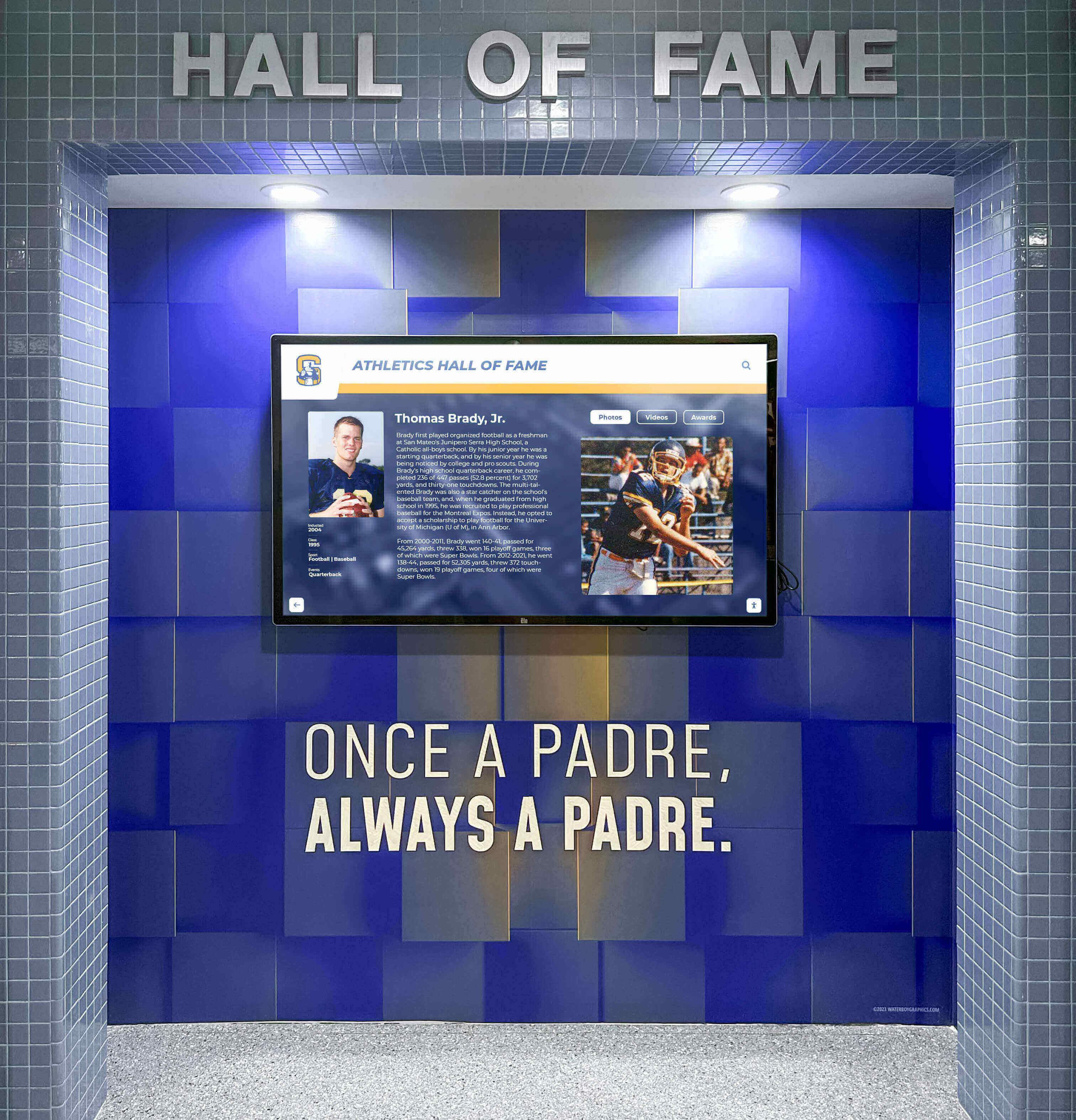
Athletic recognition displays must meet accessibility standards ensuring all athletes, families, and visitors can explore achievements independently
How Rocket Alumni Solutions Addresses WCAG 2.2 AA Compliance
Meeting WCAG 2.2 AA requirements for touchscreen displays requires systematic attention to accessibility throughout design, development, and deployment. Rocket Alumni Solutions implements accessibility as a core design principle rather than an afterthought, ensuring institutions receive compliant systems from day one.
Built-In Accessibility Features
Rocket Alumni Solutions touchscreen software includes comprehensive accessibility features addressing WCAG 2.2 AA requirements:
High Contrast Ratios
All design templates enforce minimum contrast ratios:
- Text on backgrounds: 4.5:1 minimum for normal text, 3:1 for large text
- Interactive elements: 3:1 minimum contrast against adjacent colors
- Focus indicators: Clearly visible against all backgrounds
- Institutional branding customization validated for contrast compliance
Flexible Typography
Text sizing supports diverse visual needs:
- Base font sizes appropriate for viewing distance (typically 4-6 feet for lobby kiosks)
- Relative sizing allowing content to scale proportionally
- Maximum text block widths preventing excessively long lines
- Adequate line spacing (1.5x font size minimum) improving readability
Touch Target Sizing
All interactive elements meet or exceed WCAG 2.2 minimum sizes:
- Navigation buttons: 60x60 pixels minimum
- Profile cards: Large touch areas spanning entire card
- List items: Full-width selection areas
- Adequate spacing between adjacent targets preventing accidental activation
Alternative Text System
Comprehensive alt text implementation:
- Required alt text fields for all uploaded images
- Character count guidelines ensuring meaningful descriptions
- Batch editing tools for systematic alt text management
- Admin reminders when alt text is missing or insufficient
Keyboard Navigation Support
Complete keyboard access for all functions:
- Logical tab order through interface elements
- Enter key activation for buttons and links
- Escape key for closing dialogs and overlays
- Skip navigation links bypassing repetitive content
- Visible focus indicators showing current position
Assistive Technology Compatibility
Beyond meeting WCAG technical requirements, accessible touchscreen systems must work effectively with assistive technologies users actually employ:
Screen Reader Support
Proper semantic markup ensures screen reader compatibility:
- ARIA landmarks identifying page regions
- Heading hierarchy providing structural navigation
- Live regions announcing dynamic content changes
- Descriptive link text avoiding generic “click here” labels
- Alternative text for all meaningful images
Voice Control Integration
Voice navigation capabilities for users unable to operate touch interfaces:
- Voice-controlled navigation commands
- Spoken activation of buttons and links
- Dictation support for search inputs
- Clear audio feedback confirming actions
Switch Access Compatibility
Support for switch devices used by individuals with severe motor impairments:
- Sequential navigation through all interactive elements
- Adjustable timing accommodating varied activation speeds
- Clear visual indication of current selection
- Simple activation methods requiring minimal physical input
Physical Installation Accessibility
Software accessibility alone is insufficient—physical hardware installation must also meet accessibility standards:
Reach Range Compliance
ADA requirements specify forward and side reach ranges for controls:
- Unobstructed forward reach: 15-48 inches from floor
- Obstructed forward reach (over counter): 34 inches maximum height
- Side reach: 15-48 inches from floor
- Knee and toe clearance for wheelchair access when required
Rocket Alumni Solutions provides installation guidance ensuring compliant positioning based on:
- Touchscreen height centering controls within reach ranges
- Forward clearance dimensions accommodating wheelchair approach
- Display angle optimizing viewing and touch from seated positions
Approach and Clearance
Accessible installations provide adequate space:
- 30x48 inch clear floor space for wheelchair positioning
- 60-inch diameter or T-shaped turning space in confined areas
- No protruding objects creating hazards for visitors with vision impairments
- Stable, slip-resistant mounting preventing movement during use
Multi-Height Options
Some installations benefit from dual-height configurations:
- Standard height (center at approximately 48 inches) for standing users
- Lower height (center at approximately 36 inches) for seated users
- Tilted orientation improving accessibility across heights
While dual-height installation is not legally required, it represents best practice for maximum accessibility in high-traffic public spaces.
Ongoing Compliance Maintenance
Accessibility is not a one-time checkbox but an ongoing commitment requiring continuous attention:
Regular Accessibility Audits
Rocket Alumni Solutions conducts systematic accessibility testing:
- Automated scanning detecting technical violations
- Manual testing with assistive technologies
- User testing with individuals with disabilities
- Remediation of identified issues in product updates
Content Accessibility Support
Customer content contributes significantly to overall accessibility. Rocket provides:
- Content guidelines explaining accessibility requirements
- Template structures enforcing accessible patterns
- Alt text prompts during content entry
- Accessibility checklist for customer review
- Training on creating accessible digital content
Software Updates
As accessibility standards evolve, Rocket Alumni Solutions updates software accordingly:
- WCAG updates incorporated into product roadmap
- Accessibility improvements deployed to existing installations
- Backward compatibility maintaining customer content investment
- Documentation updated reflecting current standards

Integration of accessible digital displays with existing architectural features creates cohesive, inclusive recognition environments
Implementing Accessible Touchscreen Displays: Institutional Best Practices
Beyond selecting accessible technology, institutions must implement thoughtful processes ensuring accessibility throughout planning, deployment, and operation.
Include Accessibility from Initial Planning
Accessibility considerations belong in early planning stages rather than added as afterthoughts:
Stakeholder Engagement
Include people with disabilities in planning processes:
- Students with disabilities providing input on display locations and features
- Staff with disabilities testing prototypes and providing feedback
- Disability services professionals advising on requirements
- Accessibility advocates reviewing plans
Direct input from users with disabilities identifies issues no accessibility checklist captures.
Budget Planning
Allocate appropriate resources for accessibility:
- Technology solutions meeting WCAG standards
- Professional installation ensuring physical accessibility
- Training for staff managing content
- Ongoing maintenance and updates
- Contingency funding for remediation if issues emerge
Accessible technology need not cost substantially more when incorporated from the beginning, but retrofitting inaccessible systems proves expensive.
Conduct Accessibility Testing Before Launch
Systematic testing prevents launching inaccessible displays:
Technical Compliance Testing
Validate WCAG conformance through multiple methods:
- Automated accessibility scanning tools (WAVE, axe DevTools)
- Manual review of complex interactive features
- Screen reader testing (NVDA, JAWS, VoiceOver)
- Keyboard-only navigation testing
- Color contrast verification
- Touch target measurement
User Testing
Recruit individuals with disabilities to test displays:
- Users with vision impairments navigating with screen readers
- Users with motor impairments operating touch interfaces
- Users with cognitive disabilities understanding navigation
- Older adults representing age-related limitations
- Users of assistive technologies testing compatibility
User testing reveals practical accessibility issues technical audits miss.
Pilot Deployment
Soft launch with limited audience before full deployment:
- Installation in one location for initial feedback
- Observation of actual usage patterns
- Collection of accessibility feedback
- Iterative refinement based on real-world use
- Full deployment only after addressing identified issues
Provide Accessibility Information and Support
Inform visitors about accessibility features and assistance options:
Accessibility Signage
Clear signage communicating accessibility:
- Notice that displays meet WCAG 2.2 AA standards
- Instructions for activating alternative input methods
- Contact information for accessibility assistance
- Notification of QR code access options
Staff Training
Train personnel supporting visitors with disabilities:
- Basic disability etiquette and communication
- How to activate accessibility features
- Troubleshooting common accessibility challenges
- Whom to contact for technical support
- Resources for visitors needing additional assistance
Alternative Access Methods
Provide supplementary access options:
- QR codes linking to mobile-accessible versions
- Printed materials summarizing key content
- Personal assistance available upon request
- Remote access via institutional websites
Multiple access pathways ensure visitors with disabilities can engage regardless of individual needs or preferences.
Maintain and Update for Continued Compliance
Accessibility requires ongoing attention:
Content Accessibility Reviews
Regularly audit uploaded content:
- Verify alt text presence and quality
- Check color contrast in custom graphics
- Ensure video captions when added
- Validate link descriptions
- Review readability of text content
Technical Maintenance
Keep systems current:
- Install software updates addressing accessibility improvements
- Test after updates to verify continued compliance
- Replace aging hardware maintaining accessibility features
- Monitor usage analytics identifying potential barriers
Feedback Mechanisms
Create channels for reporting accessibility issues:
- Contact information for accessibility concerns
- Simple reporting process encouraging feedback
- Timely response to reported problems
- Documentation of issues and resolutions
- Periodic surveys assessing accessibility experiences
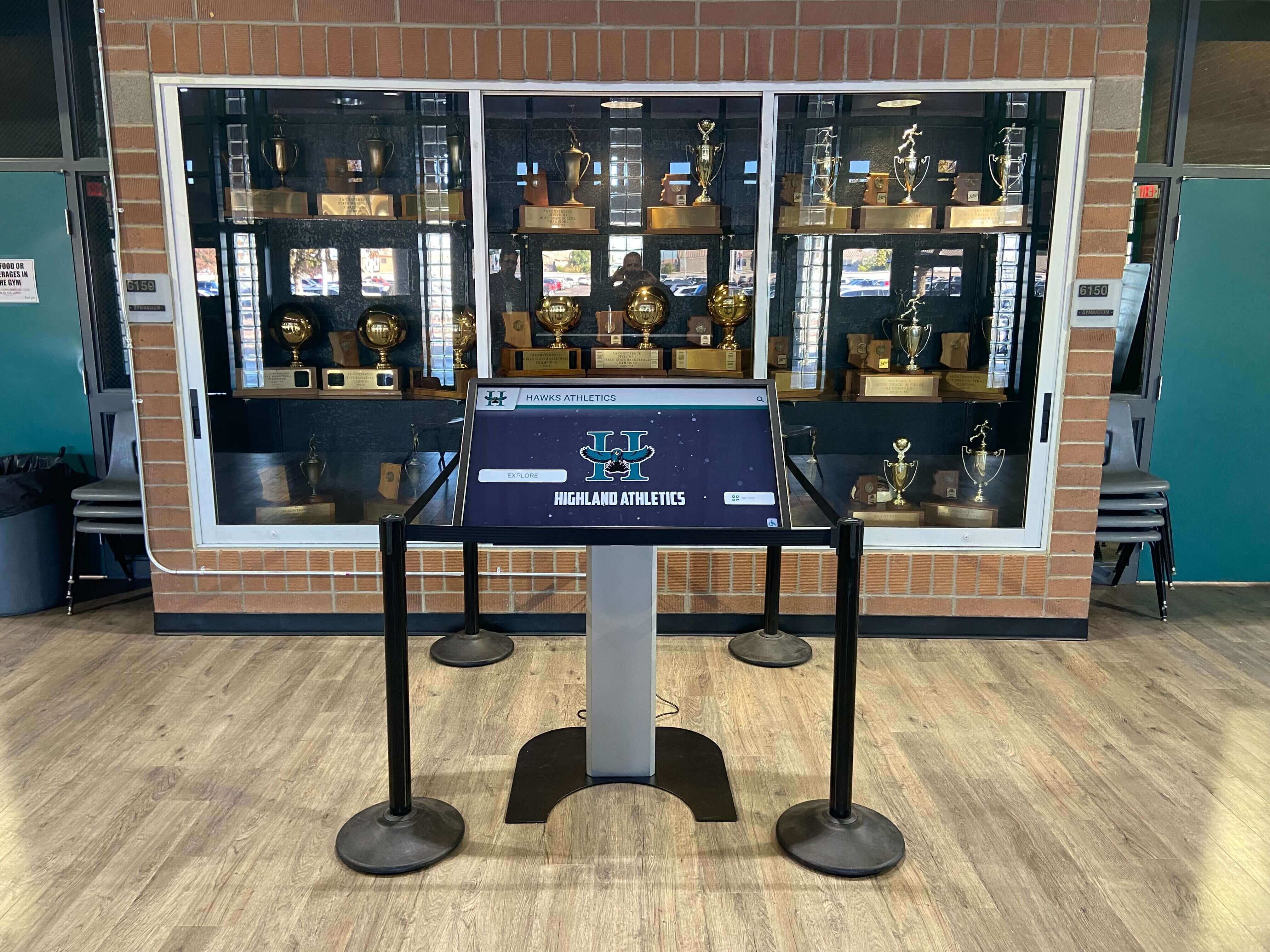
Thoughtful integration of accessible touchscreen technology within traditional trophy case areas modernizes recognition while maintaining accessibility
The Future of Accessible Touchscreen Technology
Accessibility continues evolving as technology advances and understanding of diverse needs improves.
Emerging Accessibility Technologies
Innovations promise enhanced accessibility for touchscreen displays:
Voice Interfaces and Natural Language
Voice interaction removes barriers for users unable to operate touch or keyboard interfaces:
- Conversational queries finding content through natural speech
- Voice commands navigating menus and activating features
- Audio descriptions automatically generated from image analysis
- Multi-language voice support serving diverse populations
Gesture Recognition Beyond Touch
Contact-free gesture detection accommodates users who cannot touch screens:
- Hand wave activation detecting user presence
- Gesture navigation without physical contact
- Adjustable sensitivity accommodating varied motor abilities
- Proximity detection triggering interface changes
Artificial Intelligence for Personalization
AI enables adaptive interfaces adjusting to individual needs:
- Automatic interface simplification for cognitive accessibility
- Dynamic text sizing based on viewing distance and user preferences
- Predictive navigation reducing required interactions
- Content summarization supporting varied comprehension levels
Haptic Feedback Enhancement
Tactile feedback improves touchscreen accessibility:
- Vibration patterns confirming successful activation
- Different haptic signals distinguishing interaction types
- Tactile guides supporting users with vision impairments
- Adjustable feedback intensity accommodating sensitivity differences
Evolving Standards and Expectations
Accessibility requirements continue advancing:
WCAG 3.0 Development
The W3C is developing WCAG 3.0 (currently in draft), which will:
- Introduce new testing methods including visual contrast algorithms
- Expand cognitive accessibility requirements
- Provide more nuanced conformance rating systems
- Address emerging technologies like VR and voice interfaces
- Simplify implementation guidance for designers and developers
Organizations should monitor WCAG 3.0 development, though official adoption remains years away.
Increased Legal Enforcement
Accessibility enforcement continues intensifying:
- Higher numbers of ADA lawsuits targeting digital accessibility
- Department of Justice increasing investigation activity
- State-level regulations exceeding federal requirements
- International harmonization of accessibility standards
- Rising awareness increasing complaints and scrutiny
Proactive accessibility commitment positions institutions ahead of requirements rather than scrambling to achieve compliance after problems emerge.
Cultural Shift Toward Inclusion
Beyond legal requirements, cultural expectations around accessibility continue evolving:
- Disability inclusion recognized as social justice issue
- Universal Design principles applied broadly across environments
- Organizations expected to demonstrate accessibility commitment
- Inaccessibility increasingly viewed as discriminatory regardless of legal liability
- Accessibility considered essential feature rather than optional enhancement
Institutions embracing accessibility proactively align with evolving social values while avoiding the compliance-driven approach often producing minimum-viable accessibility rather than genuine inclusion.
Conclusion: Accessibility as Institutional Priority
WCAG 2.2 AA accessibility for touchscreen displays represents far more than regulatory compliance—it embodies institutional commitment to serving all community members equally. When schools, museums, and organizations install digital recognition displays, they create public-facing technology that communicates values through design decisions.
Accessible touchscreen systems ensure that students with disabilities can explore their own recognition, that alumni with vision impairments can find classmates in digital archives, that community members with motor limitations can navigate donor walls independently, and that visitors with cognitive differences can understand institutional history. These capabilities represent basic equity—ensuring that technology serving public recognition and historical preservation remains accessible to the entire public.
Rocket Alumni Solutions prioritizes accessibility by design, implementing WCAG 2.2 AA compliance systematically throughout software development, providing accessible hardware installation guidance, and supporting institutions in maintaining compliance through content management. This approach ensures that schools and organizations selecting Rocket technology receive accessible systems from day one rather than discovering accessibility problems after deployment.
The investment in accessible technology delivers returns extending beyond risk mitigation. Accessible design improves user experience for all visitors, demonstrates institutional values around inclusion, future-proofs technology investments against evolving standards, and creates recognition systems that genuinely serve entire communities rather than select populations.
For educational institutions particularly, accessible touchscreen displays align with core educational missions emphasizing equal opportunity, inclusive environments, and service to all students and families. When schools teach inclusion in classrooms while operating inaccessible technology in lobbies, contradictions undermine educational messages. Accessible digital recognition demonstrates that inclusion commitments extend throughout institutional operations.
Implement WCAG 2.2 AA Accessible Touchscreen Displays
Discover how Rocket Alumni Solutions delivers accessibility-compliant touchscreen technology ensuring all community members can explore recognition, archives, and institutional history independently.
Talk to Our TeamOrganizations planning touchscreen installations should begin by assessing accessibility requirements, engaging stakeholders with disabilities, selecting technology vendors demonstrating accessibility commitment, planning accessible physical installations, and establishing ongoing compliance processes. These proactive steps ensure that digital recognition systems serve entire communities from launch rather than requiring expensive retrofitting after accessibility complaints or legal actions.
Accessibility represents ongoing commitment rather than one-time achievement. Standards evolve, technologies advance, and organizational understanding of diverse needs improves. Institutions partnering with technology providers prioritizing accessibility position themselves to maintain compliance and serve communities effectively as expectations and requirements continue developing.
The future of institutional technology is accessible by design—ensuring that innovation serves everyone rather than creating new barriers. Organizations embracing this future today build stronger connections with communities, reduce legal and reputational risks, and demonstrate values alignment between educational missions and operational practices.
Ready to explore WCAG 2.2 AA accessible touchscreen solutions for your institution? Schedule a demonstration to see how accessible digital recognition technology can serve your entire community effectively.































