



A well-crafted senior night recognition script does far more than give your PA announcer something to read. When written thoughtfully, the same wording powers your printed program, anchors your photo captions, and seeds the permanent digital display that outlives the ceremony by decades. Yet most programs treat the script as an afterthought—scribbled notes handed to an announcer an hour before the game.
This guide walks you through building a senior night recognition script from scratch: what information to collect, how to structure the announcement for each athlete, how to adapt wording for different sports and school-wide events, and how every element of that script can flow directly into programs, ceremony photos, and lasting recognition displays. Whether you are coordinating a single sport’s senior night or planning a school-wide senior recognition event, the templates and field lists here give your team a reusable foundation.
Every year, families drive across counties to watch their athlete walk across a field, court, or gym floor for the last time as a student. The words spoken during that walk matter. A strong senior night recognition script captures the athlete’s name, number, position, and story in a way that resonates in the moment—and holds up years later when a former player browses a digital archive and hears those words again.

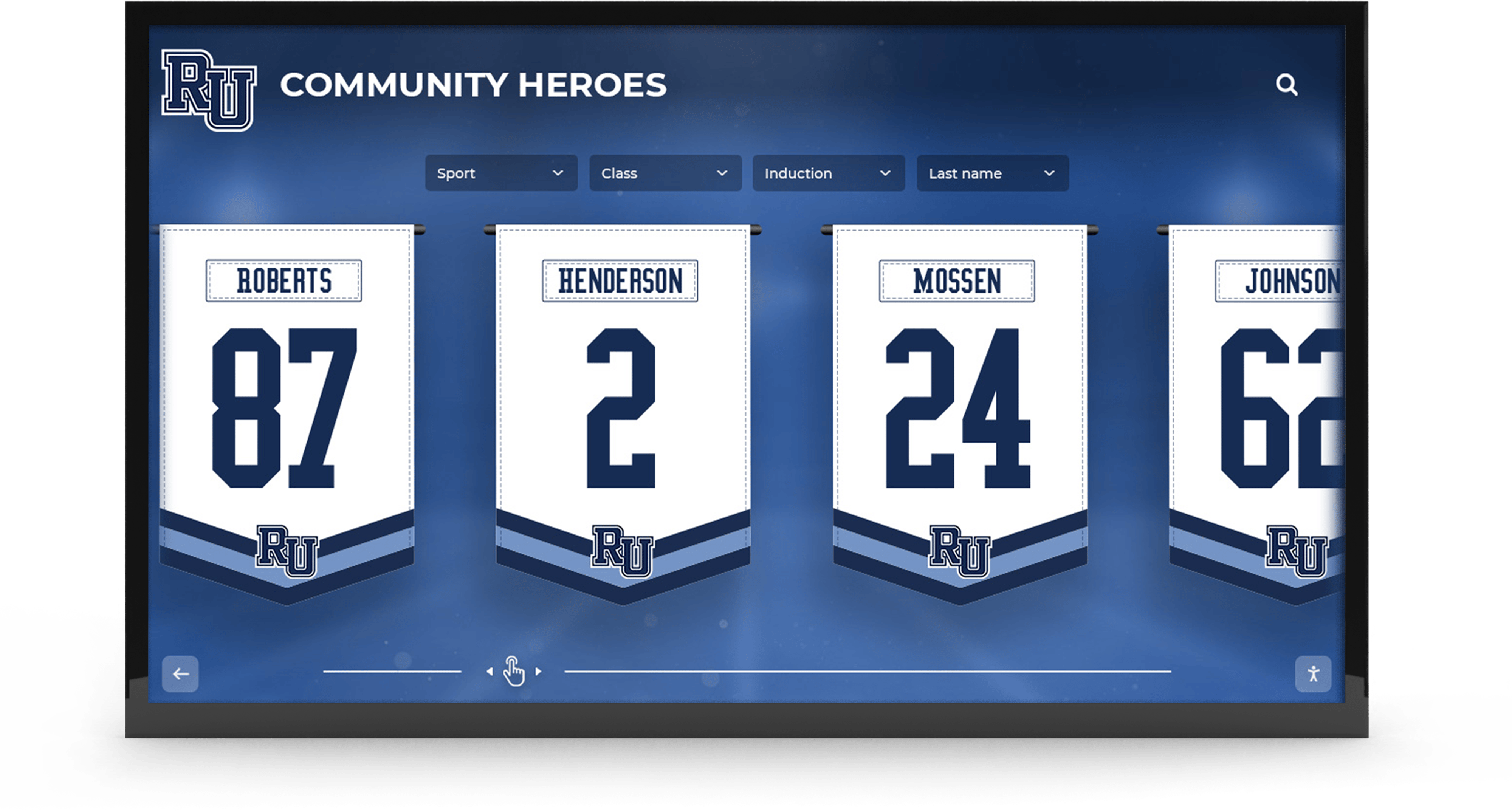
The same data that populates a PA script—names, numbers, years, achievements—drives digital recognition displays that families can revisit long after graduation
Why Your Senior Night Script Is the Foundation for Everything
Before diving into templates, it helps to understand why the script is structurally important beyond the ceremony itself.
The Script as a Data Capture Document
Every field you write into the announcement—year started, position, career statistics, post-graduation plans, family names—is a structured record. Programs that treat the script as a data-collection exercise end up with:
- Printed programs that are accurate and complete, not rushed and missing details
- Ceremony photos that can be captioned correctly without guessing at jersey numbers or family member names
- Social media posts drafted in advance rather than scrambled the night of
- Permanent digital displays populated with verified information rather than corrections made months later
The athletic departments that do senior night best are the ones that build the script questionnaire first, then let all other materials flow from those answers.
What Happens When the Script Is an Afterthought
When the script is improvised, the downstream effects compound. An announcer mispronounces a senior’s name and the family never quite forgets it. The printed program lists the wrong graduation year. The photo archive has images labeled “Unknown athlete #22” for a decade. A donor wall or hall of fame display goes live with a misspelled name.
None of these errors reflect badly on the athlete. They reflect badly on the institution—and they are almost entirely preventable with a structured approach to script preparation.
Part One: The Information-Collection Questionnaire
The foundation of every senior night recognition script is the questionnaire you send to seniors and their families four to six weeks before the ceremony. The more complete this form, the easier everything downstream becomes.
Core Fields to Collect
Personal Information
- Full legal name (for programs and archives)
- Preferred name (what the announcer should say)
- Jersey number
- Position(s) played
- Years on varsity
- Years in program (including JV or modified)
- Phonetic spelling of name if unusual
Academic and Post-Graduation
- Cumulative GPA range or honor society membership (if athlete consents to share)
- College attending or post-graduation plans
- Intended major or career field
- Any scholarships or academic awards
Athletic Highlights
- Career statistics you want highlighted (points scored, saves, strikeouts, etc.)
- Most memorable game or moment
- Individual awards received
- Any team championships or playoff runs
Personal Touches
- Favorite memory from the program
- A word of advice to underclassmen (used in programs and display captions)
- Childhood photo for on-screen display during ceremony
- Recent action photo and portrait photo
Family Escort Information
- Names of family members walking with athlete
- Relationship (parent, grandparent, guardian, sibling, mentor)
- Phonetic spelling of any family names the announcer will read
Collecting this data consistently means you only ask each family once. It flows into the PA script, the printed program bio, the ceremony photo caption, and eventually the digital archive profile—no repeated requests, no conflicting information.
Part Two: Senior Night Recognition Script Templates
The following script templates are modular. Fill in the bracketed fields with the athlete’s actual information, adjust the tone to match your program’s voice, and combine or shorten as ceremony timing requires.
Standard Two-Minute Individual Introduction
Use this template for most athletes. It runs approximately 90 seconds to two minutes when read at a measured pace.
[ATHLETE’S PREFERRED NAME] — Jersey Number [NUMBER]
“Please welcome to the [field/floor/court], [PREFERRED NAME] [LAST NAME].
[PREFERRED NAME] has been a member of [PROGRAM NAME] for [X] years, competing at the varsity level since [YEAR]. A [POSITION], [he/she/they] has worn Number [NUMBER] for [X] seasons.
Some highlights from [PREFERRED NAME]’s career: [CAREER STAT OR MOMENT — e.g., “she ranked second all-time in program history in assists” or “he was a two-time all-conference selection”]. This season, [PREFERRED NAME] contributed [CURRENT SEASON HIGHLIGHT].
Off the field, [PREFERRED NAME] [ACADEMIC/PERSONAL NOTE — e.g., “is a member of the National Honor Society and plans to study nursing at [College] in the fall”].
Accompanying [PREFERRED NAME] tonight: [FAMILY NAMES AND RELATIONSHIPS].
[PROGRAM] thanks [PREFERRED NAME] for [his/her/their] dedication, leadership, and everything [he/she/they] brought to this program. [PREFERRED NAME] [LAST NAME].”
Abbreviated 60-Second Introduction
Use when ceremony time is limited or the senior class is large.
“Number [NUMBER], [PREFERRED NAME] [LAST NAME]. A [POSITION] for [X] years, [he/she/they] [ONE CAREER HIGHLIGHT]. After graduation, [PREFERRED NAME] plans to [POST-GRADUATION PLAN]. Accompanied tonight by [FAMILY NAMES]. Thank you, [PREFERRED NAME].”
Extended Introduction for Team Captains or Multi-Year Letter Winners
“Please welcome to the [field/court], a [X]-year member of [PROGRAM NAME] and one of this season’s team captains — [PREFERRED NAME] [LAST NAME], Number [NUMBER].
[PREFERRED NAME] joined the program as a [freshman/sophomore/transfer] and has been a [POSITION] since [YEAR]. Over [his/her/their] career, [PREFERRED NAME] [TWO OR THREE CAREER STATISTICS OR HIGHLIGHTS].
Teammates and coaches describe [PREFERRED NAME] as [TEAMMATE QUOTE OR COACH’S DESCRIPTOR — e.g., ’the player who set the standard for what it means to compete in this program’].
[PREFERRED NAME] will be attending [COLLEGE/CAREER PLAN] in the fall. This program and this community are better for having had [him/her/them].
Escorting [PREFERRED NAME] tonight: [FAMILY NAMES AND RELATIONSHIPS].”
School-Wide Senior Recognition Night (Non-Athletics)
For SGA senior nights, performing arts recognition, or school-wide senior celebration events, the same template structure works with modified fields.
“Please welcome [PREFERRED NAME] [LAST NAME].
[PREFERRED NAME] has been involved with [PROGRAM/ORGANIZATION] since [YEAR]. [His/Her/Their] contributions include [TWO OR THREE SPECIFIC HIGHLIGHTS — club leadership roles, performances, service hours, projects].
[PREFERRED NAME] will be [POST-GRADUATION PLAN]. We are proud to count [him/her/them] among the [PROGRAM NAME] class of [GRADUATION YEAR].
Accompanied tonight by [FAMILY NAMES].”
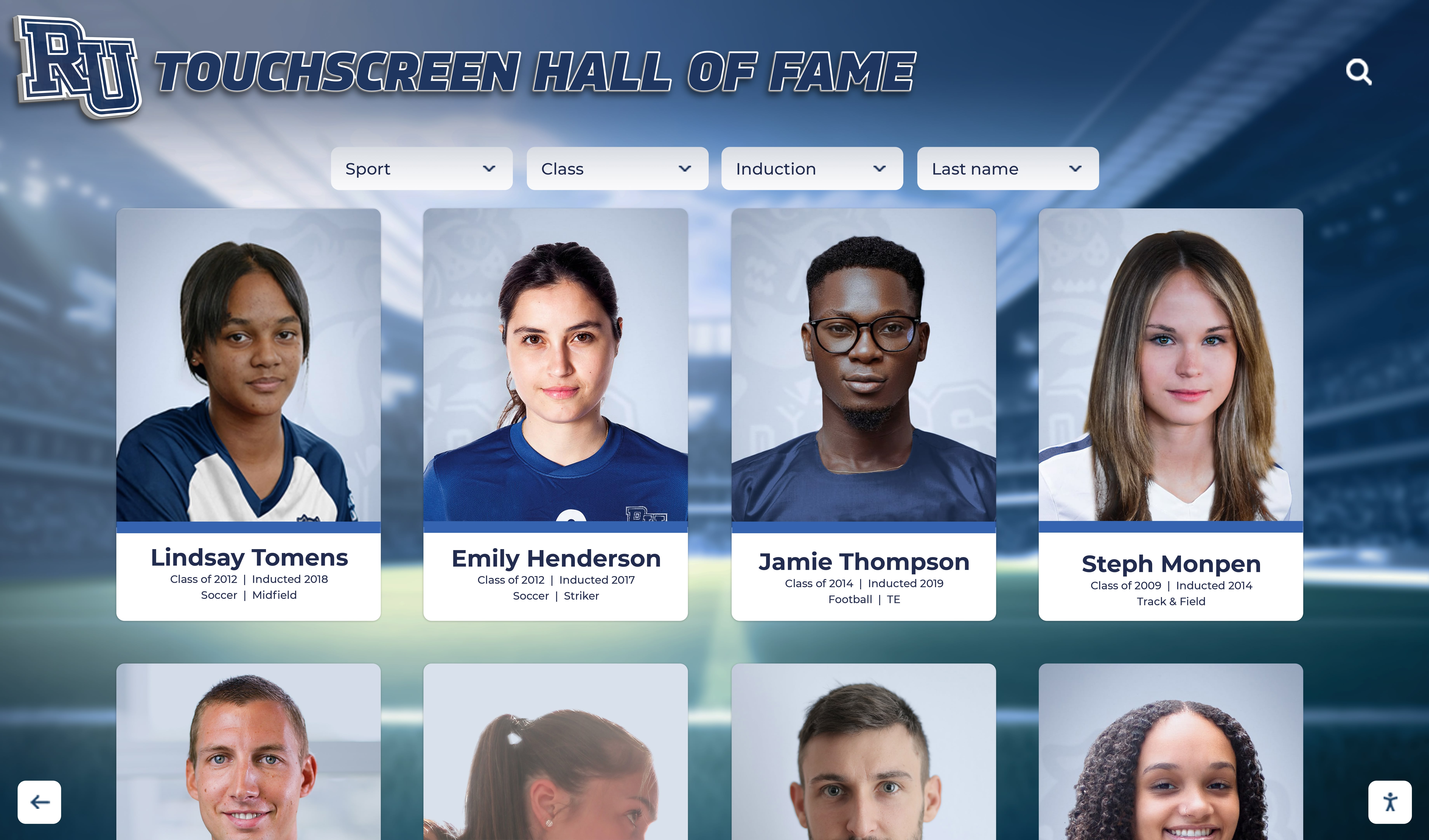
Every field in your recognition script becomes a profile element—name, number, stats, and personal notes—on permanent digital archive displays
Part Three: Adapting the Script by Sport
Different sports have different ceremony traditions, and the script wording should reflect the texture of each sport’s culture.
Football Senior Night Scripts
Football senior night ceremonies are often the highest-profile of the year, with the largest crowds and the most elaborate pre-game production. The script should match that energy—punchy statistics, vivid position descriptions, and concrete team moments rather than generic praise. For a deeper look at structuring the full ceremony around the script, football senior night ceremony planning guides offer complementary logistics detail.
Football-Specific Stat Fields to Collect:
- Position (offensive, defensive, special teams)
- Total career starts
- Key statistical milestones (tackles, touchdowns, receptions, sacks)
- Playoff or championship participation
- Recruiting status or college commitment
Lacrosse and Spring Sports Scripts
Spring sports often compete with academic calendar pressures, prom, and graduation ceremonies for family attention. The lacrosse senior night ceremony and similar spring sport events benefit from scripts that are efficient but deeply personal—acknowledging both the athletic journey and the compressed senior spring season.
Spring Sports Emphasis Fields:
- Weather-related resilience moments (“Despite a season shortened by weather…”)
- Academic performance during demanding stretch
- Off-season training or club program participation
Dance Team and Performing Arts Senior Nights
Dance team senior nights blend the ceremony traditions of athletics with the performance culture of the arts. The script often acknowledges technical skills, choreographic contributions, and ensemble achievements rather than individual statistics. The dance team senior night recognition approach shows how lobby display design can also extend the script’s content into a lasting physical tribute.
Dance Team Emphasis Fields:
- Performance roles or featured routines
- Years in program and competitive record
- Choreography or leadership contributions
- Dance style specialties
Soccer Senior Night Scripts
Soccer programs frequently honor both players and managers or team staff who have contributed over multiple seasons. The script should be flexible enough to recognize different types of contribution. For complete ceremony planning resources including soccer senior night recognition guides, the field list and script templates adapt easily to the sport’s specific statistics and culture.
Soccer-Specific Fields:
- Goals, assists, save percentage (by position)
- Years on varsity and club background
- Goalkeeper versus field player position details

Consistent data collection across sports makes it possible to build unified alumni archive profiles that span an athlete's entire school career
Part Four: Connecting the Script to Your Printed Program
The printed program is often the artifact families keep longest from a senior night ceremony. Designing it so it aligns with the script—rather than being prepared separately—reduces errors and tells a more complete story.
Program Layout That Mirrors the Script
A well-structured senior recognition program uses the same biographical fields as the script, formatted for the page rather than for reading aloud. The recommended section order:
- Program cover: Team photo, event date, season record
- Welcome message: Coach’s brief note to seniors and families
- Senior roster: Alphabetical or jersey number order
- Individual bios: One short paragraph per senior drawing from the questionnaire fields
- Career highlights sidebar: Top statistics, milestones, awards
- Post-graduation plans: College, career, or service commitment
- Acknowledgments: Families, boosters, administration
Script Fields That Translate Directly to Program Copy
| Script Element | Program Section |
|---|---|
| Full name, number, position | Senior roster header |
| Years in program | Bio opening line |
| Career statistics | Career highlights sidebar |
| Memorable moment | Bio narrative |
| Academic note | Bio closing line |
| Post-graduation plan | Dedication line under photo |
| Family names | Photo caption |
When both the script and program draw from the same questionnaire, last-minute corrections apply everywhere at once rather than being fixed in one place and missed in another.
Part Five: Script Wording That Supports Ceremony Photography
The order and timing of your script directly determines what photographs are possible to capture. Photographers briefed on the script structure know exactly when to anticipate the family walk, the gift presentation, and the coach’s acknowledgment.
Timing Cues Photographers Need
Share a copy of the script with your ceremony photographer at least a week before the event. Mark the following timing cues:
- Introduction begins: Photographer moves into position for family walk-on
- “Accompanied tonight by…”: Signal for family group photo setup
- Gift or bouquet presentation: Primary ceremony photo moment
- Coach’s remarks: Candid emotion capture opportunity
- Name conclusion: Final individual photo with athlete facing crowd
For comprehensive sports photography workflows that feed yearbooks and recognition displays, planning photo timing around the script structure produces a more complete archive of every senior’s ceremony moment.
Caption Templates Using Script Data
When photos are organized in the archive, the captions should be pre-written from the script data. Use this structure:
Primary caption format: [Full Name], Number [#], [Position], [Years in Program]-year [Program Name] veteran, escorted by [Family Names] at the [Year] Senior Night ceremony.
Secondary caption format (for action or candid shots): [Preferred Name] [Last Name] (#[Number]) during the [Year] [Program Name] Senior Night recognition at [Facility Name].
Consistent captioning conventions mean every photo is discoverable and correctly attributed—whether it lives in a printed yearbook, a social media archive, or a touchscreen recognition display accessible to visitors for years after graduation.
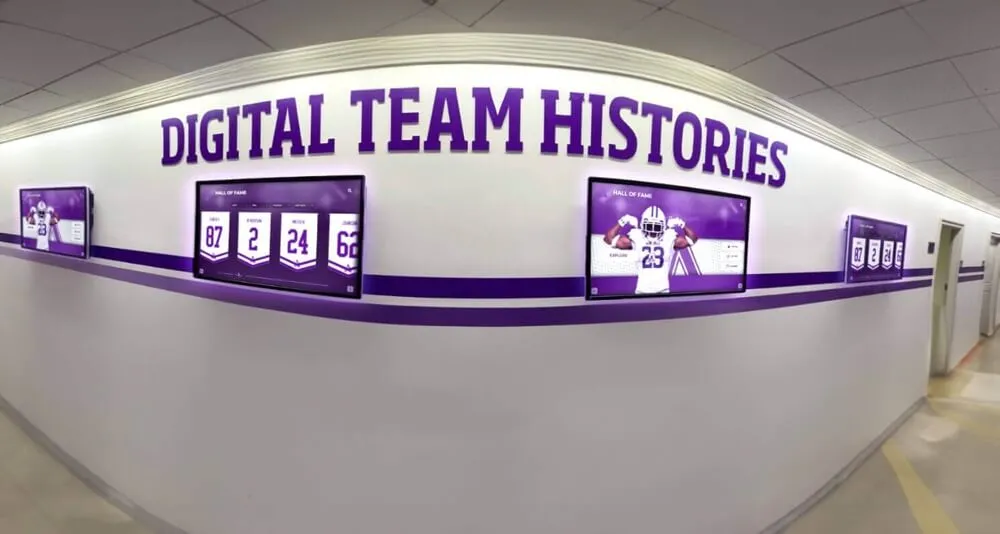
Digital hallway displays extend the ceremony's recognition beyond a single night—seniors' profiles remain accessible to current students, recruits, and returning alumni
Part Six: From Script to Permanent Digital Display
The most underutilized step in senior night planning is the bridge between ceremony night and permanent archival recognition. Every field in your script questionnaire is a field in a digital recognition profile. Programs that plan for this bridge eliminate duplicate data entry and ensure that every senior is represented in the permanent archive with the same detail that was announced on ceremony night.
Fields That Map to Digital Profiles
A digital recognition platform like the ones powered by Rocket Alumni Solutions organizes senior profiles by name, sport, year, position, and achievement. The questionnaire fields you already collected map directly:
| Questionnaire Field | Digital Profile Field |
|---|---|
| Full legal name | Archive name |
| Preferred name | Display name |
| Jersey number | Number |
| Position | Position tag |
| Years in program | Years active filter |
| Career statistics | Achievement panel |
| Memorable moment | Profile narrative |
| Post-graduation plans | Alumni update field |
| Ceremony photos | Photo gallery |
| Childhood photo | Profile media |
| Family names | Caption data |
The Post-Ceremony Archive Workflow
The week after senior night, the same staff member who managed script data entry should complete the digital profile for each honored athlete:
- Transfer questionnaire data into the recognition platform
- Upload ceremony photos with captions
- Add final season statistics once the season concludes
- Invite families to verify their athlete’s profile for accuracy
- Publish profiles to the permanent display
This five-step workflow ensures no senior falls through the cracks between the ceremony and the archive—a common failure point when script preparation and display management are treated as separate projects.
Making the Archive Work for Families
Many programs underestimate how much families value permanent recognition access. For meaningful recognition gifts and mementos that complement digital profiles, personalized senior recognition ideas connect the physical ceremony experience to lasting keepsakes. When the physical gift references the permanent archive—“your profile is now live on our hall of fame display”—it transforms a single night into a lifelong connection to the program.
See How Your Script Data Becomes a Permanent Archive
Rocket Alumni Solutions builds interactive touchscreen recognition displays that turn your senior night questionnaire into searchable, permanent athlete profiles—accessible to families, recruits, and alumni for generations.
Request a DemoPart Seven: Script Wording for Award Announcements
Many senior nights include individual award presentations alongside the athlete introductions. These require their own script language—distinct from the biographical introduction and focused on the meaning of the award.
Award Presentation Script Templates
Most Valuable Player / Senior Award
“Before we continue, [PROGRAM NAME] would like to recognize a member of this senior class with our [AWARD NAME]. This award is presented to the athlete who best exemplifies [PROGRAM VALUES — e.g., ‘competitive excellence, leadership, and commitment to the team’].
This year’s recipient has [BRIEF ACHIEVEMENT SUMMARY — 1-2 sentences drawn from questionnaire data]. It is our honor to present this award to [FULL NAME].”
Academic Achievement Award
“[PROGRAM NAME] is proud to recognize [FULL NAME] as this year’s Scholar-Athlete. [He/She/They] maintained a [GPA range or distinction — e.g., ‘GPA above 3.8 across four varsity seasons’] while competing at the highest level. This honor reflects everything we believe a student-athlete can be.”
Coaches’ Award
“The Coaches’ Award goes to the senior who made this program better not through statistics, but through example. [He/She/They] was the player who [SPECIFIC BEHAVIORAL EXAMPLE — drawn from coach input, not generic praise]. This year, that player is [FULL NAME].”
Wording Principles for Award Presentations
- Lead with the award’s meaning, not the recipient’s name — build anticipation
- Use specific behavioral or statistical evidence rather than adjectives alone
- Connect the award back to program values stated earlier in the ceremony
- Keep each presentation under 60 seconds unless it is the event’s primary honor
Part Eight: FAQ
How long should a senior night script be per athlete?
For a standard senior night with 8–15 athletes, aim for 90 seconds to two minutes per introduction. That gives a ceremony of 15–25 minutes before the game, which is sustainable for crowd attention and game-day timing. For larger senior classes (20+), the abbreviated 60-second template keeps total ceremony time under 25 minutes.
What is the best order for athlete introductions?
Most programs use jersey number order or alphabetical order to eliminate any perception of hierarchy. Some programs honor captains or longest-tenured athletes last for a natural emotional peak. Whatever order you choose, document it in the script so the announcer, photographer, and gift-distribution team all follow the same sequence.
Who should write the script?
The athletic director or head coach typically owns the final script, but the questionnaire data should come directly from athletes and their families. An administrative assistant or team manager can compile questionnaire responses into the script template and submit a draft for coach review two weeks before the ceremony. This separation of data collection and script writing distributes the workload without losing the coach’s personal voice.
How do I handle an athlete whose family cannot attend?
Prepare two script versions for each athlete: one with family escort language, one without. During the ceremony, use the version that matches the actual situation. Brief the announcer in advance so the transition is natural rather than awkward. A quiet mention—"[NAME] is accompanied tonight by [COACH NAME] of [PROGRAM]"—honors the moment without drawing attention to the absence.
Can I reuse the script data for digital recognition platforms?
Yes — and you should. The questionnaire fields map directly to the profile fields in most digital recognition platforms. Programs that export their questionnaire responses as a spreadsheet can import that data into a platform like those offered by Rocket Alumni Solutions in a single step, eliminating duplicate data entry and ensuring the archive matches what was announced at the ceremony.
What should I do with the script after the ceremony?
Archive it. A dated copy of the complete ceremony script is a primary historical document for your program. Store it digitally alongside the ceremony photos, and link it to the individual athlete profiles in your recognition archive. Future coaches, alumni, and administrators will thank you.
How does the script connect to sports banquet recognition?
The same biographical data that drives the senior night script also powers a sports banquet invitation and awards ceremony. Programs that collect complete questionnaire data early in the process can repurpose it across senior night, end-of-season banquets, and permanent award displays without starting from scratch each time.

Interactive kiosks allow returning alumni and prospective students to browse permanent senior recognition profiles—extending the ceremony's impact across decades
Conclusion: One Script, Many Outputs
The senior night recognition script is not just a document for one night. When designed around a complete information-collection questionnaire, it becomes the source of truth for the printed program, the ceremony photo captions, the social media content, and the permanent digital recognition profile—all from the same data, entered once, used everywhere.
Programs that make this connection intentionally find that senior nights improve year over year: fewer errors, more personal details, faster post-ceremony archive population, and stronger emotional resonance for every athlete and family in attendance. The athletes who will walk across your field next year deserve that level of preparation.
Start with the questionnaire. Build the script. Let everything else follow from it.
Turn Your Senior Night Script Into a Permanent Archive
Discover how Rocket Alumni Solutions' interactive touchscreen displays transform the data you already collect for senior night into searchable, permanent athlete profiles that honor every senior for generations.
Request a Demo






























