




Every athletic program generates a remarkable volume of media each season: action photographs, highlight reels, game-day programs, scorebooks, stat sheets, and the written accounts that give those numbers meaning. The challenge isn’t creating this content — it’s making sure it survives, stays organized, and remains accessible ten, twenty, or fifty years from now.
A well-built sports media archive solves that problem. It transforms scattered files, faded printouts, and overloaded drives into a searchable, shareable collection that honors athletic history while serving today’s students, alumni, and administrators. This guide walks through what belongs in a sports media archive, how to organize each media type, and how digital display technology can turn a static archive into a living part of your school’s story.
What Belongs in a Sports Media Archive
Before building an archive, define its scope. A complete sports media archive typically contains four categories of content:
Athletic photographs — team portraits, action shots, award ceremonies, senior recognition nights, and candid moments from practices and travel. High schools and colleges may generate hundreds of usable photos per season per sport.
Video content — game recordings, highlight reels, coach interviews, and documentary-style season recaps. Video files are large, format-dependent, and especially vulnerable to storage decay if not managed carefully.
Game programs and print media — official game-day programs, media guides, tournament brackets, and booster club publications. These documents capture rosters, records, and sponsor recognition that may live nowhere else in the institutional record.
Season stories and narrative records — win-loss records, championship histories, individual statistics, coaching tenures, and the written accounts that put numbers in context. This includes everything from formal year-end reports to student newspaper coverage.

A well-organized sports media archive makes athlete portraits and season records accessible across decades of school history.
Why Traditional Storage Methods Fall Short
Box storage in equipment rooms, shared drives with no folder logic, and USB drives tucked in desk drawers are the default archive strategies at most schools — and they fail in predictable ways.
Physical media degrades. Photographs yellow, VHS tapes oxidize, and printed programs become brittle. Even DVDs burned in the early 2000s are considered at-risk media, with reported failure rates increasing after fifteen years of storage.
Digital files disappear. Staff turnover means passwords and folder structures get lost. Hard drives fail without warning. Files saved to a departing coach’s personal laptop leave with them.
Nothing is searchable. Even when media survives, finding a specific season photo or a 2009 game program takes hours of manual searching when there is no consistent naming convention or tagging system.
Context gets lost. A photograph without a caption becomes harder to identify with every passing year. A video file named “game3.mp4” is nearly impossible to attribute once the person who recorded it has moved on.
Building a sports media archive with a clear structure addresses all four failure modes before they occur.
Step-by-Step: Building Your Sports Media Archive
Step 1: Conduct a Media Audit
Before organizing, take stock of what exists. Walk through every potential storage location: filing cabinets, equipment rooms, trophy cases, server folders, shared drives, and email archives. Create a simple inventory with four columns — media type, approximate date range, current condition, and current location.
The audit often surfaces unexpected assets: a longtime donor’s personal photo collection, old 16mm game films in a storage closet, or program boxes from a booster club that no one knew still existed.
Step 2: Establish a Naming Convention
Consistent file naming is the foundation of a searchable archive. A straightforward convention:
[Year]-[Sport]-[MediaType]-[Description]
Examples:
2024-football-photo-homecoming-team-portrait.jpg2023-basketball-video-state-championship-highlights.mp42022-baseball-program-season-opener-vs-riverside.pdf
Apply this convention retroactively when digitizing older materials and enforce it for all new content going forward. Schools that invest in well-designed game day program templates can build the naming convention directly into the template workflow to reduce manual renaming later.
Step 3: Choose Storage That Scales
A sports media archive needs two types of storage: primary working storage (where files are actively used and updated) and long-term preservation storage (where files are backed up and protected from accidental deletion or overwrite).
Cloud storage services with versioning enabled work well for primary storage. Redundant off-site backups — whether cloud-based or physical drives stored in a separate building — protect against catastrophic loss from fire, flood, or system failure.
For video, plan storage around file size. A single uncompressed game recording can exceed 50 GB. Establish a compression standard that balances quality with storage practicality before digitizing large video collections.
Step 4: Digitize Physical Materials
Prioritize physical materials for digitization based on fragility and historical significance. A practical priority order:
- Photographs and slides (most fragile, highest demand for display use)
- Championship and historically significant game programs
- VHS and other magnetic video media (format decay is accelerating)
- Print programs from standard seasons
- Scorebooks and handwritten stat records
For photographs, a flatbed scanner at 600 DPI produces archival-quality images suitable for both display and long-term preservation. For video, professional digitization services can convert VHS, 8mm, and 16mm formats if in-house equipment is unavailable.
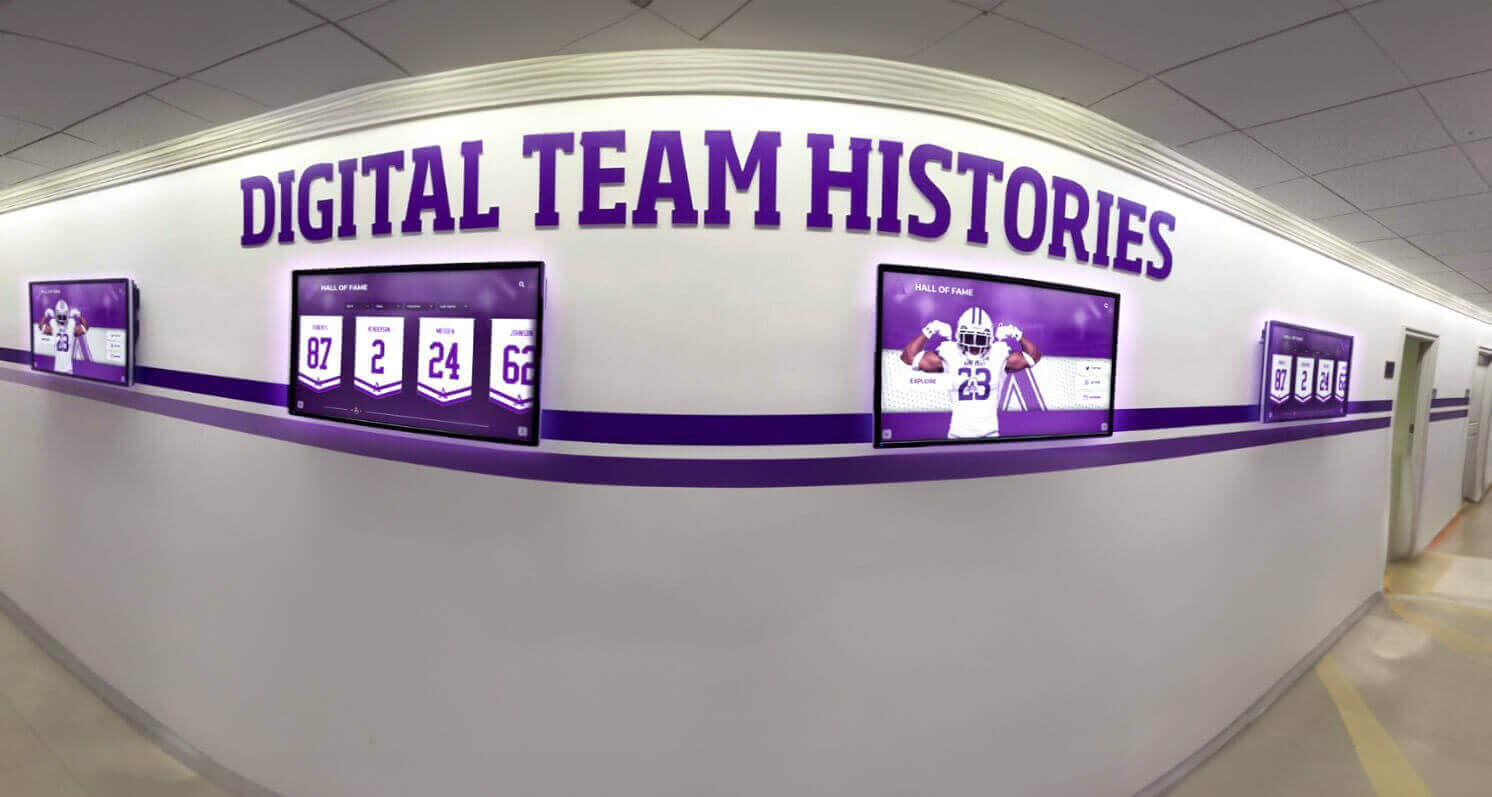
Digital hallway screens bring season histories and team records out of storage and into daily view for students, staff, and visitors.
Step 5: Add Metadata and Context
Every file in a sports media archive becomes more valuable with descriptive metadata. At minimum, record:
- Sport and season year
- Athletes or staff pictured or mentioned (where identifiable)
- Event name or game opponent
- Photographer or videographer credit
- Known outcomes: win/loss, final score, championship placement
Metadata can be embedded directly into image files using standard EXIF fields or maintained in a parallel spreadsheet. A digital school history timeline that pulls from well-tagged archive content delivers far more value than one built from scratch with incomplete records.
Step 6: Make the Archive Accessible
An archive that only three people can access is not serving its full purpose. Consider what different audiences need:
- Athletics staff need full read/write access to current season files
- Communications and advancement teams need read access to pull content for publications, social media, and donor materials
- Students and alumni benefit from a curated public-facing view that highlights historic moments and achievements
Role-based access permissions on a shared drive or dedicated archive platform can serve all three groups without compromising file integrity.
Organizing Athletic Photos for Long-Term Access
Athletic photographs deserve their own organizational logic because volume is high and search needs vary by audience. A sport-first folder structure works well for most programs:
- Athletics / Football / 2024 — Team Portraits, Game Photos, Senior Night
- Athletics / Basketball / 2024 — Team Portraits, Game Photos, Tournament Run
- Athletics / Cross Country / 2024 — Team Portraits, Meet Photos
Within season folders, separate game-action photos from posed portraits and ceremonial events. This makes it straightforward to pull photos for a reunion slideshow (portraits), a highlight reel (action), or a hall of fame installation (awards and recognition moments).
For alumni recognition programs, high school basketball alumni displays and similar sport-specific exhibits depend entirely on the quality of the underlying photo archive. Poor organization is often the bottleneck that delays these projects by months.
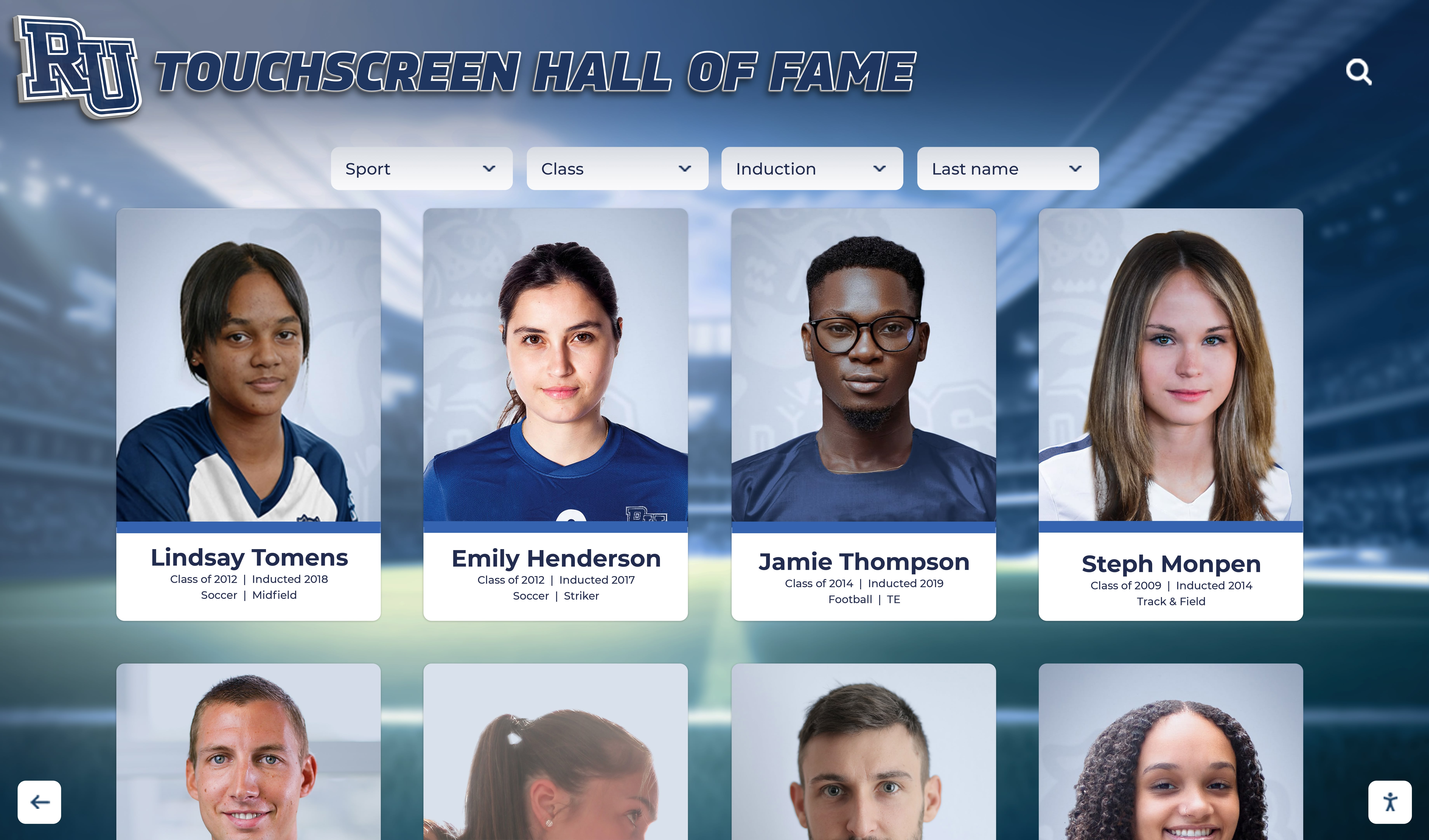
Interactive touchscreen displays give students, alumni, and visitors direct access to archived athlete portraits without requiring staff assistance.
Preserving Game Programs and Print Media
Game programs are among the most historically rich documents an athletic program produces — and among the most commonly discarded. A standard game-day program contains rosters, starting lineups, season statistics, opponent information, sponsor acknowledgments, and advertising that documents the community context of each season in ways that no other record can replicate.
Digitizing programs to searchable PDF format preserves both visual layout and text content. Optical character recognition (OCR) processing makes text machine-readable, enabling keyword searches across decades of program archives. Searching for every season a particular sponsor appeared, or every opponent the program faced in a decade, becomes a matter of seconds rather than hours.
For programs created going forward, building with preservation in mind means maintaining source files (InDesign, Word, or similar) alongside the print-ready PDF. Source files allow future staff to extract and update information without rebuilding layouts from scratch.
The same archival discipline that applies to programs benefits visual recognition content as well. Player of the game graphics and weekly recognition images should be saved with consistent naming, tagged by athlete and season, and integrated into the broader archive rather than posted to social media and forgotten.
Archiving Sports Video: Special Considerations
Video archiving introduces technical complexity that photos and documents do not. Key decisions to make early:
Format standardization. Convert all legacy video to a current, non-proprietary format. H.264 MP4 is widely compatible and practical for long-term storage; ProRes or other higher-quality codecs are better for content that may be re-edited. Avoid proprietary formats tied to specific software that may not be available in ten years.
Clip-level cataloging. Long game recordings are most useful when clipped and cataloged by play type, player, and outcome. Even a basic clip log — timestamps for key moments — dramatically increases how often video content gets found and used by communications and advancement staff.
Rights and permissions. Confirm that archived video content can be shared with alumni and used in promotional materials. Review applicable student privacy policies and ensure release forms were obtained for student athletes who appear on screen.
Redundant backup. Video files are large enough that many programs rely on single-copy storage, which creates significant risk. Maintain at least two copies in separate physical or cloud locations.
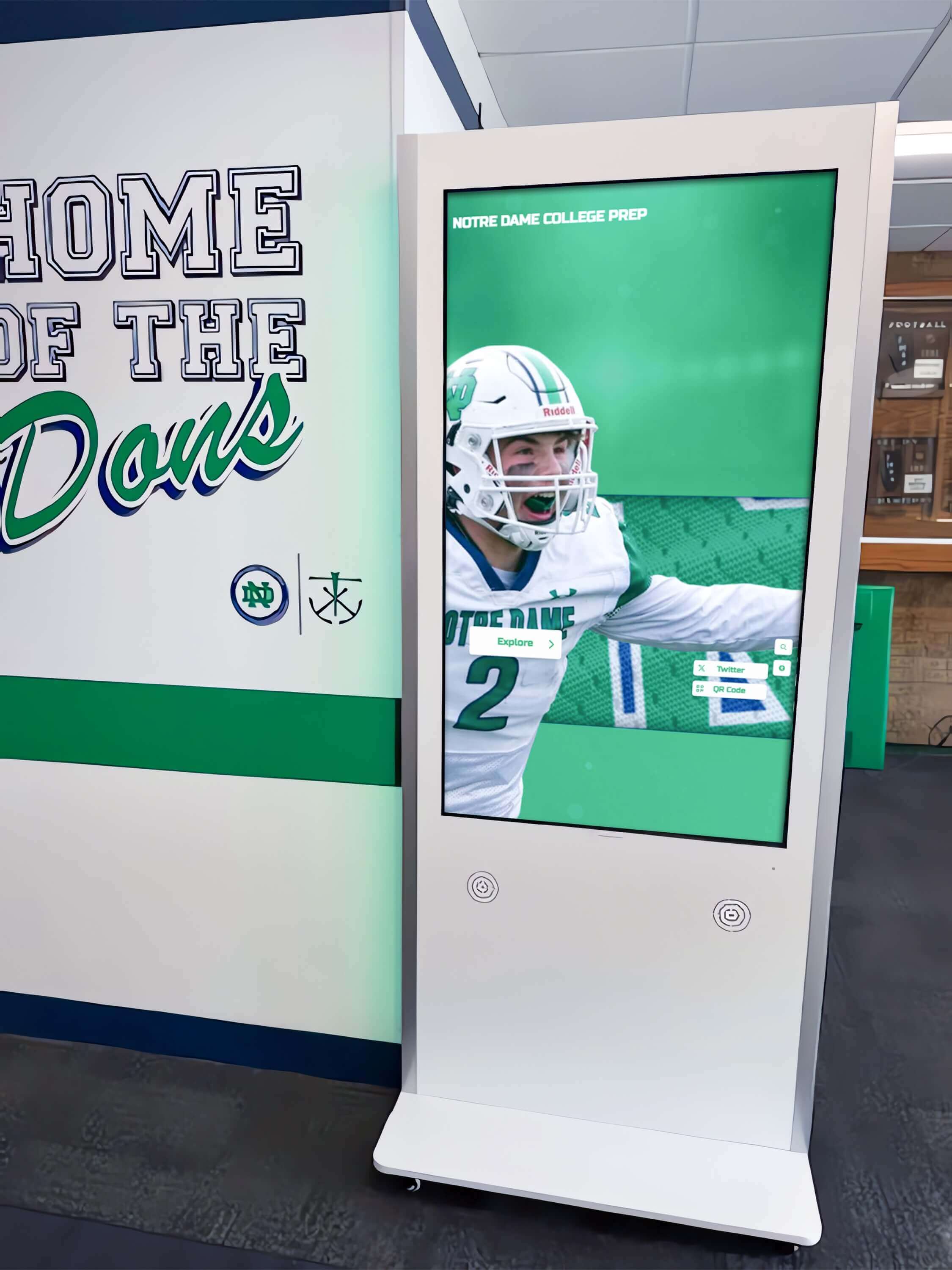
A hallway kiosk display lets visitors browse decades of game-day programs and seasonal records without requiring access to raw archive files.
Capturing Season Stories: Beyond Stats and Records
Statistics and win-loss records tell part of the story. The rest lives in narrative: the senior class that rebuilt a program after a difficult stretch, the coach whose system produced a string of championship seasons, the student-athlete who competed through injury to lead a district title run.
Season stories can be captured through several complementary approaches:
- End-of-season reports written by coaches or athletics staff, documenting key moments, turning points, and notable performances
- Alumni interviews conducted with former athletes to document experiences from earlier eras before memories and contacts are lost
- Newspaper and yearbook clippings that provide contemporary accounts that were written without the benefit of hindsight
- Social media archives that capture real-time reactions and behind-the-scenes content from recent seasons
Structured prompts help coaches document seasons consistently year over year. A simple template — season record, key wins, individual honors, team goals achieved, and one defining moment — produces comparable records across years and sports that advancement staff can actually use.
Schools investing in visual identity programs for their athletic and performing arts programs increasingly treat narrative records as a core part of their identity assets, not just an administrative task.
Sports Media Archive: Media Types at a Glance
| Media Type | Recommended Format | Retention Priority | Primary Use Cases |
|---|---|---|---|
| Athletic photographs | JPEG or TIFF at 600 DPI | Permanent | Displays, publications, hall of fame |
| Game video | H.264 MP4 (working); ProRes (master) | Selective / permanent for championships | Highlights, recognition, recruitment |
| Game programs | Searchable PDF + source files | Permanent | Rosters, records, sponsor documentation |
| Season stats and records | Spreadsheet or database with backup | Permanent | Record boards, year-end reports, displays |
| Written season narratives | Plain text or PDF | Permanent | Season history, alumni outreach |
| Social media content | Native export + local backup | 5–10 years or permanent for milestones | Recent history, community engagement |
Ready to display your sports media archive where your community can experience it?
Rocket Alumni Solutions builds interactive touchscreen displays that bring athletic photographs, season records, game programs, and team histories to life in hallways, lobbies, and athletic facilities. See how archive content becomes a living part of your school’s story.
From Archive to Display: Making History Visible
A sports media archive reaches its full potential when it connects to how your school presents its history — to current students, visiting families, alumni, and donors.
Digital touchscreen displays pull directly from archive content to create exhibits that update without requiring new construction. A touchscreen installed in an athletic lobby can surface the same photographs, game programs, and season stories contained in the archive, organized for casual browsing rather than administrative lookup.
This connection between archive and display serves multiple audiences simultaneously. Current students see the tradition they’re part of. Alumni find their own moments in the institution’s record. Donors see evidence that their support contributed to a lasting legacy. A well-structured sports media archive is the content infrastructure that makes all of these displays possible — and it is what separates a hall of fame installation that ages gracefully from one that becomes outdated after a single graduation cycle.
For schools building recognition program guides or managing facility-wide recognition across multiple departments, athletic archive content provides the raw material for everything from hall of fame installations to touchscreen building directory displays that welcome visitors with context about the institution’s history.
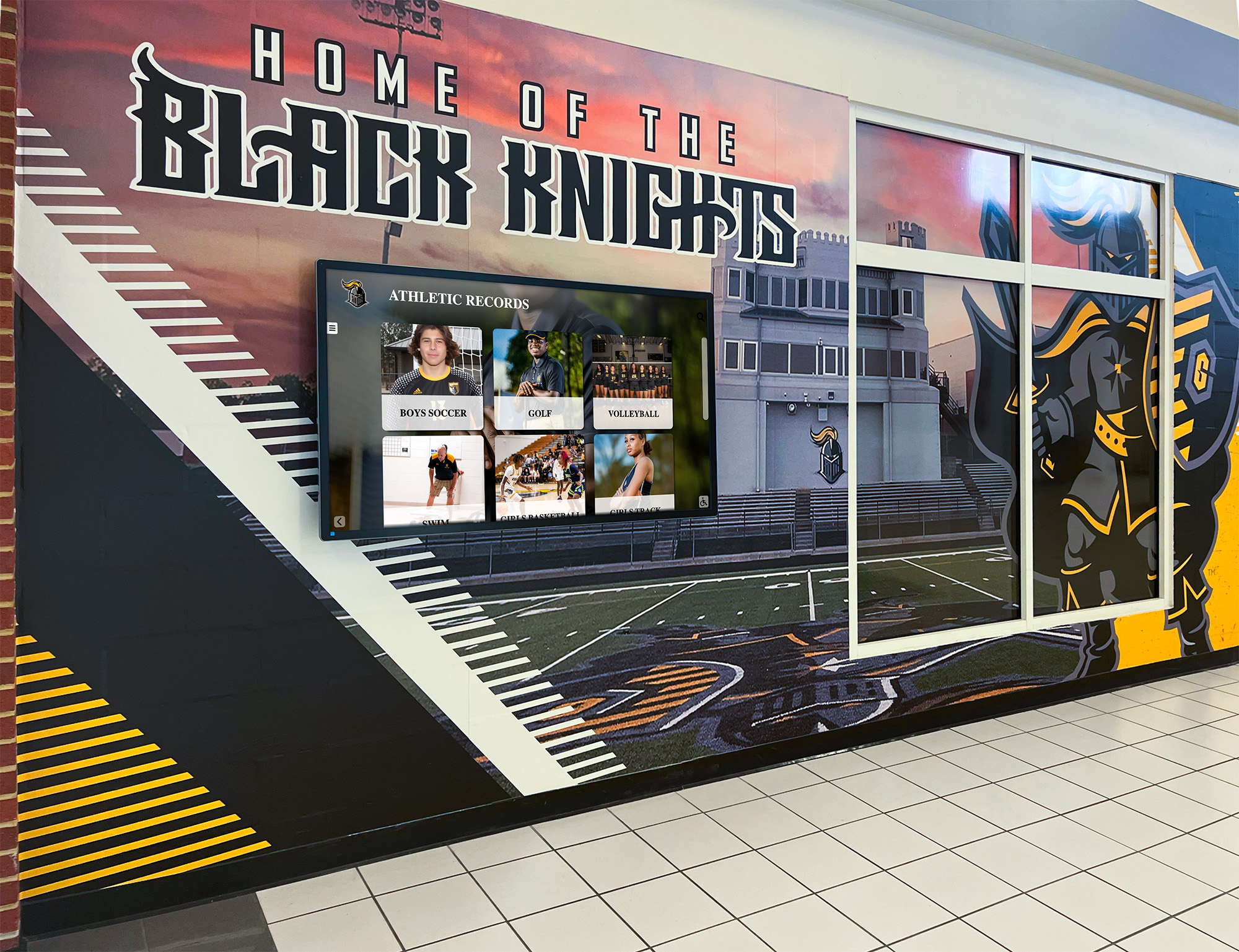
Hallway murals paired with digital records displays bridge physical school identity and searchable sports media archive content for students and visitors alike.
Frequently Asked Questions
How long should a sports media archive retain files? Athletic records and photographs from championship or historically significant seasons should be retained permanently. Routine documentation — standard season games, practice footage — can follow a shorter retention schedule based on storage capacity and institutional policy. A general guideline is seven to ten years for routine digital files, with permanent retention for anything tied to a championship, record, or hall of fame induction.
Who should manage the sports media archive? Ownership typically lives with the athletic department, but management works best when communications or library staff are involved. Athletic staff understand the content; communications staff know how to use it; library or records staff understand preservation standards and file management best practices.
What happens to the archive when staff turn over? Document access credentials, folder structures, and naming conventions in a written protocol that transfers with the role. Archive documentation is as important as the archive itself. Staff transitions are the leading cause of archive loss at the high school level.
Can a sports media archive support donor and advancement work? Yes, and this is one of its most significant secondary uses. Visual evidence of athletic history — championship photos, program growth across decades, alumni achievement — is compelling content for donor communications. A searchable archive allows advancement staff to pull relevant content independently without relying on athletics staff as intermediaries.
How does archive content connect to digital displays? Archive files become the source content for digital displays. Touchscreen hall of fame systems, digital record boards, and interactive lobby kiosks all draw from the same photograph, video, and statistics collections that a well-maintained archive provides. The display is the front end; the archive is the foundation.
What should schools prioritize when starting from scratch? Begin with a media audit to understand what exists and where it is. Then address the highest-risk materials first: physical photographs and VHS tapes that are actively degrading. Establish naming conventions before digitizing large volumes to avoid creating a digital equivalent of the disorganized physical collection you started with.
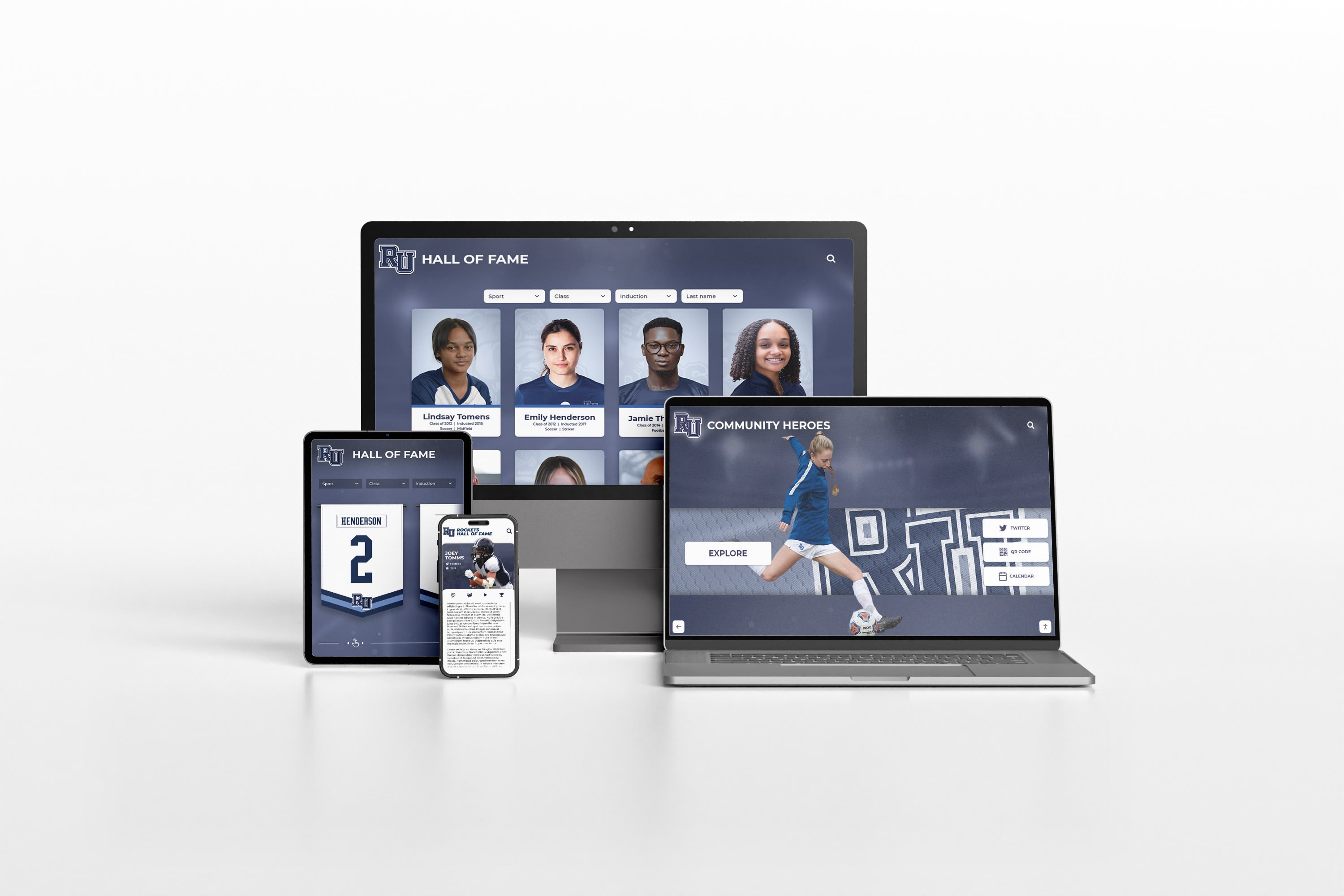
A responsive digital platform extends sports media archive access beyond on-campus displays to any device, at any time.
Building a Sports Media Archive That Lasts
A sports media archive is institutional infrastructure. Like a well-maintained athletic facility, it requires an upfront investment of time and organization — and it returns value for decades.
The schools with the strongest athletic identities tend to be the ones that took archive work seriously before they urgently needed it. Championship anniversaries, hall of fame inductions, senior recognition nights, and alumni giving campaigns all draw from the same well of archived photographs, videos, programs, and stories. When that archive is organized, complete, and accessible, every recognition moment is better for it.
Start with a media audit. Establish naming conventions. Prioritize digitization of fragile materials. Build access pathways for the staff and audiences who need them. And connect your archive to the displays that make history visible to everyone who walks your halls.
Turn Your Sports Media Archive Into a Living Display
Rocket Alumni Solutions helps schools transform athletic archives into interactive experiences — from touchscreen hall of fame displays to digital record boards and lobby installations that connect your history to your community.































