



Schools, universities, museums, and nonprofit organizations face common visitor experience challenges: newcomers struggle to navigate unfamiliar facilities, historical achievements sit in storage due to limited display space, and static information boards quickly become outdated. Meanwhile, front desk staff spend countless hours answering repetitive directional questions and providing basic information that could be delivered more efficiently through self-service systems.
Touchscreen kiosk solutions address these challenges by transforming how organizations communicate with visitors, showcase achievements, and manage information flow. Interactive displays provide intuitive wayfinding, preserve unlimited institutional history, deliver current announcements automatically, and create engaging experiences that static signage cannot match. These self-service systems reduce staff workload while improving visitor satisfaction through 24/7 information access.
This comprehensive guide explores touchscreen kiosk solutions for educational institutions and organizations, examining applications ranging from campus wayfinding to athletic recognition, donor walls to museum exhibits. Whether planning your first interactive display or expanding an existing digital signage network, this guide provides frameworks for technology selection, content strategy, and implementation planning that maximizes return on investment.
Organizations implementing touchscreen kiosks report measurable improvements in visitor experience and operational efficiency. According to research on interactive exhibit engagement, digital displays generate significantly longer visitor dwell time compared to static exhibits, while self-service information systems reduce staff workload handling routine inquiries.

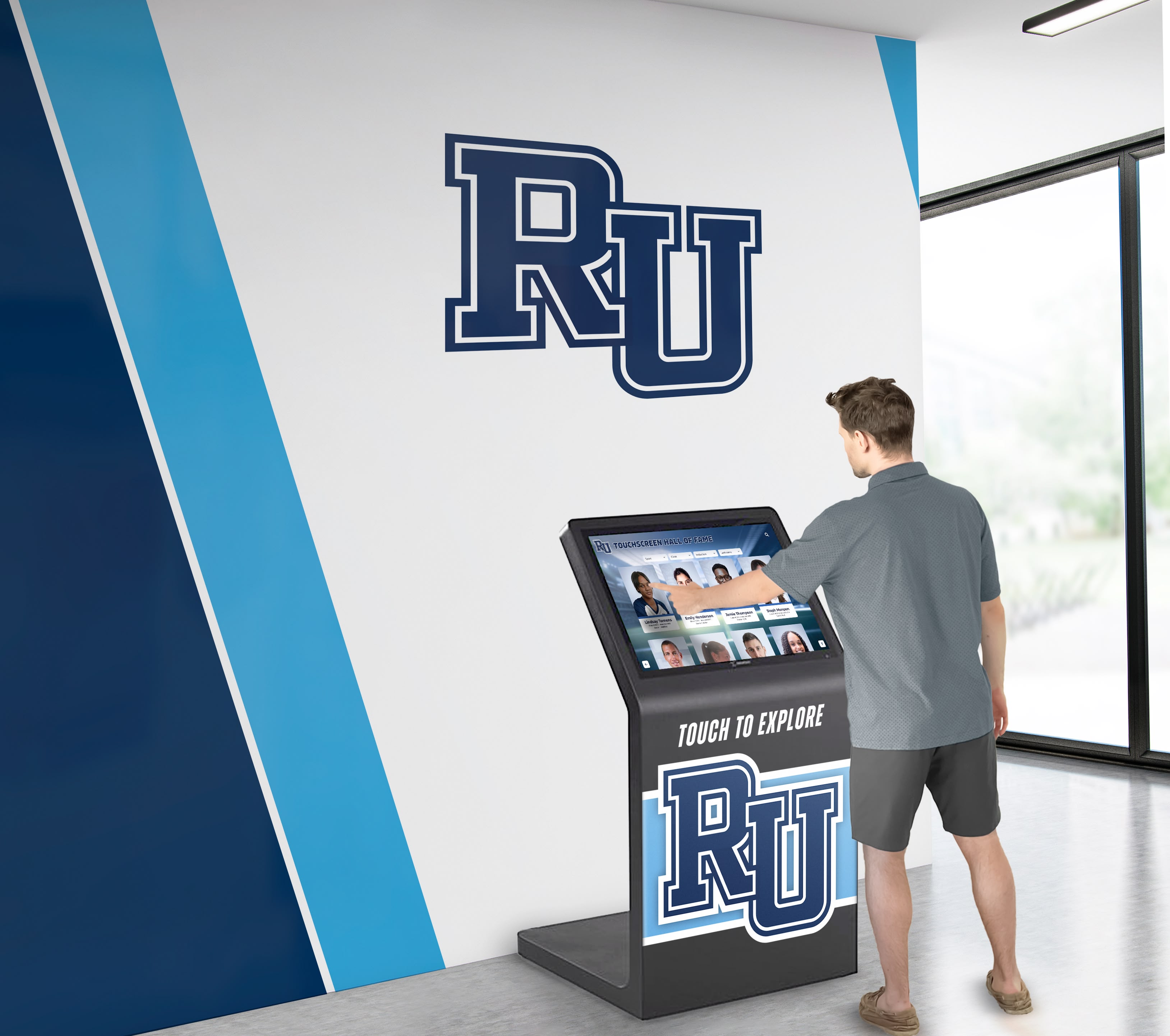
Interactive touchscreen kiosks create engaging self-service experiences that improve visitor navigation while reducing staff workload
Understanding Touchscreen Kiosk Applications for Institutions
Versatile interactive display technology serves diverse organizational needs across educational, cultural, and nonprofit sectors.
Campus Wayfinding and Navigation Systems
Complex facilities require intuitive navigation assistance for visitors, students, and families:
Interactive Campus Maps
Touchscreen wayfinding eliminates confusion in large institutional complexes:
- Building directories with searchable department and office listings
- Interactive facility maps showing current location and destination routes
- Multi-building campus navigation with outdoor pathway guidance
- Accessibility information highlighting elevator locations, ramps, and accessible entrances
- Parking lot directions with real-time availability where applicable
- Event location guidance during special programs and gatherings
These self-service navigation systems reduce front desk inquiries while ensuring visitors reach destinations efficiently. For comprehensive wayfinding solutions, building directory touchscreen systems provide specialized navigation capabilities.
Real-Time Information Updates
Dynamic content ensures visitors receive current information:
- Event schedules with location and time details automatically updated
- Building closure notifications during maintenance or special activities
- Weather-related campus status updates and emergency communications
- Visitor parking instructions and guest registration processes
- Facility hours for libraries, dining services, and administrative offices
- Construction detour routing during facility improvement projects
Real-time updates maintain information accuracy without requiring manual signage changes throughout facilities.
Digital Recognition and Hall of Fame Displays
Interactive kiosks preserve institutional history and honor achievements impossible with physical displays:
Athletic Recognition Archives
Touchscreen systems solve trophy overcrowding while enhancing engagement:
- Unlimited championship team recognition without physical space constraints
- Searchable athlete directories spanning complete program history
- Individual award recipients across all sports and achievement levels
- Coaching milestone recognition with career statistics and accomplishments
- Record board displays showing current marks and historical progression
- Team photo archives preserving visual program history across decades
Schools report that digital recognition enables honoring every athlete rather than selecting which achievements deserve limited display space. Explore comprehensive digital hall of fame solutions designed specifically for institutional recognition needs.
Academic Achievement Showcases
Celebrating educational excellence across programs:
- Honor roll recognition updated automatically each grading period
- Academic competition success including Science Olympiad, debate, and math leagues
- National Honor Society member directories with achievement details
- Valedictorian and salutatorian historical records
- Scholarship recipient recognition with award amounts and destinations
- Student research presentation archives preserving academic contributions
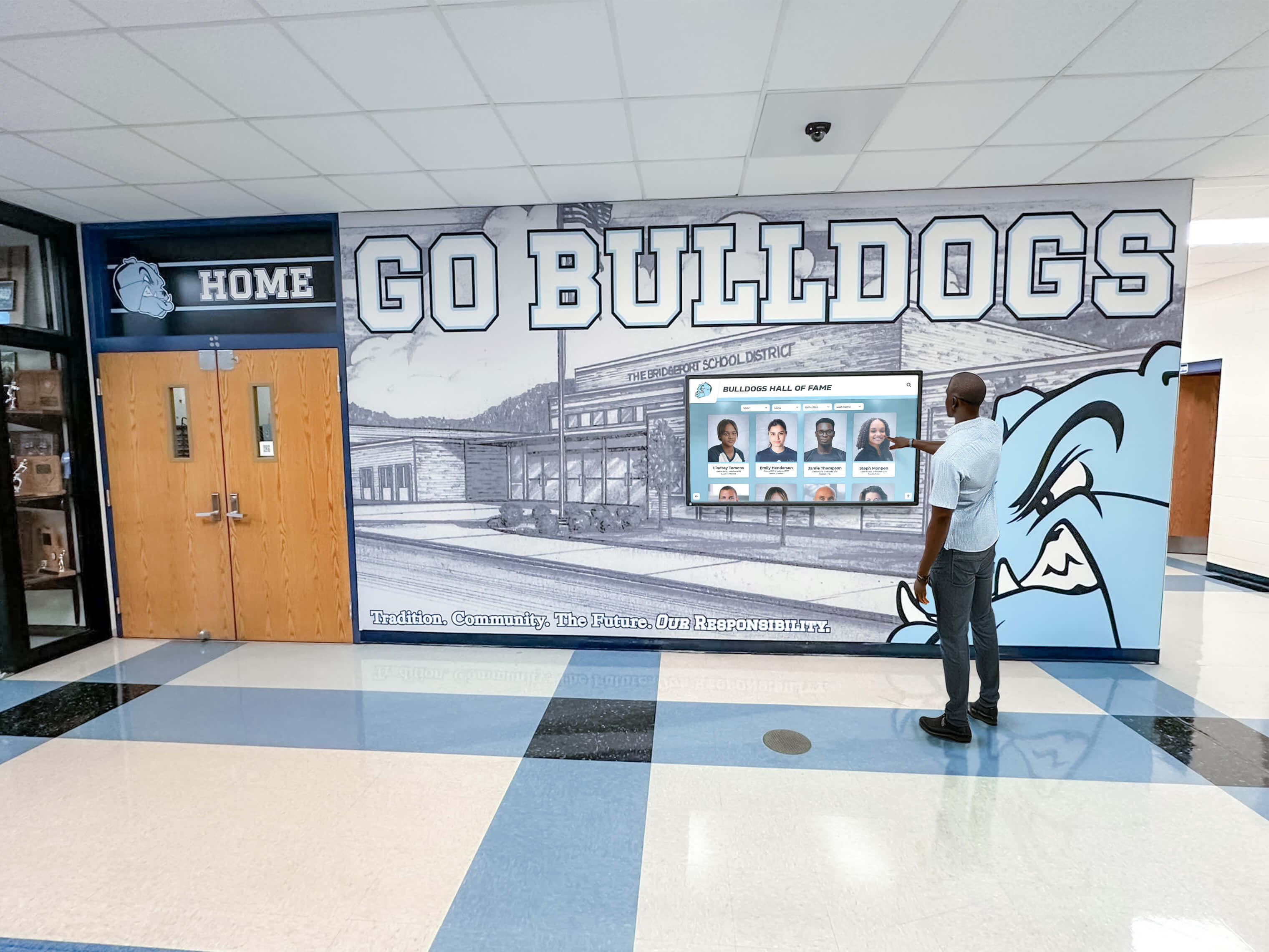
Interactive recognition displays enable students to explore complete institutional history through searchable, engaging interfaces
Donor Recognition and Fundraising Support
Nonprofit organizations and educational institutions leverage touchscreen displays for donor stewardship:
Interactive Donor Walls
Digital recognition transforms traditional donor walls with enhanced capabilities:
- Unlimited donor capacity through digital databases eliminating space constraints
- Searchable donor directories enabling quick location of specific supporters
- Giving level societies organized by contribution amounts
- Cumulative lifetime giving recognition across multiple campaigns
- Campaign-specific recognition for capital projects and special initiatives
- Donor testimonial videos explaining motivations and impact stories
Organizations implementing digital donor wall systems report significant cost savings compared to traditional bronze plaques while achieving superior engagement.
Campaign Progress and Impact Visualization
Real-time fundraising communication:
- Live campaign thermometers showing progress toward goals
- Impact metrics demonstrating outcomes achieved through philanthropy
- Project photography showing donor-funded facility improvements
- Beneficiary testimonials explaining how support creates change
- Historical giving trends celebrating sustained community support
- Planned giving recognition honoring legacy commitments
Dynamic content maintains donor engagement while inspiring prospective supporters through visible community participation.
Museum and Cultural Institution Exhibits
Interactive displays enhance visitor experiences in educational environments:
Artifact and Collection Exploration
Digital touchscreens extend limited physical exhibit space:
- Virtual collection browsing accessing archives beyond displayed items
- Detailed artifact information including provenance and historical context
- High-resolution imagery enabling close examination impossible with physical displays
- Audio descriptions and multilingual content serving diverse visitors
- Related item connections revealing collection relationships
- Curatorial commentary explaining significance and interpretation
Museums report that interactive digital displays for museum collections dramatically increase visitor engagement duration compared to static exhibits.
Historical Timeline and Story Navigation
Contextual information delivery through interactive interfaces:
- Chronological timelines enabling historical exploration
- Thematic content organization connecting related topics
- Primary source document access with transcriptions and analysis
- Oral history recordings preserving community voices
- Photographic archives showing community evolution
- Interactive maps revealing geographic dimensions of local history

Museum visitors engage deeply with interactive exhibits that provide rich contextual information beyond static displays
Essential Touchscreen Kiosk Hardware Specifications
Selecting appropriate equipment ensures reliable operation in institutional environments.
Display Technology and Size Selection
Screen specifications significantly impact user experience and visibility:
Screen Size Considerations
Matching display dimensions to application and location:
- 32-43 inch screens for individual tabletop or counter installations
- 43-55 inch displays for standard floor-standing kiosks
- 55-65 inch screens for high-traffic lobby focal points
- 65-75+ inch displays for large gathering spaces and auditoriums
- Multiple coordinated screens for video wall installations
- Portrait versus landscape orientation based on content type
Strategic sizing ensures readability from typical viewing distances while fitting available space constraints.
Touchscreen Technology Options
Different touch technologies suit various applications:
- Capacitive touchscreens providing smartphone-like responsiveness for individual users
- Infrared touch overlays offering excellent accuracy at lower costs
- Projected capacitive technology supporting multi-touch gestures
- Anti-glare screen coatings reducing reflections in bright environments
- Tempered glass protection preventing screen damage from impacts
- Vandal-resistant touchscreens for public spaces with security concerns
Institutional environments typically benefit from infrared or projected capacitive technology balancing performance, durability, and cost.
Kiosk Enclosure and Mounting Options
Physical installation configurations affect accessibility and integration:
Freestanding Floor Kiosks
Self-contained units requiring minimal installation:
- Weighted bases providing stability without floor mounting
- Integrated computers and peripherals concealed in enclosure
- Cable management systems hiding power and network connections
- Lockable access panels securing equipment from tampering
- Optional branding areas displaying organizational logos
- Wheel kits enabling repositioning for events or cleaning
Freestanding kiosks offer installation flexibility particularly valuable for rental facilities or temporary deployments.
Wall-Mounted Displays
Integrated installations complementing architectural design:
- Slim profiles minimizing space intrusion in corridors
- Secure mounting hardware supporting commercial display weight
- Integrated media players and computers behind displays
- Professional cable concealment maintaining clean appearance
- ADA-compliant mounting heights ensuring wheelchair accessibility
- Optional decorative surrounds integrating with facility aesthetics
Wall mounting works well for permanent installations in designed spaces with appropriate structural support.
Countertop and Desktop Units
Smaller formats for reception areas and service desks:
- Angled displays optimizing viewing for standing or seated users
- Compact footprints fitting limited counter space
- Easy cable routing to desk-mounted equipment
- Portable configurations enabling flexible placement
- Lower hardware costs for smaller screen sizes
- Appropriate for lower-traffic individual assistance applications
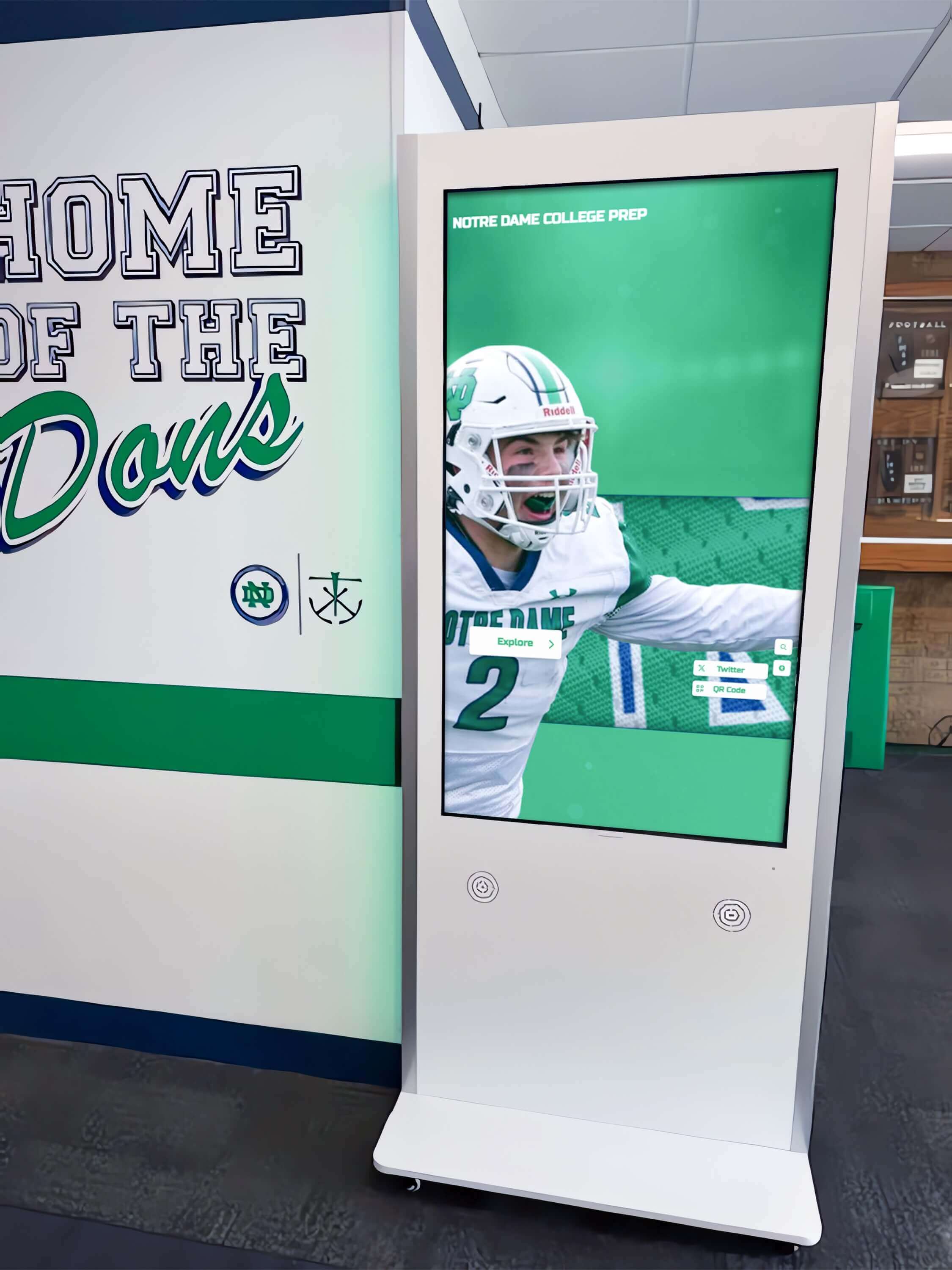
Freestanding kiosk enclosures provide professional installations with flexibility for optimal placement in high-traffic areas
Commercial-Grade Durability Requirements
Institutional environments demand reliable equipment surviving continuous operation:
Display Specifications for Continuous Use
Commercial displays exceed consumer equipment capabilities:
- 16-24 hour daily operation ratings versus 8-hour consumer specifications
- Industrial-grade components designed for extended lifecycles
- Commercial warranties covering continuous operation (typically 3 years)
- Higher brightness ratings (400-700 nits) overcoming ambient lighting
- Temperature tolerance for varied environmental conditions
- Longer expected service life (50,000+ hours versus 20,000 for consumer displays)
Initial commercial equipment investment prevents premature failures requiring expensive replacements.
Vandalism and Damage Protection
Public spaces require security features:
- Tempered glass screen protection preventing breakage
- Lockable enclosures preventing equipment theft
- Tamper-evident seals detecting unauthorized access
- Surge protection safeguarding against power fluctuations
- Moisture resistance for outdoor or semi-outdoor installations
- Impact-resistant materials for high-traffic public areas
Security features prove essential particularly in unsupervised public spaces during after-hours access.
Software Platform Capabilities and Content Management
Backend systems determine kiosk functionality and maintenance efficiency.
User Interface Design Principles
Effective touchscreen interfaces accommodate diverse users without training:
Intuitive Navigation Patterns
Simple interaction models enabling immediate comprehension:
- Large touch targets (minimum 44x44 pixels) preventing mis-touches
- Clear visual hierarchy emphasizing primary actions
- Consistent navigation placement across all screens
- Prominent “Home” button visible throughout experience
- Minimal text with visual icons supporting recognition
- Logical content organization matching user mental models
Museum exhibit research demonstrates that clear navigation achieves over 90% task completion rates while confusing interfaces lead to abandonment.
Accessibility Compliance
Universal design ensures usability for all visitors:
- Screen reader compatibility for vision-impaired users
- Adjustable text sizing accommodating varied visual abilities
- High-contrast viewing modes improving readability
- Audio descriptions supplementing visual content
- Wheelchair-accessible mounting heights
- Simple touch interactions avoiding complex gestures
Organizations serving public audiences must meet ADA compliance standards ensuring equitable access for all community members.
Content Management System Features
Cloud-based platforms enable efficient kiosk maintenance:
Remote Content Updates
Web-based management eliminates on-site editing requirements:
- Browser-based interfaces accessible from any internet-connected device
- Immediate content publishing reflecting changes instantly
- Scheduled content enabling automated updates at future dates
- Template systems maintaining consistent branding and formatting
- Media libraries organizing photos, videos, and documents
- Preview modes testing content before public visibility
Remote management proves particularly valuable for organizations managing multiple kiosks across distributed locations.
Multi-User Administration
Collaborative content management with appropriate permissions:
- Role-based access controlling who can edit different content sections
- Department-specific administrator accounts for distributed management
- Approval workflows requiring supervisor review before publishing
- Activity logs tracking who modified content and when
- Content version history enabling rollback if errors occur
- Training resources and documentation supporting new administrators
Distributed management enables subject matter experts to maintain their respective content areas without bottlenecking through IT departments.
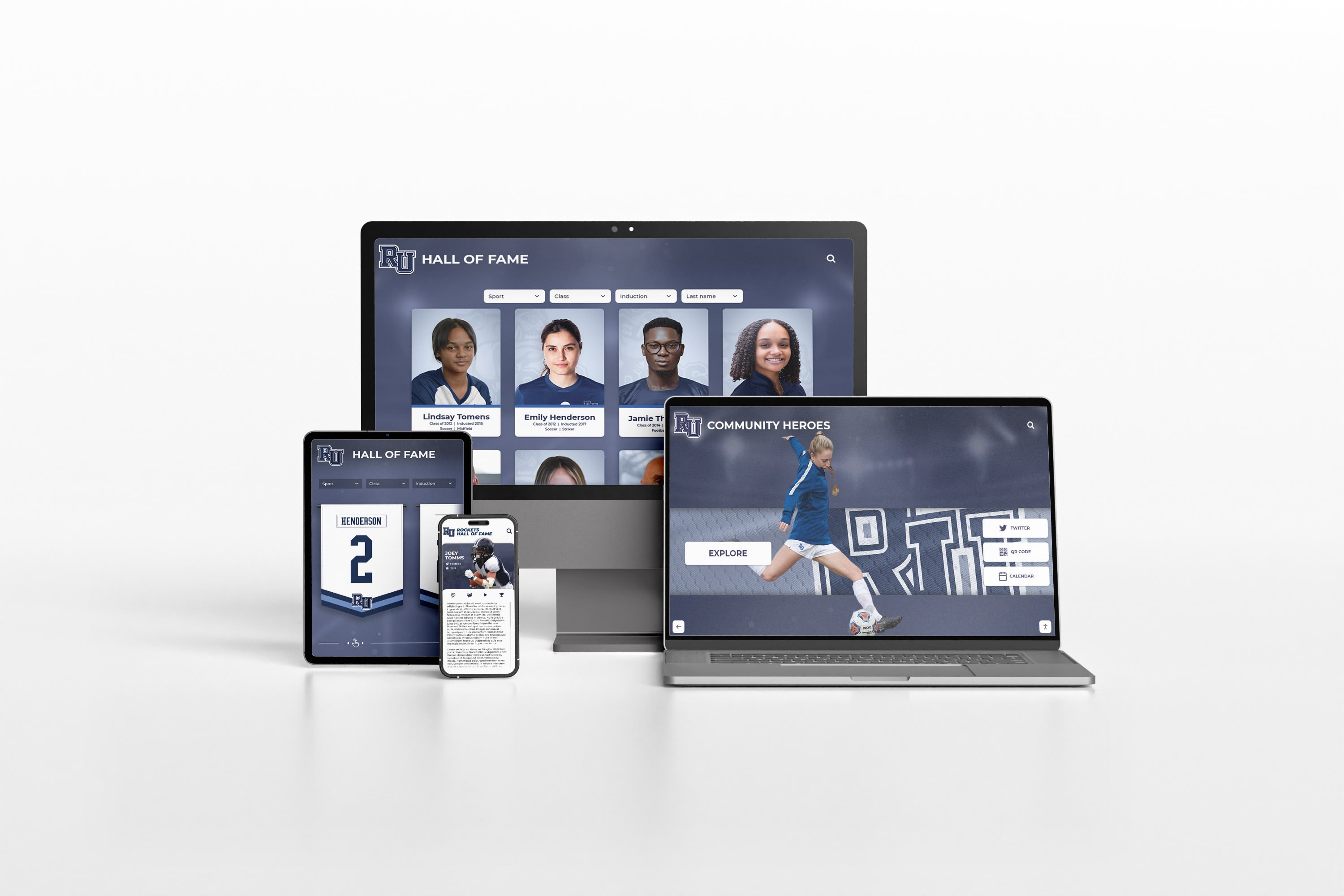
Cloud-based content management platforms enable administrators to update touchscreen content from any device with internet access
Integration Capabilities
Connecting kiosks to existing organizational systems:
Database and Information System Integration
Automated data synchronization reducing manual entry:
- Student information system integration for academic recognition
- Donor database connections for fundraising displays
- Event management system integration for campus calendars
- Directory system integration for wayfinding applications
- Athletic statistics platforms for sports recognition
- Content management system connections for news and announcements
Integration eliminates duplicate data entry while ensuring touchscreen content reflects authoritative source systems.
Analytics and Reporting Tools
Understanding kiosk usage and content effectiveness:
- Interaction tracking showing total user sessions
- Popular content identification revealing most-viewed pages
- Search query logs indicating visitor information needs
- Session duration metrics measuring engagement depth
- Time-of-day usage patterns informing maintenance scheduling
- Content performance comparison identifying optimization opportunities
Analytics enable evidence-based refinement improving visitor experiences over time.
Implementation Planning and Deployment Process
Systematic approaches ensure successful touchscreen kiosk installations.
Needs Assessment and Goal Definition
Understanding organizational requirements before technology selection:
Stakeholder Input Collection
Identifying diverse needs across user groups:
- Visitor pain points and information needs through observation and surveys
- Staff workflow analysis revealing repetitive assistance requests
- Administrative priorities for recognition, communication, and navigation
- IT department infrastructure and support capacity assessment
- Budget authority expectations for costs and return on investment
- Timeline requirements for completion and launch dates
Comprehensive stakeholder engagement prevents implementing systems that fail to address actual organizational needs.
Use Case Prioritization
Focusing initial deployments on highest-value applications:
- Primary visitor information needs creating greatest impact
- Existing pain points causing most significant operational inefficiency
- High-traffic locations maximizing kiosk utilization
- Recognition backlog representing years of accumulated content
- Strategic initiatives supporting institutional priorities
- Quick wins demonstrating value and building momentum
Starting with clear priority applications enables focused implementation proving value before expansion.
Location Selection and Placement Strategy
Strategic positioning dramatically affects kiosk usage and effectiveness:
High-Traffic Area Identification
Maximizing visibility and accessibility:
- Main building entrances capturing all facility visitors
- Reception areas where visitors naturally pause
- Elevator lobbies with built-in dwell time
- Cafeteria and dining facility gathering spaces
- Athletic facility entrances for sports recognition
- Alumni centers and advancement offices for donor displays
Museum research demonstrates location represents the single biggest factor influencing interactive exhibit engagement—optimal placement outweighs elaborate content.
Accessibility and ADA Compliance
Ensuring universal access:
- Wheelchair-accessible approach clearances (minimum 30x48 inches)
- Mounting heights placing controls 15-48 inches above floor
- Clear floor space for parallel or forward wheelchair approaches
- Tactile indicators for vision-impaired wayfinding
- Audio alternatives for touch-based content
- Well-lit locations enabling screen visibility
Accessibility compliance serves legal requirements while ensuring all community members can engage with institutional information.
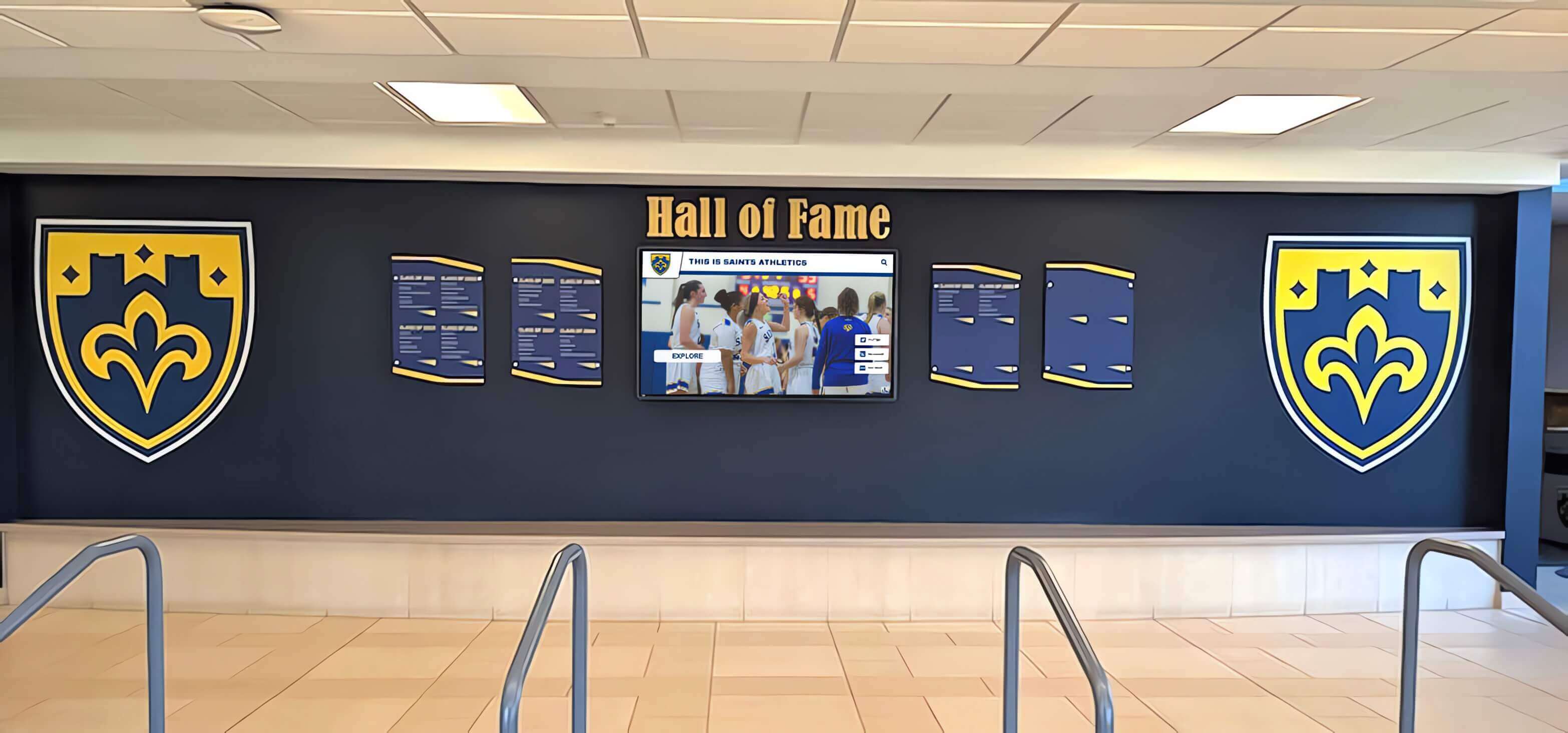
Strategic placement in main entrances ensures maximum visibility and accessibility for all facility visitors
Content Development and Migration
Creating comprehensive information archives for interactive displays:
Existing Content Audit and Digitization
Preparing organizational information for digital delivery:
- Physical trophy and plaque inventory for recognition applications
- Printed directory and wayfinding signage documentation
- Historical archives requiring digitization for preservation
- Existing digital assets requiring organization and optimization
- Content gaps identifying information needing creation
- Quality assessment determining what requires updating or replacement
Systematic auditing reveals actual content development workload before committing to timelines.
Phased Content Rollout Strategy
Managing development burden through staged implementation:
- Phase 1: Core navigation and current information establishing immediate utility
- Phase 2: Recent recognition content (past 3-5 years) demonstrating capabilities
- Phase 3: Historical archives working backward through institutional history
- Phase 4: Advanced features and interactive enhancements
- Ongoing: Regular updates maintaining currency and engagement
Phased approaches deliver value quickly while building comprehensive content libraries over time.
Specialized Applications for Educational Institutions
Schools and universities leverage touchscreen kiosks for unique institutional needs.
Campus Tours and Admissions Support
Interactive displays enhance prospective student and family visits:
Self-Guided Campus Tour Stations
Wayfinding for campus exploration:
- Interactive campus maps with suggested tour routes
- Building information highlighting academic programs and facilities
- Student life content showcasing activities and organizations
- Admissions information including application processes and deadlines
- Financial aid resources and scholarship opportunities
- Virtual tour supplements for families unable to visit in person
Admissions offices report that interactive campus displays significantly improve prospective student engagement during campus visits.
Program Showcase and Academic Information
Highlighting educational offerings:
- Department and major descriptions with career outcome data
- Faculty profiles showcasing teaching and research expertise
- Program highlight videos featuring students and alumni
- Course catalog browsing for academic planning
- Study abroad opportunities and international programs
- Research facility tours and laboratory capabilities
Student Services and Communication
Reducing administrative workload through self-service information access:
Event Calendars and Activity Schedules
Keeping students informed about campus life:
- Searchable event calendars with filters by interest area
- Athletic schedules with game times and locations
- Club and organization meeting information
- Academic calendar with registration and exam dates
- Campus facility hours for libraries, dining, and recreation
- Transportation schedules for campus shuttles and public transit
Dynamic content management enables automatic updates reflecting current information without manual signage changes throughout facilities.
Student Recognition and Achievement Displays
Celebrating academic and extracurricular excellence:
- Honor roll recognition updated automatically each grading period
- Student of the month spotlights with photos and accomplishments
- Scholarship recipient announcements
- Leadership position recognition for student government and organizations
- Competition success highlighting team and individual achievements
- Graduation recognition for seniors and achievement milestones
Digital displays enable broader recognition than physical space constraints allow, ensuring more students receive public acknowledgment.
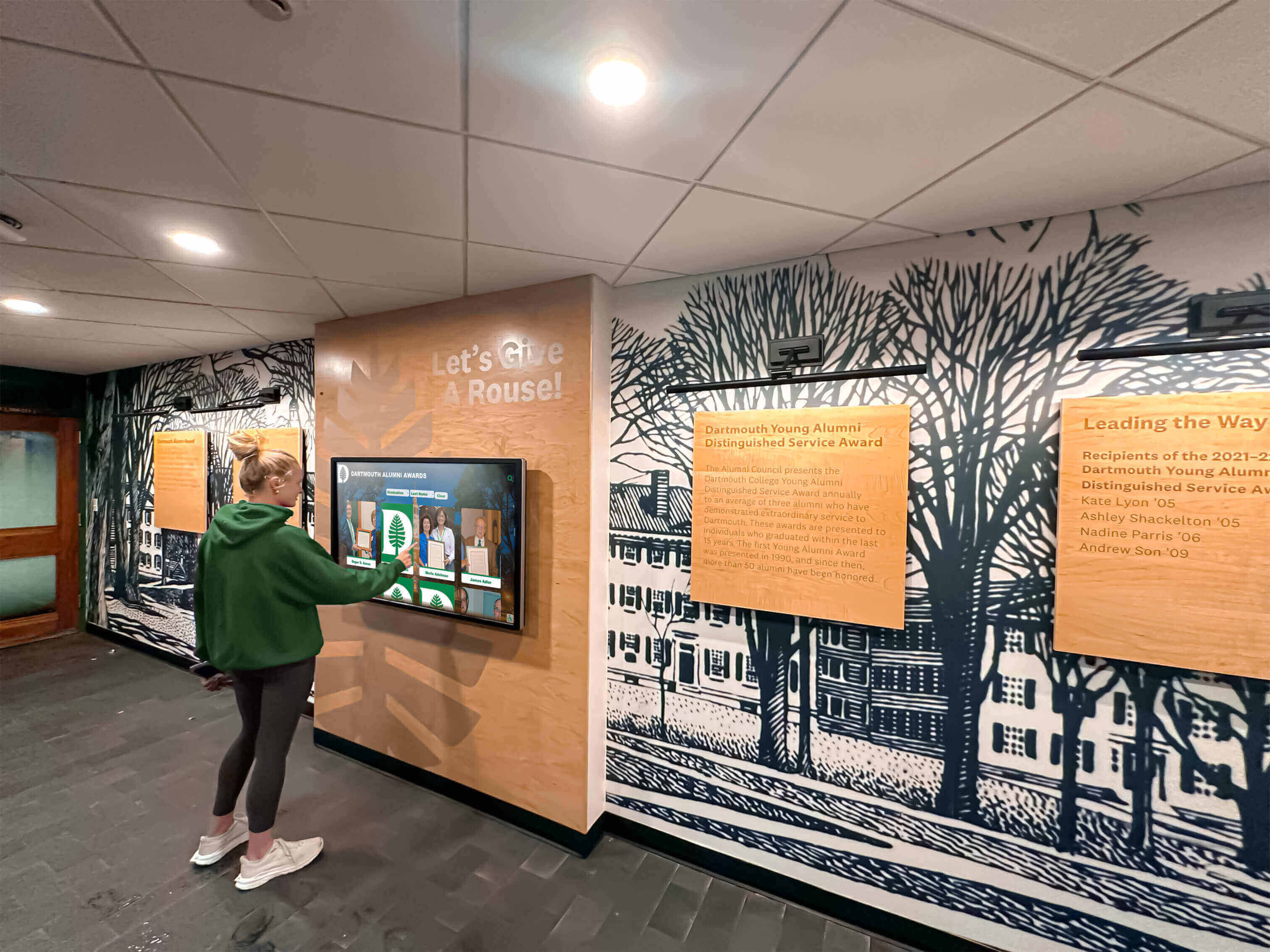
Students naturally engage with touchscreen kiosks providing self-service access to campus information and institutional history
Athletic Department Recognition
Comprehensive sports program history preservation:
Digital Trophy Cases and Record Boards
Solving physical display space limitations:
- Championship team recognition spanning complete program history
- Individual award recipients across all achievement levels
- School record boards with current marks and progression
- Season archives with team rosters, records, and memorable moments
- Coaching milestones and career achievement recognition
- Varsity letter winner directories creating searchable alumni records
Schools transitioning to digital recognition report eliminating difficult decisions about which achievements deserve limited physical trophy case space. Comprehensive touchscreen displays for athletic facilities enable unlimited recognition capacity.
Applications for Nonprofit Organizations and Cultural Institutions
Beyond educational settings, touchscreen kiosks serve diverse mission-driven organizations.
Nonprofit Donor Engagement
Digital recognition supporting fundraising and stewardship:
Interactive Donor Recognition Walls
Transforming traditional donor walls with enhanced capabilities:
- Unlimited donor capacity eliminating space constraints
- Searchable databases enabling quick donor location
- Multimedia profiles with photos, testimonials, and impact stories
- Giving society organization by contribution levels
- Campaign-specific recognition for special initiatives
- Remote updates adding new donors without installation costs
Nonprofits implementing digital donor walls report substantial cost savings compared to traditional bronze plaque systems while achieving superior donor engagement. Review comprehensive donor recognition strategies balancing traditional and digital approaches.
Volunteer Recognition Programs
Acknowledging non-monetary contributions:
- Volunteer service hour tracking and milestone recognition
- Individual volunteer profiles with photos and testimonials
- Program area organization highlighting different volunteer roles
- Special recognition for long-term dedicated volunteers
- Volunteer opportunity promotion recruiting new participants
- Impact metrics demonstrating collective volunteer contributions
Museum and Cultural Heritage Applications
Enhancing visitor education and engagement:
Collection Exploration Interfaces
Providing access beyond limited exhibit space:
- Virtual collections browsing thousands of archived items
- Detailed object information with provenance and context
- High-resolution imagery enabling close examination
- Thematic collections organized by topic or time period
- Curator commentary explaining significance and interpretation
- Related item connections revealing collection relationships
Community History and Oral Archive Preservation
Making local history accessible and engaging:
- Searchable historical photo archives with contextual information
- Oral history recordings preserving community voices and memories
- Interactive timelines exploring community development
- Family history research tools connecting visitors to local heritage
- Digitized primary source documents with transcriptions
- Map-based exploration revealing geographic history dimensions
Cultural institutions report that interactive museum displays dramatically increase visitor engagement duration and satisfaction compared to static exhibits.
Cultural institutions use interactive displays to make extensive archives accessible beyond limited physical exhibit space
Religious and Community Organization Applications
Faith-based and community groups leverage kiosks for communication and connection:
Event Information and Ministry Coordination
Keeping communities informed:
- Service schedules with special event details
- Ministry opportunity descriptions recruiting volunteers
- Building maps for navigation in large facilities
- Upcoming event calendars with registration options
- Pastoral message archives and sermon recordings
- Community outreach program information
Memorial and Recognition Displays
Honoring community members and contributions:
- Memorial recognition for deceased members with photos and tributes
- Donor acknowledgment for building and program support
- Leadership recognition for boards and committees
- Historical congregation information preserving community memory
- Anniversary celebrations marking institutional milestones
- Special recognition for distinguished service and contributions
For faith-based organizations, touchscreen recognition systems provide respectful ways to honor community members and donors.
Budget Considerations and Total Cost of Ownership
Understanding comprehensive costs enables realistic planning and vendor evaluation.
Initial Hardware and Software Investment
One-time expenses for kiosk deployment:
Hardware Costs by Configuration
Equipment investment ranges:
- Basic wall-mounted touchscreen (43-55 inch): $3,000-$6,000
- Standard freestanding kiosk with enclosure (55-65 inch): $8,000-$15,000
- Premium large-format installation (65-75+ inch): $12,000-$25,000
- Multi-screen video wall installations: $25,000-$60,000+
- Mounting hardware and professional installation: $1,000-$5,000
- Network infrastructure upgrades if needed: $500-$3,000
Hardware costs vary significantly based on screen size, touchscreen technology, enclosure quality, and commercial durability ratings.
Software Platform and Setup
Digital content management systems:
- Cloud-based software licensing (annual): $1,500-$5,000 depending on features
- Initial platform setup and configuration: $1,000-$3,000
- Custom branding and interface design: $1,000-$5,000 if desired
- Content development for initial launch: $2,000-$10,000 based on scope
- Staff training and onboarding: $500-$2,000
- Integration with existing systems: $1,000-$5,000 if required
Total Implementation Budget Ranges
Typical investment by deployment scale:
- Single basic kiosk installation: $8,000-$20,000
- Standard institutional deployment (2-3 kiosks): $20,000-$50,000
- Comprehensive multi-location network: $50,000-$150,000+
- Enterprise campus-wide systems: $150,000-$500,000+
Ongoing Operational Costs
Annual expenses for maintenance and support:
Software Licensing and Support
Recurring platform fees:
- Annual software licensing: $1,500-$5,000 per year based on features and scale
- Cloud hosting and bandwidth: typically included in licensing
- Technical support and maintenance: typically included in licensing
- Software updates and new features: typically included in licensing
- Additional administrator accounts: $200-$500 per user annually
Hardware Maintenance and Replacement
Long-term equipment lifecycle planning:
- Commercial displays: 5-7 year expected service life with continuous operation
- Annual maintenance contracts: $500-$1,500 per kiosk if desired
- Cleaning supplies and routine maintenance: minimal annual cost
- Touchscreen replacement if damaged: $1,000-$3,000
- Computer/media player replacement: $500-$1,500 every 4-5 years
- Hardware replacement reserve: budget 15-20% of initial cost annually for eventual replacement
Content Updates and Management
Ongoing content development:
- Staff time for content updates: internal cost varies by organization
- Professional content development if outsourced: $1,000-$5,000 annually
- Photography and videography for new content: $500-$3,000 annually
- Seasonal and campaign-specific updates: $500-$2,000 per major update
Return on Investment Calculation
Measuring value justifies continued investment:
Quantifiable Benefits
Direct cost savings and efficiency gains:
- Staff time reduction handling repetitive information requests
- Elimination of printed directory and signage update costs
- Reduced physical trophy and plaque expenses for recognition applications
- Donor recognition cost-per-name savings versus traditional walls
- Improved visitor satisfaction reducing complaint handling
- Enhanced reputation and perception through modern technology adoption
Strategic Value Creation
Harder-to-quantify institutional benefits:
- Improved visitor experience and satisfaction
- Enhanced institutional reputation through innovation
- Increased alumni and donor engagement
- Better preservation of institutional history
- More equitable recognition across all achievement categories
- Accessibility improvements serving entire community
Organizations typically achieve ROI within 2-4 years through combined operational savings and strategic value creation.
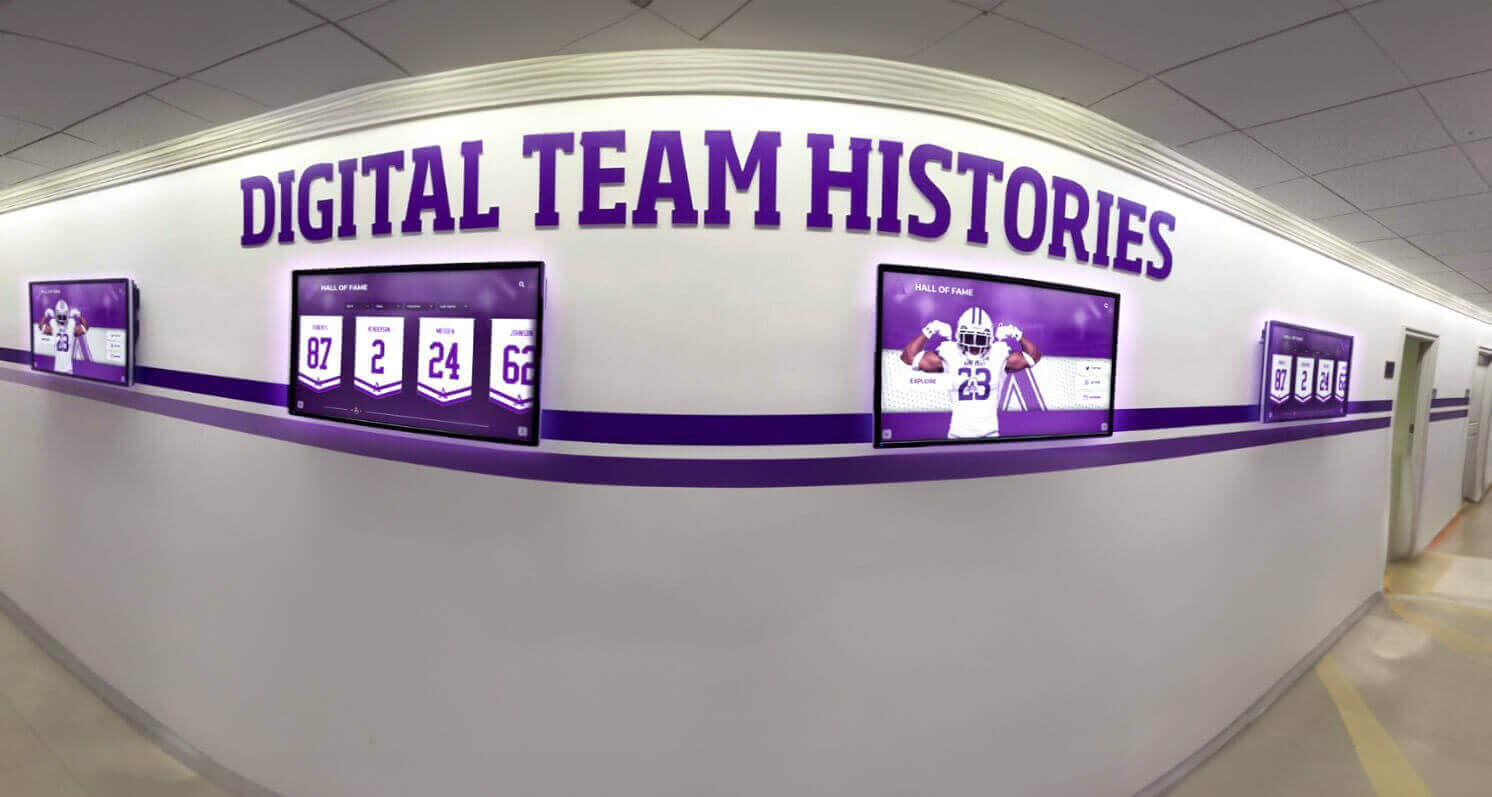
Multi-display installations provide comprehensive information coverage across distributed facility locations with coordinated content management
Technical Considerations and Best Practices
Practical insights ensure reliable operation and optimal user experience.
Network Infrastructure Requirements
Kiosk functionality depends on appropriate connectivity:
Connectivity Options and Reliability
Different approaches for different environments:
- Wired ethernet: most reliable option when available, preferred for permanent installations
- WiFi connectivity: acceptable where wired connections are impractical
- Cellular backup: ensures uptime when network issues occur
- Offline content caching: maintains basic functionality during outages
- Bandwidth requirements: 5-10 Mbps per kiosk for video-rich content
- Network security: isolated VLANs preventing unauthorized access
Power and Electrical Considerations
Reliable power supply and protection:
- Dedicated electrical circuits preventing overload
- Surge protection safeguarding against power fluctuations
- Battery backup (UPS) maintaining operation during brief outages
- Scheduled power cycling for automated overnight restarts
- Cable management preventing trip hazards and damage
- Emergency shutdown procedures during facility evacuations
Content Optimization for Performance
Technical efficiency ensures smooth user experience:
Media File Specifications
Balancing quality with performance:
- Images: High resolution (1920x1080 minimum) but compressed appropriately
- Videos: H.264 encoding at 10-15 Mbps for HD quality with manageable file sizes
- Maximum file sizes: Keep images under 2MB, videos under 50MB per minute
- Progressive loading: Display content immediately while additional elements load
- Local caching: Store frequently accessed content on kiosk hardware
- Content delivery networks: Distribute media from servers near kiosk locations
Touch Responsiveness and Interface Performance
Ensuring fluid interaction:
- Large touch targets (minimum 44x44 pixels) preventing mis-touches
- Immediate visual feedback confirming touch registration
- Smooth animations without lag or stuttering
- Simplified graphics reducing processing requirements
- Regular performance testing under expected usage loads
- Hardware specifications matching content complexity requirements
Security and Privacy Considerations
Protecting equipment, data, and visitor information:
Physical Security Measures
Preventing theft and vandalism:
- Lockable enclosures securing displays and computers
- Tamper-evident seals detecting unauthorized access
- Cable locks attaching equipment to building structures
- Security camera coverage in high-risk locations
- After-hours power shutdown in unsupervised areas
- Insurance coverage for equipment damage or theft
Data Security and Privacy Compliance
Protecting collected information:
- Encrypted network connections for data transmission
- Secure credential storage for administrative access
- Regular software security updates and patches
- Privacy policy compliance for information collection
- GDPR and data protection regulation adherence
- Regular security audits and penetration testing
Organizations collecting visitor information through interactive features must implement appropriate security measures protecting personal data.

Professional enclosures provide security features protecting expensive equipment in public spaces while maintaining attractive appearance
Vendor Selection and Partnership Evaluation
Choosing appropriate technology partners significantly impacts long-term success.
Key Selection Criteria
Evaluating vendors across multiple dimensions:
Platform Capabilities and Features
Core functionality requirements:
- Intuitive content management system accessible to non-technical staff
- Mobile-responsive interfaces supporting varied screen sizes
- Accessibility compliance meeting ADA standards
- Analytics and reporting capabilities
- Integration options with existing organizational systems
- Scalability supporting growth from single kiosk to network
- White-labeling and branding flexibility
Implementation and Support Quality
Service factors determining satisfaction:
- Professional installation and deployment services
- Comprehensive staff training and documentation
- Responsive technical support with clear SLA commitments
- Proactive maintenance and monitoring
- Regular software updates and feature enhancements
- Dedicated account management for enterprise deployments
- Reference clients in similar industries providing validation
Total Cost of Ownership
Understanding complete investment requirements:
- Transparent pricing without hidden fees
- Clear licensing models (annual subscription versus perpetual)
- Predictable cost scaling as deployments expand
- Hardware partnership or neutrality enabling competitive equipment sourcing
- Included features versus premium add-ons
- Contract terms and commitment periods
Solutions like Rocket Alumni Solutions provide comprehensive platforms specifically designed for institutional recognition and communication needs, combining powerful content management with professional support services.
Request for Proposal (RFP) Development
Structured vendor evaluation process:
Essential RFP Components
Information enabling meaningful proposal comparison:
- Organizational background and project context
- Specific use cases and functional requirements
- Technical specifications and integration needs
- Budget parameters and funding constraints
- Implementation timeline expectations
- Evaluation criteria and decision process
- Contract terms and support requirements
Vendor Response Evaluation Framework
Systematic assessment of proposals:
- Functional fit scoring against stated requirements
- Technical architecture and scalability assessment
- Implementation approach and timeline feasibility
- Reference checking and client satisfaction validation
- Total cost of ownership calculation across expected lifecycle
- Risk assessment identifying potential concerns
- Cultural fit and partnership potential evaluation
Future Trends in Touchscreen Kiosk Technology
Emerging capabilities will enhance interactive display functionality.
Artificial Intelligence Integration
AI-powered features improving personalization and automation:
Intelligent Content Recommendations
Machine learning enhancing user experience:
- Personalized content suggestions based on interaction patterns
- Natural language search understanding conversational queries
- Automatic content organization and tagging
- Predictive analytics anticipating visitor information needs
- Voice interaction enabling hands-free operation
- Facial recognition for personalized greetings (with appropriate privacy safeguards)
Automated Content Management
AI reducing administrative workload:
- Automatic recognition profile generation from databases
- Intelligent photo organization and tagging
- Content quality scoring identifying improvement opportunities
- Anomaly detection flagging potential errors before publication
- Natural language generation creating descriptive text from structured data
- Predictive maintenance identifying hardware issues before failure
Augmented Reality Extensions
Smartphone integration expanding touchscreen capabilities:
QR Code Bridges to Extended Content
Connecting physical and digital experiences:
- QR codes on kiosk screens linking to mobile-accessible content
- Take-home content enabling continued exploration after visits
- Social sharing facilitating viral content distribution
- Extended multimedia libraries exceeding kiosk storage capacity
- Personal collections allowing visitors to save favorite content
- Offline access to downloaded information
AR Visualization Enhancements
Immersive experiences through smartphones and tablets:
- Virtual trophy cases overlaying physical spaces with historical displays
- Architectural visualization showing building history and future plans
- Way-finding assistance with directional overlays through phone cameras
- Historical photo overlays comparing past and present
- Interactive 3D models of artifacts and objects
Enhanced Analytics and Personalization
Advanced measurement improving content effectiveness:
Sophisticated Engagement Tracking
Understanding visitor behavior patterns:
- Heat mapping showing which screen areas attract attention
- Path analysis revealing content navigation patterns
- Demographic inference from interaction patterns (where privacy-appropriate)
- Sentiment analysis gauging emotional response to content
- Cross-kiosk journey tracking for multi-location deployments
- A/B testing comparing different content versions

Next-generation touchscreen technology will offer increasingly sophisticated interaction capabilities and personalized user experiences
Conclusion: Transforming Organizational Communication Through Interactive Technology
Touchscreen kiosk solutions represent fundamental improvements in how schools, nonprofits, cultural institutions, and organizations communicate with visitors, preserve history, and manage information delivery. By transforming static signage into dynamic, engaging experiences, interactive displays address pervasive challenges ranging from facility wayfinding to recognition space constraints, visitor engagement to staff efficiency. Organizations implementing thoughtful touchscreen solutions report measurable improvements in visitor satisfaction, operational efficiency, and stakeholder engagement while creating modern, professional impressions that traditional approaches cannot match.
The versatility of touchscreen kiosk technology enables diverse applications across institutional contexts. Educational institutions leverage interactive displays for campus navigation, athletic recognition, and student services. Nonprofit organizations transform donor stewardship through dynamic recognition walls that eliminate space constraints while enabling rich storytelling. Cultural institutions provide visitors with unprecedented access to collections and archives far exceeding limited physical exhibit capacity. Each application shares common benefits: unlimited digital capacity, easy remote content updates, engaging interactive experiences, and comprehensive accessibility features serving entire communities.
Ready to Implement Touchscreen Kiosk Solutions?
Discover how Touch Archive interactive display systems help schools and organizations create engaging visitor experiences, preserve institutional history, and improve operational efficiency through powerful touchscreen kiosk technology.
Schedule a DemoSuccessful implementation requires systematic planning addressing technology selection, content development, staff training, and ongoing maintenance—but organizations investing in quality solutions report that initial efforts generate lasting value through reduced operational burden, improved visitor experiences, and enhanced institutional reputation. Modern cloud-based platforms eliminate technical barriers through intuitive content management interfaces, professional support services, and scalable architectures supporting growth from single pilot installations through comprehensive multi-location deployments.
The decision to implement touchscreen kiosks reflects broader recognition that effective organizational communication requires meeting stakeholder expectations shaped by consumer technology. Today’s visitors arrive expecting self-service information access, visual content delivery, and intuitive digital interactions matching experiences with smartphones, tablets, and personal devices. Touchscreen kiosks meet these expectations while providing institutions with unprecedented control over information delivery, recognition presentation, and visitor engagement impossible with traditional static approaches.
Your organization deserves modern communication tools matching the quality of your mission and programs. Your visitors expect efficient information access without staff dependency. Your stakeholders deserve comprehensive recognition honoring all contributions rather than selections forced by physical constraints. Touchscreen kiosk solutions deliver on all these requirements while creating professional, engaging experiences that enhance institutional reputation and operational effectiveness.
Begin planning your touchscreen kiosk implementation with confidence that thoughtful deployment will create communication infrastructure serving your organization for years—improving visitor experiences, preserving institutional history, and demonstrating commitment to innovation while solving longstanding challenges that traditional approaches cannot address. Whether implementing campus wayfinding, digital recognition systems, or comprehensive information networks, interactive touchscreen technology provides the foundation for modern institutional communication.
Ready to explore touchscreen kiosk solutions for your organization? Learn how Touch Archive helps institutions create engaging interactive experiences through powerful cloud-based platforms, or schedule a consultation to discuss your specific needs and discover how interactive displays can transform your approach to visitor communication and institutional recognition.































