




Schools, museums, nonprofits, and institutions investing in digital recognition displays face a responsibility that extends beyond aesthetics and functionality: ensuring every visitor can access and interact with content regardless of physical, sensory, or cognitive abilities. The Web Content Accessibility Guidelines (WCAG) 2.2 Level AA represent the accessibility standard that public institutions, educational organizations, and many private entities must meet to comply with the Americans with Disabilities Act (ADA) and Section 508 requirements.
WCAG 2.2 AA compliance is not merely a legal checkbox—it represents a commitment to universal design that benefits all visitors. Students using screen readers should explore hall of fame displays as easily as sighted peers. Alumni with motor impairments should navigate donor recognition walls without frustration. Community members with cognitive disabilities should understand historical archives through clear presentation and consistent navigation. When institutions implement accessible digital displays, they demonstrate values of inclusion that resonate far beyond technology choices.
This comprehensive guide explains why each WCAG 2.2 AA success criterion matters specifically for digital recognition displays, interactive touchscreens, and archival presentation systems. Whether you’re evaluating vendors, planning implementation, or auditing existing installations, understanding these requirements ensures your digital displays serve entire communities rather than creating barriers that exclude people with disabilities.
Public institutions implementing digital displays report that accessibility compliance delivers unexpected benefits beyond legal requirements: clearer navigation that all visitors appreciate, better-organized content that improves information discovery, and professional presentation quality that reflects institutional excellence. Solutions like Rocket Alumni Solutions build WCAG 2.2 AA compliance into core platform design, ensuring schools and organizations meet accessibility obligations without technical expertise or ongoing compliance burden.

Accessible touchscreen displays ensure all visitors can explore institutional achievements regardless of physical, sensory, or cognitive abilities
Understanding WCAG 2.2 AA: The Accessibility Standard for Public Institutions
The Web Content Accessibility Guidelines (WCAG) provide internationally recognized standards for making digital content accessible to people with disabilities. Published by the World Wide Web Consortium (W3C), WCAG 2.2 represents the current version incorporating updates addressing mobile accessibility, cognitive disabilities, and modern interface patterns.
Three Conformance Levels: A, AA, and AAA
WCAG organizes success criteria across three levels reflecting increasing accessibility sophistication:
Level A establishes fundamental accessibility addressing severe barriers that completely prevent content access. These represent minimum requirements that all digital content should meet.
Level AA adds requirements addressing common accessibility barriers affecting substantial disability populations. This level represents the legal standard referenced by ADA regulations, Section 508 requirements, and international accessibility laws. Organizations serving public audiences should meet Level AA as baseline expectation.
Level AAA defines the highest accessibility level addressing specialized needs and edge cases. While admirable, Level AAA conformance remains impractical for most comprehensive digital systems. Organizations typically target Level AA while incorporating select Level AAA criteria where feasible.
For digital recognition displays, interactive kiosks, and touchscreen archives installed in schools, museums, government buildings, and public spaces, WCAG 2.2 Level AA represents both legal requirement and ethical obligation.
Why WCAG 2.2 Matters for Digital Recognition Systems
Interactive touchscreen displays present unique accessibility challenges compared to traditional websites:
- Physical interaction requirements that must accommodate diverse motor abilities
- Public installation contexts where visitors cannot adjust settings or use personal assistive devices
- Environmental factors including ambient noise, lighting conditions, and space constraints
- Multiple simultaneous users creating challenges for screen reader compatibility
- Content-heavy presentations requiring clear organization and navigation
- Multimedia integration demanding captions, transcripts, and audio descriptions
Schools implementing accessible digital displays must address these factors through compliant design, proper hardware selection, and ongoing content management practices.
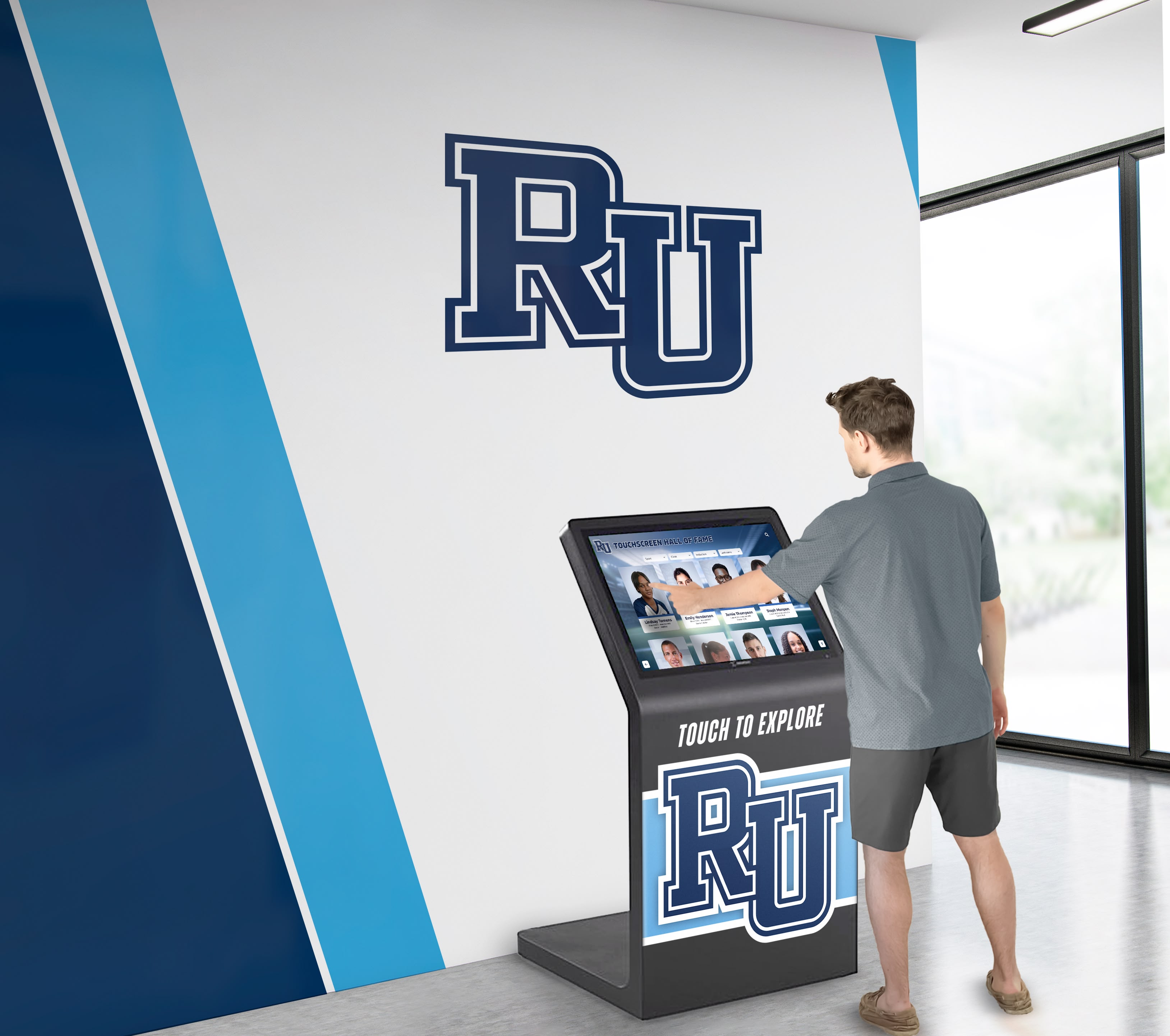
Properly implemented accessible displays serve visitors of all abilities through universal design principles
Level A Success Criteria: Fundamental Accessibility Requirements
Level A criteria address the most severe accessibility barriers. Digital recognition systems failing these requirements exclude significant disability populations.
1.1.1 Non-text Content (Level A)
All images, icons, and graphics must have text alternatives (alt text) describing content and function for visitors using screen readers.
Why This Matters for Digital Displays:
Historical photographs, achievement badges, donor logos, and decorative graphics populate recognition displays. Visitors with visual impairments using screen readers cannot access these visual elements without descriptive text alternatives. A photograph captioned “John Smith, Class of 1985” provides no context about the image content—screen readers need descriptions like “Portrait photograph of John Smith wearing graduation cap and gown, smiling in front of campus library.”
Implementation Requirements:
- All portrait photographs require descriptive alt text
- Achievement icons and badges need functional descriptions
- Charts and infographics require text summaries of data presented
- Decorative images should be marked as decorative to avoid cluttering screen reader output
- Interactive elements like buttons need labels describing function
Organizations managing digital alumni recognition systems should establish content workflows requiring alt text entry for every uploaded image.
1.2.1 Audio-only and Video-only (Prerecorded) (Level A)
Audio recordings require text transcripts. Video-only content needs audio descriptions or transcripts.
Why This Matters for Digital Displays:
Recognition displays increasingly incorporate oral history interviews, thank-you videos from scholarship recipients, and recorded speeches from distinguished alumni. Visitors who are deaf or hard of hearing cannot access audio content without transcripts. Visitors who are blind cannot understand silent video content without audio descriptions explaining visual information.
Implementation Requirements:
- Oral history audio files require complete transcripts
- Silent historical video footage needs audio descriptions
- Transcripts should be available through the same interface
- Time-synchronized display enhances usability
1.2.2 Captions (Prerecorded) (Level A)
All prerecorded video content with audio requires synchronized captions.
Why This Matters for Digital Displays:
Video tributes, documentary footage, and recorded event coverage commonly appear in digital archives and recognition displays. Visitors who are deaf or hard of hearing require captions to access spoken content. Captions also benefit visitors in noisy environments and those watching videos in sound-restricted spaces.
Implementation Requirements:
- All videos with dialogue require accurate synchronized captions
- Captions should identify speakers when not visually obvious
- Sound effects and music relevant to content should be captioned
- Professional captioning services ensure accuracy
1.3.1 Info and Relationships (Level A)
Information structure and relationships conveyed through presentation must be programmatically determinable.
Why This Matters for Digital Displays:
Screen readers and assistive technologies need to understand content hierarchy—distinguishing navigation menus from body content, identifying headers and subheaders, and recognizing relationships between labels and form fields. Visual presentation alone cannot convey these structures to assistive technologies.
Implementation Requirements:
- Proper HTML semantic elements (heading tags, lists, tables)
- ARIA labels and roles when HTML semantics prove insufficient
- Logical heading hierarchy (H1, H2, H3) reflecting content structure
- Form labels programmatically associated with input fields
- Data tables with proper header markup
Institutions implementing comprehensive digital recognition platforms should verify proper semantic markup during content development.
1.3.2 Meaningful Sequence (Level A)
Content must present in a meaningful order when linearized.
Why This Matters for Digital Displays:
Screen readers navigate content sequentially. If visual layout uses CSS positioning to arrange elements illogically in the underlying HTML, screen reader users experience confusing, nonsensical presentation sequences. Content order in code must reflect logical reading order.
Implementation Requirements:
- HTML source order matches logical reading sequence
- Tab order follows intuitive progression
- Multi-column layouts remain coherent when linearized
- Testing with screen readers validates sequence logic
1.4.1 Use of Color (Level A)
Color alone cannot be the only method for conveying information, indicating actions, or distinguishing elements.
Why This Matters for Digital Displays:
Visitors with color blindness (affecting approximately 8% of men and 0.5% of women) cannot distinguish color-coded information. Instructions like “tap the green button to continue” or donor level indicators using only color fail these visitors. Additionally, some assistive technology users operate without color perception.
Implementation Requirements:
- Combine color with text labels, icons, or patterns
- Interactive elements use visual indicators beyond color (underlines, borders, icons)
- Status indicators include text or symbols in addition to color
- Chart legends include patterns or labels, not just colors
2.1.1 Keyboard (Level A)
All functionality must be operable through keyboard interface without requiring specific timings.
Why This Matters for Digital Displays:
Visitors with motor disabilities often cannot use touchscreens effectively and rely on alternative input methods including keyboard navigation, switch devices, or voice control systems that operate through keyboard interfaces. Touch-only interactive displays exclude these populations entirely.
Implementation Requirements:
- All interactive elements accessible via keyboard/Tab key
- Focus indicators clearly show current keyboard position
- Logical tab order following visual layout
- No keyboard traps preventing exit from components
- Alternative hardware options (physical buttons, external keyboards)
Professional touchscreen kiosk systems designed for accessibility often include physical navigation buttons alongside touchscreens.
2.1.2 No Keyboard Trap (Level A)
Keyboard focus must not become trapped in any interface component.
Why This Matters for Digital Displays:
If keyboard users can navigate into a component (modal window, embedded widget, video player) but cannot navigate out using standard keyboard commands, they become trapped requiring system restart. This completely breaks usability for keyboard-dependent visitors.
Implementation Requirements:
- Standard escape mechanisms (Esc key, Tab to exit)
- Documentation of non-standard escape methods
- Testing keyboard navigation through all interface components
- Modal dialogs must be dismissible via keyboard
2.4.1 Bypass Blocks (Level A)
Mechanisms must exist to bypass repeated blocks of content.
Why This Matters for Digital Displays:
Screen reader users navigating large displays encounter the same navigation menu, header, and repeated elements on every screen. Without bypass mechanisms, they must tab through dozens of elements repeatedly to reach main content on each page.
Implementation Requirements:
- “Skip to main content” links at top of each screen
- Proper heading structure allowing screen reader navigation
- ARIA landmarks identifying page regions
- Consistent navigation placement
2.4.2 Page Titled (Level A)
Pages must have titles describing topic or purpose.
Why This Matters for Digital Displays:
Screen readers announce page titles when loading new content. Descriptive titles help users understand where navigation took them, particularly important for multi-screen digital displays where spatial orientation differs from physical movement through spaces.
Implementation Requirements:
- Every display screen has unique, descriptive title
- Titles identify content purpose (“Donor Recognition - Leadership Society”)
- Titles update dynamically when content changes
- Title format remains consistent across screens
2.4.4 Link Purpose (In Context) (Level A)
The purpose of each link must be determinable from link text alone or from link text together with context.
Why This Matters for Digital Displays:
Screen reader users often navigate by listing all links on a page. Links labeled “Click Here,” “Read More,” or “Learn More” provide no context when listed separately. Descriptive link text enables effective navigation without reading surrounding content.
Implementation Requirements:
- Links describe destination (“View Sarah Johnson’s Biography”)
- Avoid generic link text requiring context
- Icon links include text alternatives
- Button labels clearly indicate action results
3.1.1 Language of Page (Level A)
The primary language of content must be programmatically determinable.
Why This Matters for Digital Displays:
Screen readers and translation tools need to know content language to pronounce words correctly and apply appropriate rules. Improperly configured language settings cause screen readers to read content with wrong pronunciation patterns, rendering it incomprehensible.
Implementation Requirements:
- HTML lang attribute correctly set on root element
- Language codes follow ISO standards (en-US, es-MX)
- Mixed-language content marks language changes inline
- Consistent language declaration across all screens

Accessible digital displays integrate naturally into institutional environments while serving visitors of all abilities
Level AA Success Criteria: Standard Accessibility Expectations
Level AA criteria represent expected accessibility standards for public-facing digital systems. Organizations must meet these requirements for legal compliance and ethical inclusivity.
1.2.4 Captions (Live) (Level AA)
Live audio content must include synchronized captions.
Why This Matters for Digital Displays:
Recognition displays occasionally feature live-streamed events—speeches at dedication ceremonies, real-time award presentations, or streamed athletic competitions. Visitors who are deaf or hard of hearing require captions to access this content as it occurs.
Implementation Requirements:
- Live captioning services for real-time events
- Automated speech recognition with human correction
- Clear caption positioning not obscuring critical visual content
- Backup recordings with professional captioning
1.3.4 Orientation (Level AA 2.1 and 2.2)
Content must not restrict view or operation to single display orientation unless specific orientation is essential.
Why This Matters for Digital Displays:
Wall-mounted touchscreens typically operate in fixed portrait or landscape orientation, but content design should accommodate either orientation without loss of functionality or information. Visitors with mobility devices may need to approach displays from angles where forced orientation creates viewing difficulties.
Implementation Requirements:
- Responsive layouts adapting to portrait or landscape
- No content locked to specific orientation without functional necessity
- Testing in multiple orientations during development
- Flexible mounting options accommodating accessibility needs
1.4.3 Contrast (Minimum) (Level AA)
Text and images of text must have contrast ratio of at least 4.5:1 (3:1 for large text).
Why This Matters for Digital Displays:
Visitors with low vision, color blindness, or age-related vision changes struggle to read low-contrast text. Display viewing conditions including ambient lighting, screen brightness, and viewing angles further complicate readability. Insufficient contrast excludes significant visitor populations, particularly elderly community members.
Implementation Requirements:
- Regular text (below 18pt) requires 4.5:1 minimum contrast
- Large text (18pt+ or 14pt+ bold) requires 3:1 minimum contrast
- Automated testing tools verify contrast ratios
- Testing under various lighting conditions
- High-contrast mode options for user customization
Organizations implementing donor recognition walls should verify contrast compliance during design phases, ensuring readability across diverse visitor abilities.
1.4.4 Resize Text (Level AA)
Text must be resizable up to 200% without loss of content or functionality.
Why This Matters for Digital Displays:
Visitors with low vision need larger text to read comfortably. Browser zoom functions and text scaling settings must enlarge content without creating horizontal scrolling, text cutoff, or overlapping elements that render content inaccessible.
Implementation Requirements:
- Responsive typography scaling with zoom
- Layout reflows preventing horizontal scrolling
- No fixed pixel sizes for critical text containers
- Testing at 200% zoom level
- User interface controls for text size adjustment
1.4.10 Reflow (Level AA 2.1 and 2.2)
Content must reflow without requiring two-dimensional scrolling at 320 CSS pixels width.
Why This Matters for Digital Displays:
While primarily addressing mobile devices and browser zoom, reflow requirements ensure content remains accessible when viewport dimensions change dramatically. Visitors using magnification software should not need to scroll both horizontally and vertically to read content—single-direction scrolling suffices.
Implementation Requirements:
- Responsive layouts adapting to narrow viewports
- Vertical scrolling acceptable, horizontal scrolling prohibited
- Content reflows without loss of information or functionality
- Testing at 400% zoom equivalent (320px width)
1.4.11 Non-text Contrast (Level AA 2.1 and 2.2)
User interface components and graphical objects must have contrast ratio of at least 3:1.
Why This Matters for Digital Displays:
Buttons, form field borders, focus indicators, icons, and graphical elements must be sufficiently distinguishable from backgrounds for visibility by visitors with low vision or color blindness. Subtle interface elements using minimal contrast become invisible to significant populations.
Implementation Requirements:
- Interactive component boundaries have 3:1 minimum contrast
- Focus indicators meet contrast requirements
- Chart elements and infographic components maintain contrast
- Icons and graphical objects maintain visibility
- Testing includes non-text elements in contrast audits
1.4.12 Text Spacing (Level AA 2.1 and 2.2)
Content must remain readable and functional when users adjust text spacing.
Why This Matters for Digital Displays:
Visitors with dyslexia and other reading disabilities often require increased spacing between lines, paragraphs, letters, and words for comfortable reading. Content should accommodate these spacing adjustments without text cutoff or overlapping elements.
Implementation Requirements:
- Line height adjustable to 1.5x font size minimum
- Paragraph spacing adjustable to 2x font size minimum
- Letter spacing adjustable to 0.12x font size minimum
- Word spacing adjustable to 0.16x font size minimum
- Testing with user stylesheet modifications
1.4.13 Content on Hover or Focus (Level AA 2.1 and 2.2)
Additional content triggered by hover or focus must be dismissible, hoverable, and persistent.
Why This Matters for Digital Displays:
Tooltips, pop-up menus, and supplementary information appearing on hover or focus should not create accessibility barriers. Visitors with low vision using magnification may need to move pointer over triggered content to read it. Content disappearing immediately prevents this interaction.
Implementation Requirements:
- Triggered content dismissible without moving focus
- Hoverable content remains visible when pointer moves onto it
- Content persists until dismissed or trigger removed
- Keyboard methods to dismiss and reactivate
2.4.5 Multiple Ways (Level AA)
Multiple methods must exist for finding content within displays.
Why This Matters for Digital Displays:
Different visitors prefer different navigation methods. Some search by name, others browse categories, still others navigate chronologically. Recognition displays should accommodate varied mental models and discovery preferences.
Implementation Requirements:
- Search functionality for direct lookup
- Category browsing for exploration
- Alphabetical indexes for systematic navigation
- Temporal navigation for chronological content
- Visual maps for spatial orientation
Schools implementing comprehensive digital archives benefit from multiple navigation methods accommodating diverse visitor preferences and abilities.
2.4.6 Headings and Labels (Level AA)
Headings and labels must describe topic or purpose clearly.
Why This Matters for Digital Displays:
Descriptive headings help all visitors understand content organization while enabling screen reader users to navigate efficiently by jumping between headings. Clear labels eliminate confusion about interface element purposes.
Implementation Requirements:
- Headings accurately describe section content
- Form labels clearly identify input purposes
- Button labels describe action results
- Consistent labeling conventions across displays
- Headings organized hierarchically
2.4.7 Focus Visible (Level AA)
Keyboard focus must be visibly indicated.
Why This Matters for Digital Displays:
Visitors navigating via keyboard cannot interact effectively without clear visual indication of current focus position. Invisible or subtle focus indicators leave keyboard users disoriented, unable to determine which element will respond to interaction.
Implementation Requirements:
- Clear visual boundary around focused elements
- Sufficient contrast for focus indicators
- Focus indicator visible in all color modes
- Consistent focus styling across interface
- No disabled focus indicators in CSS
3.2.3 Consistent Navigation (Level AA)
Navigation mechanisms must appear in consistent locations across screens.
Why This Matters for Digital Displays:
Predictable navigation placement reduces cognitive load for all visitors while particularly benefiting those with cognitive disabilities, learning differences, or low vision who use spatial memory to navigate interfaces. Inconsistent layouts create disorientation.
Implementation Requirements:
- Navigation menus in consistent screen locations
- Repeated components maintain positions
- Icon meanings remain consistent
- Terminology stays uniform across screens
- Changes to navigation require user initiation
3.2.4 Consistent Identification (Level AA)
Components with same functionality must be identified consistently.
Why This Matters for Digital Displays:
When search icons appear on multiple screens, they should look identical and behave identically. Varying representations of identical functions confuse visitors, particularly those with cognitive disabilities who rely on pattern recognition.
Implementation Requirements:
- Icons representing same actions use identical graphics
- Labels for equivalent functions use same terminology
- Button styling remains consistent for similar actions
- Functional patterns repeat predictably
- Style guides ensure consistency
3.3.3 Error Suggestion (Level AA)
Error messages should suggest corrections when automatically detectable.
Why This Matters for Digital Displays:
Search fields, contact forms, and data input screens should provide helpful guidance when visitors make errors. Simply identifying mistakes without suggesting corrections creates frustration, particularly for visitors with cognitive disabilities.
Implementation Requirements:
- Specific error messages explaining problems
- Correction suggestions when determinable
- Examples of correct input formats
- Context-sensitive help for complex inputs
- Clear, non-technical error language
3.3.4 Error Prevention (Legal, Financial, Data) (Level AA)
Submissions causing legal commitments or financial transactions must be reversible, checked, or confirmed.
Why This Matters for Digital Displays:
Donation forms, event registrations, and data submissions require safeguards preventing accidental or erroneous submissions. Visitors with cognitive disabilities or motor impairments particularly benefit from confirmation mechanisms.
Implementation Requirements:
- Confirmation screens before final submission
- Review pages showing entered information
- Edit capabilities before finalizing
- Clear reversal procedures for submissions
- Obvious cancel/go-back options

WCAG-compliant displays enable independent exploration by visitors of all abilities without requiring assistance
WCAG 2.2 Specific Enhancements
WCAG 2.2 introduces new success criteria addressing mobile accessibility, cognitive disabilities, and modern interaction patterns.
2.4.11 Focus Not Obscured (Minimum) (Level AA 2.2 only)
Keyboard-focused elements must not be entirely hidden by author-created content.
Why This Matters for Digital Displays:
Modal dialogs, sticky headers, or persistent navigation bars should not completely cover focused elements when users navigate via keyboard. Visitors relying on keyboard navigation must see which element currently has focus.
Implementation Requirements:
- Floating interface elements avoid obscuring focus
- Modal dialog positioning considers focus visibility
- Sticky headers leave focus indicators visible
- Dynamic content avoids covering focused elements
- Testing keyboard navigation in all screen configurations
2.4.13 Focus Appearance (Level AAA 2.2 only)
While Level AAA, this criterion defines minimum focus indicator requirements: at least 2 CSS pixels thick, contrast ratio of 3:1 minimum, not obscured by other content.
Though technically Level AAA, many organizations adopt these specifications as best practice for Level AA implementations.
2.5.7 Dragging Movements (Level AA 2.2 only)
Functionality requiring dragging movements must have single-pointer alternatives.
Why This Matters for Digital Displays:
Drag-and-drop interactions, slider controls, and map panning present barriers for visitors with motor impairments who cannot perform precise dragging motions. Alternative single-tap or keyboard methods enable equivalent functionality.
Implementation Requirements:
- Draggable items have click-to-move alternatives
- Sliders include increment/decrement buttons
- Maps provide pan buttons or keyboard navigation
- No functionality exclusively requires drag operations
- Alternative interaction methods equally effective
2.5.8 Target Size (Minimum) (Level AA 2.2 only)
Interactive targets must be at least 24 by 24 CSS pixels, with exceptions for inline links, user agent defaults, and essential presentations.
Why This Matters for Digital Displays:
Small touch targets create difficulty for visitors with motor impairments, hand tremors, or reduced dexterity. Adequate spacing and sizing enable accurate interaction without frustration or repeated missed attempts.
Implementation Requirements:
- Buttons and interactive elements 24x24 pixels minimum
- Adequate spacing between adjacent targets
- Larger targets for primary actions
- Testing with touchscreen interactions
- Alternative interaction methods for smaller targets
3.2.6 Consistent Help (Level A 2.2 only)
Help mechanisms must appear in consistent locations when repeated across screens.
Why This Matters for Digital Displays:
When displays offer help documentation, contact information, or assistance mechanisms, these resources should appear in predictable locations. Visitors with cognitive disabilities benefit from spatial consistency reducing mental load.
Implementation Requirements:
- Help icons in consistent screen positions
- Assistance links use identical placement
- Support contact information appears predictably
- Terminology for help remains consistent
- Navigation to help resources works identically
3.3.7 Redundant Entry (Level A 2.2 only)
Information previously entered should not require re-entry within same session unless necessary for security.
Why This Matters for Digital Displays:
Multi-step forms or processes should remember information entered in previous steps. Requiring visitors to repeatedly enter identical information creates frustration, particularly for those with cognitive disabilities or motor impairments making typing difficult.
Implementation Requirements:
- Forms auto-populate previously entered data
- Selection preferences persist within sessions
- Users can retrieve previous entries
- Copy/paste available for repeated information
- Security considerations clearly communicated
3.3.8 Accessible Authentication (Minimum) (Level AA 2.2 only)
Authentication processes must not rely on cognitive function tests unless alternatives exist.
Why This Matters for Digital Displays:
CAPTCHA challenges requiring pattern recognition, memory tests, or complex puzzle-solving create barriers for visitors with cognitive disabilities. Alternative authentication methods ensure access for all abilities.
Implementation Requirements:
- Alternative authentication methods available
- Object recognition or simplified challenges
- Audio alternatives for visual challenges
- Copy/paste allowed for authentication codes
- Clear instructions for authentication processes
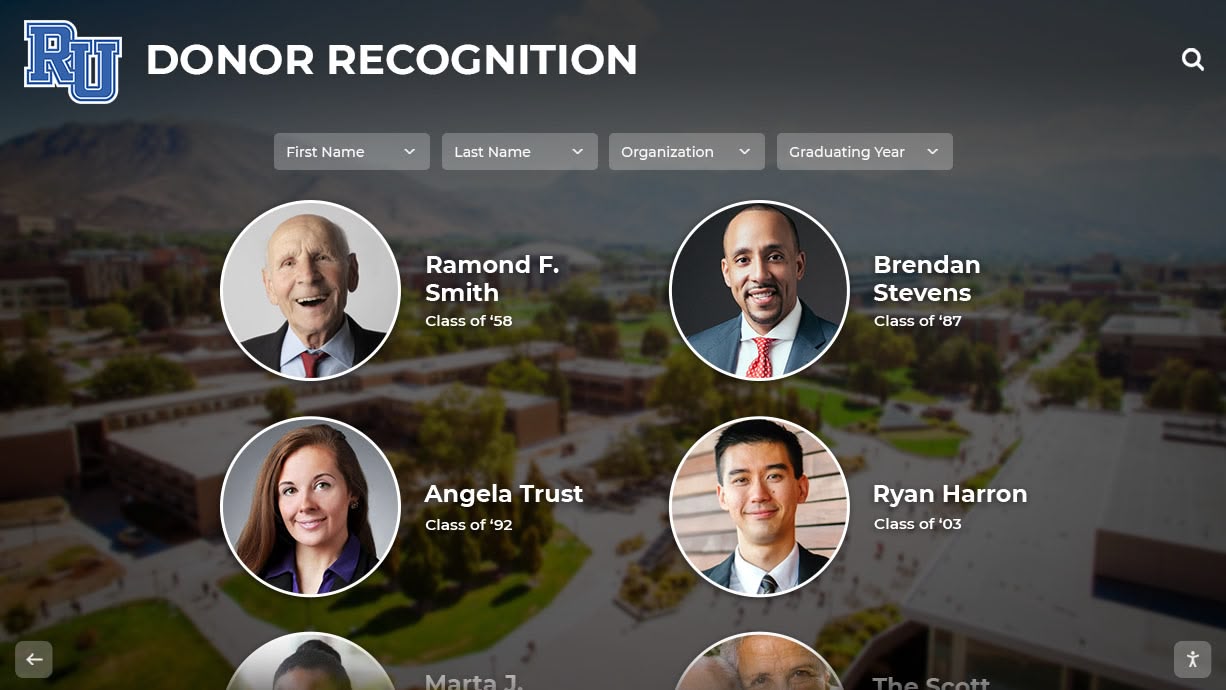
Accessible donor recognition displays honor all supporters while ensuring every visitor can explore recognition content
Implementation Strategies for WCAG 2.2 AA Compliance
Understanding success criteria represents the first step. Practical implementation requires systematic approaches addressing design, development, content management, and ongoing maintenance.
Choosing Accessible Display Platforms
Platform selection determines long-term accessibility success or failure. Organizations should evaluate:
Built-in Accessibility Features
Professional recognition display platforms like Rocket Alumni Solutions incorporate WCAG 2.2 AA compliance into core design:
- Semantic HTML structure throughout templates
- Keyboard navigation across all interfaces
- Proper ARIA labels and roles
- Responsive design adapting to various viewports
- High-contrast mode options
- Adjustable text sizing
- Screen reader testing during development
Organizations implementing digital hall of fame systems should verify accessibility features during vendor evaluation rather than attempting retrofits after installation.
Content Management Accessibility
Accessible content creation workflows ensure ongoing compliance:
- Alt text entry required for all uploaded images
- Caption upload alongside video content
- Contrast checking tools integrated into editors
- Heading hierarchy guidance during content creation
- Automated accessibility scans before publishing
Hardware Considerations
Physical installations influence accessibility:
- Commercial displays with anti-glare coatings improving readability
- Adequate screen brightness overcoming ambient lighting
- Adjustable mounting heights accommodating wheelchair users
- Physical navigation buttons supplementing touchscreens
- Audio output options for screen reader compatibility
Accessibility Testing Procedures
Compliance verification requires comprehensive testing:
Automated Scanning Tools
Accessibility evaluation tools identify technical violations:
- WAVE (Web Accessibility Evaluation Tool)
- axe DevTools browser extension
- Lighthouse accessibility audits
- Pa11y automated testing
Automated tools catch structural problems but miss many usability issues requiring human evaluation.
Manual Testing Protocols
Human testers identify real-world accessibility barriers:
- Keyboard navigation testing (disconnect mouse entirely)
- Screen reader testing with JAWS, NVDA, or VoiceOver
- Color contrast verification under various lighting
- Zoom testing at 200% and 400% magnification
- Content comprehension evaluation with diverse testers
User Testing with People with Disabilities
Nothing replaces testing with actual visitors who use assistive technologies:
- Recruit testers with vision, hearing, motor, and cognitive disabilities
- Observe real interaction patterns
- Collect feedback about barriers and frustrations
- Iterate based on user experience insights
- Compensate testers appropriately for expertise
Ongoing Accessibility Maintenance
Initial compliance represents the beginning, not the end:
Content Governance Policies
Establish clear requirements for all content additions:
- Alt text mandatory for every image upload
- Video content requires captions before publication
- Heading structure follows organizational standards
- Link text describes destinations clearly
- Color combinations meet contrast requirements
Regular Accessibility Audits
Schedule periodic compliance verification:
- Quarterly automated scans identifying technical issues
- Annual comprehensive manual audits
- Accessibility review before major content updates
- User feedback collection and response procedures
- Documentation of issues and resolution timelines
Staff Training Programs
Ensure content creators understand accessibility:
- Initial training for all staff managing content
- Refresher sessions addressing common mistakes
- Updates covering new WCAG criteria
- Role-specific training for designers, developers, content authors
- Accessibility champions within departments
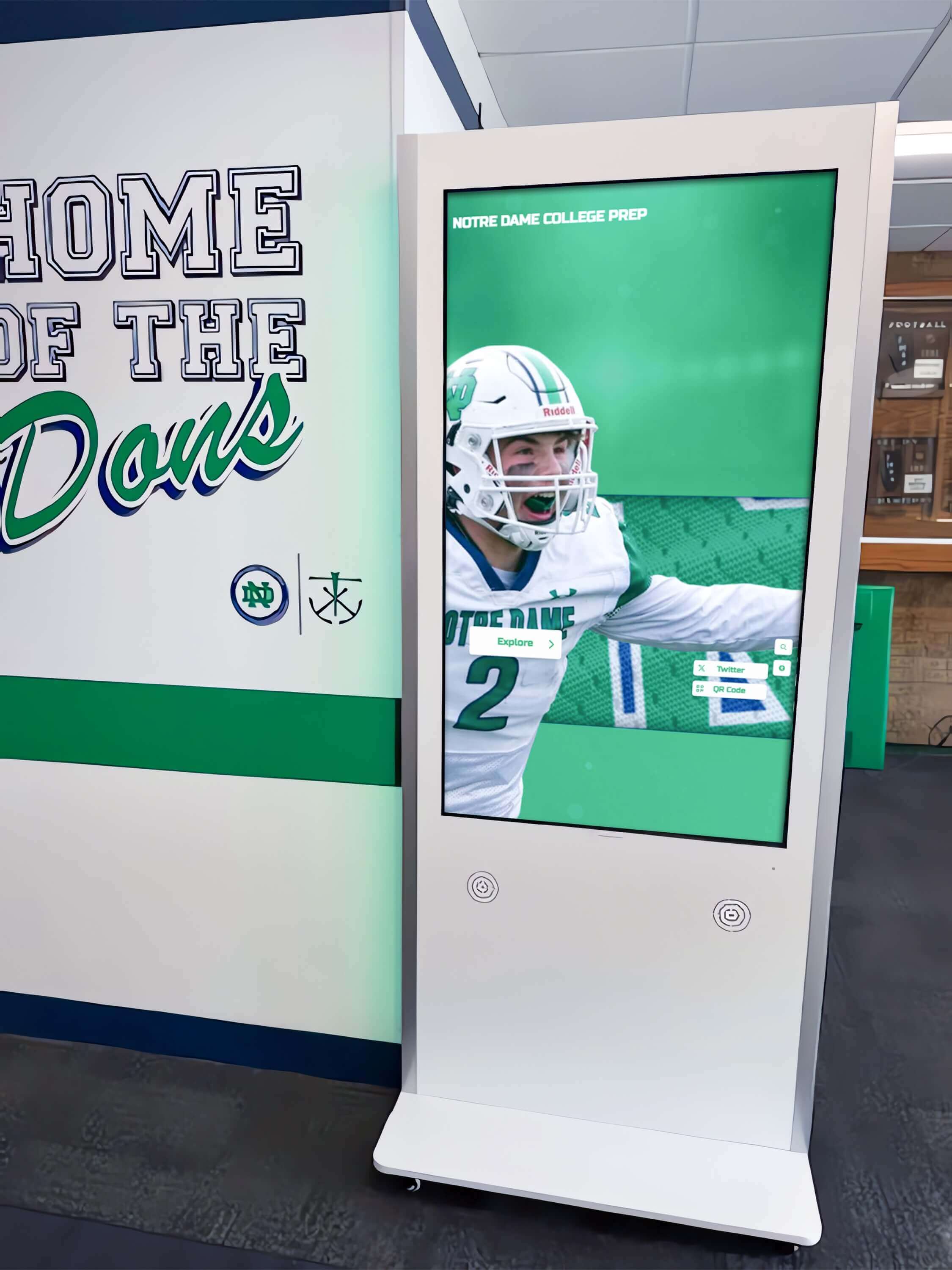
Professional installations incorporate accessibility considerations from mounting height to interface design
Benefits Beyond Compliance: Why Accessibility Matters
While legal requirements drive initial accessibility investment, broader benefits justify comprehensive implementation:
Universal Design Serves All Visitors
Accessible design principles benefit visitors beyond those with documented disabilities:
- Older Adults with age-related vision, hearing, and motor changes
- Situational Limitations like bright sunlight, noisy environments, or temporary injuries
- Cognitive Load Reduction through clear organization and consistent navigation
- Mobile Device Users benefiting from responsive design and flexible layouts
- Search Engine Optimization improved through semantic markup and structured content
Research consistently demonstrates that accessibility improvements enhance usability for majority populations, not just specialized disability groups.
Institutional Values and Mission Alignment
Public institutions, educational organizations, and nonprofits serve diverse communities:
- Equity Commitments demonstrated through inclusive technology choices
- Community Trust built through accessible public spaces
- Educational Missions supported by equal access to information
- Social Responsibility reflected in universal design investments
- Legal Compliance protecting institutions from discrimination claims
Organizations recognizing that accessibility represents values alignment, not merely regulatory compliance, implement more comprehensive and sustained accessibility programs.
Competitive Differentiation
As accessibility awareness grows, compliant organizations distinguish themselves:
- Vendor Evaluation where accessibility compliance influences selection
- Stakeholder Confidence from donors, alumni, and community members
- Award Recognition through accessibility program excellence
- Recruitment Advantages attracting disability-conscious students, staff, and faculty
- Partnership Opportunities with disability organizations and advocacy groups
Future-Proofing Technology Investments
Accessible design anticipates technological evolution:
- Emerging Assistive Technologies compatible with properly structured content
- Voice Interfaces leveraging semantic markup for comprehension
- Artificial Intelligence processing accessible content more effectively
- Regulatory Evolution positioning organizations ahead of requirement changes
- Platform Migrations simplified by clean, standards-compliant code
Conclusion: Building Inclusive Digital Recognition Systems
WCAG 2.2 AA compliance represents more than technical checkbox completion—it embodies institutional commitments to universal access, inclusive design, and equitable information dissemination. Schools, museums, nonprofits, and institutions implementing digital recognition displays face opportunities to demonstrate values through technology choices that serve entire communities rather than creating barriers excluding visitors with disabilities.
Understanding why each success criterion matters enables informed vendor evaluation, effective implementation planning, and sustained compliance maintenance. Organizations recognize that accessible digital displays deliver benefits extending far beyond disability populations: clearer navigation appreciated by all visitors, better-organized content improving information discovery, and professional presentation quality reflecting institutional excellence.
Professional platforms like Rocket Alumni Solutions address WCAG 2.2 AA requirements through core design choices rather than afterthought accommodations, ensuring schools and organizations meet accessibility obligations without requiring technical expertise or creating ongoing compliance burden. These comprehensive systems incorporate semantic markup, keyboard navigation, proper contrast, flexible layouts, and content management workflows that maintain accessibility as content evolves.
Implement Accessible Digital Recognition Displays for Your Institution
Discover how Touch Archive solutions help schools, museums, and institutions create WCAG 2.2 AA compliant recognition displays that serve visitors of all abilities through universal design principles and professional accessibility implementation.
Book a DemoImplementation need not overwhelm organizations. Systematic approaches beginning with accessible platform selection, progressing through comprehensive testing, and establishing ongoing maintenance procedures create manageable pathways from concept to sustained compliance. Professional services support institutions lacking internal expertise while accessible content management systems empower non-technical staff to maintain compliance through everyday workflows.
Your institutional recognition programs deserve implementation approaches that honor all visitors equally. Whether you’re planning initial digital display installations or evaluating existing systems for accessibility compliance, WCAG 2.2 AA criteria provide clear frameworks for creating technology experiences serving entire communities. Every visitor—regardless of physical, sensory, or cognitive abilities—should explore alumni achievements, donor recognition, and institutional history with equal independence, dignity, and enjoyment.
Ready to explore how accessible digital recognition systems can serve your entire community? Talk to our team about WCAG 2.2 AA compliant solutions designed specifically for schools, museums, and institutions committed to universal access and inclusive technology implementation.































