Yearbook Layout Ideas: 25 Designs Schools Are Using This Year (Plus Digital Preservation Tips)
- Home /
- Touch Archive Blog /
- Yearbook Layout Ideas: 25 Designs Schools Are Using This Year (Plus Digital Preservation Tips)

The Easiest Touchscreen Solution




Live Example: Rocket Alumni Solutions Touchscreen Display
Interact with a live example (16:9 scaled 1920x1080 display). All content is automatically responsive to all screen sizes and orientations.
Every spring, yearbook advisors and student editors face the same creative challenge: designing layouts that capture the energy, diversity, and personality of an entire school year within limited pages. Traditional grid-based spreads compete with modern asymmetric designs, minimalist approaches clash with maximalist photo collages, and the pressure to create something fresh—yet timeless—weighs on every design decision.
The stakes are higher than many realize. These layouts don’t just organize photos and text; they shape how students, families, and alumni remember formative years for decades to come. A well-designed yearbook becomes a cherished artifact that alumni revisit at reunions, share with their children, and preserve as tangible proof of friendships, achievements, and growth. Conversely, poorly executed layouts can diminish even the most significant moments, leaving recipients disappointed with how their school memories were preserved.
This comprehensive guide presents 25 yearbook layout ideas currently trending in schools across the country, organized by design approach and purpose. You’ll also discover practical strategies for extending your yearbook’s life through digital preservation methods that make these carefully crafted layouts accessible to alumni for generations.
Yearbook design has evolved dramatically from the rigid, formal layouts that dominated previous decades. Today’s yearbook teams draw inspiration from magazine design, social media aesthetics, and digital storytelling techniques while maintaining the organizational clarity that makes yearbooks functional reference tools.

Well-designed yearbook layouts become treasured artifacts that schools preserve through both print and digital formats
Understanding Modern Yearbook Layout Principles
Before exploring specific layout ideas, understanding the fundamental principles that make yearbook designs effective helps you evaluate which approaches will work best for your publication.
Balancing Consistency with Variety
Successful yearbooks establish visual systems that create cohesion across hundreds of pages while allowing individual sections to express distinct personalities:
Establishing Design Consistency
Your yearbook needs recognizable patterns that guide readers:
- Consistent heading hierarchies that signal content organization
- Standardized color palettes tied to school identity
- Repeating graphic elements that create visual continuity
- Uniform caption styles and placement patterns
- Predictable photo treatment approaches (borders, shapes, effects)
Building in Strategic Variety
Within these systems, introduce controlled variation:
- Section-specific color schemes or graphic motifs
- Special layouts for major events and milestones
- Feature spreads with expanded design freedom
- Senior portraits with enhanced visual treatment
- Creative display board concepts for club and organization pages
This balance prevents monotony while maintaining the organizational clarity that distinguishes yearbooks from photo albums.
Optimizing for Multiple Functions
Yearbooks serve several simultaneous purposes that effective layouts must address:
Reference Tool Functionality
Design choices should support yearbook use as searchable records:
- Clear labeling of all individuals in group photos
- Intuitive navigation through index systems
- Logical section organization following school structure
- Readable caption text even in complex layouts
- Efficient use of space to include maximum coverage
Storytelling and Memory Preservation
Layouts must also convey narrative and emotion:
- Visual hierarchy directing attention to key moments
- White space providing breathing room for impactful images
- Typography choices reinforcing tone and personality
- Photo archiving approaches that preserve context and relationships
- Design elements evoking specific moods or themes
The best yearbook layouts seamlessly blend these functional and emotional objectives.
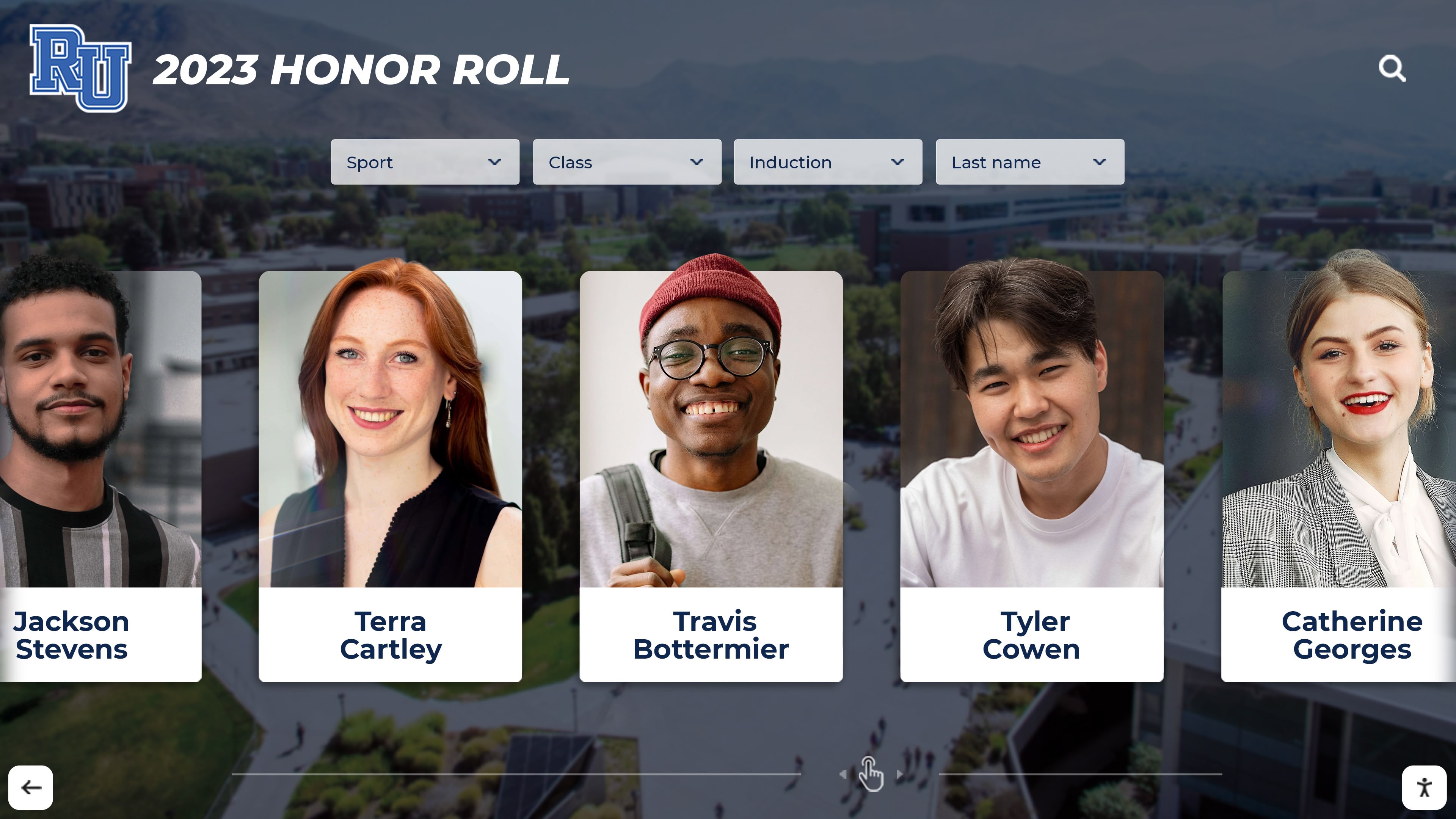
Modern yearbook design principles translate effectively to digital displays that extend recognition beyond printed pages
Classic Yearbook Layout Ideas (Reimagined)
Traditional layout approaches remain popular because they effectively balance photo coverage, readability, and production efficiency. These seven ideas update classic formats with contemporary refinements.
1. Enhanced Grid Layouts with Dynamic Cropping
The traditional grid remains the most efficient approach for maximizing photo count per spread, but modern implementations avoid the rigid, bulletin-board aesthetic of past decades.
What Makes It Work:
- Maintain grid structure for organizational clarity
- Vary photo sizes within the grid to create visual hierarchy
- Use dynamic cropping that places subjects off-center for energy
- Break the grid selectively with photos that span multiple cells
- Incorporate subtle background colors or textures behind grid sections
Best Uses: Class composites, club rosters, event coverage requiring many small photos, underclassmen sections
Design Tip: Keep grid lines consistent but alternate between 3-column, 4-column, and 5-column grids across different spreads to prevent monotony.
2. Modular Block Layouts
Modular designs divide pages into distinct rectangular zones—each containing a complete design element (photo cluster, text block, or graphic feature).
What Makes It Work:
- Creates distinct visual zones readers can scan efficiently
- Allows different content types without creating chaos
- Supports varied photo sizes and orientations naturally
- Provides clear boundaries for design elements
- Scales well across different spread types
Best Uses: Feature stories combining multiple photo sizes, faculty sections mixing portraits with candid shots, academic department pages
Design Tip: Use alignment rather than borders to define modules—allowing white space to separate zones creates cleaner, more sophisticated pages.
3. Dominant Photo Layouts
These layouts feature one large, impactful image occupying 40-60% of the spread, with smaller supporting photos and text arranged around it.
What Makes It Work:
- Immediately establishes visual hierarchy and focal point
- Communicates primary story or emotion at a glance
- Provides breathing room that feels less cluttered
- Creates dramatic visual impact for major events
- Allows feature-quality photography to shine
Best Uses: Homecoming spreads, championship coverage, graduation ceremonies, major performances, student recognition features
Design Tip: Position the dominant photo on the verso (left) page to leverage natural left-to-right reading flow, with supporting elements on the recto (right) page.
4. Mosaic Photo Collages
Mosaic layouts arrange multiple photos of varying sizes in puzzle-like configurations where images fit tightly together without negative space between them.
What Makes It Work:
- Maximizes photo count while maintaining visual interest
- Creates energetic, dynamic spreads
- Eliminates design decisions about spacing and alignment
- Works well for events with many significant moments
- Appeals to contemporary social media aesthetic preferences
Best Uses: Prom coverage, spirit week documentation, multi-day trips or camps, school-wide events with diverse participants
Design Tip: Vary photo aspect ratios (square, vertical, horizontal) and sizes intentionally—random variation creates chaos rather than energy.
5. Timeline and Sequential Layouts
These layouts organize photos and text chronologically, often using visual elements (lines, arrows, numbers) to reinforce the progression.
What Makes It Work:
- Naturally suits events that unfold over time
- Provides clear narrative structure readers can follow
- Works for both single-event coverage and semester-long stories
- Helps readers understand context and relationships between moments
- Creates anticipation as readers follow the sequence
Best Uses: Athletic season recaps, theater productions from auditions to closing night, academic year achievements, class trip documentation
Design Tip: Use subtle background gradients or color shifts that progress across the timeline to reinforce the passage of time visually.
6. Magazine-Style Feature Layouts
Borrowing from editorial magazine design, these layouts treat yearbook spreads as feature articles with strong headlines, subheadings, pull quotes, and carefully composed photo-text relationships.
What Makes It Work:
- Elevates content with professional, polished appearance
- Encourages deeper reading rather than just photo scanning
- Creates prestige feel for important topics
- Supports longer-form storytelling and interviews
- Provides variety from standard yearbook layouts
Best Uses: Senior spotlights, teacher retirement features, major school changes or construction projects, alumni success stories
Design Tip: Limit use to 5-8 spreads maximum—overusing magazine-style layouts diminishes their special impact and slows production.
7. Symmetrical Mirror Layouts
These balanced designs create mirror effects where elements on the verso page reflect or complement elements on the recto page, meeting at the gutter.
What Makes It Work:
- Creates formal, dignified feeling appropriate for serious content
- Provides satisfying visual balance when spread is viewed as whole
- Offers natural space for centered headlines at gutter
- Works well for content with natural pairs or comparisons
- Creates memorable visual moments readers notice
Best Uses: Senior class officers, school administration, principal’s message, dedication pages, comparison features (then/now, before/after)
Design Tip: Ensure dominant photo elements don’t get lost in the gutter—leave at least 0.5 inches of clearance from binding edge.
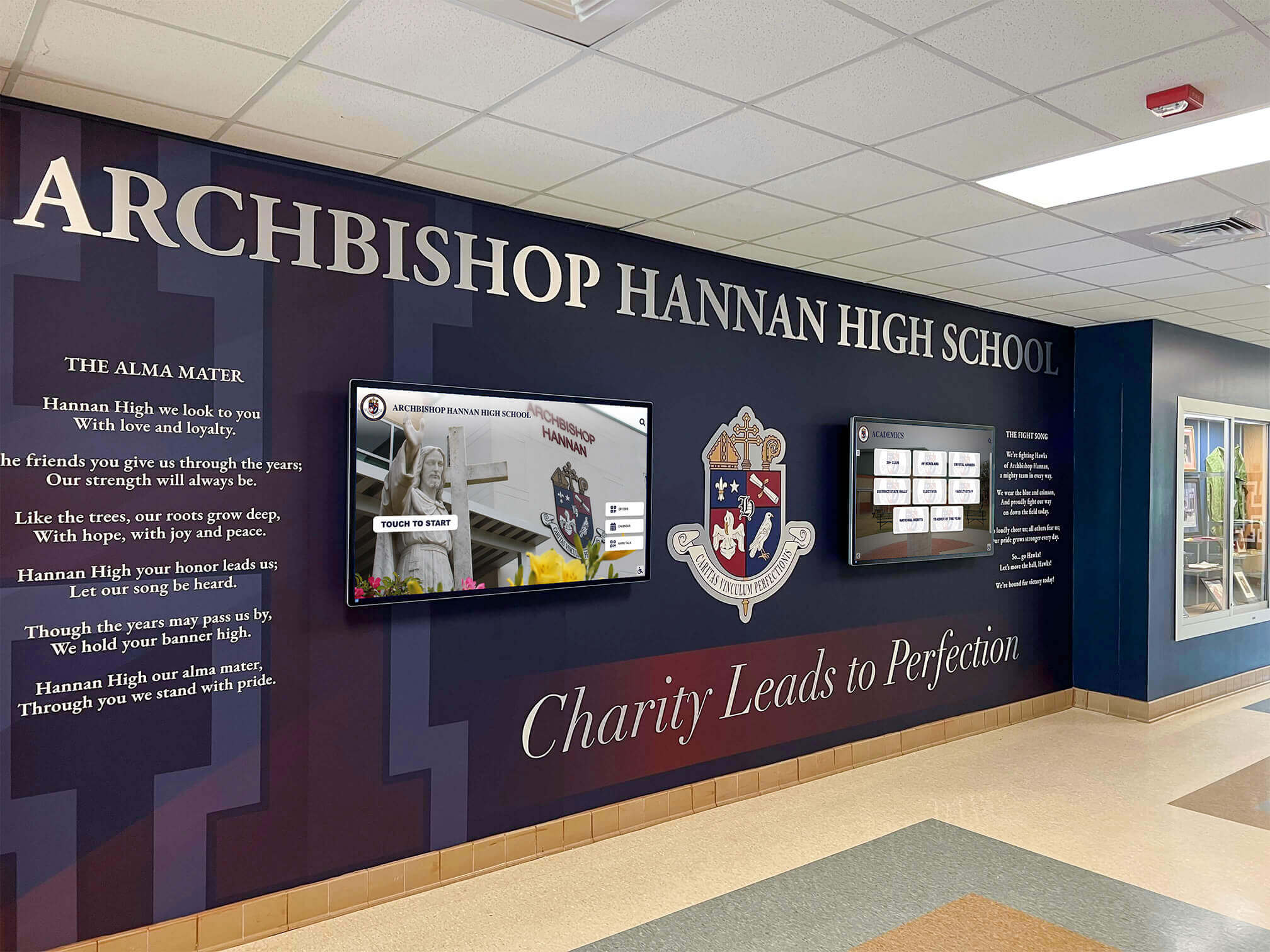
Schools increasingly complement printed yearbooks with interactive displays that showcase layouts and memories in high-traffic areas
Contemporary and Trending Layout Ideas
Modern yearbook design increasingly draws inspiration from digital media, graphic design trends, and evolving aesthetic preferences. These nine ideas represent current directions in yearbook layout.
8. Layered Depth Layouts
These designs create visual depth through overlapping elements, drop shadows, transparency effects, and deliberate z-axis arrangements where some elements appear in front of others.
What Makes It Work:
- Adds dimensionality to flat printed pages
- Creates contemporary aesthetic familiar from apps and websites
- Allows efficient space use by layering rather than positioning side-by-side
- Generates visual interest through depth perception
- Distinguishes your publication from traditional flat layouts
Best Uses: Opening pages, division pages, senior portrait sections, major event coverage
Design Tip: Use layering purposefully—overlapping should clarify hierarchy and relationships, not just add decoration.
9. Asymmetric Dynamic Layouts
Deliberately avoiding balance, these layouts create tension and energy through unexpected placements, diagonal elements, and visually “unstable” arrangements.
What Makes It Work:
- Generates excitement and momentum appropriate for active events
- Breaks predictability and captures attention
- Reflects energy of subject matter through design choices
- Creates memorable spreads that stand out
- Appeals to design-conscious modern audiences
Best Uses: Sports action spreads, fall sports championships, pep rally coverage, high-energy performances
Design Tip: Balance asymmetric layouts across the spread—if verso page is bottom-heavy, make recto page top-heavy.
10. Bold Typography as Design Element
These layouts treat text as primary visual element equal to or more prominent than photos, using oversized type, creative fonts, and words as graphic shapes.
What Makes It Work:
- Creates immediate visual impact
- Communicates tone and personality through type choices
- Provides design solution when strong photography is limited
- Appeals to text-conscious generation accustomed to memes and social graphics
- Generates distinctive, recognizable style
Best Uses: Quote pages, opinion or commentary spreads, senior wills or testaments, decade retrospectives, themed section dividers
Design Tip: Limit to 2-3 typeface families maximum—too many fonts creates chaos rather than impact.
11. Minimalist White Space Layouts
In contrast to maximize-every-inch approaches, these layouts embrace generous white space, featuring fewer larger photos with ample breathing room.
What Makes It Work:
- Creates sophisticated, gallery-like presentation
- Directs focus to featured images without competition
- Provides visual relief from dense photo coverage elsewhere
- Elevates importance of featured content
- Projects confidence and restraint
Best Uses: Senior portraits, school assembly programs, award recipients, memorial pages, artistic or aesthetic content
Design Tip: White space is active negative space that shapes composition—not just empty area that’s leftover.
12. Photo-Illustration Hybrid Layouts
These designs combine photographic imagery with illustrated elements—hand-drawn graphics, icons, decorative shapes, or digital illustrations that interact with photos.
What Makes It Work:
- Adds personality and creativity unique to your publication
- Allows expression of school culture and inside jokes
- Provides cohesive visual vocabulary across multiple spreads
- Engages artistic students who can contribute illustrations
- Creates playful, approachable aesthetic
Best Uses: Club pages, spirit and tradition sections, student life coverage, humor pages, behind-the-scenes content
Design Tip: Develop illustration style early and create library of reusable elements for consistency.
13. Monochromatic Color Schemes
Rather than full-color throughout, these layouts use single-color palettes (often school colors) with varying tints and shades for sophisticated, unified appearance.
What Makes It Work:
- Creates strong visual identity tied to school brand
- Generates cohesive aesthetic across diverse content
- Simplifies design decisions and production workflow
- Produces memorable, distinctive pages
- Often reduces printing costs
Best Uses: Sports team pages, division pages, academic department sections, academic achievement displays
Design Tip: Include one contrasting accent color (typically the complementary school color) for emphasis on key elements.
14. Infographic and Data Visualization Layouts
These spreads present information through charts, graphs, timelines, maps, and other visual data displays rather than traditional photo-caption formats.
What Makes It Work:
- Conveys complex information efficiently
- Appeals to analytical, data-conscious audiences
- Provides variety from photo-heavy spreads
- Creates shareable, reference-worthy content
- Demonstrates sophisticated design capabilities
Best Uses: Year-in-review spreads, senior statistics and trends, school demographics, athletic records and achievements, attendance and participation data
Design Tip: Keep data visualizations simple and readable—complexity should be in the information, not the presentation.
15. Social Media-Inspired Layouts
Borrowing visual language from Instagram, TikTok, and other platforms, these layouts mimic familiar digital formats including stories, feeds, and profile-style arrangements.
What Makes It Work:
- Immediately recognizable and comfortable for digital-native students
- Taps into existing content creation habits and aesthetics
- Creates contemporary, relevant appearance
- Facilitates transition between print yearbook and digital yearbook platforms
- Appeals directly to target audience preferences
Best Uses: Candid student life pages, trending moments spreads, senior quote pages, informal event coverage
Design Tip: Use interface elements (likes, comments, usernames) as design motifs but avoid actual social media screenshots due to privacy and rights issues.
16. Pattern and Texture Background Layouts
These designs feature patterned or textured backgrounds—geometric shapes, photographic textures, or abstract graphics—behind or interacting with primary content.
What Makes It Work:
- Adds visual interest to text-heavy or photo-light spreads
- Creates atmosphere and mood supporting content themes
- Provides cohesive aesthetic through repeated pattern use
- Fills space elegantly when photo coverage is limited
- Connects to trending graphic design approaches
Best Uses: Opinion and editorial spreads, literary content, philosophy or mission statements, administrative messages, thematic section dividers
Design Tip: Keep background patterns at 20-30% opacity maximum—backgrounds support content, they shouldn’t compete with it.

Interactive digital displays let schools present yearbook-style content dynamically, allowing visitors to explore layouts and memories at their own pace
Specialized and Purpose-Specific Layout Ideas
Certain yearbook sections benefit from layouts designed specifically for their unique content requirements. These nine ideas address specialized applications.
17. Senior Portrait Showcase Layouts
Senior sections deserve special design treatment that elevates individual portraits while maintaining efficiency across potentially hundreds of students.
What Makes It Work:
- Provides each senior with dignified, equal presentation
- Allows personality expression through quotes, activities, or stats
- Balances individual recognition with section cohesion
- Creates pages seniors will treasure for decades
- Manages space efficiently while feeling generous
Best Uses: Senior portraits, senior activities and accomplishments, senior superlatives, senior reflections
Design Tip: Use consistent portrait treatment (size, shape, border) but vary surrounding design elements to prevent cookie-cutter appearance.
18. Event Progressive Story Layouts
These layouts document events from beginning to end, using connected design elements that guide readers through the chronological progression.
What Makes It Work:
- Tells complete story rather than just highlighting moments
- Helps readers who didn’t attend understand the event
- Creates narrative engagement that increases reading time
- Preserves context often lost in isolated photo selections
- Provides model for how to cover future similar events
Best Uses: Theater productions, athletic tournaments, multi-day conferences or conventions, fundraising campaigns, school traditions and ceremonies
Design Tip: Use consistent visual motifs (color bars, numbered steps, connecting lines) that link sequential spreads.
19. Comparison and Then-Now Layouts
These designs present parallel content showing change, growth, or contrasts—freshman vs. senior year, tradition then and now, expectations vs. reality.
What Makes It Work:
- Highlights transformation and growth central to school experience
- Creates built-in narrative structure
- Generates reader engagement through before-after curiosity
- Provides historical context for school traditions
- Appeals to nostalgic and reflective moods
Best Uses: Senior year reflections, school renovation projects, program evolution stories, tradition origins and current practices
Design Tip: Use visual cues (arrows, dividing lines, contrasting treatments) that make the comparison immediately clear.
20. Student Voice and Opinion Layouts
These spreads prioritize student perspectives through extended quotes, interviews, polls, or commentary, with design supporting the primacy of student voices.
What Makes It Work:
- Centers student experiences and opinions
- Provides depth beyond surface-level photo coverage
- Creates time-capsule value capturing how students felt
- Engages readers who see their perspectives reflected
- Balances photo-heavy sections elsewhere
Best Uses: Current events responses, school policy discussions, senior reflections, year in review commentary, advice to underclassmen
Design Tip: Use distinctive typographic treatment (pull quotes, speech bubbles, highlighted text) that makes voices visually prominent.
21. Candid Moment Collections
Unlike posed group photos, these layouts celebrate spontaneous, unscripted moments that capture authentic school life and relationships.
What Makes It Work:
- Feels genuine and relatable rather than formal or staged
- Captures energy and personality often missing from posed shots
- Provides variety from formal portrait sections
- Creates emotional connection through recognizable moments
- Ages well—authenticity doesn’t date like posed trends
Best Uses: Lunch and passing period coverage, backstage moments, practice and preparation scenes, student life documentation
Design Tip: Use relaxed, organic layouts that mirror the spontaneous nature of the content—avoid rigid grids.
22. Achievement and Recognition Galleries
These layouts systematically document awards, honors, and recognitions, balancing comprehensive coverage with engaging presentation.
What Makes It Work:
- Ensures all recognized students receive yearbook acknowledgment
- Creates reference value for college applications and resumes
- Celebrates academic and extracurricular excellence
- Provides equitable recognition across diverse achievement types
- Maintains school records of accomplishments
Best Uses: Honor roll lists, academic awards documentation, athletic achievements, arts recognitions, community service honorees
Design Tip: Use visual hierarchy to distinguish different recognition levels without creating implied value judgments.
23. Behind-the-Scenes Process Layouts
These spreads document how things happen—how plays are produced, how yearbook is created, how championships are won—revealing processes usually hidden from view.
What Makes It Work:
- Provides insider perspective that creates connection
- Educates broader community about program requirements
- Celebrates unsung contributors and support roles
- Creates interest through novelty—most students never see these processes
- Preserves institutional knowledge about how programs operate
Best Uses: Yearbook production coverage, theater tech and backstage, athletic training and preparation, cafeteria and facilities operations
Design Tip: Use annotated photos with labels and explanations that teach readers about the process being documented.
24. Community and Local Context Layouts
These designs connect school experiences to broader community contexts, local events, or cultural moments that shaped the year.
What Makes It Work:
- Situates school experience within larger narrative
- Helps future readers understand the context of the year
- Creates relevance for community members beyond current students
- Preserves historical record of local connections
- Provides perspective on how external factors influenced school life
Best Uses: Community partnership coverage, local business sponsors, volunteer projects, responses to local or national events
Design Tip: Balance school-specific content with community context—yearbook remains primarily about school experience.
25. Interactive Element Layouts (Print and Digital)
The most forward-thinking yearbook programs design layouts that work both in print and translate effectively to digital formats, including QR codes linking to video content or interactive features.
What Makes It Work:
- Extends print yearbook with multimedia content
- Bridges physical and digital yearbook experiences
- Provides access to content that doesn’t fit print limitations (video, audio, extended galleries)
- Creates expectation that yearbook content lives beyond printed pages
- Supports digital archiving and preservation strategies
Best Uses: Performance coverage with video links, extended photo galleries, interactive timelines, virtual tours, oral history interviews
Design Tip: Design print layouts that work completely on their own—digital enhancements should add value, not complete incomplete print design.
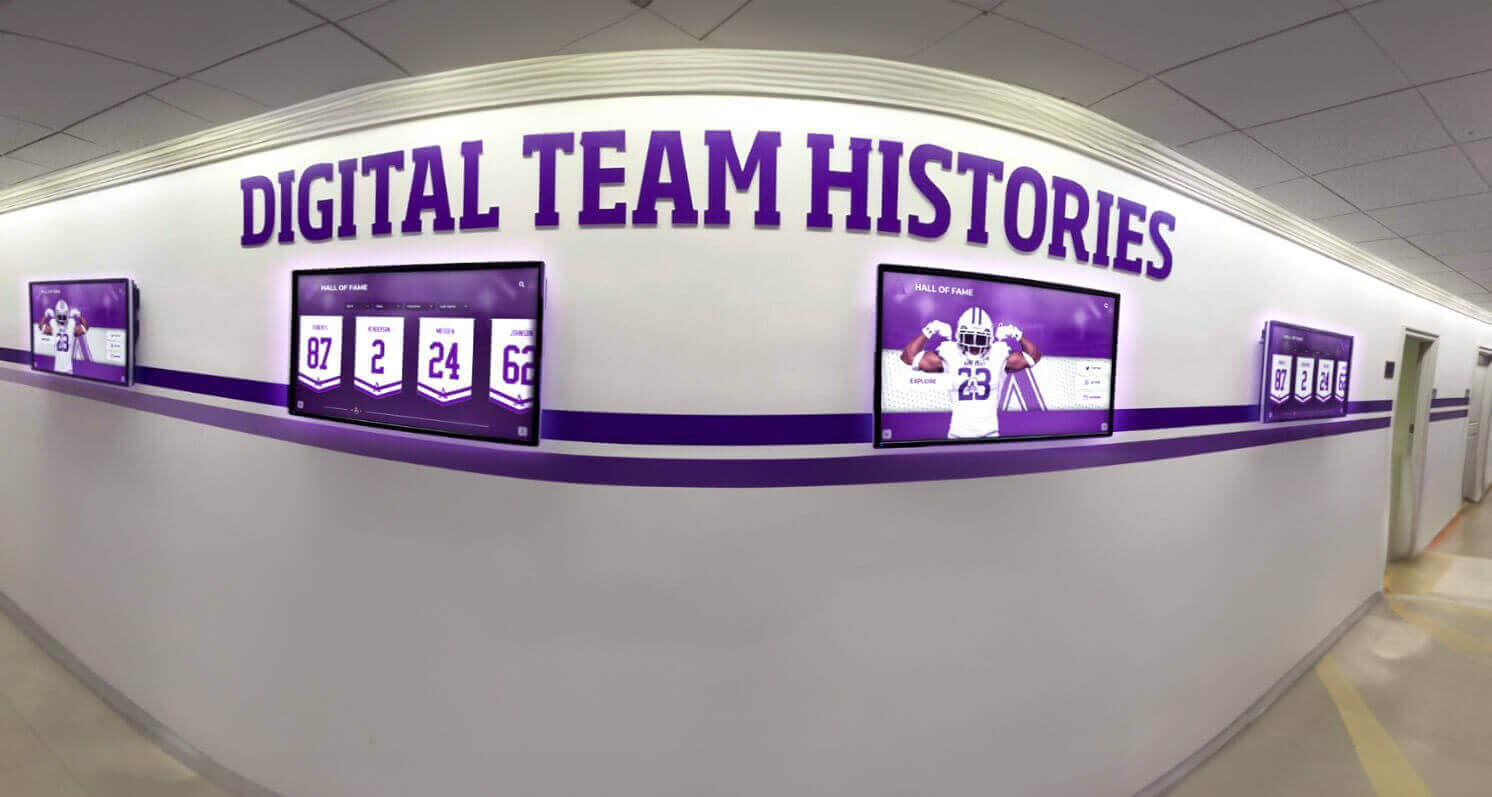
Schools preserve yearbook-quality layouts through digital displays that showcase historical content in engaging, accessible formats
Digital Preservation: Extending Your Yearbook’s Life
Creating compelling yearbook layouts represents significant investment of time, creativity, and resources. Digital preservation strategies ensure these layouts remain accessible to alumni, families, and future students long after print copies become scarce or damaged.
Why Digital Preservation Matters for Yearbooks
Physical yearbooks face inevitable challenges:
Deterioration Over Time
- Paper yellows and becomes brittle
- Binding adhesives fail, causing pages to separate
- Photos fade, especially color images from certain decades
- Water damage, mold, or pest damage destroys collections
- Normal handling wear accumulates across years
Limited Accessibility
- Alumni may lose their personal copies
- School archive copies can’t circulate widely
- Distance prevents easy access for relocated alumni
- Fragile condition limits handling of historical yearbooks
- Single physical copies create preservation risk
Lost Context and Connections
- Names and identification fade from memory
- Context about people and events becomes unclear
- Relationships between individuals get forgotten
- Stories behind photos remain untold
- Institutional memory fades as community members move on
Digital preservation addresses these challenges while creating new opportunities for engagement.
Digital Flipbook Archives
Converting printed yearbooks into interactive digital flipbooks creates accessible online versions that preserve your carefully designed layouts exactly as printed:
Key Advantages:
- Maintains original page layouts and design integrity
- Allows zoom functionality for detailed viewing
- Enables search capabilities within yearbook content
- Provides universal access regardless of physical location
- Creates backup against physical deterioration
- Supports sharing specific pages via links
Implementation Approaches:
- Professional scanning services specializing in yearbook digitization
- In-house scanning using high-quality flatbed scanners
- Born-digital yearbook platforms that create print and digital versions simultaneously
- Cloud-based hosting platforms offering flipbook functionality
Best Practices:
- Scan at minimum 300 DPI for clear text readability
- Use PDF format with OCR for searchability
- Include metadata (year, school, key information) for organization
- Implement appropriate privacy controls
- Plan for long-term hosting and access maintenance
Interactive Touchscreen Recognition Displays
Beyond flipbook archives, schools increasingly use interactive touchscreen displays to showcase yearbook-style content in physical spaces where community members gather:
Display Capabilities:
- Present historical yearbook pages in browsable formats
- Feature individual student, athlete, or award recipient profiles
- Show chronological progressions of school history
- Enable search by name, year, achievement, or activity
- Link related content across multiple yearbooks and years
- Update continuously with current-year content
Strategic Placement:
- Main lobbies where visitors wait and browse
- Athletic facilities showcasing team histories
- Performing arts centers highlighting productions and performers
- Alumni centers and reunion venues
- Administrative areas for prospective family tours
- Libraries preserving institutional academic history
Benefits:
- Makes historical content discoverable and engaging
- Creates interactive experiences for reunions and events
- Demonstrates institutional pride and tradition
- Provides easily updatable recognition platform
- Engages younger students with school history
Creating Comprehensive Digital Archives
The most effective preservation strategies combine multiple approaches into integrated digital archive systems:
Layered Preservation Strategy:
Base Layer: High-Resolution Scans
- Complete digitization of all yearbooks
- Preserved in archival formats (TIFF or uncompressed PDF)
- Stored with redundancy (cloud and local backup)
Access Layer: Flipbook and Web Presentation
- User-friendly formats for browsing and viewing
- Optimized for performance and accessibility
- Searchable and linkable at page level
Enhancement Layer: Structured Data
- Individual identification and tagging
- Event and activity metadata
- Connections between people and activities
- Stories and context beyond what’s printed
Engagement Layer: Interactive Displays
- Physical touchscreen displays in school spaces
- Mobile-responsive web access
- Integration with alumni engagement platforms
This comprehensive approach ensures your yearbook layouts reach their full preservation and engagement potential.
Partnering with Digital Preservation Specialists
While schools can handle basic digitization independently, partnering with organizations specializing in educational recognition and archival displays often provides superior results.
Professional interactive touchscreen solutions designed specifically for schools offer:
- Hardware optimized for high-traffic institutional use
- Software designed for yearbook and recognition content
- Ongoing content management and updates
- Technical support and maintenance
- Integration with existing school systems
- Professional design assistance for digital layouts
These partnerships transform static yearbook archives into dynamic, engaging recognition systems that serve multiple purposes: preserving history, honoring achievements, strengthening school culture, and engaging alumni communities.
Implementing Great Yearbook Layouts: Practical Considerations
Understanding design principles and layout options represents just the beginning. Successful implementation requires attention to production realities, team management, and long-term planning.
Planning Your Layout Strategy
Before individual page design begins, establish overall layout strategy:
Create a Layout Style Guide:
- Document standard layouts for different section types
- Establish typography hierarchies and usage rules
- Define color palette and usage guidelines
- Specify photo treatment standards
- Provide layout templates for common page types
Balance Innovation with Efficiency:
- Reserve complex custom layouts for 15-20% of book
- Use proven template layouts for routine coverage
- Focus creative energy on high-impact spreads
- Build systems that allow less experienced staff to succeed
- Remember that consistency matters more than constant novelty
Consider Production Realities:
- Account for available photography quality and quantity
- Match layout complexity to staff skill and available time
- Plan layouts that accommodate text length variation
- Design with your printer’s capabilities and requirements in mind
- Leave buffer time for revision and refinement
Educating and Empowering Your Layout Team
Strong yearbook layouts emerge from well-trained, empowered student teams:
Provide Layout Training:
- Teach design fundamentals, not just software skills
- Analyze successful yearbook layouts from award-winning books
- Practice with low-stakes spreads before major sections
- Develop critical evaluation skills through peer review
- Connect layout work to professional design principles
Build Clear Workflows:
- Define roles and responsibilities explicitly
- Establish deadlines with buffer time
- Create review and approval processes
- Maintain shared resources and template libraries
- Document decisions for future staff reference
Foster Design Culture:
- Celebrate creative solutions and innovative approaches
- Encourage experimentation within established guidelines
- Share inspiration from design beyond yearbooks
- Recognize both individual designers and collaborative outcomes
- Build institutional knowledge across graduating classes
Testing Layouts Before Committing
Major layout changes benefit from testing approaches:
Create Sample Spreads:
- Design multiple versions of key layouts
- Print physical proofs at actual size
- Share with students, faculty, and stakeholders
- Gather specific feedback on functionality and appeal
- Refine based on responses before full implementation
Pilot New Approaches:
- Introduce new layout types in limited applications first
- Evaluate success before expanding use
- Be willing to abandon approaches that don’t work
- Learn from both successes and failures
- Document what works for future years
Review Across Devices:
- View digital versions on multiple screen sizes
- Test interactive elements thoroughly
- Verify that layouts adapt appropriately
- Ensure accessibility standards are met
- Check loading times and performance
Your yearbook layouts represent how students, families, and alumni will remember this school year. Thoughtful design, careful implementation, and strategic preservation ensure these memories remain vibrant and accessible for generations.

Interactive kiosks transform yearbook archives into engaging experiences that community members can explore independently
Preserving Your Yearbook Legacy for Future Generations
The yearbook layouts you create this year will be discovered by alumni decades from now—perhaps by children showing parents their school memories, perhaps by graduates reminiscing at reunions, perhaps by researchers documenting your school’s history. The design choices you make today shape how future generations will experience and understand this school year.
Digital preservation ensures your yearbook’s carefully crafted layouts remain accessible regardless of time or distance. Through interactive digital flipbooks, alumni can revisit their school days from anywhere in the world. Through touchscreen recognition displays, current students discover the history and traditions that preceded them, creating continuity across generations.
Whether you’re implementing bold contemporary designs or reimagining classic layouts with modern refinements, these 25 yearbook layout ideas provide frameworks for creating pages that balance functionality with visual impact, comprehensive coverage with emotional resonance, and current appeal with timeless quality.
Your yearbook doesn’t end when you send files to the printer. By planning for digital preservation from the beginning, you extend your yearbook’s life indefinitely while creating new opportunities for community engagement, alumni connection, and institutional memory preservation.
The layouts you design today become the memories cherished tomorrow. Make them count—both in print and in the digital future that ensures they’ll never be forgotten.
Ready to preserve your yearbook layouts through interactive digital displays? Rocket Alumni Solutions specializes in transforming yearbook archives into engaging touchscreen recognition displays that make school history accessible and interactive. From scanning and digitization to custom interactive software and professional-grade hardware, we help schools preserve their carefully designed yearbook layouts while creating dynamic recognition systems that strengthen school culture and alumni connections. Contact us to discover how digital preservation can extend your yearbook’s impact for generations to come.
Live Example: Rocket Alumni Solutions Touchscreen Display
Interact with a live example (16:9 scaled 1920x1080 display). All content is automatically responsive to all screen sizes and orientations.































