Athletic Archive Timecode Metadata Guide: Make Historic Game Video Searchable
An athletic archive timecode metadata guide is a documented set of standards and procedures a school or athletic department uses to attach precise time references — hours, minutes, and seconds — to meaningful moments inside digitized sports video, making those moments discoverable without requiring anyone to watch an entire recording from start to finish. The direct answer: timecode metadata transforms an unnavigable two-hour game recording into a searchable index of key plays, athlete appearances, ceremonies, and interviews. A game-winning field goal labeled 01:14:37 with athlete identifiers for every player visible in the sequence becomes findable through a catalog search, a digital archive display, or a hall of fame nomination workflow — none of which are possible from a raw video file with no internal index. This guide covers the four core timecode tasks for athletic video archives — key play indexing, ceremony documentation, interview timestamping, and athlete appearance tagging — with a complete metadata field table, timestamp format examples, and a practical workflow written for athletic directors, archive coordinators, IT staff, and booster volunteers managing historic sports video collections.
Read More
Athletic Archive Content Provenance Records: Document the Source of Photos, Programs, and Results
An athletic archive content provenance record is a structured metadata entry that documents the origin, chain of custody, and acquisition context of every photograph, game program, result document, or media file entering a school’s athletic archive — establishing a traceable source for each item before it is cataloged, displayed, or published. The direct answer: when a school publishes historical photographs on a touchscreen recognition display, posts championship records in a hall of fame, or uses game programs as source evidence for award nominations, content provenance documentation answers three questions that arise repeatedly — Where did this come from? How did we get it? Can we publish it? A complete provenance record answers all three at the moment of publication, not weeks after a question is raised. This guide provides a required-field metadata template, a six-step provenance workflow, and material-type guidance for the three most common athletic archive categories — photographs, programs, and results — written for athletic directors, archives staff, administrators, and school IT or facilities teams building or expanding a digital athletic archive or recognition program.
Read MoreAthletic Archive File Format Identification Workflow: Inventory Unknown Files Before Preservation
An athletic archive file format identification workflow is a structured, repeatable process that school athletic directors, archive coordinators, facilities staff, and IT administrators use to survey a collection of unknown or legacy digital files, confirm what format each file actually is (not just what its extension claims), and produce a prioritized action list before any preservation, migration, or display work begins. The direct answer: run a format identification pass before you touch anything. Files with the wrong extension, obsolete codecs, proprietary containers, or unreadable signatures will silently fail during any migration or platform upload — and discovering that failure after you have committed hundreds of hours to a preservation project is far more costly than a two-hour inventory run at the start. This guide walks through the complete workflow in nine numbered steps, provides a tool-selection table matched to common athletic archive scenarios, explains what decisions to make based on what the identification reveals, and connects the workflow directly to the downstream goal of powering hall-of-fame displays, digital record boards, and interactive recognition systems with usable, verified content.
Read More
School Athletic Archive Folder Hierarchy: A Practical Structure for Teams, Seasons, and Media
A school athletic archive folder hierarchy is the structured directory layout that organizes every digital asset a program collects — team photographs, season rosters, game video, championship records, booster club documents, and game programs — so that any staff member, committee volunteer, IT administrator, or future archivist can locate a specific file without knowing who created it, what system originally produced it, or how many staff transitions occurred since it was saved. This guide provides a complete, ready-to-deploy folder hierarchy for school athletic archives of every size, with tree diagrams, annotated tables, and answers to the most common structural questions facing athletic directors, archive coordinators, facilities staff, and booster leaders.
Read More
Athletic Archive Microfilm Storage Checklist: Inspection, Handling, and Digitization Triggers
An athletic archive microfilm storage checklist is a structured inspection and handling guide that school administrators, athletic directors, facilities managers, archive coordinators, and IT teams use to evaluate the physical condition of microfilm rolls and microfiche containing legacy athletic content — school newspaper athletic coverage, statistical record ledgers, program newsletters, yearbook sections, and booster association publications — before those materials are handled, loaded on a reader, or sent to a digitization vendor. The direct answer: microfilm inspection is the step that moves a school’s legacy film holdings from “we have rolls in a cabinet from the 1970s through 1990s” to a documented, prioritized account of which rolls are stable, which show early signs of degradation, and which have reached the condition thresholds that make immediate digitization necessary. Schools that skip the inspection phase risk damaging irreplaceable content during routine handling, missing active deterioration until image recovery is no longer possible, and sending deteriorated film to a scanning service that cannot produce usable output. This guide provides a complete checklist across five phases: storage environment assessment, physical film inspection, reader and scanner equipment condition, safe handling protocols, and digitization trigger evaluation. It is designed for school staff and volunteers completing an initial review, with the understanding that film showing significant deterioration should be referred to a qualified preservation professional before any further handling is attempted.
Read MoreAthletic Archive Magnetic Tape Storage Inspection Checklist
An athletic archive magnetic tape storage inspection checklist is a structured, item-by-item assessment tool that athletic directors, facilities staff, archive coordinators, and IT teams use to evaluate the physical condition of legacy magnetic tape media — VHS game tapes, cassette recordings of coach interviews, reel-to-reel ceremony audio, and camcorder formats such as MiniDV, Hi8, and Video8 — before those items are digitized, placed in long-term storage, or used in active recognition programming. The direct answer: magnetic tape inspection is the step between “we have a box of old tapes” and “we know which tapes are stable, which need immediate digitization, and which have degraded to the point where professional remediation is required before playback.” Without an inspection phase, athletic departments that send a box of VHS game tapes to a digitization service risk discovering — after paying for the project — that half the tapes carry corrupted signals, vinegar syndrome, or active oxide shedding that makes recovery expensive or impossible. A systematic inspection checklist, completed before digitization, produces a prioritized triage list that allows the school to direct preservation resources toward the tapes most likely to yield usable content and most at risk of imminent failure. This guide provides a complete inspection checklist organized across six phases: environmental conditions, physical media inspection, housing and container integrity, labeling and documentation, playback assessment, and pre-digitization triage. It is written for school administrators, athletic directors, IT and facilities teams, archive staff, and recognition-program owners working with tape collections of any size.
Read MoreAthletic Archive Audio Digitization Workflow: Preserve Interviews, Announcements, and Oral Histories
An athletic archive audio digitization workflow is the structured sequence of steps a school or athletic department follows to convert legacy audio recordings — cassette tapes, reel-to-reel reels, MiniDiscs, audio CDs, VHS audio tracks, and digital voice recorder files — into preserved digital audio files that are properly formatted, documented, and stored for long-term accessibility. The direct answer: audio digitization is more than connecting a tape deck to a computer. A complete workflow covers collection auditing, condition assessment, playback equipment selection, capture settings, file format decisions, metadata documentation, quality review, archival storage, and integration with the broader institutional archive. For an athletic program holding cassette recordings of championship locker room speeches, reel-to-reel tapes of radio broadcasts, or MiniDisc recordings of retired coach interviews, the difference between a systematic workflow and a casual copy attempt can be the difference between a recoverable oral history and a silent stretch of magnetic degradation. This guide walks through the complete audio digitization workflow in eight stages, with format guidance, equipment considerations, metadata requirements, and a practical FAQ written for athletic directors, archive coordinators, school librarians, and IT staff who are confronting boxes of audio media that have never been formally preserved.
Read MoreAthletic Archive Disk Imaging Procedure: Preserve Legacy Drives Before Files Are Lost
An athletic archive disk imaging procedure is the structured process a school or athletic department follows to create a complete, sector-by-sector copy of a legacy storage device — an aging hard drive, USB flash drive, CD-ROM, or DVD — before that device fails or becomes unreadable, capturing every file, folder, and deleted-but-recoverable item in a single protected image file that can be safely explored without risk to the original media. The direct answer: disk imaging is not the same as copying files. A file copy transfers only the files the operating system currently sees and considers intact. A disk image captures everything on the storage surface, including partially overwritten files, directory structures, and metadata that a standard file browser never displays. For an athletic archive holding decades of championship photographs, game-day programs, roster spreadsheets, and record documentation, the difference between a file copy and a verified disk image can be the difference between recovering a complete historical record and losing content that cannot be replaced. This guide walks through the full disk imaging procedure in eight stages, with tool recommendations, drive-type considerations, verification steps, and a practical FAQ written for athletic directors, archive coordinators, school IT staff, and facilities managers who are confronting a storage room full of legacy media.
Read More
Athletic Archive Digitization Project Closeout Checklist: Files, Metadata, Rights, and Handoff
An athletic archive digitization project closeout checklist is a structured, phase-by-phase verification sequence that athletic directors, school administrators, archive coordinators, and IT staff complete after the active scanning phase of a sports archive digitization project ends — confirming that every file has been delivered, every metadata record is complete, every rights question has been documented, and a responsible steward has formally accepted custody of the finished collection before project resources are released. The direct answer: a digitization project is not finished when scanning stops. It is finished when a designated steward has verified the files, confirmed the metadata, documented the rights status of every item, received access credentials and a handoff package, and signed a record that the archive meets the standard established at project kickoff. Skipping the closeout phase is the most common reason digitized collections become inaccessible within three years — files exist, but no one knows where they are, what the naming conventions mean, or whether the school has permission to display them publicly. This checklist covers all five closeout phases — file audit, metadata review, rights clearance, handoff documentation, and stakeholder sign-off — and is written for athletic directors, school administrators, facilities and IT staff, booster leaders, and recognition-program owners who need a finish line that produces a durable, usable archive rather than a folder of scanned files.
Read More
Athletic Archive Cloud Exit Plan: Protect Records When Platforms or Vendors Change
An athletic archive cloud exit plan is a documented, pre-approved procedure that a school or athletic program follows when a cloud storage vendor, digital archive platform, or recognition display provider stops operating, changes its pricing model, loses data, is acquired by another company, or no longer meets the school’s needs — covering what data must be exported, what formats it must be saved in, where off-platform backups are stored, who is authorized to execute the exit, and how historical records transfer to a replacement system without permanent loss. The direct answer: every school that stores photographs, record books, hall-of-fame inductee data, championship rosters, or recognition program content in any cloud or software-as-a-service platform should have a written exit plan before it is needed — because the moment a platform announces a shutdown or a contract dispute arises is not the moment to discover that your archive has no export path. This guide covers all five phases of a cloud exit plan — documentation, export testing, off-platform backup, contract review, and migration execution — and is written for athletic directors, school administrators, archive and recognition program coordinators, IT staff, and booster leaders who share responsibility for preserving institutional athletic history.
Read MoreAthletic Archive Inventory Reconciliation Checklist: Match Files, Catalog Records, and Storage Locations
An athletic archive inventory reconciliation checklist is the structured process that school administrators, athletic directors, archive coordinators, and IT staff use to compare three authoritative sources — the digital file store, the catalog or database of record, and the physical storage inventory — and confirm that every photograph, championship record, roster, and award document is represented consistently across all three. The direct answer: reconciliation is not a one-time cleanup; it is a scheduled comparison that catches discrepancies before they become permanent gaps. A file that exists on a drive but not in the catalog is undiscoverable. A catalog entry with no corresponding file is a promise the archive cannot keep. A physical box listed in a storage manifest but not cataloged is history that may never be digitized. This checklist walks athletic archive teams through a complete reconciliation cycle — from pre-work and role assignments through each source audit, the three-way comparison, discrepancy resolution, and sign-off — and explains how reconciled archives directly power the recognition displays, donor programs, and award ceremonies that celebrate institutional athletic history.
Read MoreAthletic Archive Technology Obsolescence Risk Register: Plan Before Hardware and Formats Fail
An athletic archive technology obsolescence risk register is a structured inventory that identifies every technology dependency in a school’s athletic archive — hardware, media format, software application, and playback device — and assigns each one a likelihood-of-failure rating, an impact rating if access is permanently lost, and a recommended mitigation action, so that the athletic department can prioritize digitization and format migration before irreplaceable records become unreadable. The direct answer: without a risk register, schools discover technology obsolescence reactively — when the VCR needed to play 1994 championship footage no longer powers on, when the software that created the statistical database is no longer sold, or when the only person who knew how to export the legacy file format has retired. A risk register converts reactive discovery into proactive planning by mapping every dependency before it fails. This guide provides a complete risk register framework for school athletic archives, a likelihood-impact-action table covering the most common technology dependencies in school athletic programs, a practical mitigation guide for each risk category, and a FAQ written for school administrators, athletic directors, advancement staff, facilities managers, and IT or content owners who are responsible for ensuring that decades of athletic history remain accessible and displayable as the underlying technology ages out.
Read MoreAthletic Archive Collection Development Policy: What to Preserve and Why
An athletic archive collection development policy is the written framework that defines which record types a school’s athletic archive actively collects, which it accepts on a case-by-case basis, which it declines, and what criteria govern each of those decisions — before materials arrive, not after they accumulate in a storage room. The direct answer: without a collection development policy, athletic archives grow by default rather than design, absorbing whatever is handed to them until the collection is too large to manage, too undifferentiated to search, and too expensive to digitize in full. A collection development policy solves that problem at the source by establishing selection criteria, defining the scope of the archive’s mission, and creating an appraisal framework that staff can apply consistently to every donation, transfer, and acquisition decision. This guide provides a complete policy framework, a selection matrix covering the major record categories in school athletic archives — team records, photographs, video, game programs, awards documentation, and oral histories — and a practical FAQ written for school administrators, athletic directors, archive coordinators, and facilities or IT staff who need to build or formalize a sustainable athletic archive.
Read More
Athletic Archive Data Classification Policy: Separate Public, Restricted, and Sensitive Records
An athletic archive data classification policy is the documented framework that assigns every record type in a school’s athletic archive to a defined tier — public, restricted, or sensitive — based on the nature of the information it contains, the privacy interests it implicates, and the access controls that the tier requires. The direct answer: before a school publishes championship records on a touchscreen display, posts historical rosters on an alumni portal, or grants archive access to a recognition committee, it needs to know which records are safe to share openly, which require authenticated access, and which must remain protected behind administrative controls regardless of who asks. A data classification policy answers that question systematically, so individual display and access decisions do not have to be made from scratch each time. This guide provides a working three-tier classification framework, record-type tables, implementation steps, and a practical FAQ — written for school administrators, athletic directors, archives staff, facilities coordinators, and school IT teams preparing to build or expand a digital athletic archive or recognition program.
Read MoreAthletic Archive Emergency Contact List: Build a Response Directory for People, Vendors, and Systems
An athletic archive emergency contact list is a structured, role-based directory that identifies the specific people, vendors, and systems a school needs to reach when something goes wrong — a storage outage, a display malfunction, a records access failure, a security incident, or an urgent content request ahead of a recognition event. The direct answer: build this directory before you need it. When a trophy case kiosk goes dark the morning of homecoming, or a hall-of-fame induction ceremony requires a photograph no one can locate in the archive, or a district IT audit asks for a system administrator who left two years ago, the value of a current, role-indexed contact list is immediate. This guide provides the structure, tables, and decision logic to build an athletic archive emergency contact list that serves school administrators, athletic directors, facilities staff, and school IT personnel — with enough depth to support a fast response to every incident type the archive is likely to face.
Read MoreAthletic Archive Digital Preservation Ingest Workflow: From Transfer to Verified Storage
An athletic archive digital preservation ingest workflow is the structured sequence of steps a school or athletic program follows every time new content — photographs, video recordings, rosters, statistical records, or award documentation — enters a managed digital archive for the first time, covering transfer execution, file inventory, format validation, metadata capture, checksum generation, and formal acceptance into verified storage. The direct answer: ingest is not complete when files arrive on the destination drive. It is complete when every transferred file has been counted against a transfer manifest, validated for format compliance, documented with descriptive metadata, assigned a checksum baseline, and accepted into a designated storage location with a written record that all of these steps were performed. Skipping any step produces a gap that cannot be recovered from the ingest record alone — unknown files, unverifiable integrity, and assets without the context that makes them usable for recognition programs. This guide provides the full ingest workflow in ten steps, with tables, checklists, and a practical FAQ, written for athletic directors, archive coordinators, school IT staff, and recognition program managers.
Read MoreAthletic Archive Content Migration Checklist: Move History Without Losing Context
An athletic archive content migration checklist is a step-by-step sequence that school administrators, athletic directors, and archive teams follow when moving sports photographs, historical records, hall-of-fame data, rosters, and recognition display content from one storage system, drive, database, or platform to another — covering inventory, source-to-destination mapping, metadata preservation, file format verification, redirect planning, validation, and formal stakeholder sign-off. The direct answer: do not begin any migration without a complete inventory of what you have and a written mapping of where each asset will land; every item that moves without a destination mapping is a candidate for being dropped, renamed without context, or orphaned in a folder that no one manages. This checklist covers all ten phases of a content migration — from the first stakeholder meeting through post-migration monitoring — and is written for athletic directors, school administrators, archive and recognition program owners, and school IT staff managing the technical side of the move. Use it whether you are migrating from a shared drive to a cloud storage system, from one recognition platform to another, from a physical binder to a digital database, or from a legacy website to a new one.
Read MoreAthletic Archive Vendor Due Diligence Checklist: Vet Digitization and Storage Partners
An athletic archive vendor due diligence checklist is a structured set of questions and evidence requests that a school uses before signing any contract with a scanning service, digital storage provider, or archive migration partner — covering how the vendor handles original physical materials, what file formats and metadata standards it delivers, who retains rights to the digitized content, how it secures custody of irreplaceable items, what the exit path looks like, and what proof it can offer of its preservation standards. The direct answer: do not select a digitization or storage vendor on price alone. Require written answers to each category in this checklist, request sample deliverables and client references from comparable athletic archive projects, and confirm that your school’s IT, legal, and records management staff have reviewed any contract that involves transferring custody of original materials or locking archive files into a proprietary platform. This guide covers every major evaluation category, a vendor scorecard table, a red-flags reference, and a full FAQ — written for athletic directors, school administrators, alumni and archives staff, booster leaders, facilities teams, and school IT.
Read MoreAthletic Archive Disaster Recovery Plan: Protect Photos, Records, and Historic Media
An athletic archive disaster recovery plan is the documented process that tells a school exactly how to protect, restore, and verify its sports photographs, video footage, rosters, record books, and recognition-display content when a storage failure, hardware loss, fire, flood, ransomware attack, or accidental deletion occurs. The direct answer: complete a full inventory of every archive asset before writing a single backup rule, apply the 3-2-1 backup principle to all master files (three copies, two different media types, one copy offsite), assign named recovery roles to athletic and IT staff before an incident happens, define tiered recovery priorities so the most irreplaceable materials are restored first, and run a documented restoration test at least once per year so that the plan works when it is needed — not just when it is written. This guide covers the complete seven-step process, a priority table for every common athletic archive material type, a recovery roles matrix, a scenario response table, and a full FAQ — written for athletic directors, school administrators, facilities staff, alumni and advancement teams, and school IT staff who are responsible for preserving institutional athletic history.
Read MoreAthletic Archive Metadata Crosswalk Guide: Map Rosters, Awards, Photos, and Records
An athletic archive metadata crosswalk guide is a structured field-mapping reference that shows schools how to translate the inconsistent column names, value formats, and data structures found in legacy rosters, award records, photographs, and performance records into a single normalized schema — so that decades of athletic history can be imported cleanly into a searchable digital archive or recognition display. The direct answer: before any data moves from a spreadsheet, paper form, or database export into a display platform, every source field must be matched to a target field with an agreed-upon name, data type, and controlled vocabulary. This guide provides field-mapping tables for all four major athletic archive data types — rosters, awards, photos, and records — plus a six-step migration workflow, a normalization troubleshooting table, and answers to the questions school administrators, athletic directors, and archive coordinators ask most often when preparing a legacy archive for digital display.
Read MoreAthletic Archive Cataloging Backlog Reduction Plan: A Prioritized Workflow for School Collections
An athletic archive cataloging backlog reduction plan is a structured, prioritized approach for processing the uncataloged photographs, programs, rosters, statistics, and award documentation that has accumulated in a school’s athletic storage — converting unorganized materials into searchable, displayable records. The direct answer: survey the full backlog before touching anything, sort materials into four priority tiers using the criteria of recognition impact and condition risk, establish naming and metadata conventions before processing begins, and work through the tiers in order with a sustainable weekly quota rather than an all-at-once sprint. This guide provides the complete workflow in eight steps, a prioritized triage table for every common athletic archive material type, a table of common processing obstacles, and a FAQ — written for athletic directors, archive coordinators, and school administrators who need to move from a storage room of boxes to a searchable, display-ready collection without dedicated archival staff.
Read MoreAthletic Archive Fixity Check Schedule: Verify Files Before They Fail
An athletic archive fixity check schedule is the structured, recurring plan that tells archive staff exactly when to run checksum verification on every photograph, video, roster, and record in a school’s digital athletic archive — confirming that files have not changed, been corrupted, or been silently damaged since the last verified baseline. The direct answer: generate a baseline checksum manifest for all archive masters before anything else, run fixity verification on primary master files at least monthly, check backup copies quarterly, and treat any mismatch as an active incident requiring immediate investigation and restoration from a verified backup. This guide provides a step-by-step setup process, a tiered verification schedule with tables, a tool comparison, and a full FAQ — all oriented toward athletic directors, archive coordinators, school IT staff, and recognition program managers who need to protect institutional history without dedicated preservation staff.
Read MoreAthletic Archive Web Capture Checklist: Preserve Team Pages, Scores, and Recognition Stories
An athletic archive web capture checklist is a structured process for identifying, capturing, naming, and storing web-based athletic content — team roster pages, season score records, all-conference announcements, coach profiles, and senior recognition stories — before a school website redesign, a conference platform migration, or a vendor contract change removes that content from public access permanently.
Read MoreAthletic Archive Spreadsheet Preservation Guidelines: Formats, Formulas, and Durable Exports
Athletic archive spreadsheet preservation guidelines are the documented rules that determine which file formats survive software changes, how live formulas should be documented before they break, which export types produce durable records for long-term use, and how spreadsheet data should be organized so that records of rosters, statistics, awards, and financial history remain readable and usable when the staff member who built them is no longer around.
Read MoreAthletic Archive Social Media Preservation Policy: What School Programs Should Save
An athletic archive social media preservation policy is a written set of rules that defines which social media content from a school athletic program qualifies as a permanent institutional record, how that content should be captured and stored, who is responsible for capture, and how long retained files must be kept — so that championship announcements, season records, senior tributes, sponsor acknowledgments, and program milestones published on platforms like Instagram, X, Facebook, or TikTok survive platform outages, account changes, and staff turnover.
Read MoreAthletic Archive Email Preservation Guidelines: Save Team, Award, and Alumni Records
Athletic archive email preservation guidelines are the documented rules that define which email messages belong in a permanent athletic record, how they should be exported and formatted, where they should be stored, and how long they should be retained — so that historically significant communications about awards, alumni milestones, sponsorship commitments, and championship announcements are not lost when a staff member changes roles, an email platform migrates, or a server is decommissioned years later.
Read MoreAthletic Archive Metadata Standards for Searchable School History
Athletic archive metadata standards are the agreed-upon field names, value formats, and controlled vocabularies that allow a school’s historical records — athlete names, seasons, sports, awards, and statistics — to be searched, sorted, filtered, and displayed consistently regardless of who entered the data or which system holds it. Without standards, a database of ten thousand records becomes an unsearchable list: “Basketball” in one entry, “Boys Basketball” in another, “BB-Varsity” in a third, and “M. Johnson” in the athlete field where one staff member typed “Marcus Johnson” and another typed “Johnson, M.”
Read MoreAthletic Archive File Naming Conventions: A Standard for Photos, Rosters, Video, and Records
Athletic archive file naming conventions are the structured rules that govern how schools label digital files — photographs, rosters, video recordings, and record evidence — so that any staff member, committee volunteer, or future archivist can locate, identify, and use a file without help from whoever created it. Without a convention, even a small athletic archive becomes disorganized quickly: a folder of images named IMG_4872 through IMG_5031 is functionally unsearchable, a roster spreadsheet saved as “final-FINAL2-USE-THIS.xlsx” is a liability waiting to surface, and a state championship video file with no year or sport in its name may as well not exist when a hall-of-fame committee forms twenty years later.
Read More
Sports Memorabilia Donation Request: A School Intake Guide for Jerseys, Photos, and Trophies
A sports memorabilia donation request is the structured intake process schools use to receive, evaluate, and catalog athletic artifacts—game-worn jerseys, championship photographs, trophies, signed equipment, and personal mementos contributed by alumni, families, and community supporters. When handled correctly, a donation intake program deepens alumni relationships, enriches institutional archives, and produces the provenance documentation that makes every accepted item display-worthy for decades to come. When handled loosely, the same program produces unidentified objects in unlabeled storage boxes and donors who feel their contribution was quietly forgotten.
Read More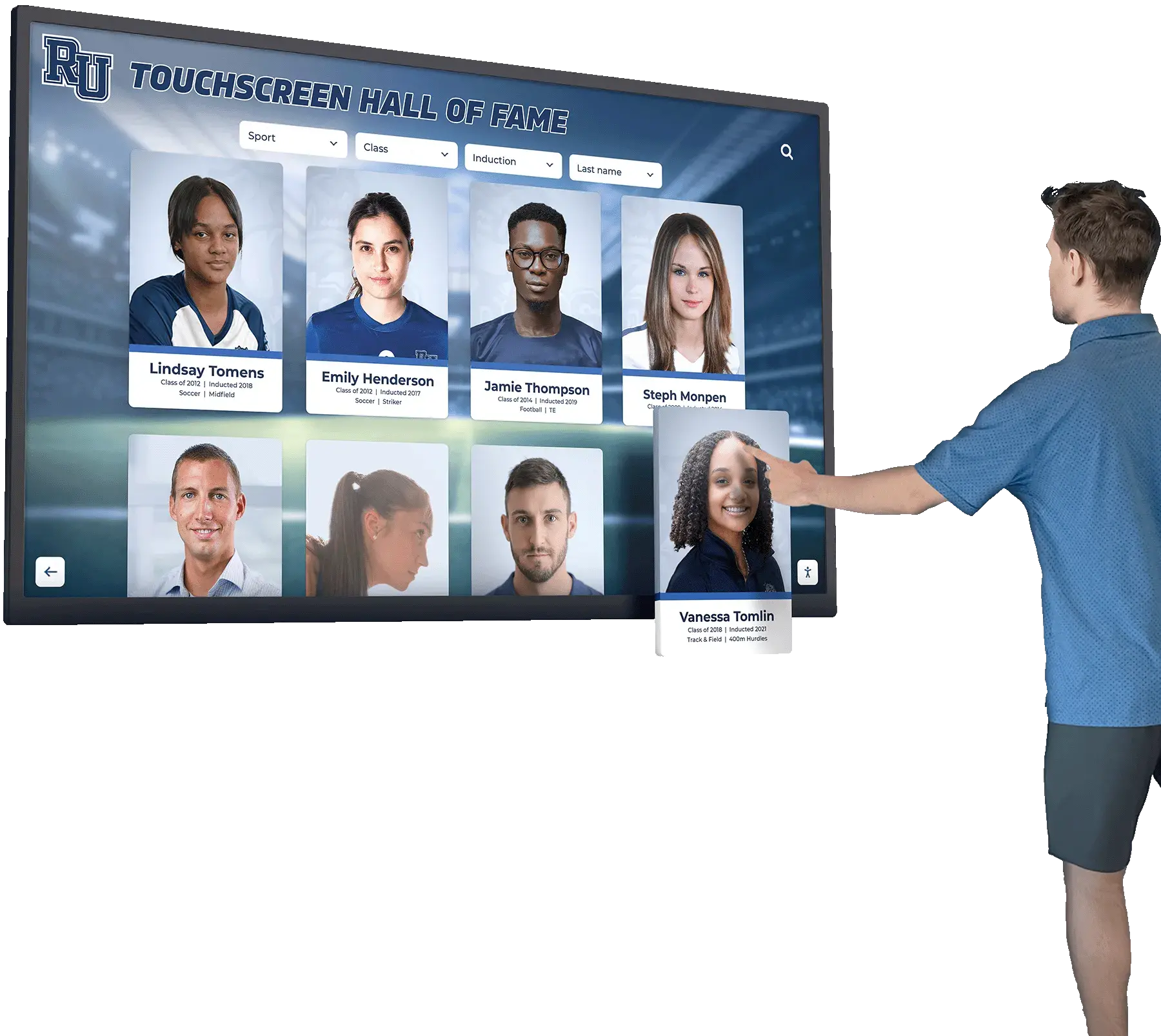
Former Athlete Information Form: Collecting Alumni Updates, Photos, and Honors
Recognizing a former athlete without accurate information is a risk most schools discover too late. A name misspelled on a hall of fame plaque, a graduation year that turns out to be wrong, or a championship photo that shows up three sizes too small — these errors damage the credibility of recognition programs and frustrate the alumni you are trying to honor. A well-designed former athlete information form prevents every one of those problems before they occur.
Read MoreSports Media Archive: Preserving Photos, Videos, Programs, and Season Stories
Every athletic program generates a remarkable volume of media each season: action photographs, highlight reels, game-day programs, scorebooks, stat sheets, and the written accounts that give those numbers meaning. The challenge isn’t creating this content — it’s making sure it survives, stays organized, and remains accessible ten, twenty, or fifty years from now.
Read MoreAthletic Director Interview Questions About Records, Recognition, and Community Engagement
When a school district prepares to hire its next athletic director, the interview process often reveals more about the institution’s values than the candidate’s résumé ever could. The questions a search committee asks—and the answers they reward—signal what the school genuinely cares about: championship banners, or championship culture; seasonal wins, or generational memory. Increasingly, forward-thinking schools structure athletic director interviews around a distinct cluster of concerns: how will this person steward our records, govern our recognition programs, maintain our halls of fame, and keep alumni connected across the decades? This guide collects and explains those questions so that both hiring committees and candidates arrive prepared.
Read More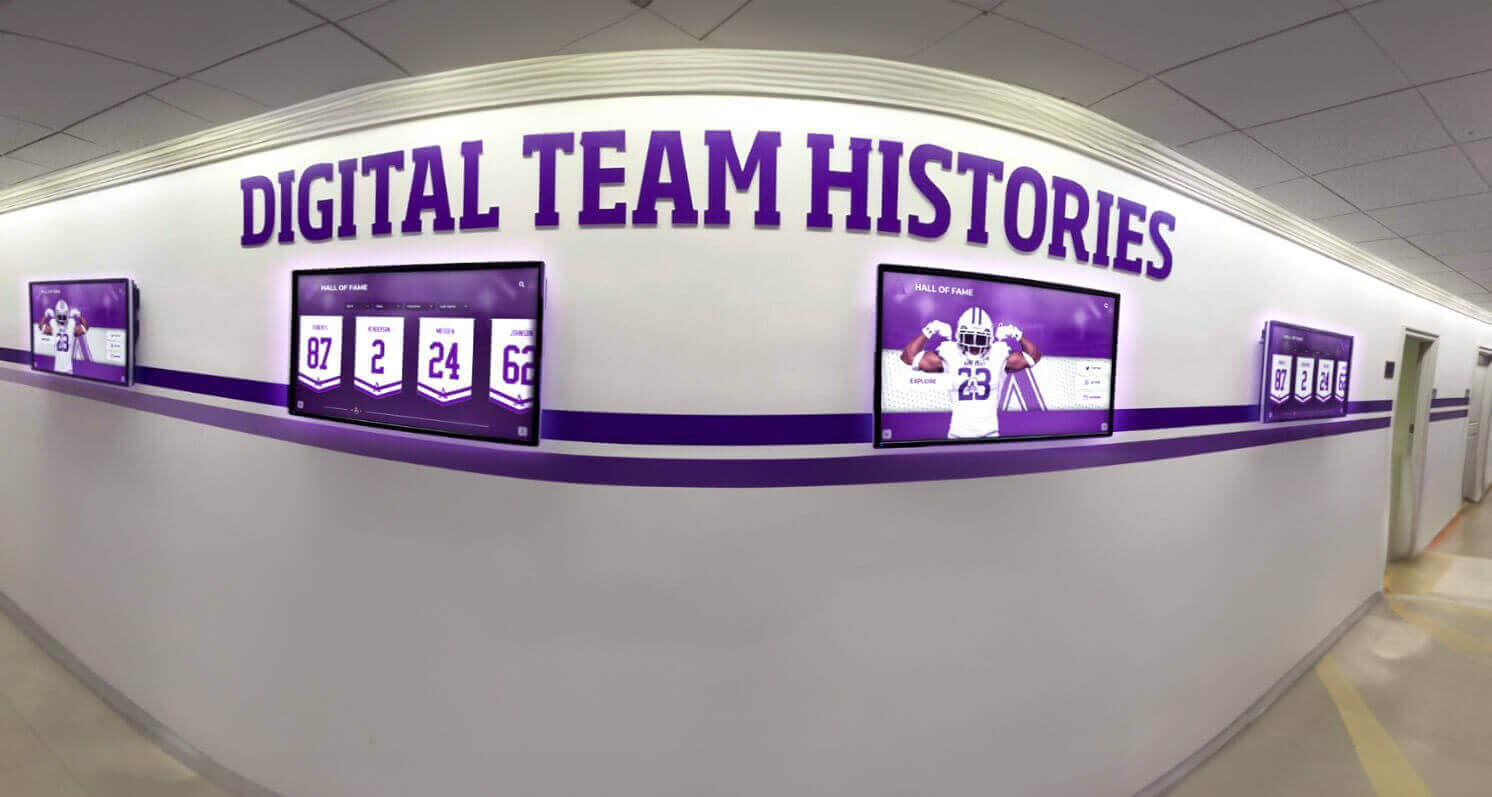
Team Handbook Sections That Help Coaches Capture Rosters, Awards, and Team History
At the end of a busy season, coaches face a familiar problem: individual records exist on clipboards, award nominations live in email threads, and team history is scattered across old binders that may or may not survive a room reassignment. A well-structured team handbook solves this by creating a single, consistent place to capture rosters, award criteria, captain lists, and multi-year history—so that when it comes time to nominate an athlete for a hall of fame or populate a digital recognition display, the data is already organized and ready.
Read More
Sports Team Roster Template: Photo, Bio, Stat, and Archive Fields to Collect
A well-built sports team roster template is the foundation of everything an athletic program documents: the yearbook page, the banner on the gym wall, the digital hall of fame display, and the championship archive a coach pulls up twenty years later. Yet most programs collect far less than they need—grabbing a jersey number and a name, then scrambling when someone asks for a senior bio, a career stat line, or a photo that actually shows the athlete’s face.
Read More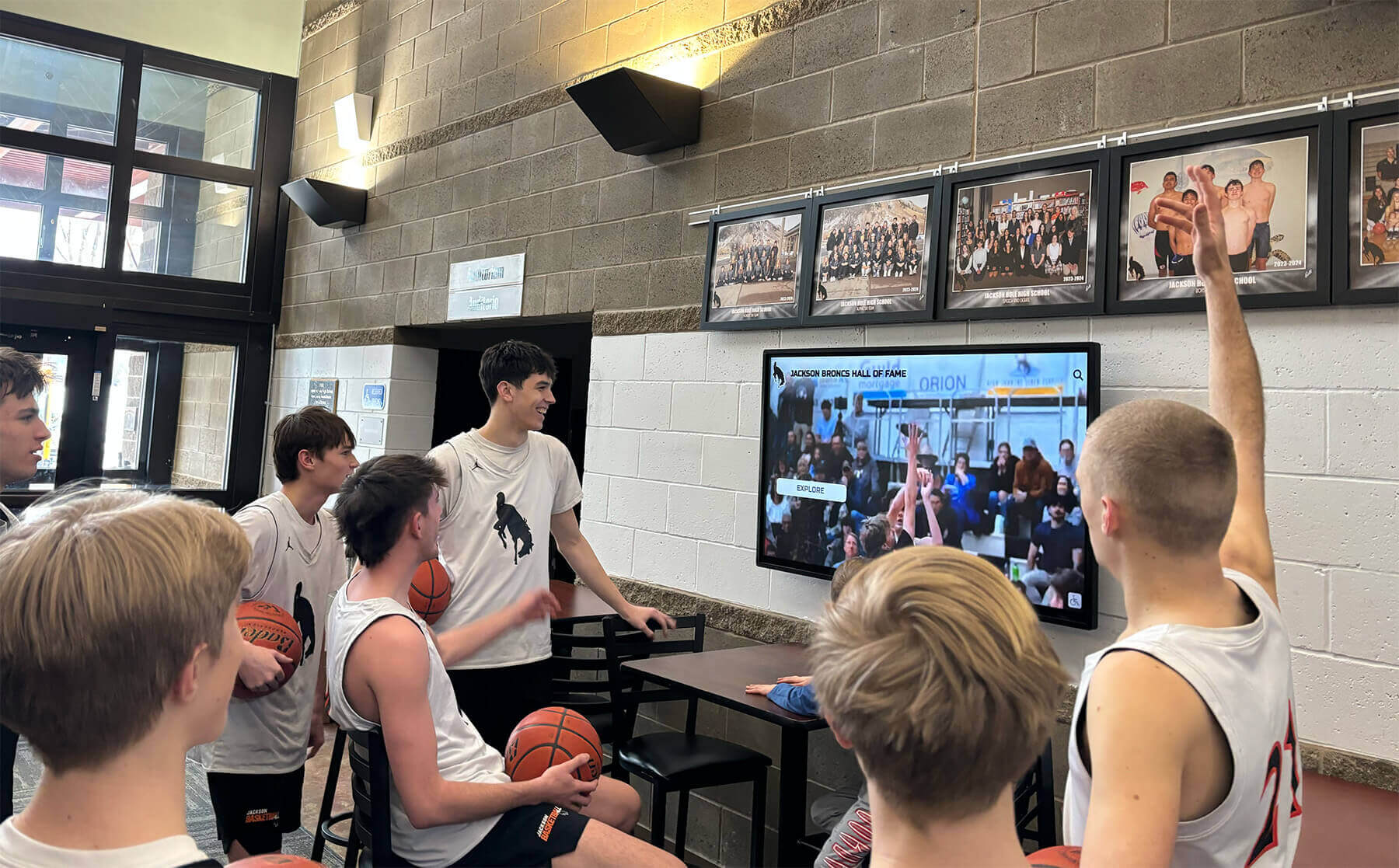
Digitizing Old School Video and Film: Saving VHS, 8mm, and Game Footage Before It's Lost
Magnetic tape is the most chemically unstable media most schools own, and the vast majority of it is sitting in storage closets, equipment rooms, and forgotten cabinets right now, degrading on its own schedule. VHS cassettes documenting state championship games from the 1990s. Super 8 film reels from a school’s first homecoming parade. Betacam cassettes of graduation ceremonies that predate digital photography. Each of these formats is on a countdown: magnetic tape decays whether or not you play it, and the playback equipment needed to convert it grows rarer every year.
Read More
Digital Record Board for Campus Engagement: 20 Ideas That Transform Student Experience
Campus administrators face a persistent challenge: creating meaningful engagement opportunities that resonate with diverse student populations while celebrating institutional achievements. Traditional recognition methods—static plaques, paper newsletters, and trophy cases—fail to capture student attention in an environment where digital interaction is the norm.
Read More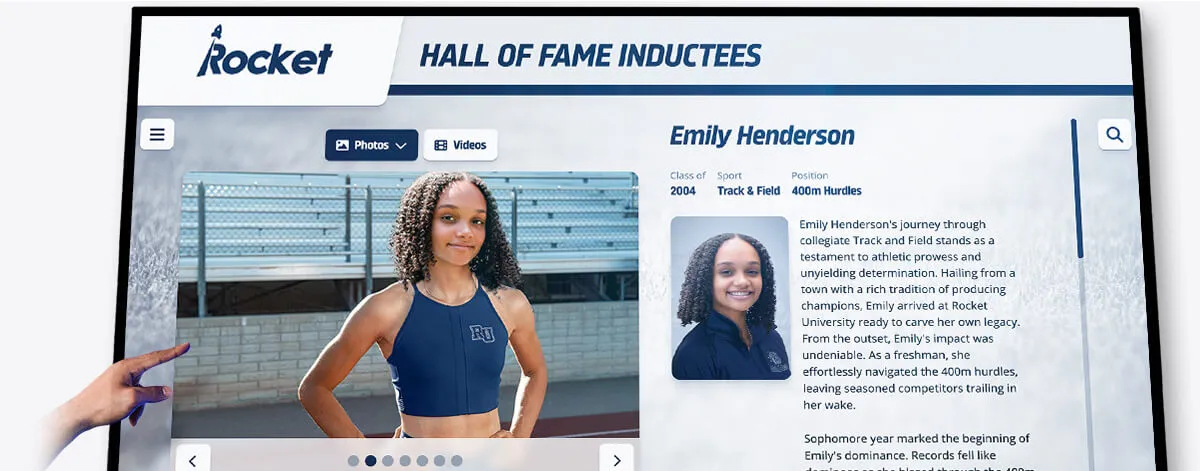
Oregon High School Track and Field Records: State History and Champions
Oregon’s track and field tradition runs deeper than most states, forged through decades of legendary performances on cinder tracks and modern synthetic surfaces alike. From the rain-soaked infields of the Willamette Valley to the high-altitude training grounds of Central Oregon, the state has produced world-class athletes whose high school achievements continue to inspire generations of young competitors chasing those elusive state records.
Read MoreTrack and Field Records: How Schools Display Athletic Achievements
Track and field stands apart from other sports in its remarkable culture of precise record-keeping. Every race, jump, and throw generates exact measurements documented down to hundredths of seconds and fractions of inches. This meticulous data preservation creates rich opportunities for schools to celebrate athletic excellence through comprehensive record displays that honor past achievements while inspiring current competitors to push boundaries.
Read More






























